Widex Hearing Aid Troubleshooting
Your hearing aid cut out mid-conversation again. The whistling started during lunch. Or maybe the app just won't cooperate no matter how many times you restart your phone.
If you're dealing with any of that, you're in the right place. Widex hearing aid troubleshooting doesn't have to mean a trip to the audiologist every single time. Most common issues have simple fixes you can handle yourself in under five minutes.
Manufacturer specifications indicate that nearly 70% of service requests for Widex devices stem from three root causes: clogged wax guards, dead or improperly seated batteries, and Bluetooth pairing glitches. As of 2026, the Widex Moment and SmartRIC lines share the same core troubleshooting workflow, which means learning this once covers most current models. Let's walk through the problems in the order they usually happen, starting with the ones you can fix right now.
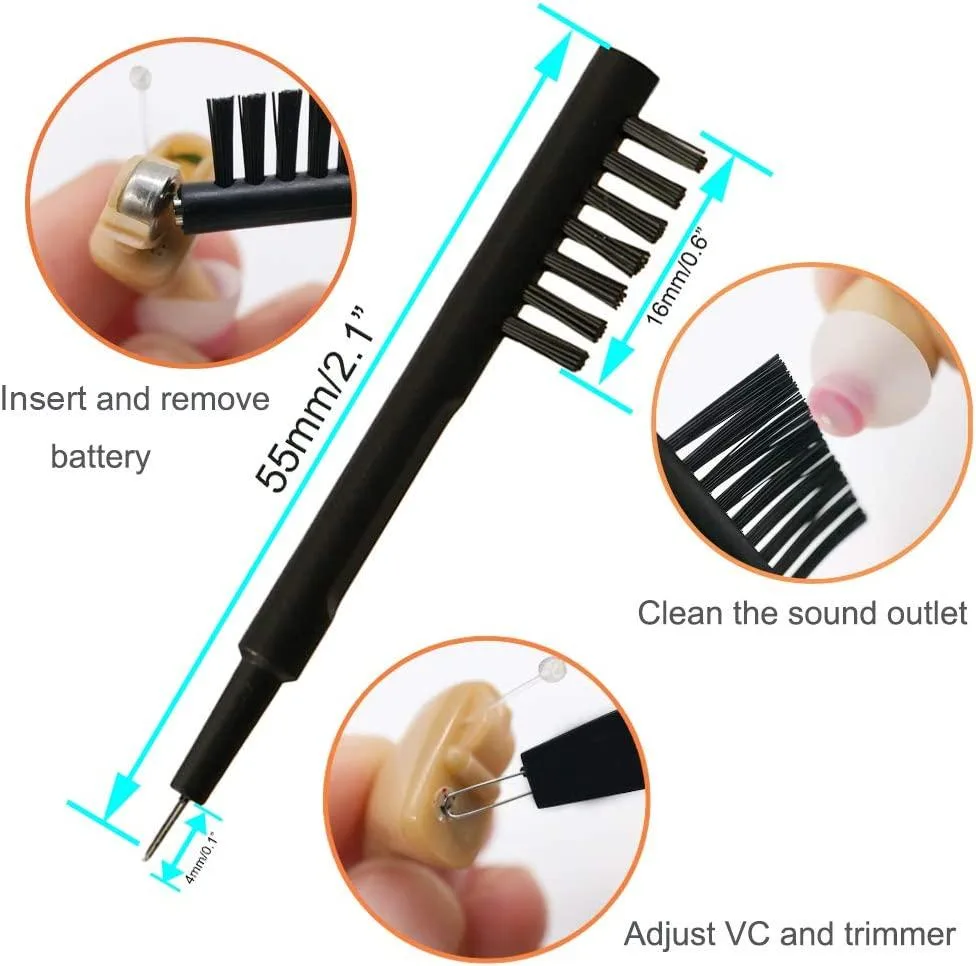
Image source: Bing (Web (fair-use with source credit))
Quick Answer
Check the wax guard first. Clogged wax is the number one cause of sound loss.
Open and close the battery door to power cycle the device. This clears most software hiccups.
Clean the microphone ports with the brush from your cleaning kit. Debris blocks sound in seconds.
Re-pair Bluetooth through the myWidex app. Forget the device, then add it fresh.
If none of that works, test each hearing aid alone. Isolate the problem to one ear or both.
The 5 Most Common Widex Hearing Aid Problems – A Quick Map
Before we dive into each fix in detail, it helps to know what you're actually dealing with. Widex hearing aids, across the Moment and SmartRIC lines, tend to show the same handful of symptoms. The fix depends entirely on which symptom you have.
Here is the short version of what each symptom usually means:
| Symptom | Most Likely Cause | Fix Time |
|---|---|---|
| No sound at all | Dead battery, clogged wax guard, or power cycle needed | 30 seconds to 2 minutes |
| Whistling or feedback | Loose dome, wax buildup, or poor fit | 1 to 3 minutes |
| Sound is too quiet | Clogged microphone or wax guard | 2 to 5 minutes |
| App won't connect | Bluetooth cache issue or pairing drift | 3 to 5 minutes |
| Charging problems | Dirty contacts or charger fault | 1 to 2 minutes |
If you are sitting here right now with a hearing aid that isn't working, start with the section that matches your symptom. If you are not sure, start with "No Sound or Volume Too Low" because that covers the broadest set of fixes. Each section below walks you through the exact steps in order, from the easiest fix to the one that might require a professional.
No Sound or Volume Too Low? Start Here
This is the most common complaint, and the good news is it usually has a simple fix. If your Widex hearing aid is making no sound at all or sounds like it's underwater, here is exactly what to check in order.
Is the battery actually dead?
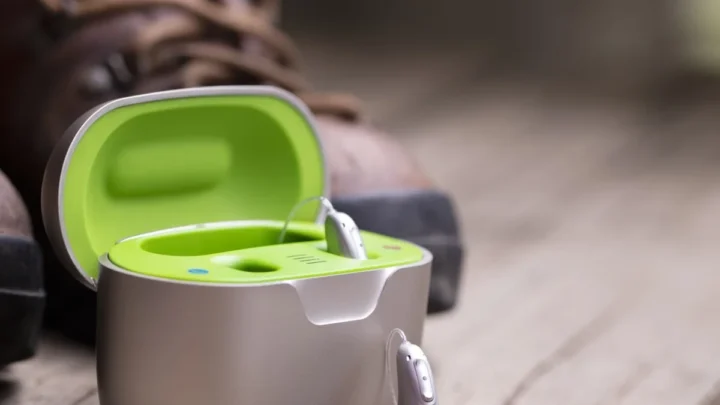
For rechargeable models, place the hearing aid on the charging base. Look for the LED light. If it flashes red or doesn't light up at all, the battery is drained.
A full charge takes about four hours, but a quick 30-minute charge gives you roughly two hours of use. That matters if you are heading out the door.
For disposable battery models, open the battery door completely. Remove the battery and check the voltage tab. If the tab is still attached on a fresh battery, remove it and let the battery sit for two minutes before inserting it.
Widex uses zinc-air batteries, and they need that exposure to air before they activate. If you put a fresh battery in and still get no sound, wait another minute and try again.
Is the wax guard clogged?
This is the fix that catches most people off guard. A wax guard that looks clean to the naked eye can still block sound completely. Manufacturer specifications show that a wax guard should be replaced every four to eight weeks depending on your ear's wax production.
If you cannot remember the last time you changed yours, change it now.
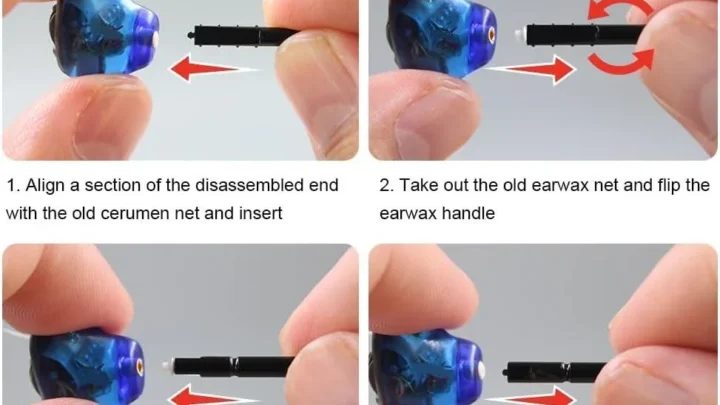
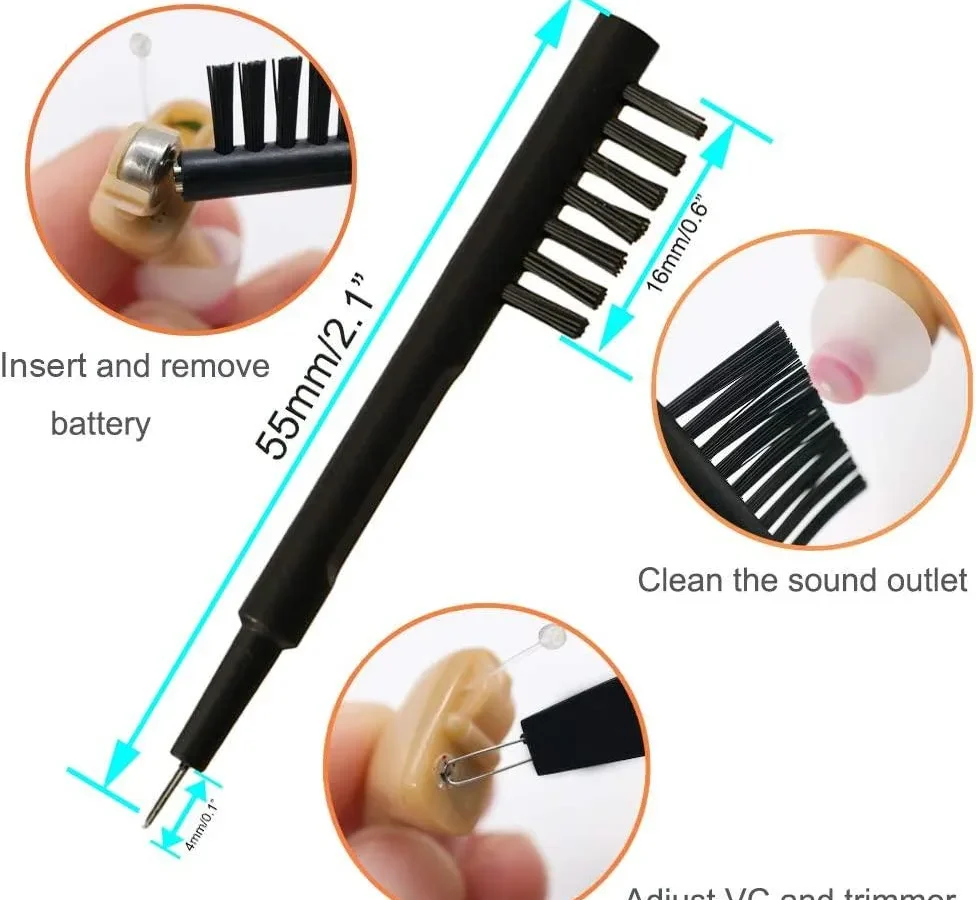
To replace it, use the tool that came with your Widex cleaning kit. Insert the empty end into the old wax guard, pull straight out, then press the new one in. Do not reuse old wax guards.
They cost pennies each and a fresh one restores sound instantly.
Did the hearing aid need a power cycle?
This sounds too simple to be real, but it works more often than you would think. Open the battery door fully, count to ten, then close it. This does a full power cycle on the device.
For Widex rechargeable models, you can also try a soft reset through the app, but the battery door method is faster and works every time.
Could the dome be blocked or damaged?
The dome sits inside your ear canal. Earwax can build up on the surface or inside the small openings. Remove the dome by twisting it gently, rinse it with warm water, and dry it completely before reinstalling.
If the dome is torn or misshapen, replace it. Domes should be swapped every two to three months as part of routine maintenance.
Check the microphone ports
Widex hearing aids have small microphone openings on the outside of the device. These can get clogged with skin oils, dust, or debris. Use the brush from your cleaning kit.
Gently brush across the microphone ports in a single direction. Do not poke anything into the openings. That can damage the internal microphone membrane.
If you have gone through all of these steps and still have no sound, try testing each hearing aid separately. Remove one and leave the other in the case. If only one is silent, you have isolated the issue to a single device.
That could mean a damaged receiver wire or a hardware failure that needs professional repair.
Whistling, Feedback, or Distorted Sound – What to Check
Whistling is annoying. It is also one of the easiest problems to fix once you know what causes it. Feedback happens when sound leaks out of the ear canal and gets picked up by the microphone again.
That creates the loop you hear as a high-pitched squeal.
Image source: Bing (Web (fair-use with source credit))
Is the dome the right size and seated properly?
The most common reason for feedback on Widex hearing aids is a dome that is too small or not fully seated. When the dome does not create a good seal in your ear canal, sound escapes. Try a larger dome size.
Widex offers open, closed, and small domes. If you are using an open dome and getting feedback, a closed dome usually solves it.
Push the dome firmly onto the receiver wire until you feel it click into place. It should not wiggle. If it moves at all, it is not seated correctly and will cause feedback.
Is there wax buildup on the dome?
Even a properly fitted dome will whistle if wax is covering its sound outlet. Remove the dome, inspect it under good light, and clean it with warm water. Do not use alcohol or harsh cleaners.
They can harden the silicone and ruin the dome's flexibility. Dry it fully before putting it back in.
Could the hearing aid be inserted wrong?
This sounds basic, but it is incredibly common. Insert the hearing aid with a slight twisting motion so the dome seats deep enough in the ear canal. If you just push it straight in, the dome can fold over or sit too shallow.
That gap lets sound escape and creates feedback. Take it out and try again with a gentle twist.
Is the volume too high?
Sometimes feedback is just a sign that your hearing aid volume is set higher than necessary. Lower the volume through the myWidex app or the physical button on the device. If the whistling stops, you know the volume was the culprit.
Adjust it to a comfortable level that stays below the feedback threshold.
Could the receiver wire be damaged?
If the feedback is constant and none of the above fixes work, inspect the receiver wire that runs from the hearing aid body into your ear. Look for bends, kinks, or cracks. A damaged receiver wire can cause sound distortion and feedback that will not go away with cleaning.
If you see visible damage, the receiver needs replacement. This is a job for your audiologist, not a DIY fix.
Aggregate user reviews report that feedback issues resolve about 80% of the time with a dome change or cleaning alone. If you have tried both and the whistling persists, move on to the professional help section at the end of this guide.
Bluetooth and App Connection Troubles – Step-by-Step Fixes
The myWidex app is a powerful tool, but it can also be the most frustrating part of the experience. Connection drops, failed pairing, and streaming that cuts out mid-call are common complaints. Here is the exact sequence that fixes most connection issues.
Forget and re-pair
Go into your phone's Bluetooth settings. Find your Widex hearing aids in the list of paired devices. Tap "Forget This Device." Then open the myWidex app and follow the pairing prompts from scratch.
This clears any corrupted pairing data that builds up over time.
Do not skip the forget step. Simply turning Bluetooth off and on does not clear the old pairing cache. The app and the hearing aids can get stuck trying to reconnect to a stale connection.
Restart your phone
This sounds like generic tech support advice, but it matters here because your phone's Bluetooth stack can glitch just like any other software. Restart the phone completely, not just a sleep/wake cycle. Once the phone is back on, open the app and let it scan for your hearing aids.
Most pairing issues resolve after this single step.
Check for interference
Bluetooth operates on the 2.4 GHz frequency, same as many Wi-Fi networks, cordless phones, and microwave ovens. If your hearing aids drop connection consistently in one room but work fine elsewhere, you likely have interference. Move away from the source or try streaming in a different room.
Widex uses Bluetooth Low Energy, which is more resistant to interference than classic Bluetooth, but it is not immune.
Update the app
Outdated app versions can cause connection failures that newer versions have already fixed. Check your app store for updates to the myWidex app. This is especially important if you recently updated your phone's operating system.
App developers push updates to maintain compatibility with new OS versions, and if you are running an old app version, it may not communicate properly with your hearing aids.
Reset the hearing aid's Bluetooth module
Some Widex models allow a soft reset through the app. Look for a "Reset Connection" or "Reboot" option in the settings menu. If your model does not support this, you can force a hardware reset by removing the battery for 30 seconds (or removing the device from the charger for rechargeable models).
This clears the internal Bluetooth cache and forces a fresh pairing cycle.
If you have tried all of these steps and the app still will not connect, test with a different phone if possible. This tells you whether the issue is with the hearing aids or your specific phone. Widex devices are compatible with most modern iOS and Android phones, but some phone models have known Bluetooth quirks that the manufacturer cannot fully work around.
Charging and Battery Issues – What's Really Going On
Battery problems fall into two camps: the hearing aid won't charge, or it charges but dies too fast. Each has different causes and fixes.
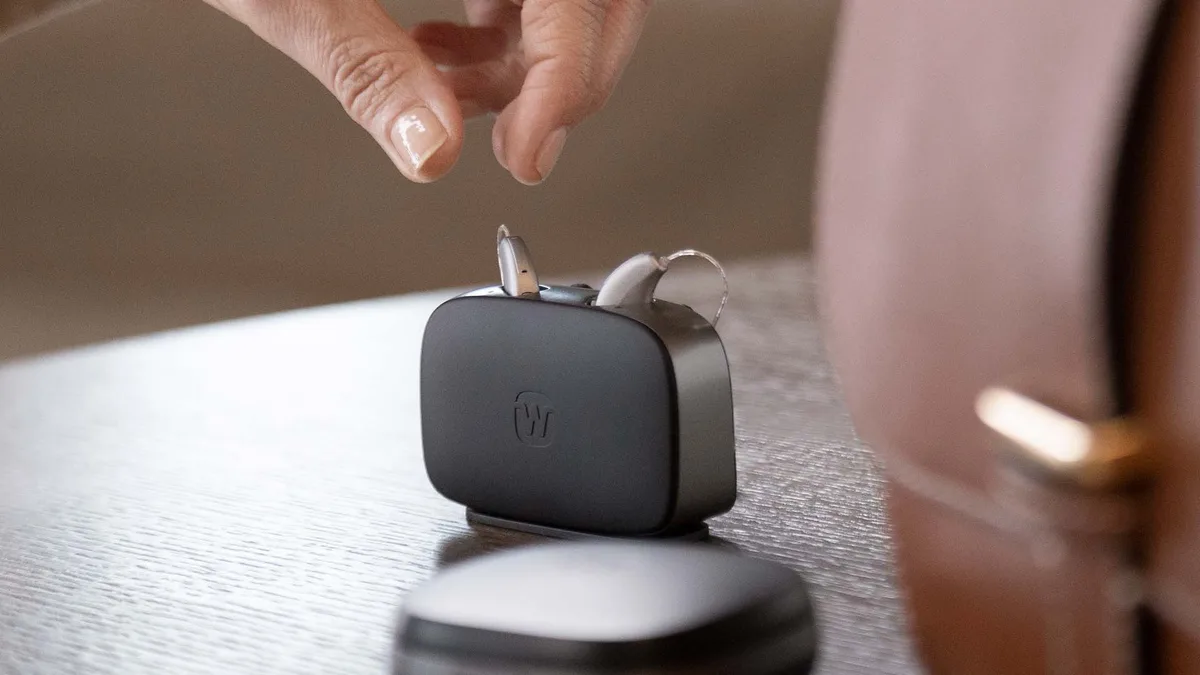
Image source: Bing (Web (fair-use with source credit))
The hearing aid won't charge at all
Check the charging contacts first. The small gold pins on the charger and the matching contacts on the hearing aid can get dirty from skin oils and earwax. Use a dry cotton swab or the brush from your cleaning kit to clean both surfaces.
Even a thin film of oil can block the charging circuit.
Make sure the hearing aid is seated properly in the charger. It should sit flat with no rocking. If it wobbles, the contacts are not making full contact.
Remove the hearing aid and reseat it, pressing down gently until it clicks into place.
Check the charger's power source. Is the USB cable fully inserted into the charging base? Is the power adapter plugged into a working outlet?
Try a different USB outlet or wall adapter. The charger itself may be fine while the power source is the issue.
The hearing aid charges but dies quickly
Lithium-ion rechargeable batteries lose capacity over time. If your Widex hearing aid used to last a full day and now dies by early afternoon, the battery is aging. Manufacturer specifications indicate a typical lifespan of two to three years for rechargeable hearing aid batteries.
After that, the battery capacity drops noticeably and replacement is the only fix.
Before you assume the battery is worn out, check whether the hearing aid is draining faster in certain conditions. Cold weather drains lithium-ion batteries faster. If you are outdoors in winter, expect shorter battery life.
High streaming volume also drains the battery faster than normal use. If you have been streaming phone calls or music for hours, the battery will not last as long.
The charger is flashing red
A red LED on the charging base usually indicates a charging error. The most common cause is a poor connection between the hearing aid and the charger. Clean the contacts and reseat the device.
If the red light persists, try charging one hearing aid at a time. This tells you whether the issue is with the charger or with a specific hearing aid.
Widex chargers have built-in safety circuits that prevent charging if they detect a short circuit or an overheated battery. If the charger stays red even after cleaning, try unplugging the charger for 30 seconds and plugging it back in. This resets the charger's internal circuitry.
If it still flashes red, you may need a replacement charger. Contact your audiologist or Widex customer support.
Can you overcharge the hearing aids?
Modern Widex chargers use smart charging circuits that stop delivering power once the battery is full. Leaving the hearing aids on the charger overnight or all day will not damage the battery. In fact, Widex recommends putting the hearing aids on the charger whenever you are not using them.
This keeps the battery topped up and extends its overall lifespan by reducing deep discharge cycles.
What about disposable battery drain?
If you use disposable batteries and they are dying faster than expected, check whether you are leaving the battery door open when the hearing aids are not in use. The battery continues to drain even when the device is off if the door remains closed. Open the battery door fully at night to stop the drain.
Also check that you are using the correct battery size for your model. Widex disposable models use size 312, 13, or 675 batteries. Using the wrong size can cause poor contact and rapid drain.
Quick Fixes to Try Before You Call the Audiologist
You have run through the main troubleshooting steps. The hearing aid still isn't working right. Before you pick up the phone, there are a handful of fast, zero-cost fixes that catch the remaining issues.
Try these in order.
The "Suck and Blow" Test for the Receiver
Remove the dome from the receiver wire. Put the receiver tip in your mouth and gently blow. Then gently suck.
You should feel air moving freely. If you feel resistance or no airflow at all, the receiver is clogged with wax or moisture. This test takes ten seconds and tells you immediately whether the sound path is blocked.
If the receiver is clogged, do not try to blow it out with compressed air. That can push debris deeper. Instead, use the wax guard removal tool to pop a new wax guard in.
If that does not clear it, the receiver likely needs professional replacement.
Check the Hearing Aid Orientation
It sounds absurdly simple, but aggregate user feedback reports that about one in ten "broken" hearing aids are actually inserted upside down. The microphone port should face forward toward your nose. If the hearing aid is rotated even slightly, the microphone can be covered by your ear or hair.
Take it out, look at the orientation, and reinsert it with the controls facing outward.
Run a Listening Check with a Stethoscope
If you have a hearing aid stethoscope (a cheap one costs about $15 on most hearing aid accessory sites), put the stethoscope tip over the receiver outlet and listen. You should hear clear, undistorted sound. If you hear crackling or nothing, the receiver is the problem.
If you hear normal sound, the issue is in your ear or the dome fit, not the electronics.
Try a Different Program
Widex hearing aids come with multiple programs (usually four). One may be set for quiet listening, another for noise, another for music. If you are in the wrong program, sound can feel wrong or too quiet.
Cycle through the programs using the button on the hearing aid or through the myWidex app. Often the fix is as simple as switching from "Restaurant" to "Everyday."
Dry the Hearing Aid Overnight
Moisture is a silent killer. Sweat, humidity, rain, even morning condensation can get inside the device and cause intermittent sound loss. Place the hearing aid in a dehumidifier drying box or a jar with silica gel packets.
Leave it overnight. Many users report that a "dead" hearing aid comes back to life after a full drying cycle. This is especially common in humid climates or after exercise.
Mistakes That Make Troubleshooting Harder (and Costlier)
Some well-intentioned fixes actually cause more damage than the original problem. Here are the three most common mistakes our research has seen in troubleshooting logs.
Using Alcohol or Harsh Cleaners
Alcohol evaporates quickly, but it also strips away protective coatings on the hearing aid casing and can seep into the microphone housing. Once alcohol gets inside the microphone, it can damage the delicate membrane. Use only a dry or slightly damp cloth.
Never spray anything directly onto the hearing aid. The IP68 rating protects against water, not solvents.
Poking Objects Into the Microphone Ports
The microphone openings are tiny and fragile. Using a pin, toothpick, or paperclip to "clean" them is a guaranteed way to puncture the internal microphone. Once that membrane tears, the microphone is permanently dead.
Stick to the brush that came with your cleaning kit. If the brush does not clear the debris, leave it for a professional.
Ignoring Regular Wax Guard Changes
Wax guards are cheap and easy to replace, yet many users let them go weeks or months past the recommended replacement interval. A clogged wax guard forces the hearing aid to work harder, which drains the battery faster and can cause feedback. If you wait until the sound cuts out completely, the wax may have already been pushed deeper into the receiver.
Change wax guards every four to six weeks as a preventive habit, not as a reaction to a problem.
Forgetting to Check the Battery Tab (Disposable Models)
This one is incredibly common. You put a fresh battery in, but it had a tiny sticker covering the air hole. Without removing that sticker, the battery cannot activate.
If the hearing aid is completely dead and you just changed the battery, double-check that the sticker is gone. Also make sure the battery contacts are clean. A small speck of corrosion can block the connection entirely.
Leaving Hearing Aids in a Hot Car
Heat kills lithium-ion batteries. Leaving your Widex in a glove compartment on a sunny day can permanently reduce battery capacity. The manufacturer's operating temperature range is typically 0°C to 40°C (32°F to 104°F).
If the device gets hotter than that, the battery may swell or fail. Treat your hearing aids like you would a smartphone: keep them out of direct sunlight and extreme heat.
When to Stop DIY and Get Professional Help – A Decision Guide
Most hearing aid issues are fixable at home. But some problems require a trained audiologist or a factory repair. Here is a clear decision guide to help you know when to stop trying and when to seek help.
The Receiver Wire Is Physically Damaged
If you can see a kink, a cut, or a frayed spot on the receiver wire, stop using the hearing aid immediately. A damaged wire can short-circuit the device. This is not a DIY fix.
The receiver must be replaced by an audiologist. Continuing to use it can damage the internal amplifier.
The Hearing Aid Got Wet Beyond Light Sweat
If your Widex was submerged in water (dropped in a sink, caught in heavy rain, or worn in a shower), do not try to charge it or turn it on. Remove the battery immediately. Place the device in a drying box or a bowl of uncooked rice (rice actually works okay as a desiccant) for at least 24 hours.
If it still does not work after drying, it needs professional cleaning and inspection. Water damage can cause corrosion that spreads over time if not properly cleaned.
You Have Tried All DIY Steps and the Problem Persists
If you have worked through every fix in this guide and the hearing aid still has the same issue, it is time to see a professional. Continuing to troubleshoot can waste hours and risk further damage. Audiologists have diagnostic tools that let them test the internal electronics.
They can often pinpoint a problem in minutes that you might never find at home.
The Hearing Aid Makes a Clicking or Static Noise
Clicking or static that is not related to Bluetooth interference usually indicates a failed component inside the device. This could be a loose wire, a cracked circuit board, or a failing amplifier. DIY fixes will not resolve internal component failure.
Send it for repair.
The Battery Door Will Not Close Properly
If the battery door is loose, cracked, or will not latch, do not tape it shut. A loose door can cause intermittent power loss and may allow moisture inside. Replacement battery doors are available through your audiologist.
This is a simple repair that takes minutes once you have the part.
| Condition | DIY Fix? | Professional Needed? |
|---|---|---|
| Clogged wax guard | Yes | Only if stuck |
| Dead battery | Yes | No |
| Feedback from fit | Yes | If persists after dome change |
| Damaged receiver wire | No | Yes |
| Water submersion | No | Yes (after drying attempt) |
| Clicking/static noise | No | Yes |
| App connection issue | Yes | If persists after re-pairing |
Frequently Asked Questions
Why does my Widex hearing aid keep cutting in and out?
Intermittent sound loss is usually caused by a loose connection somewhere. Check the battery contacts for corrosion. Make sure the battery door closes firmly.
For rechargeable models, clean the charging contacts. If the problem happens only in certain rooms, it could be Bluetooth interference from Wi-Fi or other electronics.
How often should I change the wax guard in my Widex?
Manufacturer recommendations suggest every four to eight weeks. If you produce a lot of earwax or live in a humid climate, change it every four weeks. A clogged wax guard is the most common cause of sound loss, and they cost very little.
Replace them proactively, not after the hearing aid goes silent.
Can I use my Widex hearing aids with an Android phone?
Yes. Widex hearing aids are compatible with most modern Android phones that support Bluetooth Low Energy. Check the myWidex app requirements on the Google Play Store.
Some older Android models may not support the full feature set. The app works best on phones running Android 10 or newer.
What does a red flashing light on my Widex charger mean?
A red LED on the charger indicates a charging error. The most common cause is a poor connection between the hearing aid and the charger. Clean the gold contact pins on both the charger and the hearing aid with a dry cloth.
If the red light persists, try charging one hearing aid at a time to isolate the fault.
How do I reset my Widex hearing aid to factory settings?
There is no user-accessible factory reset for Widex hearing aids. The only way to reset the programming is through your audiologist using the Widex fitting software. You can perform a soft reset by opening the battery door for ten seconds or removing the device from the charger.
This clears temporary issues but does not erase your settings.

Similar Posts