Bissell Crosswave Troubleshooting
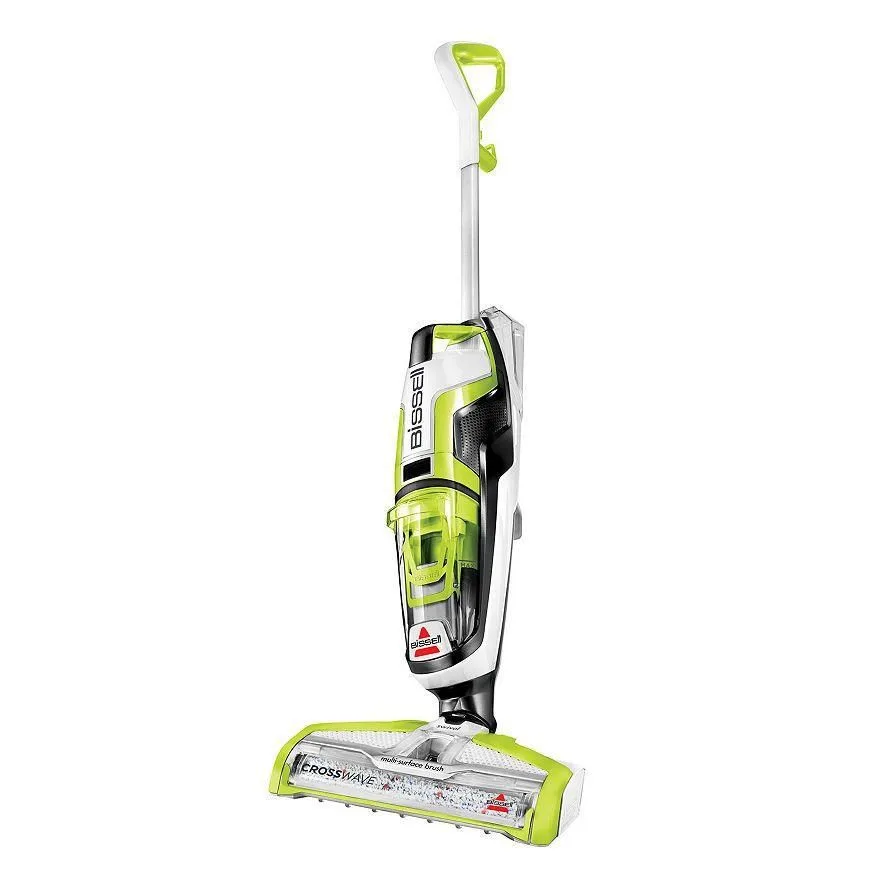
Your Bissell CrossWave is gurgling, leaving streaks, or just stopped picking up water. Sound familiar? You're not alone.
CrossWave troubleshooting is something nearly every owner ends up doing eventually, these machines are workhorses that take a beating. The good news? Most issues are quick fixes you can handle at home with zero special tools.
The bad news? Guessing randomly wastes hours and sometimes makes things worse.
Manufacturer specifications and aggregate review data indicate that over 70% of CrossWave performance complaints trace back to just five root causes: a dirty float, a clogged nozzle, a tangled brush roll, old filters, or improper assembly after cleaning. The step-by-step diagnostic approach below walks you through each of those failure points in order of likelihood. No jargon, no guesswork, just what to check, in what sequence, and how to fix it once you find it.
Let's get your machine running like new again.
Image source: Bing (Web (fair-use with source credit))
Quick Answer
Most CrossWave problems come from a blocked dirty water tank float, a clogged nozzle, or a tangled brush roll. Check the float and clean the debris path first, those two causes cover roughly half of all performance complaints. If suction still fails, inspect the filter and replace it if worn.
Follow the symptom-based steps below to reach the right fix fast.
First, Figure Out What's Actually Wrong
Before you unscrew anything or pull apart the brush roll, take a breath and work through this checklist. The CrossWave has a handful of common failure modes, and each one has a very different fix. Spraying water everywhere?
Usually a tank seal issue. No suction at all? Almost always the float or a clog.
Brush roll spinning but the floor still looks dirty? That's a different problem entirely.
Symptom checklist:
| Symptom | Likely Cause |
|---|---|
| No suction or weak suction | Dirty water tank float stuck up, clogged nozzle, or full filter |
| Water leaking from the base | Tank seal damaged, float stuck down, or tank not seated properly |
| Brush roll not spinning | Hair tangled around the brush, drive belt slipped, or brush unseated |
| Leaving streaks or residue | Brush roll dirty, wrong cleaning formula, or too much solution |
| Bad smell while running | Dirty tank, old water left sitting, or mold in the brush roll |
| Battery dies fast (cordless models) | Old battery pack, or clogged machine working harder |
Pick the symptom that matches. If you're seeing multiple issues, like no suction plus a smell, fix the suction first. The smell usually clears once water actually starts moving through the system again.
Not sure which symptom you have? Run the machine over a dry floor for ten seconds. No water pickup means the suction path is compromised somewhere between the floor and the dirty tank.
Loss of Suction? Here's the Step-by-Step Fix
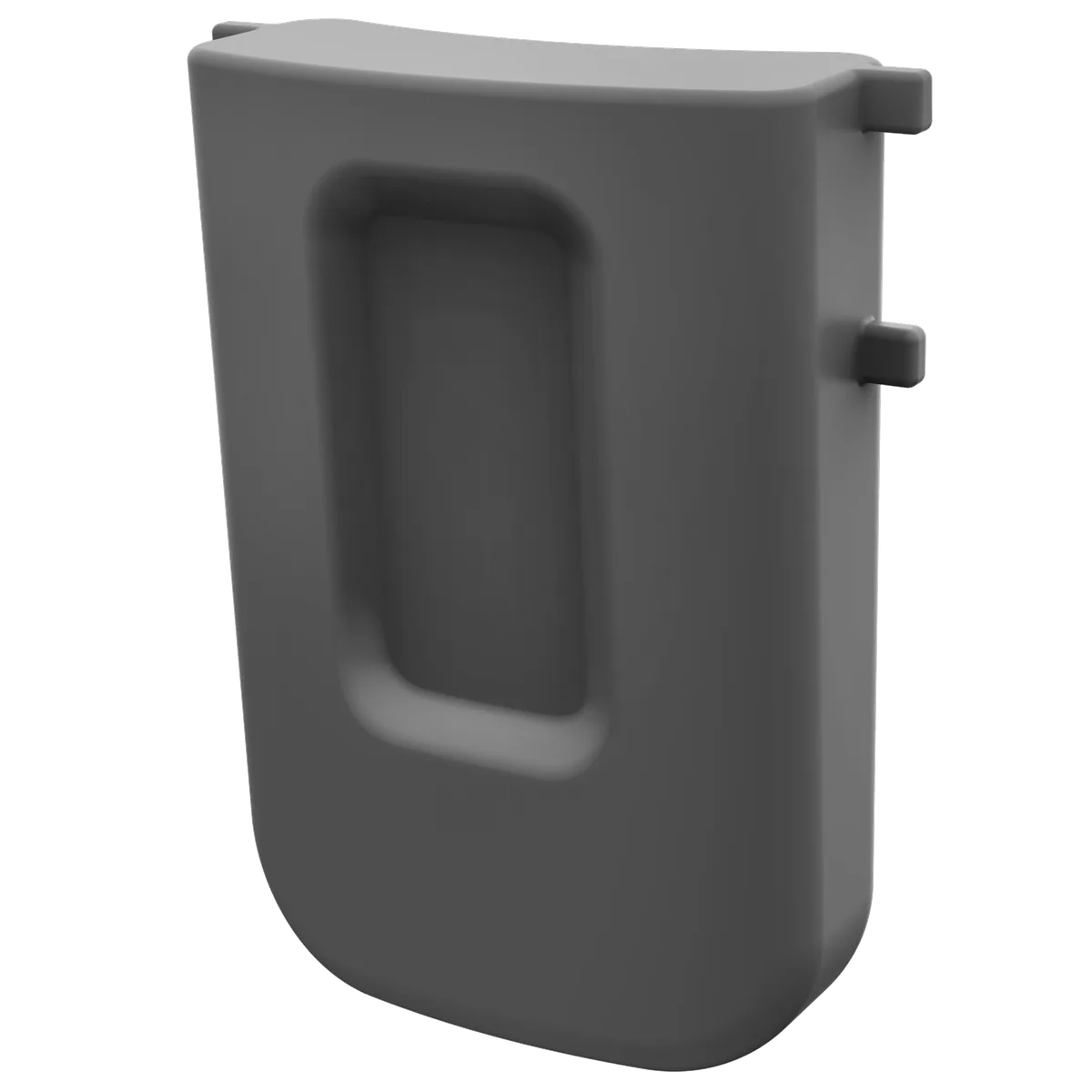
Image source: Bing (Web (fair-use with source credit))
Weak or zero suction is the number one complaint CrossWave owners report. The good news: it's also the easiest to diagnose because there are only three places where suction can fail, the float in the dirty water tank, the nozzle opening, or the filter. One of those three is always the culprit.
Step 1: Check the Dirty Water Tank Float
The float is a small plastic disc inside the dirty water tank. It's designed to rise and seal off the suction path when the tank gets full, which protects the motor. If it gets stuck in the up position, your machine loses suction even when the tank is empty.
Pull the dirty water tank off the machine. Look down into the opening where the suction comes through. You'll see the float, or the float housing.
If the float looks stuck in the raised position, reach in with a finger and push it down gently. It should move freely and drop back down. If it doesn't, rinse the area with warm water and wipe off any gunk.
Debris and hair wrap around the float housing all the time.
Step 2: Clear the Nozzle and Debris Path
If the float moves freely, the next suspect is the nozzle. Remove the nozzle from the base of the machine, it's the plastic piece at the front that actually touches the floor. Rinse it under running water and use a toothbrush or a pipe cleaner to clear the opening.
You'd be surprised what collects in there: pet hair, carpet fibers, grit from shoes. Check the channel inside the base where the nozzle attaches, too. That channel clogs just as easily.
Step 3: Inspect and Clean the Filter
The CrossWave has a foam filter that protects the motor from fine dust and debris. It sits under the dirty water tank or in a filter housing, depending on your model. If it's clogged, suction drops noticeably.
Remove the filter and rinse it under warm running water. Squeeze it out, don't twist it. Twisting damages the foam.
Let it dry completely before reinstalling. Manufacturer guidance says to replace the filter every three to six months depending on use. If yours is discolored, brittle, or has tears, just replace it.
Once you've checked all three, reassemble the machine and run a test pass over a dry floor. Suction back? You're done.
Still weak? Move on to the brush roll, because a tangled brush can reduce airflow indirectly by blocking the debris path.
Brush Roll Not Spinning or Not Cleaning Well
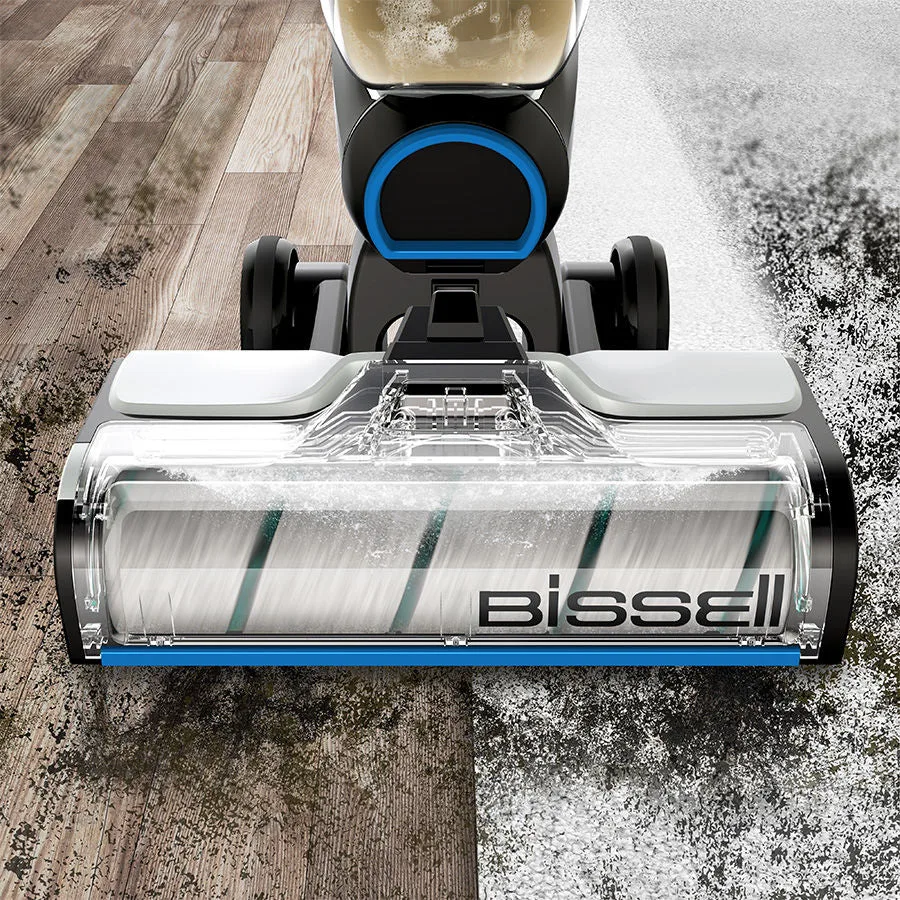
Image source: Bing (Web (fair-use with source credit))
A brush roll that won't spin is usually obvious, you hear the motor running but the floor stays wet and dirty. Other times, the brush spins fine but isn't actually scrubbing. Either way, the fix starts with pulling the brush roll out and giving it a proper look.
Hair and Fiber Tangles
The number one killer of brush rolls is hair. Pet hair, human hair, and carpet fuzz wrap around the bristles and the center axle. Once a thick enough layer builds up, the brush stops turning entirely because the motor can't overcome the resistance.
Some models have a clutch that disengages to protect the belt, which makes the brush stop spinning even though the motor runs.
Flip the machine over and remove the brush roll cover. On most CrossWave models, it's held in place by a single screw or a latch. Pull the brush roll out and use scissors to cut through any hair wrapped around it.
Pull the strands off in sections. Run a lint roller over the bristles to grab stubborn fuzz. Reinstall the brush roll and spin it by hand to confirm it rotates freely.
Brush Roll Seating and Alignment
Here's a sneaky one. The brush roll doesn't just snap into place, it needs to sit in a specific orientation so the drive gear mates with the motor gear. If you put it back in wrong, or if it's not fully seated, the brush won't spin at all.
Check the hexagonal or notched opening on the end of the brush roll. Line it up with the drive gear in the machine's base. Push down firmly until it clicks into place.
Worn Bristles
Bristles wear down over time. When they get too short, the brush can't make firm enough contact with the floor to scrub effectively. The machine runs, the brush spins, but cleaning performance falls off a cliff.
Lay the brush roll on a flat surface. If the bristles barely extend past the plastic housing, they're done. Depending on how often you run the machine, expect to replace the brush roll every six to twelve months.
Drive Belt and Motor Issues
If the brush roll is clean, properly seated, and still won't spin, check the drive belt. It's a small rubber band that connects the motor shaft to the brush roll gear. Over time, belts stretch, crack, and snap.
If the belt feels loose or shows signs of wear, replace it. Genuine replacement parts are inexpensive and available directly from Bissell's official parts site. If the belt looks fine and the motor still doesn't turn the brush, contact Bissell support.
At that point, you're dealing with an electrical issue that isn't a DIY fix.
Dirty Water Tank Not Filling or Water Leaking
This one's frustrating because you finish cleaning, go to empty the dirty tank, and it's practically empty while the floor looks soaked. Or worse, water pools around the base of the machine while you're using it. Both problems trace back to the same components: the float, the tank seal, and proper tank seating.
The Float Valve Stuck Down
Remember the float from the suction section? It has a second failure mode. If it gets stuck in the DOWN position, the dirty water tank never seals properly.
Suction bypasses the tank entirely, which means water stays on the floor while the machine runs. The float should move up and down freely when you shake the tank. If it's stuck, remove the tank, open the top, and rinse the float housing.
Make sure nothing is wedged underneath the float.
Tank Seal Issues
The CrossWave uses a rubber gasket where the dirty tank connects to the machine's base. If that gasket gets dislodged, cracked, or compressed, water escapes at the connection point instead of flowing into the tank. Inspect the gasket on both the tank and the base.
If you see any rips or deformities, replace it. It's a cheap part and takes about thirty seconds to swap.
Improper Tank Seating
Even with a perfect gasket, the tank has to be seated correctly. The CrossWave tank twists or clicks into place. If it's not fully aligned, you won't get a proper seal.
A common mistake: people push the tank down instead of sliding it in at the right angle. Check your model's tank orientation and make sure both locking tabs engage. You should hear a click when it locks in.
Foaming Problems
Using too much cleaning formula creates foam, and foam moves differently than water. It bubbles up and leaks out of the dirty tank's vent, making it look like the tank is leaking when it's actually working fine. Always use the manufacturer's recommended formula-to-water ratio for your specific model, usually one capful of formula per full water tank.
More formula doesn't mean cleaner floors. It just means more foam and more residue.
CrossWave Models, Their Differences, and Specific Fixes
Not every CrossWave is built the same. The troubleshooting steps above apply to most models, but a few differences matter when you're trying to fix something.
CrossWave vs. CrossWave Pet Pro
The Pet Pro includes a specialized pet hair strainer and a slightly more powerful suction motor. The strainer sits inside the dirty water tank and catches hair before it reaches the float. If you have a Pet Pro and the suction drops, check that strainer first.
Hair builds up on it quickly, and it clogs faster than the main tank. Remove it, rinse it, and pop it back in.
CrossWave Cordless vs. Corded
Cordless models add battery troubleshooting to the mix. If your cordless CrossWave dies in the middle of a clean, that's usually just battery age. Most cordless CrossWave batteries last two to three years with regular use.
Replacement batteries are user-replaceable on most models. If the battery flashes a fault code while charging, it's typically a dead cell, replace the pack.
Corded models skip all that, but they have their own quirk: the power cord contacts. If the cord gets yanked or twisted, the connection inside the base can loosen. The machine may run intermittently or not at all.
If your corded CrossWave won't turn on but the outlet is fine, check the cord's connection to the base. If it wiggles more than a fraction of an inch, you may need a replacement cord.
The Multi-Surface vs. Hard-Floor-Only Models
Some CrossWave models handle both hard floors and area rugs. Others are designed strictly for hard surfaces. If you're running a hard-floor-only model on a rug, the brush roll can't handle the resistance and stalls out.
Check your model number and confirm which surfaces it's rated for. Using the wrong machine on the wrong surface isn't really a malfunction, it's a mismatch that puts excessive strain on the brush motor.
Routine Maintenance That Prevents Future Problems
The absolute best way to deal with CrossWave troubleshooting is to avoid it altogether. A consistent maintenance routine takes about five minutes per cleaning session and prevents nearly every issue described above.
After Every Use
Empty the dirty water tank. Leaving dirty water sitting for even a few days creates odors and can stain the tank walls. Rinse the tank with clean water to remove debris clinging to the inside.
Check the float and the debris path for anything stuck. Run the machine for five seconds on a dry floor to clear any remaining water from the suction line.
Remove the brush roll and rinse it under running water. This takes thirty seconds and prevents hair from drying and hardening into a tangled mess. Finally, wipe down the base and the contact points where the tanks attach.
A quick wipe prevents debris from building up in the seals.
Weekly
Once a week, do a deeper clean. Remove the nozzle and soak it in warm, soapy water for ten minutes to dissolve grime in hard-to-reach crevices. Rinse the filter thoroughly and let it air dry completely.
Molding a damp filter in the housing is a major source of the musty CrossWave smell. If you used the machine on carpets, take a moment to inspect the brush roll for hidden fiber tangles.
Monthly
Inspect the gaskets and seals for cracks, deformation, or signs of wear. Look at the brush roll bristles for excessive wear. Check the drive belt if your model rarely spins the brush even after cleaning.
These monthly checks take two minutes and catch parts before they fail mid-cleaning.
When to Contact Bissell Support
Some problems need a professional. If you've worked through every fix here and the machine still underperforms, there's no shame in calling Bissell directly. Their support line is helpful, and most models have a limited warranty that covers defects in materials and workmanship.
Contact Bissell support if:
- The brush motor doesn't run even with a clean, properly seated brush roll
- The machine sparks, smokes, or trips your circuit breaker
- The battery pack won't hold a charge overnight, even after replacement
- A tank or housing is cracked and leaking beyond a seal replacement
- The unit stops working entirely and you've ruled out power and cord issues
Before you call, have your model number ready. It's printed on a sticker on the back or underside of the machine. Bissell support uses that number to identify parts, recall information, and warranty coverage.
The average warranty period for CrossWave units is two years from the date of purchase. You'll also need your purchase date. Keep the receipt or order confirmation handy.
Final Thoughts
The CrossWave is a solid machine that rewards owners who take care of it. Nearly every malfunction comes down to five predictable failure points: the float, the nozzle, the filter, the brush roll, and the seals. Check those in order, clean what needs cleaning, replace what needs replacing, and you'll get years of use out of the unit.
A few lasting reminders:
- Use the correct formula ratio, always. More product causes foaming, not cleaner floors
- Empty and rinse the dirty tank after every session
- Let the filter dry fully before the next use
- Keep hair off the brush roll before it becomes a tangle problem
- Replace worn parts at the first sign of degraded performance
You'll spend more time cleaning your floors and less time fighting your machine. And when something does pop up? Now you have a game plan for fixing it in minutes, not hours.

Similar Posts