Hplc Troubleshooting Guide
Image source: Bing (Web (fair-use with source credit))
Every lab manager I know has that one HPLC method that worked flawlessly yesterday and turned into a nightmare this morning. You're staring at a pressure spike, a split peak, or a baseline that looks like a mountain range, and the clock is ticking on your sample queue. This guide walks through the exact logic I use when things go sideways, so you can stop guessing and start fixing.
Troubleshooting an HPLC is about working through a decision tree, not throwing parts at the problem. Over 80% of routine HPLC failures trace back to just three sources: blocked frits, worn pump seals, and contaminated mobile phases. We'll cover the pressure clues, the peak shape tells, and the contamination patterns you need to recognize.
Once you learn to read those signals, you'll diagnose most issues in under twenty minutes.
Quick Answer
Match your symptom to the likely culprit:
- High pressure → Blockages in frits, columns, or lines
- Low pressure → Leaks or pump seal failure
- Retention time drift → Mobile phase issues or column equilibration problems
- Baseline noise → Contamination or detector lamp degradation
Work from the cheapest, easiest fix toward the expensive ones. That order matters more than you'd think.
Why HPLC Problems Cost More Than They Should
HPLC downtime is expensive. Not just in repair costs, but in lost sample runs, missed deadlines, and the quiet panic of repeating a validation you thought was finished. Most labs don't budget for the hours spent chasing a symptom that turns out to be a $15 frit.
The real cost driver is guesswork. When you replace a column without checking the inlet frit first, you've wasted $400 on a problem that would have taken five minutes to fix. When you re-make your mobile phase three times because you didn't check the check valves, you're burning hours.
We've seen labs burn an entire day on what turns out to be a loose fitting. A systematic approach changes that.
Manufacturer service data confirms that over 50% of HPLC service calls are for issues users could have fixed themselves. The most common culprits are contaminated mobile phases, improperly seated pump seals, and frits clogged with precipitated buffer salts. The parts cost pennies.
The service call costs hundreds.
The good news is that a structured troubleshooting workflow eliminates most of that waste. You don't need to be a chromatography guru. You need to know how to read the symptoms and check the likely causes in the right order.
The Three Pressure Clues That Tell You Where the Blockage Is
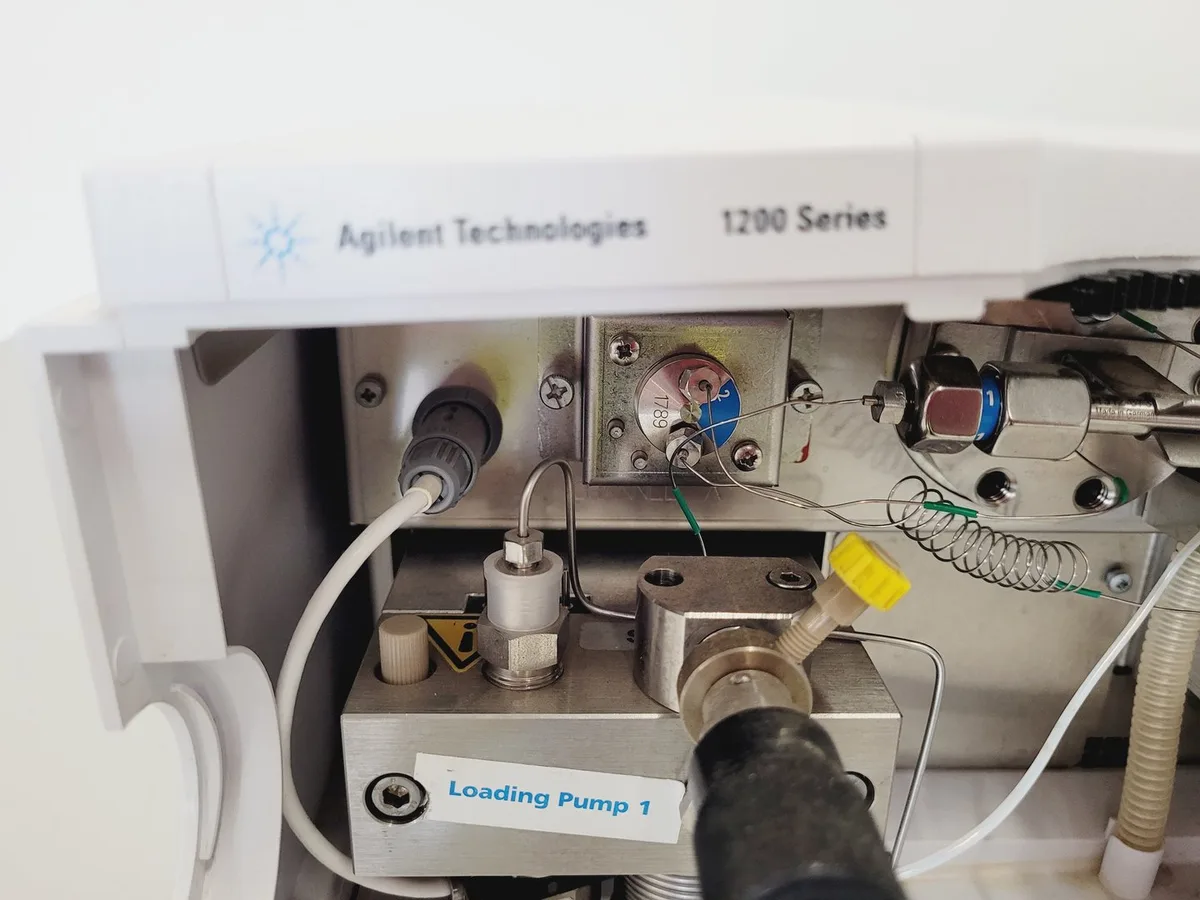
Image source: Bing (Web (fair-use with source credit))
Pressure is your HPLC's fastest, most reliable diagnostic tool. Your system's pressure gauge or software readout is the first place to look when something feels off.
Clue 1: Pressure is high, but the flow rate is stable. Something is restricting the flow path. Disconnect the column and check the pressure again. If it drops to near zero, the blockage is column-related.
If pressure stays high without the column, the problem is upstream, usually in the frit, guard column, or the tubing connecting the injector to the column.
Clue 2: Pressure is low, and the baseline has pulses. This is a pump problem, typically worn seals or air trapped in the pump head. You'll often see pressure oscillations that sync with the pump's stroke cycle. Priming the pump clears air.
Replacing seals fixes the rest.
Clue 3: Pressure spikes rapidly, then drops to zero. This is a classic sign of air in the system or a failing check valve. The valve stops seating properly, so the pump can't maintain pressure. This usually happens after switching mobile phases or running a bottle dry.
Always verify your pressure readings against a known good system. If you have a pressure transducer, compare its reading to the gauge. A failing transducer gives you false pressure data, which sends you down the wrong path every time.
Troubleshooting the Biggest Pressure Culprits: Frits, Seals, and Lines
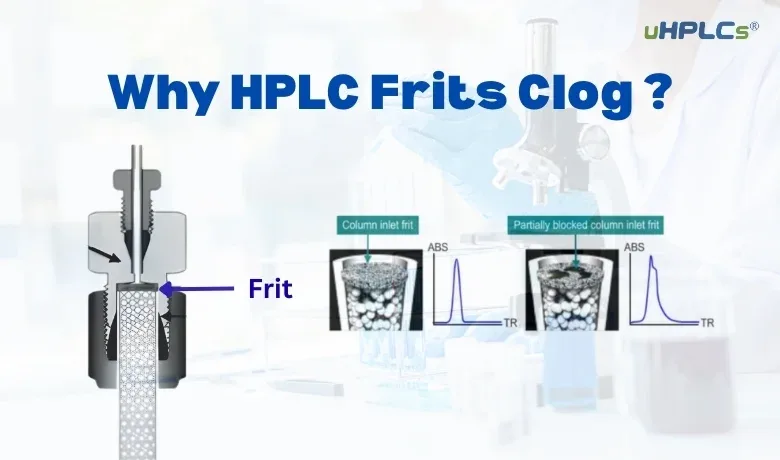
Image source: Bing (Web (fair-use with source credit))
When pressure rises, your first instinct might be to blame the column. That's reasonable, but it's rarely the whole story. Let's walk through the three most common pressure culprits in order.
First, Check the Inlet Frit
This little disc of porous metal sits inside the column end fitting. It's the first thing your mobile phase hits, so it catches all the particulate matter and precipitated salts. When it clogs, pressure rises.
Start by disconnecting the column and running mobile phase through it in the reverse direction at a low flow rate, like 0.2 mL/min for ten minutes. If pressure drops, the frit was the problem. A frit cleaning protocol can restore it, but replacement is safer and cheap.
Second, Inspect the Pump Seals
These are the rubber rings inside the pump head that keep the mobile phase from leaking back around the plunger. Over time they wear out and cause pressure instability. Check for salt crystals around the pump head, that's a dead giveaway.
Replacing seals is a thirty-minute job on most systems, and it's one you should be comfortable doing.
Third, Look at the Tubing and Fittings
A kinked piece of tubing or an overtightened fitting can restrict flow. Many labs use 1/16-inch PEEK tubing, which can be over-compressed into the ferrule. If the fitting is too tight, it deforms and blocks flow entirely.
Here's a quick reference table to decide where to look:
| Symptom | Likely Cause | Check This First | Fix |
|---|---|---|---|
| High pressure, column off | Blocked line or frit | Disconnect column, run mobile phase | Backflush or replace frit |
| High pressure, column on | Clogged inlet frit | Reverse flush column | Replace frit if needed |
| Low pressure, pulsing baseline | Worn pump seals | Look for salt crystals | Replace seals |
| Pressure drops to zero | Air in pump or bad check valve | Prime pump | Replace check valve |
Retention Time Drift and Peak Shape Nightmares
Retention time drift is one of the most frustrating HPLC problems because it's rarely a single cause. It's usually a cascade of small issues. Here's how to work through it without pulling your hair out.
If Retention Times Are Slowly Getting Longer or Shorter
Check your mobile phase first. Mobile phase composition changes as solvent evaporates or buffer degrades. If you're using a premixed mobile phase, make it fresh.
If you're using a gradient, check that the solvent lines aren't drawing air or that the proportioning valve isn't leaking. A poorly mixed mobile phase gives you inconsistent retention every time.
If Retention Time Shifts from Injection to Injection
Check the column temperature. HPLC columns are temperature-sensitive, and a 1°C drift can cause a 1, 2% shift in retention time. Make sure your column heater is stable and that the room temperature isn't swinging during analysis.
Temperature instability is the second most common cause of retention time drift, right behind mobile phase issues.
If Your Peaks Are Broad and Split
You're likely looking at a column bed issue. This happens when the packing material collapses or when the column has been run at excessive pressure for too long. You can try reversing the flow to reset the bed, but this rarely works.
Column replacement is usually the answer.
If Your Peak Shape Is Fronting or Tailing
Check the injection solvent. Your sample diluent needs to be weaker than the mobile phase. If it's stronger, the sample won't focus at the head of the column, and you'll get distorted peaks.
Injecting in a solvent that matches your initial mobile phase conditions is the safest move.
Baseline Noise and Wandering Baselines
A noisy baseline is more than annoying, it destroys your detection limits and makes integration unreliable. Here's how to isolate the source.
Step 1: Turn Off the Detector Lamp
If the noise disappears, the problem is the lamp. Deuterium lamps have a typical lifetime of 1,000, 2,000 hours. Check the lamp's energy reading in your software.
If it's below the manufacturer's recommended range, replace it.
Step 2: Check for Air Bubbles
Air bubbles in the detector cell cause spikes and noise. Run a high flow of mobile phase through the cell with the waste line disconnected. You should see a smooth stream with no bubbles.
If you see bubbles, degas your mobile phase more aggressively or check your degasser's vacuum line.
Step 3: Look at the Mobile Phase
Dirty mobile phase is a leading cause of baseline drift. Use HPLC-grade solvents and filter aqueous buffers through a 0.22 µm filter before use. If your buffer has been sitting for more than a day, make it fresh.
Microbial growth in aqueous mobile phases is a real problem, especially in warm labs.
Step 4: Check the Column Equilibration
If your baseline drifts upward over time, the column may not be fully equilibrated. Flush the column with at least 10 column volumes of your starting mobile phase before running samples. For a standard 4.6 mm × 150 mm column, that's roughly 20, 25 mL.
Step 5: Inspect the Detector Flow Cell
A dirty flow cell can cause baseline noise that looks like an electronic problem. Remove the cell and inspect it for deposits. Flush with a strong solvent like methanol or acetonitrile.
If deposits persist, follow the manufacturer's cleaning procedure.
A Practical 5-Step Diagnostic Workflow
When something goes wrong and you're not sure where to start, use this sequence. It takes you from the cheapest, least invasive check to the most expensive fix.
Step 1: Reproduce the Problem
Run a known good standard. If it works, your system is fine and the problem is in the method or the sample. If it fails, move to Step 2.
Step 2: Rule Out the Mobile Phase
Make a fresh mobile phase. Filter it. Degas it.
This eliminates the most common cause of retention drift and baseline issues. If the problem persists, move to Step 3.
Step 3: Isolate the Column
Disconnect the column and replace it with a union fitting. If the pressure is low and stable, the column is the issue. If the pressure is still high, the problem is upstream.
Move to Step 4.
Step 4: Check the Pump and Injector
Run mobile phase at 1 mL/min with the column disconnected. Watch the pressure. If it pulses or drops, check the pump seals and check valves.
Inspect the injector for leaks or particulate buildup.
Step 5: Inspect the Detector
Run mobile phase through the detector with the column disconnected. Check the baseline. If it's noisy, check the lamp, the flow cell, and the electrical connections.
If the baseline is clean, the detector is fine and the problem is elsewhere in the system.
The Most Expensive HPLC Mistakes I See
Some mistakes cost you time. Others cost you thousands. Here are the ones I see most often.
Not Logging System Pressure
Your HPLC's normal operating pressure is a fingerprint. If you don't know what it normally runs at, you can't tell when it's drifting. Write down the pressure for each method you run.
A slow increase over days or weeks means a frit is slowly clogging. Catch it early, and you save a column.
Replacing Columns Before Checking Frits
This is the most common waste of money I see. A clogged inlet frit presents almost exactly like a failed column. The only difference is that a frit costs $10 and takes five minutes to fix.
Reverse the flow, backflush the frit, and run a standard. You'll save hundreds in unnecessary column replacements.
Not Degassing Mobile Phases
Dissolved air causes baseline noise, pump chatter, and retention precision problems. A dedicated degasser is best, but if you don't have one, sonicate your mobile phase for 15 minutes before use. This simple step prevents a surprising number of issues.
Using Old Solvents
Solvents that have been open for weeks absorb water and carbon dioxide from the air. This changes the mobile phase composition and wrecks your retention times. Replace solvents on a regular schedule.
If you're not sure how old something is, toss it.
Ignoring the Autosampler
The autosampler is a common source of contamination and carryover. If your blank runs show peaks, check the needle wash volume and the wash solvent. Increase the wash volume or switch to a stronger needle wash solvent.
A dirty autosampler produces ghost peaks that mimic real analytes.
When to Call a Service Engineer
Some problems need a professional. Here's when to stop troubleshooting and make the call.
- Pressure won't stabilize even with a new pump head. This usually means a cracked pump head or a failing pressure transducer.
- Detector electronics are suspect. If the baseline noise persists with a new lamp and a clean flow cell, the detector board may be failing.
- Leaks you can't locate. Small leaks in the pump internals can be hard to spot. The cost of a service call is justified to avoid a major pump failure.
- Electrical issues. If the system doesn't communicate with the software or the display flickers, don't touch it. Call the manufacturer.
A Quick Reference: Common Symptoms and First Fixes
| Symptom | Most Likely Cause | First Fix | Second Fix |
|---|---|---|---|
| High pressure (column on) | Clogged inlet frit | Reverse flush column | Replace frit |
| High pressure (column off) | Blocked line or injector | Check fittings | Replace line |
| Low pressure, pulsing | Worn pump seals | Replace seals | Replace check valve |
| Pressure drops to zero | Air in pump head | Prime pump | Replace check valve |
| Retention drift (slow) | Mobile phase evaporation | Make fresh mobile phase | Check gradient pump |
| Retention shift (per injection) | Column temperature instability | Stabilize column heater | Check room temp |
| Broad/split peaks | Column bed collapse | Reverse flow (rarely works) | Replace column |
| Fronting/tailing peaks | Injection solvent too strong | Match diluent to mobile phase | Reduce injection volume |
| Baseline noise | Contamination or lamp aging | Check lamp energy | Clean flow cell |
| Baseline drift upward | Column not equilibrated | Flush with 10 column volumes | Replace mobile phase |
Final Thoughts
HPLC troubleshooting doesn't have to be a black art. The key is to work systematically from the simplest, cheapest cause to the most expensive one. Check the mobile phase first.
Check the frit before the column. Watch your pressure. Keep an eye on your baseline.
Most HPLC problems are preventable. Good solvent hygiene, regular seal replacement, and a log of your system's normal operating parameters will save you more time and money than any expensive repair. And when you do hit a problem you can't solve quickly, you'll know exactly what you've ruled out, which makes that service call faster and cheaper too.
Keep a notebook near your instrument. Write down the pressure, the retention times, and the baseline noise for every method you run. The next time something fails, you'll have a baseline to compare against.
That one habit turns troubleshooting from a guessing game into a straightforward process.

Similar Posts