Camera Not Focusing Troubleshooting
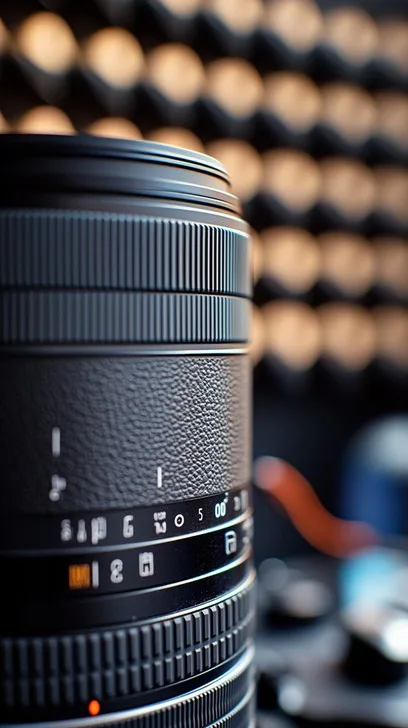
Your camera's autofocus is hunting, locking onto the background, or just refusing to move. If you're searching for camera not focusing troubleshooting, you're probably staring at a frustrating sequence of blurry shots. The good news is that most focus issues come down to a handful of predictable causes.
You can work through them in a logical order without needing a repair technician.
Manufacturer specifications indicate that modern phase-detect autofocus systems can lock focus in as little as 0.05 seconds under ideal conditions. When that speed drops to a slow hunt or a complete failure, something specific is wrong. As of 2026, most focus problems are solved by checking settings, cleaning contacts, or updating firmware.
Quick Answer
Check your focus mode switch first. It is often bumped to manual. Clean the lens contacts with a dry cloth.
Test with a different lens. Update your camera firmware. These steps solve most focus problems.
Image source: Bing (Web (fair-use with source credit))
Your Camera Won't Focus – Where to Start
Before you blame the camera, look at the whole system. Focus problems come from four main places: the lens, the camera body, the settings, or the environment. Your job is to isolate which one is causing the trouble.
Start with the simplest check. Is the lens set to autofocus? Many lenses have a physical switch labeled A/M or M.
If it is on M, your camera will not autofocus no matter what you do. This is the single most common cause of focus complaints.
Next, look at the camera body. Most DSLR and mirrorless cameras have a focus mode switch or menu option. Set it to AF-S (single) or AF-C (continuous) depending on what you are shooting.
If it is set to MF, the camera will not drive the lens.
Check the lens cap. It sounds silly, but it happens. A cap left on or a dark filter can confuse the autofocus system entirely.
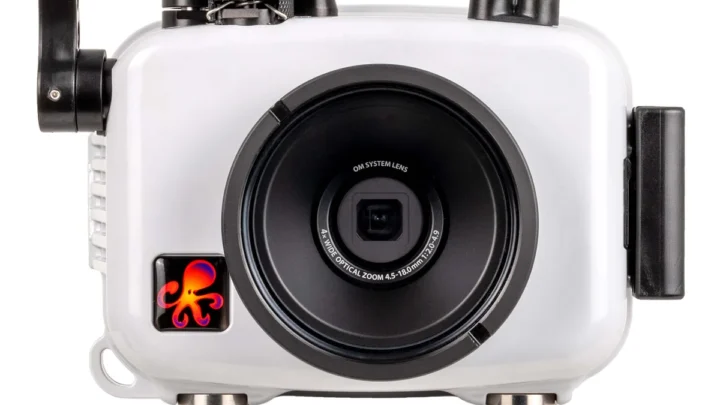
If none of these are the issue, you are ready to move to the first real decision point. Work through the steps on this page in order. If you are using an underwater housing, you can follow the same diagnostic approach we cover in our guide on troubleshooting an underwater camera.
First Decision: Is It the Lens or the Body?
This is the most important diagnostic step. You need to find out whether the problem follows the lens or stays with the camera. Swap lenses if you have a second one available.
Put a different lens on your camera body. If the new lens focuses fine, the problem is with the original lens. If the new lens also hunts or fails to focus, the problem is likely in the camera body or its settings.
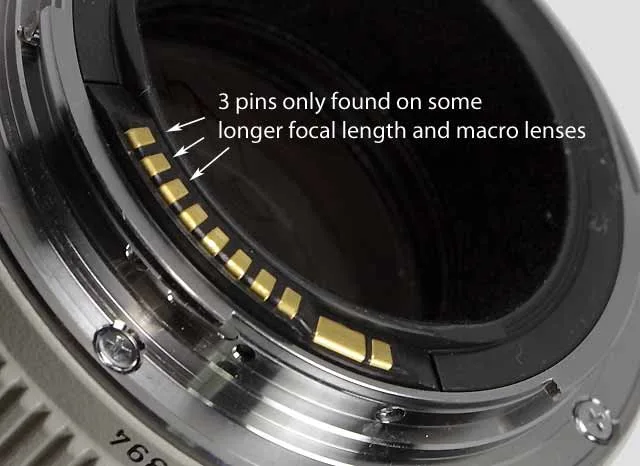
Image source: Bing (Web (fair-use with source credit))
If you only have one lens, try the reverse test. Mount your lens on a different camera body if you can borrow one. This is the fastest way to pinpoint the fault.
Common lens issues include a stuck focus motor, broken electrical contacts, or a jammed focus ring. Look at the gold pins on the lens mount. Dirty or bent pins can break communication with the camera.
Clean them gently with a dry microfiber cloth.
Body issues are less common but they do happen. A damaged autofocus sensor, a misaligned mirror in a DSLR, or a firmware glitch can all cause focus failure. You can often fix a firmware issue yourself.
Check the support page on the manufacturer's official website for updates.
If the lens is the problem, check whether it is still under warranty. Lens repairs from a drop or impact can be expensive. Sometimes it is cheaper to replace the lens than to fix it.
Second Decision: Check Your Settings – The Most Common Culprits
Your camera has dozens of settings that affect autofocus. Many of them get changed by accident. Let us go through the most important ones.
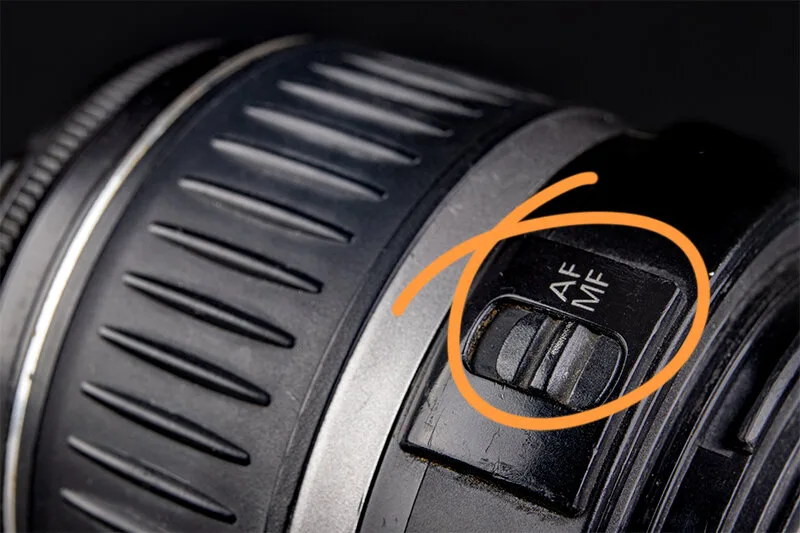
Image source: Bing (Web (fair-use with source credit))
AF mode. Most cameras offer AF-S (single shot), AF-C (continuous), and automatic selection. AF-S locks focus when you half-press the shutter. AF-C keeps adjusting as the subject moves.
If you are shooting a static subject in AF-C, the camera may keep hunting. Switch to AF-S for still subjects.
AF area mode. This tells the camera where to look for focus. Wide area uses all available AF points. Single point uses just one.
If you are in wide area mode and the camera keeps focusing on the background, switch to single point. Place that point directly on your subject.
Focus limiter switch. Many telephoto and macro lenses have a physical switch that restricts the focus range. If it is set to the wrong range, the lens will not focus on close subjects. For example, a 70-200mm lens set to 3m to infinity will not focus on something 1m away.
Back-button focus. Some cameras let you separate autofocus from the shutter button using the AF-ON button. If you have accidentally enabled this, half-pressing the shutter will not activate focus. Press the AF-ON button instead.
If that is not what you want, perform a factory reset to restore the default behavior. The same process works for restoring settings on an underwater camera.
Diopter adjustment. This tiny wheel near the viewfinder is easy to bump. If the viewfinder looks blurry but your photos are sharp, the diopter is misadjusted. Look through the viewfinder and turn the dial until the text and grid lines are crisp.
Third Decision: Environmental and Subject Issues
Sometimes the camera is fine. The lens is fine. The settings are correct.
But the autofocus still struggles. That is when you need to look at what you are trying to shoot.
Low contrast subjects. Autofocus systems need contrast to lock on. A solid white wall, a clear blue sky, or a blank sheet of paper offers nothing for the camera to grab. Point the camera at something with edges and texture.
Find the edge of the subject or a high-contrast area. Focus there, then recompose.
Low light. Autofocus needs light to work. Most cameras have a low-light sensitivity rating measured in EV. A rating of -3 EV means the camera can focus in very dim conditions.
A rating of -1 EV means it struggles. If your camera is hunting in the dark, use the AF assist lamp if your camera has one. Or shine a flashlight on the subject to give the system something to work with.
Moving subjects. If you are trying to focus on a fast-moving subject with AF-S, the camera locks focus once and does not track. The subject moves out of the focus plane. Switch to AF-C or AI Servo mode.
This tells the camera to keep adjusting focus as the subject moves.
Reflections and glass. Shooting through a window or near water can confuse autofocus. The camera may lock onto the reflection instead of the subject behind it. Get as close to the glass as possible.
Use a polarizing filter to reduce reflections. If you are shooting underwater, the same principles apply to keeping your subject sharp in our guide on fixing blurry underwater camera photos.
Small subjects. If your subject is very small in the frame, the camera may not detect it. Zoom in or move closer. Use a single AF point placed directly on the subject.
Fourth Decision: When the Hardware Needs Attention
You have checked the settings. You have swapped lenses. The environment is fine.
The camera still will not focus. Now it is time to look at the hardware.
Dirty lens contacts. The gold pins on the lens mount and the matching pins inside the camera body carry all the communication signals. Dirt, oil, or oxidation can interrupt that signal. Remove the lens.
Use a dry microfiber cloth to wipe the contacts gently. Do not use liquids. Reattach the lens and test again.
Dirty or fogged glass. A smudge on the front element or a fingerprint on the rear element can reduce contrast enough to confuse autofocus. Clean both elements with a lens cleaning solution and a microfiber cloth. Check for internal fogging caused by condensation.
If the lens is fogged internally, let it dry out in a warm, dry place for 24 hours.
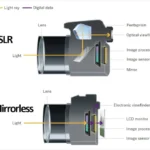
Front focus or back focus on DSLRs. DSLRs use a separate phase-detect sensor below the mirror. If that sensor is slightly misaligned, the camera will consistently focus in front of or behind the subject. This is called front focus or back focus.
Most DSLRs have an AF fine-tune setting in the menu. You can adjust it in small steps. Use a focus test chart to dial it in.
Stuck focus ring or motor. If the lens makes a grinding noise or the focus ring will not turn, the lens mechanism is damaged. This usually happens after a drop or impact. There is no DIY fix for a broken focus motor.
Send the lens to a repair shop or replace it.
Firmware bugs. Camera manufacturers release firmware updates to fix autofocus bugs. Check the support page for your exact camera model. Follow the instructions to update.
This is a free fix that solves many intermittent focus problems. The process is similar to updating firmware on other camera types.
Common Mistakes That Make Things Worse
Some focus problems are actually caused by the fix you tried. Avoid these common errors.
Cleaning the sensor instead of the lens. If you see spots in your photos, you might reach for a sensor cleaning kit. But if the issue is autofocus failure, the sensor is rarely the cause. Dirty lens contacts or a smudged front element are far more likely.
Clean the lens first. It is faster and safer.
Overtightening the lens mount. When you attach a lens, turn it until it clicks. That is enough. Crank it harder and you can bend the gold pins.
Bent pins cause intermittent communication failures. The camera will focus sometimes and refuse other times.
Using the wrong cleaning solution. Household glass cleaners often contain ammonia. Ammonia damages lens coatings. Use a dedicated lens cleaning solution or isopropyl alcohol diluted to 70 percent.
Apply it to the cloth, not directly to the glass.
Ignoring the firmware update. Many photographers never update their camera firmware. Manufacturers release updates specifically to fix autofocus bugs. A 10 minute update can solve a problem you have been fighting for months.
Check the support page for your exact model.
Assuming the worst. A stuck focus ring or a grinding motor usually means a repair is needed. But a clean lens, a fresh battery, and the right AF mode fix most issues. Do not send your gear to a repair shop until you have run through the full list of checks.
FAQs – Quick Answers to Focus Troubleshooting
Why will my camera not autofocus at all?
Check the lens switch first. It is often bumped to MF without you noticing. Next, check the camera body focus mode.
If both are set to AF, clean the lens contacts with a dry cloth. Test with a different lens to isolate the problem.
What does it mean when my camera hunts for focus?
Hunting means the camera cannot find enough contrast to lock onto. Switch to a single AF point and place it on a high-contrast edge. If the light is low, use the AF assist lamp or add light to the scene.
How do I fix front focus or back focus on my DSLR?
Use the AF fine-tune setting in your camera menu. Set up a focus test chart on a tripod. Take test shots at each adjustment step.
Check which setting gives the sharpest result. Mirrorless cameras do not need this adjustment.
Can a dirty lens cause autofocus problems?
Yes. A smudge or fingerprint reduces contrast. The autofocus system needs contrast to lock on.
Clean both the front and rear elements with a microfiber cloth and lens cleaning solution. Wipe the gold contacts on the lens mount too.
Should I update my camera firmware for focus issues?
Yes. Manufacturers release firmware updates to fix autofocus bugs. Check the support page for your camera model.
Follow the instructions exactly. A firmware update is free and takes about 10 minutes. It solves many intermittent focus problems.
When should I send my camera to a repair shop?
Send it in when the lens makes a grinding noise, the focus ring is physically stuck, or the camera fails to focus with multiple lenses. Also send it if you have tried all the steps above and the problem persists. Repairs are often worth it for high-end gear.

Similar Posts