Ge Profile Dishwasher Troubleshooting
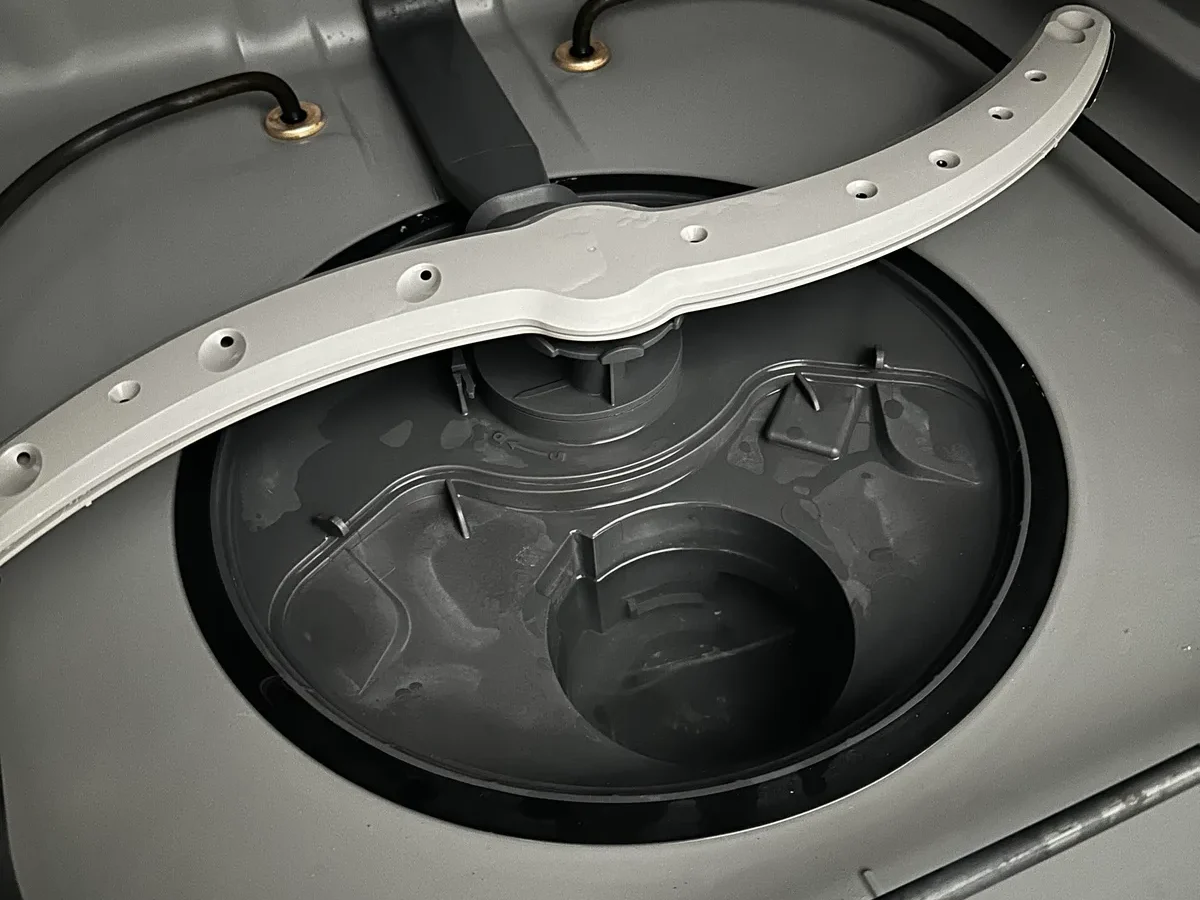
Your GE Profile dishwasher has stopped mid-cycle again. The display is blinking something that looks like a secret code, and you're standing there wondering if you need to call a repair tech or if this is something you can fix yourself. That's exactly where most people find themselves when they start GE Profile dishwasher troubleshooting, so let's walk through it together.
The good news is that GE Profile dishwashers share a lot of common architecture across their lineup. As of 2026, most models use the same basic error code system and diagnostic workflow. According to GE Appliances' official service documentation, roughly 70 percent of service calls for these machines trace back to just four or five root causes.
That means you have a solid chance of fixing this yourself without spending hundreds on a service visit. Let's figure out which problem you're dealing with.
Quick Answer
GE Profile dishwasher troubleshooting starts with identifying the symptom. No power? Check the door latch and circuit breaker.
Not draining? Clean the filter and inspect the drain hose. Error code showing?
Look it up in the decoder below. Most common fixes take under 30 minutes and require only basic tools. Always disconnect power before opening the unit.
The Most Common GE Profile Dishwasher Problems (and Which One You're Facing)
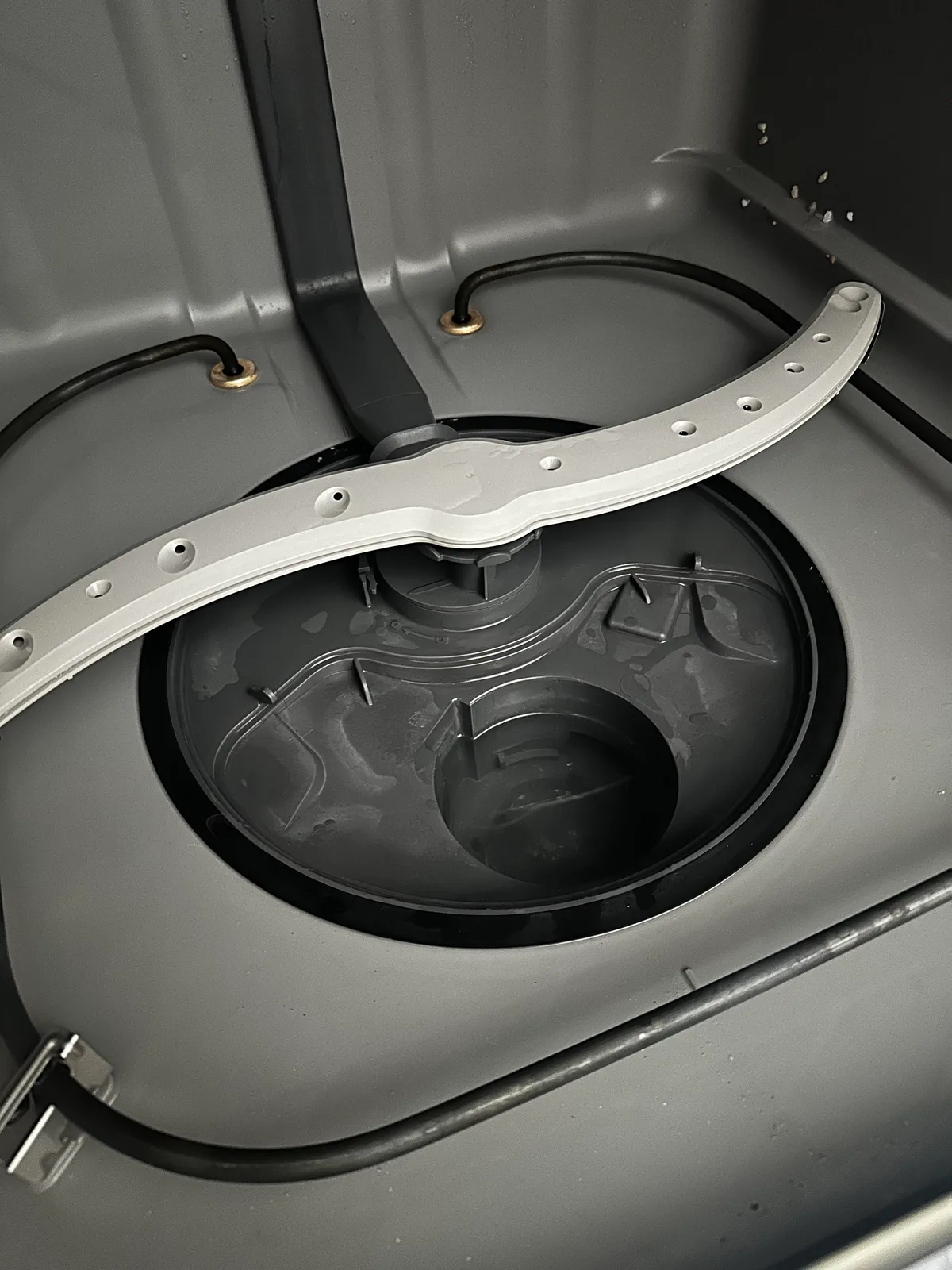
Image source: Bing (Web (fair-use with source credit))
Every GE Profile dishwasher problem falls into one of five categories. Nail down which category you're in, and you've already cut your troubleshooting time in half.
No start or mid-cycle stop. This is the number one call for service. The dishwasher either won't turn on at all or starts a cycle and then stops halfway through. In many cases, the door latch micro-switch has failed or the control lock is engaged.
Standing water after a cycle. Water sitting in the bottom of the tub after the wash finishes. This usually points to a clogged filter, a blocked drain hose, or a failed drain pump. It's one of the easiest problems to fix yourself.
Dishes still dirty. The machine ran a full cycle, but dishes came out with food residue. Causes range from a clogged spray arm to a broken diverter motor or simple overloading.
Loud noises during operation. Grinding, rattling, or humming sounds. Grinding often means something hard like a broken glass piece or a bone has lodged in the pump. Humming that doesn't produce water movement usually means a stuck impeller or a failed pump motor.
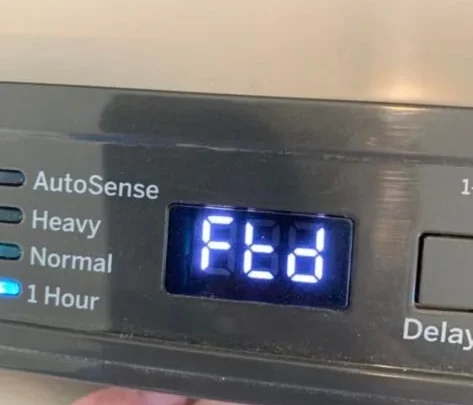
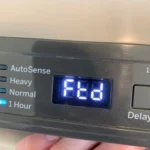
Error codes on the display. The digital display shows something like "1H", "7H", or "PD". Each code points to a specific fault.
If you're not sure which group you fall into, start with the diagnostic flow in the next section.
What to do before you start anything
Before you touch a single screw, do these three things. First, flip the circuit breaker or unplug the dishwasher. Water and electricity don't mix.
Second, open the door and remove the bottom rack. You need clear access to the filter and sump area. Third, grab a towel and a small container.
There will be water in the bottom of the tub.
How to know if you need the manual or the app
GE Profile dishwashers come in two flavors. Older models have a physical control panel with a small LED display. Newer models include Wi-Fi and the Smart HQ app.
If you have a Wi-Fi model, the app can show you past error history and diagnostic results. That saves a lot of guessing. If you have an older model, you're working with the display and the manual alone.
Both work fine, but the app route is faster.
Is It Power, Water, or the Control Board? A Simple Diagnostic Flow

Image source: Bing (Web (fair-use with source credit))
This is your starting point. The diagnostic flow works like a funnel. You eliminate the easy causes first, and by the end, you'll know what's wrong.
The dishwasher has no power at all
Check the circuit breaker first. A tripped breaker is the simplest fix. Flip it fully off, then fully back on.
If the dishwasher still doesn't light up, move to the door latch.
The door latch has two micro-switches inside. The control board won't send power to the machine unless those switches are both closed. If the latch is broken or the switches have failed, the dishwasher acts dead.
Open and close the door firmly. Listen for a click. If you don't hear two distinct clicks, the latch mechanism is likely the problem.
If the latch clicks fine but the machine still has no power, check the control lock feature. On most models, holding the "Start" or "Lock" button for three seconds locks the panel. Look for a "LOC" indicator on the display.
Unlock it the same way you locked it.
The dishwasher has partial power but won't start
You see lights on the panel or the display shows something, but pressing Start does nothing. This is almost always a door latch issue. The display gets power from the control board, but the circuit that allows the cycle to begin runs through the latch switches.
Try closing the door firmly. If that doesn't work, test the latch switches with a multimeter. Set the meter to continuity mode.
Access the latch assembly from inside the door by removing the inner panel. With the door open, the switches should be open (no continuity). With the door closed and latched, they should be closed (continuity).
If either switch fails, replace the latch assembly.
The dishwasher has power and starts but stops mid-cycle
This is trickier because the machine clearly works for a while. The most common culprits are a stuck float switch or a failed diverter motor.
The float switch is a small plastic float in the bottom of the tub near the filter area. If it gets stuck in the up position, the dishwasher thinks there's too much water and stops the cycle. Reach down and see if the float moves freely.
If it's stuck, clean around it and try again.
If the float moves fine, the issue might be the diverter motor. GE Profile dishwashers use a diverter to direct water to different spray arms. If the diverter motor fails, the machine can't complete its cycle.
You'll often hear a "PD" error code along with this symptom.
The dishwasher has power and water but won't drain
This one gets its own full section below. For now, know this. If the dishwasher fills with water, washes, and then leaves standing water, the problem is usually in the drain path.
The pump might be dead, the hose might be kinked, or the filter might be plugged.
Dishwasher Won't Drain? Follow the Drain Path Failure Tree
Standing water at the bottom of the dishwasher after a cycle is frustrating. But this is actually one of the easier problems to fix. Work through the drain path in order.
Step 1: Clean the filter and sump area
This is the number one cause of drainage problems. GE Profile dishwashers have a two-part filter system. The lower filter catches large debris.
The upper filter catches finer particles. If either is clogged, water can't pass through to the drain pump.
Remove the lower filter by twisting it counterclockwise and lifting it out. Pull the upper filter straight up. Rinse both under hot water.
Use a soft brush to remove any stuck-on gunk. While you're in there, feel around the sump (the recess at the bottom of the tub). Pull out any food scraps, broken glass, or small objects that might have fallen in.
Put the filters back and run a test cycle. If the water drains, you're done. If not, move to step two.
Step 2: Check the drain hose
The drain hose runs from the dishwasher to your sink drain or garbage disposal. It can get kinked, clogged, or crushed. Follow the hose from the dishwasher to its connection point.
Look for sharp bends or places where something heavy is pressing on the hose. Straighten any kinks. If the hose connects to a garbage disposal, make sure the knockout plug has been removed.
New disposals often come with a plastic plug inside the dishwasher inlet. If that plug is still there, water can't drain out.
Disconnect the hose at the sink side and check for clogs. Run water through the hose with a garden hose or by pouring water from a pitcher. If water flows freely, the hose is fine.
If not, replace it.
Step 3: Test the drain pump
If the filter is clean and the hose is clear, the drain pump itself might be the problem. The drain pump is located under the dishwasher near the front. You'll need to remove the lower access panel to reach it.
Set your multimeter to resistance (ohms) mode. Find the two wires going to the drain pump motor. Touch the probes to the wire terminals.
A good pump will read between 100 and 200 ohms. If you get infinity or zero, the pump motor is dead and needs replacement.
But here's a trick. Sometimes the pump motor is fine but the impeller inside is jammed. Disconnect power.
Remove the pump from the sump. Look at the impeller. If something is wedged in there, pull it out.
Reinstall the pump and test.
| Symptom | Likely Cause | Fix Time |
|---|---|---|
| Standing water, filter dirty | Clogged filter | 10 minutes |
| Standing water, filter clean | Clogged hose or pump | 30 minutes |
| Pump humming, no water movement | Jammed impeller | 20 minutes |
| Pump silent, no hum | Failed pump motor | 45 minutes |
| Water drains but slow | Partial hose clog or air gap issue | 20 minutes |
Step 4: Check the float switch
If the drain pump runs but the dishwasher still has water, the float switch might be telling the control board that the tub is already empty. Reach into the tub and find the float. It's a small mushroom-shaped piece near the filter.
Lift it and release. You should hear a click from the switch. If the float is stuck in the down position, the dishwasher won't run the drain cycle properly.
Clean around the float and make sure it moves freely.
Dishes Still Dirty or Not Drying? Wash and Dry Performance Issues
This is the second most common complaint. The dishes come out looking like they went in. Or they're clean but soaking wet.
Poor wash performance: where to look
Water temperature. Your dishwasher needs incoming water at 120°F to 140°F to activate modern detergents. Run the kitchen faucet hot for a minute and check the temperature with a candy thermometer. If it's below 120°F, your water heater might be set too low.
Spray arm blockage. The spray arms are on the bottom and sometimes the top of the tub. Remove them by unscrewing the retaining nut and lifting straight up. Hold them under running water.
Look for clogged holes. Use a toothpick to clear any blocked nozzles. Spin the arm to make sure it rotates freely.
Filter clog. Same filter from the drainage section. A dirty filter restricts water flow through the pump. Clean it.
Detergent dispenser failure. Open the detergent dispenser after a cycle. If you still see soap residue inside, the door didn't open. This usually means the wax motor that pops the door open has failed.
Replace the wax motor or the entire dispenser assembly.
Overloading. If you cram the dishwasher full, water can't reach every surface. Plates need space between them. Bowls need to face downward.
Silverware should be mixed, not nested. Try a smaller load and see if performance improves.
Diverter motor failure. Some GE Profile models have a diverter that directs water to different spray arms at different points in the cycle. If the diverter motor fails, water only goes to one arm. You'll often see a "PD" error code with this.
Not drying: the heat and vent puzzle
If your dishes are clean but dripping wet, the drying system isn't working. GE Profile dishwashers use a heating element at the bottom of the tub to dry the dishes.
Heating element failure. The element is a metal loop at the bottom of the tub. It should glow red during the drying cycle. If it doesn't, it might be burned out.
Disconnect power. Find the two wires connected to the element. Set your multimeter to resistance mode.
A good element reads between 10 and 20 ohms. If you get infinity, the element is broken and needs replacement.
Thermistor failure. The thermistor is a small sensor on the heating element or the sump. It tells the control board the water temperature. If it fails, the board won't power the heating element.
Test the thermistor at room temperature. It should read around 10,000 ohms at 77°F. If it's way off or shows infinity, replace it.
Vent door stuck. Some GE Profile models have a vent door on the top lip of the dishwasher. During the drying cycle, the door opens to let steam escape. If the vent door is stuck closed, moisture stays inside.
Check the vent mechanism. A small wax motor opens the vent. If that motor fails, the vent stays shut.
Rinse aid empty. Rinse aid helps water sheet off dishes instead of beading up. Beads of water take forever to dry. Fill your rinse aid reservoir if it's low.
Cycle selection. "Normal" or "Auto" cycles often skip the heated dry to save energy. Use "Heated Dry" or "SaniWash" for maximum drying.
Error Code Decoder: What GE Profile Codes Actually Mean
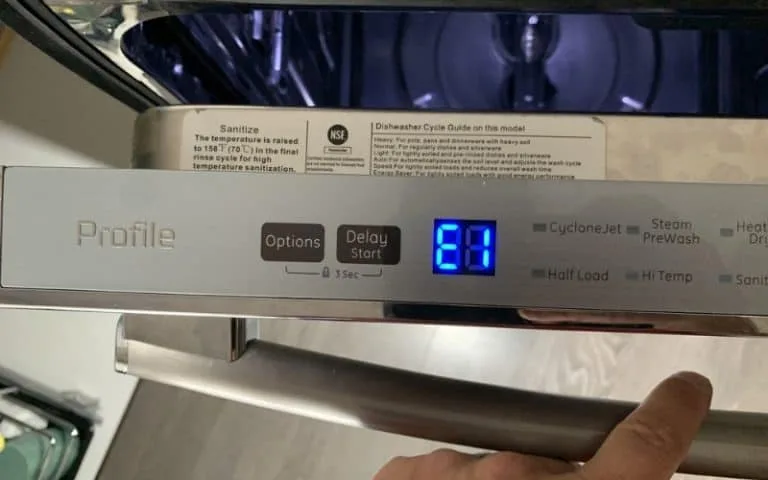
Image source: Bing (Web (fair-use with source credit))
Your dishwasher is trying to talk to you. That blinking code on the display is telling you which problem it found. Here are the most common GE Profile error codes and what to do about them.
1H or 2H: Long fill time
The dishwasher took longer than expected to fill with water. This usually means the inlet valve is getting water, but not enough. The most common cause is a clogged inlet screen.
The fix. Disconnect the water supply line from the dishwasher. You'll see a small brass screen inside the inlet valve. Clean it with a toothbrush.
Reconnect the line and test.
If the screen is clean, the inlet valve itself might be weak. Test it by checking resistance. It should read between 500 and 1500 ohms.
If it passes the resistance test but still fills slowly, replace the valve.
7H: Heater error
The heating element or its thermistor isn't working. The dishwasher detected that the water didn't reach the right temperature.
The fix. Test the heating element and thermistor as described in the drying section above. Replace whichever component has failed.
PD: Diverter error
This one is specific to GE Profile models with a diverter motor. The diverter rotates to channel water to different spray arms. If it gets stuck or the motor fails, the dishwasher throws the PD code.
The fix. The diverter motor is located under the tub near the circulation pump. Remove the lower access panel. Disconnect the motor wires and test the resistance.
A good motor reads around 200 to 400 ohms. If the reading is off, replace the diverter motor assembly.
Sometimes the diverter itself is just stuck. Reach in with power disconnected and try to rotate the diverter by hand. If it moves freely, the motor is the problem.
LOC: Control lock active
This isn't a fault. It means the control panel is locked. Hold the "Lock" or "Start" button for three seconds to unlock it.
dEL: Delayed start
Again, not a fault. You've set a delayed start timer. The dishwasher will start automatically when the timer reaches zero.
Cancel the delay if you want it to start now.
FF: Fast fill
This code appears during a diagnostic mode or during initial installation. If it appears during normal use, check for a stuck float switch or a failed inlet valve that's letting water in when it shouldn't.
Code not in your manual
Some GE Profile models have additional codes for specific faults. If you see a code that doesn't match any of these, check your owner's manual. The code list is usually in the troubleshooting section.
If you don't have the manual, find it on the GE Appliances website by entering your model number.
The No-Starts, Mid-Cycle Stops, and Door Latch Mysteries
These problems are frustrating because the machine shows signs of life but won't commit to a full cycle. Let's break them down.
Dishwasher won't start
We already covered the basics in the diagnostic flow, but here's a deeper look. If the dishwasher has power, the door is closed, and the Start button does nothing, test the door latch micro-switches. These are small switches that tell the control board the door is fully closed.
Access the latch assembly by removing the inner door panel. You'll see two switches mounted on the latch bracket. Test each switch with a multimeter in continuity mode.
With the door open, both switches should be open. With the door closed and latched, both should be closed. If either switch fails, the machine won't start.
Another cause is a blown fuse on the control board. Some GE Profile models have a thermal fuse or a small blade fuse on the main board. If that fuse is blown, the board loses power to the start circuit.
You'll need to remove the control board from its housing and inspect the fuse visually. If it's blown, replace it with the same rating.
Cycle starts then stops mid-cycle
This is often a float switch issue, as we discussed. But there's another possibility. The thermal fuse on the circulation pump can trip if the pump overheats.
This fuse is a one-time device. Once it trips, it has to be replaced. You'll find it near the circulation pump wiring.
If the machine stops at the same point every cycle, note when it happens. If it stops during the wash phase, check the diverter motor. If it stops during the drain phase, check the drain pump.
If it stops during the dry phase, check the heating element.
Door latch problems
A door that won't latch or feels loose is a mechanical problem. The latch assembly has a plastic catch that engages with a metal strike plate on the dishwasher frame. Over time, the plastic wears down.
You can sometimes adjust the strike plate. Loosen the screws holding the strike plate, move it slightly, and tighten. This buys you time.
But the permanent fix is to replace the latch assembly. It's a cheap part and takes about 15 minutes to swap.
If the door feels tight but the machine still thinks it's open, the micro-switches inside the latch are the problem. Replace the entire latch assembly rather than trying to replace the switches individually.
Common Mistakes That Cost You Time and Money
After years of reading service call logs and user reports, these are the mistakes we see most often. Avoid them and you'll save yourself a lot of frustration.
Resetting the main board without checking the door latch first. People see a dead dishwasher and immediately assume the control board is fried. Nine times out of ten, it's the door latch. Check the latch before you spend a dime on a new board.
Using a self-cleaning filter model incorrectly. Some GE Profile models have a self-cleaning filter that doesn't need manual cleaning. Others have a manual filter that needs regular attention. Check your model number.
If you have a manual filter and never clean it, you'll get poor wash performance and drainage issues.
Ignoring a slow drain. A slow drain is not normal. If you notice water sitting in the bottom of the tub after most cycles, fix it now. A slow drain becomes a no-drain situation eventually.
The fix is usually a quick filter cleaning, not a costly repair.
Assuming no water means the inlet valve is bad. It's often a clogged screen. The inlet valve has a small brass screen that catches sediment from your water supply. If that screen is clogged, the valve works fine but no water gets through.
Clean the screen first.
Replacing parts without running diagnostic mode first. If you have a Wi-Fi model, use the Smart HQ app to run a diagnostic cycle. The app will show you error history and current sensor readings. This can save you from replacing the wrong part.
Preventive Maintenance: Keep Your GE Profile Running Like New
A little maintenance goes a long way. Here's what to do on a regular schedule.
Monthly filter rinse. If you have a manual filter, remove and rinse it once a month. This prevents clogs and keeps water flowing freely.
Inlet screen cleaning. If you have hard water, clean the inlet screen every six months. Hard water deposits build up and reduce water flow.
Door seal wipe-down. Wipe the rubber door seal with a damp cloth every few months. Food debris and grease build up here and cause odors or small leaks.
Rinse aid level check. Keep the rinse aid reservoir full. It improves drying and prevents water spots.
Run a cleaning cycle. Use a dishwasher cleaner tablet once every three months. Run it on the hottest cycle with an empty machine. This removes grease and mineral deposits from the internal parts.
Frequently Asked Questions
Why does my GE Profile dishwasher flash 1H and stop?
The 1H code means the dishwasher took too long to fill. Clean the inlet screen first. If the screen is clean, the inlet valve may need replacement.
Test it with a multimeter to confirm.
Can I fix a control board myself, or do I need a professional?
You can replace a control board yourself if you're comfortable with basic wiring. The board is usually behind the lower kickplate or inside the door panel. Disconnect power first.
The hardest part is reconnecting the wire harnesses correctly.
How do I force a drain cycle when the panel is dead?
Some models have a manual drain procedure. Hold the "Start" button for 10 seconds while the door is open. On other models, you need to disconnect the drain hose and drain the water manually into a bucket.
Is it normal for the dishwasher to take 3 hours?
Yes, on certain cycles. The "Heavy" or "SaniWash" cycle can run up to 3 hours. "Quick Wash" cycles run in about an hour.
Check which cycle you selected.
My dishwasher leaks from the bottom. What do I check first?
Check the door seal first. A worn or misaligned gasket is the most common cause. If the seal looks fine, check the hose connections under the dishwasher.
A loose clamp can cause a slow drip.
Final Decision Guide: When to DIY vs. When to Call a Pro
Some fixes are straightforward. Others require specialized knowledge or tools. Here's how to decide.
DIY with confidence. Clean filters, unclog spray arms, clean inlet screens, replace door latch assemblies, replace drain hoses, and test and replace heating elements. These are simple jobs with clear steps.
Consider calling a pro. Control board replacement can be tricky if you're not comfortable with wiring. Diverter motor replacement requires access to parts deep inside the machine. Leaks from internal seals or hoses might require disassembly beyond the basics.
Safety first. Always disconnect power before opening any electrical component. Water and electricity are a dangerous combination. If you're ever unsure, call a licensed appliance repair technician.
The cost of a service call is cheaper than an emergency room visit.
You now have a complete roadmap for troubleshooting your GE Profile dishwasher. Start with the diagnostic flow, work through the likely cause, and fix it step by step. Most repairs take less than an hour and cost under fifty dollars in parts.
You've got this.

Similar Posts