Insta360 X5 Battery Problem
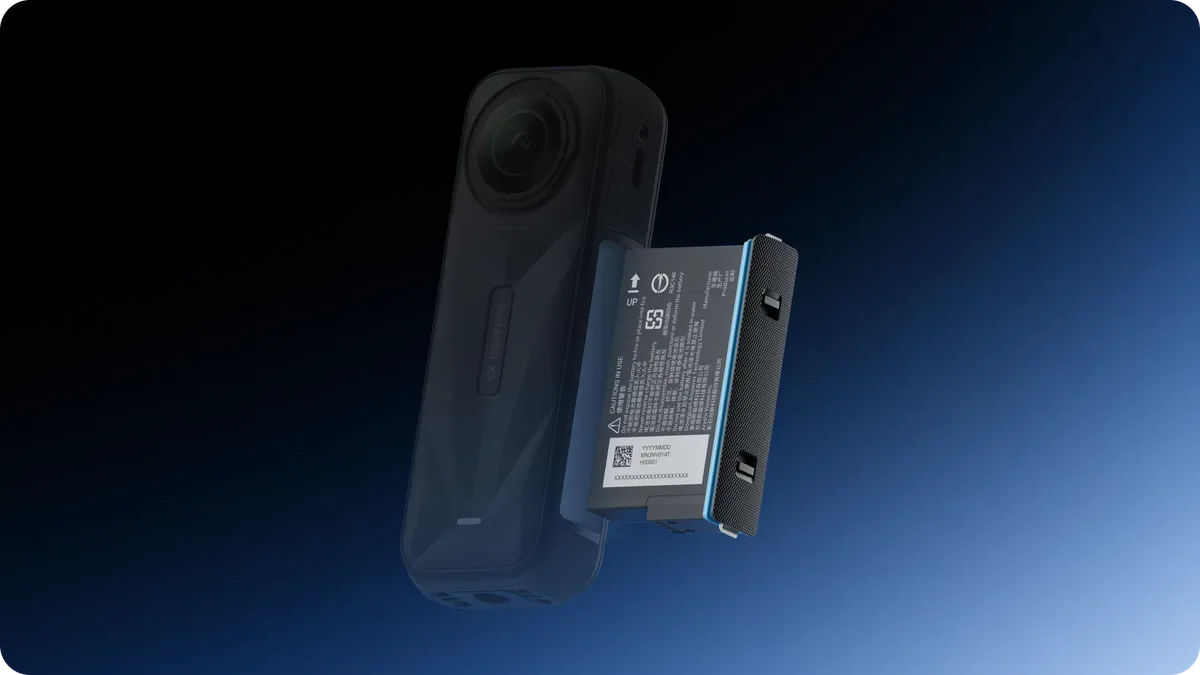
If your Insta360 X5 has started acting up, the battery is often the first place to look. The Insta360 X5 battery problem usually shows up as sudden shutdowns, swelling, or a camera that refuses to charge. These symptoms are not just annoying, they can be a real safety concern.
Manufacturer specs confirm the X5 uses a lithium-polymer battery rated at 2290mAh and 7.27V. As of 2026, most battery issues fall into a few repeatable patterns. Understanding those patterns is the first step to keeping your camera safe and your footage rolling.
Quick Answer
The Insta360 X5 battery problem is real. It shows as swelling, overheating, or rapid drain. Check for a bulging battery door.
Update your firmware. Never charge a swollen battery. Contact Insta360 support for replacements.
Follow FAA rules for travel. Do not use third-party batteries.
Image source: Bing (Web (fair-use with source credit))
Why Your X5 Battery Freaks Out (And When to Worry)
The most common complaints from X5 owners center on a few key issues. You might see the camera shutting down mid-recording. Or maybe the battery indicator jumps from 30 percent to dead in seconds.
Some users report the camera getting uncomfortably hot during charging.
Some of these are normal. Others are not.
Normal behavior vs. red flags
A warm camera during charging is normal. The X5 pulls up to 3 amps over USB-C PD, and that generates heat. If the camera is too hot to hold comfortably, that is a red flag.
Swelling is never normal. If the battery door pops open or the camera body feels bulged, stop using it immediately. A swollen lithium-polymer battery is a fire risk.
What to check first
Here is a quick checklist:
- Is the camera charging at all? Try a different cable and brick.
- Does the battery drain faster than usual? Check for background recording or Wi-Fi left on.
- Is the firmware up to date? Insta360 periodically releases updates that fix battery behavior.
- Does the camera feel hot? If it is too hot to touch, let it cool down before charging.
- Is the battery door sealing properly? A gap could mean swelling.
If you see swelling or extreme heat, do not use the camera. The next section explains what is actually inside that battery and why it matters.
The Core Facts: What's Inside the X5 Battery
The X5 uses a lithium-polymer (Li-Po) battery. It is rated at 2290mAh capacity and 7.27 volts. That is a standard configuration for action cameras in this class.
How the BMS works
Every lithium battery has a battery management system (BMS). The BMS is a small circuit board inside the battery pack. It monitors voltage, temperature, and current.
If the BMS detects something off, it shuts down the battery.
That is why your X5 might refuse to charge even if the battery is not dead. The BMS is protecting you. It prevents overcharging, over-discharging, and short circuits.
Why the internal design matters
The X5 battery is not user-replaceable. You cannot pop it out like older action cameras. That means if the battery swells or fails, you cannot just swap it.
The whole camera may need service.
This design also affects heat dissipation. The battery is packed tightly inside the camera body. Heat builds up faster during fast charging or high-resolution recording.
The X5 runs hotter than some competitors during 8K recording.
Firmware's role in battery behavior
Firmware controls how the camera manages power. Insta360 has released updates that improve battery calibration and reduce parasitic drain. If you have not updated your X5 in a while, a firmware update might fix your battery issue.
Check the Insta360 support page for the latest firmware version. The changelog will tell you if battery fixes are included. As of 2026, version 1.1.0 addressed several battery drain bugs.
If you are dealing with a camera that won't communicate properly, the same troubleshooting logic applies to other gear like the Panasonic AW-UE100 not connecting.
The Real Risk Factors: What Makes an X5 Battery Dangerous
Not all battery problems are equal. Some are minor annoyances. Others are genuine safety hazards.
Knowing the difference is crucial.
How swelling happens and what to look for
Swelling occurs when gas builds up inside the battery cell. This is usually caused by overcharging, physical damage, or internal short circuits. The battery pack expands, pushing against the camera body.
Look for these signs:
- A gap between the battery door and the camera body
- A bulging or uneven surface on the camera
- Difficulty closing the battery door
- The camera wobbling when placed on a flat surface
If you see any of these, stop using the camera immediately. Do not charge it. Do not try to puncture the battery.
Place it in a fireproof container and contact e-waste disposal.
Overheating: when it's normal vs. when it's a problem
The X5 can get warm during normal use. Recording 8K video at 30fps draws significant power. The camera's processor also generates heat.
A warm camera is normal.
A hot camera is not. If the camera is too hot to hold comfortably, or if you smell burning electronics, disconnect the battery immediately. Overheating can cause permanent damage and increase fire risk.
Charging mistakes that can cause permanent damage
Charging mistakes are a leading cause of battery problems. Here are common errors:
- Using a fast charger that exceeds 3 amps. The X5 supports USB-C PD, but high-wattage chargers can stress the battery.
- Charging on soft surfaces like beds or couches. This traps heat and can cause overheating.
- Leaving the camera charging overnight. The BMS should stop charging at full, but failures happen.
- Using damaged cables. Frayed or bent cables can cause short circuits.
Third-party battery dangers
Third-party batteries are tempting because they are cheaper. But the X5's BMS may not recognize them. That can lead to improper charging or complete refusal to charge.
More importantly, third-party batteries may not meet the same safety standards. They might lack proper thermal protection or cell balancing. User reports indicate that some third-party batteries for the X5 have caused swelling or even fire.
Stick with the official Insta360 battery. It is not worth the risk.
Environmental factors
Heat, cold, humidity, and altitude all affect battery performance. The X5's operating temperature range is 0°C to 40°C for charging. Discharging can go from -10°C to 45°C.
In cold weather, the battery will drain faster. That is normal. But extreme cold can cause permanent damage.
In hot weather, the battery may overheat faster. Avoid leaving the camera in direct sunlight or a hot car.
High humidity can cause condensation inside the battery compartment. This can lead to short circuits. If you are shooting in humid conditions, let the camera acclimate slowly.
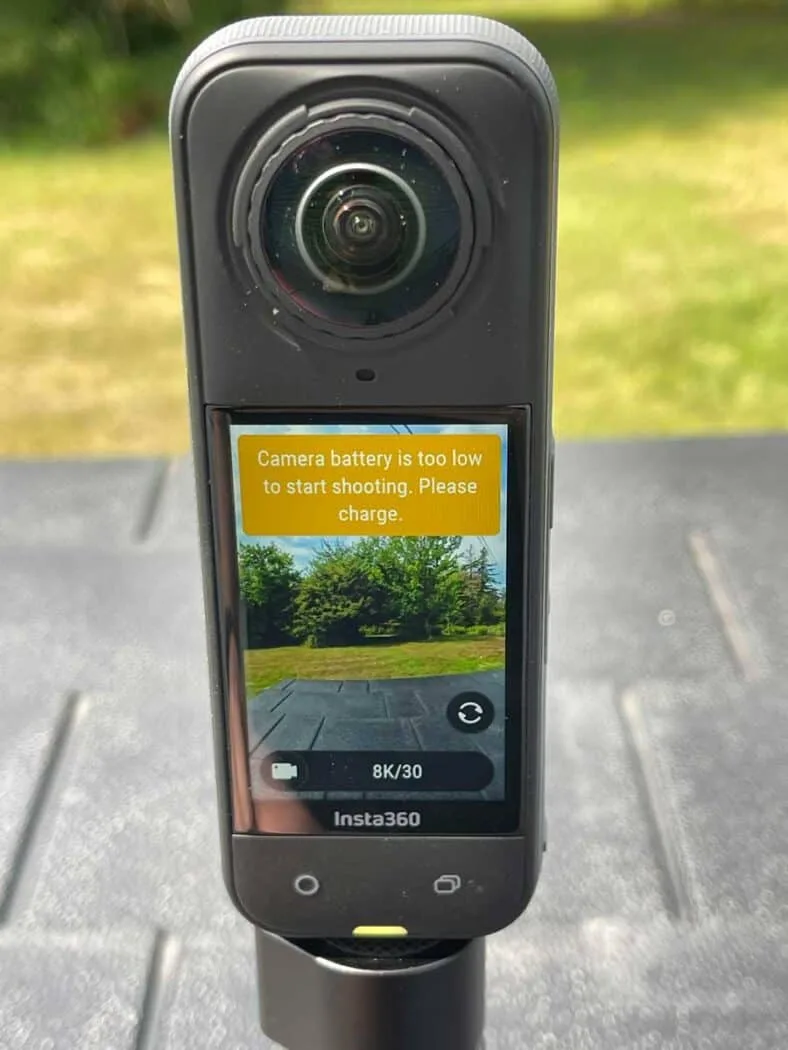
Image source: Web (Bing) / storytellertech.com (Web image (fair-use with source credit))
Safe Practices: How to Charge, Store, and Handle Your X5 Battery
Safe handling is the best way to prevent battery problems. Follow these practices to keep your X5 battery healthy.
The right way to charge
Use the official Insta360 USB-C cable and a quality charger. The charger should output between 5V and 9V at up to 3A. Avoid chargers rated above 3A, as they can overstress the battery.
Charge in a cool, well-ventilated area. Do not charge on soft surfaces. The camera should be at room temperature before you start.
Monitor the charging process. If the camera gets too hot, unplug it. Let it cool down before trying again.
Storage best practices
If you are not using the camera for a while, store the battery at about 50 percent charge. That is the sweet spot for lithium-polymer batteries. Storing them fully charged or fully drained shortens their lifespan.
Keep the camera in a cool, dry place. Temperatures between 10°C and 25°C are ideal. Avoid extreme heat or cold.
Check the battery every few months. If you notice swelling or damage, dispose of it properly.
Battery disposal
Lithium-polymer batteries are hazardous waste. Do not throw them in the trash. Check with your local waste management facility for recycling options.
Many electronics retailers also accept used batteries. Some offer drop-off bins for safe disposal.
Travel regulations
If you travel with your X5, follow FAA and IATA rules. Spare lithium batteries must be carried in your carry-on luggage. They are not allowed in checked baggage.
The battery must be protected from short circuits. Keep it in its original packaging or tape over the terminals. If the battery is swollen, do not travel with it.
Replace it before you fly. For more on camera power issues, our guide on Sony BRC-X1000 not moving covers similar troubleshooting steps.
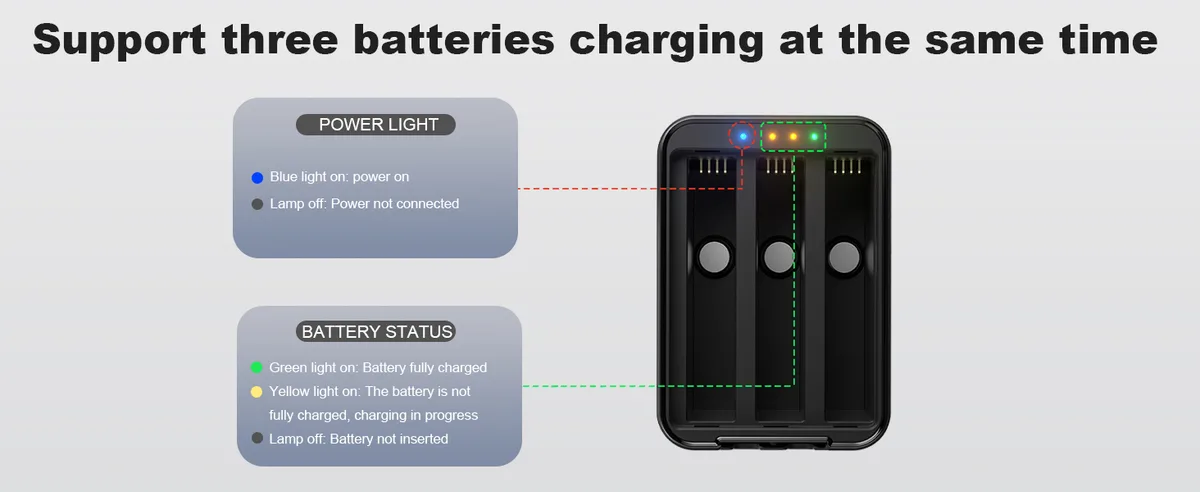
Image source: Web (Bing) / amazon.com (Web image (fair-use with source credit))
How to Fix Common X5 Battery Problems (Without Breaking It)
Most battery problems have a fix. The key is to diagnose the issue correctly before you try anything.
Battery not charging: USB port, firmware, or BMS?
If the X5 does not charge, start with the simplest checks. Try a different USB-C cable and charger. The cable may be damaged or the charger may not be delivering enough power.
If that does not work, check the charging port for debris. Lint or dust can block the connection. Use a soft brush or compressed air to clean it.
Next, update the firmware. A firmware bug can prevent the battery from charging. The Insta360 support page has the latest version.
If the camera still will not charge, the BMS may have shut down the battery. This can happen if the battery was fully drained or overheated. Try a hard reset: hold the power button for 10 seconds.
Then plug the camera into a charger.
If nothing works, the battery may be defective. Contact Insta360 support for a replacement.
Rapid drain: what to check first
If the battery drains faster than usual, check these settings:
- Is Wi-Fi or Bluetooth left on? Turn them off when not in use.
- Is the camera recording in 8K? Higher resolutions drain the battery faster.
- Is the screen brightness set too high? Lower it to save power.
- Is the firmware up to date? Older versions may have battery drain bugs.
If the drain persists, calibrate the battery. Drain it completely until the camera shuts off. Then charge it to 100 percent without interruption.
This helps the BMS recalibrate the voltage reading.
Camera won't turn on: hard reset or replacement?
If the camera does not turn on, try a hard reset. Hold the power button for 10 seconds. If that does not work, connect the camera to a charger.
A completely dead battery may need a few minutes of charging before it can power on.
If the camera still does not turn on, the battery may be defective. Contact Insta360 support for service.
Battery draining while off
If the battery drains while the camera is off, you may have a parasitic draw. This is usually caused by a background process or a firmware bug.
First, update the firmware. If that does not fix it, try a factory reset. This will clear any settings that may be causing the drain.
If the drain continues, the battery may be reaching the end of its life. Lithium-polymer batteries degrade over time. After 300 to 500 charge cycles, they lose capacity.
Using a power bank
A power bank can extend your recording time, but it must be used correctly. The power bank should output at least 5V and 2.4A. Higher wattage is fine, but the camera will only draw what it needs.
Do not use a power bank while the camera is in a hot environment. Heat buildup can damage the battery.
If you use a power bank, disconnect it when the camera is fully charged. Leaving it connected can overstress the battery. The same approach works for other gear, like when you are dealing with PTZOptics Move 4K auto tracking problems.
When to Seek Help (And Who to Trust)
If your X5 battery is swollen, do not try to fix it yourself. Contact Insta360 support. They will ask for your serial number and proof of purchase.
If the camera is under warranty, they will replace the battery. If it is out of warranty, you may need to pay for a repair.
Do not go to a third-party repair shop that is not authorized. They may damage the battery further. Only use certified service centers.
If you are unsure about the battery status, err on the side of caution. A swollen battery is not worth the risk.
Frequently Asked Questions
Can I replace the X5 battery myself?
No. The X5 battery is not user-replaceable. It is sealed inside the camera body.
Attempting to open it can damage the camera and create a safety hazard. Contact Insta360 support for a replacement.
Is it safe to charge the X5 with a fast charger?
It depends. The X5 supports USB-C PD up to 3A. A fast charger that delivers more than 3A can overstress the battery.
Stick to chargers rated between 5V and 9V at up to 3A for safe charging.
How long does the X5 battery last before it needs replacement?
The battery is rated for 300 to 500 charge cycles. After that, capacity drops noticeably. If you notice rapid drain or swelling, it is time for a replacement.
Contact Insta360 support for service.
Will the X5 work with a power bank connected?
Yes, but with caution. Use a power bank that outputs at least 5V and 2.4A. Do not use it in hot environments.
Disconnect the power bank when the camera is fully charged to avoid overstressing the battery.
How do I know if my battery is swollen?
Check for a gap between the battery door and the camera body. Look for a bulging surface. If the camera wobbles on a flat surface, that is a sign of swelling.
Stop using the camera immediately.
Does cold weather permanently damage the battery?
Extreme cold can cause permanent damage. The X5 can discharge down to -10°C, but charging should only happen between 0°C and 40°C. If the battery is exposed to extreme cold, let it warm up slowly before charging.
Verified Summary: What to Do Right Now
Check your battery for swelling. Update your firmware. Charge correctly using a 5V to 9V charger.
If you see swelling, stop using the camera. Contact Insta360 support for a replacement. Follow these steps to keep your X5 safe and your footage rolling.

Similar Posts
































