Mirrorless Camera Battery Problems Troubleshooting
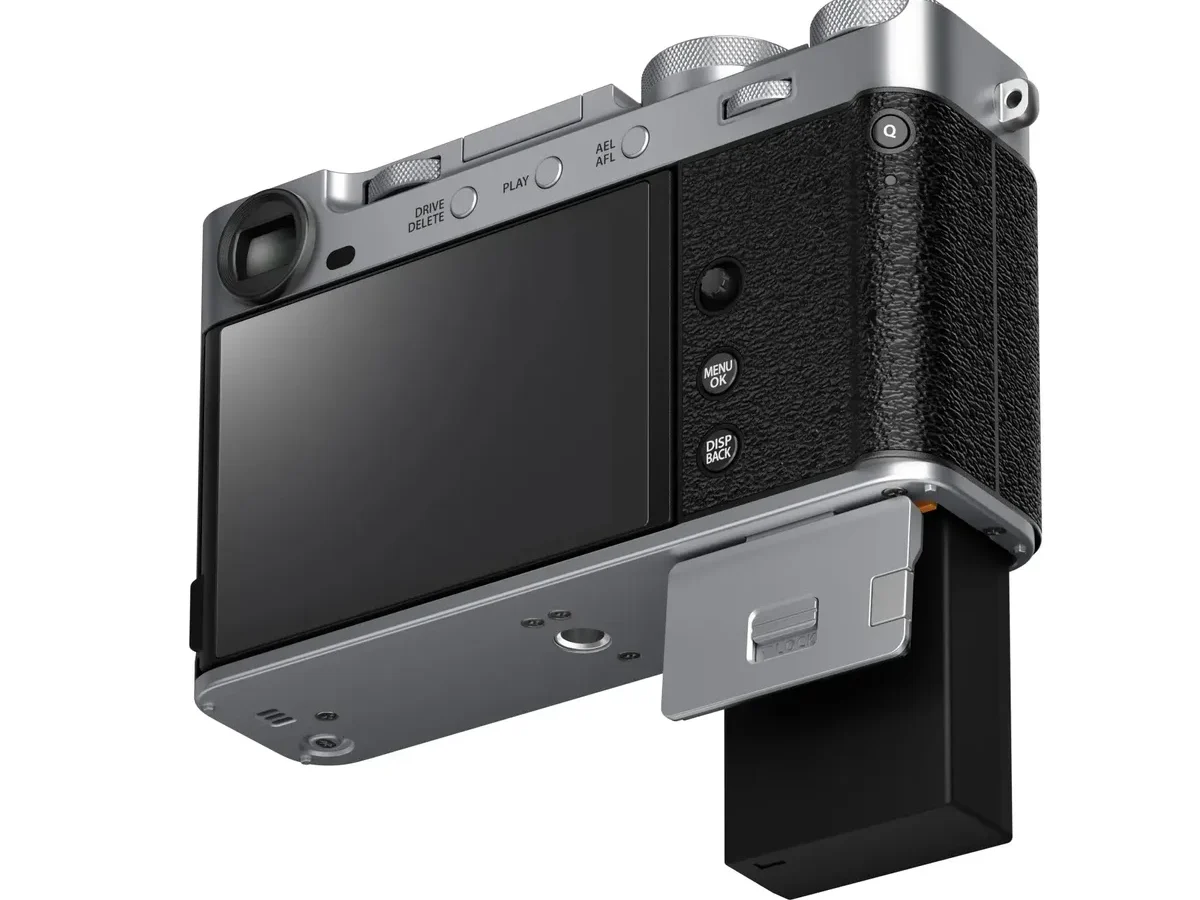
If you’re staring at a mirrorless camera that won’t power on, or a battery that drains in minutes, you’re in the right place. Mirrorless camera battery problems troubleshooting is something every shooter runs into eventually. The good news is most issues have straightforward fixes.
Manufacturer specifications tell us that mirrorless batteries are rated by CIPA (Camera & Imaging Products Association) standards. A typical Sony NP-FZ100 battery is rated for about 480 shots per charge. When you’re getting far fewer, or zero, something’s off.
Let’s walk through what’s actually happening with your battery.
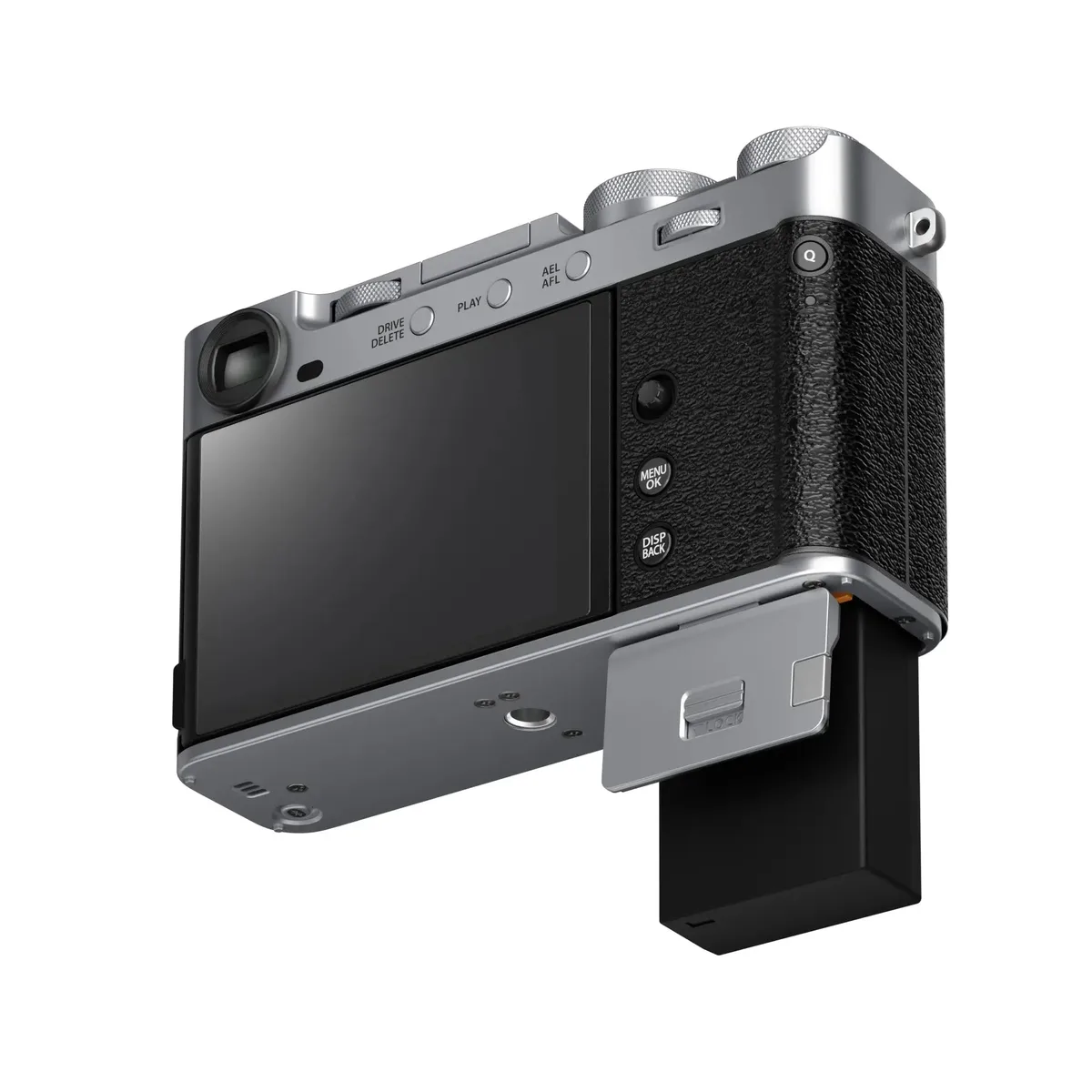
Image source: Web (Bing) / carmarthencameras.com (Web image (fair-use with source credit))
First Things First: What’s Your Battery Actually Doing?
Before we dig into fixes, we need to nail down the exact symptom. Different behaviors point to different root causes.
The camera won’t power on at all. This is the most alarming one. The first check is simple: make sure the battery is seated properly. Push it in firmly until it clicks.
If it still doesn’t work, check the battery contacts. A thin layer of oxidation or debris can block the connection. Cleaning them with a dry cloth or a little isopropyl alcohol on a cotton swab often solves it.
The battery drains unusually fast. You’re losing a quarter of your charge in ten minutes. This is common with older batteries that have been through hundreds of cycles. Lithium-ion batteries degrade over time.
After about 300 to 500 full discharge cycles, capacity drops noticeably. If your battery is more than two or three years old, it may simply be worn out. Another cause is leaving features like Wi-Fi, Bluetooth, or in-body image stabilization (IBIS) running constantly.
The camera shows an error message. You might see “This battery cannot be used” or “Battery not compatible.” This often happens with third-party batteries after a camera firmware update. Manufacturers sometimes patch compatibility with aftermarket cells. If you just updated your camera’s firmware, that’s likely why.
The fix is using an OEM battery or checking if the third-party manufacturer has a firmware update for their battery.
The battery is swollen. This is a safety issue, not a troubleshooting one. If your battery is bulging or doesn’t sit flat on a table, stop using it immediately. We’ll cover this more in the safety section below.
Why Mirrorless Batteries Are Different (and a Little Finicky)
If you’ve used a DSLR before, you’ll notice that mirrorless cameras chew through batteries faster. That’s not a defect. It’s a design trade-off.
DSLRs use an optical viewfinder. When you look through it, the camera is essentially in standby. The sensor isn’t active, and the display is off.
Mirrorless cameras use an electronic viewfinder (EVF) or rear LCD. That screen is always on, drawing power. So is the image sensor, which needs to constantly read data to show you a live preview.
Other power-hungry components include IBIS, continuous autofocus, and high-frame-rate shooting. If you have all these features running, you’re pulling significant current from the battery.
Another key difference is voltage sensitivity. Mirrorless cameras are more particular about voltage than DSLRs were. A battery that’s dropped below a certain voltage threshold might not power the camera at all, even though it still has some charge left.
That’s why you’ll sometimes see a battery that works fine in a charger but won’t turn on the camera. The battery’s internal protection circuit has tripped.
Third-party batteries can be hit or miss here. Some brands use lower-quality cells or less sophisticated voltage regulation. That can cause premature shutdowns, especially in cold weather.
Aggregate user reviews consistently report that OEM batteries hold up better over time. If you’re using a third-party battery and you run into problems, that’s often the first place to look.
If you’re dealing with similar quirks on a different camera system, our guide on a stuck battery door covers some overlapping issues.
The Step-by-Step Workflow: Track Down the Problem
Now let’s build a real decision tree. Follow these steps in order.

Step 1: Visual inspection. Remove the battery. Look at the contacts. Are they clean and shiny, or dull and dirty?
Check the battery compartment contacts inside the camera too. If they look grimy, clean them gently with a dry microfiber cloth or a cotton swab lightly moistened with isopropyl alcohol. Let them dry completely before reinserting.
Step 2: Test with a known-good battery. Borrow a friend’s or rental house battery, ideally an OEM one. Put it in your camera. If it works fine, your original battery is the problem.
If the camera still acts up, the issue is with the camera body itself or the charger.
Step 3: Check the charger. Plug your battery into the charger. Does the LED light up properly? If the charger shows no activity, try a different outlet or cable.
Chargers fail more often than people expect. A faulty charger can refuse to charge a battery, or worse, undercharge it so it shows a green light but only has 30% capacity.
Step 4: Test the battery’s voltage (optional). If you have a multimeter, set it to DC voltage and touch the probes to the battery’s positive and negative terminals. A fully charged lithium-ion battery should read around 8.4V for a 7.2V nominal battery. If it’s below 6.0V, the battery has over-discharged and is likely damaged.
Most chargers won’t recognize a battery that low. You can try trickle-charging it with a specialized charger, but at that point, replacement is safer.
Step 5: Isolate the camera body. If the battery and charger both work but the camera still fails, you might have a camera-side issue. Look for bent pins inside the battery compartment, or debris blocking contact. If you find a bent pin, gently straighten it with a plastic tool.
If nothing works, the camera may need professional service. For more guidance on camera-level glitches, our article on firmware update troubles covers things that can go wrong during updates.
Here’s a quick reference table for common symptom patterns:
| Symptom | Likely Cause | Suggested Fix |
|---|---|---|
| Camera won’t power on | Dead battery, dirty contacts, or charger failure | Clean contacts, test with another battery, check charger |
| Fast drain during use | Old battery, or power-hungry features enabled | Replace battery, turn off Wi-Fi/IBIS when not needed |
| Error message after update | Third-party battery firmware lock | Use OEM battery or check for third-party update |
| Battery doesn’t charge | Faulty charger or over-discharged battery | Try different charger, or replace battery |
| Battery has physical bulge | Swollen cell (safety risk) | Stop using, dispose properly at e-waste center |
Common Fixes That Backfire (What Not to Do First)
When you’re frustrated with a dead camera, it’s tempting to try anything. Some common “fixes” we’ve seen online can actually make things worse.
Putting a battery in the freezer. This old myth comes from NiMH battery days. Lithium-ion batteries hate extreme cold. Freezing them can damage the internal electrolyte and cause permanent capacity loss.
It won’t revive a dead cell. Keep your batteries at room temperature.
Tapping or shaking the battery. Dropping or hitting a lithium-ion battery can rupture the internal separator, leading to a short circuit or fire. If a battery isn’t making contact, clean the contacts. Don’t bang it on the table.
Using a third-party charger with the wrong profile. Some universal chargers can overcharge or undercharge lithium-ion cells. Sticking to the charger that came with your camera, or a reputable third-party one that matches your battery’s voltage specs, is safer.
Jumping straight to a firmware update. A firmware update is rarely the fix for a battery that won’t charge. It can fix compatibility issues with third-party batteries, but it won’t fix a dead cell or a faulty charger. Update only after you’ve ruled out the simpler causes.
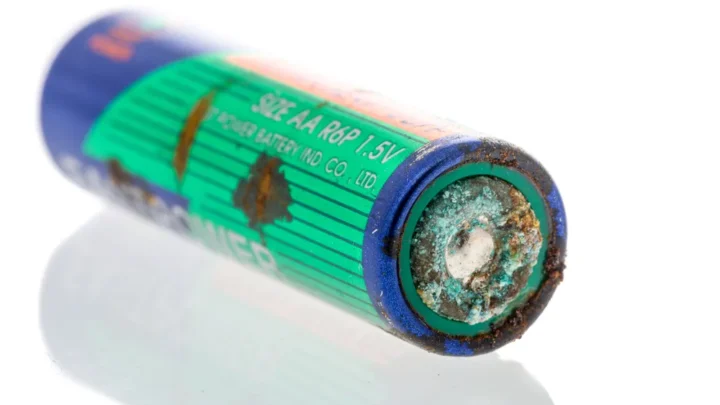
Ignoring swelling. This is the big one. If a battery is even slightly bulging, stop using it. Continuing to charge or discharge a swollen battery can lead to thermal runaway.
That’s not hyperbole. It can catch fire.
A Word on Safety: Swelling Batteries and Travel Rules
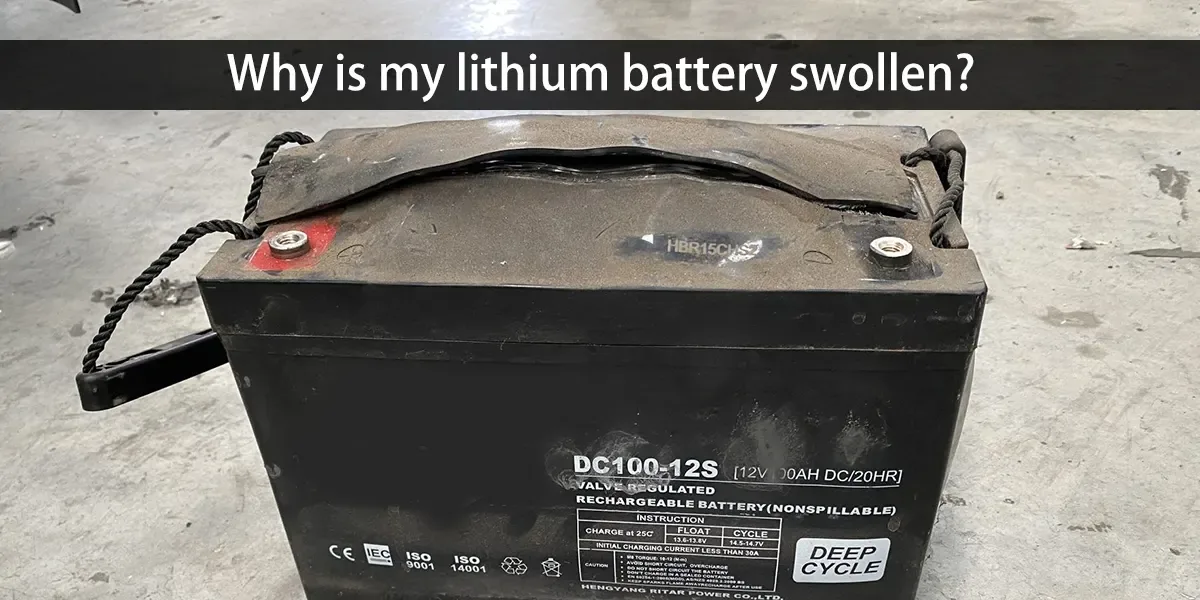
If you spot a swollen battery, don’t throw it in the trash. Lithium-ion batteries are hazardous waste. Take them to a designated e-waste collection center or a store that accepts rechargeable batteries for recycling.
Most camera shops offer this service.
Here’s what a swollen battery looks like: it won’t sit flat on a table. It may rock or spin easily. The casing might be slightly split.
If you see this, handle the battery with care. Avoid puncturing it. Place it in a non-conductive container, like a ziplock bag or a plastic bin, until you can dispose of it.
As of 2026, international air travel regulations from the FAA and IATA require that spare lithium-ion batteries be carried in cabin baggage only. They are not allowed in checked luggage. Each battery must be less than 100 watt-hours (Wh) in capacity.
All mirrorless camera batteries are well under that limit. A typical NP-FZ100 is around 16 Wh. Cover the terminals with tape if you’re packing them loose.
For more help with error messages that might pop up before a battery failure, our guide on DSLR camera error codes has you covered.
Pro Tips to Keep Your Batteries Happy Longer
A little maintenance goes a long way. Here’s what our research suggests for extending battery life.
Store batteries at 50% charge for long-term storage. Keeping a lithium-ion battery fully charged or fully empty while stored accelerates degradation. Around half charge is the sweet spot. This reduces internal stress and slows capacity loss.
Avoid extreme temperatures. Don’t leave batteries in a hot car or in direct sunlight. Heat is the enemy of lithium-ion cells. Similarly, don’t charge a battery that’s frozen.
Let it warm up to room temperature first.
Use your camera’s power-saving features. Many mirrorless cameras have an Eco mode that dims the EVF or LCD when you’re not actively shooting. Enable it. It can extend your shooting time by 20% or more per manufacturer specs.
Invest in OEM batteries for critical shoots. If you’re on a paid job, don’t risk it with cheap third-party cells. OEM batteries are tested for compatibility and voltage stability. They cost more, but they’re more reliable.
Mark your batteries with purchase dates. Use a label maker or a permanent marker. This helps you track which batteries are old and due for replacement. Rotate them so they wear evenly.
Frequently Asked Questions
Why does my mirrorless camera battery die so fast?
The biggest reason is that the EVF and LCD are always on. Features like IBIS, continuous autofocus, and wireless connectivity also drain power quickly. If your battery is more than two years old, natural degradation is likely the culprit.
Consider replacing it.
Can I use third-party batteries in my mirrorless camera?
Yes, but with caution. Some third-party brands work fine. Others may cause error messages, especially after a firmware update.
If you use third-party batteries, stick with reputable brands and check for firmware updates for the batteries themselves.
How long should a camera battery last before needing replacement?
Lithium-ion batteries typically last 300 to 500 full charge cycles before capacity drops noticeably. That’s roughly two to three years of regular use. After that, you may notice faster drain and more frequent shutdowns.
What does “This battery cannot be used” mean?
It means the camera’s firmware has rejected the battery. This is common with third-party batteries after a camera update. The fix is to use an OEM battery or check if the third-party manufacturer offers a firmware update for their battery.
Can I charge a swollen battery?
No. Never charge a swollen battery. Charging it increases the risk of fire.
Dispose of it properly at an e-waste center. Do not attempt to use or revive it.
How should I store camera batteries long-term?
Remove them from the camera. Charge or discharge them to about 50%. Keep them in a cool, dry place, ideally at room temperature.
Avoid storing them in extreme heat or cold. Check them every few months and recharge to 50% if needed.

Similar Posts























[…] persistent battery issues, we've covered similar problems on mirrorless bodies in a dedicated guide to power problems that applies to action cameras just as […]
[…] is easily the most common fix across all camera types, including similar battery-related issues found in mirrorless […]
[…] you have dealt with similar battery issues in other cameras, the same principles apply. The stakes are simply higher here because the battery […]