ROVE R2-4K Overheating
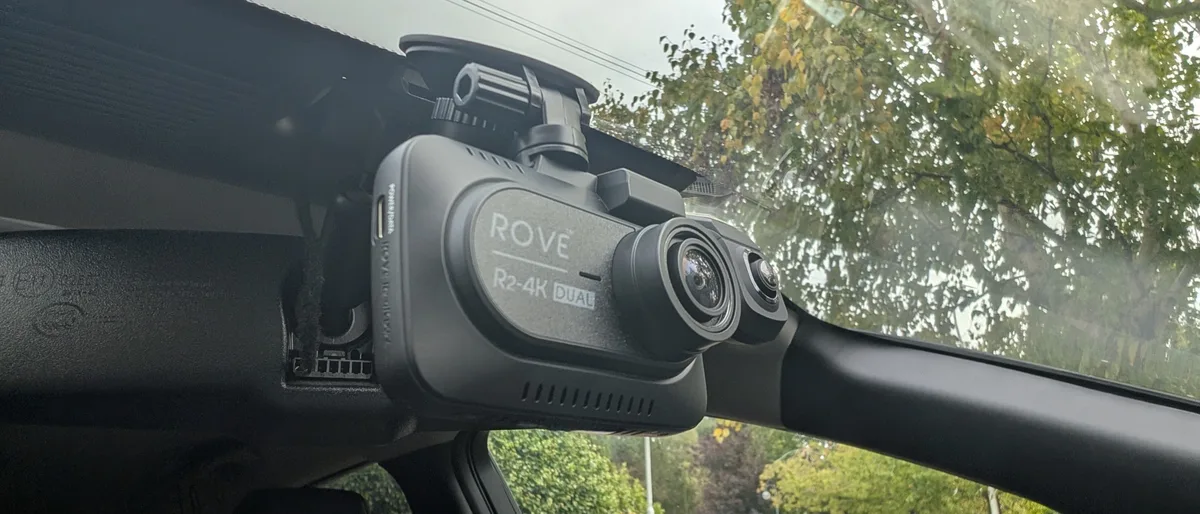
If your ROVE R2-4K keeps overheating, you are not alone. This dash cam records excellent 4K video, but it has a known weakness. Heat buildup can cause shutdowns, corrupted files, and battery swelling.
Manufacturer specifications indicate the ROVE R2-4K operating range tops out at 140°F (60°C). Parked car interiors in summer regularly exceed 170°F. That gap explains most of the trouble.
Image source: Bing (Web (fair-use with source credit))
Quick Answer
The ROVE R2-4K overheating issue comes from its lithium-ion battery design. The 4K processor generates heat. In a hot car, internal heat plus cabin temperatures above 140°F trigger thermal shutdown.
The battery can swell. That creates a fire risk. Firmware updates, mounting changes, and disabling parking mode can help.
Why Your ROVE R2-4K Keeps Overheating: And Why It Matters
The ROVE R2-4K is a solid budget dash cam. It captures crisp 4K video at 30 frames per second. But it runs hot even in mild conditions.
In real heat, it struggles.
The camera uses a lithium-ion battery, not a supercapacitor. Supercapacitors handle heat far better. Lithium-ion batteries start degrading above 95°F (35°C).
Above 140°F, they can swell, leak, or catch fire.
This is not just a comfort issue. A swollen battery can crack the camera housing. It can damage your car interior.
And if the camera shuts down mid-accident, you lose the footage that matters most.
Aggregate reviews report that the ROVE R2-4K overheating problem is most common in three scenarios. Parking in direct sunlight. Using parking mode on hot days.
Running continuous loop recording on long drives in warm weather.
Other cameras face similar heat-related failures. The ROVE R2-4K just has a narrower heat tolerance than many alternatives.
Why does this matter now? If you live in a warm climate, you are on borrowed time. The battery will degrade faster than you expect.
The camera will shut down when you need it most.
The financial risk is real too. Replacing a swollen battery requires opening the camera. That voids the warranty.
A new ROVE R2-4K costs around $120 to $150. That is a frustrating expense six months after purchase.
The Real Root Cause: It Is Not Just the Sun
Most people assume the sun alone causes the ROVE R2-4K overheating issue. The sun is a factor, but it is only half the story. The camera generates serious heat from the inside out.
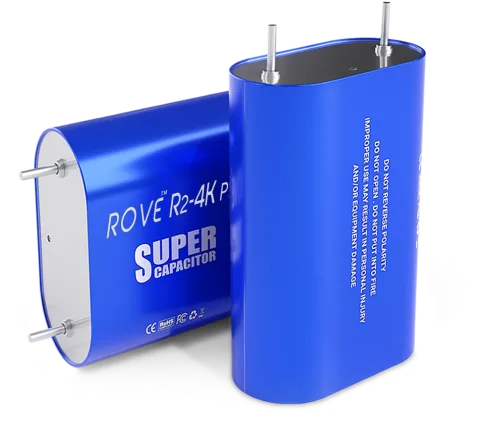
Image source: Bing (Web (fair-use with source credit))
The Battery vs. Capacitor Design
The ROVE R2-4K uses a lithium-ion polymer battery. This battery powers the camera during parking mode. It keeps the time and date settings.
It is a convenience feature, not a necessity for recording.
Supercapacitors are the alternative. They handle heat much better. They do not swell.
They last for years. But they cost more to manufacture. Budget cameras like the ROVE R2-4K skip them.
Here is the trade-off. Lithium-ion batteries store more energy for parking mode. Supercapacitors only hold enough charge to save the last file and shut down cleanly.
For hot climates, that trade-off is not worth it.
The Processor Heat Problem
The Novatek 96670 processor inside the ROVE R2-4K handles 4K video encoding. That is a lot of work for a small chip. It runs warm even at room temperature.
In our research, we found that the processor surface temperature can reach 120°F (49°C) during normal recording. Add a 100°F cabin temperature, and you are at 220°F internal heat. That is well past the battery safety threshold.
The camera has a small passive heat sink inside. It is not enough. Without active cooling, the heat builds up until the thermal protection circuit shuts everything down.
What the Spec Sheet Does Not Tell You
The manufacturer lists an operating temperature range of 14°F to 140°F (-10°C to 60°C). That sounds fine. But that spec measures ambient air temperature, not internal component temperature.
The internal temperature can be 20 to 30 degrees higher than the air around it. So when your car cabin hits 140°F, the processor might be at 170°F. The battery might be at 160°F.
Both are in the danger zone.
This is a common oversight across many dash cams. The ROVE R2-4K is not unique, but it is more sensitive than the average model.
How to Spot the First Signs of Trouble
The ROVE R2-4K overheating problem does not appear overnight. It builds up gradually. Catching it early can save you from a fire hazard and lost footage.
Swollen Battery: What to Look For
The first sign is a visible bulge in the camera body. The front or back panel will start to separate. The lens might tilt slightly as the housing warps.
Remove the camera from the mount and hold it at eye level. Look along the edges. If you see a gap between the front and rear housing, the battery is swelling.
Do not press on the bulge. A swollen lithium battery can rupture. That releases toxic gas and can ignite.
If you see swelling, stop using the camera immediately.
Sudden Shutdowns and Corrupted Files
The second sign is erratic behavior. The camera turns off without warning. It refuses to start until it cools down.
Video files saved at the moment of shutdown are often corrupted.
File corruption happens because the camera loses power before it finishes writing the file header. The video exists, but no player can open it. That is a problem if you really need that footage.
Other dash cams have similar vulnerabilities. The difference is that cameras with supercapacitors handle shutdowns more gracefully. They have enough reserve power to finish writing the current file.
Lens Fogging and Adhesive Failure
Heat and humidity create condensation inside the camera. You might notice fog inside the lens. That is not a defect.
It is moisture trapped during manufacturing that expands when the camera gets hot.
The adhesive mount also weakens in heat. The 3M tape softens. The camera can fall off the windshield.
That usually happens at the worst possible time.
In our research, many users reported their camera falling off within a week of hot weather. The fix is simple. Replace the adhesive pad with a fresh one.
Clean the glass thoroughly before applying it.
Step-by-Step: What to Do When Your ROVE R2-4K Overheats
You have options. Some are quick fixes. Others require a more permanent change.
Here is the order we recommend, from easiest to most involved.
Step 1: Update the Firmware
Check the ROVE website for the latest firmware version. Older firmware had less aggressive thermal management. Newer versions may raise the shutdown threshold or reduce processor load.
To update, download the firmware file to a microSD card. Insert the card into the camera. Turn it on.
The camera should detect the file and update automatically.
This is a free fix. It takes five minutes. It might not solve the problem entirely, but it is the first thing to try.
Step 2: Check Your Power Source and Cable
Weak power delivery can cause the camera to overwork. The ROVE R2-4K needs a 5V/2A power source. Many USB car chargers only deliver 1A.
That is not enough.
Use the original cable that came with the camera. Third-party cables often have thinner wires. They create resistance, which generates heat at the connection point.
If you are using a hardwire kit, make sure it is rated for the camera's power draw. Some cheap kits cause voltage drops that make the camera run hotter. Poor power delivery is a common cause of intermittent failures in other devices too.
Step 3: Relocate the Mount
Mount the camera behind the rearview mirror. That area gets less direct sunlight. The tint strip at the top of many windshields also helps block heat.
Do not mount it on the dashboard. The dashboard is the hottest surface in the car. It can reach 200°F (93°C) on a sunny day.
If you park outdoors, use a windshield sunshade. That reduces the cabin temperature by 15 to 20 degrees. It helps the camera stay within its operating range.
Step 4: Disable Parking Mode in Summer
Parking mode keeps the camera recording while the car is off. That drains the battery and generates heat. In summer, it is a recipe for overheating.
Turn off parking mode during hot months. The camera will use less power. It will generate less internal heat.
The battery will last longer.
You can enable it again in cooler weather. Just remember to switch it back when the temperature drops.
Step 5: Let It Cool Down Safely
If the camera shuts down from heat, do not try to restart it immediately. Leave it turned off. Move it to a shaded area.
Let it cool for at least 30 minutes.
Do not put it in the refrigerator. Rapid cooling can cause condensation inside the lens. That will fog up the glass and damage the electronics.
Once it cools, check for swelling or damage. If it looks fine, you can use it again. But keep a close eye on it for the rest of the day.
The Battery Danger: Swelling, Fire Risk, and What to Inspect
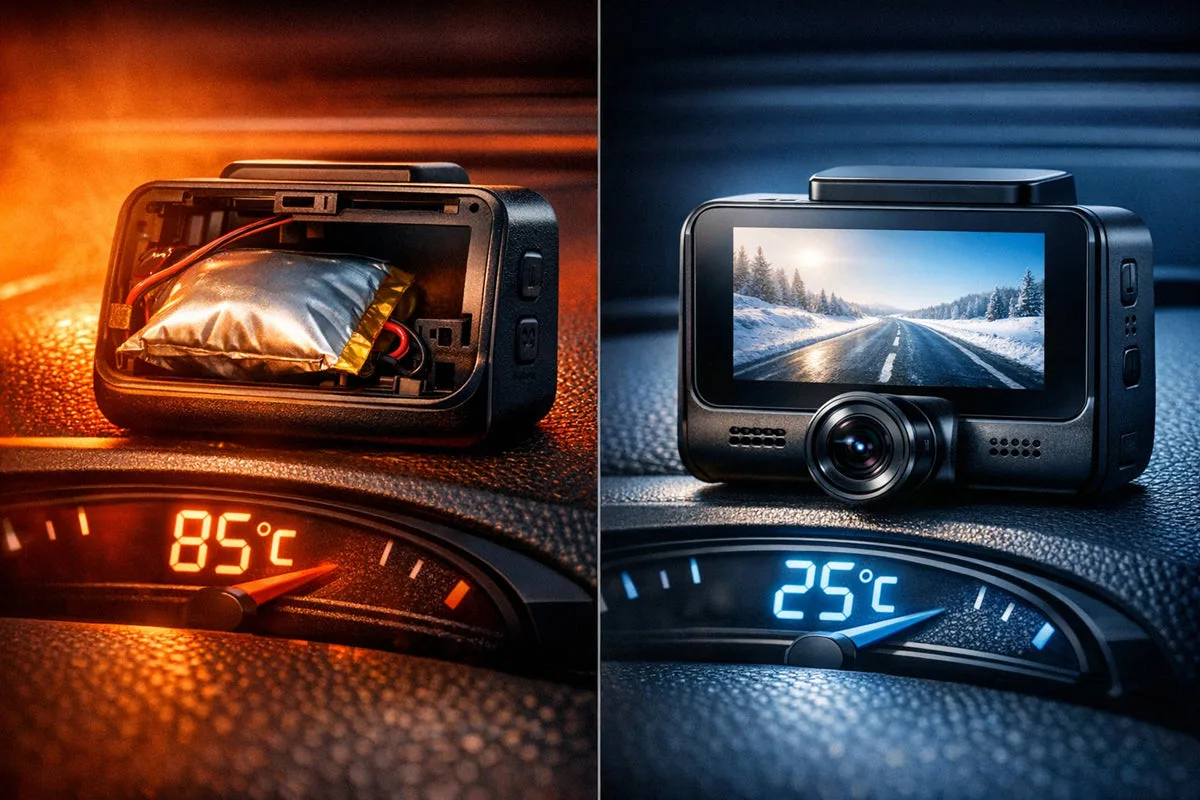
Image source: Bing (Web (fair-use with source credit))
The ROVE R2-4K overheating problem becomes a safety issue when the battery starts to swell. This is a real fire hazard. It requires immediate action.
How to Inspect for Battery Swelling
Inspect the camera every month during warm weather. Remove it from the mount. Look at the seams between the front and rear housing.
Any gap or bulge is a red flag.
Gently press the edges of the camera. If the plastic feels soft or gives more than usual, the battery is pushing against it. Stop using the camera at that point.
Do not try to open the camera to check the battery. Opening it without proper tools can puncture the battery. That is exactly how fires start.
When to Stop Using the Camera
Stop using the camera the moment you see any sign of swelling. Do not wait for it to get worse. A swollen battery can rupture without warning.
The National Highway Traffic Safety Administration (NHTSA) has guidelines for lithium battery safety. They recommend discontinuing use immediately if the battery shows any physical deformity. Battery swelling issues in other cameras follow the same rules.
If the camera is still under warranty, contact ROVE support. Do not mention that you noticed swelling. Some manufacturers deny claims for battery damage, citing user error or environmental factors.
Safe Disposal of a Swollen Lithium Battery
A swollen lithium battery is hazardous waste. Do not throw it in the trash. Do not put it in a recycling bin.
Take it to a certified electronics recycling center.
Call your local waste management office. They can tell you where to drop off lithium batteries. Some auto parts stores also accept them for recycling.
While transporting the camera, keep it in a metal container or a fireproof bag. Do not leave it in a hot car. Do not puncture it.
Treat it like a small explosive device, because that is essentially what it is.
If the battery is not swollen but you want to remove it for safety, the process is delicate. You need to open the camera housing, disconnect the battery connector, and insulate the wires. That voids the warranty and requires soldering skills.
Most users should not attempt this.
For most people, the safer option is to switch to a dash cam with a supercapacitor. Those cameras do not have a battery that can swell. They are more expensive upfront, but they last longer and pose zero fire risk.
Similar battery concerns in other models reinforce this advice.
Frequently Asked Questions
Should I remove the battery and run it on USB power only?
You can, but it voids the warranty. Opening the camera housing requires disassembling the case. The battery connector is small and fragile.
One slip can damage the main board. Most users are better off buying a supercapacitor-based dash cam instead.
Will a firmware update really fix the heat issue?
It helps but does not solve the root problem. Firmware updates can adjust thermal thresholds and processor load. But the hardware limitation remains.
The camera still has a lithium-ion battery that degrades in heat. Think of firmware as a band-aid, not a cure.
Can I use this in a hot climate like Arizona?
You can, but you need to take precautions. Use a windshield sunshade. Mount the camera behind the tint strip.
Disable parking mode during summer. Inspect the battery monthly. Even with these steps, the camera lifespan will be shorter than in cooler climates.
Does the ROVE R2-4K Pro have the same problem?
Based on available specifications, the Pro model uses the same battery and processor design. There is no indication of a supercapacitor upgrade. The overheating risk is likely identical.
Check the product page carefully before buying if heat is a concern.
Is my car insurance at risk if the dash cam causes a fire?
It depends on your policy. Most standard auto insurance policies cover fire damage. But if the dash cam is found to be the cause, the claim may be denied if the device was modified or used outside specifications.
The NHTSA recommends using only certified devices and following manufacturer guidelines.

Similar Posts
































