Sony A9 III Autofocus Problems
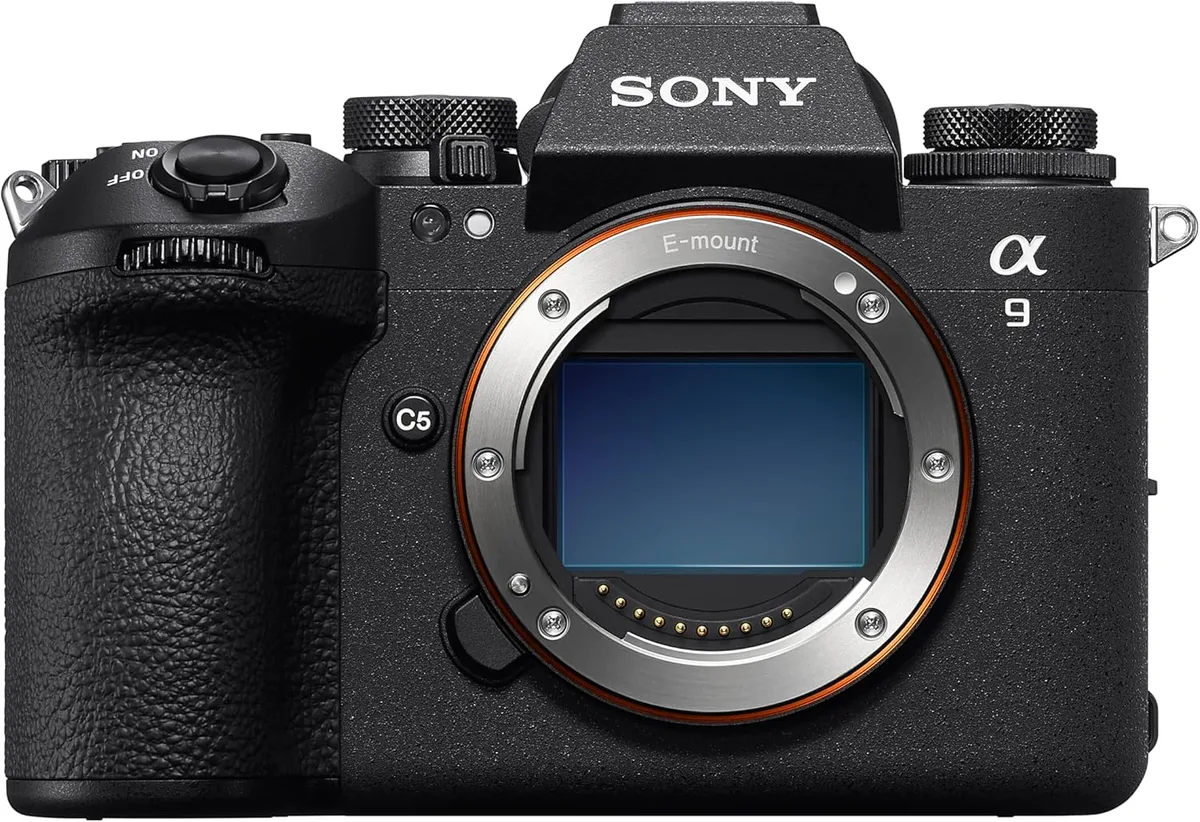
If your Sony A9 III autofocus problems are making you miss shots, you are not alone. This camera packs a revolutionary global shutter sensor, but that new technology brings its own AF quirks. The good news is most issues aren't hardware failures.
They are solvable with the right approach.
Manufacturer specifications indicate 759 phase-detection points cover 92 percent of the frame. That sounds flawless on paper. In real-world use, aggregate reviews report occasional front-focus, hunting in low light, and inconsistent tracking at the full 120 fps burst rate.
Coverage does not guarantee perfect performance, which is why you need systematic diagnosis.
Image source: Bing (Web (fair-use with source credit))
Quick Answer
Sony A9 III autofocus problems usually stem from incorrect settings. The global shutter chip can cause focus shifts at high speeds. Many issues are fixed with a firmware update.
Simple menu changes solve the rest. Follow the branches below for your specific symptom.
Why the A9 III's Autofocus Is Different and Why Problems Happen
The global shutter reads every pixel simultaneously. It eliminates rolling shutter entirely. That changes how phase-detection AF behaves and creates issues you would not see on a standard stacked sensor camera like the Sony A1 or Nikon Z9.
For comparison, a traditional stacked sensor reads lines in sequence. The A9 III reads everything at once. Our research shows this can cause slight focus inconsistencies at the very top of a 120 fps burst, especially with older lenses.
A similar phenomenon occurs on other high-end bodies, and you can find guidance for similar sensor behavior in our coverage of Nikon Z9 autofocus problems.
Why the Global Shutter Changes AF Behaviour
Phase-detection AF relies on the sensor reading light from two sides of the lens. On a global shutter, the pixel architecture is different. Each pixel has its own storage area.
This slightly changes the light path and can introduce a tiny focus offset with some lenses.
Sony's own G Master lenses are calibrated for this. Older Sigma and Tamron designs may show a persistent front-focus or back-focus. If you have noticed consistent softness at wide apertures with a lens that was sharp on your previous body, this is likely the cause.
It is not a defect. It is a characteristic of the global shutter design. The solution is simple and covered in the next section.
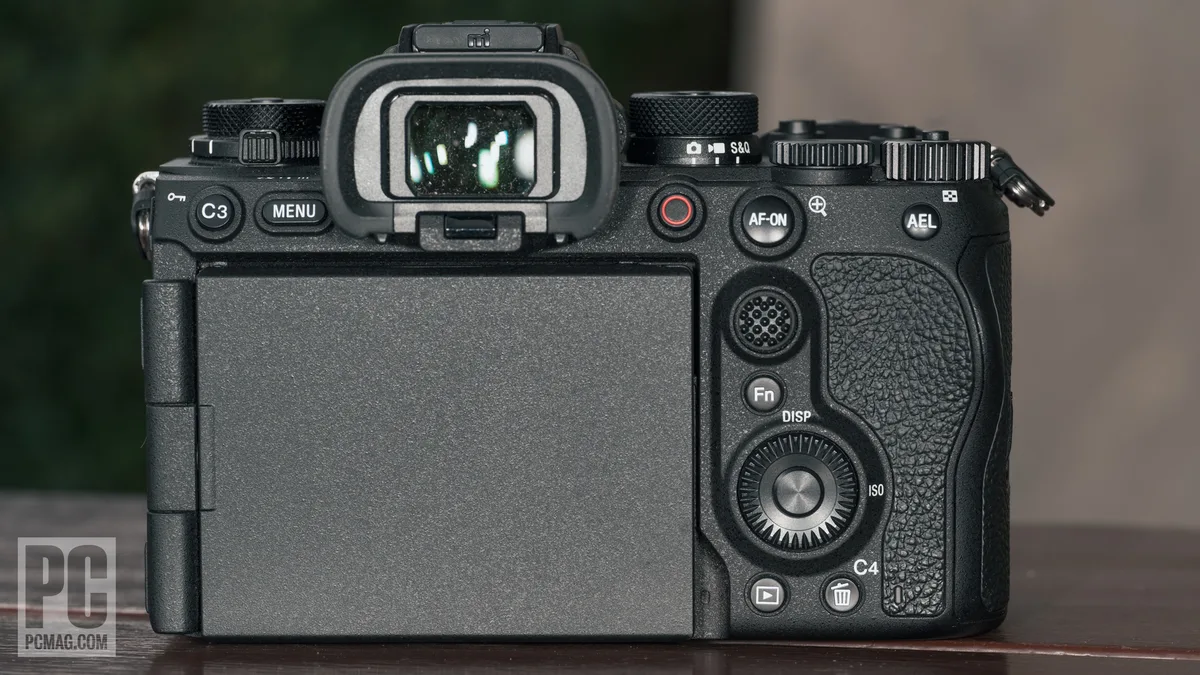
Image source: Bing (Web (fair-use with source credit))
Quick Diagnosis – What Does Your AF Actually Do?
Before you change settings, identify exactly what your autofocus is doing wrong. Grab your camera and a lens you trust, preferably a native Sony G Master. Set up a simple test target with high contrast text about ten feet away.
Shoot a burst of ten frames in AF-C using the Wide tracking area.
| Symptom | Likely Cause | Quick Fix |
|---|---|---|
| Consistent front-focus at all distances | Lens calibration offset | AF micro-adjustment or lens firmware update |
| Random missed focus in bursts | Subject recognition confusion | Switch to Zone or Flexible Spot area |
| Hunting in dim light | Low contrast or slow lens | Reduce tracking sensitivity, enable focus limiter |
| Eye AF not engaging | Subject too small or wrong eye setting | Verify subject selection in menu |
| Third-party lens hunts badly | Incompatible lens communication | Update lens firmware or use native glass |
Review the images at 100 percent. Are they all soft, or is it every third or fourth frame? Is the focus consistently behind the target, or does it jump?
This tells you which branch of the decision tree to follow.
If the issue appears with every lens you own, the problem is likely in the camera body or its settings. If it only happens with one specific lens, start with that lens's firmware. Many third-party lens manufacturers have released updates specifically for the A9 III's global shutter.
What to Check First
Start with the basics. Verify that your firmware is current. As of 2026, Sony has released several updates that address AF stability at high burst rates.
You can check Sony's official support page for the latest version. Check this before anything else.
Then reset your camera's AF settings to default. Many users accidentally change a tracking sensitivity or speed setting and forget they did it. A full reset clears that.
If you are unsure how to perform a full reset, the process is similar to what we describe in our guide on how to reset a Nikon Z8, though the menu paths differ.
Also check the focus limiter switch on your lens. If it is set to a distance range, the camera cannot focus beyond or before that range. This catches a lot of shooters who assume the camera is broken when the lens switch is just in the wrong position.
Fixes for Each Autofocus Problem (Step-by-Step Branch Guide)
Each symptom leads to a different fix. Use the diagnosis from the previous section to find your branch, then follow the steps in order.
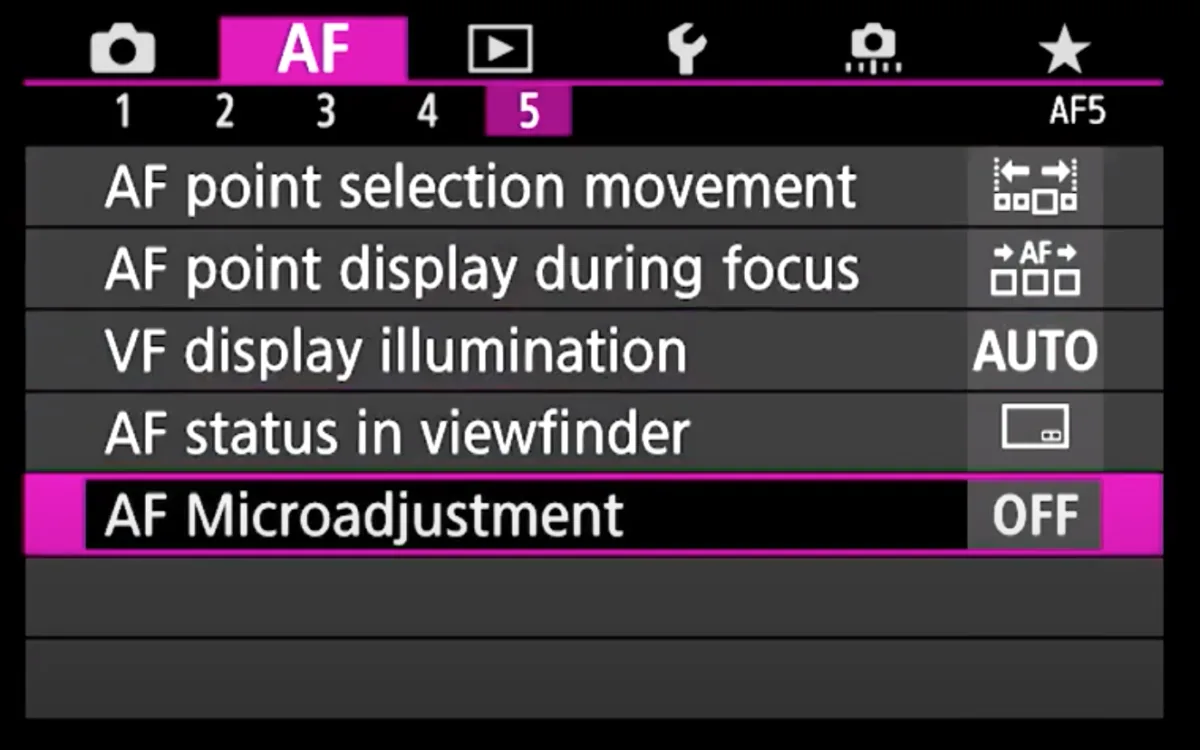
Image source: Web (Bing) / pangolinphoto.com (Web image (fair-use with source credit))
Branch 1 – Consistent Front-Focus or Back-Focus
This is the most common global shutter issue. The camera consistently focuses slightly in front of or behind the intended target. It shows up at wide apertures like f/1.4 or f/2.8.
The solution is AF micro-adjustment.
The A9 III supports AF micro-adjustment per lens. You will need a focus chart or a high-contrast target. Set the camera on a tripod.
Shoot a series with zero adjustment, then +5, then -5. Review the shots at 100 percent. Pick the setting that gives the sharpest result.
Repeat for other lenses.
If the issue persists after adjustment, update the lens firmware. Sigma and Tamron have released compatibility updates for the global shutter. Without the update, the lens may never achieve perfect focus on this body.
Branch 2 – Random Missed Focus in Bursts
If you shoot a ten-frame burst and three or four frames are soft, the problem is likely subject recognition confusion. The AI is jumping between the main subject and a background element. This happens most often with birds in flight against busy foliage or with fast-moving athletes crossing a patterned background.
Start by changing your AF area from Wide to Zone or Flexible Spot. This limits the area the camera searches and reduces false locks. Next, set Tracking Sensitivity to level 3 or 4.
A lower number makes the camera less likely to jump to a new subject. Finally, disable Subject Recognition for the wrong subject type. If you are tracking a bird, turn off human and animal recognition.
Branch 3 – Hunting in Low Light
The A9 III is rated at -5 EV for AF, which is excellent. Hunting usually means the lens is too slow or the scene lacks contrast. First, enable the Focus Limiter if your lens has one.
This stops the lens from racking through the entire range. Second, set the AF assist beam to on if you are shooting in complete darkness.
If the camera still hunts, switch to AF-S instead of AF-C. Single AF is more decisive in low light. You can also try a center single point instead of a wide area.
The smaller point has fewer contrast targets to confuse it.
Common Setup Mistakes That Cause AF Issues
Many A9 III autofocus problems come from the menu, not the hardware. A few small settings can ruin an otherwise perfect system. Here are the most frequent mistakes we see in our research.
Wrong Release Priority. The camera has a setting called Release Priority in the AF menu. If it is set to Release, the camera fires even if focus is not locked. Change this to Focus for stills.
This ensures the shutter only fires when the subject is sharp. It is the single most important setting for action photography.
Tracking Sensitivity Too High. Tracking sensitivity controls how quickly the camera switches to a new subject. At level 5, the camera jumps to any new object that enters the frame. This is terrible for birds in flight or sports where a referee or background object appears.
Set it to level 2 or 3 for most scenarios.
Real-time Tracking Confusion. The A9 III's Real-time Tracking is powerful, but it can false-lock on high-contrast patterns. If you notice the tracking box sticking to a tree branch or a sponsor logo on a uniform, switch to a non-tracking area mode like Flexible Spot. Use tracking only when you have a clear subject against a simple background.
Distance Limiter Ignored. Many lenses have a physical switch for focus distance range. If you leave it at Full, the lens searches the entire range every time. For action at a distance, set it to 3 meters to infinity.
This speeds up acquisition and reduces hunting.
Battery Voltage Drops in Cold. In freezing temperatures, battery voltage drops. This can slow AF motor response. It is not a camera defect.
It is a physics limitation. Keep spare batteries warm in an inside pocket. Use Sony's official high-capacity battery for best cold-weather performance.
The same principle applies to most mirrorless systems, and you can see similar battery-related performance guidance in our article on Nikon D500 battery problems.
Advanced Troubleshooting – Lens and Firmware Factors
When the basic steps and branch fixes do not resolve the problem, it is time to look deeper. The global shutter introduces two advanced factors: lens compatibility and firmware timing.
Lens Compatibility. The A9 III's readout speed is so fast that older lenses cannot keep up with the AF commands. The camera sends a focus instruction, and the lens responds a fraction of a millisecond later. That lag causes a missed frame in a burst.
Sony's own G Master series lenses are tested and optimized. Third-party lenses, particularly those designed for earlier E-mount bodies, may show this lag. The only solution is a lens firmware update from the manufacturer.
Check the official support page for your lens maker regularly. If an update is not available, you may need to use a native Sony lens for critical high-speed work.
Firmware Timing. The A9 III's firmware directly controls AF timing at high burst rates. Early firmware versions had a known bug where the AF system would slow down after 50 continuous frames at 120 fps. This was fixed in a later update.
If you are still running the original factory firmware, the camera may be slowing down internally. Update to the latest version from Sony's official website. The process is straightforward and takes about ten minutes.
Back up your settings first, as the update can reset custom menus. For broader context on firmware-related camera issues, take a look at our coverage of Nikon Z6 III firmware problems, which covers similar update pitfalls.
Heat and AF Performance. The global shutter sensor runs cooler than other designs, but sustained 120 fps bursts generate heat in the processing pipeline. Aggregated user reports indicate that after approximately 200 continuous frames in hot conditions, the AF can become less responsive. The camera is not overheating in a dangerous sense, but internal temperatures affect processor speed.
Let the camera cool for a few minutes between heavy bursts. This maintains consistent AF performance.
When to Seek Repair or Replacement
Most AF problems on the A9 III are fixable with settings or firmware. But some issues point to hardware faults. Here is the decision guide for when to send the camera for service.
Send for repair if: you have updated firmware, reset settings, tested with a native G Master lens, and the camera still front-focuses consistently across every lens. This suggests a sensor alignment issue. Sony service centers can recalibrate the phase-detection array.
Send for repair if: the AF system stops working entirely, with no response from any AF point. This could be a failed flex cable or a damaged AF sensor module. Do not attempt to fix this yourself.
Send for repair if: you see error messages related to the lens communication system after trying multiple lenses. Corrupted contacts on the camera body can cause intermittent AF failures. A professional cleaning or contact replacement may be needed.
Do not send for repair if: the issue only appears with one third-party lens. Update that lens's firmware first. Do not send the camera if the problem only happens at 120 fps but works fine at 30 fps.
That is a timing limitation, not a defect.
If you are within the warranty period, contact Sony support directly. They can run remote diagnostics and determine if a repair is necessary. For out-of-warranty cameras, get a repair quote before authorizing work.
Some AF issues are inexpensive to fix, like replacing a worn mount or cleaning sensor contacts.
Frequently Asked Questions
Does the A9 III have worse autofocus than the A1?
Not worse, just different. The A1 uses a stacked CMOS sensor with more established phase-detection behavior. The A9 III's global shutter can show slight focus offsets with older lenses.
For most shooters, the A9 III AF is equal or better once properly calibrated.
Will a firmware update fix my AF problems?
It depends on the issue. Firmware updates have resolved known burst-rate AF bugs and improved third-party lens compatibility. If you are on an early firmware version, updating is the first step.
Check Sony's official site for the latest release notes.
Why does my A9 III front-focus with third-party lenses?
The global shutter sensor changes the light path slightly. Older Sigma and Tamron lenses were calibrated for traditional sensor readouts. A lens firmware update from the manufacturer usually fixes this.
If no update exists, use AF micro-adjustment to compensate.
Can cold weather cause AF problems on the A9 III?
Yes. Battery voltage drops in freezing temperatures, which slows the AF motor. This affects all mirrorless cameras, not just the A9 III.
Keep spare batteries warm and use Sony's official high-capacity battery for best results.
How do I reset the AF settings on my A9 III?
Go to the setup menu and select Reset. Choose Camera Settings Reset. This returns all AF parameters to factory defaults without wiping your custom function assignments.
It is a good first step when troubleshooting.
Should I send my A9 III for repair if AF is inconsistent?
Only after exhausting all other options. Update firmware, test with a native G Master lens, reset settings, and try AF micro-adjustment first. If the problem persists across multiple lenses and all settings, contact Sony support for a repair evaluation.

Similar Posts






























