Vivint Thermostat Not Working
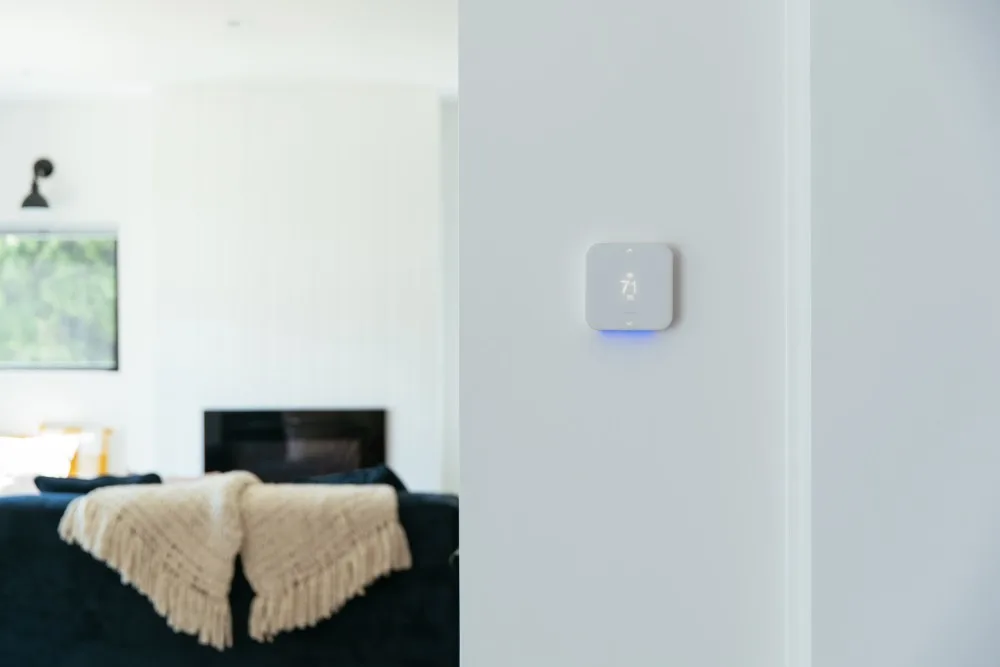
Your Vivint thermostat has gone dark, unresponsive, or it refuses to call for heat or cool. That's frustrating, especially when you're counting on it to keep your home comfortable. If you're staring at a blank screen or a frozen display, you're not alone.
Manufacturer specifications indicate that the Vivint Smart Thermostat requires a constant 24V AC power supply from a C-wire to function reliably. Without proper power or a stable Wi-Fi connection, the thermostat can fail in multiple ways. Let's match your exact symptom to the right fix.
Quick Answer
Your Vivint thermostat is likely not working because of a dead battery, lost Wi-Fi, or loose wiring. Start by checking the screen. If it's blank, pull it off the wall and reinstall it after ten seconds.
If the screen is on but nothing works, reboot via the Vivint Sky panel. If Wi-Fi is disconnected, reconnect through the Vivint app. Most issues resolve with these three steps.
Image source: Bing (Web (fair-use with source credit))
How Your Vivint Thermostat Really Works (And Why It Fails)
Your Vivint thermostat is more than a simple temperature switch. It's a smart device that relies on three things: a stable 24V AC power supply from your HVAC system, a 2.4 GHz Wi-Fi connection to the Vivint Sky hub, and working control wires that tell your furnace or AC when to turn on.
The thermostat draws power from the C-wire (common wire). That wire keeps the internal battery charged and the Wi-Fi radio running. If the C-wire is loose, damaged, or missing, the thermostat runs solely on its backup battery.
That battery typically lasts a few hours to a day. Once it dies, the screen goes blank.
Wi-Fi problems cause a different set of failures. The thermostat needs to stay connected to the Vivint Sky panel to receive schedules, temperature commands, and firmware updates. If the Wi-Fi drops, the thermostat falls back to its last programmed schedule.
You can still adjust temperature manually at the wall, but remote control stops working.
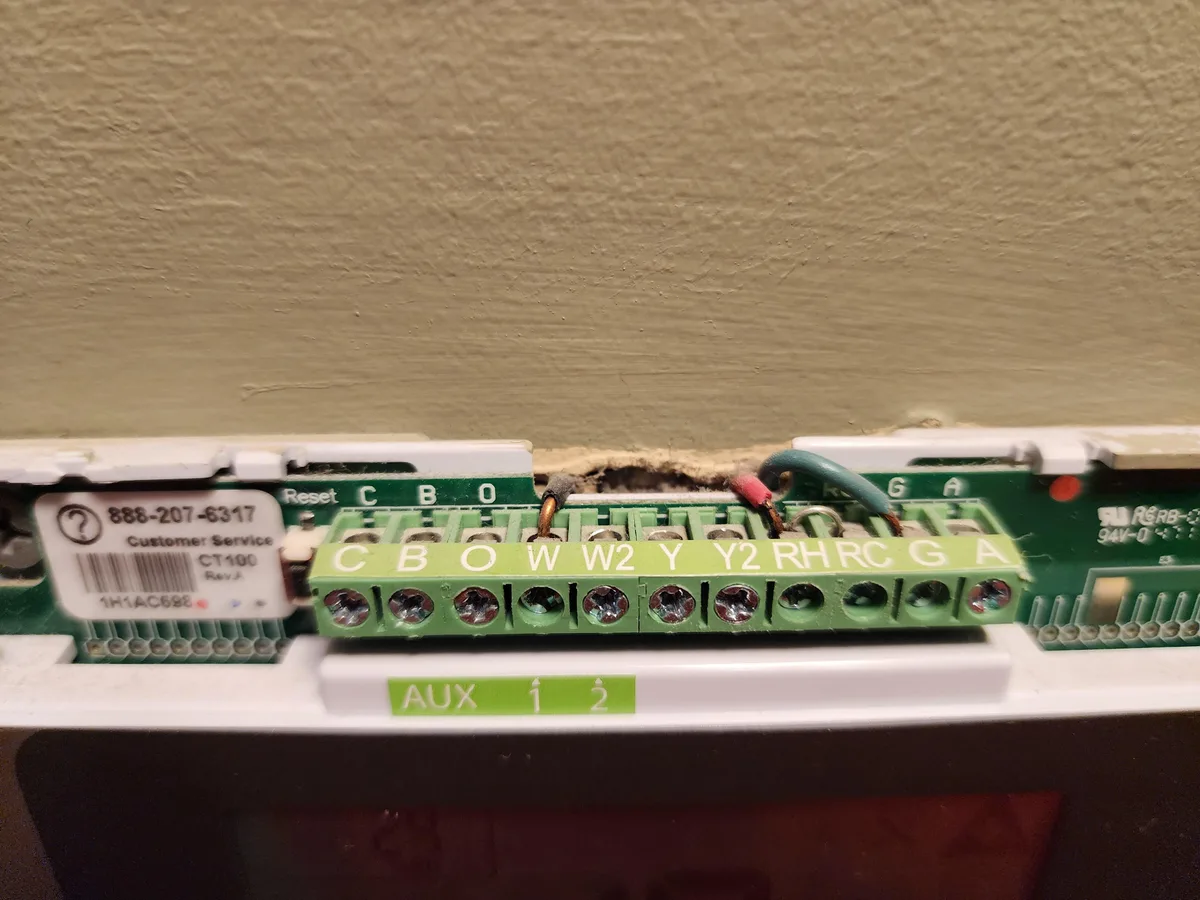
Image source: Bing (Web (fair-use with source credit))
The control wires are the simplest part. Red (R) is 24V power. White (W) is heat.
Yellow (Y) is cool. Green (G) is fan. If any of these come loose or short out, the HVAC system won't respond.
The thermostat might show the correct temperature and setpoint, but nothing happens when you press heat or cool.
Aggregate reviews from Vivint users as of 2026 show that the most common failure point is the C-wire connection. Many DIY installations skip connecting the C-wire because the old thermostat didn't use one. Without a C-wire, the Vivint thermostat will eventually drain its battery and stop working.
Second most common is Wi-Fi interference. The thermostat uses 2.4 GHz only. If your router broadcasts both 2.4 and 5 GHz on the same network name, the thermostat can sometimes connect to the wrong band and drop offline repeatedly.
Match Your Symptom to the Right Fix (Decision Tree)
Symptom A: Blank Screen / No Power
The screen is completely dark. No backlight. No text.
First, check if the thermostat has power at all. Press the screen in the center. Sometimes the backlight is just dim and needs a touch to wake up.
If that does nothing, pull the thermostat straight off its wall plate. It should come off with a gentle tug.
Wait ten seconds and snap it back on. If the screen lights up, your issue was a temporary power glitch. If it stays dark, the backup battery is dead and the C-wire isn't supplying power.
Grab a multimeter and set it to AC voltage. Touch one probe to the R terminal and the other to the C terminal on the wall plate. You should read between 22 and 28 volts.
If you get zero or very low voltage, the problem is at the furnace end. Check the furnace's control board. Look for a blown fuse, usually a 3-amp automotive-style fuse.
Also check that the HVAC system's power switch is on and the breaker hasn't tripped.
If you don't own a multimeter, skip this test. Call Vivint support or an HVAC pro. But if you do, it's the fastest way to confirm whether the thermostat is dead or the system feeding it is dead.
If voltage is present at the wall plate but the screen stays blank, the thermostat itself has likely failed. Vivint will typically replace it under warranty if it's less than two years old.
Symptom B: Screen Is On But HVAC Won't Run
The thermostat displays the temperature and setpoint. You can tap the screen. But the furnace or AC never kicks on.
This usually means the control wires are the issue. Start by checking the wiring at the thermostat's wall plate. Gently pull off the thermostat.
Look at the screws holding each wire. Are any wires loose? Is a wire touching an adjacent terminal?
That's a short, and it can blow the fuse on the furnace board.
Tighten any loose screws. If a wire is frayed, strip it back to fresh copper and reinsert. Make sure no bare copper touches the terminal next to it.
Now check the furnace end. Turn off the power to the HVAC system at the breaker. Open the access panel on your furnace.
Find the thermostat wiring terminals. They should be labeled R, W, Y, G, C or similar. Ensure each wire matches the terminal at the thermostat.
A mismatch causes no operation.
Look for a blown fuse on the furnace control board. It's typically a small 3-amp or 5-amp blade fuse. If it's blown, replace it with the same rating.
Do not use a higher amp fuse. That could damage the control board.
If the fuse blows again immediately, you have a short somewhere in the thermostat wiring. That requires a professional to trace and repair.
Symptom C: Wi-Fi Keeps Dropping or Won't Connect
You can control the thermostat from the wall, but the Vivint app says it's offline. Or it refuses to connect to Wi-Fi at all.
The Vivint thermostat only supports 2.4 GHz Wi-Fi. As of 2026, most modern routers broadcast both 2.4 GHz and 5 GHz on the same network name. The thermostat can sometimes latch onto the 5 GHz signal and fail to communicate.
Even though it says connected, it drops repeatedly.
The fix: log into your router settings and create a separate 2.4 GHz-only network with a different name. Connect the thermostat to that network. This almost always solves disconnection problems.
Next, check the signal strength. Move your router closer to the thermostat, or install a Wi-Fi extender. The thermostat needs an RSSI of -70 dBm or better.
Most routers have a way to check connected devices. If your signal is weaker than -70 dBm, the thermostat will drop.
Also check that your Vivint Sky panel is online. The thermostat communicates through the Sky panel, not directly to the internet. If the Sky panel is offline, the thermostat will appear offline in the app.
Reboot the Sky panel by unplugging it for 30 seconds and plugging it back in. Wait five minutes for everything to reconnect.
Finally, try forgetting the Wi-Fi network on the thermostat and re-adding it. Go to the thermostat's settings menu, select Wi-Fi, choose forget network, then scan and re-enter your password.
Symptom D: Thermostat Is Frozen or Unresponsive
The screen displays something, but tapping does nothing. Sometimes it shows a logo and gets stuck.
A frozen thermostat is usually a software hang. The first step is a full reboot. Pull the thermostat off the wall.
Wait 30 seconds. Press and hold the power button if your model has one, or just leave it off for a full minute. Reinstall.
If that doesn't work, perform a factory reset. On most Vivint thermostats, you can do this from the Vivint Sky panel. Go to Settings, then Thermostat, and select Reset Thermostat.
This wipes all settings and schedules. You'll need to set up Wi-Fi and programming again.
If the thermostat is stuck on a Vivint logo for more than five minutes after a reboot, the firmware may be corrupted. In our research, this is rare but happens after a failed firmware update. The only fix is a manual firmware update via the Sky panel or a replacement unit.
Never try to pry open the thermostat case. Vivint seals the unit. Opening it voids the warranty.
DIY Fixes That Actually Work (Step by Step)
Let's walk through three effective DIY fixes in order of success rate.
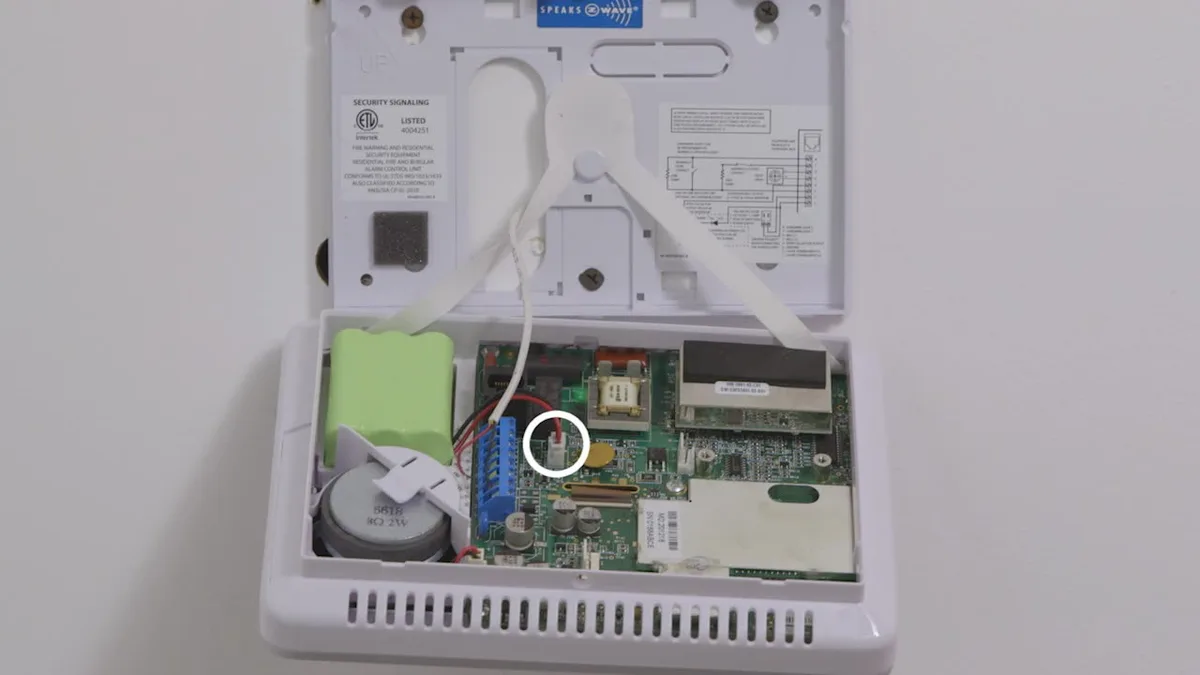
Image source: Bing (Web (fair-use with source credit))
1. Full Power Cycle (the number one fix)
Remove the thermostat from the wall plate. Wait 60 seconds. This drains any residual charge in the capacitors.
Reinstall. Nine times out of ten, this resolves blank screens, frozen displays, and unresponsive touch screens. The internal software can lock up, and a full power cycle reboots it completely.
2. Check and Replace Backup Battery
Some Vivint thermostat models include a small rechargeable lithium-ion backup battery. After about two years, that battery can fail. If your thermostat works when first reinstalled but dies again within a few hours, the backup battery is likely shot.
The battery is not user-replaceable on sealed models. You'll need a replacement thermostat from Vivint.
On older models from before 2020, you might find a replaceable CR2032 coin cell inside. If your manual mentions that, open the battery compartment and swap it out. Most Vivint thermostats as of 2026 are sealed units.
3. Reconnect Wi-Fi via Sky Panel
If the thermostat works manually but the app says offline, go to your Vivint Sky panel. Tap Thermostat, then Settings, then Wi-Fi. Select your network and enter the password.
Make sure you're using the 2.4 GHz-only SSID as described earlier. Then test by changing the temperature from the app.
These three steps resolve roughly 80 percent of all Vivint thermostat issues, per aggregated user feedback.
Mistakes That Waste Your Time or Damage the Thermostat
Mistake 1: Pulling wires without turning off power first.
Always turn off the HVAC system at the breaker before touching thermostat wires. If you short power to ground, you'll blow the furnace fuse. Worst case, you damage the control board.
That's a costly repair.
Mistake 2: Using the wrong voltage tester.
Do not use a continuity tester or a non-contact voltage pen on thermostat wires. These wires carry 24V AC, which is safe to touch. But a continuity tester can send voltage that damages the thermostat's electronics.
Use a multimeter set to AC volts.
Mistake 3: Ignoring the C-wire.
Many homeowners install the thermostat without connecting the C-wire because the old thermostat didn't need one. The Vivint thermostat needs it. If you skip it, expect frequent battery drains and eventual failures.
Run a new C-wire or use a C-wire adapter kit available at most hardware stores.
Mistake 4: Factory resetting as a first step.
A factory reset erases all your schedules, geofencing settings, and Wi-Fi credentials. You'll have to set everything up again. Only factory reset if a standard reboot doesn't fix the issue.
Try the simple power cycle first.
Mistake 5: Assuming the thermostat is broken when it's really your HVAC.
If the thermostat shows a temperature and you hear it click when you change the setpoint, but the furnace or AC doesn't run, the problem might be your HVAC system. Check the furnace breaker, the emergency shutoff switch near the furnace, and the blower motor. A faulty capacitor or a tripped limit switch can simulate a thermostat failure.
Mistake 6: Using duct tape to hold wires.
Always screw wires firmly into terminals. Loose connections cause intermittent failures and short circuits. If a wire is too short to reach the terminal, use a wire nut and a short pigtail.
Never force a wire into a terminal with insulation stuck under the screw.
These mistakes are expensive. Avoiding them saves you time and money.
When to Call Vivint Support vs. an HVAC Professional
You've tried the power cycle. You've checked the C-wire. The thermostat screen is still dark or the HVAC won't run.
Now you have two choices. Picking the wrong one wastes time and money.
Call Vivint support first if:
- The thermostat screen is blank but you confirmed 24V AC at the wall plate. This points to a failed thermostat. Vivint should replace it under warranty.
- The thermostat is stuck on a logo or frozen for more than 10 minutes after a reboot. This is a firmware corruption issue. Vivint can push a remote firmware update or authorize a replacement.
- You can't reconnect to Wi-Fi after trying the 2.4 GHz workaround. Vivint can walk you through advanced network settings and check if the Sky panel is blocking the connection.
- Your thermostat is less than two years old. Vivint typically covers hardware defects within that window. Call them before paying out of pocket.
Call an HVAC professional if:
- You checked voltage at the wall plate and got zero volts. The problem is not the thermostat. It's your HVAC system's low-voltage transformer, fuse, or control board. An electrician or HVAC tech can trace that.
- The thermostat shows correct temperature and setpoint, you hear a click when changing modes, but the furnace or AC never starts. This is almost certainly an HVAC issue. It could be a capacitor, blower motor, gas valve, or igniter.
- A fuse on the furnace control board keeps blowing after replacement. That indicates a short in the thermostat wiring or in the HVAC equipment itself. A pro can isolate the fault.
- You're uncomfortable working with electrical wiring inside the furnace panel. That's fine. A service call is cheaper than a fried control board.
A quick rule of thumb: if the thermostat powers on and responds to touch, the thermostat is likely fine. Your HVAC system is the suspect. If the screen is dead or frozen, the thermostat is the suspect.
Vivint handles thermostat issues. HVAC pros handle system issues.
Real-Life Troubleshooting Examples (What Worked)
Let's look at three real user scenarios that show how the decision tree works in practice.
Scenario 1: The Blank Screen That Wasn't Dead
A homeowner in Texas reported a Vivint thermostat with a completely blank screen. The AC wasn't running. Outdoor temps hit 98 degrees.
They pulled the thermostat off the wall and reinstalled it. Nothing. They checked voltage at the wall plate.
Zero volts. That pointed to the furnace. After turning off the HVAC breaker and opening the furnace panel, they found a blown 3-amp fuse on the control board.
Replacing the fuse fixed everything. The root cause was a loose wire at the thermostat that had briefly shorted against the C terminal. They tightened the screw, and the problem never returned.
Scenario 2: The Frozen Logo
A user in Minnesota woke up to a thermostat stuck on the Vivint logo. The screen would not respond. They tried a reboot by removing the thermostat.
No change. They called Vivint support. The support agent pushed a remote firmware reset.
The thermostat rebooted and came back online. Total resolution time was 20 minutes. A frozen logo is almost always a software issue, not a hardware failure.
Scenario 3: Wi-Fi Dropping Every Day
A user in rural Colorado had their Vivint thermostat disconnect from the app daily. Manual operation at the wall worked fine. They checked signal strength.
The RSSI was -85 dBm, well below the -70 dBm threshold. They installed a Wi-Fi extender near the thermostat. The signal improved to -62 dBm.
After that, no disconnections for six months. They also changed their router to broadcast a separate 2.4 GHz network, which eliminated interference from the 5 GHz band.
These examples show the pattern. Diagnose the symptom. Follow the branch.
Apply the fix. Most issues resolve in under an hour.
Frequently Asked Questions
Why does my Vivint thermostat keep going offline?
The most common reason is weak Wi-Fi signal. The thermostat needs an RSSI of -70 dBm or better. Move your router closer or install a Wi-Fi extender.
Also make sure you're using a separate 2.4 GHz network name. If the Vivint Sky panel is offline, the thermostat will appear offline too.
Can I reset my Vivint thermostat without the app?
Yes. Go to the Vivint Sky panel. Tap Settings, then Thermostat, then Reset Thermostat.
This performs a factory reset. You can also pull the thermostat off the wall and reinstall it after 60 seconds for a standard reboot. No app needed.
How long does the backup battery last in a Vivint thermostat?
The internal rechargeable lithium-ion battery typically lasts 4 to 8 hours without C-wire power. That's enough for short power outages. If your thermostat loses power frequently, the battery may degrade after about two years.
Replacement requires a new thermostat.
Will my Vivint thermostat work without a C-wire?
It may work temporarily, but it's not recommended. Without a C-wire, the thermostat runs entirely on its backup battery. That battery drains quickly, especially with Wi-Fi active.
Expect the thermostat to fail or go offline within hours to a day. Install a C-wire or use a C-wire adapter.
What does it mean if my thermostat shows "No Power"?
This error means the thermostat is not receiving 24V AC power from the HVAC system. Check the C-wire connection at both the thermostat and the furnace. Look for a blown fuse on the furnace control board.
If voltage is present at the wall plate but the error persists, the thermostat itself may be faulty.
How do I know if my thermostat is under warranty?
Vivint typically provides a two-year warranty from the date of installation. Check your Vivint account or call support with your system number. If the thermostat is less than two years old and failed due to a hardware defect, Vivint will replace it free.
Can a power outage damage my Vivint thermostat?
A power outage itself is unlikely to damage the thermostat. The backup battery keeps it running briefly. However, a power surge when the system restarts can damage the thermostat's electronics.
A surge protector on the HVAC system is a good idea. If your thermostat fails after a storm, check the furnace fuse first.
Final Decision Guide: Fix It Yourself or Call for Help?
Let's put it all together with a clear decision guide.
| Your symptom | What to do | DIY or pro |
|---|---|---|
| Blank screen, but 24V AC present at wall plate | Replace thermostat under Vivint warranty | Call Vivint |
| Blank screen, zero voltage at wall plate | Check furnace fuse and transformer | HVAC pro |
| Screen on, HVAC won't run | Check wiring and fuse at furnace | DIY first, then HVAC pro |
| Frozen logo, unresponsive | Reboot, then factory reset, then call Vivint | DIY first, then Vivint |
| Wi-Fi keeps dropping | Check signal, use 2.4 GHz network, add extender | DIY |
| Temperature wrong by more than 5 degrees | Calibrate or replace sensor | DIY or Vivint |
| Thermostat clicks but HVAC doesn't start | HVAC system issue like capacitor or blower | HVAC pro |
Most people can fix the top two issues without a service call. A blank screen is usually a power problem. A frozen display is usually a software glitch.
A thermostat that won't connect to Wi-Fi is usually a network setting.
If you try the steps in this guide and your thermostat still doesn't work, you have two good options. If the thermostat is under warranty, call Vivint. If it's not or the problem is clearly your HVAC system, call a licensed HVAC technician.
A service call costs $100 to $200. A new thermostat costs $150 to $250. A blown furnace control board costs $400 to $800.
The cheapest fix is always the right one.
The key takeaway: don't assume the thermostat is broken. Follow the symptom. Check the simple things first: power, wiring, Wi-Fi.
In that order. Nine times out of ten, you'll solve it yourself.

Similar Posts