Philips Sonicare Diamondclean Troubleshooting
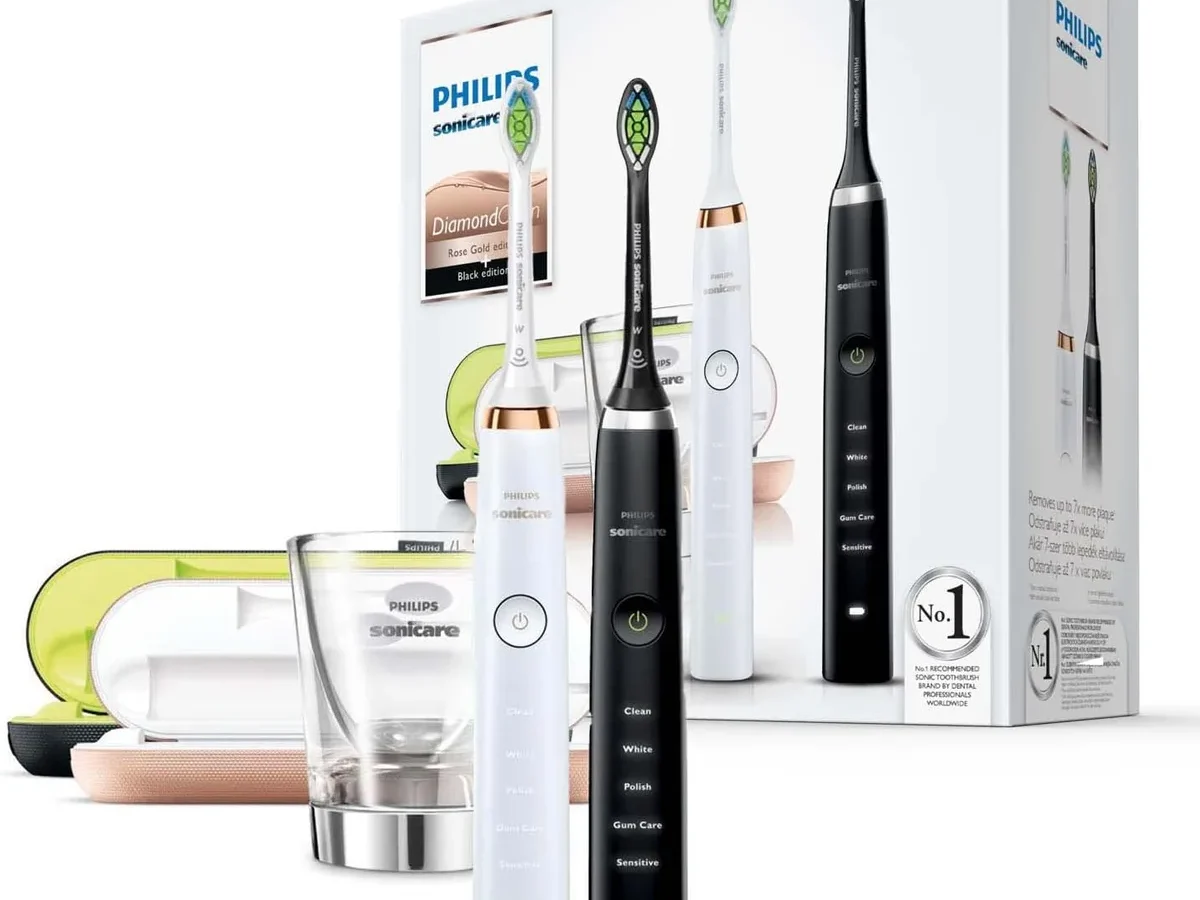
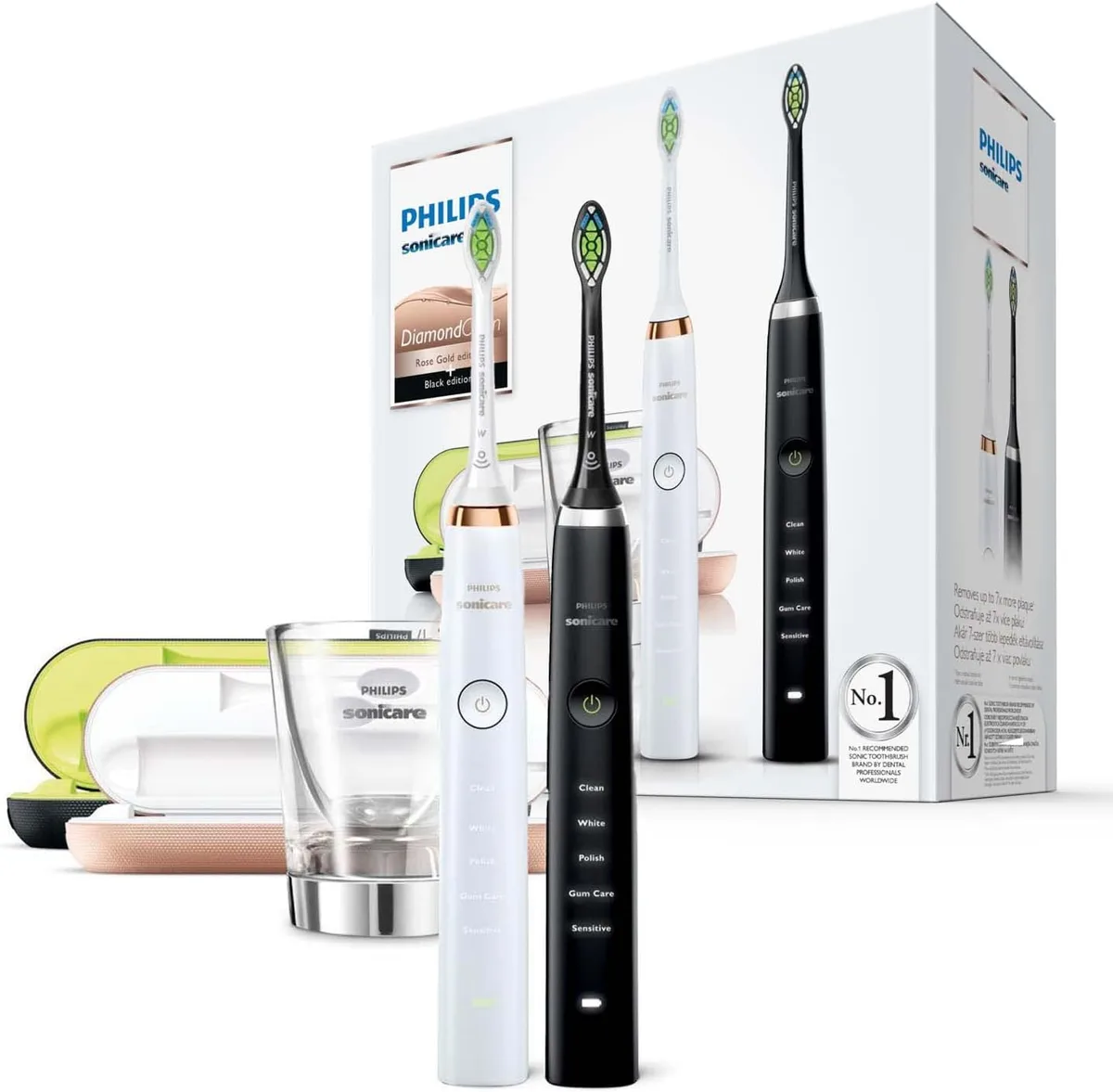
Image source: Bing (Web (fair-use with source credit))
Your DiamondClean was supposed to be the last toothbrush you'd ever think about. Then one morning it just sits there, dead as a doornail. If you're staring at a brush that won't charge, won't turn on, or is vibrating like a dying phone, you're in the right place.
Here's the good news: most DiamondClean failures aren't actually failures. They're small, fixable issues that have nothing to do with the motor or battery. The brush uses a lithium-ion battery rated for roughly three weeks of use per charge under standard brushing.
But premium doesn't mean immune to finicky charging contacts or travel-case quirks.
Let's diagnose yours.
First, Identify the Exact Symptom
Before you do anything, look at what the brush is actually doing. Most DiamondClean problems fall into one of four buckets. The fix is completely different depending on which bucket you're in.
- It won't turn on at all. You're dealing with a dead battery, a charging issue, or a locked handle. This is the most common complaint by far.
- It turns on but dies super fast. A full charge used to last three weeks, but now you're lucky to get three days. That's battery capacity loss, not a charging problem.
- It charges but stops charging prematurely. The light blinks, you set it on the glass, and nothing happens. This is almost always an alignment or contact problem.
- It vibrates weirdly, makes noise, or shuts off mid-brush. This is mechanical. The brush head might be loose, or the internal motor might be failing.
Once you've identified which camp you're in, skip straight to the section that matters. The worst thing you can do is try random fixes. You'll waste time, and you might make things worse by forcing a charge into a battery that doesn't need it.
If the brush is completely dead and you're not sure why, start with the charging glass. That's where we're heading next.
The #1 Culprit: Charging Glass Alignment and Contacts
Image source: Bing (Web (fair-use with source credit))
The charging glass looks simple, but it has a hidden weakness: the contacts are tiny, recessed, and extremely picky about alignment.
The DiamondClean doesn't use exposed metal prongs like a cheap electric toothbrush. Charging works through induction, but there's also a physical contact ring on the bottom of the handle that needs to touch the corresponding ring inside the glass base. If that ring is dirty, or if the handle isn't seated perfectly flush, the charger won't deliver power.
The single most common fix for a DiamondClean that won't charge is cleaning those contacts. It sounds too simple, but it works. Toothpaste residue, hard water minerals, and microscopic dust accumulate on the bottom of the handle.
They create an insulating layer that blocks the charge.
Here's your step-by-step:
- Unplug the charging glass from the wall.
- Dampen a soft cloth with rubbing alcohol. Not water. Alcohol evaporates faster and cuts through residue better.
- Wipe the metal ring on the bottom of the handle. Turn it a few times to get the whole circumference.
- Wipe the metal contact inside the glass base. Use a cotton swab if your fingers are too thick to reach in.
- Let everything dry completely for five minutes.
- Plug the base back in, set the handle in, and check the light.
The charging light should blink or turn green when it's making contact. If it doesn't, you're still misaligned.
Alignment matters more than people realize. The handle needs to sit dead center in the glass. If it's leaning against the edge, the contacts might not touch properly.
Twist the handle slightly as you place it down, like you're seating a lid on a jar. That ensures the contacts scrub together a little and make a solid connection.
One more thing: check the base of the charging glass for cracks. Even a hairline crack can let moisture seep in and corrode the internal electronics, permanently killing the charging capability. If the glass is cracked, that's a replacement part, not a fix.
Why the Travel Case Fails (and How to Check It)
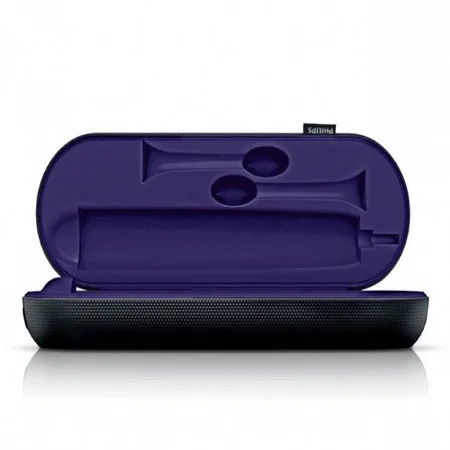
Image source: Bing (Web (fair-use with source credit))
The travel case is a brilliant design and a total pain in the neck. It's supposed to charge your brush when you're away from home, using a USB cable that plugs into a port hidden in the case's hinge. In theory, it's perfect.
In practice, the travel case is the source of a huge chunk of DiamondClean troubleshooting calls.
Here's why the case fails so often:
- The USB cable wears out. The cable is thin and gets twisted every time you close the lid. Internal wire breaks are super common, especially near the connector ends. The cable looks fine on the outside, but the copper inside is snapped.
- The charging pins lose spring tension. The case uses small metal pins that push against the bottom of the handle. Over time, those pins get depressed and stop making solid contact. If the brush feels loose in the case, that's part of the problem.
- The case hinge gets gummed up. Toothpaste residue and moisture collect in the hinge, which is exactly where the charging port lives. It corrodes the port and kills the connection.
If your brush charges on the glass but not in the travel case, you don't have a brush problem. You have a case problem. Don't buy a new brush.
That's the mistake people make.
Here's what to check, in order:
- Try a different USB cable. This is the cheapest possible fix and the most common one. Use a cable you know works, like the one that charges your phone, as long as it's a USB-A to micro-USB or USB-C, depending on your case model.
- Make sure the cable is fully seated in the case port and in the wall adapter. A loose fit here mimics a dead case.
- Clean the charging pins inside the case with a dry cotton swab. Look for any dark residue.
- Set the handle in the case and press down firmly until you feel a click. Some cases need a firm push to seat the pins properly.
- Check the case alignment. The handle should sit flush against the bottom of the case, not tilted.
If you've done all five and the light never turns on, the case's internal charging board is likely dead. The good news: the travel case is engineered as a separate accessory, and replacement cases are commonly available directly through the manufacturer's official site. It's a much cheaper route than replacing the entire brush.
One caveat: the DiamondClean has a few generations, and the cases changed between them. Make sure you're looking at the right replacement model for your handle before you order.
How to Hard Reset a Stubborn DiamondClean Handle
Sometimes the brush isn't dead. It's just frozen. The motor won't start, the light won't respond, and no amount of charging fixes it.
This happens more than you'd think, and it usually means the internal micro-controller has locked up.
The fix is a hard reset. It's the toothbrush equivalent of holding down your phone's power button until the logo pops up. It wipes the handle's temporary state and forces the controller to restart cleanly.
Here's how to do it:
- Unplug the brush from the charger completely. It needs to be off the glass and away from the travel case.
- Hold the power button down for 10 to 15 seconds. Not five. Not eight. Ten to fifteen seconds, continuous.
- While holding it, keep the brush still. Don't let it vibrate or rattle.
- Release the button. Wait five seconds.
- Try turning the brush on. If it fires up, you're done. If nothing happens, plug it into the charger and try again after 20 minutes.
The hard reset is effective for about one in five non-charging issues. But it's worth trying because it takes less than a minute and costs you nothing.
If the brush still won't respond, try a variation: place the handle on the charger, wait for the light to blink, and then hold the power button for 10 seconds while it's still seated.
One important note: a hard reset won't fix a physically damaged motor. If the brush was dropped, hit a hard surface, or exposed to significant moisture, the internal components might be mechanically broken. A reset can only address software-level glitches.
If the reset doesn't work and the brush still shows no signs of life, that's a strong signal the problem is hardware.
The 24-Hour Rule: Rescuing a Deeply Drained Battery
Lithium-ion batteries have a quirk: if you drain them all the way to zero and then leave them sitting for weeks, they go into a kind of deep-sleep protective mode. The battery isn't dead, but it's refusing to accept a charge from a normal charger. This feels like a brick, but it's actually recoverable most of the time.
The DiamondClean's battery is designed to sit in this protective state without permanent damage for a limited window. If your brush has been dead for a few weeks or even a couple of months, a standard overnight charge might not be enough. The charger delivers a trickle, but the battery needs sustained, gentle charging to wake back up.
Here's the 24-hour rule:
- Plug the brush into the charging glass and leave it completely untouched for 24 hours. No checking. No turning it on to see if it works. No lifting it off the base to inspect the light. Just leave it.
- If you have the travel case and a known-good USB cable, use that instead. The case delivers a slightly different charging profile in some models, and users report it sometimes wakes a deeply drained battery when the glass doesn't.
Why does this work? The battery's protection circuit needs to see a stable voltage over an extended period before it will allow the cell to accept a full charge. After the first hour, the battery starts accepting a small current.
By the six-hour mark, it's usually out of protective mode. By the full 24-hour mark, it should be charging normally.
If the brush still won't hold a charge after a full day on the base, the battery is likely past the point of recovery. This happens when the battery sits at zero for months, not weeks. At that point, the internal chemical structure starts to break down, and no amount of charging will restore full capacity.
Here's what to expect after the 24-hour wake-up:
- The charging light should turn solid green or blink, depending on your model.
- The brush should run for at least one full two-minute cleaning cycle without dying.
- Expect diminished runtime for the first few charges. That's normal. The battery's internal charge meter needs to recalibrate to the actual capacity.
A deeply drained DiamondClean doesn't need replacing. It needs patience. Give it the full day before you judge it.
Most people give up after 30 minutes and buy a new brush that they didn't need.
Battery Wear: When It's Actually Time to Replace
Every lithium-ion battery degrades over time. It's physics, not a design flaw. The DiamondClean's battery is rated for a certain number of charge cycles, typically in the 300 to 500 range.
After that, you'll notice a steady drop in runtime.
Here's how to tell if your battery is just old versus genuinely broken:
- Age: If your brush is two to three years old and you've charged it regularly, you're in the expected wear zone. A drop from three weeks to one week between charges is normal at this age.
- Consistency: If the battery dies at random percentages, that's a calibration issue. A full discharge and recharge cycle might fix it.
- Physical heat: If the base feels hot to the touch during charging, that's a warning sign. Excessive heat during charging indicates internal resistance has risen, which is a sign of advanced battery degradation.
- Swelling: If the handle feels bulged or the seams are separating, the battery is swelling. Stop using it immediately. This is a safety issue.
If you're in the age range and experiencing reduced runtime, you have two options:
- Replacement brush. A new DiamondClean handle runs $150 to $250 depending on the model. You get a new battery, a new motor, and a warranty.
- Battery replacement service. Some third-party repair shops and the manufacturer's official service center offer battery swaps. This is cheaper, typically $50 to $80, but it requires sending the brush in or doing the repair yourself.
For most people, the math works out to buying a new brush after three years. You're already getting a worn motor and a tired battery, so spending money on just the battery is like putting new tires on a car with a dying transmission.
Why the Brush Head Matters More Than You Think
This is the troubleshooting step most people skip, and it's the one that causes the most confusion.
A worn or incorrect brush head can cause the DiamondClean to behave erratically. Here's how:
- The brush vibrates unevenly. If the bristles are splayed or bent, the head creates an imbalanced load on the motor. The brush will feel rough, loud, and like it's "grinding."
- The brush shuts off mid-cycle. Some DiamondClean models have a safety mechanism that detects excessive motor strain. A clogged or worn head can trigger this, making the brush cut out unexpectedly.
- The brush won't turn on at all. This is rarer but possible. If the head is jammed against the drive shaft, the motor can't spin freely, and the brush refuses to start.
The fix is simple: replace the brush head with a fresh, genuine one. If you've been using a third-party head that's not designed for the DiamondClean, that's a potential cause of weird behavior. The head's connection to the drive shaft needs a precise fit, and off-brand heads often don't have it.
This is also a great reason to keep a spare head stocked. A plugged-in, healthy DiamondClean with a worn head will feel broken. It's not.
It's asking for a $10 replacement part.
The Meaning of the Lights (These Aren't Hints, They're Diagnostics)
The DiamondClean has a small LED indicator that changes color and blinking pattern based on the brush's state. Most troubleshooting guides tell you to ignore it. That's wrong.
The light actually tells you exactly what's wrong.
| Light State | Meaning | What to Do |
|---|---|---|
| Solid green | Fully charged | Nothing. It's working. |
| Blinking green | Charging in progress | Leave it. It's still getting power. |
| Amber or orange | Battery is low | Charge it within the next few uses. |
| Blinking red or amber | Error state | This is the big one. |
| No light during charging | Not making contact | Clean the contacts and reseat the handle. |
| No light when not charging | Battery is dead or in sleep mode | Follow the 24-hour rule. |
If you see a blinking red or amber light, that's an error code. The manufacturer's official documentation indicates that this typically corresponds to one of three issues:
- Overheating. The brush detects internal temperatures outside the safe operating range. Let it cool down completely, off the charger, for at least two hours.
- Motor stall. The brush detects that the motor isn't spinning at the expected speed. This is usually caused by a jammed brush head. Replace the head and try again.
- Internal fault. A general electronics failure. The hard reset is your first attempt. If the error persists after a reset and a 24-hour charge, the brush needs service.
If you're seeing an error light, treat it as a diagnostic signal, not a vague warning. Write down when it appears (during charging or during brushing), and use that to narrow down the cause.
Step-by-Step: The Full Diagnostic Flow
If you're not sure where to start, follow this exact order. It goes from cheapest to most expensive fix, and it covers every common failure mode.
Step 1: Check the outlet and charger.
Plug something else into the same outlet. If the outlet is dead, move the charger. Also, try plugging the charging glass into a different wall if you have a smart outlet that might be cutting power.
Step 2: Clean the contacts.
Wipe the handle bottom and the glass base with rubbing alcohol. Let them dry completely. Reseat the handle with a slight twist.
Step 3: Check the cable.
If you're using a travel case, test the cable with a multimeter or swap in a known-good cable. A cable that delivers power to your phone might not deliver enough current to the case, so check the phone first to confirm the cable is actually working.
Step 4: Hard reset.
Hold the power button for 10 to 15 seconds while the brush is off the charger. Wait, then try turning it on.
Step 5: The 24-hour charge.
Leave the brush on the charging glass for a full 24 hours with zero interruption. Do not check on it. Do not turn it on.
Step 6: Replace the brush head.
If the brush runs but feels rough or loud, or if it cuts out mid-brush, swap in a fresh, genuine brush head.
Step 7: Check for physical damage.
Look for cracks in the handle, swelling in the seam, or rust on the drive shaft. Any of these mean the brush needs replacement.
Step 8: Accept the replacement threshold.
If you've done all seven steps and the brush still won't hold a charge or won't turn on, the internal battery or motor is toast. Replacement is the practical option.
Model-Specific Quirks Worth Knowing
The DiamondClean brand covers several generations, and a few quirks are specific to certain models.
DiamondClean Classic (models like HX9332):
The travel case for this generation uses micro-USB. The case hinge is notoriously weak, and the charging pins wear out faster than later models. If you have a Classic, prioritize checking the case pins first when troubleshooting travel charging issues.
DiamondClean Smart (models like HX9924):
These have Bluetooth connectivity and a companion app. If you're experiencing connectivity issues, a hard reset fixes it about half the time. The rest of the time, it's a phone app issue, not a brush issue.
Delete the app, reinstall it, and re-pair the brush.
DiamondClean 9000 Series:
This generation introduced a different brush head connection. If you're using an older head on this model, it won't seat properly, which causes the exact "shuts off mid-brush" symptom we discussed. Make sure you're using heads labeled for the 9000 series.
DiamondClean 9700:
One of the rare models with a wireless charging case. If this case stops working, the internal battery in the case itself might be dead. It needs to be charged with the proprietary USB cable, and if that cable is lost, you need a replacement from the manufacturer.
Common Questions, Straight Answers
Q: Can I use a phone charger to charge my DiamondClean?
A: Not directly. The brush connects to a charging glass or a travel case, not to a wall adapter. You can use a phone wall adapter to power the glass or case, as long as it's a USB-A port that delivers at least 500mA.
Most modern phone adapters work fine.
Q: How long should the battery last on a single charge?
A: The manufacturer rates the DiamondClean at two weeks of battery life based on two two-minute brushing sessions per day. Real-world reports suggest most users get closer to 10 to 14 days depending on intensity settings and brush head condition. If you're getting less than a week, the battery is degrading.
Q: Is it safe to leave my DiamondClean on the charger all the time?
A: Yes. The charging base is designed to handle continuous charging without overcharging. The battery management system stops drawing power once the cell is full.
Leaving it on the glass is actually the recommended storage method.
Q: Why did my DiamondClean stop charging after I dropped it?
A: A drop can break the internal connection between the charging coil and the battery. It can also crack the circuit board. If a hard reset and a 24-hour charge don't fix it, the physical impact likely caused internal damage.
Replacement is the practical option.
Q: Can I replace the battery myself?
A: It's possible, but not recommended for most people. The DiamondClean's battery is glued inside the handle, and removing it requires cutting the seam open. You'll need a heat gun, a spudger, and a replacement battery.
If you're not experienced with small electronics repair, you'll likely damage the waterproof seal or the internal circuit board.
When It's Time to Call It
No amount of troubleshooting will fix a brush that's physically broken. Here's your honest checklist for deciding when to stop wasting time:
- The battery won't hold a charge after a full 24-hour session, a hard reset, and clean contacts.
- The handle is swollen, cracked, or has visible rust.
- The motor grinds or makes a loud whirring noise that it didn't make before.
- The error light persists after a reset and a fresh brush head.
- You've owned the brush for more than three years and it's showing signs of significant degradation.
In any of these cases, replacement is the right call. It's not a failure of your troubleshooting skills. It's the natural end of the product's lifespan.
A Quick Maintenance Routine to Prevent Future Issues
The troubleshooting steps we covered will fix most problems. But here's how to avoid them in the first place:
- Clean the contacts once a month. Takes 30 seconds with rubbing alcohol. Prevents 80% of charging issues.
- Rinse and dry the handle. After brushing, rinse the handle thoroughly and shake off excess water. Don't let it sit in a puddle on the counter.
- Replace the brush head every 3 months. A worn head strains the motor and triggers error lights.
- Don't store it in a sealed travel case while wet. Moisture in the case corrodes the charging pins. Let the brush dry before packing it.
- Use the genuine charging cable for the travel case. Off-brand cables might not deliver the right current profile.
These four habits cost you about two minutes per month and they prevent the most common failure modes entirely.
The Bottom Line
A dead DiamondClean is frustrating because it feels like a premium product should be above these issues. But the reality is simple: the most common failures are contact issues, cable issues, and battery sleep mode. All three are fixable at home with zero special tools.
Start with the cheapest fix. Clean the contacts. Check the cable.
Try the hard reset. Give it 24 hours on the charger. If you've done all that and the brush still won't work, then and only then should you consider replacement.
Buying a new brush should be the last step in this process, not the first. Most people get caught up in panic and spend money they didn't need to spend. Give the troubleshooting a fair shot.
Your wallet will thank you.

Similar Posts