Vizio Sound Bar Troubleshooting
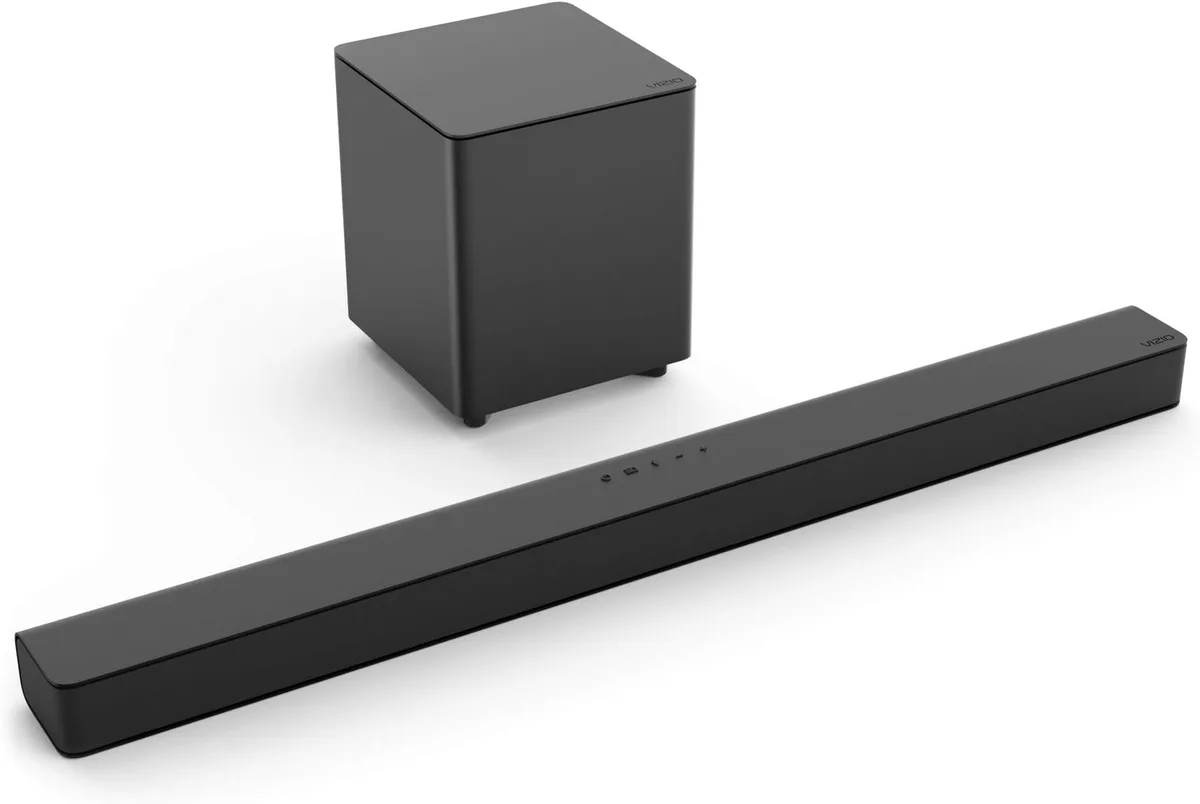
Your Vizio sound bar won't cooperate and you're staring at a silent TV. This Vizio Sound Bar Troubleshooting guide walks through the most common issues and the exact steps to fix each one. The trick is matching your symptom to the right fix.
As of 2026, the lineup includes the SB, M, and Elevate series, but the troubleshooting steps stay largely the same across all models. Manufacturer specs confirm that most power issues trace back to a faulty low-voltage adapter, not the sound bar itself. Let's start with the fastest fix first.
Image source: Bing (Web (fair-use with source credit))
Quick Answer
Most Vizio sound bar issues fix with three steps. Unplug the bar for 60 seconds. Check your cable connection.
Then test each input one at a time. If that fails, check the LED code below. Your exact symptom tells you which branch to follow.
Quick Reference: LED Light Codes
Your Vizio sound bar talks to you through its front LED. Each color and blink pattern tells you exactly what is going on. Before you dig into any other steps, look at the light and match it to the table below.
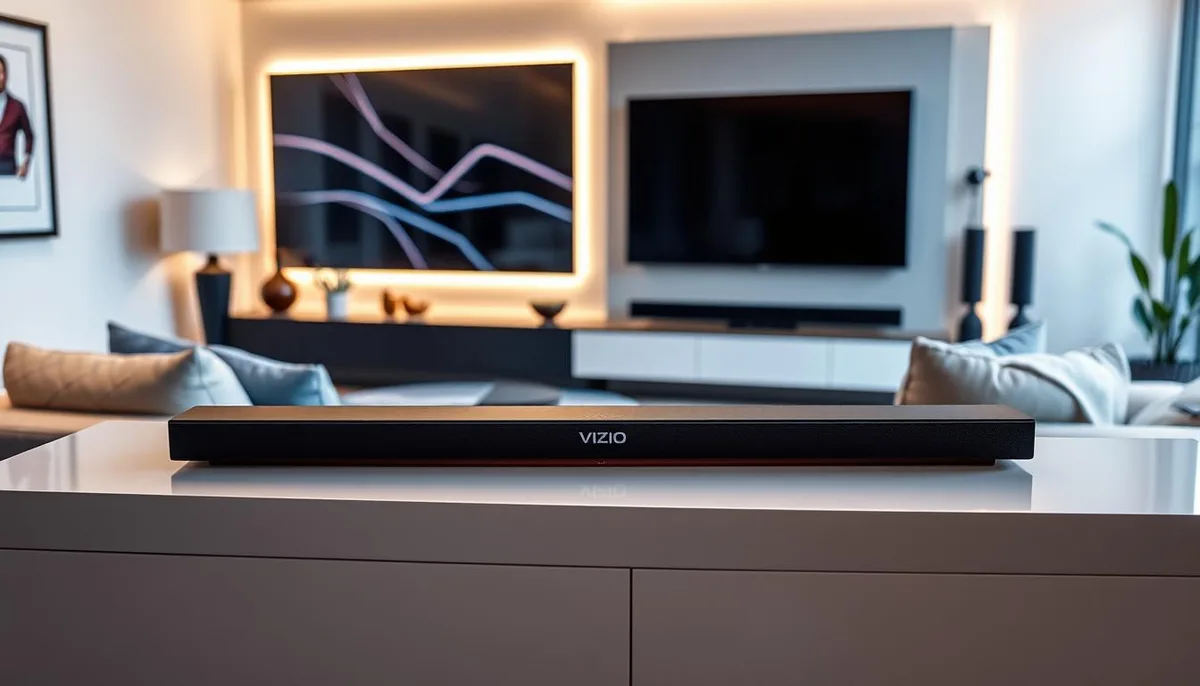
Image source: Bing (Web (fair-use with source credit))
| LED Behavior | What It Means | Next Step |
|---|---|---|
| Solid white | Normal operation, connected | No action needed |
| Solid orange | No audio signal detected | Check the source and cable |
| Blinking orange | Subwoofer trying to pair | Press the link button on both units |
| Flashing red | Error or protection mode | Unplug for two minutes, then try a hard reset |
| No light at all | No power reaching the bar | Check the wall outlet and power adapter |
| Rapid blinking white | Firmware update in progress | Wait ten minutes and do not unplug |
If you see a flashing red light, move to the hard reset procedure in the next section. If you see no light at all, your problem is power related. A solid white light means the bar is working and you should look at the audio source instead.
Condition Branch 1: No Power or Won't Turn On
This is the most straightforward problem to diagnose. If your Vizio sound bar shows no lights and does not respond to the remote or buttons, it is not getting power. Here is the step-by-step path.
Check the power adapter first
The small wall cube power supply fails more often than the sound bar itself. Unplug it from the wall. Plug a phone charger or lamp into the same outlet to confirm the outlet works.
If the outlet is fine, inspect the power adapter for any damage.
Test without the smart power strip
Some power strips have surge protection that can block low-power devices. Plug the sound bar directly into a wall outlet. If it turns on, your power strip is the issue.
Perform a hard reset
A hard reset clears any stuck electronics inside the sound bar. Unplug the power cord from the sound bar itself. Wait 30 seconds.
While it is unplugged, press and hold the physical power button on the sound bar for 15 seconds. Plug the power cord back in. The system is now fully drained and should restart cleanly.
Still no power?
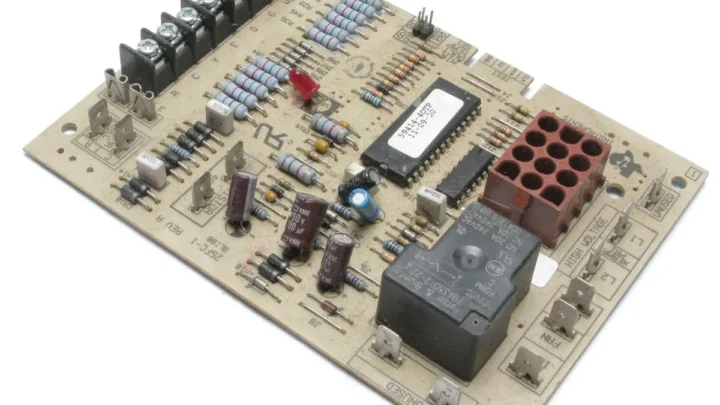
If the sound bar still shows no lights after those steps, the internal power board may have failed. Aggregate user reports indicate that the 5V and 12V power adapters for the SB series are prone to failure after two to three years of use. The official Vizio support site lists the correct replacement adapter part numbers for each model.
Do not use a generic adapter that does not match the voltage and amperage exactly. Using the wrong adapter can damage the internal components permanently.
Condition Branch 2: No Sound or Audio Cutting Out
Your sound bar powers on but nothing comes out of the speakers. Or the audio drops out mid-movie and you have to fiddle with cables to get it back. This is almost always a connection issue, not a hardware failure.
Identify your connection type
The fix depends on how your sound bar is connected to the TV. Most users connect through one of three paths.
| Connection Type | Best For | Common Failure Point |
|---|---|---|
| HDMI-ARC / eARC | Dolby Atmos, best quality | TV settings need CEC enabled |
| Optical (TOSLINK) | Older TVs, reliable | Loose cable or dirty port |
| Bluetooth | No cable needed | Interference or distance |
Aggregate reviews report that HDMI-ARC causes the most frustration because it depends on correct settings in both the TV and the sound bar.
If you are using HDMI-ARC
First check that the HDMI cable is plugged into the port labeled ARC or eARC on your TV. It will not work from a standard HDMI port. Then go into your TV audio settings and enable HDMI-CEC.
The name varies by brand: Vizio calls it CEC, Samsung calls it Anynet+, LG calls it Simplink. Turn that setting on. Next set the TV audio output to PCM or Bitstream.
If you still have no sound, try a different high-speed HDMI cable. Some older cables do not pass audio properly.
If you are using optical
Optical cables are more durable but the connection can be finicky. Unplug the cable from both ends. Inspect the tips for dust or bent pins.
Re-seat it firmly until you hear a click. Then go into your TV audio settings and set the output to PCM. Optical cannot carry Dolby Atmos, so setting the TV to Bitstream may cause silence on some models.
Test with a different source
Plug your phone into the AUX input with a 3.5mm cable. If audio plays from your phone, the sound bar works fine and the problem is with your TV settings or cable. If audio still does not play, you may have a blown speaker driver.
Audio cutting out during use
If sound plays but drops out every few minutes, the issue is usually the HDMI-CEC handshake. Disable HDMI-CEC in the TV settings. If that solves it, the TV and sound bar are fighting over control.
Leave CEC off and control the sound bar volume manually.
Condition Branch 3: Subwoofer Won't Connect or Keeps Dropping
The separate wireless subwoofer that came with your Vizio sound bar should pair automatically out of the box. If it does not, or if it works for a while and then stops, here is the fix.
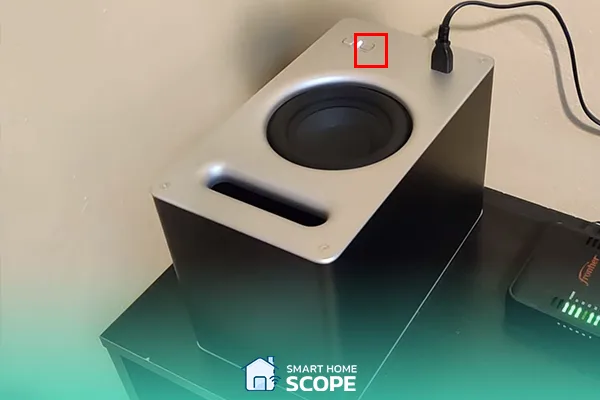
Image source: Bing (Web (fair-use with source credit))
The standard pairing procedure
Turn off the sound bar. Plug the subwoofer into a wall outlet. Make sure the subwoofer is within six feet of the sound bar.
Press and hold the link button on the subwoofer for five seconds. The LED on the subwoofer will start blinking. Then press and hold the link button on the sound bar.
The sound bar's LED should blink as well. Wait up to one minute for the light on the subwoofer to turn solid white.
The hidden reset button trick
If the standard pairing does not work, look on the back of the subwoofer for a very small pinhole button. Use a paperclip to press and hold it for ten seconds. This resets the wireless module inside the subwoofer.
Then repeat the standard pairing procedure from the beginning.
Interference from other devices
Wireless subwoofers use the 2.4 GHz frequency band, the same band used by Wi-Fi routers, cordless phones, and microwave ovens. If the subwoofer drops out when someone uses the microwave or when you walk near the TV, move the router at least three feet away from the subwoofer. If you have a dual-band router, set the 2.4 GHz channel to 1, 6, or 11 to reduce overlap.
Connection drops after a few hours
This is a known pattern on older Vizio subwoofers. The subwoofer goes to sleep to save power but does not wake up properly. The fix is to disable the auto-standby feature.
This requires a firmware update. Go to the Vizio support page for your exact model number and download the latest firmware update file. Copy it to a USB flash drive formatted to FAT32.
Plug the drive into the sound bar and let it update. The update takes about ten minutes and the bar will restart on its own. Do not unplug it during the update.
Condition Branch 4: Remote Not Working or Bluetooth Issues
Your remote stopped responding. Or your phone refuses to pair over Bluetooth. These two issues often overlap, so we will cover both in one branch.
Identify which remote you have
Vizio sound bars ship with two types of remote. The basic model uses infrared, or IR. It requires a direct line of sight to the sound bar.
The premium model uses Bluetooth. It works from anywhere in the room but needs to pair first. Look at the remote.
If you see a small dark window at the top, it is IR. If you see no window, it is Bluetooth.
If your IR remote stopped working
Check for obstructions between the remote and the sound bar. Clean the IR sensor window on the sound bar with a dry cloth. Replace the batteries.
Point the remote at a phone camera and press a button. If you see a purple flash in the camera viewfinder, the remote is sending a signal and the sound bar sensor may be faulty. If you see no flash, the remote is dead and needs replacement.
If your Bluetooth remote stopped working
Press and hold the Bluetooth button on the remote for five seconds. The LED on the sound bar should blink white. If it does not, replace the remote batteries first.
Then try the pairing process again. Some Vizio remotes use a CR2032 coin cell battery rather than standard AAAs.
Bluetooth audio from your phone won't connect
Put the sound bar into Bluetooth pairing mode by pressing the Bluetooth button on the sound bar or remote. The LED will blink white. Open the Bluetooth settings on your phone.
Look for a device named VIZIO SB followed by numbers. Tap it. If the phone says it is paired but no audio plays, go to the phone's Bluetooth settings and forget the device.
Then pair again from scratch.
Range and interference
Bluetooth range on Vizio sound bars is roughly 30 feet with no walls. If you walk to another room and the audio drops, that is normal. If the audio drops while you are sitting right in front of the bar, check for interference.
Move your phone away from the sound bar. Turn off other Bluetooth devices nearby, such as wireless headphones or speakers.
Mistakes to Avoid / Common Errors
These mistakes come up constantly in user reports. Avoid them and you will save yourself an hour of frustration.
Factory resetting too early
A factory reset wipes all your settings, including paired remotes and subwoofers. Only use it as a last resort. Most issues fix with a simple power cycle or a hard reset.
A factory reset should be your final step, not your first.
Using the wrong HDMI port
HDMI-ARC only works from one specific port on your TV. If you plug into any other HDMI port, you will get video but no audio. Look for the label ARC or eARC on the back of the TV.
If your TV has multiple HDMI ports, only one of them supports audio return.
Ignoring TV audio settings
Even with the correct cable and port, your TV must be set to output audio through the correct channel. Go into the TV settings menu. Look for Audio Output or Sound.
Set it to External Speakers or Audio System. Set the format to PCM. If your TV has a setting labeled TV Speaker + External, disable it.
That setting causes echo and delay.
Assuming the subwoofer is broken
The subwoofer LED is the best diagnostic tool. If it blinks but never turns solid white, the pairing is failing. If it stays solid white but no bass comes out, the sound bar may not be sending a low-frequency signal.
Test with a movie that has strong bass. If you still get no bass, the subwoofer driver may be blown, but that is rare.
Buying a third-party power adapter
The barrel connector size, voltage, and polarity must match exactly. Vizio uses both 5V and 12V adapters across different models. Using a 12V adapter on a 5V sound bar can fry the internal board.
Always verify the part number on the official support site before ordering a replacement.
Decision Guide / When to Call It Quits
Not every problem has a home fix. Here is how to decide whether to keep troubleshooting or move on.
Check warranty status first
Vizio sound bars come with a one-year warranty from the purchase date. If you are still within that window, contact Vizio support directly. Do not open the sound bar or attempt any internal repairs.
Opening the unit voids the warranty. If you have a credit card that extends manufacturer warranties, check that too.
Try a factory reset before giving up
If you have tried every branch and nothing works, perform a factory reset. The procedure varies by model. On most Vizio sound bars, hold down the Bluetooth and Volume Down buttons on the sound bar simultaneously for five seconds.
The LED will flash rapidly and the bar will restart. You will need to pair the subwoofer and remote again after the reset.
Signs of hardware failure
If the sound bar emits a burning smell, do not plug it in again. That indicates a failed capacitor or power supply component. If the sound bar powers on but produces distorted sound from one side only, the speaker driver has likely blown.
If the subwoofer produces a constant humming noise that changes when you touch the cable, the ground loop cannot be fixed without a ground loop isolator.
Cost versus replacement
Look up your specific model on the Vizio support site and check the repair cost. As of 2026, most Vizio sound bars under $250 cost more to repair than to replace. The SB series typically costs $80 to $150 new.
The M-series runs $200 to $350. The Elevate series runs $400 to $600. If your sound bar is more than three years old and the repair cost exceeds half the replacement cost, it makes more sense to buy a new one.
When to contact Vizio support
Contact support if the sound bar is under warranty, if the power adapter is confirmed working but the unit still shows no lights, or if the sound bar will not accept a firmware update from USB. Vizio support can issue a replacement adapter or authorize a warranty repair. Have your model number and serial number ready.
They are located on a sticker on the bottom or back of the sound bar.
Frequently Asked Questions
Why is my Vizio sound bar not turning on?
The most common cause is a failed power adapter. Test the wall outlet with another device. Then perform a hard reset by unplugging the sound bar and holding the power button for 15 seconds.
If it still does not turn on, the power adapter likely needs replacing.
How do I reset my Vizio sound bar without a remote?
Use the physical buttons on the sound bar. Hold down the Bluetooth and Volume Down buttons simultaneously for five seconds. The LED will flash rapidly and the sound bar will restart.
This performs a full factory reset.
Why does my Vizio sound bar have no sound but powers on?
Check the cable connection first. If you are using HDMI-ARC, make sure you are in the correct port and that HDMI-CEC is enabled in your TV settings. If you are using optical, set the TV audio output to PCM.
Test with an AUX cable from your phone to confirm the sound bar works.
How do I pair my Vizio subwoofer?
Turn off the sound bar. Plug the subwoofer into power. Press and hold the link button on the subwoofer for five seconds until the LED blinks.
Then press the link button on the sound bar. Wait up to one minute for the subwoofer LED to turn solid white.
Why does my Vizio sound bar keep cutting out?
This is usually an HDMI-CEC handshake issue. Disable HDMI-CEC in your TV settings. If that fixes it, leave CEC off and control volume manually.
If the audio drops during Bluetooth use, move the sound bar closer to the source device.
How long does a Vizio sound bar last?
With normal use, a Vizio sound bar typically lasts three to five years. The power adapter often fails before the sound bar itself. The speakers and subwoofer drivers can last much longer if not pushed to maximum volume regularly.

Similar Posts