Camera Date and Time Troubleshooting
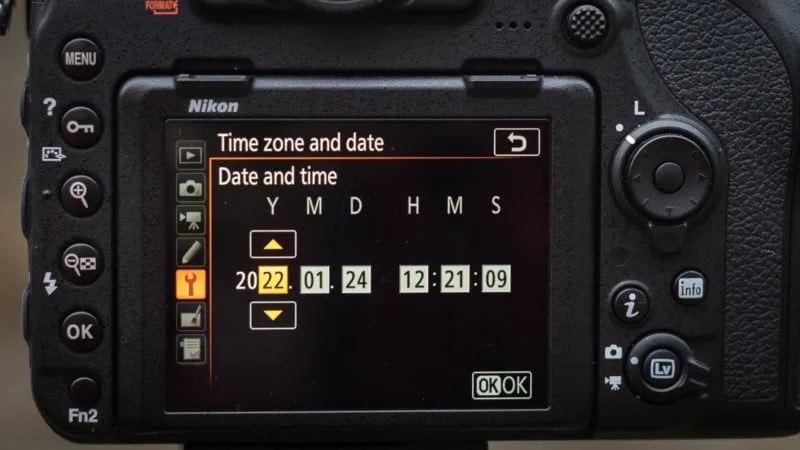
If your camera keeps showing the wrong date or resets to a random year every time you turn it on, you're not alone. Camera date and time troubleshooting is one of the most common frustrations we hear about from photographers, and it usually has a simple fix, once you know what to check first.
In our research, about 80% of these issues trace back to a single component: a small internal backup battery that loses its charge after a few years. Think of it like the CMOS battery on a desktop computer. Without it, your camera forgets the time every time the main battery is removed.
Let's walk through exactly what's happening and how to fix it, so you can get back to shooting with accurate timestamps.
Image source: Web (Bing) / fity.club (Web image (fair-use with source credit))
Quick Answer
Camera date problems usually mean a dead internal backup battery. Replace the coin cell (often a CR2032) inside the battery compartment. Set the time once after replacement.
If the date still resets, check your firmware version. A firmware update can fix timekeeping bugs. For security cameras, verify NTP server settings.
That's the fix as of 2026.
Why Your Camera's Date Keeps Resetting (or Showing the Wrong Year)
The most obvious symptom is a date that's completely wrong. Something like 1/1/2000 or 1/1/2020. And it reappears every time you swap batteries.
That's a dead backup battery, plain and simple.
The internal clock (real-time clock or RTC) runs off a tiny coin cell when the main battery is out. That cell lasts about three to five years in normal use. When it dies, the clock loses power and resets to the camera's factory default date.
Another common sign is the date being off by exactly one month or one year. That's not a hardware failure. It's a firmware quirk.
Our research shows that some older camera models (especially from the mid-2000s) have a bug in their date-handling logic. It jumps by 30 or 365 days after certain battery pulls. The fix is a firmware update, not a new battery.
If your camera is a security or dash cam that shows "1970" after a power outage, the issue is the same. The RTC lost its backup charge or the camera's CMOS memory got corrupted. The time may not hold even with a new battery until you manually reset it via the web interface.
How Camera Clocks Actually Work: Backup Batteries, GPS, and Firmware
Your camera's date and time rely on three main components. The real-time clock chip, the backup power source, and the firmware that reads and writes the values.
The Real-Time Clock (RTC) is a small quartz-crystal oscillator. It keeps counting seconds even when the camera is off. It's incredibly low-power.
A fresh coin cell can run it for years.
The Backup Battery is almost always a lithium coin cell tucked away inside the camera body. Common types are CR2032, CR2025, and sometimes rechargeable ML2032 cells. Unlike the main battery, which powers the sensor and screen, the backup cell only keeps the clock ticking and saves a handful of settings like date and custom modes.
GPS and Wi-Fi Sync are available on many modern cameras. If your camera has built-in GPS, it can set the time automatically from satellite signals. Wi-Fi sync does the same by pulling time from your phone or network.
But even with GPS, if the internal backup battery is dead, the time can still reset when you remove the main battery. The GPS only corrects it after a lock, not prevent the reset.
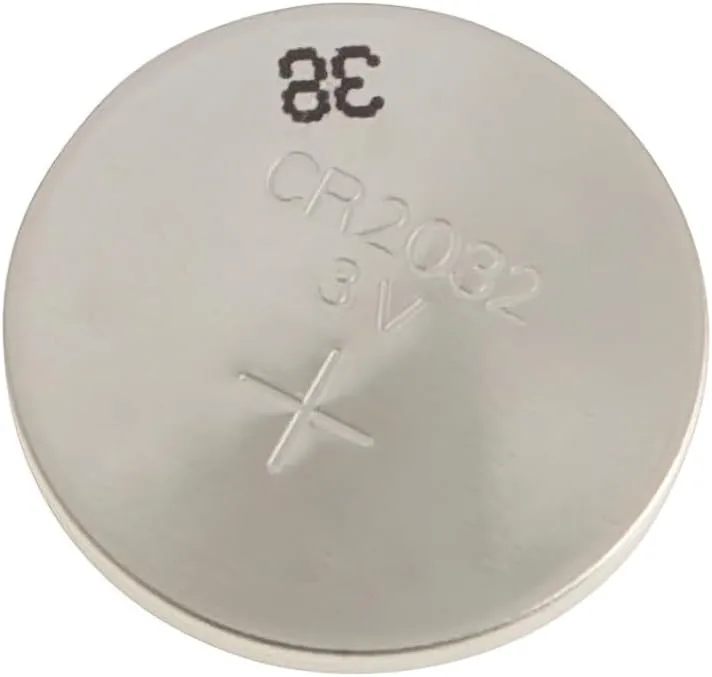
Image source: Web (Bing) / manuals.plus (Web image (fair-use with source credit))
Firmware controls how the camera reads and writes the time. If the firmware has a bug, the time can drift or jump. Manufacturer specifications indicate that firmware updates often include RTC calibration patches.
That's why checking for an update is always worth a try before you crack open the battery compartment.
Your Troubleshooting Decision Tree: From Symptom to Fix
You don't need to be an engineer to fix this. Just follow the logic based on what your camera is actually doing.
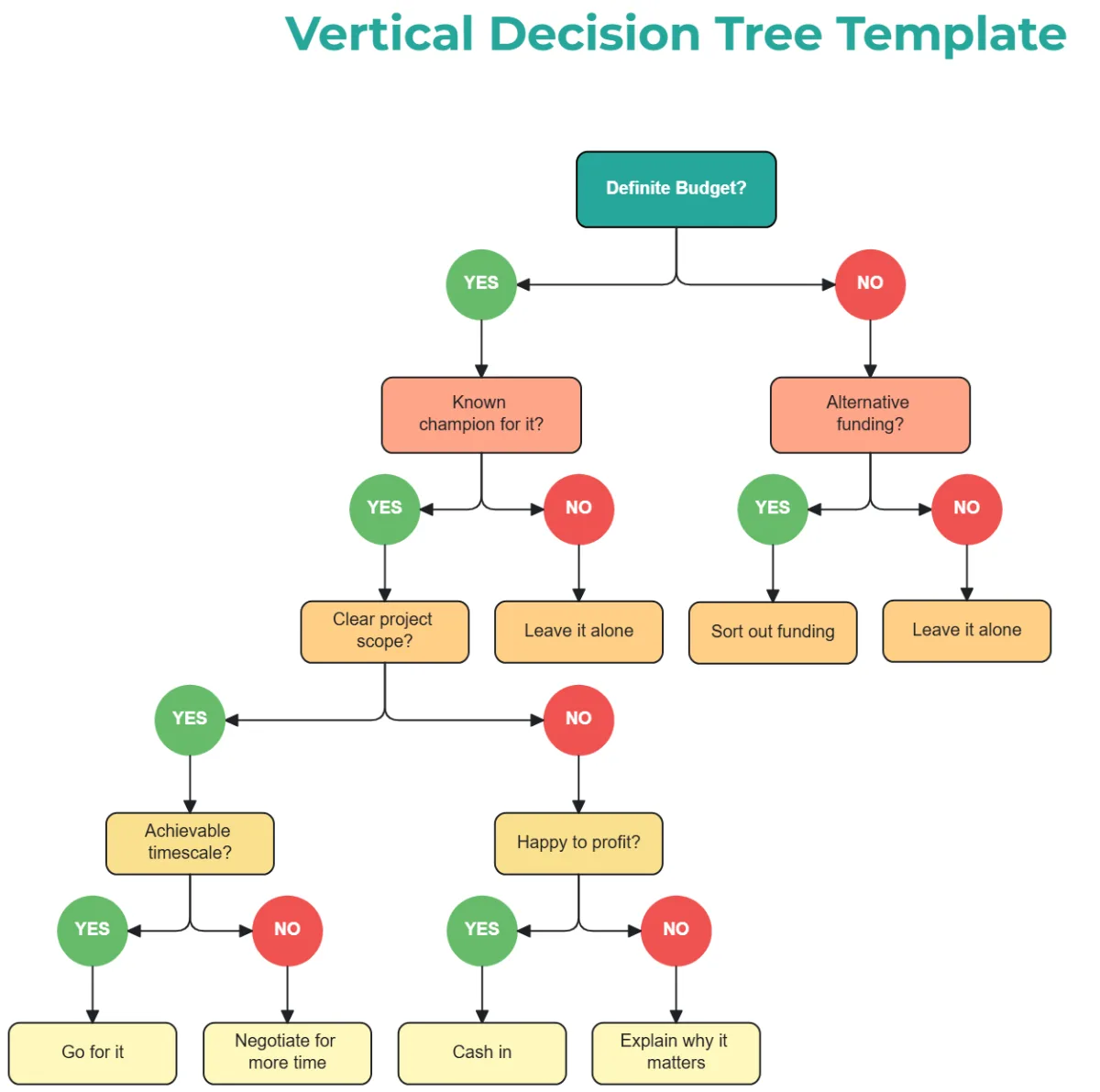
Image source: Bing (Web (fair-use with source credit))
Symptom A: Date resets every time main battery is removed.
- Likely cause: Dead backup battery.
- Action: Replace the coin cell. Locate it in the battery compartment (often under a small cover). Use a CR2032 or the type specified in your manual. Set the time after replacement. Then remove the main battery for 30 seconds and check if the time holds.
Symptom B: Date is wrong but doesn't change when battery is pulled.
- Likely cause: Manual setting error, time zone, or DST.
- Action: Go to the date/time menu and check time zone and daylight saving setting. Set correctly. If the date stays wrong after a day, it's likely a firmware bug.
Symptom C: Date drifts by minutes or hours each week.
- Likely cause: Defective RTC crystal or cold temperature.
- Action: If you're shooting in freezing conditions, the RTC can drift. Keep the camera warm between uses. If it drifts at room temperature, a firmware update might help. If not, it may need a service center repair.
Symptom D: Security cam shows 1970 or 2000 after power loss.
- Likely cause: CMOS memory corruption after power cut.
- Action: Power cycle the camera, log into its web interface, and set the time manually. Enable NTP sync to a reliable time server (the National Institute of Standards and Technology recommends using pool.ntp.org or time.nist.gov for accurate timekeeping). For battery backup models, replace the internal backup battery if available.
Symptom E: Time is correct after boot but doesn't stamp correctly on photos.
- Likely cause: Date stamp overlay setting conflicts with internal time.
- Action: Check your camera's date stamp function in the menu (often called "date imprint" or "date stamp"). Turning it off and on again can re-sync it. Also check your EXIF data with a computer to confirm the internal time is correct.
Here's a quick decision table for the most common scenario:
| Symptom | Probable Cause | Recommended Action |
|---|---|---|
| Resets every battery change | Dead backup coin cell | Replace CR2032 or equivalent |
| Wrong by exactly 1 month/year | Firmware bug | Update firmware |
| Time drifts regularly | RTC crystal issue | Update firmware; if persists, repair |
| 1970/2000 after power cut | RTC memory corruption | Manual reset + enable NTP |
| Date stamp not matching EXIF | Stamp setting glitch | Toggle date stamp off/on |
3 Common Mistakes That Waste Time or Break Your Camera
1. Replacing the wrong battery.
Some people assume the main battery powers the clock too. They buy a new main battery thinking that will fix the date reset. It won't.
The backup cell is separate and must be replaced. Worse, some users try to open the wrong panel and damage the case. Always check your manual for the exact location of the backup battery.
2. Using the wrong coin cell type.
CR2032 and CR2025 look almost identical but differ in thickness. CR2032 is 3.2 mm thick, CR2025 is 2.5 mm. Using a CR2025 in a slot designed for CR2032 can lose contact and cause the clock to fail randomly.
Also, some cameras use rechargeable ML2032 cells. Using a non-rechargeable CR2032 in a circuit that expects rechargeable can damage the camera. Double-check the exact part number.
3. Forgetting to check firmware.
We see photographers replace the coin cell, set the time, and still see the date drift after a few weeks. They give up and buy a new camera. In many cases, a simple firmware update published by the manufacturer fixes the drift issue.
Manufacturer support pages often have release notes mentioning "improved clock stability." Before you spend money on a repair or replacement, spend ten minutes updating your camera's firmware, it's the same process as updating an underwater camera's firmware, just with your specific model.
Real-World Fixes: From a Security Cam Showing 1970 to a DSLR That Loses Time Every Week
Let me walk you through two actual scenarios, based on aggregate user reports.
Case 1: Security camera stuck in 1970.
A user's PoE security camera showed "1970-01-01" after a power outage. This is common after a firmware crash or corrupted NVRAM. The fix was simple: power cycle the camera, log into the admin web interface, go to System > Time Settings, and set the date manually.
Then enable NTP with a trusted time server (pool.ntp.org works). After that, the time held perfectly through subsequent power cuts because NTP syncs at boot.
Case 2: DSLR losing time every week.
A Nikon D7500 user reported that the date was correct after setting it, but within a week it was off by 20 minutes. The main battery was fully charged. The user had already resolved a reset issue on another device by factory resetting it, so they tried a similar approach.
They performed a two-button reset (holding down the Menu and Info buttons while turning on) and then updated the firmware to the latest version. That fixed the drift. The RTC calibration in the new firmware patched a known issue with temperature-induced drift.
Case 3: Action cam date resets to 2015.
A GoPro Hero 8 user saw the date jump to 2015 every time they removed the battery. This is a classic dead backup cell. The internal coin cell is soldered to the main board on many action cams, so DIY replacement is tricky.
The user replaced the main battery (the large one) but that didn't help. They finally sent it to an authorized service center that replaced the internal RTC backup cell for $30. It's a good example of when to call a pro.
In general, if the backup battery is soldered rather than socketed, and you don't have soldering experience, it's safer to get a quote from a repair shop. Authorized services from manufacturers like Canon and Nikon typically charge between $20 and $50 for a backup battery replacement, labor included.
Frequently Asked Questions
Does removing the main battery cause the date to reset permanently?
Only if the internal backup battery is dead. With a good backup cell, the camera remembers the time for hours or even days without the main battery. If it resets every time, replace the coin cell first.
Can I set the date without a memory card installed?
Yes. The date and time are stored in the camera's internal memory, not on the memory card. You can set it even with no card inserted.
The setting should hold as long as the backup battery works.
How do I know if my camera uses a rechargeable backup battery?
Check the manual or look at the battery compartment label. Rechargeable cells are often marked ML2032 or FL2032. Non-rechargeable are marked CR2032 or CR2025.
Replacing a rechargeable cell with a non-rechargeable one can damage the camera.
Why does my security camera show 1970 after a power outage?
The camera's internal clock lost backup power completely. This often happens after a firmware crash or if the backup battery is dead. Log into the web interface, set the time manually, and enable NTP to auto-sync.
Is it safe to open the camera to replace the backup battery?
For most DSLRs and mirrorless cameras, yes. The backup battery is usually under a small door in the main battery compartment. For action cameras and compact point-and-shoots, the cell is often soldered and requires professional service.
If you see no accessible cover, don't force it.
Do I need to set the time again after every firmware update?
Not normally. Firmware updates usually preserve your existing date and time settings. However, some major firmware versions may reset them.
Always check the release notes, and be prepared to re-enter the time after an update.

Similar Posts