Carrier Infinity Thermostat Troubleshooting
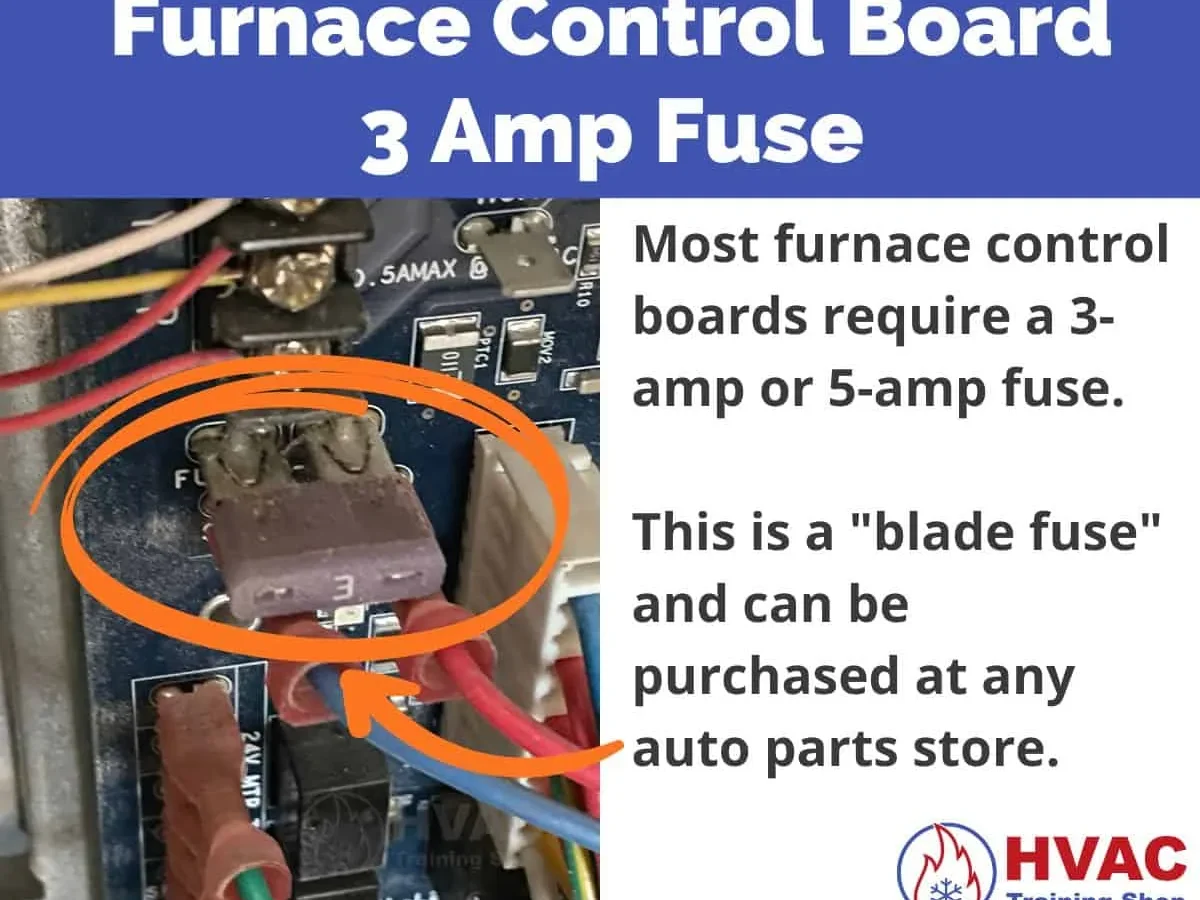
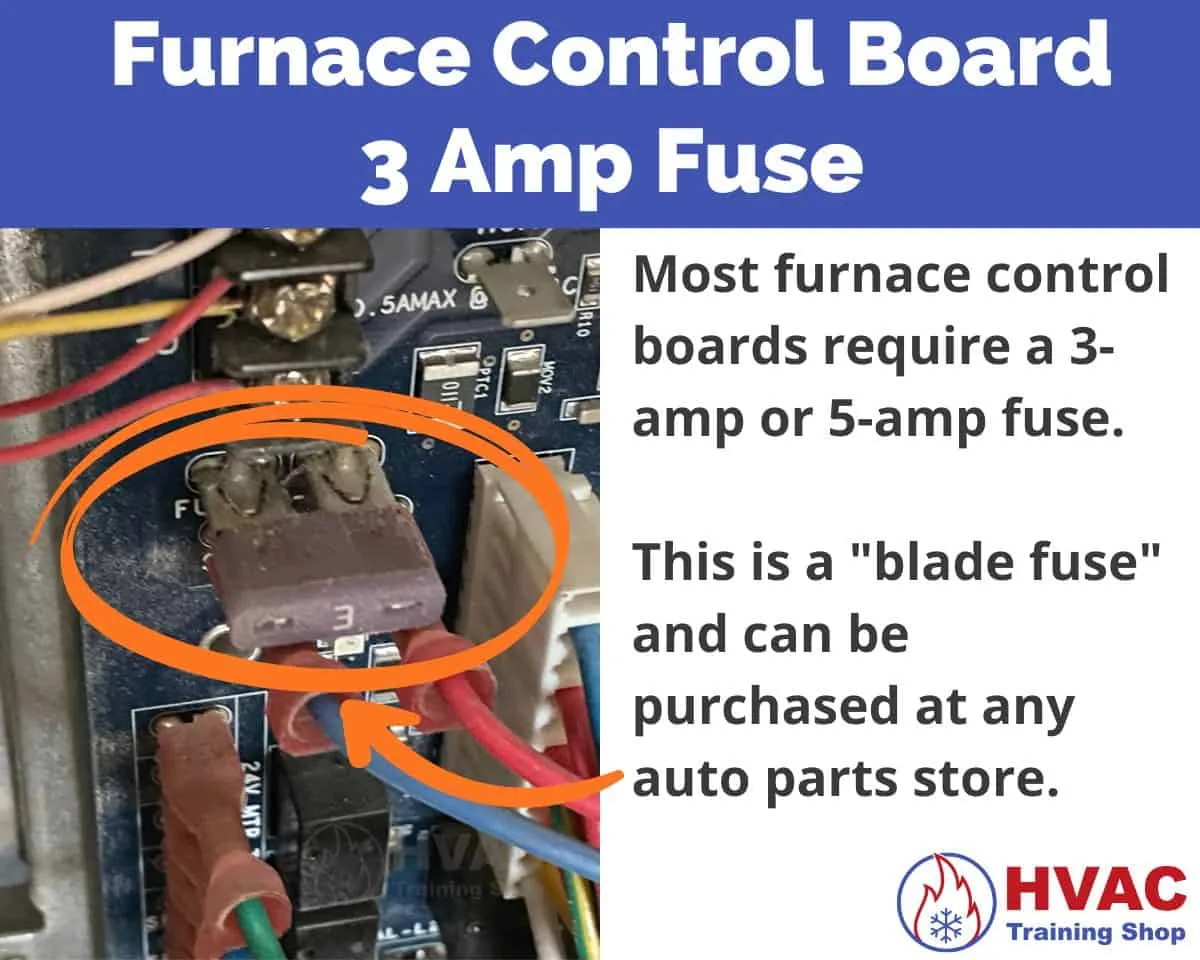
Image source: Bing (Web (fair-use with source credit))
Your Carrier Infinity system is a communicating beast, not a dumb thermostat. When it throws a fit, it isn't just a matter of changing a battery and moving on. The screen errors, the blank display, or the sudden "Service Required" banner can feel like a brick wall, especially when you're sweating through a hot night or freezing in the morning.
We've combed through the service manuals, aggregate owner reports, and the engineering specs to give you a straight answer on how to fix it yourself without making things worse.
Most of these troubleshooting steps involve low-voltage wiring and basic electrical safety. Manufacturer specifications indicate that the system operates on 24V AC for the thermostat communications, but the furnace or air handler contains line-voltage components that can kill you. The Infinity line still relies on a proprietary four-wire ABC connection that doesn't act like a standard 24V system.
Let's walk through the most common failures, starting with the easiest and cheapest fixes first, so you don't waste a hundred bucks on a service call for something you can clear with a power cycle.
Quick Answer
Reset your Carrier Infinity thermostat by turning off power at the breaker for 30 seconds. Restore power and wait for the system to reboot. Check for a dirty filter or a clogged drain line.
Clear any error codes from the menu. Call a professional if the error returns immediately.
The Usual Suspects: Why Your Infinity Thermostat Acts Up
When the Infinity system fails, it nearly always comes down to one of four problems: power loss, wiring issues, dirty filters, or communication errors. If you understand which one you're dealing with, you'll save time and money.
Power Loss: The Silent Killer
The first thing to check is always the power. It sounds simple, but you'd be stunned how many calls a technician makes just to find a tripped breaker or a dead furnace door switch. The Infinity thermostat is not a standalone device like an older battery-powered unit.
It draws its power directly from the HVAC equipment through the communication bus.
This is the most common cause of a completely dead or unresponsive screen. If the display is blank, everything else is irrelevant until you confirm the system has power. We'll cover the exact checkpoints in the next section, but remember this one rule: if the thermostat is dead, the problem is usually upstream.
Wiring Issues: The ABC Connection
Unlike a standard thermostat with R, W, Y, and G wires, the Infinity uses a communicating protocol. It connects using three primary wires labeled A, B, and C, plus a fourth wire for the indoor sensor or humidifier. This proprietary setup means voltage isn't just a simple on/off switch.
The wires carry digital data packets between the thermostat, the furnace control board, and the outdoor condenser.
If any of those wires are loose, shorted against metal, or connected to the wrong terminal, the system will fail. It won't heat, it won't cool, and it will often lock you out with a blinking or solid error code. We've seen aggregate reviews where homeowners swapped units and accidentally swapped the A and B wires.
They immediately fried the communication bus. This is not a standard "jump the R and W wires" situation.
Dirty Filters and Restricted Airflow
The Infinity system is smart. It monitors airflow and static pressure constantly. When your filter gets clogged, the system notices the reduced airflow and gets confused.
It may throw a code that seems unrelated, like a high-temperature limit or a pressure switch error.
Aggregate user reviews on HVAC forums show that a shocking percentage of error codes are solved simply by changing the filter. If you can't remember the last time you swapped it, that is the first place to look. A dirty filter starves the evaporator coil or the heat exchanger.
It causes the system to overheat, trip safety switches, or simply run inefficiently until it locks itself out.
Communication Errors: The Digital Handshake
The Infinity system is essentially a network. The thermostat talks to the furnace every second. If the data stream gets interrupted, the system halts.
This is why the error codes on the screen can look so cryptic. They aren't telling you that a part is broken; they're telling you that a conversation failed.
When the communication bus loses a message, the furnace might still have power, but it won't know what to do. This is why you can often fix a "Service Required" error by simply cycling the power. It forces the system to re-establish that digital handshake.
If the error comes back immediately, you have a physical wiring problem or a failed board.
Safety First: What to Check Before Touching Anything
Working on any HVAC system carries real risk. You're dealing with high voltage, moving parts, and pressurized refrigerant lines. Let's set the ground rules before you start poking around the control board.
Kill the Power at the Breaker
Do not rely on the furnace shut-off switch alone. Turn off the breaker that feeds the furnace and the outdoor condenser unit. This ensures that the control board is completely dead.
Some units have multiple power sources, so make sure to switch off both the furnace and the exterior AC condenser.
Wait about 30 seconds. This isn't just for safety; it actually helps the system drain residual power from the capacitors and resets the microprocessor logic. Manufacturers recommend a full power cycle to clear transient faults.
The Furnace Door Switch
Modern furnaces have a safety interlock switch on the access panel. When you open the door, this switch cuts power to the system. If you're working with the panel off, the system is dead even if the breaker is on.
That's good for safety, but it also means if the panel isn't seated correctly, the whole system won't turn on.
This is a major troubleshooting point. We can't tell you how many times a homeowner has called for emergency service only to find the technician sliding the panel back into place and triggering the ignition. Check this before you call anyone.
Using a Multimeter Safely
If you're testing voltage at the control board, you need a digital multimeter. Set it to AC voltage and test the 24V transformer terminals. You should read between 24 and 28 volts.
If you get nothing, the transformer is blown or the breaker is still off.
Important rule: do not probe the line-voltage side of the transformer. That's 120V AC, or 240V AC in some high-voltage systems. It will shock you, possibly fatally.
Only test the low-voltage side if you're comfortable doing so. For the 3-amp fuse, you can test it by setting the meter to ohms. A good fuse reads near zero resistance.
Visual Inspection Checklist
Before you touch anything with a meter, do a visual sweep. Look for signs of burned wires, a charred control board, or any unusual smell. Check for water near the furnace.
A leaking condensation line can drip onto the board and short it out.
Look at the fuse on the control board. A blown 3-amp fuse is a classic cause of a dead thermostat. If you see a fuse with a broken filament or a cloudy glass, that's your problem.
Blank Screen or No Power: Tracing the Power Chain
So the screen is completely dark. Not flickering, not showing an error, just black. That means the thermostat has no power at all.
Let's trace the power chain from the breaker to the screen.
Check the Breaker and Disconnect Box
Go to your main electrical panel. Find the breaker labeled "Furnace" or "HVAC." Make sure it's fully in the ON position. If it tripped, flip it to OFF first, then back to ON.
If your unit has a separate disconnect box near the outdoor condenser, check that too. It usually contains a pair of fuses. Pull the handle out and look at the fuses.
A blown fuse here will prevent the system from running even if the indoor furnace has power.
Look for the Door Switch Again
If the breaker is on, the next step is the furnace door. Pop the access panel off. If the system kicks on then, you have a bad door switch.
It's an inexpensive part and a simple fix, but it's also just a safety mechanism. The system working with the door off is actually dangerous, so don't leave it that way. Test the switch with your multimeter to see if it's open or closed when the door is shut.
Test the 24V Transformer
If the door switch is good, find the transformer on the control board. It's usually a small black box with a fuse on it. Check the fuse first, since it's the easiest thing to replace.
If the fuse is blown, replace it with the identical rating, usually 3 amps.
If the fuse blows again right away, you have a short somewhere in the wiring. Don't keep replacing fuses; you'll just keep buying them. Unplug the thermostat wires from the terminal block and try a new fuse.
If it holds, the short is in the wall wiring or the thermostat itself.
The Power Cycle Reset
If you have power at the transformer but the screen is still blank, try a hard reboot. Turn off the breaker for 60 seconds. Turn it back on.
This clears the memory on the thermostat and forces a restart.
Wait a minute after restoring power. The thermostat takes a few seconds to boot up and re-establish communication. If nothing happens, the thermostat itself is likely defective.
It's an electronic device and they do fail. You can try removing it from the wall plate and reattaching it to make sure the pins are making good contact.
"Service Required" Error Codes: What They Mean and When to Reset
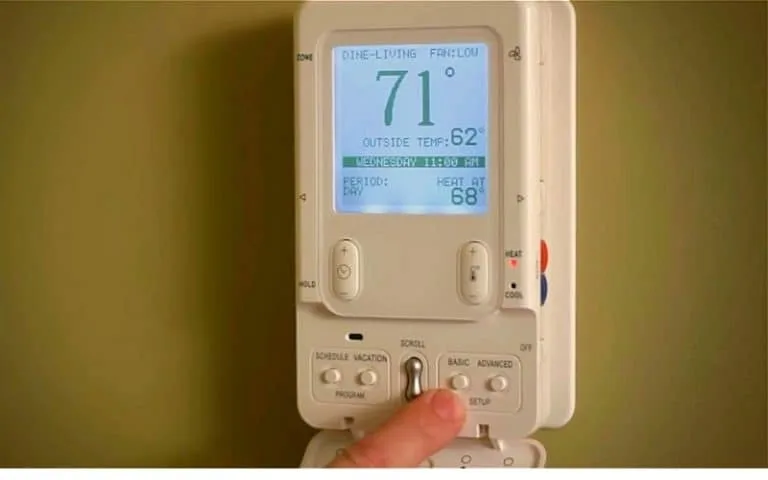
Image source: Bing (Web (fair-use with source credit))
Now we're getting into the codes. Your Infinity screen is displaying a number. It might be flashing or solid.
You need to know what it means.
Error Code 112: Communication Failure
This is the most common error we see in aggregate reviews. Code 112 means the thermostat has lost communication with the indoor unit. It's a data handshake issue, not necessarily a hardware failure.
Try the hard reboot first. If the code comes back, inspect the wiring between the thermostat and the control board. Look for loose connections or damaged insulation.
Specifically, check for corrosion on the ABC terminals. If you see green crud, that's oxidation and it will interrupt the signal. Clean it with a contact cleaner and try again.
If that fails, you're likely looking at a faulty control board on the furnace.
Error Code 313: Indoor Control Board Failure
Code 313 points to a problem with the indoor blower motor or the board that controls it. Sometimes it's a bad motor, sometimes it's a bad module on the board. This is less likely to be fixed with a reset.
Check the filter first, honestly. A massively dirty filter can cause the blower to overwork and trip a thermal overload, which then displays as a 313. Swap the filter, reset the power, and see what happens.
If it persists, you need a technician because diagnosing a blower motor requires testing the windings and checking for proper voltage at the motor.
Error Code 337: Airflow Fault
Code 337 indicates airflow is restricted or the pressure switch isn't closing. This is common in hot attics or when the condensation drain line is clogged. A clogged drain causes water backup, which trips a float switch and kills the system.
Check for a plugged drain line. Find the PVC pipe exiting the side of the furnace. Pour a cup of distilled vinegar down the vent port to break up algae.
Also, check to see if the condensate pump, if you have one, is full and needs to be emptied.
Quick Reference Table for Common Codes
Here's a quick cheat sheet for the codes you're most likely to see on the screen. Keep this in mind before you panic.
| Error Code | Meaning | Likely Fix |
|---|---|---|
| 112 | Communication loss | Power cycle, check ABC wiring |
| 313 | Indoor blower fault | Check filter, call technician if persists |
| 337 | Airflow restriction | Clean filter, check drain line |
| 334 | Communication with outdoor unit lost | Check outdoor disconnect and wiring |
| 183 | Voltage too high or low | Check transformer output |
How to Clear the Error Code
Once you fix the underlying problem, you have to clear the code from the thermostat's memory. Navigate to the main menu on the touchscreen. Select "Tools" or "Status." Look for "Error History." Highlight the error and select "Clear."
If you can't find that menu, just kill the power at the breaker for 30 seconds. That clears the active fault and returns the system to normal operation. If the code clears and stays away for a few hours, you're probably in the clear.
Wi-Fi and App Connection Issues: Getting the Thermostat Online
The Infinity thermostat has built-in Wi-Fi, but it only supports the 2.4 GHz band. That's where most connection problems start.
Why It Won't Connect
Your phone and laptop might be on the 5 GHz network, which is faster but has a shorter range. The thermostat can't see that network. Make sure the thermostat is connecting to the 2.4 GHz SSID.
In your router settings, you might need to enable a guest network or a separate IoT network that broadcasts on 2.4 GHz only.
Aggregate reviews report that many users have issues because they just changed their router or password. If you change your home Wi-Fi password, the thermostat doesn't automatically update. You have to re-enter the credentials on the thermostat itself.
Resetting the Wi-Fi Connection
Navigate to the main menu on the thermostat. Tap the "Wi-Fi" icon. Select "Network Setup." It will scan for available networks.
Select your 2.4 GHz network and enter your password.
If it fails to connect, reboot your router and the thermostat at the same time. This clears the DHCP lease and forces a new IP address. Wait for the router to fully boot up before you try to connect the thermostat.
Router Compatibility Issues
Some newer routers use WPA3 encryption as the default. The Infinity thermostat is older tech and it supports up to WPA2. If your router is set to WPA3, the thermostat won't connect.
Log into your router settings and set the encryption to WPA2, or set it to mixed mode.
Also, check if your router has "Protected Management Frames" enabled. This setting can block older devices. Disabling that feature or setting the router to compatibility mode usually resolves the issue.
The Carrier App Not Syncing
If the thermostat is online but the app isn't updating, force close the app on your phone. Reopen it and pull down to refresh. You can also log out and log back in to force a data refresh.
If the app refuses to connect, check the date and time on the thermostat. If the internal clock is wrong, the SSL certificate for the communication can fail. Update the time via the thermostat menu.
In most cases, you can enable "Internet Time" to sync it automatically.
Calibration and Temperature Accuracy: Fixing the Wrong Reading
The thermostat says it's 74 degrees, but you're freezing. This is a classic issue with wall-mounted thermostats. The location matters.
Why the Reading Is Wrong
The Infinity thermostat reads the temperature at the unit itself. If it's near a drafty window, a kitchen, or a heat register, it will measure that local pocket of air, not the average temperature of your whole house. This is a physical limitation, not a malfunction.
The sensor can also drift over time. Environmental factors like dust or humidity inside the wall cavity can affect the readings. Manufacturer assembly tolerances allow a slight variance, but a significant drift usually points to a mounting issue.
How to Adjust the Offset
The Infinity thermostat has a built-in calibration offset. You can adjust this to match a more accurate reference thermometer placed in your living space. Don't trust your phone's built-in weather app for this.
Use a standard digital thermometer placed on an interior wall away from direct sunlight.
Navigate to the main menu. Select "Thermostat" or "Settings." Look for "Temp Offset" or "Calibration." Enter a value that matches the difference you see. If the thermostat reads 75 and your reference reads 73, you want to set the offset to negative two degrees.
When Not to Adjust
Only adjust the offset if you have a legitimate reference point. If you just change the offset to make it feel warmer, you're actually tricking the system, and it may run longer than it should. That wastes energy and can cause uneven temperatures.
Also, if the temperature reading jumps around dramatically, like switching between 70 and 74 every few minutes, that's not a calibration issue. That's a hardware problem with the sensor. The thermostat is processing bad data.
You might need a new thermostat, since the sensor is usually integrated into the main board.
Proper Mounting Location
The best place for a thermostat is on an interior wall, about five feet from the floor. It should be away from cooktops, showers, and direct sunlight. If you have a drafty wall or an uninsulated cavity behind it, the temperature will swing based on the outside weather.
If your thermostat is in a bad spot, your options are limited. You could have a technician move it, but that's invasive and expensive. Or you can live with the offset adjustment and let the system average itself out over time.
For most people, the offset is the quickest and cleanest fix.
Common Questions About the Carrier Infinity Thermostat
How Do I Reset the Filter Reminder?
The filter reminder is a maintenance alert, not an error. To clear it, go to the main menu. Select "Tools" or "Maintenance." Look for "Filter Status" or "Reminder." Select "Reset" or "Clear." The system will track runtime hours and remind you again after the interval you set.
If you never want it to appear, you can usually set the reminder to "Off" or a very long interval.
Why Does My Thermostat Say "Delay" or "Wait"?
The "Delay" message appears when the system is in a protection mode. The compressor has a built-in time delay to prevent short cycling. If the power blipped and came back on, the system will wait anywhere from 2 to 5 minutes before restarting to protect the compressor.
This is normal. Don't flip the breaker off and on repeatedly, because each time you do, you reset the timer and make it wait longer.
Can I Replace the Thermostat with a Non-Infinity Model?
Technically, no. The Infinity thermostat uses a proprietary communicating protocol. If you replace it with a standard 24V thermostat, you'll lose variable-speed blower control, multi-stage heating and cooling, and the advanced humidity control.
The system will likely run in a reduced capacity mode or not at all, depending on the wiring.
If you want to switch to a smart thermostat like a Nest or Ecobee, you'll need a technician to rewire the furnace control board to bypass the communicating mode. This is a significant modification that may void the manufacturer's warranty on the equipment.
Why Is the System Running Constantly?
The Infinity system is designed to run longer at lower speeds to maintain an even temperature. That's by design. But if it never shuts off, check the thermostat's "Circulation" mode.
If it's set to "Low" or "Continuous," the blower will run all the time to keep air moving. Change it to "Auto" to allow the system to cycle off completely between calls for heating or cooling.
Also, check the heat anticipator or temperature differential settings. If the differential is set too tight, the system will cycle on and off too frequently. If it's set too wide, the room temperature will swing before the system kicks on again.
The default differential is usually around 1 degree Fahrenheit. Adjust it in the advanced settings menu if you want it to run less frequently.
What Does "Humidity" Mode Do?
The Infinity thermostat can control humidity through the HVAC system. In cooling mode, it can overcool slightly to remove more moisture from the air. In heating mode, it can control a humidifier accessory if one is installed.
The "Humidity" menu allows you to set the desired indoor relative humidity. For summer, aim for 45-50%. For winter, aim for 30-40% to avoid condensation on windows.
If the humidity reading is wrong, clean the sensor. It's usually near the thermostat, and dust can skew the reading. A soft brush or compressed air should clear it.
The Screen Is Flickering
A flickering screen almost always indicates a power supply issue. The backlight is straining for voltage. Check the fuse on the control board first.
If the fuse is intact, test the transformer voltage. If it reads below 24 volts under load, the transformer is weak and needs replacing. This is a cheap part, but replacing it requires working inside the furnace cabinet.
If you're not comfortable with that, call a technician.
The Thermostat Is Hot to the Touch
A warm thermostat is normal to some extent, especially if the backlight is on constantly. But if it's hot enough to be uncomfortable, that's a problem. It usually means there's a short inside the wall wiring, or the thermostat is receiving the wrong voltage.
Turn off the power at the breaker immediately. Do not touch the thermostat until the power is off.
Check the wiring at the wall plate. Look for bare wires touching each other. If you see melted insulation, that's a serious problem.
You'll need to replace the damaged wiring before you can safely use the system again.
When to Call a Professional: The Line Between DIY and Danger
We've covered a lot of DIY fixes, but there are moments when you need to stop and call a licensed HVAC contractor. Here's the line:
Call a professional if:
- You've checked the filter, reset the power, and the error code returns immediately.
- You smell burning plastic or see smoke.
- You hear loud buzzing or grinding noises from the furnace or air handler.
- The breaker trips again after you reset it.
- You suspect refrigerant is leaking. This requires specialized equipment and certification to handle.
- The control board shows visible scorch marks.
Don't mess with refrigerant lines. That's a pressurized system with a hazardous chemical. It's illegal to work on it without the proper EPA 608 certification.
Preventative Maintenance: How to Keep This From Happening
The best way to avoid error codes is to avoid the conditions that cause them. Here's a schedule:
Monthly:
- Check the air filter. Replace it every 30 to 90 days, depending on the type. If you have pets, check it every three weeks.
- Check for debris around the outdoor condenser unit.
- Listen for unusual noises when the system starts.
Seasonally (spice: spring and fall):
- Clean the condensation drain line with a cup of white vinegar.
- Check the condensate pump for clogs and debris.
- Tighten any loose electrical connections on the control board.
- Check the thermostat batteries, if applicable. Some models have backup batteries that die without warning.
Annually:
- Have a professional inspect the system. They can check the refrigerant charge, measure the temperature split, and verify the safety switches are working properly.
Final Thoughts
The Carrier Infinity is a solid system, but it's not immune to quirks. Most of the problems you'll see are fixable in under an hour with a screwdriver, a multimeter, and a little patience.
When in doubt, kill the power and check the basics. The filter and the fuse fix more problems than any expensive parts. If you've exhausted the simple stuff and the code persists, call a professional.
It's cheaper to pay for a diagnostic than to wreck a good system by guessing wrong.
You've got this. Just work through the checklist, stay safe, and keep your cool.

Similar Posts