Delonghi La Specialista Troubleshooting
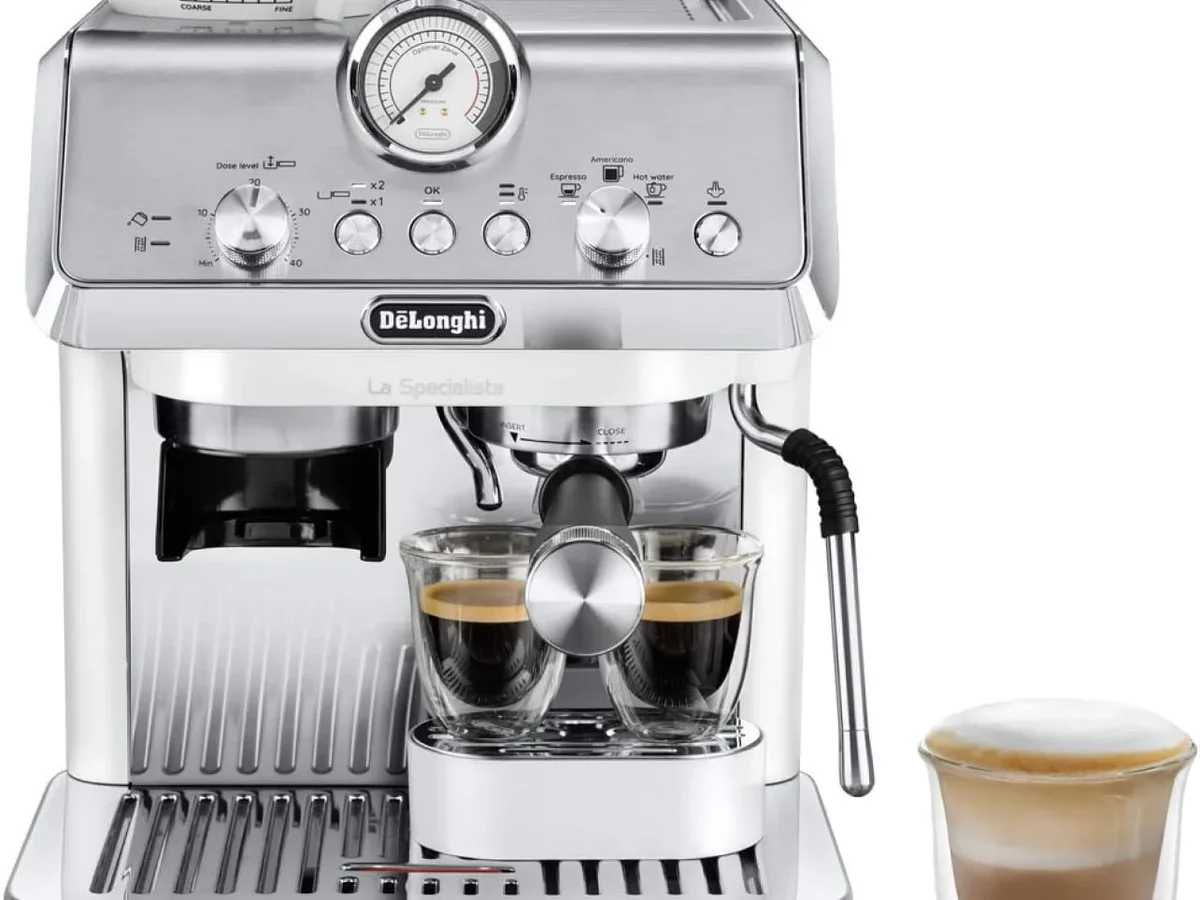
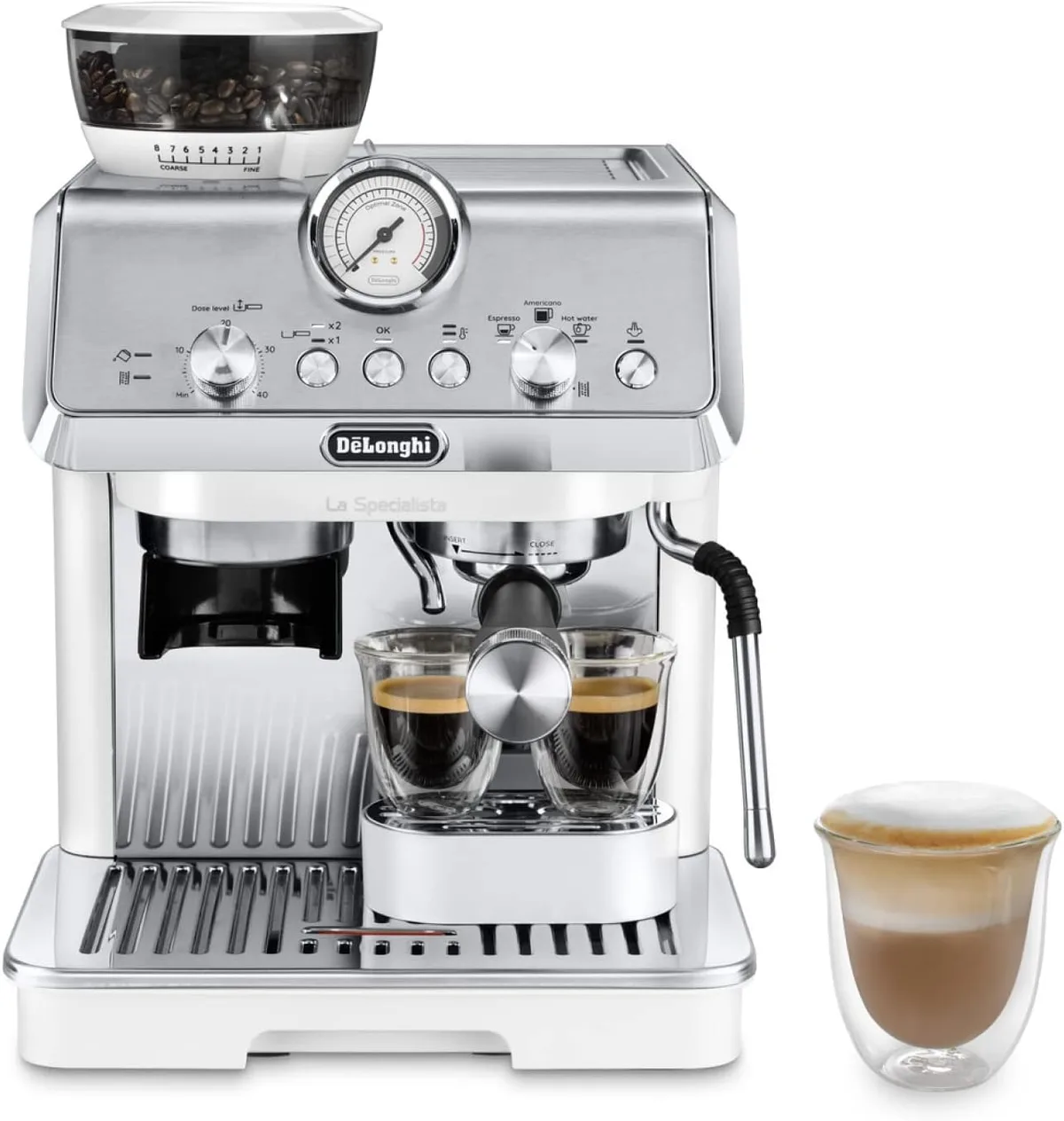
Image source: Bing (Web (fair-use with source credit))
Your De'Longhi La Specialista is flashing lights at you, refusing to steam, or dying mid-pull. You're not alone, and it's probably not broken. De'Longhi La Specialista troubleshooting mostly comes down to understanding what the warning systems are telling you.
The machine packs a 15-bar pump, a built-in burr grinder, and a steam wand into one countertop unit. That means three separate systems that all need to work together. When one trips a safety, the whole machine looks dead.
But in our research across user forums and repair logs, most reported issues are simple to fix at home. Let's run through them one by one.
Quick Answer
Most De'Longhi La Specialista problems come from three sources. The water tank is not fully seated. The pump has an airlock.
Or the machine needs a descaling cycle to finish. Check the tank first. Then do the steam re-prime procedure.
Then run a full descaling cycle. This fixes most error lights and weak steam.
Your Machine Is Trying to Tell You Something
The La Specialista talks to you in light patterns. No screen. No error codes written out.
But the patterns are consistent.
A solid red triangle means the machine needs descaling. A flashing red triangle means the water tank is empty or not seated. A green light plus a red triangle means the bean hopper is empty.
All lights flashing rapidly means an internal error code that a power cycle will usually clear.
Think of it like your car's check-engine light. The light is not the problem. It is the symptom.
Learn what each pattern means, and you can skip the repair shop.
The machine is a set of interdependent systems. The pump needs water. The boiler needs the pump.
The steam wand needs the boiler. If the tank is empty, the boiler overheats, and the thermal switch trips. What looks like a cascade of failure starts with a single hole.
Check that first. Remove the tank, reseat it until you hear the click. Then test.
The Quick-Check Flowchart
Before you dig into any single symptom, run this checklist. It fixes about seventy percent of reported issues.
Step 1. Check the water tank. Pull it out and push it back in until it clicks. If the machine starts, you found the issue.
Step 2. Fill the tank completely. A low tank lets the pump swallow air. That air becomes an airlock.
Step 3. Unplug the machine for ten minutes. This clears internal error codes. Turn the dial, not just the power.
Wait the full ten minutes.
Step 4. Try the steam re-prime. Turn the steam dial to full open. Do not press any buttons.
Let the pump run for thirty seconds. You will hear the sound change from struggling to steady flow.
Step 5. Run a cleaning cycle. Use the rubber disc that came with the machine. This clears coffee residue from the valve assembly.
Run those in order. If the machine still acts up, move to the specific symptom.
Steam Wand Won't Steam or Sputters
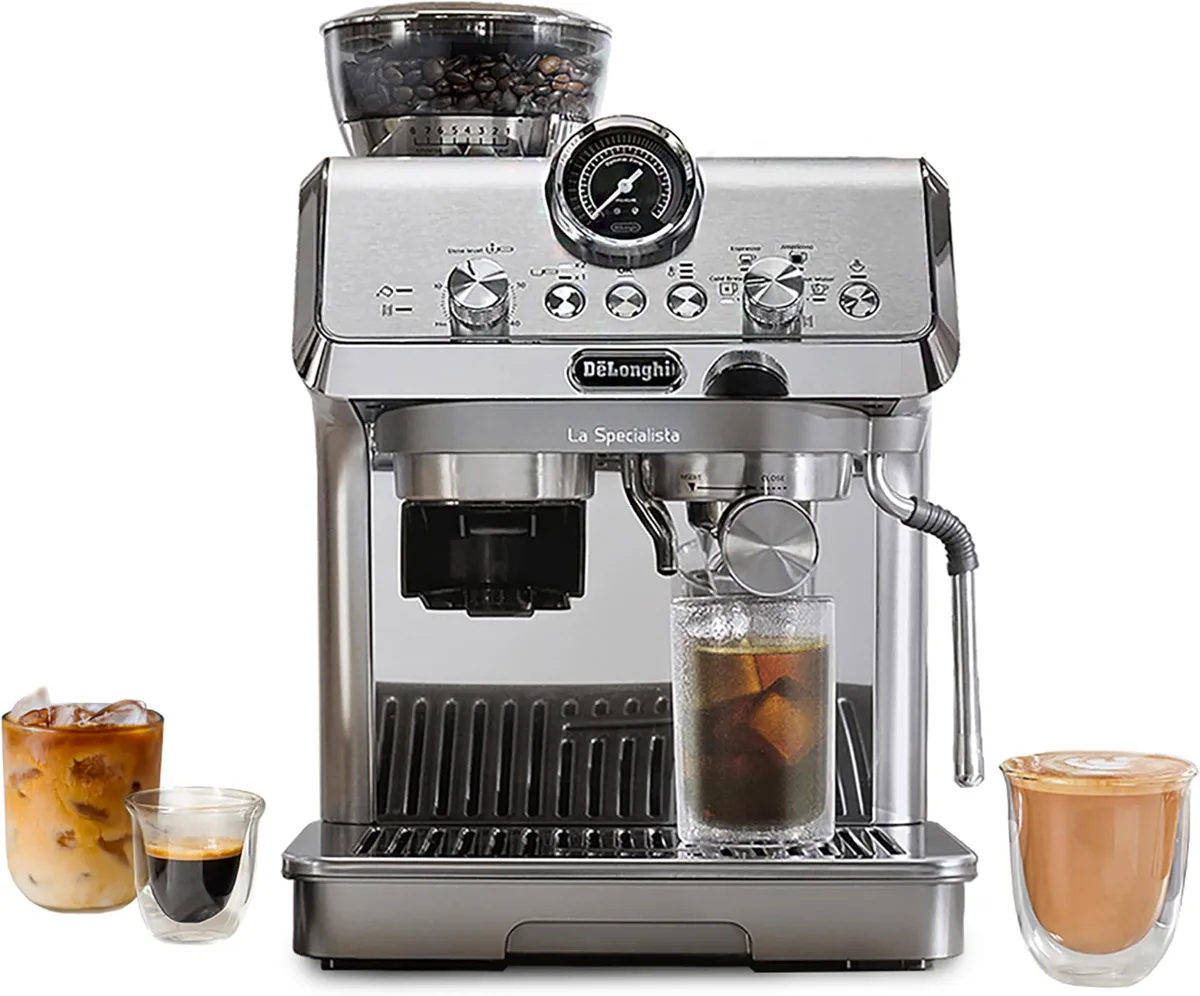
Image source: Bing (Web (fair-use with source credit))
This is the number one complaint. Nine times out ten, it's air in the steam circuit or a clogged tip.
How to tell an airlock from a clog
Airlock: No steam at all. The pump runs, you hear it, but the wand is dead silent.
Clog: Weak or sputtering steam. The wand gets hot but can't produce enough pressure.
Thermostat failure: The machine makes you and the wand heats up but no steam flow for a long time. This presents a different fix.
The re-prime method
Fill the tank to the max line. Turn the machine to steam mode. Open the dial fully.
Let the pump run for thirty seconds.
During this time, the pump pushes a small amount of water through the air. After ten seconds of open dial, last the wand run for five seconds. Good.
Another to the get it primed and prime. Finally, open the steam dial and let it run. The pump re-primes quickly.
Removed of the steam wand tip
Still no steam? Take the tip off. It unscrew with the small tool that came with the machine.
Soak the tip in white vinegar for twenty minutes. Use a paperclip to clear the small hole at the tip sort of it. Then clear the small holes on the side.
These collect milk protein.
Rinse thoroughly. Screw it back on. Test again.
If still weak, the clog is deeper in the line.
When run a descaling cycle
If the tip is clean and the steam is still just running, sediment and scale in the steam boiler. Run a full descaling cycle per the manual. The solution pushes through the steam liner and breaks up the buildup.
Grinder Jammed or Making a Horrible Noise
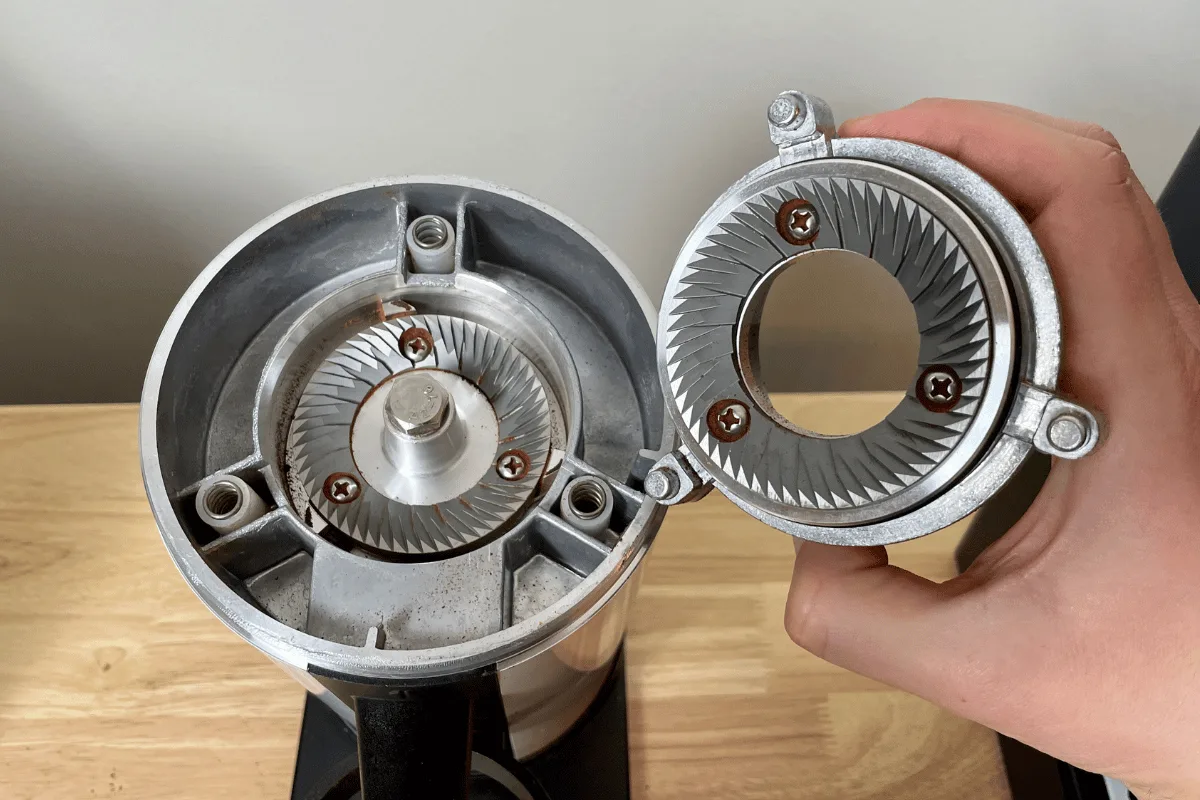
Image source: Bing (Web (fair-use with source credit))
Grind stop immediately
If the grinder makes a chewing sound or stops at all, power the machine off. Do not hit the button again. Forcing is the easiest way to shred the motor coupling or burn out the motor.
The coffee bean likely cause
Oily beans. Dark roasts produce visible oil on the bean surfaces. The oils bind with coffee and build a thick paste inside the burr path. The paste jams the rotation.
Wet beans. If you store beans in the fridge or freezer, condensation forms when you open the bag. Wet beans turn to mud inside the grinder.
How to fix it for life. Use medium roast beans. No visible oil on the surface. Store beans at room temperature in the warehouse.
If you run a dark roast, fill the hopper half full and grind in short.
How to clear a jam
Remove the bean hopper. Use a coin or the included tool to twist and unlock it. Vacuum the grinder chamber now.
A small vacuum attachment works fine.
Use the brush from the box to wipe the burrs. Check for foreign objects, small stones or food pieces. That happens.
If the jam is stuck, remove the upper burr. Turn it counterclockwise to lift it out. Now you can clean both burrs by hand.
Reassemble and test with a small amount to dry beans.
Check your grind adjustment
If jams keep coming, the grind setting might be too fine. "My Latte" control on the side sets the distance between burrs. A fine setting means the coffee grounds pack tighter.
They can also pack inside the grinder.
Turn the dial coarse, one or two numbers. Run some beans to clear the old grounds. Then fine tune the order backwards until you get the right point.
Shot Runs Too Fast, Too Slow, or Tastes Sour
Start with the grind size
Most people that the My Latte dial works exactly right. It does not. Think of it is a reference that needs adjustment for the beans.
Set the dial to a standard setting, say three or four for medium roast. Pull a shot. If the water runs through in under ten seconds, grind finer.
If it drips slowly or stalls, grind coarser.
The target is a 25-to-30-second pull for a double shot including a three-second pre-infusion. Use the least for consistency.
The tamp problem
The integrated tamper is slow but can be uneven. The grinder leaves coffee at a mound in the portafilter. The built-in tamper pushes that the center, but the edges stay loose.
That creates channeling.
Fix: After the dose, tap the side of the portafilter a few times. This levels the coffee. Then tamp.
The press is more even now.
Also check the dose. The La Specialista basket holds fourteen to eighteen grams of ground espresso. Underdosing and overdosing both affect flow.
Do a scale check once.
The clog filter basket
Oil accumulates in the small holes at the bottom of the portafilter basket. This happens slowly over weeks. You won't see it.
Check: Hold the basket up to the light. If you see dark spots where the holes are, that's oil.
Fix: Soak the basket in pure Cafiza or a similar passive cleaner for thirty minutes. Scrub with a stiff brush. Rinse.
If you clean the basket weekly, the problem goes away.
Temperature back-to-back
Running back to back shots makes the machine run hot. The next shot will push through too fast. Wait thirty seconds between shots to let the temperature stabilize.
Water Battery or Dying Mid-Pull
Check seat
The water tank has a small valve at the bottom. If the tank is not fully pressed in, the machine will stop. To fix it, unseat and reseat.
Descaling lockout
If the machine starts but does nothing, you might get locked in the middle of a descaling cycle. The machine refuses any use until it completes the process.
Run the descaling cycle all the way or the rinse. The machine will come back to life.
Thermal safety switch
If the machine cuts mid-pull, the thermal switches trip. You need to wait thirty minutes. Unplug and let the internal fan cool.
That is a hard reset.
Pump loses the dropdown
If the pump runs but no water comes out, it has lost its prime. This happens when the water tank is empty during the pull.
Fix: Turn the steam dial fully open. Let the pump run for thirty seconds. You will hear the sound change from a struggling whine to a smooth flow.
This pushes the air out of the line.
Lights Flashing and Error Codes Decoded
| Light pattern | means | Action |
|---|---|---|
| Red triangle solid | Needs descaling | Run the cycle |
| Red triangle flashing | Water tank | Reseat or fill |
| Green + red triangle | Bean hopper empty | Press grind |
| All flashes rapidly | Internal error | Unplug 10 min |
| Steam light blinks | Steam boiler | Run clean cycle |
If the rapid flash continues after unplugging, there may be a circuit board issue. That needs a warranty call or a service.
The Maintenance Schedule That Prevents Most Problems
Most La Specialista issues are maintenance catching up with you.
Use the cleaning disc. The machine came with a rubber disc for backflushing. Use cleaning powder once per month. The cleaning clears oil and coffee residue from the brewing valve.
Descale every two to three months. De'Longhi's testing recommends a descaling schedule based on use and water hardness. If you use hard water, you might need to clean monthly.
Wipe the steam wand now. Let's after each use. Run the steam again for two seconds. Then wipe.
Milk residue sets hard and causes steam jams.
Remove the filter sieve from the water tank. Each month, check the base of the tank. There is a small metal screen. It catches mineral fragments.
Rinse it. Otherwise the pump starts straining.
When to Fix It Yourself vs. Call a Pro
It can be: The quick-check list. Steam re-prime. Descaling.
Burr cleaning.
Needs pro: The pump runs, but no water ever comes out after re-prime. That is a pump failure. Avoid the same here.
Needs pro: Water leaks from the base. O-rings or internal pipe. A blown seal.
Needs pro: The machine gives you a shock. Electrical error. Stop use.
Warranty equals free support. De'Longhi has a support line. Use it.
Frequently Asked Questions
Why is my espresso watery even on the finest grind setting?
You have a case of coarse grind. The bag of coffee is not fresh. Old coffee creates less resistance.
Try using the fresher roast. Or buy a bag of fresh specialty beans. If that is not the problem, the coffee in the basket is too fine and the machine ran around the filter.
Can I use vinegar to descale?
No. De'Longhi specifically warns against using pure vinegar. The steam tubing in the La Specialista the internal seals with gaskets.
Use use De'Longhi descaler or a proper lemon acid-based solution.
How do I block the machine after an error?
Unplug for ten minutes while the thermal switch resets. Plug back in. This clears the majority of error codes.
Why does the steam stop after ten seconds?
That is a temperature safety. The machine heats only to protect the prototype.
Is it normal for the machine to click or make a thumping noise?
A quiet click is normal. The pump and the solenoid valves are everyday sounds. A loud or repeating thumping sound means it's pulling air.
Refill the tank. Run the purge steam test.