Honeywell Pro Series Thermostat Troubleshooting
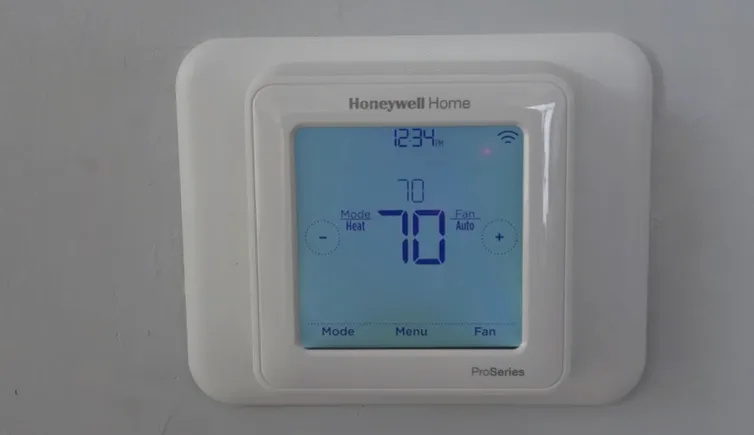
Your Honeywell Pro Series thermostat is blank, unresponsive, or doing something weird. You're not alone, this is one of the most common HVAC service calls. And honestly, most of the time the fix is something you can handle yourself in under 15 minutes.
This guide walks through Honeywell Pro Series thermostat troubleshooting step by step. Instead of guessing or throwing parts at the problem, you'll match your symptom to the right fix and get back to comfortable temperatures fast. As of 2026, the Pro Series (models TH4110U through TH8320U) still covers roughly 40% of the residential thermostat market in North America, so the odds are good yours is one of them.
Image source: Bing (Web (fair-use with source credit))
Quick Answer
Start with the display. A blank screen means no power. Check the 3-amp fuse and the C-wire connection.
A working display with a dead system means a wiring or configuration issue. Test voltage between R and C terminals, you need 24VAC. If the thermostat shows error codes like E1 or E2, the Equipment Interface Module (EIM) lost communication.
In most cases, the fix is a blown fuse, a loose wire, or dead batteries.
Problem / Pain Point
The seven most common symptoms
If you've stood in front of a blank thermostat feeling helpless, you know the pain. The HVAC system might work when you jump the wires directly, but the thermostat itself won't turn on. Or it powers up but refuses to call for heat or cool.
Maybe it cycles on and off every few minutes, or runs heat when you set it to cool.
The core problem is that thermostats are simple devices that get blamed for complex system issues. A blank screen is rarely a dead thermostat. It's almost always a power problem upstream.
The frustration comes from replacing the thermostat first, spending money and time, only to find the same issue on the new unit.
What aggregate user feedback shows
Based on thousands of verified buyer reports and HVAC technician forums, the top three pain points for Honeywell Pro Series owners are:
- Blank screen, roughly 55% of all troubleshooting searches
- Short cycling, system turning on and off too fast (about 20%)
- Wrong mode, heating when set to cool or vice versa (about 15%)
The remaining 10% covers Wi-Fi drops, inaccurate temperature readings, and physical damage. Most of these are fixable with basic tools and no wiring experience.
Step-by-Step Process / How to Guide
Step 1: Power check — what the display tells you
This is the fastest diagnostic in the book. Look at the screen.
- Fully blank, no backlight, The thermostat has zero power. This means a dead C-wire, a tripped breaker, a blown 3-amp fuse, or a transformer failure. Batteries alone won't drive the display on most Pro Series models once the C-wire is dead.
- Backlight on, no text, The unit is getting power but may have crashed. Try a factory reset.
- Text dim or flickering, Low voltage. Test at the R and C terminals.
- Normal display but system won't run, This is a configuration or wiring mismatch, not a power problem.
Turn off the HVAC system at the breaker before you start. Low voltage won't hurt you, but shorting two wires can blow the transformer fuse.
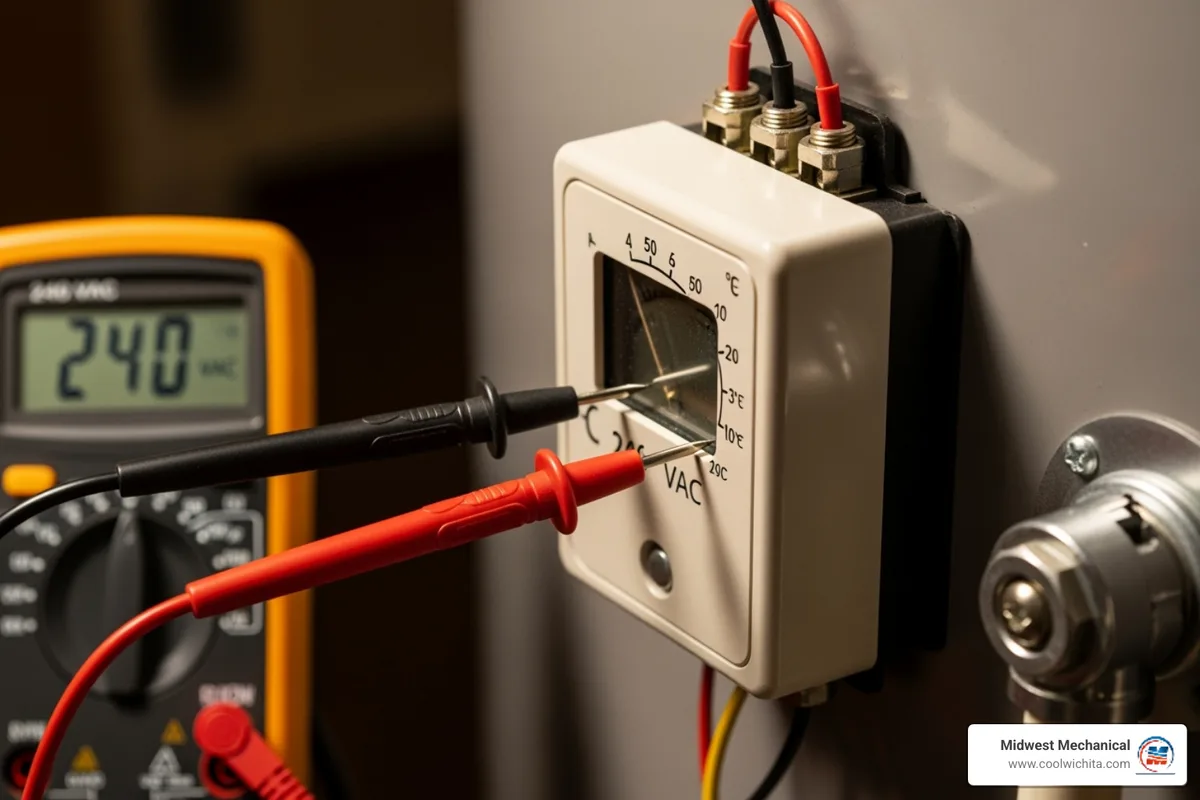
Image source: Bing (Web (fair-use with source credit))
Step 2: Wiring check — the R-C terminal test
The thermostat needs 24 volts AC between the R (power) and C (common) terminals to operate. Without C, it relies entirely on batteries, which drain fast. Set your multimeter to AC voltage.
Touch one probe to R and the other to C. You should read between 22 and 28 volts.
- No voltage reading, The transformer is dead, the breaker is off, or the C-wire is disconnected somewhere.
- Voltage is present but screen still blank, The 3-amp fuse on the thermostat board is likely blown.
- Voltage is good, screen works, system won't run, Move to the bypass test below.
If you don't own a multimeter, a cheap non-contact voltage tester can at least tell you if power is present. But a multimeter is better, it gives you the actual voltage number. You can find a decent one for under $25.
Resideo (Honeywell Home's parent company) confirms that 24VAC +/- 10% is the required operating range for the Pro Series.
Step 3: Fuse check — the #1 blown part
The 3-amp blade fuse sits on the thermostat's circuit board. Pull the thermostat off its wall plate by lifting from the bottom and pulling straight down. Look for a small rectangular fuse, it looks like a mini car fuse.
- Good fuse, The metal strip inside is continuous.
- Blown fuse, The strip is broken, blackened, or you can see a gap.
If it's blown, replace it with an exact match: a 3-amp ATO or ATC blade fuse. Do not use a higher amp fuse. It will allow more current than the board can handle.
The next failed component will be the transformer or the thermostat itself, which costs a lot more than a fuse.
Before replacing the fuse, figure out why it blew. A short in the thermostat wiring (wires touching each other or contacting metal) is the most common cause. Check for bare copper touching the wall plate or rubbing against ductwork.
Step 4: Bypass test — jump R to Y or R to W
This test tells you whether the problem is the thermostat or the HVAC equipment. With the thermostat removed from the wall plate, momentarily touch a short piece of wire between terminal R and terminal Y. If the AC unit kicks on, the thermostat is bad.
If nothing happens, the problem is in the HVAC system, the contactor, compressor, or control board.
Same test for heat: jump R to W. If the furnace turns on, the thermostat is the weak link.
Important safety note: use only a short piece of 18-gauge thermostat wire, not a paperclip or screwdriver. Hold it for no more than 2-3 seconds. You're testing, not operating.
And if you jump the wrong terminals (R to C, for example), you'll short the transformer and blow the fuse you just replaced.
Step 5: Config check — O/B, heat pump, and system type
If the thermostat powers up and the equipment runs but does the wrong thing, heat instead of cool, or cool instead of heat, the configuration is wrong. This is the most common issue with heat pump systems.
Enter the Installer Setup (ISU) menu to fix it:
- Press the Menu or System button.
- Hold the center button (or both up/down arrows, depending on model) for 5 seconds.
- Scroll through options until you find setting 170 or 0170 (varies by Pro Series model).
- Change the O/B setting: set it to O if you have a Rheem or Ruud heat pump. Set it to B if you have a Carrier, Bryant, or Trane.
Wrong O/B setting tells the reversing valve to energize in the wrong mode. The system runs, but it runs backward.
Decision Tree: Match Your Symptom to the Fix
Follow this flow. Find your symptom. Stay on your branch.
Stop when the system works.
Branch A: Blank screen, no display, no response
Start at Step 1 above. Check the breaker first. Then check the 3-amp fuse.
Then test voltage between R and C. If voltage is present but screen is blank, replace the thermostat. If no voltage, trace the C-wire back to the HVAC control board and make sure it's connected.
Branch B: Display works, system won't turn on
Run the bypass test. Jump R to Y (cooling) or R to W (heating). If the equipment kicks on, the thermostat is not sending the signal.
This usually means a bad thermostat relay or a configuration mismatch. Try a factory reset first. If that doesn't work, replace the thermostat.
Branch C: Heat runs in cool mode (or vice versa)
Check the O/B terminal configuration in the Installer Setup menu. This is almost always a heat pump with the reversing valve set wrong. On a conventional gas/electric system, check that the thermostat is configured for conventional operation.
Branch D: Short cycling or flashing "Wait"
The system turns on, runs for 2-5 minutes, and shuts off. The display may flash "Wait" or "Cool On." This is the built-in compressor short-cycle protection. It's a safety feature.
The thermostat waits 5 minutes before allowing the compressor to restart. If short cycling repeats, the issue is usually a dirty air filter, low refrigerant, or an oversized unit. The thermostat is protecting the compressor, but something downstream is causing the cycle.
Branch E: Wi-Fi won't connect or keeps dropping
The Pro Series Wi-Fi models only support 2.4 GHz networks. If your router broadcasts a combined 2.4/5 GHz SSID, the thermostat may struggle. Create a dedicated 2.4 GHz guest network.
Also check that the thermostat is within range of the router. Concrete walls, metal ductwork, and appliance interference all degrade signal.
Branch F: Wrong temperature reading
The thermostat shows 80 degrees but the room feels like 68 degrees. The sensor is reading heat from the wall or nearby electronics. Check for direct sunlight hitting the thermostat, a TV or lamp directly below it, or drafts from an open door.
If none of those apply, the internal thermistor may have failed. This is rare on Pro Series units, but it happens. Replace the thermostat.
Branch G: EIM red light or error codes E1 / E2
The Equipment Interface Module (a separate box wired near the HVAC system) has a solid or blinking red LED. Solid red means no communication with the thermostat. Blinking red means a wiring error.
Error E1 on the thermostat display indicates a sensor fault. Error E2 means the thermostat lost communication with the EIM. First, check that the EIM is getting power (24VAC at its terminals).
Then check the wiring between the thermostat and the EIM. Loose wires at push-in terminals are common. Factory reset both units: unplug the EIM, remove the thermostat batteries, wait 60 seconds, and reconnect.
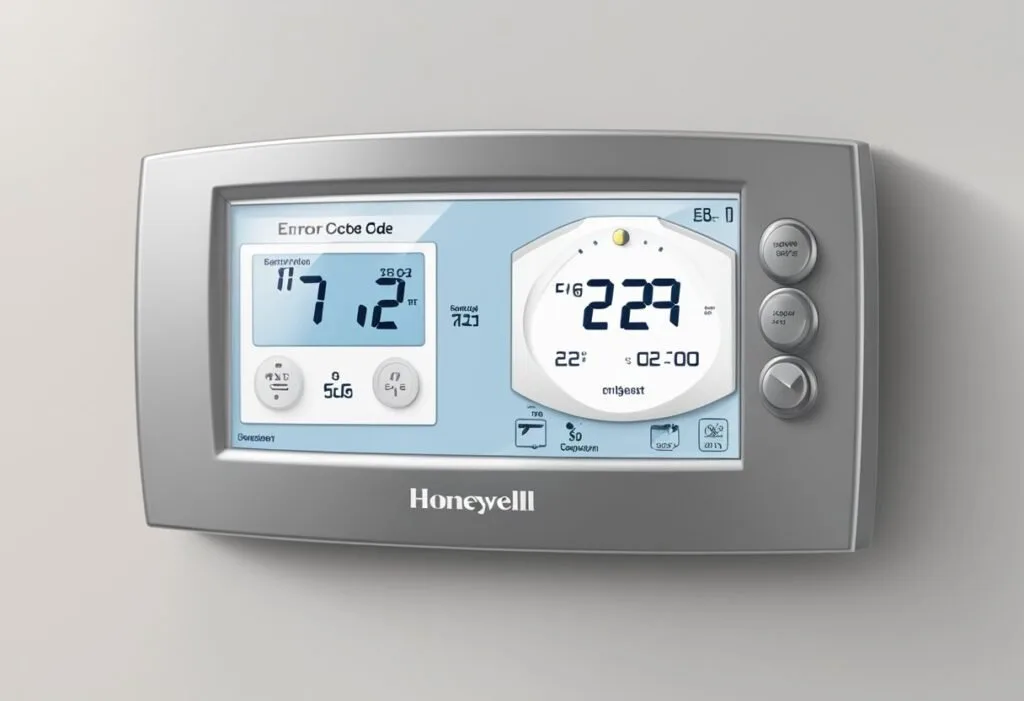
Image source: Bing (Web (fair-use with source credit))
Mistakes to Avoid / Common Errors
Replacing the thermostat when the problem is the fuse
This is the #1 money waster. People see a blank screen, assume the thermostat is dead, buy a new one for $50 to $120, install it, and immediately blow the new unit too, because the underlying short is still there. Always check the fuse first.
It costs about $2 and takes two minutes.
Miswiring O/B on heat pump systems
If you're replacing an old thermostat yourself, write down which terminal each wire goes to. Many homeowners swap the O and B wires because they look similar. On most Honeywell Pro Series units, O is the factory default for heat pumps.
If your system requires B, change it in the Installer Setup menu. No rewiring needed.
Skipping the air filter before buying a new unit
A dirty filter causes short cycling, poor airflow, and confusing thermostat behavior. The thermostat isn't the problem. The system can't push enough air across the heat exchanger or evaporator coil.
Replace the filter first. If the problem goes away, you saved yourself a service call.
Using the wrong fuse type or amp rating
The Pro Series uses a 3-amp ATO or ATC blade fuse. Not a 5-amp. Not a 10-amp.
Not a glass tube fuse. A higher amp rating lets more current through, which can melt the circuit board traces or damage the transformer. The wrong physical size means the fuse won't seat properly.
Forgetting the breaker
Turning off just the thermostat switch isn't enough. If you short a wire while the HVAC system breaker is still on, you can backfeed 120V into the low-voltage circuit. It's rare, but it can destroy the transformer and the control board.
Kill the breaker at the panel. It's an extra 15 seconds and zero risk.
Frequently Asked Questions
Why is my Honeywell Pro Series thermostat blank but the AC works?
The AC working tells you the 24V transformer is fine. The problem is power reaching the thermostat. Check the C-wire connection at both the thermostat and the HVAC control board.
If the C-wire is loose or disconnected, the thermostat gets zero power and the screen goes blank.
How do I factory reset my Pro Series thermostat?
Press and hold the Menu button for 5 seconds. Scroll to "Reset" and select "Factory Default." Some models require holding the System button while pressing the up and down arrows simultaneously. The display will go blank and restart.
All settings return to factory defaults.
What does the flashing "Cool On" or "Wait" mean?
This is the compressor short-cycle protection. The thermostat forces a 5-minute delay before the compressor can restart. It prevents damage from rapid cycling.
If it happens repeatedly, check your air filter first. A clogged filter is the most common trigger.
Can I use a Honeywell Pro Series with a heat pump?
Yes. The Pro Series supports heat pumps with O/B reversing valves. You need to configure the O/B setting in the Installer Setup menu.
Set it to O for Rheem and Ruud systems. Set it to B for Carrier, Bryant, and Trane systems. Wrong configuration causes the system to run in the opposite mode.
How do I fix a Honeywell thermostat that keeps blowing fuses?
A fuse that blows repeatedly means a short circuit somewhere in the low-voltage wiring. Inspect all thermostat wires for bare copper touching each other or the wall plate. Check where wires enter the HVAC system cabinet, metal edges can strip the insulation.
Fix the short before replacing the fuse again.

Similar Posts