How to Change Shutter Speed on DSLR Camera
Learning how to change shutter speed on a DSLR camera is the fastest way to stop treating your camera like a point-and-shoot. It gives you control over motion blur and sharpness. But the dials and menus are laid out differently on every brand.
In our research across official user manuals for 2025 and 2026 models, the most common beginner frustration is simply finding the right control. Entry-level cameras often hide the shutter speed behind a menu button. Pro bodies put a dedicated dial front and center.
We will clear that up right now.
Quick Answer
Turn the mode dial to M or S/Tv. Find the main command dial near your thumb or index finger. Rotate it to change the shutter speed value.
Check the viewfinder or LCD screen for the number. That is the whole process.
Step-by-Step: How to Change Shutter Speed on Your DSLR
The exact motion depends on your camera brand. But the logic is the same across every DSLR sold as of 2026. Here is how to do it in three steps.
Step 1: Set the Mode Dial
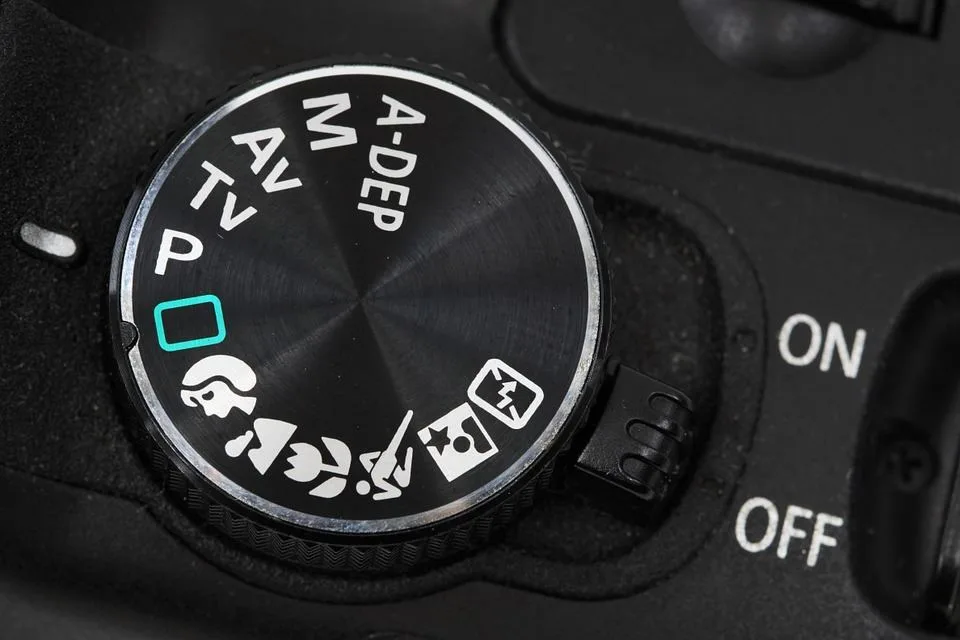
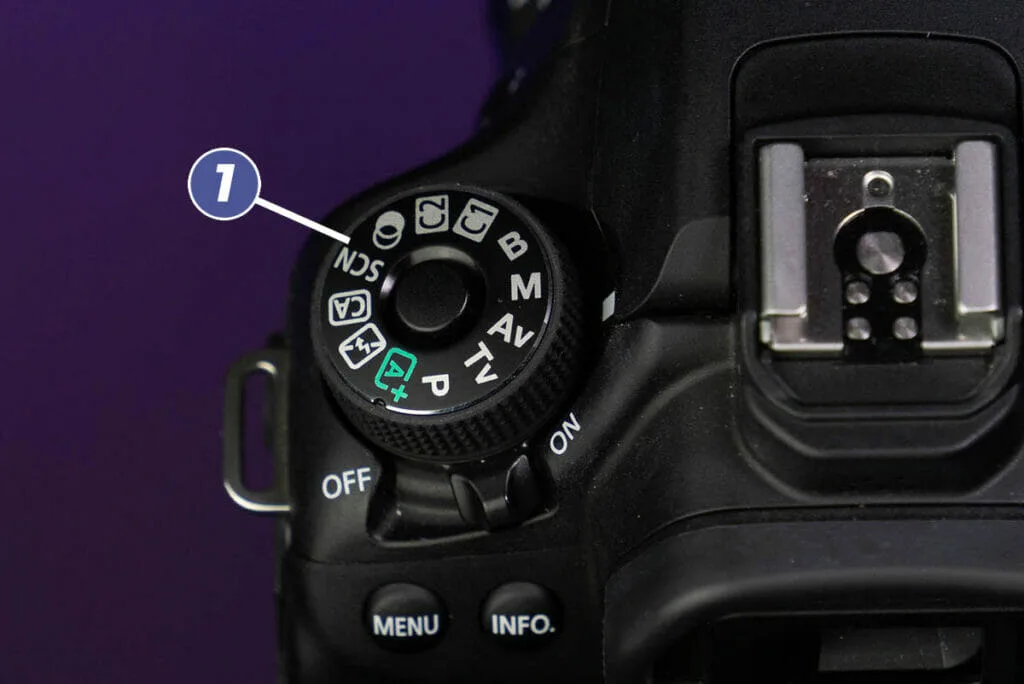
You cannot change shutter speed in Full Auto or Scene modes. Those modes lock the control. Turn the mode dial to one of these:
- M (Manual), you control everything.
- S (Shutter Priority) on Nikon or Tv (Time Value) on Canon, you set the shutter speed, the camera picks the aperture.
- P (Program), allows a program shift but is less direct.
If you are learning, start with S or Tv. The camera handles the rest while you focus on the dial. This approach works well whether you are shooting fast action or a static scene.
For capturing moving subjects, consider a body built for fast burst shooting to pair with your shutter control.
Step 2: Find the Shutter Speed Dial
Locate the primary command dial. On most Canon and Nikon DSLRs, it is the dial near the shutter button or the one on the back right of the camera. On Pentax and Fujifilm models, there is often a dedicated dial on the top plate with printed numbers.
Check your camera manual to confirm which dial controls shutter speed in your selected mode. For more details on specific body types, explore options designed for landscape photography that include intuitive top-plate controls.
Step 3: Rotate and Verify
Rotate the dial one click at a time. Watch the number in the viewfinder or on the LCD screen change. Slower numbers like 1/30 let in more light.
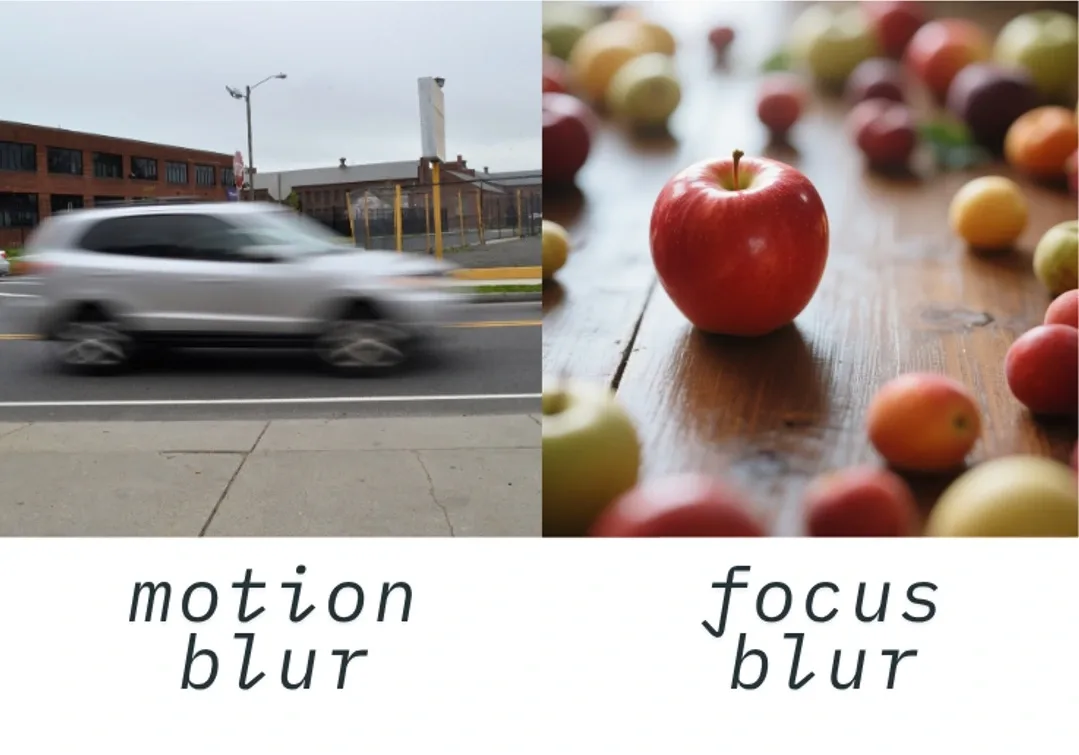
Faster numbers like 1/1000 freeze motion. Half-press the shutter button to activate the exposure meter. Adjust until the meter reads zero for a correct exposure.
If you frequently shoot in dim conditions, a body that performs well in low light will make this step easier.
Common Mistakes That Mess Up Your Shutter Speed
Even after you know how to turn the dial, a few traps trip up beginners. Avoid these three.
Mistake 1: Staying in Full Auto
You cannot adjust shutter speed if the mode dial says Auto, Portrait, or Landscape. The camera ignores your dial. Switch to M, S, or Tv before you start turning.
Mistake 2: Ignoring the Reciprocal Rule
A rule of thumb in photography: your shutter speed should be at least 1 over your focal length. For a 50mm lens, that means 1/50s or faster. Go slower, and you risk camera shake.
This is especially critical when you are shooting at night without a tripod.
Mistake 3: Forgetting the Flash Sync Speed
If you use an external flash, you cannot exceed the camera's flash sync speed. This is usually 1/200s or 1/250s. Go faster, and part of the frame will be black.
Check your camera's manual for the exact number. For wildlife shooters who rely on fast shutter speeds, a body built for birds in flight will have a higher sync speed option.
Frequently Asked Questions
Why can't I change the shutter speed on my DSLR?
You are likely in a Scene or Auto mode. Switch to M (Manual) or S/Tv (Shutter Priority). Those are the only modes that give you direct control over the shutter.
What shutter speed should I use for portraits?
For a sharp portrait without a tripod, use at least 1/125s. For outdoor portraits, 1/250s works well. For indoor portraits with natural light, you may need to open the aperture or raise the ISO.
How do I set a slow shutter speed for light trails?
Turn the mode dial to M or S/Tv. Rotate the command dial until the number reads 1 second or 2 seconds. Mount the camera on a tripod.
Use a remote shutter release or the self-timer to avoid camera shake.
What is bulb mode and when do I use it?
Bulb mode keeps the shutter open as long as you hold the button. Use it for exposures longer than 30 seconds, such as astrophotography or fireworks. Set it by scrolling past 30 seconds on the shutter speed dial until you see BULB or B.
For more on bodies that handle these scenarios, check out a DSLR built for landscapes that supports extended bulb mode.
Take Control: Your Next Step
Stop letting the camera decide for you. Spend 15 minutes practicing with your DSLR today. Set the mode dial to S or Tv.
Point the camera at a moving subject. Cycle through speeds from 1/30s to 1/1000s. Look at the difference.
That hands-on feel is what turns a beginner into a photographer. For official guidance on exposure settings, refer to resources from Canon USA or your camera manufacturer's support site.

Similar Posts