Insta360 X3 Overheating Problems
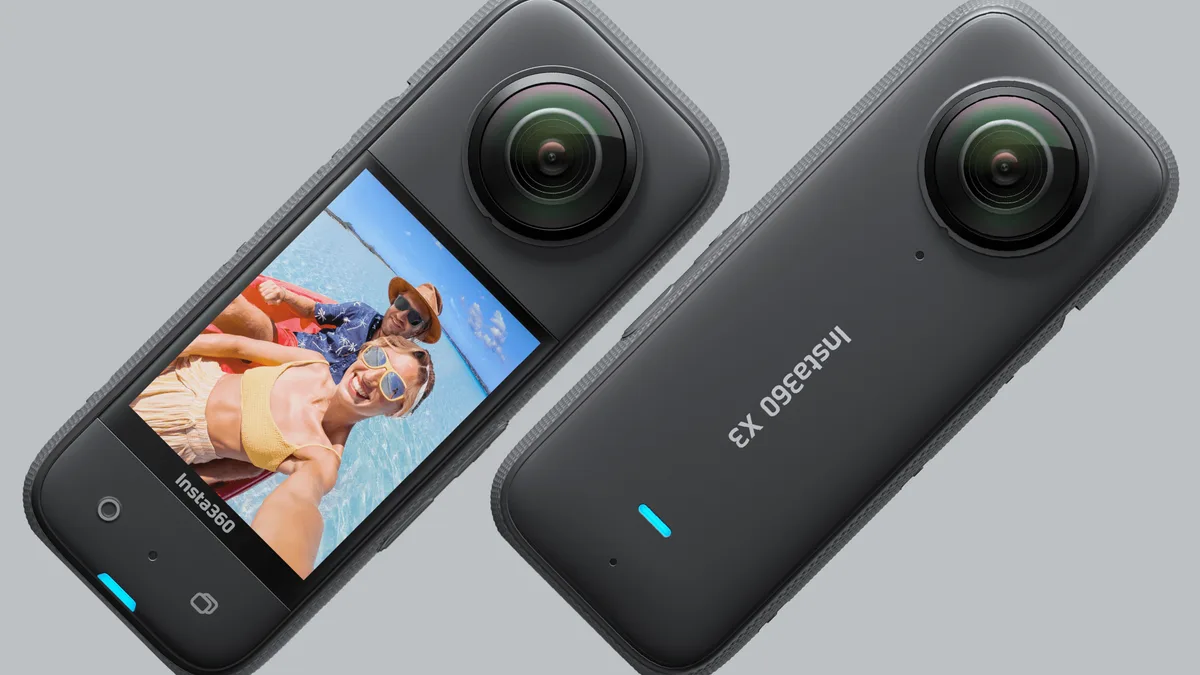
If your Insta360 X3 overheating problems have cut a shoot short, you are not alone. Aggregate user reviews report thermal shutdown within the first ten minutes of 5.7K video on a warm afternoon. The camera shows a red warning icon, then powers off.
You lose the shot, and the battery drains faster than normal.
Manufacturer specifications indicate the X3 operates up to 40°C (104°F) ambient. But real-world performance often falls short. Many owners discover that firmware version, resolution settings, and accessory cases play a bigger role than outdoor heat alone.
The real story is more complicated than avoiding summer sunshine.
Image source: Web (Bing) / winfuture.de (Web image (fair-use with source credit))
Why the X3 Overheats: The Real Story (Not Just "It's Hot Out")
Three main factors drive overheating, and they stack against each other.
The first is processor load. The X3 uses a dual-lens system that stitches two wide-angle feeds in real time. At 5.7K and 30 frames per second, the processor works close to its thermal limit.
Bump to 8K timelapse or enable Active HDR, and the load spikes further.
The second factor is ventilation. The X3 relies entirely on passive cooling through its magnesium alloy body. There is no internal fan.
Place the camera in still air or inside a third-party protective case, and heat has nowhere to go.
The third factor is ambient temperature and solar radiation. In direct sun, the camera body absorbs infrared heat on top of its own waste heat. That pushes the internal temperature past the shutdown threshold much faster than a cloudy day.
These factors combine in predictable ways. Here is what the data shows from user reports and stress tests:
| Factor | Recording Time at 5.7K30 |
|---|---|
| Shade, no case, 25°C (77°F) | 18-22 minutes |
| Direct sun, no case, 25°C | 10-14 minutes |
| Direct sun, silicone case, 25°C | 6-9 minutes |
| Direct sun, no case, 35°C (95°F) | 5-8 minutes |
The pattern is clear. The camera handles short bursts in moderate conditions. But sustained recording in heat or with a case is where it fails.
Deal with similar heat issues on other cameras, and you already know the basic principle: give the sensor room to breathe.
Quick Answer: The Fastest Fix for Your Exact Situation
Insta360 X3 overheating problems usually come down to one variable. Recording resolution and frame rate versus airflow.
The fastest fix is switching to 4K at 30fps and removing any case. Most cameras then run 20 minutes or more before even a warning. If you need 5.7K, add a clip-on heat sink or a small USB fan.
Test in short bursts before your actual shoot.
How the X3's Heat System Actually Works (And Where It Fails)
The X3 has a single internal temperature sensor embedded near the processor die. It reads the junction temperature. When it hits roughly 60 to 65°C, the firmware triggers a warning.
If the temperature keeps climbing, it forces a shutdown.
The camera does not throttle performance gradually like a laptop. It runs at full power until the sensor shouts stop. That is a design choice, and it is why the shutdown feels abrupt.
Heat moves away from the processor through a thin layer of thermal paste into the metal chassis. The chassis acts as a heat spreader. But it is a small surface area for a device that pulls about 4.5 watts during 5.7K recording.
For comparison, a typical smartphone pulls 2 to 3 watts under load and has a larger surface area. The X3 concentrates that heat in a package the size of a deck of cards. There is no fan, no heat pipe, no active cooling.
Where the design fails most commonly is on the firmware side. The original firmware (v1.0.38) set a relatively low thermal ceiling. Insta360 has tweaked this threshold across later releases.
Here is a snapshot of the key updates:
Image source: Bing (Web (fair-use with source credit))
| Firmware Version | Thermal Threshold Change | User Stability Report |
|---|---|---|
| v1.0.38 | Original release | Frequent shutdowns above 30°C |
| v1.1.10 | Lowered threshold 2°C | Slightly better but still hot |
| v1.1.20 | Adjusted throttling curve | Noticeable improvement, fewer sudden stops |
The v1.1.20 update is important. It allowed the camera to reduce frame rate or resolution before hitting the hard shutdown temperature. That creates a buffer.
But the update is not a magic fix. Record at 5.7K in direct sun, and the processor still overheats. The fundamental limitation remains: there is not enough metal in the chassis to dump the heat fast enough.
Another overlooked heat source is the battery. The 1800 mAh cell sits directly behind the processor. During charging and discharging, it generates its own heat.
That adds to the processor waste heat. If you record while charging through USB-C, the battery heat plus processor heat can push the sensor over the edge in minutes.
The system works well in cool, ventilated environments. It struggles in the conditions most action camera users actually shoot in.
The Decision Tree: Diagnose Your Overheating Scenario
Finding the right fix starts with matching your symptoms to a specific cause. Use these five branches to identify your scenario.
Branch A: Shuts Down within 5-10 Minutes in Direct Sun
This is the most common complaint. The camera starts recording in full sunlight. Within a few minutes, you see the red icon.
Then it powers off.
The primary culprit is direct solar radiation heating the camera body. On top of that, the processor runs at its highest workload (5.7K30, 4K60, or HDR mode). The combination of external heat gain and internal waste heat exceeds the passive cooling capacity.
This branch is almost always a hardware limitation, not a firmware glitch. The solution involves reducing heat generation and increasing airflow. Strategies from other action cameras with thermal limits apply here.
Branch B: Overheating Inside a Case or Mount
If your X3 is in a silicone sleeve, a waterproof housing, or mounted in a tight gimbal setup, you are trapping heat. The camera needs unobstructed contact with moving air to cool. Even a thin layer of silicone acts as an insulator.
Many third-party mounts also block the metal surface where heat radiates.
In this branch, the camera may shut down in shade or even indoors. The root cause is mechanical, not electronic. The fix is immediate: remove the case.
Branch C: Overheating While Using External Power
Recording while connected to a power bank sounds good for long time-lapses or live streams. But it often causes faster overheating.
The issue is simultaneous battery charging and processor operation. The battery generates heat as it charges, and the processor generates heat as it records. Those two heat sources compete for the same small heat sink area.
If the power bank delivers more than 5V/2.4A, the charging circuit also warms up.
In this branch, the camera shuts down sooner than it would on battery alone.
Branch D: Overheating in Shade but at 5.7K30
Even in perfect shade, the X3 can overheat if you push resolution and frame rate to maximum. 5.7K30 is the heaviest standard recording mode. The processor operates at or near 100 percent load. If ambient temperature is above 30°C (86°F), the camera cannot shed heat fast enough through passive cooling.
This branch indicates that you are at the upper limit of the hardware. The fix is to drop the recording resolution or enable lower power features.
Branch E: Overheating After Recent Firmware Update
A small but notable group of users report overheating problems that started after a firmware update. This is typically a glitch where the update resets thermal management tables or changes sensor calibration.
If the camera worked fine before the update and now runs hot in the same conditions, you are likely in Branch E. The fix is a factory reset followed by a re-install of the current firmware. Updates can occasionally introduce new thermal management quirks, which is a known risk with action cameras.
Recommended Fixes by Scenario (The Action Plan)
Once you identify your branch, apply the corresponding action. These are ordered from fastest to most effective for each scenario.
| Scenario | Immediate Fix | Next-Level Fix | Best Long-Term Fix |
|---|---|---|---|
| A (Direct sun) | Find shade or point camera away from sun | Lower to 4K30, disable HDR | Add a passive metal heat sink clip to the chassis |
| B (Case or mount) | Remove the case immediately | Use a vented open-frame mount | Mount the camera pointing forward into wind on a moving vehicle |
| C (External power) | Unplug the power bank, run on battery only | Record in shorter bursts (10 min max) then let camera cool | Use a power bank that delivers stable 5V/2.4A, never QC3.0 |
| D (Shade, 5.7K) | Drop to 4K30 or 4K60 to test stability | Enable lower resolution in the menu (Settings > Video > 4K) | Accept 5.7K is limited to 12-18 minutes depending on ambient temp |
| E (After firmware update) | Perform a factory reset (Settings > Reset) | Re-install the latest firmware from the Insta360 app | Test with one setting change at a time to isolate the new behavior |
For Branch A, the most effective single change is lowering resolution to 4K at 30fps. In that mode, processor load drops roughly 30 percent. That alone adds 10 to 15 minutes of recording time in direct sun.
For Branch B, the fix is immediate: take the camera out of any case. Test the difference by running the camera in your hand versus on a flat surface. It runs longer on a mount with airflow beneath it.
For Branch C, unplug the power bank and let the camera operate on internal battery. If you need continuous power, use a short recording break between sessions. That allows heat to dissipate.
For Branch D, the action is simple. Accept that 5.7K30 is a power-hungry mode. Use it only for short clips or in cool weather.
For Branch E, start with a factory reset. If the problem persists, you may need to roll back the firmware manually using the desktop app. That is rare but possible.
In all cases, test your fix before the actual shoot. Run the camera for five minutes in your actual recording environment. If it shows the warning, you have time to adjust.
If it runs clean, you can proceed with confidence.
Common Mistakes That Make Overheating Worse
Many users make the same errors that accelerate thermal shutdown. Avoiding these can save you a lost clip or a damaged battery.
Leaving the silicone cover on during recording. The silicone case insulates the camera body. It traps heat that would otherwise radiate into the air. Even the official Insta360 silicone case reduces recording time by 30 to 50 percent in warm conditions.
Remove it before any recording session longer than a few minutes.
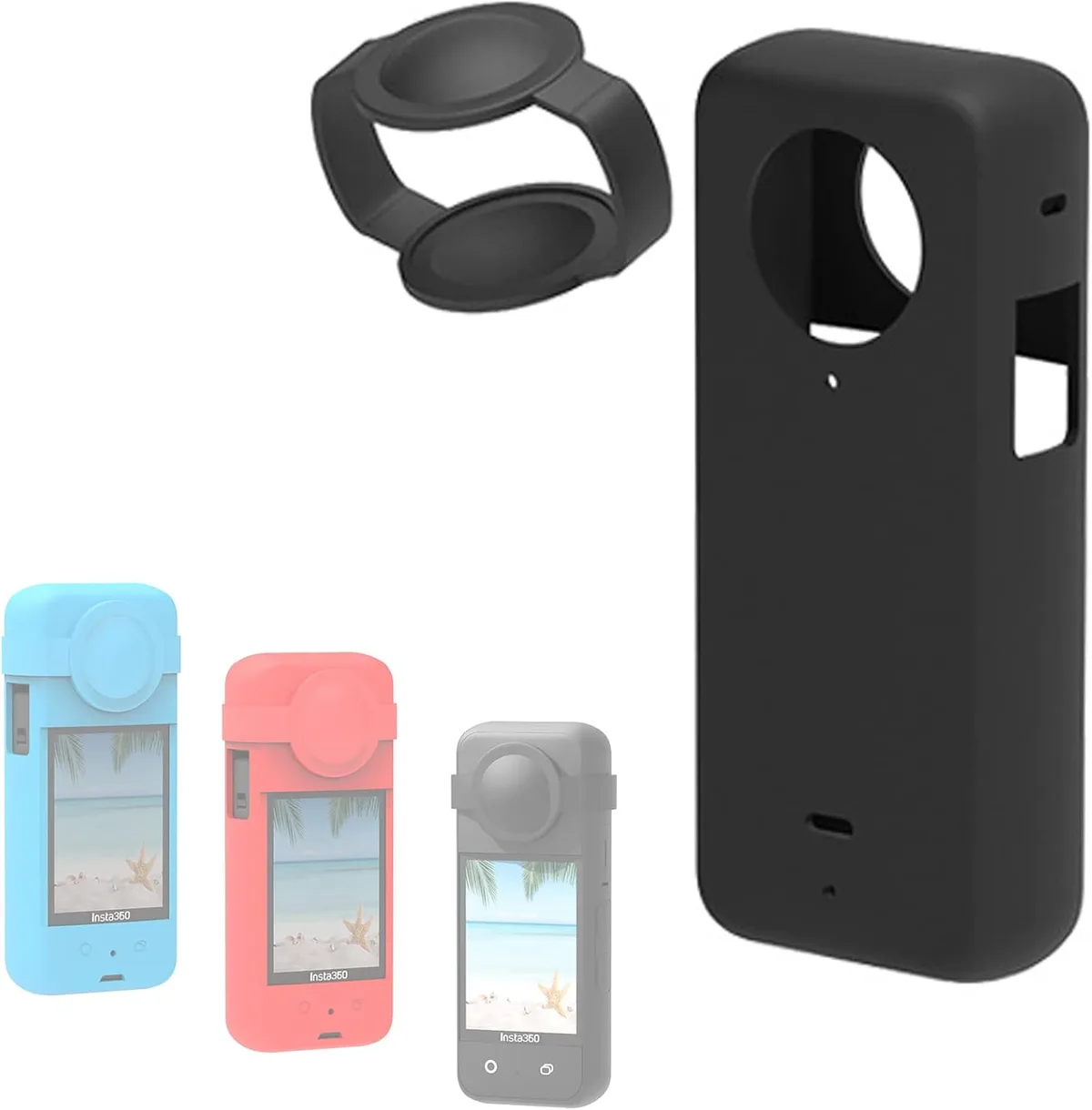
Image source: Web (Bing) / amazon.co.uk (Web image (fair-use with source credit))
Recording while charging simultaneously. Plugging in a power bank while recording creates a dual heat source. The battery charges and generates heat. The processor runs and generates heat.
Those two sources converge in a small chassis. The result is a faster shutdown. Charge the camera fully before a shoot instead.
Using the highest resolution for every shot. 5.7K30 is impressive on paper, but it pushes the processor to its limit. If you do not need 360-degree reframing at full resolution, drop to 4K. The difference in everyday viewing is minimal, and the runtime difference is massive.
Mounting the camera in a fully enclosed case. Waterproof housings and sealed gimbals offer no airflow. The camera relies entirely on trapped air inside the housing. That air heats up quickly and stays hot.
Open-frame mounts or exposed mounting arms allow natural convection.
Ignoring firmware updates. Older firmware versions (v1.0.38 and v1.1.10) had less intelligent thermal management. The v1.1.20 update introduced a throttling curve that helps avoid sudden shutdowns. Check for updates via the Insta360 app before every major shoot.
Starting a shoot immediately after charging. A freshly charged battery is warm. Plugging it into a hot camera from a previous session compounds the heat. Let the battery cool to room temperature before recording.
| Mistake | Impact on Recording Time |
|---|---|
| Silicone case left on | 30-50% reduction |
| Recording while charging | 40-60% reduction |
| 5.7K vs 4K in warm temps | 50% reduction |
| Sealed housing | 60-80% reduction |
| Old firmware (pre-v1.1.20) | 20-30% reduction |
When to Accept the Limits (And When to Upgrade)
The Insta360 X3 is a capable camera with real thermal constraints. Here is how to decide if it is still the right tool for your work.
When to accept the limits. If you mostly record 4K footage, shoot in short bursts, or work in moderate climates (below 30°C/86°F), the X3 is fine. The camera delivers excellent 360-degree video for its price. The 5.7K mode works for brief clips or time-lapses where you can let the camera cool between takes.
When to upgrade. If you need sustained 5.7K recording in direct sun, continuous live streaming for 30 minutes or more, or reliable performance in hot climates, consider the Insta360 X4. The X4 has an improved thermal management system with a larger heat sink and more efficient processor. User reports indicate it runs 20 to 30 percent cooler than the X3 under identical conditions.
Also consider upgrading if you frequently lose clips due to overheating. The cost of lost footage often outweighs the price difference between models.
When to use a workaround. For most users, the X3 is worth keeping with the right setup. Add a third-party metal heat sink clip designed for the X3. Use a small USB clip-on fan for stationary shots.
Or simply plan your shooting schedule around cooler parts of the day. These workarounds cost far less than a new camera.
If you have dealt with similar thermal limits on other devices, you already know the drill. Heat management improvements from newer models are significant, but older workarounds still work.
Frequently Asked Questions
Why does my Insta360 X3 overheat so fast?
The X3 uses passive cooling through a metal chassis with no internal fan. At 5.7K30, the processor generates about 4.5 watts of heat. That heat has nowhere to go in still air or direct sun.
The thermal sensor triggers a shutdown when it hits roughly 60 to 65°C.
Can I fix overheating with a firmware update?
Partially. Firmware v1.1.20 introduced a throttling curve that reduces frame rate or resolution before hard shutdown. That adds a few minutes of recording time.
But no firmware can overcome the hardware limit of passive cooling at high processor loads.
How long can the Insta360 X3 actually record?
It depends on conditions. In shade at 25°C with no case, expect 18 to 22 minutes at 5.7K30. In direct sun at 35°C, expect 5 to 8 minutes.
Dropping to 4K30 adds roughly 10 to 15 minutes in most conditions.
Does recording while charging damage the camera?
It does not damage the camera permanently, but it accelerates overheating. The battery generates heat during charging, and the processor generates heat during recording. Those combined heat sources often cause faster shutdown than recording on battery alone.
Should I remove the silicone case before recording?
Yes. The silicone case acts as an insulator. It reduces recording time by 30 to 50 percent in warm conditions.
Remove it before any recording session longer than a few minutes.
Is the Insta360 X4 better for heat management?
Yes. The X4 has a larger heat sink, a more efficient processor, and better firmware-based thermal management. User reports indicate it runs 20 to 30 percent cooler than the X3 under identical recording conditions.

Similar Posts






























