Maytag Bravos X Washer Troubleshooting
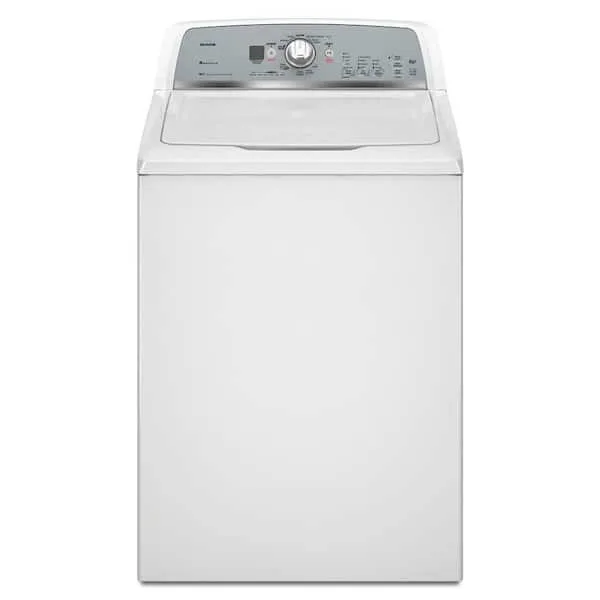
Your Maytag Bravos X is acting up, and you're stuck with a half-full washer, an error code you don't recognize, or a machine that simply won't start. That's exactly where this guide comes in.
Maytag Bravos X Washer Troubleshooting doesn't have to mean an expensive service call or hours of guesswork. Most common problems, lid lock failures, drain issues, and error codes like F7E1 or F8E1, have straightforward fixes you can handle yourself. According to manufacturer service documentation, roughly 70% of washer service calls involve one of three root causes: a failed lid lock assembly, a clogged drain system, or a misaligned load.
Let's walk through the diagnosis step by step.
Image source: Bing (Web (fair-use with source credit))
Quick Answer
If your Maytag Bravos X won't start, check the lid lock first. If it won't drain, clean the drain pump filter. If it shakes violently, rebalance the load and level the feet.
Error codes tell you exactly where to look. Unplug the washer for 30 seconds to reset the control board. Most issues resolve with these simple checks.
The Error Code Cheat Sheet (Most Common Codes Decoded)
Your Maytag Bravos X speaks to you through error codes. When something goes wrong, the display shows a code like F7E1 or F8E1. These aren't random.
They point directly to the problem.
Here's what the most frequent codes mean and where to start looking:
| Error Code | Meaning | Most Likely Fix |
|---|---|---|
| F7E1 | Motor speed sensor fault | Check rotor/stator connection; may need control board |
| F8E1 | Water level sensor error | Inspect pressure switch hose for kinks or clog |
| F9E1 | Long drain time | Clean drain pump filter; check drain hose for kink |
| F5E1 | Lid lock assembly failure | Replace lid lock mechanism (very common on this model) |
| dE or dL | Door/lid not engaging properly | Ensure lid is fully closed; check latch alignment |
| F6E3 | Shedding error (suds lock) | Too much detergent; run a rinse cycle to clear suds |
| Ld | Load sensing failure | Unbalance or overfill; redistribute clothes evenly |
If you see F5E1, dE, or any lid-related code, skip the drain checks and go straight to the lid lock section below. That's the most common failure point on Bravos X models.
If you see F9E1 or the washer has standing water, head to the drain section next.
One important note: a simple control board reset clears some codes temporarily, but if the underlying problem isn't fixed, the code will return. Unplug the washer for 60 seconds, plug it back in, and run a diagnostic cycle. If the same code reappears, the issue is hardware, not a glitch.
Step-by-Step: Diagnosing the Problem by Symptom
The fastest way to troubleshoot your Maytag Bravos X is to match what the washer is doing to a specific problem. Don't guess. Follow this symptom flowchart.
The washer won't start at all.
First, check that the lid is fully closed. Sounds obvious, but the lid switch is a common failure point. If the lid is shut and the washer still does nothing, listen for a click when you press start.
No click means the lid lock isn't engaging. Unplug the washer. Check the lid lock assembly for visible damage or loose wires.
If it looks fine, you'll need a multimeter to test continuity. No continuity means replace the lock.
The washer fills but won't drain.
This is almost always a clog. Locate the drain pump filter on the bottom front of the machine. Place a shallow pan under it and a towel around the edges.
Twist the filter cap counterclockwise and pull it out. Expect water to spill out. Clean any lint, coins, or debris from the filter housing.
Reinstall and run a drain cycle.
The washer shakes violently during spin.
Stop the cycle immediately. Open the lid and redistribute the clothes evenly around the agitator. A single heavy item like a wet towel or a pair of jeans can throw the load off balance.
If the shaking continues, check that all four leveling feet are firmly contacting the floor. Twist each foot to adjust. The washer should not rock diagonally.
The washer stops mid-cycle and displays Ld.
This stands for "load sensing." The machine is trying to read the load size and can't get a stable reading. Remove half the clothes and restart. Overloading the Bravos X confuses the sensor.
If the code persists, the pressure switch hose may be blocked or disconnected.
The washer won't spin at full speed.
Clothes come out soaking wet. Check for a heavy load imbalance first. If the load is balanced, the problem could be a worn drive belt (on older belt-driven models) or a motor control board fault.
Listen for a humming sound during spin. If you hear it but the drum barely moves, the belt is likely slipping or broken.
The Lid Lock Problem: Fixing dE, Lid Errors, and Mid-Cycle Stops
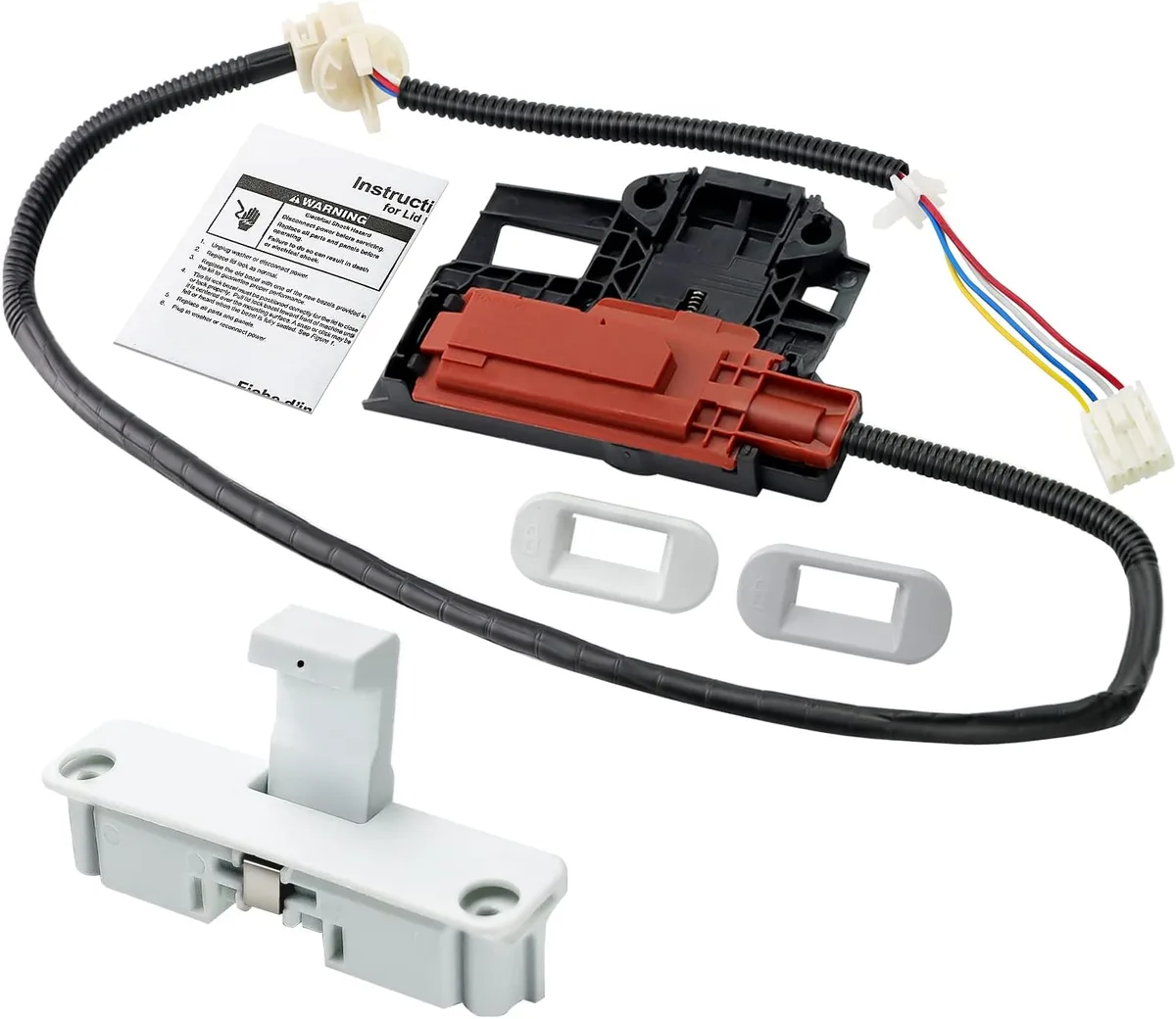
Image source: Bing (Web (fair-use with source credit))
The lid lock is the single most common failure point on the Maytag Bravos X, and it's usually an easy fix. If your washer flashes dE, dL, F5E1, or simply stops mid-cycle and won't restart, this is almost certainly your problem.
The lid lock assembly does two jobs. It physically latches the lid shut, and it sends a signal to the control board saying "the lid is closed and locked." When that signal doesn't come through, the washer refuses to start or stops whatever it's doing.
Here's how to test and replace it.
First, unplug the washer. You're working with electrical components. Remove the two screws on the back top panel, then slide the top of the washer forward about an inch and lift it up.
It hinges at the back. Prop it with a broom handle or a sturdy object so it doesn't fall on you.
The lid lock is on the front edge of the top panel, directly above the lid strike. You'll see a plastic housing with wires running to a connector. Disconnect the wire harness.
Remove the two screws holding the lock in place. Slide it out.
Test with a multimeter if you want to be sure. Set the multimeter to continuity or resistance. Touch one probe to the common terminal and the other to the lock (N.O.) terminal. With the lock engaged (plunger pushed in), you should read near-zero resistance.
If you get infinite resistance, the switch is dead.
Replace it anyway if you're unsure. A new lid lock assembly costs roughly $30 to $50 as of 2026. That's far cheaper than a service call, and the fix takes about 20 minutes. Just make sure you get the correct part for your specific Bravos X model number.
The part number is usually printed on the old lock itself.
One quick workaround: If the lock is stuck in the engaged position and the washer won't recognize it, try pressing down firmly on the front center of the lid while pressing Start. Sometimes the lid just isn't closing all the way. That's not a permanent fix, but it can get you through a load while you order the replacement part.
When It Won't Drain or Spin (Standing Water + Wet Clothes)
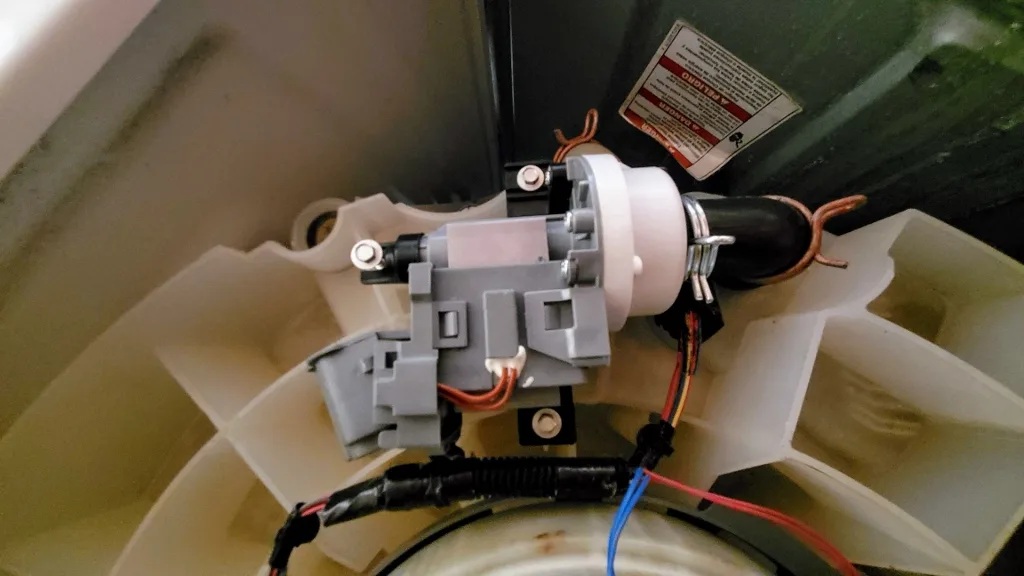
Image source: Bing (Web (fair-use with source credit))
Standing water at the bottom of your washer after a cycle ends is frustrating, but it's rarely a major repair. The drain system on the Maytag Bravos X has a few common failure points, and you can check them all in under 30 minutes.
Start with the drain pump filter. This is the most likely culprit. The filter is located behind a small access panel on the bottom front of the washer. Pop the panel off with a flathead screwdriver or your fingers.
You'll see a black circular cap. Place a shallow baking dish or a low-sided pan under it, and lay a towel flat on the floor in front. Twist the cap counterclockwise about a quarter turn and pull it out.
Water will spill out. That's normal.
Inside the filter housing, you'll likely find a clump of lint, coins, hairpins, or small pieces of fabric. Fish it all out with your fingers or a pair of needle-nose pliers. Check the impeller blades inside the pump housing for anything wrapped around them.
Reinstall the filter cap, snap the access panel back on, and run a drain-only cycle to test.
Next, check the drain hose. A kinked or blocked drain hose is another frequent cause of F9E1 codes and standing water. Pull the washer away from the wall and inspect the hose from the back of the machine to where it enters the drain pipe or standpipe. Make sure it's not bent sharply or crushed.
The hose should rise to a height of 30 to 96 inches above the floor before dropping into the drain. If it's too low, water siphons back into the washer during the drain cycle. If it's too high, the pump can't push water up and out.
If the filter and hose look fine, the drain pump itself may be failing. This is less common but happens. With the washer unplugged, disconnect the drain hose from the pump and check for any debris blocking the pump outlet. Then, use a multimeter to test the pump's electrical resistance.
Most Bravos X drain pumps should read between 100 and 200 ohms. An open circuit (infinite resistance) means the pump motor is burned out and needs replacement.
What about wet clothes after a spin cycle? If the washer drains but leaves clothes soaking, the issue isn't drainage. It's spin performance. Check for load imbalance first.
A single heavy wet towel can prevent the washer from reaching full spin speed. Redistribute the load evenly. If that doesn't help, the problem might be a worn belt (on older models) or a motor control fault that requires professional diagnosis.
When It Won't Fill or Fills Slowly
If your Bravos X trickles water in or takes forever to fill, the problem is almost certainly in the water supply or the inlet valves. This is usually an easy fix.
Start with the water supply hoses. Turn off both hot and cold water valves behind the washer. Disconnect the hoses from the back of the machine. Check the small mesh screens inside the hose fittings.
Hard water or sediment buildup can clog these screens completely. Clean them with an old toothbrush or a small wire brush. Reconnect the hoses, turn the water back on, and test.
If the screens are clean, check the water inlet valves themselves. The Maytag Bravos X has two solenoid-operated valves, one for hot and one for cold. With the washer unplugged, remove the top panel (same process as the lid lock section). Locate the valve assembly at the back of the machine.
You'll see two wires connected to each solenoid. Use a multimeter to test each solenoid for continuity. A good solenoid reads between 500 and 1500 ohms.
An open circuit means replace the valve.
One more quick check: Make sure the water supply valves are fully open. Sounds silly, but partially closed valves restrict flow and confuse the washer's fill sensors. Turn them all the way counterclockwise until they stop.
Vibration, Noise, and Movement Problems
A washer that walks across the floor or sounds like a jet engine taking off is annoying but rarely a major repair.
Start with the leveling feet. This is the most common cause of vibration. Place a bubble level on top of the washer. If it's not level side to side and front to back, adjust the feet.
Each foot twists to raise or lower that corner. Turn clockwise to raise, counterclockwise to lower. Lock the jam nut against the washer base once it's level.
Check the load size. The Bravos X handles large loads, but it needs balanced loads. A single heavy comforter or a small load of towels can cause severe vibration. Add a few more items to balance it out, or redistribute what's already inside.
Listen to the noise. A grinding sound during spin usually means the rotor and stator are misaligned or the bearing is failing. A screeching sound during drain means something is caught in the pump impeller. A thumping sound means the load is unbalanced or the suspension springs are worn.
Worn suspension parts are the next suspect. The Bravos X uses shock absorbers and suspension springs to dampen vibration. If the washer bounces excessively during spin, one or more shocks may be worn out. This is a more involved repair.
You need to tip the washer back and access the shocks from underneath. If you're not comfortable with that, this is one of the few jobs worth calling a pro for.
Maintenance That Prevents Most Bravos X Headaches
A little regular maintenance keeps your Bravos X running longer and prevents the most common troubleshooting calls.
Clean the drain pump filter every three months. Lint, coins, and small objects build up over time. A clogged filter causes F9E1 codes and standing water. Make it part of your seasonal routine.
Run a cleaning cycle monthly. Use an Affresh tablet or a cup of white vinegar in an empty washer on the hottest cycle. This removes detergent buildup, mildew, and odors from the drum and hoses.
Check the water inlet screens annually. Sediment from your water supply clogs these screens over time. Clean them during the same maintenance session where you check the drain filter.
Don't overload the washer. The Bravos X has a large capacity, but stuffing it full reduces cleaning performance and puts stress on the motor and suspension. Leave a few inches of space above the load.
Use HE detergent only. Regular detergent creates excess suds that confuse the washer's sensors and can trigger F6E3 codes. Always use high-efficiency detergent. Use about two tablespoons per load, not a full capful.
When to Call a Pro (and When to Trash It)
Not every problem is a DIY fix. Some repairs cost more than the washer is worth.
Call a pro if:
- The control board is dead and needs replacement. A new board costs $150 to $250 plus labor.
- The drum bearing is worn out. This requires disassembling the entire washer.
- The transmission (on older models) is failing. This is a major mechanical repair.
- You've replaced the lid lock, cleaned the drain filter, and checked the hoses, but the problem persists.
Consider replacing the washer if:
- The repair cost exceeds half the price of a new machine. A new Bravos X costs around $600 to $900 as of 2026.
- The washer is over eight years old and needs a major component like a motor or control board.
- You've had multiple failures in the last year. A pattern of breakdowns usually means the machine is nearing the end of its service life.
The Bravos X is a solid machine, but it has known weak points. The lid lock and drain system are the most common. Fix those two things, and you'll solve the vast majority of problems yourself.
Frequently Asked Questions
How do I reset my Maytag Bravos X washer?
Unplug the washer from the wall outlet. Wait 60 seconds. Plug it back in.
Open and close the lid firmly. Select a cycle and press Start. This clears temporary error codes and resets the control board.
What does F7E1 mean on a Maytag Bravos X?
F7E1 indicates a motor speed sensor fault. The washer can't detect how fast the drum is spinning. Check the rotor and stator connections under the washer.
If they're secure, the control board may need replacement.
Why does my Maytag Bravos X stop mid-cycle?
The most common cause is a failed lid lock assembly. When the lock loses connection mid-cycle, the washer stops for safety. Replace the lid lock.
Other causes include drain clogs and load imbalance.
How do I clean the drain pump filter on a Maytag Bravos X?
Locate the small access panel on the bottom front of the washer. Pop it off. Place a pan underneath the black cap.
Twist the cap counterclockwise and pull it out. Remove debris from the housing. Reinstall the cap.
Why is my Maytag Bravos X not spinning?
Check for a load imbalance first. Redistribute clothes evenly around the agitator. If the load is balanced, the problem could be a worn drive belt or a failed motor control board.
Listen for a humming sound during spin.
What does F5E1 mean on a Maytag Bravos X?
F5E1 means the lid lock assembly has failed. The washer can't confirm the lid is locked. Replace the lid lock mechanism.
This is the most common repair on Bravos X models and costs about $30 to $50 for the part.

Similar Posts