Nikon D5600 Not Charging
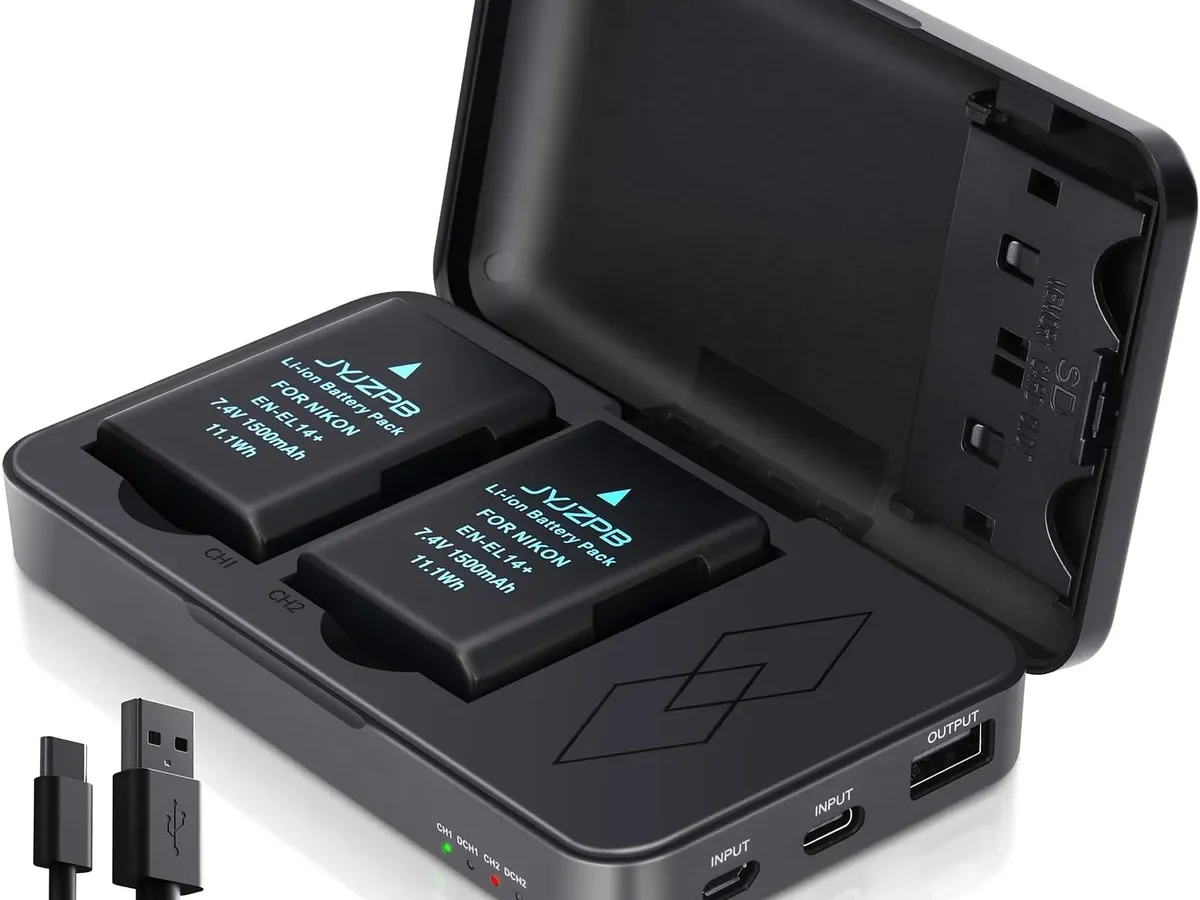
You plug in your Nikon D5600 battery charger, and nothing happens. Maybe the light stays off. Maybe it flashes green immediately.
Either way, your camera is dead and your shoot is on hold. If your Nikon D5600 not charging is the problem you are facing right now, take a breath.
The most common causes are things you can fix in under 10 minutes without any tools. Nikon's EN-EL14a battery is a 7.2V, 1230mAh lithium-ion pack. The MH-24 charger should show a red LED during charging and switch to green only when full.
If that sequence is not happening, roughly half a dozen likely causes exist. Let us walk through them one by one.
Quick Answer
Dirty contacts are the number one cause of a Nikon D5600 not charging. Check the battery terminals and charger prongs before anything else. A red LED on the charger means it is working.
A green light on a fully dead camera means the charger sees full voltage. That almost always points to a failed battery.
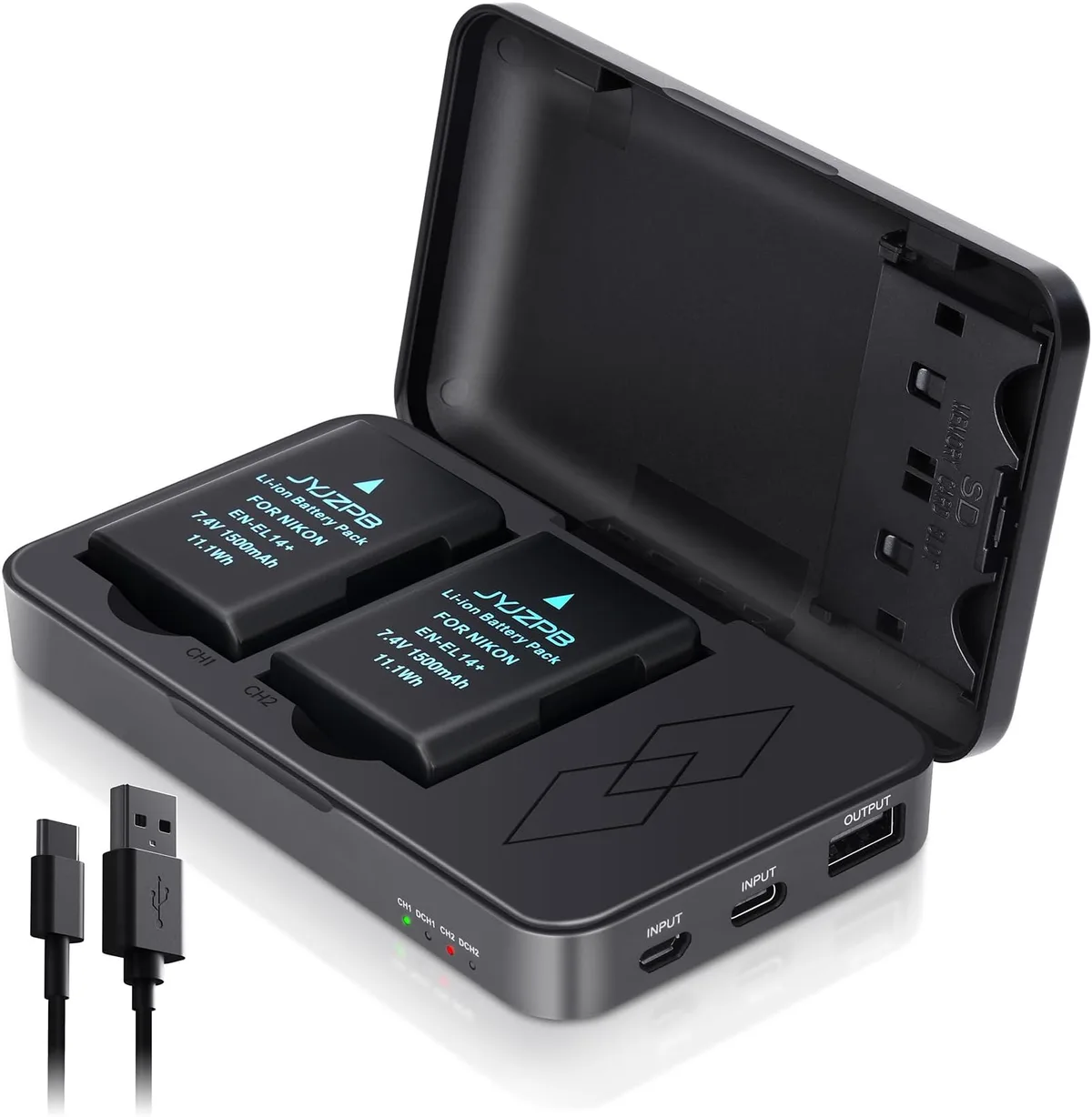
Image source: Web (Bing) / amazon.co.uk (Web image (fair-use with source credit))
How the D5600 Charging System Actually Works
The D5600 does not charge via USB. This is a common misunderstanding. The camera has no internal charging circuit.
You must remove the EN-EL14a battery and place it into the MH-24 charger that came in the box.
The charger's language
The MH-24 uses a simple two-LED system. A solid red light means the battery is charging. A solid green light means the battery is full.
If you plug in a completely dead battery and see green immediately, the charger thinks the battery is already at full voltage. That is almost always a battery problem.
What the camera itself tells you
When you put a charged battery into the D5600, the camera's own power system checks voltage. If the battery contacts are dirty or the internal pins are bent, the camera might show a low battery warning or refuse to turn on at all. The camera's top LCD and rear screen will show battery level only if the battery is making good contact.
Voltage numbers that matter
A healthy EN-EL14a battery measures about 8.4V when fully charged. The camera shuts down around 6.0V to protect the cells from deep discharge. If your battery reads below 6.0V with a multimeter, the internal protection circuit may have tripped.
In that case, the charger sees an open circuit and shows green because it detects no load.
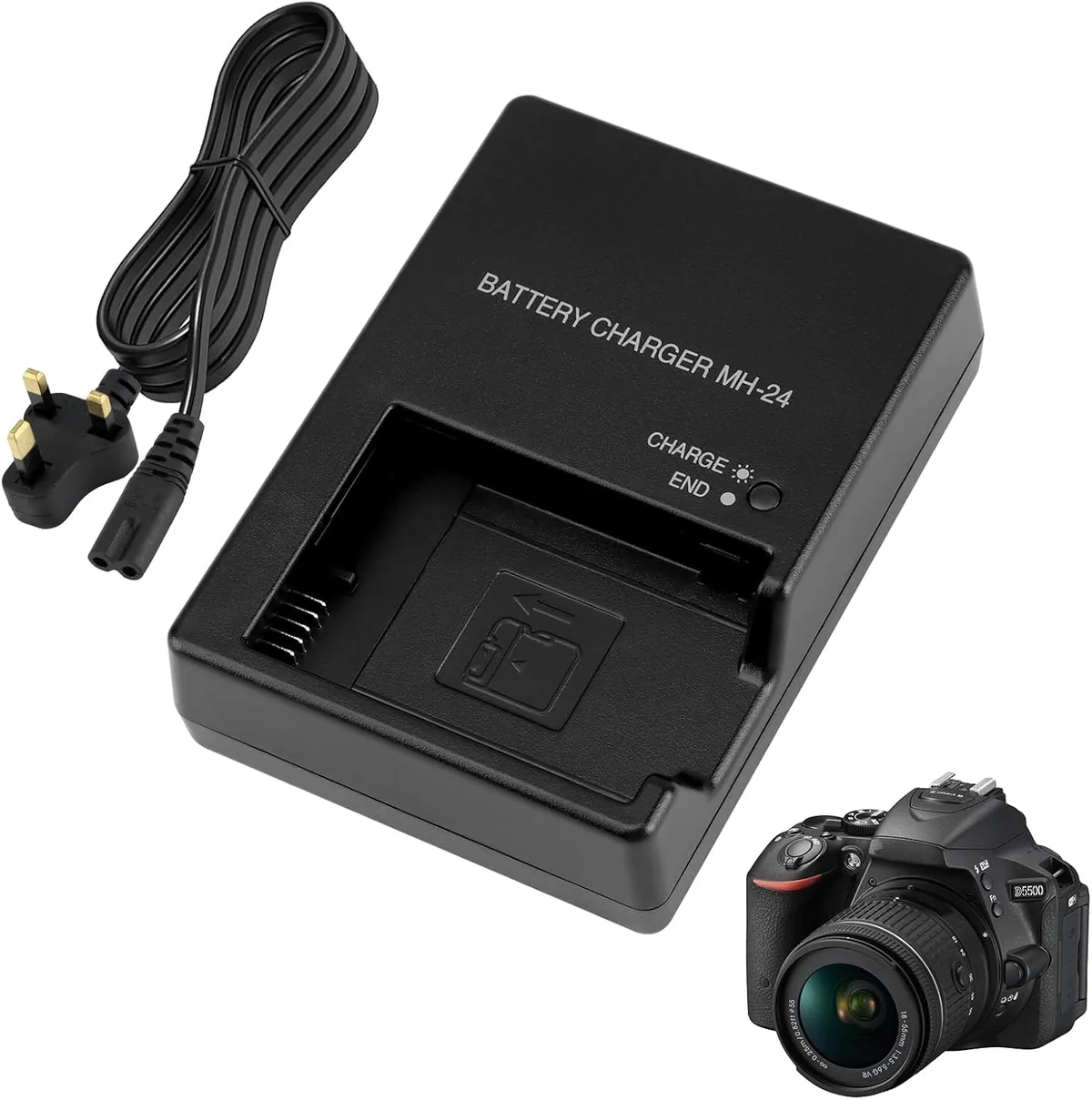
Image source: Web (Bing) / amazon.co.uk (Web image (fair-use with source credit))
The third-party universe
Aftermarket batteries from brands like Wasabi Power or Watson often work fine. But they sometimes have slightly different contact shapes or protection circuits. Manufacturer specifications indicate that third-party batteries can trip the MH-24 charger's safety logic if their internal voltage falls outside a narrow window.
Aggregate reviews report that switching back to the OEM battery resolves the issue in many cases.
The AC adapter alternative
If you own the optional EH-5b AC adapter with the EP-5A power connector, you can run the camera directly from a wall outlet. This bypasses the battery entirely. If the camera works fine with the AC adapter, the problem is definitely the battery or charger.
The Diagnostic Workflow: Step-by-Step Decision Tree
Here is a structured path to follow. Do not skip steps. Each one rules out a specific cause.
Step 1: Check the wall outlet
Plug a lamp or phone charger into the same outlet. If that device works, the outlet is fine. If not, try a different wall socket.
This takes 30 seconds and eliminates the most frustrating red herring. If you have dealt with similar power issues on other camera gear, the same logic applies here.
Step 2: Inspect the charger
Look at the MH-24 carefully. Are the two metal prongs straight? Have they been bent from being shoved into a tight bag or overseas plug adapter?
A bent prong can break internal contact. Also check for cracks in the plastic case. A damaged charger should be replaced immediately.
Step 3: Watch the charger LED
Plug the charger into the wall without a battery. If the light stays off, the charger is dead. Replace it.
If the light shows green (some units flash briefly), the charger is alive. Now insert the battery.
- Red light comes on, stays on for a while, then turns green. The charger and battery are working normally. Your battery was fully drained and needed time.
- Green light immediately with a dead battery. The charger detects no load. This means the battery's internal circuit is open. The battery is likely dead.
- No light at all with the battery inserted. The charger is not making contact. Clean the battery terminals and charger contacts.
Step 4: Clean everything
Use a dry pencil eraser to gently rub the four metal contacts on the battery. Do the same for the two contact rails inside the charger. Blow out any dust or debris.
If you see green or white corrosion, use a cotton swab dipped in isopropyl alcohol. Let everything dry completely before testing.
Step 5: Check the camera compartment
Open the battery door on the D5600. Look at the metal pins inside. Are any bent, pushed down, or missing?
Bent pins can prevent the camera from recognizing a charged battery. A small pair of tweezers can gently straighten a bent pin, but go slowly. Break a pin and you need a repair shop.
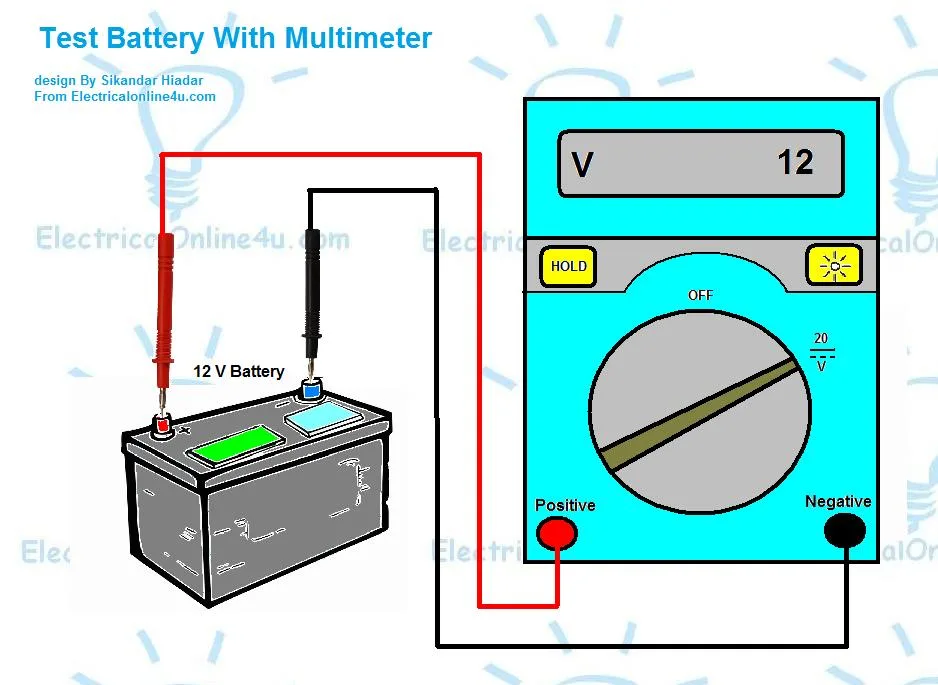
Image source: Bing (Web (fair-use with source credit))
Step 6: Test the battery with a multimeter
If you own a multimeter, set it to DC voltage mode. Touch the red probe to the positive terminal and the black probe to the negative. A healthy reading is 7.2V to 8.4V.
Below 6.0V means the battery's protection circuit has tripped. Above 8.4V right out of the charger means the charger is overcharging and needs replacement.
Step 7: Try a known-good battery
Borrow an EN-EL14a from a friend with a compatible Nikon camera like the D3500 or D3400. If that battery charges normally, your battery is the problem. If the borrowed battery also fails to charge, the issue is your charger.
If the borrowed battery charges but your camera still will not turn on, the camera's internal power circuit has failed. That is a repair shop visit. For reference, similar general troubleshooting steps apply to most battery-powered cameras.
Common Mistakes & Safety Warnings
Some mistakes turn a simple fix into an expensive repair. Others create a genuine fire risk.
Never charge a swollen battery
Lithium-ion batteries swell when the internal cell chemistry fails. A swollen battery will not fit properly in the charger or camera. More importantly, it can rupture and catch fire.
If your EN-EL14a looks puffy or the casing is separating, stop using it immediately. Dispose of it at an electronics recycling center. The Consumer Product Safety Commission provides guidelines for safe lithium-ion battery disposal.
Do not throw lithium batteries in household trash.
The USB charging myth
You cannot charge the D5600 battery through the camera's micro-USB port. That port is for data transfer only. Many newer Nikon mirrorless cameras like the Z50 support USB charging, but the D5600 does not.
Trying to force power through the USB port will not charge the battery and could damage the camera's electronics.
Third-party battery compatibility traps
Some aftermarket batteries have slightly different contact dimensions. They may fit in the camera but not make full contact with the charger rails. Other third-party batteries use protection circuits that shut down completely when drained below a certain voltage.
The MH-24 charger then sees no load and shows green. If your camera works fine with the OEM battery but shows erratic behavior with a third-party one, the battery is the likely culprit.
Heat dangers
Do not charge the battery in direct sunlight, on a hot car dashboard, or near a heater. Lithium-ion batteries degrade faster in heat. Charging a hot battery can also cause the charger to misread voltage and display a false green light.
Let the battery cool to room temperature for best results.
The loose battery in the camera
If the D5600 powers on but shuts off when you move the camera, the battery may be loose. Check the battery door hinge and latch. A cracked door can let the battery shift and lose contact.
The compartment also has a spring-loaded retaining clip. If that clip breaks, the battery has room to wiggle.
When Replacement Is the Answer: Battery, Charger, or Camera?
After running through the diagnostic workflow, you will know whether you need to replace the battery, the charger, or send the camera for repair.
Battery replacement: when and what to buy
If the battery reads below 6.0V on a multimeter, or if it shows immediate green on a good charger, replace the battery. OEM Nikon EN-EL14a batteries cost about $40 to $50. Third-party options run $15 to $25.
Our research shows OEM batteries generally last longer and maintain consistent voltage over their lifespan. However, many reputable third-party batteries work well for casual use.
Charger replacement: when and what to buy
If the charger shows no light when plugged into a known-good outlet, replace it. A new MH-24 charger costs roughly $30 to $40 from Nikon. Third-party chargers are $10 to $20.
The main risk with third-party chargers is inconsistent voltage regulation. Some lack the auto-shutoff safety feature. For regular use, stick with the OEM charger.
Camera repair: when to stop DIY
If you have tested two different batteries, two different chargers, and cleaned all contacts, yet the D5600 still does not power up, the camera itself has a fault. Common internal failures include a blown power regulator, a cracked solder joint on the main board, or a damaged power switch. These require professional diagnosis.
If you encounter error messages on your camera, they can sometimes point to the specific component that failed.
The cost equation
A DIY fix costs nothing or the price of a new battery. A camera shop diagnostic fee runs $50 to $100 before any parts or labor. If the camera body is worth more than the repair cost, send it in.
As of 2026, a used D5600 body sells for $350 to $500. A repair over $250 may not be worth it compared to buying a replacement body.
Frequently Asked Questions
Why does my charger show green immediately with a dead battery?
The charger sees no electrical load. This usually means the battery's internal protection circuit has tripped or failed. The EN-EL14a can drop below its safe voltage threshold and shut itself off.
Try cleaning the battery contacts first. If that fails, the battery needs replacement.
Can I charge the D5600 battery through the USB port?
No. The micro-USB port on the D5600 is for data transfer only. It does not support charging.
You must remove the battery and place it in the MH-24 charger. This is a common point of confusion for users switching from newer mirrorless cameras that do support in-camera USB charging.
Why will my third-party battery not charge in the Nikon charger?
Third-party batteries sometimes have slightly different contact dimensions or protection circuits. The MH-24 may detect an open circuit and show a false green light. Wasabi Power, Watson, and other aftermarket brands can be hit or miss.
Switching back to the OEM battery usually resolves the issue immediately.
What if my battery clicks in but feels loose in the camera?
Check the battery compartment door. A cracked hinge or broken latch lets the battery shift during use. That movement can break contact and power the camera down.
Also inspect the spring-loaded retaining clip inside the compartment. If the clip is bent or broken, the battery will not seat firmly.
Is it safe to use a camera with a swollen battery?
No. A swollen lithium-ion battery is a fire and explosion risk. Do not try to charge it or use it in the camera.
Dispose of it at an electronics recycling center per CPSC safety guidelines. A replacement EN-EL14a costs less than the damage a swollen battery can cause to your D5600.
How long should an EN-EL14a battery last before replacement?
Nikon rates the EN-EL14a for roughly 300 to 500 full charge cycles. After that, you will notice reduced capacity and shorter shooting time. If the battery drains noticeably faster than it used to, or if the camera shows low battery after only a few shots, it is time for a replacement.

Similar Posts











[…] Use a known-good USB-C cable and a wall adapter that outputs at least 5V at 1.5A. If the orange charging light does not appear, try a different cable or adapter. These same checks apply to similar charging problems with other cameras. […]