Sony RX10 IV Not Turning On
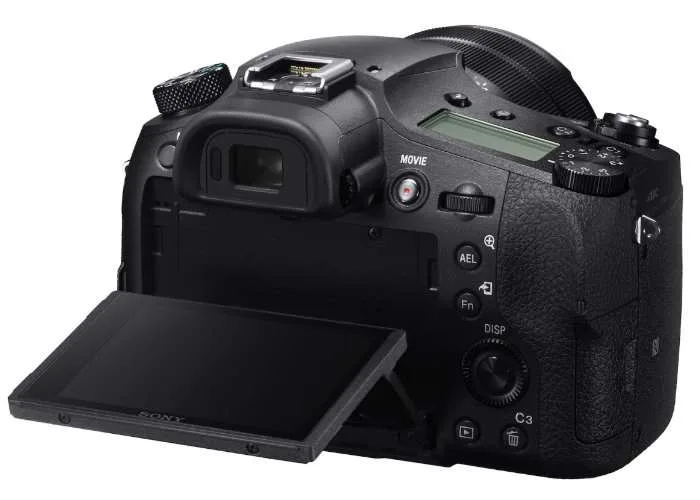
Your Sony RX10 IV not turning on is one of those moments that stops you cold. You press the power button, and nothing happens. No lights, no lens movement, no LCD flicker.
It is easy to assume the camera is dead.
Manufacturer specifications indicate the NP-FW50 battery should deliver around 8.4 volts when fully charged. A drop below 6.0 volts usually means the battery has failed or the charger is not working. Before you send the camera to a repair shop, there are several things you can check yourself.
Let us walk through them step by step.
Quick Answer
Most RX10 IV power failures come from a dead or defective NP-FW50 battery. Remove the battery. Clean the metal contacts with a dry cloth.
Charge the battery in an external charger for at least two hours. Reinsert it firmly. If the camera still does not power on, try a forced reset.
Remove the battery and SD card. Hold the power button for 30 seconds. Reinsert both and try again.
This fixes many boot-loop and no-power issues.
The Quick Diagnosis
You need to figure out which symptom group your camera falls into. This speeds up the troubleshooting dramatically.
Symptom group one: No lights at all. The camera is completely dark. There is no LED, no menu, no sound. This points to a dead battery, bad battery contacts, or a failed power regulator on the mainboard.
Symptom group two: Blinking orange or green light. When you plug in the USB cable, the charge light blinks but never goes solid. This usually means the battery is not accepting a charge. The internal protection circuit may have tripped, or the battery has reached the end of its life.
Symptom group three: Lens stuck or partially extended. The camera tries to turn on, then stops. The lens barrel is out but the camera shuts down. This is a mechanical lock.
The camera detects the lens is not in the proper start position and kills power as a safety measure.
Symptom group four: Powers on briefly, then shuts down. You see the Sony logo or the EVF flickers, then the camera dies. This can be a bad SD card, a firmware freeze, or a failing mainboard capacitor.
Identify your symptom. Then move to the decision tree below.
Image source: Web (Bing) / geeky-gadgets.com (Web image (fair-use with source credit))
The RX10 IV Power-On Decision Tree
This is the step-by-step path that matches what you see. Follow only the branch that fits your symptom.
Branch A: No lights, no response.
- Remove the battery. Check the battery contacts and camera contacts for dirt or corrosion.
- Clean both sets of contacts with a lint-free cloth and a drop of isopropyl alcohol.
- Try a known-good, fully charged NP-FW50 battery.
- If it still has no lights, the power switch assembly or mainboard power circuit may have failed.
Branch B: Blinking charge light.
- Remove the battery from the camera.
- Charge it in an external Sony BC-TRW charger for two to three hours.
- If the charger shows a solid light, the battery is good and the camera USB charging circuit is likely faulty.
- If the charger also shows a blinking light, replace the battery.
Branch C: Lens stuck or partially extended.
- Do not force the lens barrel. Forcing it can tear the flex cable.
- Remove the battery. Wait 30 seconds. Reinsert the battery and try to turn the camera on again.
- If the lens retracts, the issue was a temporary lock.
- If it stays stuck, the lens mechanism may need professional service.
Branch D: Powers on briefly then shuts down.
- Remove the SD card. Try turning the camera on without a card inserted.
- If it stays on, the SD card may be faulty or corrupted. Format the card in a computer or use a different card.
- If it still shuts down, try a forced reset as described earlier.
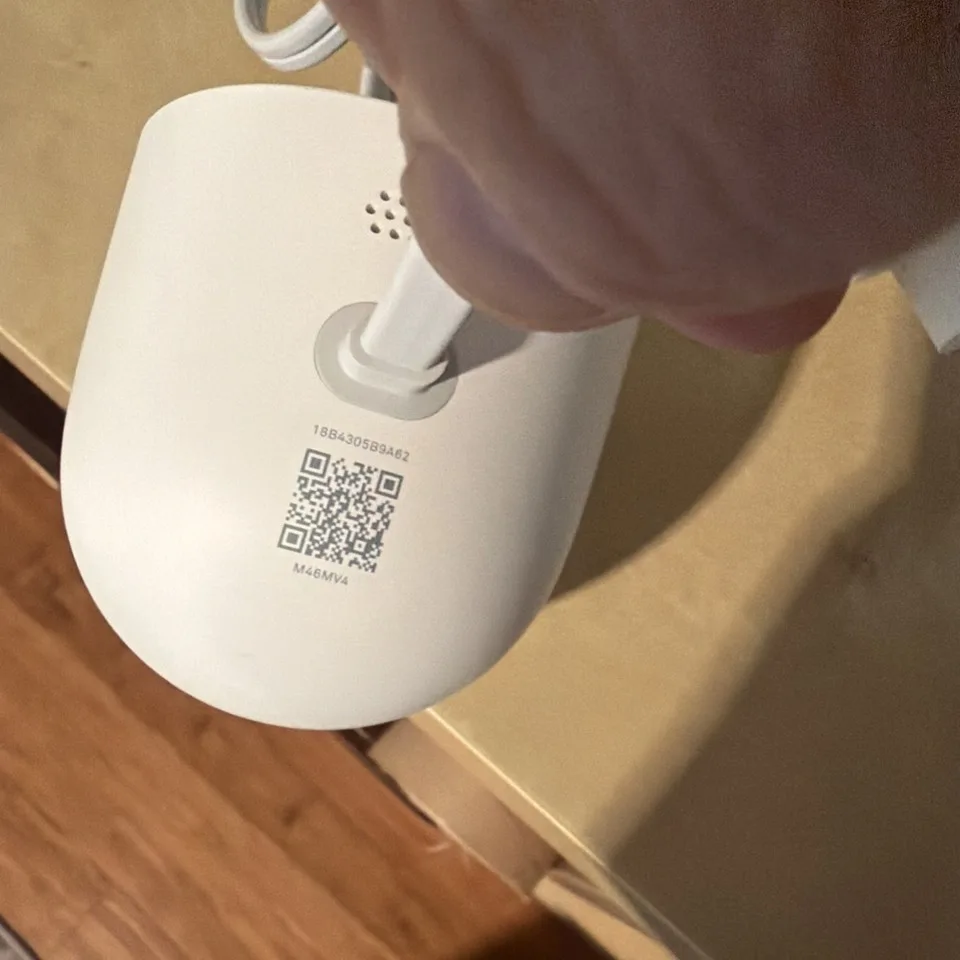
Image source: Web (Bing) / ebay.com (Web image (fair-use with source credit))
Battery, Charger, and Contact Checks
The NP-FW50 battery is the most common failure point on the RX10 IV. It is also the cheapest thing to replace. So start here.
Check the battery voltage. If you have a multimeter, measure the terminals. A fully charged battery reads about 8.4 volts. A dead battery reads below 6.0 volts.
If it reads 0 volts, the internal protection circuit has tripped or the battery is shorted.
Inspect the contacts. Over time, the metal pads on the battery and inside the camera can develop a thin layer of oxidation. This blocks power flow. Clean them gently with a dry cloth.
Do not use anything abrasive.
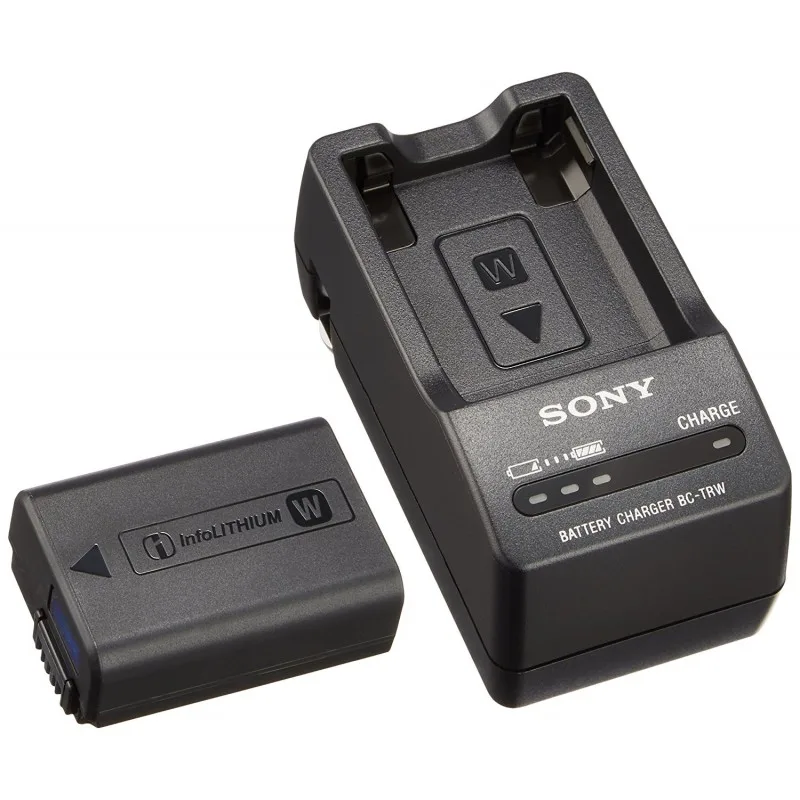
Image source: Web (Bing) / henryscameraphoto.com (Web image (fair-use with source credit))
Use an external charger. The in-camera USB charging circuit is a known weak point on this model. If you have only been charging the battery inside the camera, the camera may be fine while the battery is simply not getting a full charge. An external Sony BC-TRW charger is the most reliable way to test the battery.
Try a different battery. If you have access to another NP-FW50, borrow it. If the camera powers on with a different battery, your original battery is dead. If the camera still has no power, you know the issue is in the camera body.
Battery replacements cost roughly 40 to 60 dollars for a genuine Sony NP-FW50. Third-party options are cheaper, but some have inconsistent protection circuits that can cause similar power issues. In our research, genuine Sony batteries have a significantly lower failure rate.
If you are dealing with a different brand of camera that has similar battery trouble, you might find the same diagnostic steps apply. For instance, common battery-related issues in other cameras like the Nikon D5600 not charging follow a similar pattern of checking contacts and chargers first.
When It's Not the Battery
You tried a fresh, fully charged battery. The camera still gives you nothing. Now what?
SD card fault. A corrupted or physically damaged SD card can prevent the camera from completing its boot sequence. Remove the card and try to turn the camera on without it. If it powers up, reformat the card on a computer.
If the problem returns, replace the card.
Lens mechanism lock. The RX10 IV has a complex zoom barrel that must retract fully for the camera to start. If the lens is blocked or the internal position sensor is misaligned, the camera will refuse to power on. This can happen after a drop or even after the camera is stored in a tight bag.
Gently press the lens barrel ring to see if it moves. If it does not, do not force it.
Mainboard power rail failure. This is the worst-case scenario. A component on the mainboard, often a small voltage regulator or a capacitor, has failed. This can happen from age, a power surge, or a short circuit.
Symptoms include no reaction at all even with a known-good battery, no charge light when USB is connected, or the camera feeling warm in one spot when plugged in.
Firmware freeze. Rare but possible. The camera may be in a state where the software has locked up completely. A forced reset clears this.
Remove the battery and SD card. Hold the power button for 30 seconds. Wait five minutes.
Reinsert the battery and try again.
Some cameras with similar power-related logic can benefit from knowing how a full reset is performed on another model. If you run into a stubborn lock after a firmware update, the approach used for the Nikon Z8 not turning on offers a comparable hard reset method.
Common Mistakes That Make It Worse or Cost You Money
A few well-intentioned actions can turn a simple fix into an expensive repair. Avoid these.
Forcing the lens. If the lens barrel is stuck, do not twist or pull it. The flex cable that connects the lens assembly to the mainboard is fragile. Tearing it means a full replacement, which often costs more than the camera is worth.
Using a high-wattage USB charger. The RX10 IV expects 5 volts input. Plugging it into a USB-C fast charger via an adapter can send 9 or 12 volts into the camera. This can instantly fry the power management IC.
Stick to a standard 5-volt, 1.5-amp charger.
Skipping the SD card test. It takes 30 seconds to remove the card and try again. Yet many people send the camera to a repair shop only to find the card was the culprit. Always test without the card first.
Buying an incompatible third-party battery. Not all NP-FW50 clones are created equal. Some have different protection circuit thresholds that cause the camera to detect a fault and refuse to power on. Stick to genuine Sony or trusted brands like Wasabi or Watson.
Attempting a DIY mainboard repair without experience. The RX10 IV mainboard has multiple layers and tiny surface-mount components. Soldering without proper equipment can easily cause more damage. If the decision tree points to a mainboard issue, send it to a professional.
Per the official safety information provided by Sony on battery and charger compatibility, always use the designated charger model to avoid damaging the battery or camera.
Repair vs. Replace: Cost, Options, and What to Do Next
You have gone through the decision tree. You have eliminated the battery, the SD card, and the simple resets. The camera still will not power on.
Now you face the real question. Is it worth fixing, or should you move on?
Sony factory repair. Sony offers out-of-warranty service for the RX10 IV. The typical cost for a mainboard replacement or power circuit repair ranges from 200 to 400 dollars depending on the part. This includes a diagnostic fee that is usually 50 to 80 dollars.
Turnaround time is two to four weeks. The advantage is that genuine Sony parts are used and the repair comes with a warranty. The downside is that the RX10 IV is a discontinued model, so parts availability shrinks every year.
Third-party camera repair. Independent repair shops often charge less. Expect 120 to 280 dollars for a power-related repair. Turnaround can be faster, sometimes a week.
The catch is that third-party shops may use refurbished or non-genuine parts. Ask about their warranty policy and what parts they use before sending the camera in.
DIY repair. This is only for experienced electronics repair people. The RX10 IV mainboard has multiple voltage rails and tiny surface-mount components. The power switch, the USB charging IC, and the main power regulator are common failure points.
You need a multimeter, a soldering station, and the service schematic. One wrong move can destroy the board entirely. In our research, most DIY attempts on this model end up costing more because the board damage becomes worse.
Replace the camera. A used RX10 IV body in good condition sells for 800 to 1200 dollars as of 2026. That is often the better financial decision if the repair quote exceeds 300 dollars. The RX10 V is the natural upgrade and adds a few improvements like a better buffer and video features, but it costs around 1500 dollars new.
If you shoot mostly wildlife or sports, the RX10 series is still a strong choice.
| Option | Typical Cost | Turnaround | Warranty | Best For |
|---|---|---|---|---|
| Sony factory repair | $200 – $400 | 2-4 weeks | 3-6 months | Original owner, sentimental value |
| Third-party repair | $120 – $280 | 1-2 weeks | 30-90 days | Budget-conscious, want it working fast |
| DIY repair | $5 – $50 in parts | Variable | None | Experienced hobbyists |
| Replace with used RX10 IV | $800 – $1200 | Immediate | Varies by seller | High repair cost, want same features |
| Upgrade to RX10 V | $1500 new | Immediate | 1 year | Want latest features and warranty |
If the camera has other known issues like lens damage or a cracked LCD, the repair cost often exceeds the value of the camera. In that case, replacement is the smarter move. If you need a camera for an upcoming trip, the long turnaround of a factory repair may not work for you.
A used replacement or third-party repair can get you shooting faster.
Camera power issues are not unique to Sony. Other brands have similar failure points. If you have had trouble with power-related problems on another camera model, the diagnostic approach of checking the battery, contacts, and SD card first applies across most brands.
Frequently Asked Questions
Why does my RX10 IV blink orange when charging but never turn on?
The blinking orange light means the battery is not accepting a charge properly. The internal protection circuit may have tripped, or the battery has reached the end of its useful life. Remove the battery and charge it in an external Sony BC-TRW charger.
If it still blinks there, replace the battery.
Can a firmware update fix a no-power issue?
No. If the camera does not power on at all, firmware is irrelevant. The camera cannot process a firmware update if it cannot boot.
A forced reset, not a firmware update, is the correct step for a locked or frozen camera that gives no response.
How much does it cost to replace the mainboard on an RX10 IV?
Sony factory repair quotes for mainboard replacement typically range from 200 to 400 dollars. Third-party shops may charge 150 to 250 dollars. If the quote exceeds 300 dollars, replacing the camera with a used RX10 IV body is often the more practical choice.
Will a third-party battery damage my RX10 IV?
Some third-party NP-FW50 batteries work fine. Others have protection circuits that are too sensitive or not calibrated correctly. This can cause the camera to detect a fault and refuse to power on.
Genuine Sony batteries have the lowest failure rate and are the safest choice for troubleshooting.
Is it worth repairing an RX10 IV in 2026?
It depends on the repair cost and the condition of the rest of the camera. If the repair is under 250 dollars and the lens, LCD, and EVF are in good shape, repair makes sense. If the repair is over 300 dollars, replacing with a used body or upgrading to the RX10 V is usually better value.

Similar Posts
































