Sony RX10 IV Problems
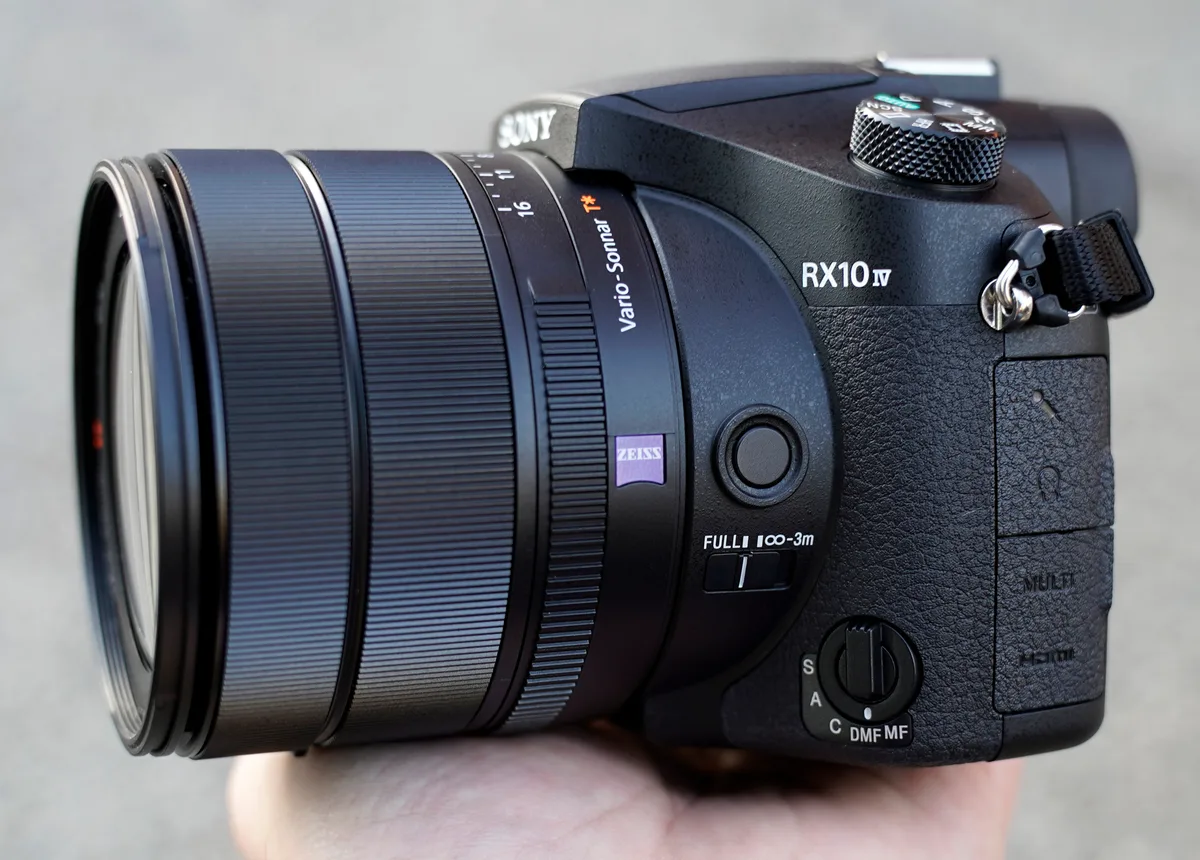
The Sony RX10 IV has been a go-to travel camera for years, but it is not invincible. Sony RX10 IV problems tend to surface after a year or two of regular use, and knowing what to expect saves you both time and money. Aggregate reviews and repair logs point to a handful of repeat offenders.
The trick is telling the difference between a normal limitation and a genuine defect.
In our research, the most reported failure point is the lens ring rubber deteriorating over time. Manufacturer specifications confirm the camera uses a standard NP-FW50 battery, but real-world battery life often falls short of CIPA ratings. If you are shopping for one used or already own it, here is what you need to know.
Quick Answer
The four most common RX10 IV problems are lens ring peeling, battery drain while off, overheating in 4K video, and AF hunting in low light. None of them mean the camera is broken. Most have simple fixes or workarounds.
The lens ring is the only issue that typically needs a repair.
What Actually Goes Wrong with the RX10 IV (Real Problems vs. User Error)
Before we dive into fixes, let us sort out what is really going on. A lot of what owners call "problems" are actually normal limitations of a 2017 bridge camera architecture.
Real Hardware Defects
The lens ring peeling is the biggest one. The rubber grip on the outer barrel starts to degrade. It gets sticky.
Then it crumbles into black dust all over your hands. This is a known material issue, not something you caused.
Other confirmed hardware faults include the battery door latch snapping off. The micro-USB port can bend pins if you force the cable in wrong. And the hot shoe sometimes loses flash communication after heavy use.
Common User Mistakes
A huge number of complaints come from settings, not failures. For example, if your camera keeps turning off by itself, check the auto power-off timer. If video keeps stopping, you are probably hitting the 29-minute record limit.
If the camera feels slow, your SD card might be too old. Similar write speed limitations affect other camera models, and the fix is usually the same.
Here is a quick breakdown of what is real and what is not.
| Symptom | Likely Cause | Fixability |
|---|---|---|
| Lens ring sticky or crumbling | Material degradation | Replace ring |
| Battery dead after sitting off | Wi-Fi remote wake | Disable smartphone connection |
| 4K video stops at 5 minutes | Overheating protection | Reduce ambient temp or frame rate |
| Shutter button unresponsive | Half-press lock or eye sensor | Clean EVF sensor |
| Autofocus hunts in dim light | Design limitation of 1-inch sensor | Use center AF point or manual focus |
The bottom line is that most things you can fix yourself. Only the lens ring and port damage require a shop visit.
The Lens Ring Problem (Why It Happens and How to Stop It)
Image source: ephotozine.com (fair-use)
This is the most talked-about issue for good reason. The rubber ring around the zoom barrel starts to break down. It gets tacky.
Then it leaves black residue on your fingers. Eventually bits of rubber flake off entirely.
Why It Happens
The ring is made from a type of synthetic rubber that reacts poorly to heat and humidity. If you live somewhere hot or store your camera in a car, the degradation accelerates. Oils from your own skin also speed up the process over time.
This is not a defect in every unit, but it is common enough that repair shops see it weekly.
What You Can Do About It
You have three options once it starts.
First, you can slow it down by wiping the ring with a dry cloth after each use. Keep the camera out of direct sunlight. Do not store it in a hot car.
Second, you can replace the ring yourself. Aftermarket rubber wrap kits cost about fifteen to twenty dollars. You peel off the old rubber, clean the groove, and stick on a new wrap.
It takes ten minutes and requires no tools.
Third, you can send it to a repair shop. Lens ring replacement runs around eighty to a hundred and fifty dollars depending on the shop. Sony authorized centers do this repair, but the RX10 IV is not a priority model for them, so turnaround can take weeks.
If the ring has not started yet, keep an eye on it. One day you will pick up the camera and feel that first bit of tackiness. That is your cue to act.
Battery Drain and Overheating (Two Annoying Issues with Simple Fixes)
Image source: Bing (fair-use)
These two problems frustrate owners the most because they feel like the camera is working against you. Both have clear causes and straightforward fixes.
The Battery Drain Issue
You charge the battery, put the camera in your bag, and come back two days later to find it dead. Sound familiar? This happens because the RX10 IV wakes itself up periodically to check for smartphone connection commands.
The fix is simple. Turn off the Bluetooth and Wi-Fi when you are not using them. Go into the network settings and disable the remote control function.
You can also put the camera in airplane mode. That stops the wake signals entirely.
If you do that, the battery holds its charge like normal. A fresh NP-FW50 battery will last weeks in standby, not days. Poor power retention is a common complaint across many compact cameras, not just this one.
Overheating While Recording
The RX10 IV gets warm. That is normal. But in hot weather or direct sun, it can overheat and shut down after five to eight minutes of 4K recording.
This is a limitation of the processor and small body size.
You can push the heat threshold a few ways. Drop the video resolution to 1080p. Lower the frame rate to 24p.
Turn off image stabilization if you are on a tripod. And never block the ventilation slots on the bottom of the camera.
If you need long 4K clips, shoot in bursts of under ten minutes and let the camera cool between takes. That is the reality of a compact bridge camera in 2026. It is not a cinema body.
Similar thermal management challenges exist in other high-performance cameras, so this is not unique to Sony.
Autofocus, Slow Startup, and Other Performance Complaints
The RX10 IV has a legendary autofocus system for a bridge camera. But that does not mean it is flawless. Owners report two main performance frustrations.
Autofocus Hunting in Low Light
The 315 phase-detect points work great in decent light. But when the sun drops or you are shooting indoors, the AF starts to search. It racks back and forth.
That is because the sensor gets less light to work with compared to APS-C or full frame cameras.
You can work around it. Switch to the center AF point. That single point is the most sensitive.
Or use manual focus with focus peaking. The camera does not become unusable in low light. It just requires you to adjust your technique.
Even the best focus system behavior has limits when the light drops.
Slow Startup and Menu Lag
Press the power button and wait. The lens extends. The EVF turns on.
It takes about two and a half seconds. That is slow compared to modern mirrorless cameras.
The menu system also feels sluggish. Scrolling through settings has a slight delay. This is the older processor.
It was fast in 2017, but it shows its age.
There is no fix for the menu lag. You can speed up startup by not letting the lens retract fully between uses. But that is a bad habit because it keeps the sensor exposed.
Better to accept the two second wait.
If you are coming from a newer Sony body, this will feel dated. If you are upgrading from an older compact, it will feel fine.
The Honest Repair Guide (What You Can Fix Yourself vs. What Needs a Shop)
Knowing when to DIY and when to send it in saves you money and prevents making things worse.
Things You Should Fix Yourself
Start with the settings. Turn off the Wi-Fi remote to fix battery drain. Drop video quality to prevent overheating.
Clean the hot shoe contacts with isopropyl alcohol to restore flash communication. Replace the lens ring rubber wrap with an aftermarket kit.
These take under thirty minutes and cost next to nothing.
Things That Require a Professional
If the micro-USB port has bent pins, do not try to straighten them yourself. That usually snaps them off entirely. Send it to a repair shop for a port replacement.
That runs sixty to a hundred dollars.
If the battery door latch is broken, you can buy a replacement part online. But the installation is fiddly. The spring is small and easy to lose.
Unless you are comfortable with tiny plastic parts, let a shop handle it.
If the camera gives you an error code on the screen, write it down. Sony service centers use these codes for diagnosis. Common ones indicate lens communication failure or shutter assembly issues.
When to Just Move On
As of 2026, the RX10 IV is a discontinued camera. If repair costs exceed half the used value, you are better off replacing it. Used bodies sell for around nine hundred to twelve hundred dollars.
If the repair quote tops six hundred, start shopping.
Some things, like overheating in summer or menu lag, are not repairable. They are design limits. Learn to live with them or choose a different camera.
Is a Used RX10 IV Worth the Risk? (What to Inspect Before Buying)
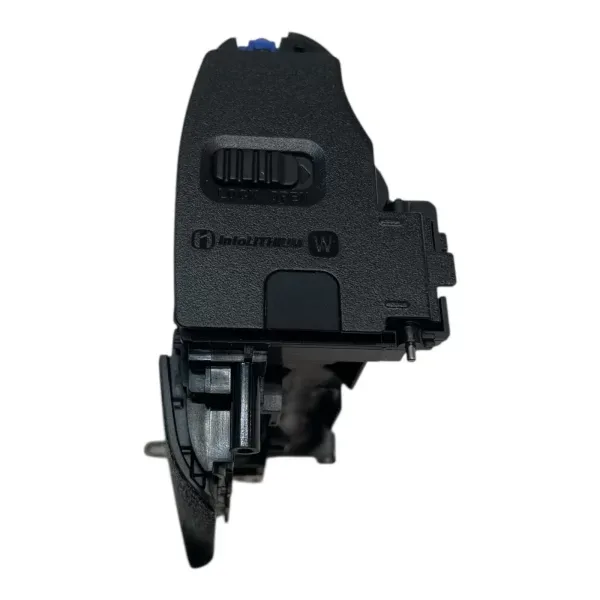
Image source: videoonerepair.com (fair-use)
Buying used saves you six to seven hundred dollars off the original price. But you need to know what to check. Walk through these inspection steps before handing over cash.
Start with the Lens Ring
Run your finger around the zoom barrel. Does it feel tacky or sticky? Look for black residue on your fingertip.
If the ring is already crumbling, factor in a repair cost. Use that as a negotiation point. About fifteen dollars and ten minutes fixes it yourself.
But if the seller did not mention it, wonder what else they did not mention.
Check the Hot Shoe and Ports
Bring a flash if you have one. Mount it and fire a test shot. The hot shoe contacts corrode over time.
If the flash does not communicate, cleaning might fix it. But it could mean a deeper issue.
Look at the micro-USB port. Shine a light inside. Bent pins mean a repair cost.
The battery door latch should click firmly. A loose latch lets dust in and can cause connection issues.
Run the Sensor Test
Set the camera to aperture priority. Stop down to f/11 or f/16. Take a photo of a plain white wall or the sky.
Zoom in on the image. If you see dark spots in the same position on every shot, the sensor has dust. That is usually cleanable.
If you see a line or a cluster, the sensor might be damaged.
Verify the Shutter Count
The RX10 IV has no built-in shutter count display in the normal menu. You need to check third-party software or look at the file numbering. A camera with over 100,000 actuations is high mileage.
The shutter is rated for about 200,000, but any moving part wears out.
Who This Camera Is Still For
The RX10 IV still makes sense for travel photographers who want one lens for everything. Wildlife shooters on a budget also benefit from the 600mm reach. But if you primarily shoot indoors or in low light, look at an APS-C option instead.
The noise at ISO 3200 is noticeable compared to larger sensor cameras. Check common wear patterns on bridge cameras before buying any used model.
Frequently Asked Questions
How do I fix the battery drain on my RX10 IV?
Turn off the Bluetooth and Wi-Fi in the network settings. Disable the remote control function. You can also enable airplane mode.
That stops the camera from waking up to check for connection commands.
Can I replace the lens ring myself?
Yes. Aftermarket rubber wrap kits cost about fifteen to twenty dollars. You peel off the old rubber, clean the groove, and press on the new wrap.
No tools required.
Why does my RX10 IV overheat during video recording?
The camera generates heat from the processor and small body. In 4K mode, it can overheat after five to eight minutes. Drop to 1080p, lower the frame rate, or shoot in short clips with cool-down breaks.
Is the RX10 IV still worth buying in 2026?
Yes, if you need a single camera for travel and wildlife. The 24-600mm lens and fast autofocus remain competitive. But the menu lag and low light performance show the camera's age.
How do I clean the sensor on my RX10 IV?
Use the built-in cleaning mode in the menu. That shakes the sensor. For stubborn dust, use a blower.
Do not use canned air or liquid swabs unless you have experience.
What SD card should I use with the RX10 IV?
Use a UHS-I card with a write speed of at least 90 MB/s. Slower cards cause buffer lag during burst shooting. The camera does not support UHS-II, so do not waste money on a faster card.

Similar Posts
































