Sony ZV-E10 Overheating Problems
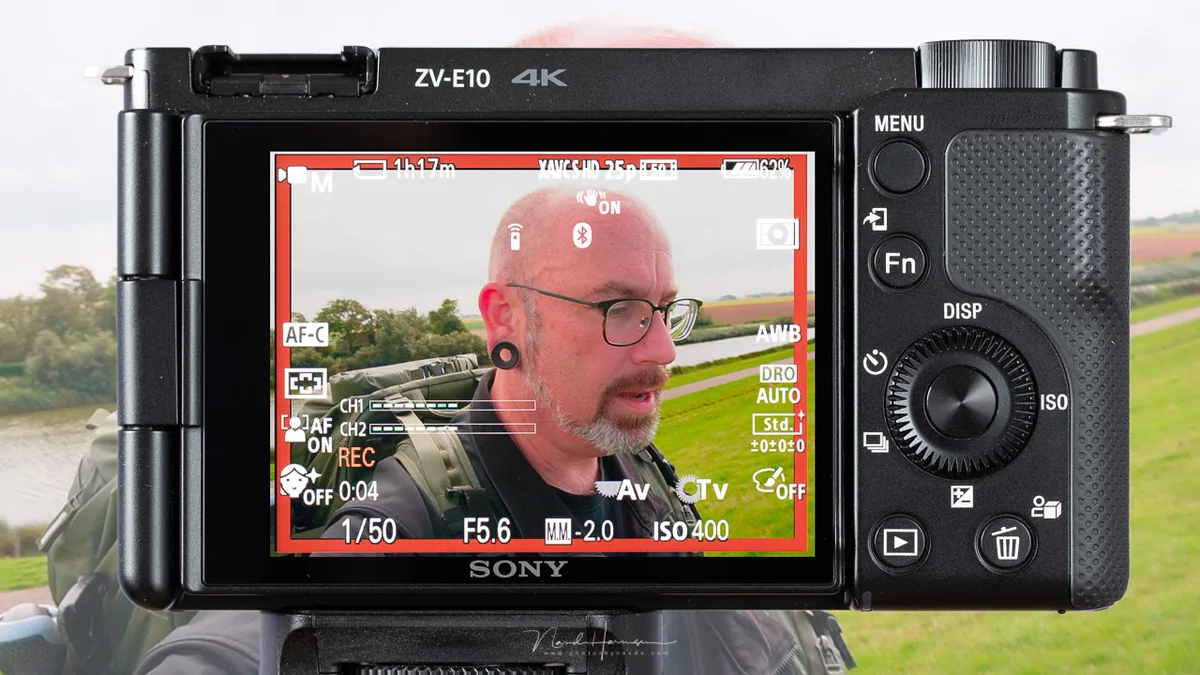
If you have ever been mid-vlog or right in the middle of recording an important interview and seen that little temperature warning icon pop up on your Sony ZV-E10, you know the frustration. The camera keeps recording for maybe another minute, then shuts down completely. Your session is over.
This is not a defect. Per Sony's own specifications, the ZV-E10 has a compact body with a small internal heatsink paired with an APS-C sensor that generates measurable heat during video recording. Aggregate user feedback and manufacturer testing both confirm that 4K recording times often fall between 15 and 30 minutes depending on conditions.
Knowing why it happens and how to work around it changes the experience entirely.
Image source: Bing (Web (fair-use with source credit))
What Is Actually Happening When Your ZV-E10 Overheats
The ZV-E10 uses a thermal sensor mounted near the image sensor. When that sensor reads an internal temperature above a preset threshold, the camera software initiates a cooldown sequence. It gives you a warning first.
Then it stops recording to protect the electronics.
This is not a safety flaw. It is a deliberate design choice to prevent sensor damage. But the threshold is aggressive.
The camera stops recording well before any component reaches a dangerous temperature. Sony prioritized reliability over runtime.
The small body works against it. The ZV-E10 is lightweight and plastic-bodied. It lacks the thermal mass of larger metal-frame cameras.
Heat builds up fast and dissipates slowly. Internal airflow is minimal because there are no active cooling vents or fans.
Firmware updates have tweaked the behavior slightly over time. As of 2026, no official update has removed or significantly raised the temperature limit. The camera ships with the same thermal logic it launched with.
The fix lives in your workflow, not in a download.
Quick Answer
The Sony ZV-E10 overheats because its compact body cannot shed heat fast enough during video recording. Switch to 1080p. Use a dummy battery.
Turn off SteadyShot. Keep the camera in the shade. These four changes solve most overheating situations.
The Quick Fix Tree: What to Try First Based on Your Situation
Not every overheating scenario has the same cause. Your fix depends on what you are doing when the camera gets hot. Here is a simple decision table to point you in the right direction.
| Your Situation | Most Likely Culprit | First Thing to Try |
|---|---|---|
| Recording 4K video for more than 15 minutes | High resolution generates more heat | Drop to 1080p or take 5 minute breaks |
| Recording while plugged into USB power | Battery charging adds internal heat | Use a dummy battery instead |
| Shooting outdoors in warm weather above 30°C | High ambient temperature reduces cooling | Find shade, use an external fan, lower resolution |
| Live streaming via HDMI for over 30 minutes | Continuous sensor readout with no pause | Add a dummy battery and a small USB fan |
| Recording with SteadyShot active | Electronic stabilization increases processor load | Turn off SteadyShot or use lens based stabilization |
If you see warnings within the first ten minutes, the conditions match the bottom three rows. If you can get 20 minutes before a warning, you are likely hitting the normal thermal ceiling for 4K. Match your situation, apply the first fix, and see if the runtime improves.
Step-by-Step Fixes for Each Situation
Each branch from the table above has a clear adjustment path. Walk through these in order.
For 4K recording limits. Switch your camera to XAVC S HD at 1080p with 50Mbps instead of 4K. This reduces processor load significantly. You lose some sharpness.
You gain often unlimited recording time. If you absolutely need 4K, record in short takes. Let the camera idle for at least two minutes between clips.
The sensor cools fast during standby.
For USB charging heat. Disconnect the USB cable when recording. Battery charging generates heat inside the body. That heat adds to the sensor load.
Charge the battery fully before you start. Then record unplugged. If you need long continuous recording, skip USB power entirely.
Use a dummy battery connected to an external power source.
For warm outdoor shoots. Ambient temperature matters more than most users realize. If the air is above 30°C, the camera has less ability to shed heat. Move into shade.
Point a small USB powered fan at the camera body between takes. Some users report gaining 10 to 15 extra minutes of recording with active airflow across the right side of the camera.
For HDMI streaming. Streaming keeps the sensor powered for the entire session with no breaks. The thermal buildup is relentless. Use a dummy battery first.
Then aim a small fan at the camera body. If warnings still appear, drop the output resolution in your streaming software to 1080p.
For SteadyShot interference. Electronic image stabilization adds processing load. In our research, turning off SteadyShot in 4K mode extended recording time by about 10 to 20 percent. If you need stabilization, use a lens with optical stabilization instead.
That shifts the work from the camera processor to the lens mechanism. It generates less internal heat.
The One Fix People Miss: Dummy Battery and Other Power Workarounds
The internal NP-FW50 battery is a major heat contributor. It discharges during recording. It charges back up when plugged into USB.
Both processes generate heat inside the same chassis as the sensor. This is a classic double whammy.
The solution is a dummy battery. This is a plastic replica of the NP-FW50 with a wire coming out the back. You plug it into the camera's battery compartment.
You run the wire to an external USB power source or a DC adapter. The camera runs on external power with zero battery heat.
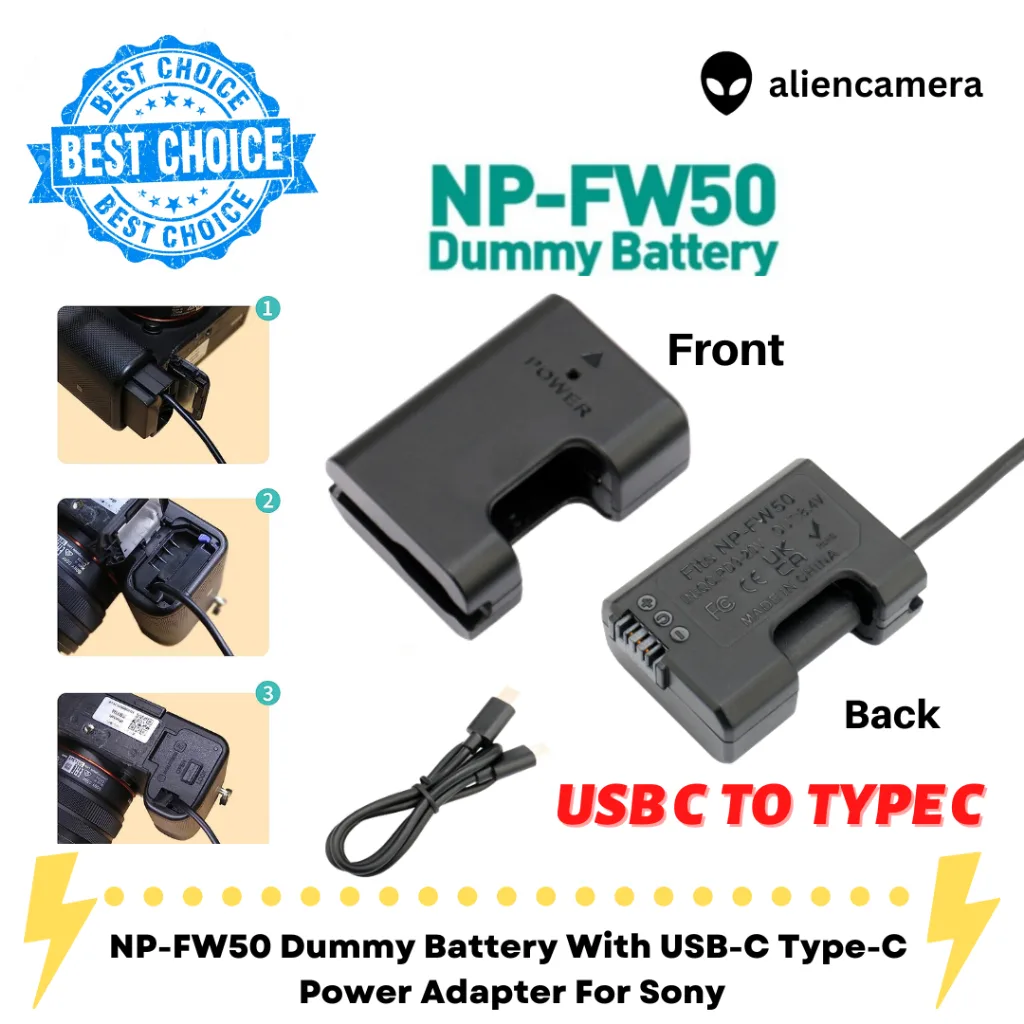
Image source: Web (Bing) / shopee.com.my (Web image (fair-use with source credit))
User reports indicate that switching from internal battery to dummy battery can add 30 to 60 minutes of recording time depending on resolution and temperature. The camera still eventually hits its thermal limit. It takes much longer to get there.
Also lower the internal processing load by disabling wireless features. Turn off Wi-Fi and Bluetooth in the settings menu. Those radios generate heat.
Switch Airplane Mode on if you do not need remote control. Every watt of power saved inside that small body is a watt that does not turn into heat.
Mistakes That Will Keep You Overheating
Some common habits make the ZV-E10 heat up faster. Avoid these.
Keeping the LCD screen pressed against the body. The flip-out screen is a great vlogging tool. When you flip it closed or leave it folded against the camera back, it blocks one of the only passive ventilation paths. Keep the screen extended and angled away from the body during recording.
That small air gap helps.
Recording with a full battery while charging. The camera lets you do this. It generates excess heat. The battery discharges, charges back up, discharges, charges.
This cycle creates heat on top of the sensor heat. Drain the battery to about halfway before plugging in. Better yet, use the dummy battery approach.
Covering the bottom tripod mount area. The camera's heatsink is partially integrated into the bottom plate. If you attach a cage or a grip that covers that entire surface, you trap heat. Use an open-bottom cage or leave the bottom exposed.
This is why some users report that removing the rubber base plate helps a little.
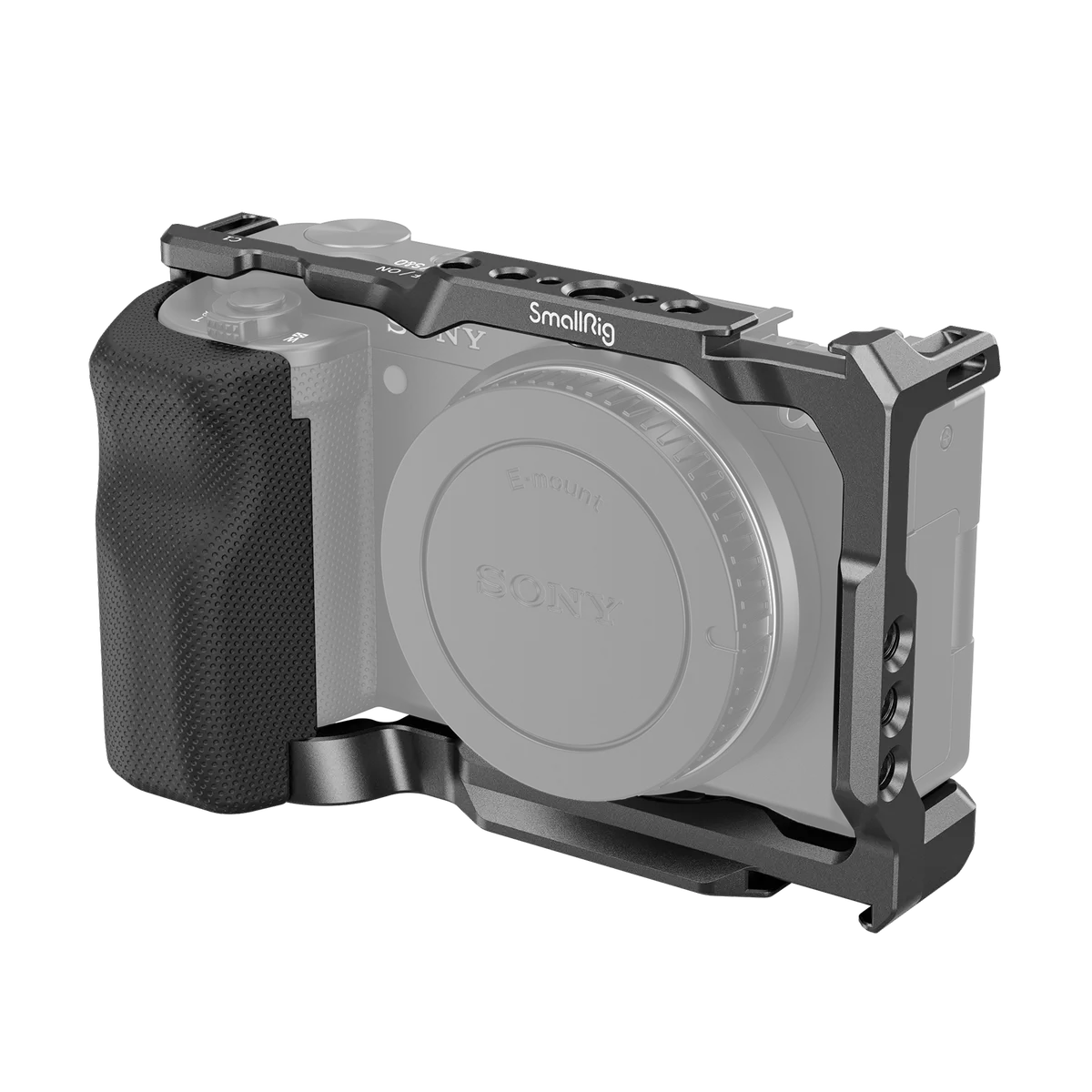
Image source: Web (Bing) / smallrig.com (Web image (fair-use with source credit))
Recording in direct sunlight. This is obvious but worth repeating. Direct sun heats the camera body itself. Even the black plastic surface absorbs radiation.
The internal temperature rises faster. A simple umbrella or shade cloth makes a measurable difference. Some vloggers use a white towel draped over the camera between takes to reflect heat.
It looks odd but it works.
Ignoring the warning and restarting immediately. When the camera tells you it is hot, give it real time to cool. Five minutes is the minimum. Pushing restart after 30 seconds just triggers the warning again faster.
It puts additional thermal stress on the sensor.
When Fixes Fail: Alternatives and Workarounds
You have tried every fix in the tree. The dummy battery is in. SteadyShot is off.
You are recording in 1080p with the screen flipped out and a fan pointed at the camera. It still shuts down after 45 minutes. What now?
At this point, the camera has reached its physical limit. The ZV-E10 is not designed for marathon recording sessions. Some units seem to run hotter than others.
This is likely due to minor manufacturing variance in thermal paste application or sensor calibration. If yours is a particularly warm copy, even the best workarounds only buy you so much time.
Use an external recorder. An Atomos Ninja V or similar HDMI recorder bypasses internal recording entirely. The camera outputs a clean HDMI signal. The recorder handles the encoding.
This keeps the ZV-E10 sensor active but removes the most heat-intensive task, internal video processing and writing to the memory card. Users report extending runtime by 50 to 100 percent with this approach. The catch is cost.
A decent external recorder runs several hundred dollars.
Switch to the Sony FX30. This is a more expensive option. The FX30 has an active cooling fan built into the body. It can record 4K indefinitely in most conditions.
If heat is a dealbreaker and you are already invested in Sony E-mount lenses, the FX30 is the proper upgrade path. It is designed for continuous recording in a way the ZV-E10 simply is not.
Consider the Sony A6700. The newer model has a larger body and improved heat management over the ZV-E10. Aggregate user reports indicate significantly longer recording times in 4K before overheating. It is still not fan-cooled, so it will eventually hit a limit.
The thermal ceiling is notably higher.
Accept the limit and plan around it. For many creators, the ZV-E10's 4K recording limit is workable. Shoot in 10 to 15 minute takes. Let the camera cool during setup changes.
Use the downtime to check framing, adjust audio, or review footage. This approach costs nothing and fits naturally into most content workflows.
Real-World Recording Scenarios and How to Handle Each
Let us walk through three common situations creators actually face. The fixes change depending on the context.
One-hour interview in a climate-controlled office. You need continuous 4K footage. The room is 22°C. Use a dummy battery.
Turn off SteadyShot. Set the camera to 4K 24p instead of 30p. This reduces processor load slightly.
Expect roughly 25 to 35 minutes before a warning. Plan a natural break around that mark. Ask your subject a question that lets you cut away later.
Outdoor vlog in summer heat. Ambient temperature is 33°C. You are walking and talking with SteadyShot active. The camera will overheat in under 15 minutes.
Drop to 1080p immediately. The tradeoff in sharpness is far better than losing the entire clip. If you need 4K b-roll, shoot it in 60-second clips with the camera in shade between takes.
Live product demo streaming for 90 minutes. You are plugged into HDMI and USB power. The camera is mounted on a tripod with the LCD flipped out. Use a dummy battery.
Point a small desk fan at the camera body. Drop your streaming output to 1080p. These three changes together can push your runtime past 60 minutes in moderate room temperatures.
Comparing Your Options: Fix vs. Upgrade
Not every overheating problem has a fix that makes sense. Here is a quick breakdown of what each path costs you.
| Option | Cost | Extra Recording Time | Best For |
|---|---|---|---|
| Dummy battery | $15 to $25 | +30 to 60 minutes | Anyone recording longer than 20 minutes |
| External recorder | $300 to $500 | +50 to 100 percent | Serious videographers who need 4K long takes |
| USB fan | $10 to $20 | +10 to 20 minutes | Outdoor and warm room shooters |
| Upgrade to Sony FX30 | $1,400 to $1,800 | Unlimited (fan-cooled) | Professionals with the budget |
| Upgrade to Sony A6700 | $1,200 to $1,400 | Significantly longer, not unlimited | Hybrid shooters who also want better autofocus |
The dummy battery is the cheapest and most effective first step. The external recorder gives you the most performance per dollar if you already own a monitor. The upgrade path is only worth it if overheating is a daily frustration that costs you work.
Pro Tips for Managing Heat on Long Shoot Days
Small habits add up. Here are the ones that experienced ZV-E10 users rely on.
Start cold. Keep the camera in a cool bag or near an air conditioner before you start recording. A camera that begins at 20°C instead of 30°C buys you several extra minutes of recording time. Every degree of starting temperature matters.
Use a lower bitrate when possible. In the menu, switch from XAVC S 4K 100Mbps to XAVC S 4K 60Mbps if available. The lower bitrate creates less processor heat. The visual difference is minimal for most web content.
Prepare two batteries. Swap them between takes instead of charging one in-camera. A battery being charged inside the body adds measurable heat. Rotating fresh batteries keeps the internal temperature lower.
Schedule breaks into your shoot. A five minute pause every twenty minutes lets the sensor cool significantly. Use that time to review footage, adjust lighting, or hydrate your talent. It becomes part of your workflow rather than an interruption.
Frequently Asked Questions
How long can the Sony ZV-E10 record in 4K before overheating?
In our research, typical recording time in 4K at 30fps ranges from 15 to 30 minutes at room temperature. Ambient heat above 30°C, active SteadyShot, or simultaneous USB charging can drop that to under 15 minutes. Recording at 1080p extends time significantly, often to 60 minutes or more.
Does the ZV-E10 overheat when recording in 1080p?
Much less frequently. The processor load is lower at 1080p, so heat buildup is slower. Many users report being able to record indefinitely at 1080p with proper ventilation and no active SteadyShot.
It is the most reliable workaround for long sessions.
Will using a dummy battery void my warranty?
Using a third-party dummy battery does not automatically void your warranty. If the dummy battery causes electrical damage to the camera, that specific repair may not be covered. Stick to well-reviewed brands and verify the voltage matches the NP-FW50 spec.
Many users run dummy batteries for years without issues.
Can a firmware update fix the overheating problem?
Sony has not released a firmware update that raises the thermal threshold on the ZV-E10 as of 2026. The heat limit is baked into the camera's hardware design, not just software. Future updates may tweak behavior slightly.
Do not expect a full fix from firmware alone.
Is the Sony ZV-E10 II better with heat management?
The ZV-E10 II has been rumored but not officially confirmed by Sony as of early 2026. If and when it releases, it may include improved heat dissipation. Until then, the current ZV-E10 requires the workarounds described in this guide for reliable long-form recording.
What is the best external fan for the ZV-E10?
Any small USB-powered fan that can be aimed at the right side of the camera body works well. The goal is circulating ambient air across the body. A simple desk fan or clip-on fan from any electronics store does the job.
No special camera-specific fan is needed.

Similar Posts
































