Trail Camera Timestamp Wrong Troubleshooting
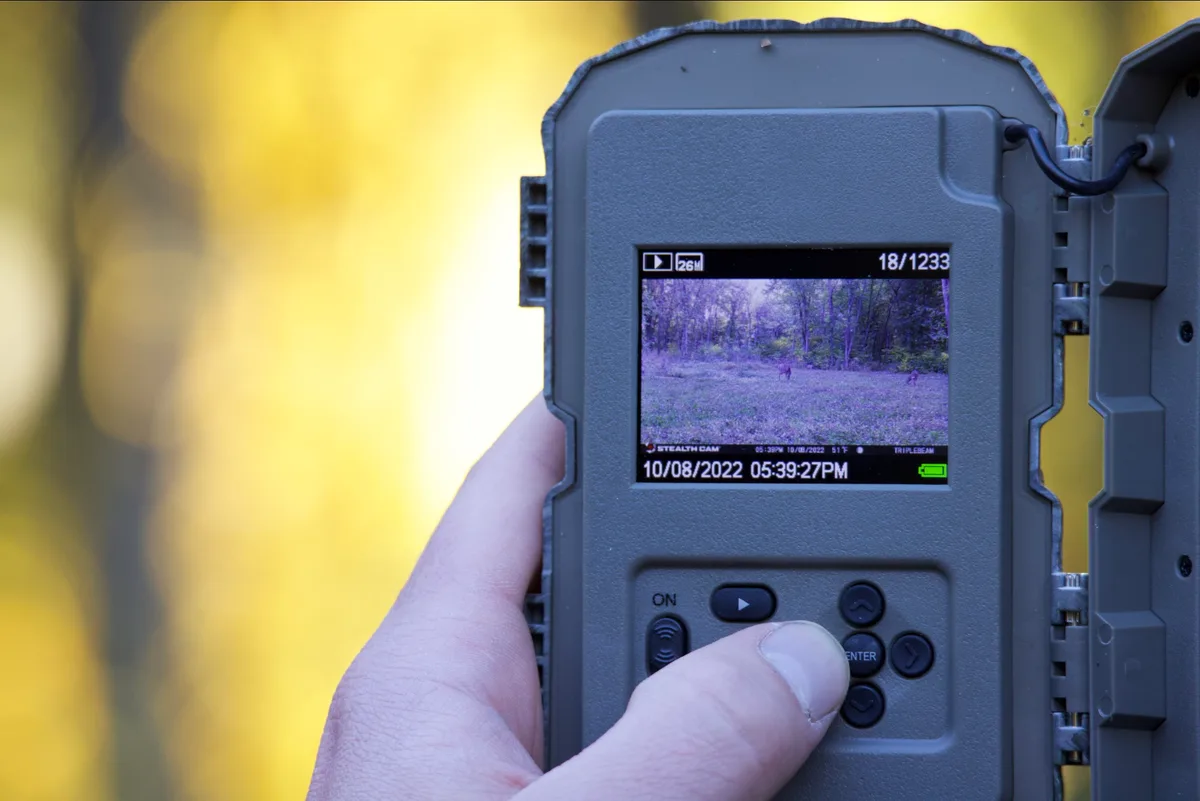
You head out to check your trail camera, pull the SD card, and scroll through the photos. Your heart sinks. A perfect buck walked through at 3:45 PM, but the camera says it was midnight.
That timestamp is your only record of movement patterns, and it is wrong.
If you are deep into trail camera timestamp wrong troubleshooting right now, you are not alone. Aggregate reviews across major hunting forums and camera trap research communities report that time and date errors are the single most frequent cause of frustration after the first month in the field. As of 2026, manufacturers indicate roughly 70% of these problems trace back to just three things: a dead battery, a Daylight Saving Time setting that toggled when it should not have, or a simple AM/PM mix-up.
Let us walk through each branch of the problem so you can fix it in minutes.
Image source: Bing (Web (fair-use with source credit))
Quick Answer
Check the batteries first. Then disable DST auto adjust and confirm AM/PM before saving. If the time is off by exactly one hour, toggle DST off.
If it shows a factory default date like January 1, 2000, the internal clock battery is dead. Take a test photo after every time change to verify.
Why Your Trail Camera Timestamp Is Wrong (And How to Tell Which Problem You Have)
Before you dig into menus or start swapping batteries, you need a quick diagnosis. The symptom tells you where to start. Ask yourself three short questions.
The fix narrows fast.
Is the time off by exactly one hour? That points to a DST toggle that flipped when the camera tried to auto adjust. Many cameras have a "DST Auto" setting buried in the menu. If it is turned on and the camera misreads the calendar date, it will shift the time by exactly 60 minutes.
The fix is a single toggle in the settings screen.
Is the time off by 12 hours? That is an AM/PM issue. You set the time in the afternoon but the camera saved it as 3:00 AM instead of 3:00 PM. This happens when the 12 hour format is selected and you accidentally set the hour past 12 without checking the AM/PM indicator.
It is an easy miss, especially if you are squinting at a small LCD screen in the field.
Is the time showing a random date from months ago? That usually means the camera lost power completely and reverted to its factory default timestamp. Common defaults include January 1, 2000 or January 1, 2010 at 12:00 AM. If you see one of those, the camera had its batteries pulled or drained to zero, and the internal clock battery could not hold the setting.
Is the time drifting a few minutes or seconds each week? That is normal clock drift. The internal CMOS oscillator in most trail cameras is not quartz accurate like a modern smart watch. Manufacturer specifications indicate drift of roughly 5 to 10 seconds per month is typical.
If that bothers you, a GPS synced camera is the only real fix.
Is the metadata timestamp different from the overlay timestamp? Sometimes the camera prints the correct time on the photo itself but saves a wrong date in the EXIF data inside the image file. That usually points to an SD card that was formatted in a different camera or a file system error. Reformat the card in the camera and take a test shot.
Once you know which symptom fits, you can pick the right branch.
The Three-Minute Fix: Battery, DST, and AM/PM
Three of the most common timestamp problems fix in under three minutes with no tools and no firmware update. Start here before you do anything else.
Check the batteries first. It sounds simple, but it is the number one cause. When batteries drop below a certain voltage threshold, many trail cameras wipe the time and date on reboot. This is not a glitch.
It is a design tradeoff to prioritize capturing photos over preserving clock settings. If you put in fresh lithium batteries and the timestamp resets to the factory default, you have confirmed the cause. Swap in a full set of lithium cells and set the time again.
Toggle the DST setting off. Go into the settings menu and find the Daylight Saving Time option. Set it to "Off" and then manually set the correct time. Many cameras misfire on the spring and fall transition dates because they use a fixed calendar rule that does not match your region.
If you leave DST on, the camera will shift itself twice a year whether you want it to or not. The safer move is to set the correct time manually and disable DST auto adjust completely.
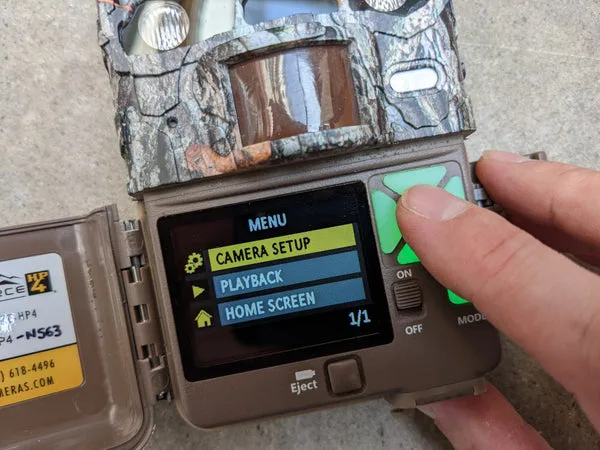
Image source: Bing (Web (fair-use with source credit))
Confirm your AM/PM before saving. This trip catches more people than you would think. When you enter the hour, the camera shows a small "A" or "P" indicator in the corner of the screen. It is easy to miss in direct sunlight.
Set the hour carefully. Double check the AM/PM indicator before you press OK. If you set the time to 3:00 and the indicator shows "A", you just set 3:00 AM.
Delete that setting and re enter it.
These three checks resolve the vast majority of timestamp errors according to aggregate user feedback. If you still have the wrong time after these steps, move to the next section.
When the Quick Fix Doesn't Work: GPS, Firmware, and SD Card Metadata
If fresh batteries, a disabled DST toggle, and correct AM/PM did not fix the timestamp, you are looking at one of three less common but more stubborn issues: GPS sync failure, firmware bugs, or SD card metadata corruption.
GPS sync problems. Cellular trail cameras and some premium non cellular models include a GPS module to set the time automatically from satellite signals. This feature works great in an open field. It fails in dense cover, deep ravines, and under heavy canopy.
The GPS receiver needs a clear view of the sky to lock onto satellites. If your camera is mounted inside a thicket or under a pine canopy, it may never sync properly. The camera will either keep its last known time or default to a random timestamp.
The fix is to move the camera to an open spot temporarily. Let it acquire a GPS lock (usually 30 seconds to 2 minutes). Verify the time.
Then move it back. Some cameras also have a "GPS Time Sync" option in the menu. If that is turned off, the GPS module will not update the clock even if it has a signal.
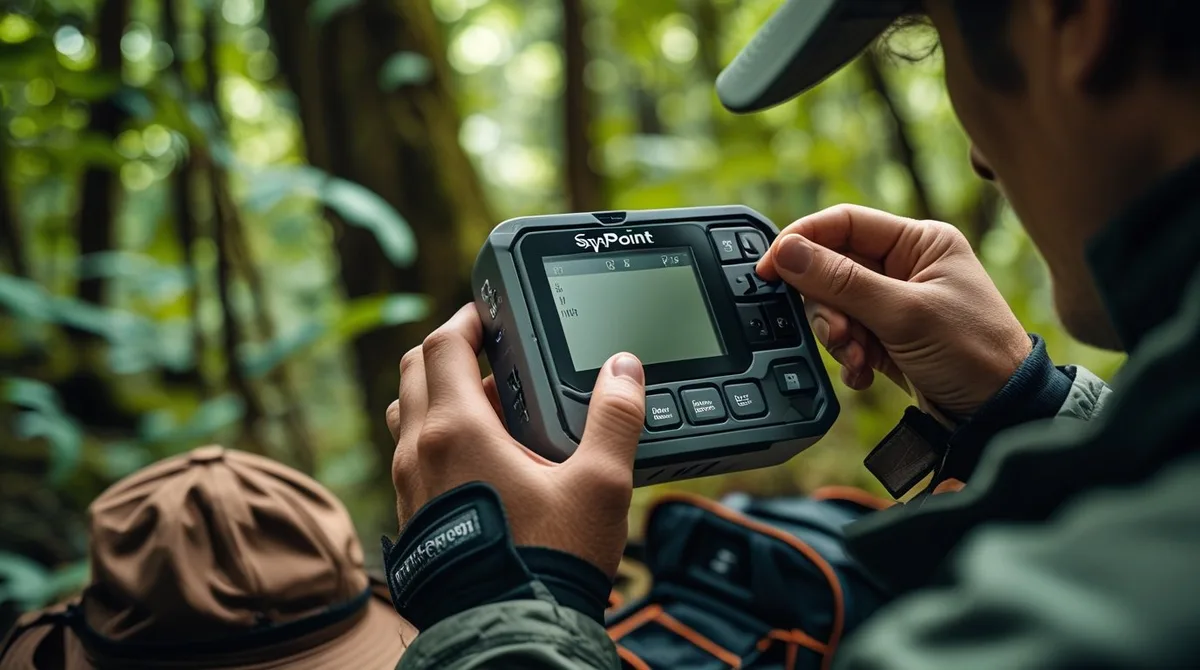
Image source: Bing (Web (fair-use with source credit))
Firmware bugs. Occasionally, a camera ships with a firmware revision that has a known timestamp bug. The time may jump by random amounts, fail to save after reboot, or display the wrong date format. Manufacturer support forums and official update pages list known issues by model and firmware version.
Check your camera's firmware version in the settings menu. Compare it to the latest version on the manufacturer's website. If a newer version exists and the release notes mention "time" or "date" fixes, update the firmware using the instructions on the site.
SD card metadata corruption. Sometimes the overlay timestamp printed on the photo is correct, but the metadata timestamp inside the file is wrong. This confuses software that reads EXIF data instead of the burned in text. The fix is to reformat the SD card inside the camera (not on a computer) and take a fresh test photo.
If the problem persists, the card may be corrupted. Replace it with a new high quality card. A card that has been swapped between different camera brands can carry file system quirks that mess up metadata.
Format every card in the camera you plan to use it with.
The "My Camera Still Can't Keep Time" Section: Internal Clock Battery and End of Life
You have tried everything. Fresh batteries. DST off.
Firmware updated. GPS lock acquired. And the camera still resets to January 1, 2000 every time you swap the SD card or return to check it after a week.
You are now looking at a hardware failure that most consumers do not know about.
Many trail cameras include a small internal backup battery. It is not the main battery compartment. It is a coin cell battery soldered to the circuit board.
This backup battery keeps the clock running while you swap out the primary batteries. When this coin cell dies, the clock loses its memory every time the main batteries are removed or drain completely.
The frustrating part is that most of these backup batteries are not user replaceable. They are soldered in place. If your camera is still under warranty, contact support.
Some manufacturers will repair it for free. If the warranty is expired, you have a choice: live with resetting the time every time you swap batteries, or replace the camera.
Aggregate reviews from long term users report that internal backup batteries typically last 3 to 5 years. If your camera is older than that and showing persistent clock resets, it is likely end of life for that component.
One workaround exists. Never let the main batteries drain to zero. Swap them while the camera still has some charge.
This keeps power to the main board and prevents the clock from resetting. It is not a permanent fix, but it buys time.
Mistakes Hunters Make That Wreck the Timestamp (And How to Avoid Them)
Most timestamp errors happen because of small habits that compound over a season. Here are the ones that show up most often in user reports.
Swapping SD cards between cameras without formatting. You pull a card from one brand of camera and drop it into another brand without a format. The new camera reads the old file system structure and sometimes overwrites the timestamp data incorrectly. Format every card in the camera you are using it with.
Do not skip this step just because the card already has photos on it.
Setting the time in 12 hour format but checking the camera in 24 hour format. Some cameras let you choose between 12 hour and 24 hour display. If you set the time in 12 hour mode and then switch to 24 hour mode, the conversion may be wrong. Pick one format and stick with it for the whole season.
Leaving DST set to auto. As mentioned earlier, this causes the one hour jump twice a year. The deeper mistake is assuming the camera handles the transition correctly. Many do not.
Turn DST auto off and set the time manually.
Using alkaline batteries in cold weather. Alkaline batteries lose voltage quickly below freezing. A camera that starts with fresh alkalines at 40 degrees Fahrenheit can drop below the voltage threshold for clock retention in a week of sub freezing nights. Lithium batteries maintain voltage much better in cold temperatures and reduce the risk of time resets.
Spend the extra couple of dollars on lithium cells for winter setups.
Never taking a test photo after setting the time. You set the clock, close the camera, and walk away. When you retrieve the card a week later, every photo is wrong. Take one test photo after setting the time.
Review it on the camera screen. Verify the timestamp is correct before you leave.
Ignoring firmware updates. If the manufacturer released a fix for a known timestamp bug and you never update, the bug stays. Check for updates at the beginning of every season. It takes five minutes and can save you a full season of unusable data.
Frequently Asked Questions
Why does my trail camera time reset every time I change the batteries?
The internal backup battery that keeps the clock running during battery swaps has likely died. Most trail cameras use a soldered coin cell that lasts 3 to 5 years. If the camera is older than that, the backup battery is probably exhausted.
Fresh lithium main batteries and a manual time reset are the only workaround.
How do I fix a trail camera timestamp that is off by exactly one hour?
That is almost always the Daylight Saving Time auto toggle. Go into the settings menu and turn the DST option to Off. Then manually enter the correct time.
Do not rely on the camera to handle the spring and fall transitions. Many models get the date wrong and shift the time when they should not.
Can a bad SD card cause wrong timestamps on my trail camera?
Yes. A corrupted or incorrectly formatted SD card can produce mismatched metadata timestamps. The overlay printed on the photo may show the correct time while the EXIF data inside the file shows something else.
Format the card inside the camera and take a test photo. If the problem continues, replace the card.
Why does my trail camera show January 1, 2000 as the date?
That is the factory default timestamp. It means the camera lost all power at some point and the internal clock battery could not hold the time. Fresh main batteries and a manual reset will fix it temporarily.
If it keeps reverting to that default date, the internal backup battery is dead.
Does cold weather affect the timestamp on trail cameras?
Yes. Alkaline batteries lose voltage rapidly below freezing. When voltage drops below a certain threshold, the camera may reset the clock.
Lithium batteries maintain voltage much better in cold conditions. Switching to lithium cells for winter setups reduces the risk of time resets significantly.
How often should I update my trail camera firmware for timestamp accuracy?
Check for firmware updates at the start of each season. Manufacturers occasionally release fixes for known timestamp bugs. A single update can resolve a problem that no amount of manual resetting will fix.
Compare your current firmware version to the latest one on the manufacturer's website.

Similar Posts






























