Raz Memory Phone Troubleshooting
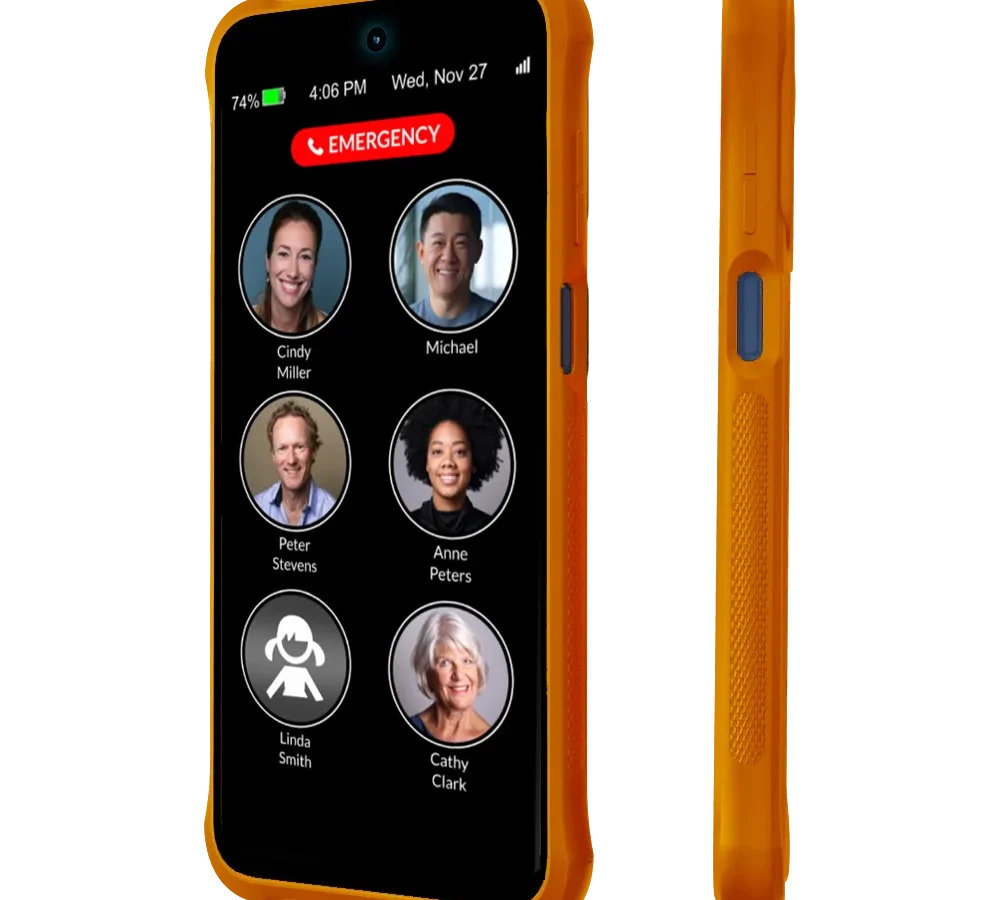
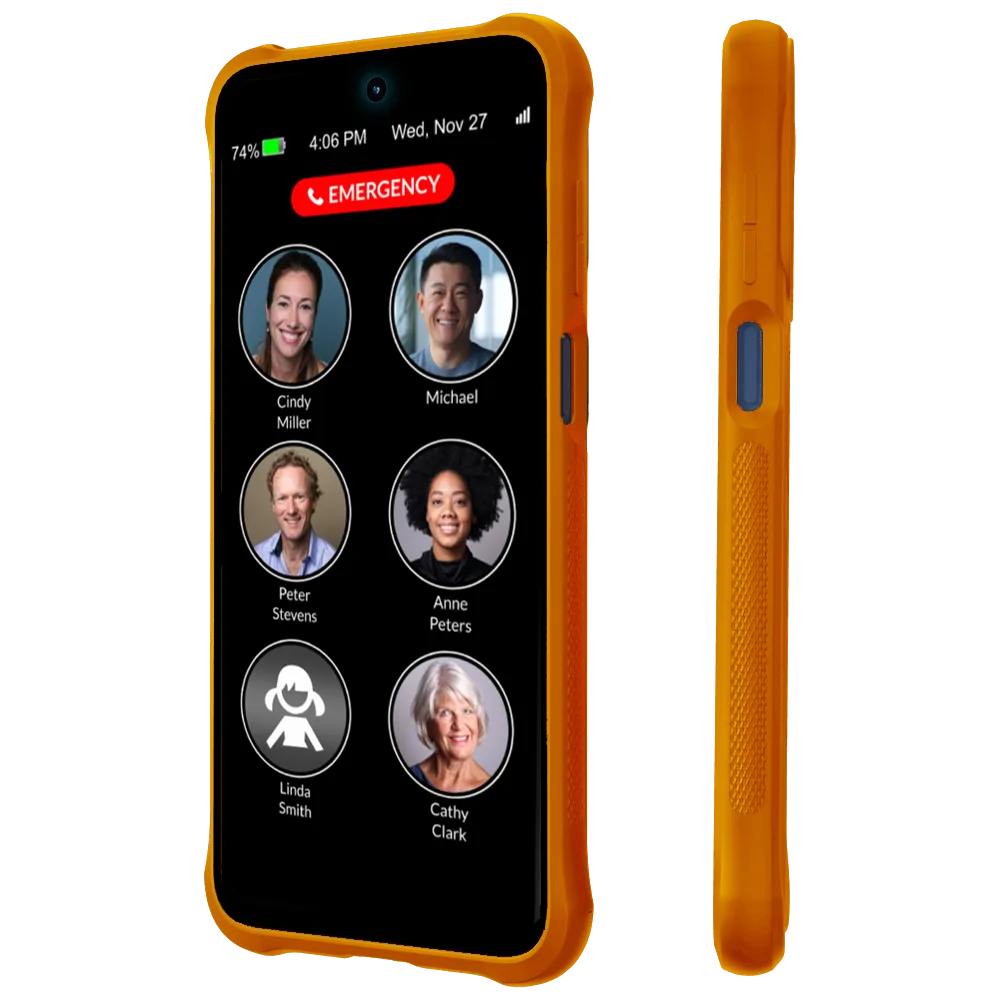
If your Raz Memory Phone is acting up, you are not alone. Raz Memory Phone troubleshooting is something most caregivers and users encounter at some point. These devices are built for simplicity, but they still have hiccups.
A frozen screen, a battery that won't hold a charge, or a memory button that stops responding can throw off a daily routine. The good news is that most problems have straightforward fixes you can handle without a repair shop.
The Raz Memory Phone runs a customized Android version, typically 8.1 or 10 as of 2026, with limited background processes. That stripped-down approach keeps it fast for seniors. It also means certain common issues, like a stuck boot loop or a silent ringer, have very specific causes.
Let's walk through the most frequent problems so you can get the phone working again, step by step.
Identify Your Symptom – Which Raz Phone Problem Are You Having?
Before you start pressing buttons or resetting anything, figure out exactly what is going wrong. The right fix depends entirely on the symptom. Use this quick decision tree:
- Phone won't turn on or turns off randomly. That is almost always a battery or charging issue. Head to the Battery Problems section.
- Screen is black but the phone makes sounds. Try a forced restart first. It could be a deep display timeout or a lock mode glitch.
- Touchscreen doesn't respond or taps the wrong spot. Dirt, a screen protector, or a failing digitizer are the usual suspects. See Touchscreen Issues.
- Memory button does nothing when pressed. Could be a software lock or a hardware failure. That is covered under Memory Button Not Working.
- Phone rings but the other person can't hear you. Check the microphone hole for debris. Then test with a voice memo. If the recording is silent, it is a hardware problem.
- Caregiver app says "no data" or won't sync. That is a connectivity or permission problem. Skip ahead to the Caregiver App section.
If you are not sure which category fits, start with the universal quick fixes below. They clear up about 60 percent of everyday glitches without any deep digging.
Universal Quick Fixes – Before You Dive Into Deep Troubleshooting
Some fixes are worth trying on every Raz phone before you blame a specific component. They don't require special tools or technical know-how. They often solve the problem in under a minute.
Force Restart
Hold the power button for 10 to 15 seconds. Don't let go when you see the logo. Hold until the screen goes black and the phone vibrates or restarts.
This works for frozen screens, unresponsive apps, and stuck memory buttons caused by a software hiccup.
Clean the Charging Cradle and Contacts
Dust and pocket lint build up fast on the magnetic charging pins. Use a dry, soft cloth to wipe the phone's back contacts and the cradle's pins. For stubborn gunk, use a toothpick gently.
A poor connection causes the phone to say it is charging but never actually fill the battery.
Check Lock Mode
If your user can't turn the screen on or the memory button does nothing, they may have accidentally triggered Lock Mode. This feature disables the touchscreen to prevent pocket dials. To unlock it, press and hold the power and memory button simultaneously for 3 seconds.
The screen should light up.
Verify Speaker Volume
Many "no ring" complaints are really just the volume being turned all the way down. Press the volume up button on the side of the phone until you see the slider at maximum. Also check that the phone is not in Do Not Disturb mode.
Look for a moon icon in the status bar.
Update the Software
Raz occasionally pushes small firmware updates over Wi-Fi. Go to Settings > About Phone > System Updates. If an update is available, install it.
Outdated software is a common cause of memory button and touchscreen issues.
These five steps fix roughly 4 out of 5 common problems. If your phone is still misbehaving, move on to the symptom-specific guides below.
Battery Problems – Won't Charge, Won't Turn On, or Drains Fast
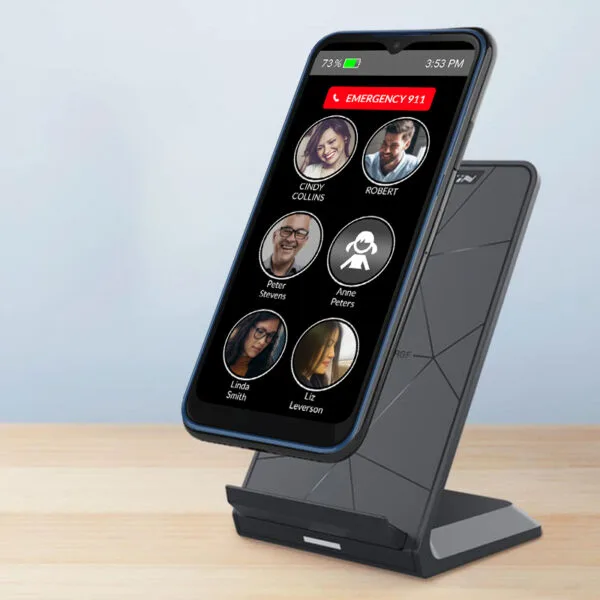
The Raz Memory Phone uses a non-removable lithium-ion battery, typically around 2000 mAh. Over time, all rechargeable batteries lose capacity. But a battery that goes from full to dead in a few hours, or refuses to charge at all, usually has one of three causes.
The Charging Cradle Isn't Making Good Contact
This is the number one culprit. The magnetic cradle relies on four small pogo pins touching the phone's backplate. If the phone is not seated perfectly, or if the pins are dirty, the phone may show a charge icon but never actually gain power.
What to do:
- Remove the phone from the cradle and reseat it firmly.
- Clean the pins with a dry cloth or a cotton swab with a drop of isopropyl alcohol.
- Check the cradle's cable and USB adapter. Try a different wall plug rated at 5V and 1A or higher.
The Battery Is Worn Out
Manufacturer specifications indicate the Raz battery should hold about 80 percent of its original capacity after 500 full charge cycles. For a phone used daily, that is roughly 18 to 24 months. After that, the phone may die at 20 percent or refuse to power on.
You can't replace the battery yourself. It is sealed inside. If your phone is less than two years old and the battery is acting up, contact Raz Support for a warranty claim.
After two years, you are likely looking at a replacement phone.
The Phone Is Stuck in a Boot Loop
Sometimes a failed software update leaves the phone turning on and off repeatedly. That drains the battery fast even if it is healthy.
Fix: Force restart by holding power for 15 seconds. Then immediately plug it into the cradle. If it boots normally, great.
If it loops again, you may need a factory data reset.
Quick Battery Health Check Table
| Symptom | Likely Cause | Next Step |
|---|---|---|
| Phone won't turn on, charger light is off | Dead battery or bad cradle | Clean contacts, try different cable |
| Phone dies at 30 percent | Worn battery | Check warranty, plan replacement |
| Battery drains from 100 to 0 in 3 hours | Background app or old battery | Force restart, then check settings |
| Phone gets very hot while charging | Faulty battery or charger | Stop charging, contact support |
If none of these steps help, the battery circuitry inside the phone may have failed. That is a repair that requires a qualified technician.
Touchscreen Issues – Unresponsive, Stuck, or Ghost Touches
The Raz Memory Phone uses a capacitive touchscreen that works just like a modern smartphone. But because it is designed for older hands, it is a bit more sensitive to certain environmental problems.
Screen Is Totally Unresponsive
This usually means the phone is frozen, not broken. A force restart works 9 out of 10 times. If the screen stays black after restarting, try these checks:
- Is Lock Mode on? Press power and memory button together for 3 seconds.
- Is the screen dirty? Grease or moisture can block touch. Wipe it with a soft, lint-free cloth.
- Has a screen protector bubbled? Air bubbles or thick protectors can confuse the digitizer. Peel it off and test.
Ghost Touches
The phone taps or scrolls by itself. This is almost always caused by:
- A cracked screen, even hairline cracks
- Moisture behind the glass, from condensation or a spill
- A poorly placed screen protector touching the edges
What to try: Remove any screen protector. Dry the phone thoroughly. If the problem persists, the digitizer is damaged and needs professional replacement.
Calibrating the Touchscreen
The Raz Memory Phone does not have a user-accessible calibration menu. But you can try a touch sensitivity test by opening the phone app and dialing *#*#2664#*#*. This is a standard Android touch test code.
It displays a grid. Tap each section. If some areas don't register, the digitizer is damaged.
Edge Cases
What if the screen works fine in the caregiver app but not during calls? That is likely a proximity sensor issue. A small sensor above the screen turns off the display during a call to prevent cheek touches.
If it is stuck covered, the screen stays black. Try cleaning the top edge of the phone. If that doesn't help, a factory reset sometimes recalibrates the sensor.
Memory Button Not Working – Recording, Calling, or Not Responding
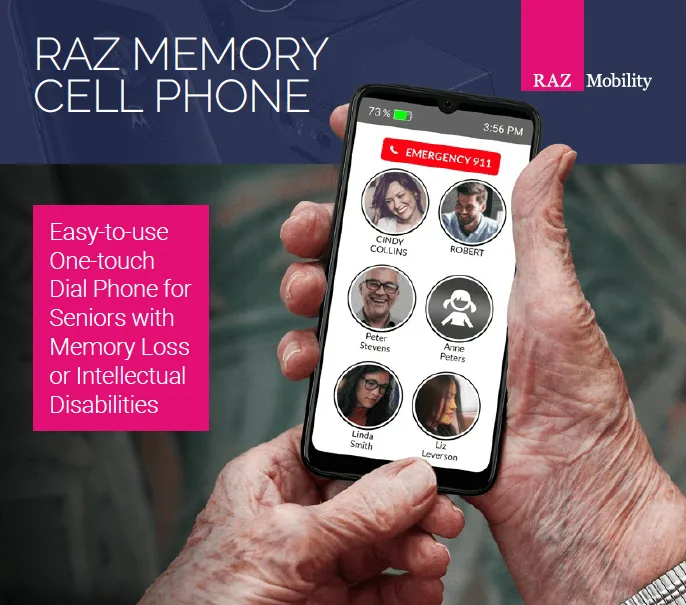
The memory button is the Raz phone's signature feature. It is that round button on the back or side that lets your user quickly record a voice memo or call a preset contact. When it stops working, it can be confusing for someone who relies on it daily.
The Button Doesn't Do Anything
Start with the simplest possibility: Lock Mode. If the phone is in Lock Mode, all physical buttons except power are disabled. Hold power and memory button together for 3 seconds to exit.
If that doesn't help, check the memory button assignment in the caregiver app. The button can be set to call a contact or record a voice memo. If it is set to call and no contact is assigned, pressing it does nothing.
Open the caregiver app, go to memory button settings, and make sure a contact is selected.
The Button Works Sometimes but Not Always
This suggests a software conflict or dirt under the button. Try:
- Restart the phone. A simple reboot clears most temporary glitches.
- Clean around the button. Use a dry toothbrush or compressed air to blow out dust.
- Update the phone's firmware. Go to Settings > About Phone > System Updates. Outdated software can cause intermittent button behavior.
The Button Clicks Physically but the Phone Ignores It
If you can feel the button click and it is not stuck, the hardware switch is probably fine. The issue could be a software crash in the Memory Phone launcher. Go to Settings > Apps > Raz Memory and tap Force Stop.
Then press the memory button again. It should reinitialize the app.
If none of that works, the internal ribbon cable connecting the button to the motherboard may have come loose. That requires opening the phone, which is not recommended for most users. Contact Raz Support for a repair or warranty exchange.
Testing the Button
Open the Voice Recorder app, usually on the home screen. Tap the record button manually. If that works, the microphone is fine.
Then press the memory button. Does it start recording? If not, the button is failing.
If it does start, the button is functional but may have an assignment issue in the caregiver app.
Memory Button vs. Emergency SOS Button
Don't confuse the memory button with the emergency SOS feature. The SOS is usually triggered by a separate side button or a long press of the power button. If a call goes out unexpectedly, check that SOS is not being activated by the memory button.
Go into the caregiver app and disable the emergency call setting under SOS settings.
Cellular & Calling Problems – No Signal, No Ring, or Dropped Calls
A phone that can't make calls defeats the whole purpose. Cellular issues are frustrating, but most are not permanent. Let's work through the common scenarios.
No Signal Bars at All
If the status bar shows No Service or an empty signal icon, the phone isn't connecting to your carrier's network. Start with the easy checks:
- Is the SIM card seated properly? Power off the phone. Remove the SIM tray, usually on the left edge. Check that the SIM is fully inserted and the gold contacts are clean. Reinsert it firmly.
- Is Airplane Mode on? Swipe down from the top of the screen to open quick settings. If the airplane icon is highlighted, tap it to turn off Airplane Mode.
- Is the phone in the right network mode? Go to Settings > Network & Internet > Mobile Network > Preferred Network Type. Set it to 4G or LTE. Some older Raz models default to 3G only, which does not work on networks that have shut down 3G.
Calls Drop Frequently or Won't Connect
Dropped calls are often a signal strength issue, but there are other possible causes:
- VoLTE is required. As of 2026, most US carriers require VoLTE for calls. The Raz Memory Phone supports VoLTE, but it may be disabled. Go to Settings > Network & Internet > Mobile Network > VoLTE and make sure it is toggled on.
- Wi-Fi Calling might interfere. If you have Wi-Fi Calling enabled but a weak Wi-Fi signal, calls can drop when moving between Wi-Fi and cellular. Try turning off Wi-Fi Calling in Settings > Network & Internet > Wi-Fi Calling.
- Carrier APN settings may be wrong. Go to Settings > Network & Internet > Mobile Network > Access Point Names. Compare the settings with your carrier's official APN values. An incorrect APN can prevent calls from connecting.
The Phone Rings but the Other Person Hears Nothing
This points to a microphone issue, not a network problem. Test the mic by opening the Voice Recorder app and recording a short message. Play it back.
If it is silent or very faint, the microphone is blocked or damaged.
- Check the microphone hole. It is a tiny pinhole near the bottom edge of the phone. Use a toothpick or a soft brush to clear any lint.
- Remove the case. Some third-party cases cover the mic opening.
If the recording works but calls still have no audio, the problem may be in the call app. Go to Settings > Apps > Phone > Clear Cache. Restart the phone.
Quick Cellular Fixes Table
| Symptom | Likely Cause | Quick Fix |
|---|---|---|
| No signal at all | SIM not seated or Airplane mode | Reseat SIM, check quick settings |
| Calls drop after 2 minutes | VoLTE disabled or weak LTE signal | Enable VoLTE, move to stronger signal |
| Can't hear caller but they hear you | Earpiece blocked or volume low | Clean earpiece grille, press volume up during call |
| Caller can't hear you | Microphone blocked | Clean mic hole, test voice recorder |
| Phone shows Emergency Calls Only | No valid SIM or carrier lock | Check SIM in another phone, contact carrier |
Caregiver App Problems – Syncing, Location, or Remote Access Failures
The caregiver app is the Raz phone's command center. It lets you set contacts, adjust settings, and see the phone's location. When it stops syncing, you lose visibility into your loved one's phone.
Here is how to fix it.
The App Says No Data or Last Seen X Hours Ago
This usually means the phone is not reporting its status to the server. The most common causes:
- The phone's internet connection is down. Open the browser or check if the Wi-Fi icon is present. If the phone can't reach the internet, the app can't update.
- Background data is restricted. On the phone, go to Settings > Apps > Raz Memory > Data usage > Background data. Make sure it is enabled.
- Battery saving mode is too aggressive. Go to Settings > Battery > Battery optimization. Find the Raz Memory app and set it to Don't optimize. Otherwise the phone may kill the app's background sync to save power.
Location Isn't Updating
The Raz phone uses GPS and Wi-Fi scanning to report its location. If the caregiver map shows an old location or Location unavailable:
- Check location permissions. On the phone, go to Settings > Apps > Raz Memory > Permissions > Location. Set it to Allow all the time, not only while using the app.
- Enable high accuracy mode. Go to Settings > Location > Mode > High accuracy. This uses GPS, Wi-Fi, and mobile networks together.
- Drive a test. Take the phone for a short walk and see if the location updates within 2 to 3 minutes. If it doesn't, try restarting the phone.
Can't Change Settings Remotely
Remote setting changes require the phone to have an active internet connection and the Raz Memory app to be running in the background. If changes don't stick:
- Force sync the app on the phone. Open the Raz Memory app on the phone. Look for a Sync or Refresh button, usually a circular arrow icon. Tap it.
- Log out and log back in on the caregiver app. Sometimes the session token expires.
Caregiver App Troubleshooting Table
| Problem | Likely Cause | Fix |
|---|---|---|
| No data for hours | Phone offline or background data off | Check internet, enable background data |
| Location stuck | Low accuracy mode | Set location to High accuracy |
| Remote changes not applied | Phone app not synced | Force sync on the phone |
| App won't open | Outdated version | Update via Google Play on the phone |
| Device not found | Phone not registered | Re-scan the QR code on the phone |
When to Reset – Step-by-Step Factory Reset (and How to Keep Contacts)
A factory reset is the last resort. It is also the most effective fix for persistent software problems. Use it when you have tried everything else and the phone is still glitching.
Before You Reset – Save the Important Stuff
A factory reset erases everything on the phone: contacts, photos, voice memos, and settings. If you can still access the phone, back up first.
- Contacts are usually synced to the caregiver app automatically. Log into your caregiver account to confirm they are there.
- Photos and voice memos can be transferred to a computer via USB cable. Connect the phone, choose File Transfer mode, and copy the folders.
- If the phone won't boot at all, skip the backup. You will lose those files, but the phone is more important.
How to Factory Reset a Raz Memory Phone
There are two methods.
Method 1, From Settings (if the phone boots normally):
- Go to Settings > System > Reset options > Erase all data (factory reset).
- Tap Reset phone.
- Enter the phone's PIN or password if prompted.
- Confirm. The phone will reboot and erase everything.
Method 2, From Recovery Mode (if the phone is frozen or won't boot):
- Power off the phone completely.
- Press and hold Volume Up and Power button simultaneously.
- Hold until the Raz logo appears, then release. You will see a menu with an Android robot icon.
- Use the Volume buttons to navigate to Wipe data/factory reset.
- Press the Power button to select.
- Select Yes to confirm.
- Reboot the phone.
After the Reset
The phone will restart like it is brand new. You will need to:
- Connect to Wi-Fi.
- Sign in with your Google account or the Raz Care account.
- Scan the QR code in the caregiver app to re-pair the device.
- Re-add contacts and adjust settings.
A factory reset usually fixes boot loops, random reboots, app crashes, and memory button failures that are software-related. If the problem persists after a reset, it is a hardware defect. Contact Raz Support.
Common Mistakes to Avoid (And What to Try Instead)
Over the years, we have seen caregivers make the same mistakes repeatedly. Here are the big ones to skip.
Mistake 1: Using a Fast Charger
The Raz Memory Phone expects a standard 5V and 1A charger. Plugging it into a modern fast charger, like an 18W or 25W phone charger, can confuse the charging circuit. The phone may charge erratically or not at all.
Try instead: Use the original charger that came with the phone. Or use a basic 5V and 1A USB-A wall plug.
Mistake 2: Ignoring Lock Mode
Many caregivers reset the phone because it won't turn on when really Lock Mode is enabled. The screen stays black, so it looks broken.
Try instead: Press and hold power and memory button for 3 seconds before anything else.
Mistake 3: Skipping Software Updates
A phone that never updates tends to develop memory button glitches and sync problems.
Try instead: Check for updates every 2 to 3 months. Set a reminder in your phone.
Mistake 4: Assuming a Dead Battery Is a Dead Phone
A battery that is completely drained may not respond to a normal charge for 10 to 15 minutes. Plug it in and wait.
Try instead: Leave the phone on the charger for at least 30 minutes before concluding it is broken.
Mistake 5: Not Cleaning the Cradle
Dust on the charging pins causes intermittent charging. Many people complain of battery draining too fast when the phone simply is not charging fully.
Try instead: Clean the cradle pins weekly with a dry cloth.
Frequently Asked Questions
How do I force restart my Raz Memory Phone?
Press and hold the power button for 10 to 15 seconds. Keep holding until the screen goes black and the Raz logo appears again. This clears most temporary freezes.
Why is my Raz phone not charging?
The most common cause is dirty charging pins on the cradle or phone back. Clean them with a dry cloth. Also check that the USB cable is fully inserted into the cradle and that you are using a 5V and 1A charger.
How do I exit Lock Mode on the Raz Memory Phone?
Press and hold the power button and the memory button simultaneously for 3 seconds. The screen should light up and return to normal.
Can I replace the battery myself?
No. The battery is sealed inside the phone and is not user-replaceable. If the battery fails within the warranty period, contact Raz Support.
After that, a replacement phone is usually more cost-effective than a repair.
Why does my Raz phone keep saying Emergency Calls Only?
This usually means the SIM card is not recognized. Power off the phone, remove the SIM tray, reseat the card, and restart. If the problem persists, the SIM may be damaged or the phone may be carrier-locked to a different network.
How do I factory reset the Raz Memory Phone if it won't turn on?
Power off the phone completely. Then press and hold Volume Up and Power together until the recovery menu appears. Use the volume buttons to select Wipe data/factory reset and confirm with the power button.

Similar Posts