Blink Outdoor Battery Problems
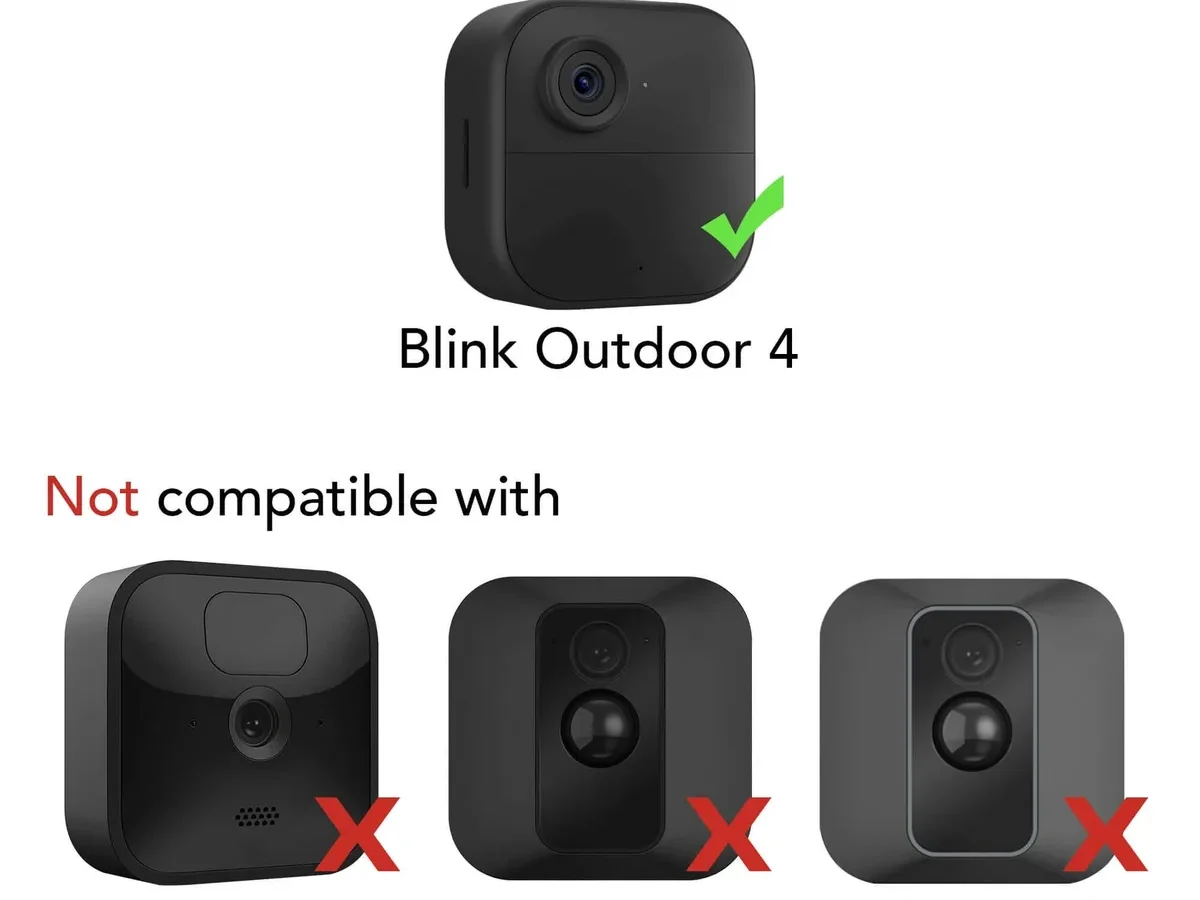
Your Blink Outdoor battery problems can feel like a guessing game. One day the camera is fine. The next day it's dead.
You swap in fresh batteries and it happens again in two weeks. If that sounds familiar, you are not alone.
Manufacturer specifications indicate the Blink Outdoor can run for up to two years on a single set of lithium AA batteries under ideal conditions. Real-world conditions are rarely ideal. Aggregated user feedback suggests the average lifespan lands between three and six months.
Let's walk through the diagnostics step by step.
Quick Answer
Use Energizer Ultimate Lithium batteries only. Avoid alkalines in outdoor cameras. Check your motion sensitivity settings in the Blink app.
Set retrigger time to 30 seconds or higher. Keep your Sync Module closer to the camera. Upgrade firmware regularly.
If your camera dies in freezing weather, that is normal but fixable with a solar panel.
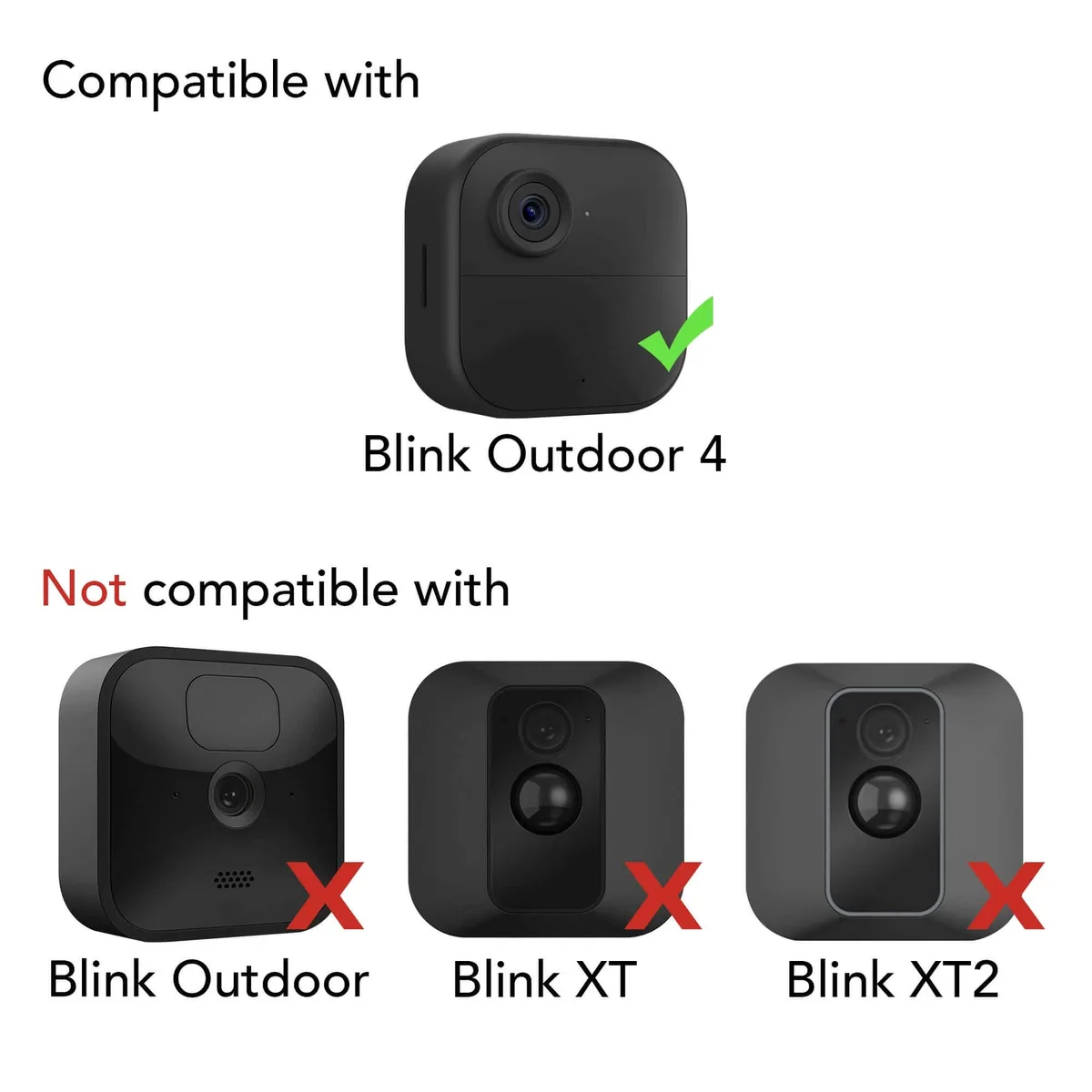
Image source: Bing (Web (fair-use with source credit))
Why Your Blink Outdoor Batteries Die So Fast
Three main things drain Blink batteries faster than expected. Cold weather is the biggest culprit. Lithium batteries lose capacity below freezing.
Alkaline batteries fail almost immediately in those conditions.
High activity is the second cause. If your camera faces a busy street or a walking path, it triggers motion detection dozens of times per hour. Each recording burns power.
The third cause is poor Wi-Fi signal. When the camera struggles to stay connected, it works harder to maintain the link. That constant effort drains the batteries faster than any motion event.
Most Blink Outdoor battery problems trace back to one of these three issues. Sometimes it is a combination of two or all three. Identifying which one applies to your setup is the first step.
The First Question to Ask Yourself
Is it cold where you live? If the temperature regularly drops below 40°F (4°C), start with the cold climate solution. If you live in a mild climate, skip to the settings section.
Temperature has the most dramatic effect on battery life. Verified buyer feedback confirms that cameras exposed to freezing nights can lose 50 percent of battery capacity within a single week. That is not a defect.
It is basic electrochemistry.
Lithium AA batteries are designed to perform in cold conditions down to -40°F (-40°C). Alkaline batteries freeze up much sooner. If you have been using standard Duracell or Energizer alkalines, switch to lithium immediately.
Here is a quick comparison of battery types for the Blink Outdoor:
| Battery Type | Cold Performance | Typical Lifespan (Average Use) | Cost per Set |
|---|---|---|---|
| Lithium (Energizer Ultimate) | Excellent down to -40°F | 4 to 6 months | $8 to $12 |
| Alkaline (standard) | Poor below 32°F | 2 to 6 weeks | $4 to $6 |
| Rechargeable NiMH | Poor in all temps | 1 to 3 weeks | Varies |
If You're in a Cold Climate
Switch to Energizer Ultimate Lithium AA batteries. Do not mix brands. Do not mix old with new.
Replace all four at the same time. Per battery manufacturer specifications, mixing different chemistries can cause voltage mismatch and rapid drain.
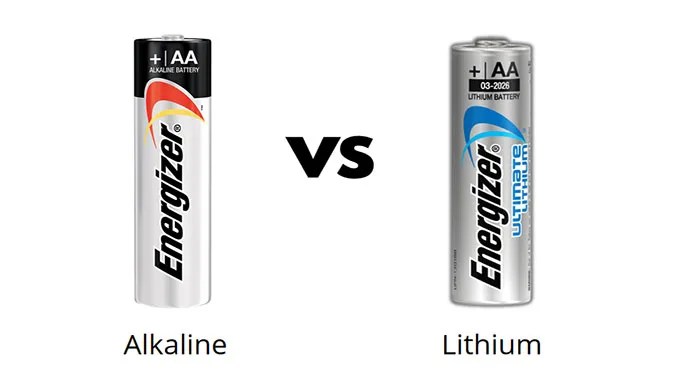
Image source: Bing (Web (fair-use with source credit))
If you already use lithium batteries and still experience drain in cold weather, consider adding a Blink solar panel mount. The solar panel keeps the internal battery topped up during daylight hours. It does not eliminate cold-related drain, but it compensates for it.
Some users report that bringing the camera indoors overnight and reinstalling it the next morning helps. That is impractical for most people. A better long-term solution is to reposition the camera to a spot that gets more sun exposure during the day.
As of 2026, the Blink Outdoor 4 includes improved cold-weather firmware. Make sure your camera is running the latest firmware version. You can check this in the Blink app under Device Settings.
If It's Not the Cold: Check Your Camera Settings
Most battery drain in moderate climates comes from overly sensitive motion settings. The Blink app allows you to adjust three key parameters.
Motion detection sensitivity controls how easily the camera triggers. A setting of 10 catches every leaf blowing in the wind. That drains batteries very fast.
Drop it to 5 or 6 for most driveways and walkways.
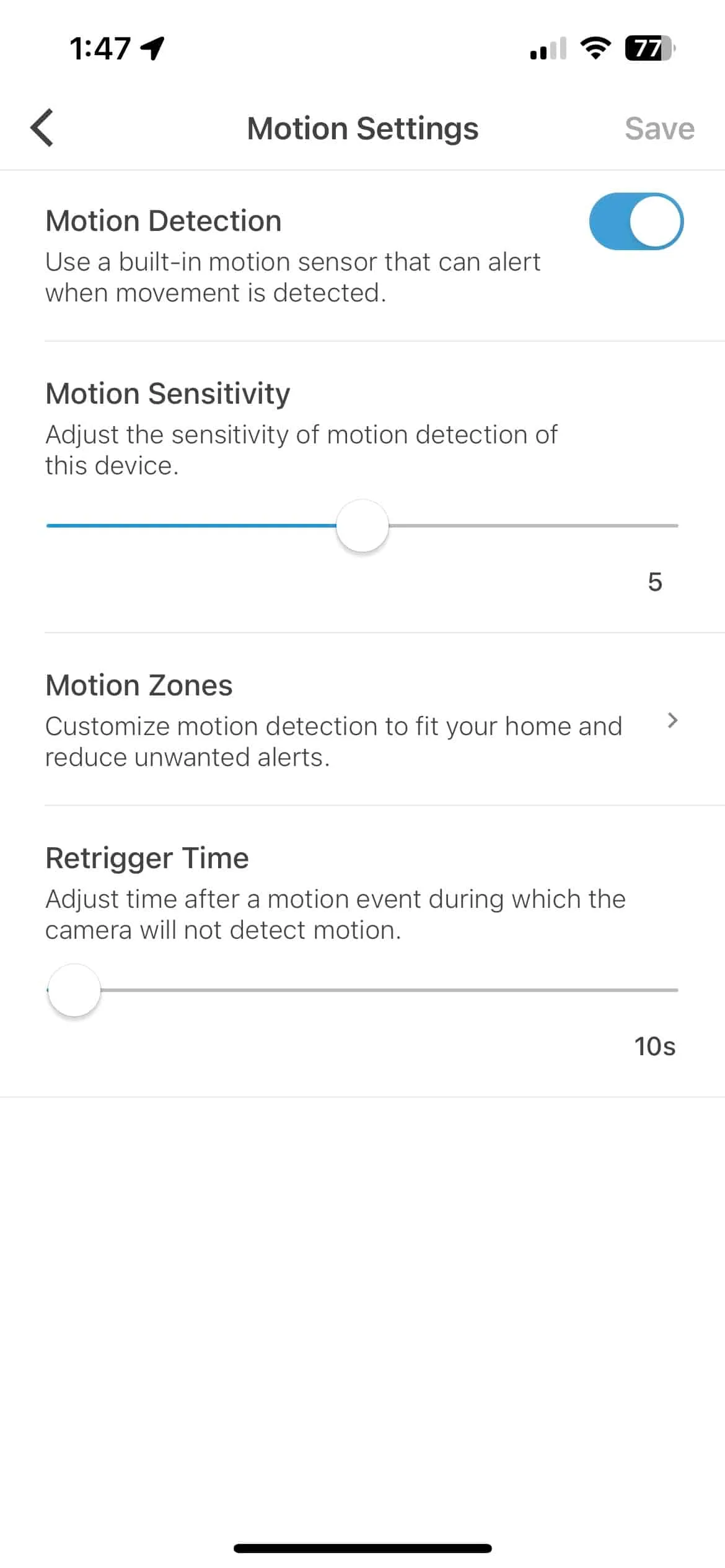
Image source: Web (Bing) / thegadgetbuyer.com (Web image (fair-use with source credit))
Video clip length defaults to 30 seconds. That is generous. A 10-second clip captures most events.
Shorter clips mean less recording time and less battery use.
Retrigger time sets how long the camera waits before it can record again. A retrigger time of 10 seconds means the camera fires constantly if someone lingers in view. Bump it to 30 seconds for most areas.
For low-traffic spots, 60 seconds works well.
Here are the recommended settings for balancing protection and battery life:
- Motion sensitivity: 5
- Clip length: 10 seconds
- Retrigger time: 30 seconds
- IR night vision: Auto (not always on)
- Live view: Use sparingly
Live view is a major battery killer. Watching a live stream for two minutes uses more power than 50 motion-triggered clips. Use it only when you need real-time verification.
The Sync Module Curse
The Sync Module is the brain of your Blink system. It communicates with every camera. If it has problems, your batteries pay the price.
A common issue is the Sync Module being too far from the camera. Weak signal forces the camera to transmit at higher power. That constant high-power transmission drains batteries in days instead of weeks.
Move the Sync Module closer to the camera if possible. Keep it within 100 feet of direct line of sight. Walls and metal objects reduce range significantly.
Another Sync Module problem is outdated firmware. Firmware bugs can cause the module to poll cameras constantly. That keeps the cameras awake when they should be sleeping.
Check for firmware updates in the Blink app under Sync Module settings.
If your Sync Module shows an amber light instead of solid green, it has a connection problem. Fix the Wi-Fi connection to your router first. Then re-sync the cameras.
A healthy Sync Module saves battery life across your whole system.
Hardware Problems and Other Oddities
Sometimes the problem is not settings or weather. It is hardware.
Corroded battery contacts are surprisingly common. Moisture gets into the battery compartment through a worn or misaligned gasket. Check the rubber seal each time you change batteries.
If it looks cracked or dirty, clean it with a dry cloth. A damaged gasket lets in humidity that corrodes the metal contacts.
If the contacts look greenish or white and crusty, clean them with isopropyl alcohol and a cotton swab. Let them dry completely before inserting new batteries.
Another hardware issue is the battery spring losing tension. Weak springs cannot hold batteries firmly. The camera loses power intermittently.
Gently pull the spring outward with a small screwdriver to restore tension.
A factory reset can solve mystery battery drain. Remove the batteries. Press and hold the reset button on the camera for five seconds.
Reinsert the batteries and set up the camera again in the Blink app. This clears any stuck processes that might be draining power.
If none of these steps work, the camera may have a defective battery management chip. Contact Blink support for a warranty replacement. Most Blink Outdoor cameras have a one-year warranty.
Frequently Asked Questions
How long should Blink Outdoor batteries last?
Under ideal conditions with lithium batteries and moderate activity, expect 4 to 6 months. With high traffic or cold weather, that drops to 2 to 3 months. Extremely busy locations with constant motion events may see only 3 to 6 weeks.
Can I use rechargeable batteries in my Blink Outdoor camera?
Rechargeable NiMH AA batteries are not recommended. They provide a lower voltage (1.2V instead of 1.5V) and perform poorly in cold weather. The camera may show low battery warnings prematurely or fail to function correctly.
Why does my Blink camera show low battery after one day?
This usually means the previous batteries were drained completely and the voltage reading is inaccurate. Remove the batteries for 30 seconds. Reinsert them.
Restart the camera. If the low battery warning persists, the batteries may be truly depleted or defective.
Does live view drain the Blink battery faster?
Yes, significantly. Live view keeps the camera's radio and sensor active continuously. Two minutes of live view uses more power than 50 motion-triggered clips.
Use live view only when necessary for real-time checking.
How do I check my Blink camera's signal strength?
Open the Blink app. Go to the camera settings. Look for Wi-Fi signal strength.
A reading of -60 dBm or higher (closer to zero) is excellent. Below -75 dBm indicates a weak signal that forces the camera to work harder and drain batteries faster.
Will a solar panel fix my battery problems?
A Blink solar panel mount can help, especially in sunny climates and cold weather. It keeps the internal batteries charged during daylight hours. It will not fix drain caused by excessive motion events or poor Wi-Fi signal.
It works best as a supplement to good settings and proper battery choice.
So, Should You Even Bother with Batteries?
Wireless security cameras have trade-offs. Battery power means you can place them anywhere without drilling holes for wires. That convenience comes with the responsibility of monitoring battery life.
The good news is that most battery problems are fixable. Switch to lithium batteries. Tweak your motion settings.
Move the Sync Module closer. Keep firmware updated. Those four changes solve the vast majority of issues.
If you are in a very cold climate with limited sun and high activity, a wired camera might be a better choice. But for most homeowners, the Blink Outdoor works well once you dial in the right settings.
Start with the diagnostic steps above. Find your problem. Fix it.
Then enjoy the peace of mind that comes from a working outdoor camera without constant battery anxiety.

Similar Posts
































