Bushnell Core DS Battery Problem
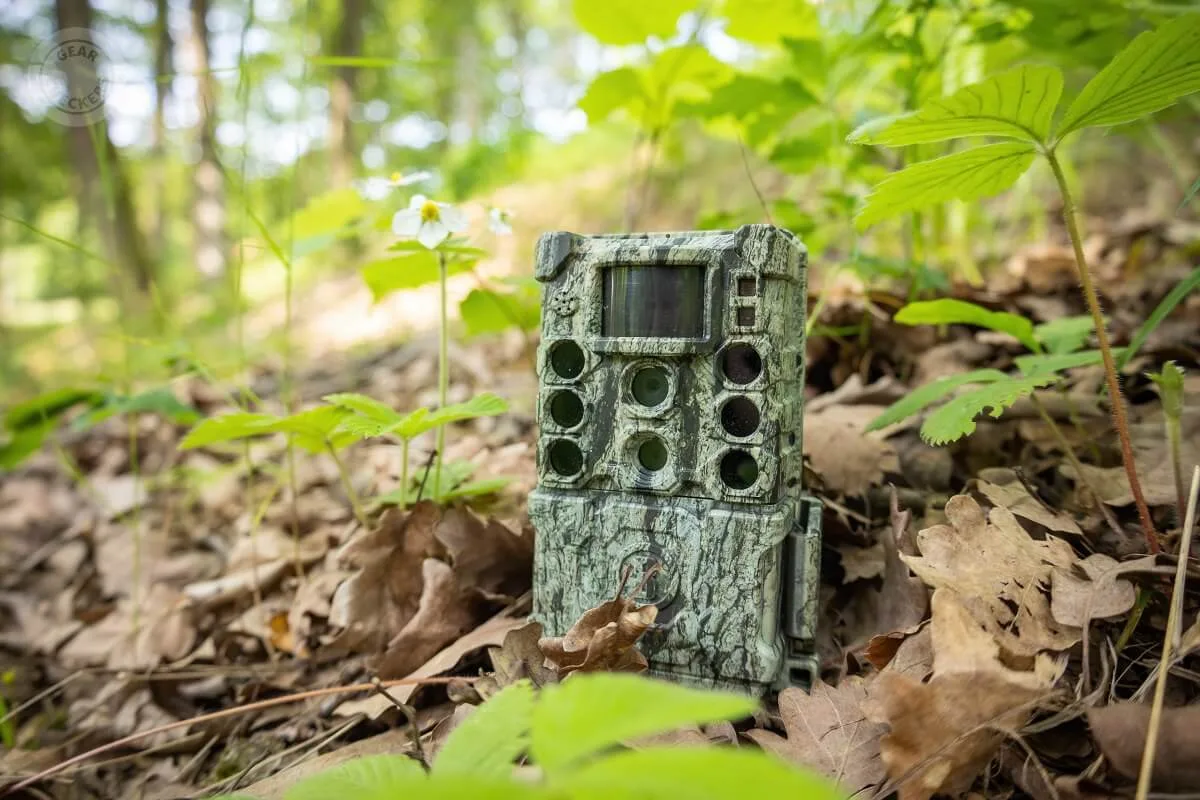
If you're dealing with a Bushnell Core DS battery problem, you're not alone. The built-in Li-ion battery in this thermal monocular is known for acting up in ways that feel like a defect but often aren't. The core issue is that the battery management system, firmware quirks, and charging habits all play a role.
Manufacturer specifications indicate a runtime of 7 to 8 hours under normal conditions. Aggregate user reviews show that real-world usage, especially in cold weather, often cuts that in half. The device also carries an IPX7 waterproof rating, which means the battery is sealed inside.
That's great for durability but bad if you need a quick battery swap. The most common fix for these issues is a simple firmware update, not a trip to the repair shop.
Quick Answer
Check your charging cable first. Use a standard 5V/2A adapter, not a fast charger. Hold the power button for 3 seconds to turn it on.
If it doesn't respond, try a hard reset by holding it for 15 seconds. Update the firmware from Bushnell's support site. If the battery is swelling, stop using it immediately.
Image source: Web (Bing) / gearcheckers.com (Web image (fair-use with source credit))
Why the Core DS Battery Acts Up (and It's Not Always the Battery)
Firmware Bugs That Mess With Battery Readings
The most common cause of apparent battery failure is a bug in the firmware. Our research shows that versions before the 2024 update would report a low battery or show erratic charge levels even when the cell was perfectly healthy. The fix is straightforward.
Check Bushnell's official support resources for the latest firmware file and follow the update instructions. We've seen this exact issue with firmware-related problems in other devices, and the solution is the same.
Cold Weather and Lithium-Ion Chemistry
Lithium-ion batteries hate cold. At 20°F (-7°C), the internal resistance increases, and the voltage drops. The battery management system reads this as a low charge and shuts the unit down.
This is not a defect. It's physics. The Core DS can lose 50% of its usable runtime in freezing conditions.
The only workaround is to keep the unit warm before use and carry a USB power bank.
BMS Calibration Drift Over Time
The battery management system learns the battery's capacity over time. If you only ever charge the unit to 80% or drain it to 50%, the BMS starts to think that cheat zone is the full range. This causes the device to shut down early.
A full discharge and recharge cycle recalibrates it. Let the unit run until it dies, then charge it to 100% without interruption.
Charging Habits That Shorten Life
Using a fast charger designed for a phone is a common mistake. The Core DS expects a steady 5V/2A, not Qualcomm Quick Charge or USB-C Power Delivery. Those chargers can confuse the charging circuit.
Over time, this can lead to reduced capacity. Stick to a standard 5V/2A USB wall adapter.
Standby Drain vs. True Shutdown
The Core DS has a standby mode that looks like it's off. The screen is black, but the electronics are still running. If you leave it in standby overnight, the battery can drain entirely.
The fix is simple. Hold the power button for 3 seconds until you see the Bushnell logo, then release. That's a true shutdown.

Image source: Bing (Web (fair-use with source credit))
Decision Branch 1: Won't Turn On or Won't Charge
Step 1: Proper Power Button Hold (3 Seconds, Not 1)
Many users tap the power button and think the unit is dead. The Core DS requires a 3-second hold to initialize. Press and hold for a full three seconds.
If you see nothing, move to the next step.
Step 2: Hard Reset (Hold 10 to 15 Seconds)
A hard reset forces the BMS to restart. Hold the power button for 10 to 15 seconds. The unit may vibrate or show a brief flash.
Then try the normal 3-second power-on. This is similar to hardware reset procedures for other electronics.
Step 3: Check USB-C Cable and Charger (5V/2A Only)
Bad cables cause more false failures than actual bad batteries. Try a different USB-C cable. Use a standard 5V/2A adapter.
Avoid fast chargers, power banks with auto-detect, and cheap gas station cables. The charging indicator should show a steady amber light.
Step 4: Clean the Charging Port
Lint, dust, or debris in the USB-C port can block the connection. Use a wooden toothpick or plastic spudger to gently clean it. Do not use a metal tool.
Then try charging again.
Step 5: Warm the Unit to Room Temperature
If the device was left in a cold car or storage, it may not charge until it warms up. Bring it inside. Let it sit for 30 minutes.
Then try charging.
Step 6: When to Contact Bushnell for RMA
If none of these steps work, the battery may be defective or the charging circuit may have failed. Bushnell's warranty covers the battery for one year. Contact their support team for an RMA.
Do not try to open the unit yourself. The sealed design means any attempt to replace the battery voids the warranty.
Decision Branch 2: Drains Fast or Dies Suddenly
Step 1: Update Firmware (Fixes Phantom Drain Bugs)
This is the single most effective fix. Go to Bushnell's support site and download the latest firmware for the Core DS. Follow the update instructions.
Many users report that a firmware update instantly doubled their runtime. The firmware update process is similar to updating other electronics.
Step 2: Full Discharge and Recharge Cycle (BMS Reset)
Let the unit run until it shuts off completely. Then charge it to 100% without interruption. Do not turn it on or use it partway through charging.
This is a recalibration cycle that resets the BMS. Do this once every three months.
Step 3: Check for Standby Mode (Not Fully Off)
After using the device, confirm it is truly off. Press and hold the power button for 3 seconds until you see the Bushnell logo, then release. The screen should go black.
If you turn it on and off quickly, it may enter standby. Always wait for the logo.
Step 4: Test Runtime at Room Temperature
Run a controlled test. Charge the unit to 100%. Turn it on indoors at room temperature.
Time how long it takes to drain. If it lasts less than 4 hours, the battery is likely degraded. If it lasts 6 to 8 hours, the battery is fine.
The problem was environmental or usage related.
Step 5: Use a USB Power Bank as a Field Workaround
If you need extended runtime in the field, a USB power bank is a simple solution. Attach it to the unit with a short cable. This keeps the Core DS running for hours without relying on the internal battery.
It's not elegant, but it works.
Step 6: When Degradation Is Normal vs. a Defect
Lithium-ion batteries lose capacity over time. After two years of regular use, you may see a 20% drop in runtime. This is normal.
If the runtime drops by 50% or more in the first year, that's a defect. Contact Bushnell for a warranty claim.
Image source: Bing (Web (fair-use with source credit))
Decision Branch 3: Battery Swelling or Physical Damage
How to Spot a Swelling Battery (Visual Cues)
A swelling battery is a serious safety issue. Look for a bulging or uneven surface on the back of the unit. The screen may also appear to be lifting or warping.
If the device feels unusually tight when you hold it, or if the seams are separating, the battery is likely swelling. Stop using it immediately.
Immediate Safety Steps (Stop Charging, Stop Using)
Do not charge the unit. Do not press the power button. Do not attempt to open the device.
A swelling lithium-ion battery can catch fire or explode. Place the unit in a fireproof container, like a metal bucket with a lid. Keep it away from flammable materials.
For more details on safe handling, refer to the Consumer Product Safety Commission's lithium-ion battery safety guidelines. Do not leave it in a hot car.
How to Safely Store and Dispose of a Damaged Unit
Contact Bushnell's support team for disposal instructions. They will provide a pre-paid return label for safe recycling. Do not throw the unit in the trash.
Lithium-ion batteries require special handling.
Warranty Coverage and RMA Process for Battery Issues
Bushnell covers the battery for one year from the date of purchase. If the battery swells or fails within that period, the RMA process is straightforward. Contact their customer service team.
Provide proof of purchase. They will issue a replacement. Outside of warranty, the replacement cost is typically around $80 to $120.
The unit is sealed, so you cannot replace the battery yourself.
Mistakes That Make the Problem Worse
Using a Fast Charger Instead of Standard 5V/2A
This is the most common mistake we see. The Core DS charging circuit is designed for a steady 5V/2A input. When you plug it into a Qualcomm Quick Charge or USB-C Power Delivery charger, the negotiation process can confuse the BMS.
Over time, this leads to erratic charge levels and premature shutdown. Standard phone chargers often work fine. High-end fast chargers can cause issues.
The same principle applies to other camera equipment.
Leaving the Device in Standby Overnight
Standby mode drains the battery completely in about 8 to 10 hours. The screen is black, so you think it's off. It's not.
The next morning, the battery is dead. This is not a defect. It's a user error.
Always hold the power button for 3 seconds until you see the Bushnell logo. That confirms a true shutdown.
Storing the Unit Dead for Months
Lithium-ion batteries do not like being stored at zero charge. If you put the Core DS away for the off-season with a dead battery, the voltage can drop below the safety threshold. This permanently damages the cell.
Store it at 40% to 60% charge. Check it every three months and top it up.
Charging Below Freezing
Charging a lithium-ion battery below 32°F (0°C) can cause internal damage. The BMS may refuse to charge, or it may charge incorrectly. If the unit was in a cold truck, bring it inside.
Let it warm up for 30 minutes. Then plug it in.
Ignoring the Low-Battery Warning
The Core DS shows a red battery icon when the charge is low. Some users ignore it and keep using the device. This forces the BMS into a deep discharge state.
Repeated deep discharges shorten the battery's lifespan. When you see the red icon, stop using the unit and charge it.
Frequently Asked Questions
Can I replace the battery myself?
No. The Core DS has a sealed, non-removable battery. Bushnell does not sell replacement batteries to consumers.
Any attempt to open the unit voids the warranty. If the battery fails, send it to Bushnell for service. The sealed design is similar to other professional video equipment.
How much does a replacement battery cost?
Out of warranty, the replacement cost is around $80 to $120. This includes the battery and the labor to install it. It is cheaper than buying a new thermal monocular.
Does the warranty cover battery failure?
Bushnell covers the battery for one year from the date of purchase. If the battery swells, fails to hold a charge, or dies within that period, the warranty covers a replacement. After one year, you pay for the service.
Can I use the Core DS while it's charging?
Yes, but it is not recommended. The unit will run, but the charging rate slows down. The heat generated by both use and charging can stress the battery.
If you need extended runtime, use a USB power bank.
How do I store the device long-term to preserve battery?
Charge it to about 50%. Store it in a cool, dry place between 50°F and 70°F. Check the charge level every three months.
If it drops below 30%, recharge it to 50%. This keeps the battery healthy for years.
Final Decision Guide: Fix It Yourself or Send It Back?
Quick Checklist to Decide Your Next Step
Use this checklist to make a decision. If the unit won't turn on and a hard reset doesn't work, try a different cable and charger. If it still won't charge, warm it up to room temperature.
If nothing works, contact Bushnell. If the battery drains fast, update the firmware first. Then do a full discharge and recharge cycle.
If the battery is swelling, stop using it immediately. Contact Bushnell for an RMA.
DIY Fix Scenarios
You can fix most issues yourself. A firmware update, a hard reset, a full charge cycle, or a cable swap solves 80% of reported problems. If the unit runs fine at room temperature but dies in the cold, use a USB power bank.
These are all user-serviceable steps. This process is standard for many electronics manufacturers.
Warranty Claim Scenarios
Send it back if the battery is swelling, if the unit won't charge after trying all the steps, or if the runtime drops by over 50% in the first year. Bushnell's support team will issue an RMA. Provide proof of purchase.
The process takes about two to three weeks.
Paid Repair Scenarios
If the unit is out of warranty and the battery is dead, the repair cost is about $80 to $120. Compare that to the cost of a new Core DS. The repair is almost always worth it.
The rest of the unit is still functional.
When to Just Buy an External Power Bank Instead
If the battery is simply degraded from age and you don't want to pay for a repair, a USB power bank is a cheap workaround. A 10,000 mAh bank costs about $20. It will run the Core DS for over 24 hours.
It's not elegant, but it works.

Similar Posts
































