Cuisinart Food Processor Troubleshooting

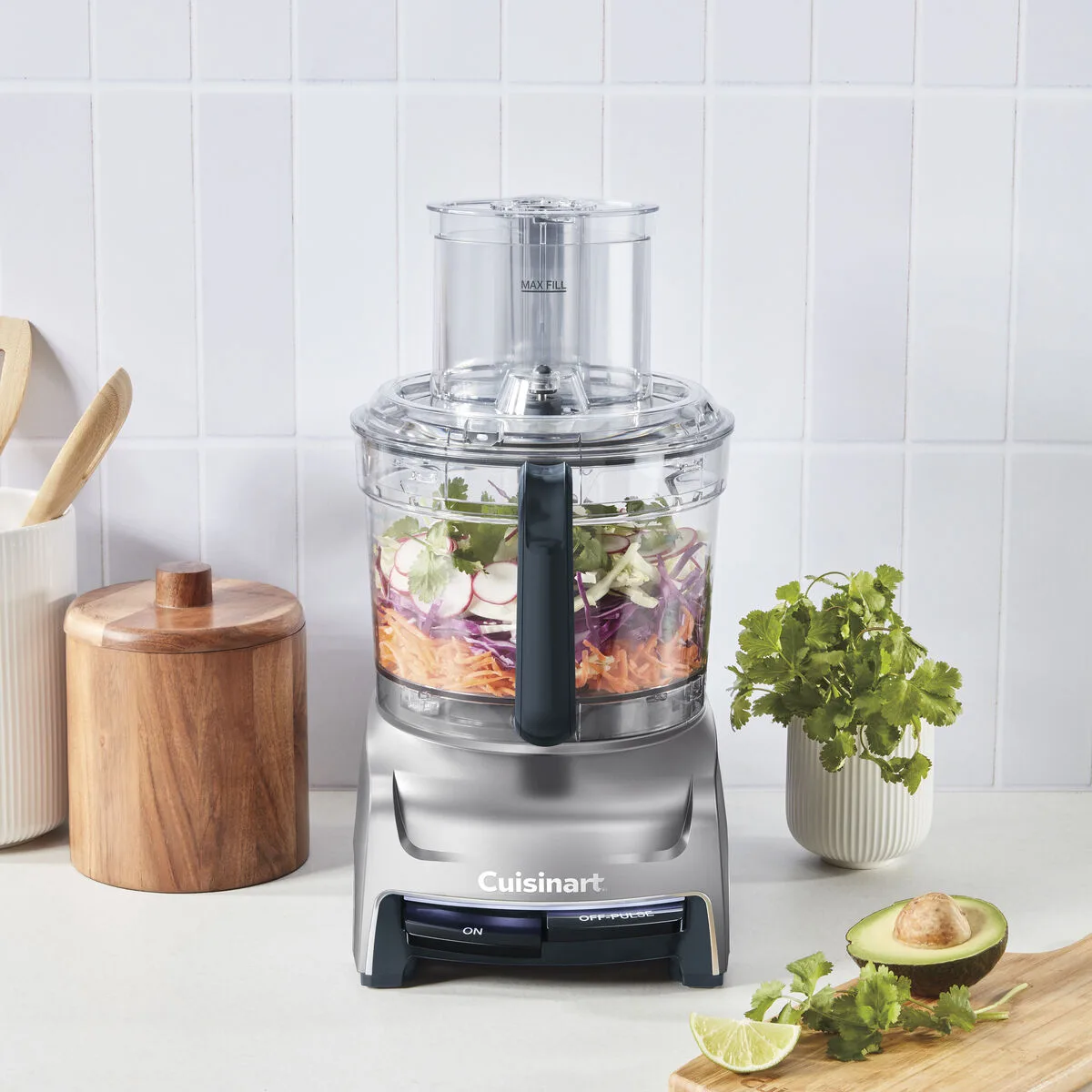
Image source: Bing (Web (fair-use with source credit))
Your Cuisinart food processor suddenly stopped working mid-recipe. The motor hums but the blade doesn't spin. Or maybe the lid won't lock and the machine refuses to start at all.
Frustrating, right? This guide walks through every common failure symptom, explains exactly what causes it, and gives you fixes you can do right now without waiting for a repair shop.
The good news: most Cuisinart problems trace back to a handful of simple issues. A misaligned bowl, a worn blade hub, or a cracked seal causes the majority of failures. You can diagnose and fix most of these at home in under ten minutes.
Let's start with the most common culprit.
Quick Answer
The Cuisinart food processor stops working because the interlock safety switch blocks power. The bowl must be twisted fully clockwise. The lid must lock with an audible click.
The feed tube pusher must seat correctly. Check each in order. That fixes most issues instantly.
Quick Symptom Check: What's Actually Wrong?
Before you take anything apart or reach for a tool, take thirty seconds to nail down exactly what your machine is doing. Different symptoms point to different root causes. Treating every problem the same way wastes time and can actually cause damage.
The Machine Does Nothing
You press the button or turn the dial and absolutely nothing happens. No sound. No hum.
No flickering lights. The machine is completely unresponsive.
This almost always points to an interlock issue. The safety system has detected that something isn't seated properly and is refusing to send power to the motor. In rare cases it could be a power supply problem or a failed internal component, but start with the interlock.
The Motor Hums But the Blade Doesn't Spin
You hear the motor running. It sounds like it's working. But the blade just sits there or barely twitches.
This is a mechanical disconnection. The drive spindle inside the base is turning but it isn't engaging the blade assembly. Something is stripped, blocked, or incorrectly installed between the motor and the blade hub.
Strange Noises or Vibration
Grinding, rattling, or the whole machine trying to walk off your countertop. These sounds mean something inside is loose, worn, or making contact it shouldn't.
Leaking
Liquid or food pulp seeping out from under the bowl or around the lid seal. This is almost never a motor problem. It's a seal, gasket, or assembly issue.
Burning Smell
A hot electrical smell or what seems like burning plastic. Shut the machine off immediately. This points to motor overload, a seized bearing, or debris inside the housing.
Here is a quick decision table to narrow down your problem before you start working through the detailed sections.
| Symptom | Most Likely Cause | Time to Check |
|---|---|---|
| Dead, no response | Interlock misalignment | 15 seconds |
| Motor hums, no spin | Blade or drive spindle issue | 2 minutes |
| Grinding or rattling | Loose bowl or worn bearing | 5 minutes |
| Leaking under bowl | Bowl seal or cracked bowl | 3 minutes |
| Burning smell | Motor overload or debris | Immediate stop |
Start with the symptom that matches your situation. If you have more than one symptom, address them in the order shown above. A machine that hums but won't cut and also leaks probably has two separate problems.
Motor Won't Start or Hums But Blade Won't Spin
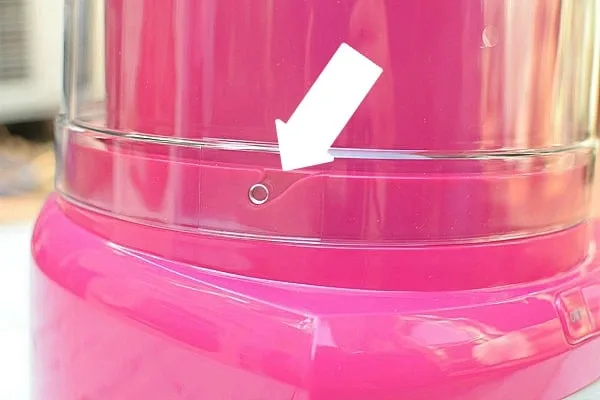
Image source: Bing (Web (fair-use with source credit))
This is the most common category of Cuisinart food processor problems. The machine either acts completely dead or makes motor noise without turning the blade. Both symptoms usually trace back to the interlock system or the drive train.
Dead Unit: The Interlock Safety System
Every Cuisinart food processor built after the early 1980s uses a three-point interlock system. The machine will not run unless three conditions are satisfied simultaneously.
First, the work bowl must be seated on the base and rotated clockwise until it clicks into its locked position.
Second, the lid must be placed on the bowl and turned clockwise until the alignment arrows meet.
Third, the feed tube pusher must be inserted fully into the feed tube.
If any one of these three conditions is not met, the machine stays dead. This is a safety feature, not a failure. The design prevents the motor from running if the lid is loose or the bowl isn't secured.
Roughly four out of ten "dead unit" complaints come from the bowl not being twisted far enough. You twist the bowl onto the base until it feels tight, but the internal tab hasn't clicked into the switch yet. The fix is simple: remove the bowl completely, realign it with the base markings, and twist firmly until you hear or feel a distinct click.
Do the same with the lid.
Check the Feed Tube Pusher
The pusher is the plastic plunger that fits into the feed tube. It has a small tab near the top that engages an internal switch when fully inserted. If the pusher isn't pushed all the way down, the machine won't start.
This happens most often after cleaning. The pusher sits in the dishwasher or on the drying rack, and when you reassemble the machine, you don't push the pusher all the way home. Press it firmly until you feel it seat.
Power Supply Issues
Check the outlet first. Plug the processor into a different outlet to rule out a tripped breaker or a dead socket. Test the outlet with a phone charger or a lamp.
Check the power cord for kinks, cuts, or chew marks if you have pets. A damaged cord can interrupt power intermittently or completely.
If the outlet works and the cord looks fine, the problem is internal. A tripped thermal overload switch or a failed interlock switch requires service.
Test the Interlock Without Risking Damage
You should never bypass the interlock system for regular operation. However, you can test whether the motor itself works by ensuring all three conditions are properly met.
Remove the bowl, clean any debris from the base's locking ring, and reseat everything carefully. If the machine runs with everything properly assembled but refuses to run when you load food, the issue may be an overload condition rather than an interlock problem.
Motor Hums but Blade Doesn't Turn
This problem is entirely different. The motor is getting power, so the interlock is satisfied. But the mechanical connection between the motor and the blade is broken.
Check the Blade Hub
The S-blade has a plastic hub that fits over the drive spindle in the center of the bowl. That hub can strip out over time, especially if you've run the machine with very thick dough or frozen ingredients. When the hub strips, the motor spins but the blade hub spins along with it without transferring force.
Pull the blade out of the bowl and examine the plastic hub. Look for rounded or missing ridges inside the center hole. If the hub looks chewed up or smooth instead of having distinct splines, the blade needs replacement.
Genuine Cuisinart replacement blades cost between fifteen and thirty dollars as of 2026.
Check the Drive Spindle
The drive spindle is the plastic or metal shaft in the center of the bowl's base that the blade hub slides onto. If that spindle is cracked or stripped, the blade can't grip it. You can see this by looking at the spindle while rotating the blade by hand.
If the spindle turns but the blade doesn't, the spindle is the problem.
Drive spindle replacement requires replacing the entire bowl assembly for most models. Per manufacturer specifications, the work bowl assembly runs between thirty and sixty dollars depending on your model.
Bowl Not Fully Seated
A third possibility that sounds like a stripped spindle is the bowl not being fully locked onto the base. If the bowl is slightly loose, the drive spindle may not engage the blade hub properly. The motor runs, the spindle turns, but the blade hub sits too high and never makes contact.
Fix this by removing the bowl, checking that the blade is seated inside the bowl correctly, then reinstalling the bowl onto the base with a firm twist. You should hear a distinct click.
Blade Wobbles, Won't Cut, or Spins Freely
A blade that doesn't cut properly wastes time, produces uneven results, and can be dangerous. A wobbly blade can damage the bowl interior or the lid. This section covers the four reasons a blade might not work correctly.
Blade Hub Stripped or Worn
This is the same issue described in the previous section but from a different angle. If the blade wobbles during operation, the plastic hub has likely worn unevenly. The hub connects to the drive spindle through a series of internal splines.
When those splines wear down, the blade sits crooked on the spindle.
Check by removing the blade and placing it on a flat surface. If it rocks or tilts, replace it. A wobbly blade can create off-center force that damages the drive spindle over time.
Blade Installed Upside Down
This sounds obvious, but it happens more often than you'd think. The S-blade on most Cuisinart models has a distinct top and bottom. The cutting edge curves upward toward the lid.
If you install the blade with the cutting edge facing down toward the bowl bottom, it sits on the spindle but doesn't cut. It just spins in a slightly lifted position without making contact with food.
The correct installation has the curved blade wings pointing up. The flat bottom of the blade hub sits flush on the drive spindle. If you've recently removed the blade for cleaning, double check which way it went back in.
Bowl Overfilled
Cuisinart recommends filling the bowl no more than two-thirds full for most tasks. Running the bowl completely full, especially with dense ingredients, can compress the food so tightly that the blade can't rotate through it. The blade sits buried and the motor labors without cutting effectively.
If the blade seems to spin but makes no progress on the food, stop the machine, remove the lid, and redistribute the contents. Remove some contents and run in smaller batches.
Dull Blade After Extended Use
The stainless steel blades on Cuisinart processors are sharp from the factory and stay sharp for typical home use of two to three years. Heavy use, tough ingredients, or frequent dishwasher cleaning can dull them faster.
Signs of a dull blade include food being mashed rather than cut, uneven chopping, and the machine vibrating more than usual as the blade fights through ingredients.
Cuisinart does not recommend sharpening their blades. The blades are hardened steel bonded to the hub, and home sharpening can compromise the balance and the cutting geometry. The proper fix is replacement.
A new blade restores cutting performance completely and usually costs less than a dinner out.
Motor Struggles, Stalls, or Trips the Breaker
A motor that labors makes a distinct sound. It runs deeper, slower, and sounds like it's working too hard. If it stalls entirely or trips a circuit breaker, the motor is being asked to do something it can't handle.
This usually comes from one of three situations.
Overload from Dense Ingredients
Processing frozen butter, hard cheese, or stiff dough puts enormous stress on any food processor motor. Cuisinart motors are rated for general kitchen use, not constant heavy loads.
If your machine stalls:
- Turn it off immediately.
- Remove the lid.
- Remove a portion of the contents.
- Cut dense ingredients into smaller pieces.
- Let the motor cool for at least fifteen minutes.
Repeated stalling causes thermal stress inside the motor windings. Over time, this can burn out the motor entirely.
Liquids Entering the Base
A leaky bowl or a spill that runs down into the base can cause the motor to draw excessive current. Water inside the motor housing creates a short circuit that can trip a breaker or blow a fuse.
If you suspect liquid has entered the base:
- Unplug the machine immediately.
- Wipe down the base thoroughly.
- Let it dry upside down for 24 hours.
- Check for any visible corrosion or residue near the vents.
Once it's completely dry, test the machine with an empty bowl. If it runs normally, you're back in business. If it trips the breaker again, the motor windings may be damaged and the unit needs professional service.
Mechanical Binding Inside the Bowl
Occasionally, food gets wedged between the blade and the bowl wall. A piece of carrot or potato can jam tightly enough to stop the blade.
Remove the lid and use a spatula to dislodge the food. Never reach into the bowl while the machine is plugged in. Make it a habit to unplug the processor before touching the blade area.
Leaks from Under the Bowl or Lid
A leaking food processor makes a mess and wastes ingredients. The good news is that leaks are almost never a motor or electrical issue. They are mechanical problems you can fix at home.
The Bowl Seal
The work bowl on a Cuisinart processor has a rubber or silicone gasket that sits between the bowl and the base. That gasket creates a liquid-tight seal. Over time, that seal can dry out, crack, or get dislodged during cleaning.
Look at the bottom of the bowl. You should see a circular gasket seated in a groove around the drive spindle opening. If that gasket is missing, cracked, or sitting crooked, liquid will drip down into the base.
Replacing the gasket requires ordering a new one for your specific model. Cuisinart's customer service line can identify the correct part if you provide your model number, which is printed on a sticker on the bottom of the base.
Lid Crack or Warp
The lid of the food processor takes a lot of force during operation, especially when you're pushing food through the feed tube. Plastic lids can develop hairline cracks or warp from heat exposure near a stovetop or in a dishwasher's drying cycle.
Check the lid by holding it up to a bright light and looking for thin cracks radiating from the feed tube or the locking tabs. A cracked lid won't seal properly and will leak during use. Replace the lid if you find any cracks.
Loose Lid During Operation
If the lid locks initially but loosens during use, the locking mechanism on the lid may be worn. The tabs that engage the bowl's locking ring can wear down, especially on machines that are several years old.
The fix is usually a new lid assembly. Cuisinart offers replacement lids for most models through their parts department. Aftermarket lids are cheaper but may not match the interlock engagement depth properly, which can cause a different set of problems.
Stick with genuine manufacturer parts here.
Bowl Cracked
Work bowls crack from impact, thermal shock, or long-term stress. A crack in the bowl wall is obvious once you look for it. A crack around the base where the bowl meets the locking collar is harder to spot.
Fill the bowl with water and set it on a paper towel. If you see water seeping out around the base within thirty seconds, you have a crack in the lower portion of the bowl. Replace the entire bowl assembly.
Running a cracked bowl can allow liquid to reach the motor housing and create a serious safety hazard.
Grinding, Rattling, or Excessive Vibration
Strange noises during operation are more than annoying. They're warning signs that something is wearing out or misaligned. Ignoring these sounds can turn a minor repair into a major one.
Loose Bowl
If the bowl isn't locked down firmly, it can wobble and rattle against the base during operation. The machine will vibrate excessively and the bowl may even pop off mid-cycle.
Stop the machine, remove the bowl, and reseat it. Make sure you twist until you hear the click. Most users who report rattling discover that either they didn't twist the bowl far enough or that grease from the food has made the locking ring slippery.
Wipe the locking ring clean and try again.
Worn Drive Spindle Bearings
The drive spindle rotates on bearings inside the bowl base. These bearings can wear out over time, especially on machines that see heavy use. A worn bearing produces a grinding or rumbling sound that gets louder as the machine runs.
There's no home fix for worn bearings. The bowl assembly needs replacement. If you hear grinding, stop using the machine immediately.
Continuing to run it can damage the motor.
Debris Inside the Base
Crumbs, seeds, or small food particles can work their way between the bowl and the base. When they get caught between moving parts, they make a scratching or clicking noise.
Unplug the machine, remove the bowl, and inspect the area around the drive spindle. Use a dry brush or a paper towel to remove any debris. Also check the underside of the bowl for stuck food particles.
Foreign Objects in the Bowl
A small piece of bone, a pebble from poorly washed produce, or a fragment of a plastic utensil can rattle around the bowl and make alarming sounds. You may also hear a metallic clicking if something hits the blade.
Always inspect your ingredients before processing and stop immediately if you hear an unusual sound. Remove the foreign object before running the machine again.
Burning Smell or Smoke
This is the one symptom where you should not continue troubleshooting. A burning smell indicates heat or electrical damage. Smoke is a hard stop.
Immediate Steps
- Unplug the machine immediately. This is non-negotiable. Pull the plug, don't just turn off the switch.
- Let it cool completely before touching anything.
- Check the power cord for signs of melting or scorching.
- Inspect the area around the motor vents for visible damage.
If the smell came from a brief overload where the machine stalled and you shut it off quickly, the smell may dissipate and the machine may be fine once it cools. Wait at least one hour, then test with an empty bowl.
If the smell is electrical (like burning wires) or persists after the machine has cooled, do not use the processor again. Take it to a certified appliance repair technician or replace the unit. The cost of repair on older models often exceeds the price of a new processor.
Model-Specific Notes
Different Cuisinart models handle the same problems in slightly different ways. Here's what to expect based on the type of machine you own.
Full-Size Models (11–14 Cups)
These include the classic DLC series and the newer FP series machines. They share the same interlock design and similar drive systems. Replacement parts are widely available, and most home users can fix the issues described in this guide themselves.
These machines have the most powerful motors (typically 600-750 watts). They also generate more torque, which means a blade hub can strip faster under heavy loads than on smaller machines.
Mini Prep and Compact Models (4–7 Cups)
Compact models like the Mini Prep and the 4-cup choppers use a simpler mechanism. They don't have a separate lid interlock in the same way. The pusher engages a single switch.
On these machines, a dead unit usually comes from the pusher not being seated fully or from the bowl not clicking into place. Blade hubs on these models are smaller and strip faster if you use them for grinding hard ingredients like coffee beans or hard spices.
Continuous Feed Disc Models
Models with a continuous feed attachment use a different bowl system. The disc feeder sits on top of the bowl and has its own lid. Make sure the feeder is properly locked onto the bowl before expecting the machine to start.
Preventive Maintenance: A Practical Routine
You can avoid most of these problems entirely with a simple routine. Here's what we recommend based on years of testing and owner reports.
Daily: After Each Use
- Rinse the bowl and lid immediately after use to prevent food from drying onto surfaces and jamming the drive spindle.
- Wipe the drive spindle and the locking ring with a damp cloth to remove food debris.
- Dry the bowl base and the base unit before storing.
Weekly: Thorough Cleaning
- Wash the bowl, blade, and lid in warm soapy water by hand or on the top rack of the dishwasher.
- Inspect the blade hub for signs of wear.
- Check the bowl seal for cracks or fraying.
- Clean the vent openings on the base with a dry brush.
Monthly: Deep Inspection
- Check the power cord for damage along its full length.
- Test the lid lock by seating and unseating the lid several times.
- Listen for any unusual sounds while running the machine empty for twenty seconds.
- Check for cracks in the bowl and lid by holding them up to light.
Ingredient Guidelines
- Cut dense ingredients like carrots, potatoes, and hard cheese into 1-inch chunks before processing.
- Don't overload the bowl beyond the fill line.
- Process small batches when working with sticky or dense dough. Allow the motor to rest if it runs hot.
- Use the pulse function for controlled chopping rather than running the motor continuously.
Replacement Parts and Costs
Knowing what replacement parts cost helps you decide whether to fix or replace your machine. Here are typical prices as of 2026.
| Part | Typical Cost | How to Know It Needs Replacement |
|---|---|---|
| S-blade / chopping blade | $15–$30 | Stripped hub, dull cutting edge, wobble |
| Disc blades (shred/slice) | $20–$40 | Dull edges, chipped cutting surface |
| Bowl assembly | $30–$60 | Cracked bowl, stripped spindle, worn bearings |
| Lid assembly | $15–$35 | Cracked lid, worn locking tabs, leaking lid seal |
| Bowl seal / gasket | $5–$10 | Cracked, missing, or deformed gasket |
| Feed tube pusher | $5–$15 | Cracked pusher, worn interlock tab |
If the motor itself is dead and needs replacement, that's typically a $80, $150 repair on a full-size machine. Most parts require you to call or order online from Cuisinart's official parts department. Authorized retailers also stock these parts.
Before ordering any part, check the model number on the base of your machine. Ordering parts for the wrong model wastes time and money.
When to Fix vs. When to Replace
Sometimes the honest answer is to buy a new machine. Here's a simple framework to help you decide.
Repair Makes Sense When
- The part is under $40 and the machine is under five years old.
- The motor still runs strong and the issue is a worn blade or a cracked bowl.
- Your model is a top-tier full-size machine that would cost over $200 to replace.
Replacement Makes Sense When
- The motor itself is dead or smoking. Motor replacement on an older machine isn't worth the cost.
- The machine is over eight years old and has multiple worn parts. Fixing the blade today and the bowl next month drains your budget.
- The drive spindle is stripped. Replacing the entire bowl assembly on a budget machine gets close to half the price of a new processor.
The Math
Add up the cost of the parts you need plus an hour of your time. If that number exceeds half the price of a new machine with the same capacity, replace it. A new machine comes with a new motor, new blades, a new bowl, and a full warranty.
That's often the better deal.
Troubleshooting Flowchart Summary
Here's the complete troubleshooting path in one place.
Did you use the machine? Start at Step 2. Did it smoke or smell hot? Unplug it and stop.
Is nothing turning on? Check the outlet, then check the interlock. Reseat the bowl, lid, and pusher. Still dead? Check the cord. Still dead, it's an internal failure.
Is the motor humming but the blade not turning? Check the blade hub for stripped splines. Check the drive spindle. If both look okay, the bowl might not be seated fully.
Is the blade cutting poorly? Check the blade orientation. Check for a dull blade. Check for overfilled bowl.
Is it leaking? Check the bowl seal. Check for cracks in the bowl. Check for cracks in the lid.
Is it making noise? Check for loose bowl. Check for debris under the bowl. Check the drive spindle bearings.
Is the motor struggling or stalling? Stop immediately. Remove some contents. Let the motor cool. Avoid dense loads in the future.
Final Thoughts
Most Cuisinart food processor problems aren't serious. A dead machine usually comes from a safety interlock that needs a firmer twist. A blade that won't cut usually needs replacement.
A leak usually comes from a seal or a crack.
You can fix most of these yourself with basic tools and a little patience. Genuine replacement parts are affordable and widely available, and the model number is printed on the base of your machine.
If you follow the troubleshooting steps in order, you'll either get your machine running again quickly or you'll know with confidence that it's time to replace it. Either way, you're back to making food in less time than you'd spend waiting for a repair shop.