Schlage Keypad Lock Troubleshooting
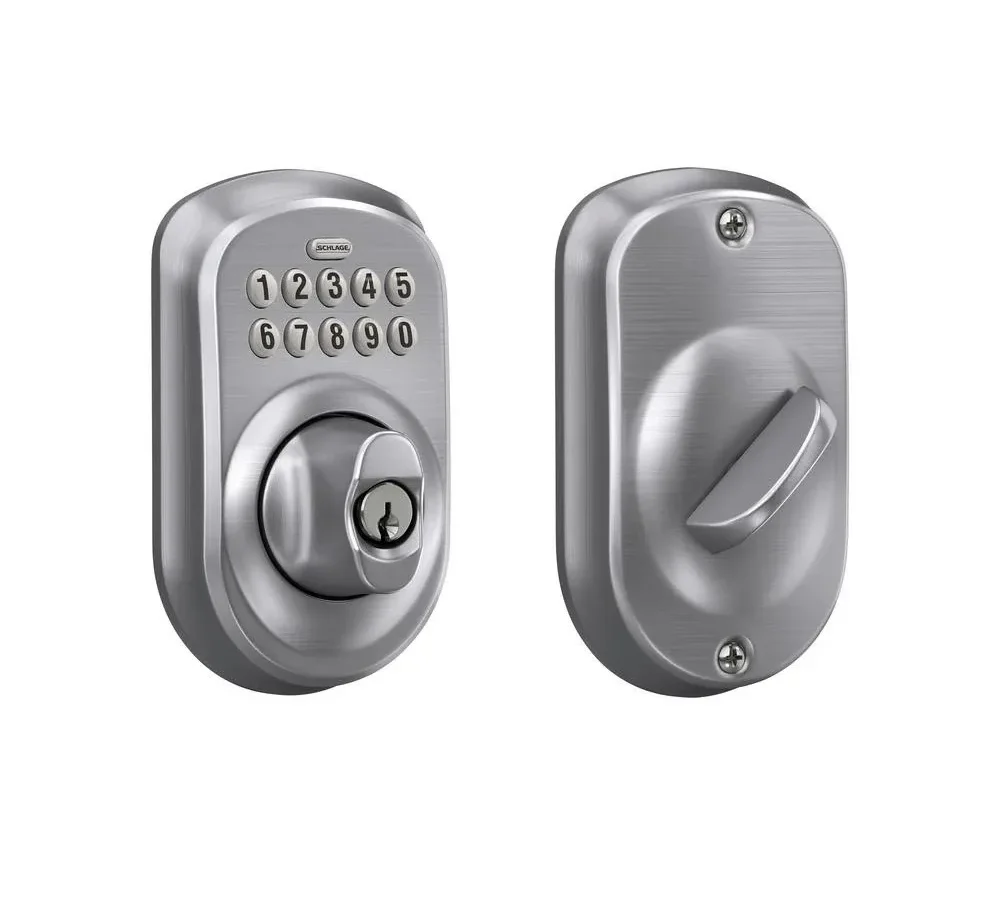
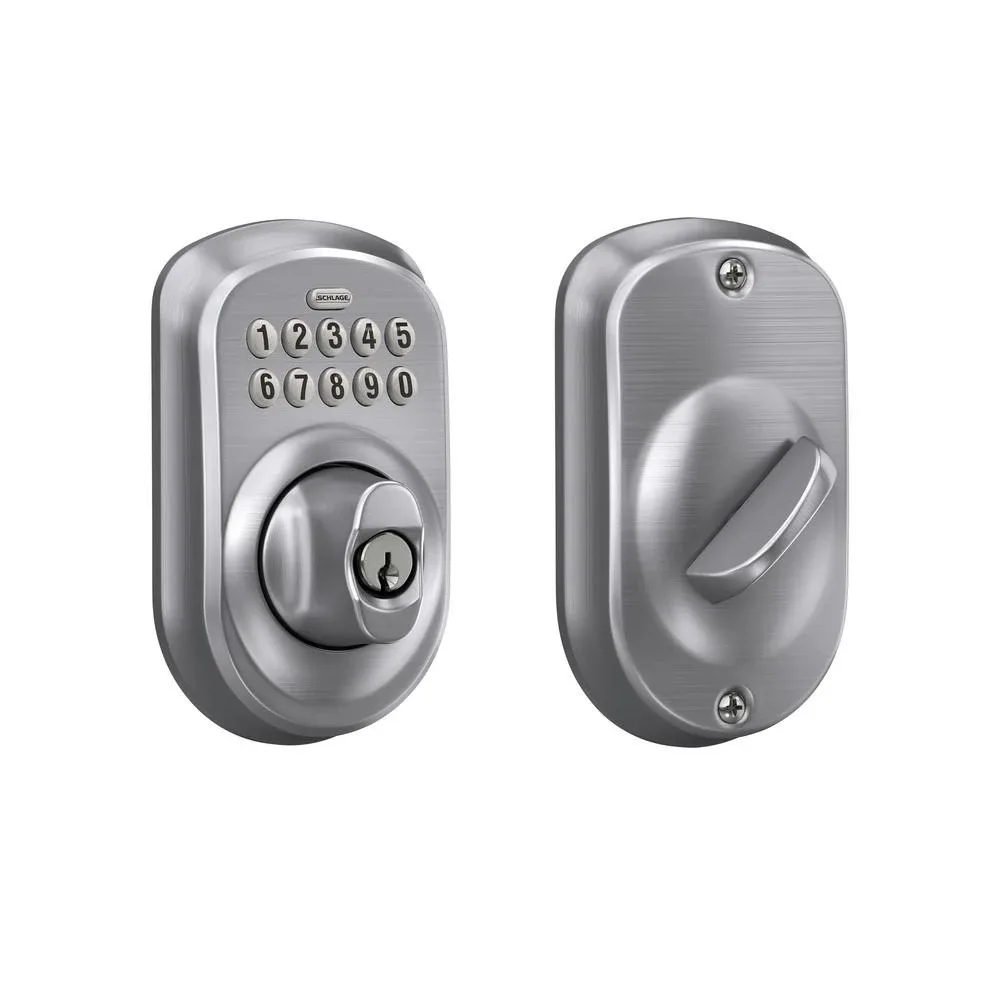
Image source: Bing (Web (fair-use with source credit))
Your Schlage keypad lock worked fine yesterday. Today, you punch in your code and nothing happens. Or it beeps in a pattern you've never heard.
Or the deadbolt feels like it's fighting you.
You're not alone, and this isn't complicated. Schlage keypad lock troubleshooting comes down to reading what your lock is telling you and following a logical path. Most keypad issues fall into one of three categories: power problems, programming mistakes, or mechanical binding.
The same core troubleshooting principles apply across the BE365, Camelot, Century, and Encode series as of 2026.
Let's walk through each signal your lock sends and what to do about it.
Quick Answer: Schlage keypad locks fail in predictable ways. Check the battery first. Test with a 9V battery at the exterior terminal.
Listen for beep patterns. Look at the LED color. A red flash means wrong code or lockout.
A dead keypad means no power. A single beep with no bolt movement means mechanical bind. Factory reset erases all codes.
Always try the physical key before calling a locksmith.
The Problem: Your Schlage Keypad Lock Won't Cooperate
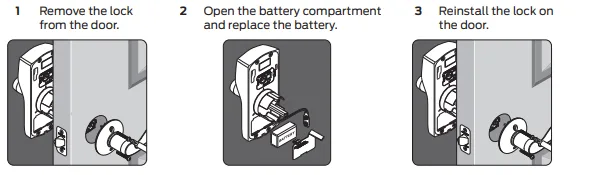
Image source: Bing (Web (fair-use with source credit))
Let's get specific about what "not working" actually looks like. The fix for a dead keypad is completely different from the fix for a lock that beeps but won't turn. Guessing wrong costs you time.
The most common complaints look like this:
- The keypad is completely dark and unresponsive.
- The keypad lights up but doesn't accept your code.
- The lock beeps after you enter the code but the deadbolt doesn't move.
- The lock beeps randomly throughout the day or night.
- The lock accepts your code but then flashes red instead of green.
Each symptom points to a different root cause. A dead keypad is almost always a battery issue. A lock that rejects your code is either a programming error or a lockout condition.
A lock that beeps but doesn't move is a mechanical problem. Random beeping is either a low battery warning or a ghost in the electronics. And a red flash after a correct code means the lock is in lockout mode from too many wrong attempts.
Schlage designs these locks so the troubleshooting path is built into the hardware. The beep patterns, the LED colors, and the behavior of the keypad all form a diagnostic language.
Let's start with the most common scenario: your keypad is dead.
The Keypad Is Dead or Unresponsive
If your Schlage keypad lock does absolutely nothing when you press a button, the problem is almost certainly power related. The lock needs between 4.8 and 6.0 volts to operate. Below that threshold, the electronics shut down entirely.
There's no partial function. It's either on or off.
Check the Battery First
Open the interior housing. On most Schlage models, you'll see a removable battery cover held by a small tab or screw. Inside are four AA batteries.
Pull them out and check the voltage with a multimeter if you have one. Each fresh alkaline AA measures about 1.5 volts. Four batteries in series should read between 5.5 and 6.0 volts.
Anything below 4.8 volts and the lock won't power up.
Here's what catches people off guard: batteries can test fine at rest and fail under load. A multimeter reading of 5.5 volts doesn't guarantee the batteries can deliver the current the motor needs to throw the deadbolt. If the batteries are more than six months old, swap them regardless of what the meter says.
Stick with name-brand alkaline batteries. Avoid rechargeable NiMH batteries in the BE365 and older models. The voltage curve on rechargeables drops too fast for Schlage's electronics, and you'll get intermittent failure.
Replace all four batteries at the same time. Mixing old and new batteries causes voltage imbalance and shortens life. Place them in the correct orientation.
The positive and negative markings are molded into the plastic. It's easy to flip one backwards in low light.
The 9V Jump-Start Trick
If the interior batteries are completely dead and you're locked out, Schlage includes a workaround on most models. Look at the bottom edge of the keypad. You'll find a small rectangular slot.
That's the 9V battery backup terminal.
Press a fresh 9V battery against those contacts. Positive and negative don't matter in this configuration. The circuit is designed to accept either polarity.
Hold the battery firmly against the contacts for about five seconds. The keypad should light up and beep. Enter your code while holding the battery in place.
This gives you temporary power to unlock the door. It does not charge the internal batteries. Once you release the 9V battery, the lock goes dead again.
So open the door, remove the interior cover, and replace the AA batteries immediately.
If the 9V terminal doesn't work on your lock, the contacts are probably dirty or corroded. Use a pencil eraser to gently clean the brass contacts. If they're visibly corroded green or white, a quick pass with fine sandpaper or contact cleaner spray can restore the connection.
Do not use water or liquid cleaner near the keypad electronics.
Corroded Contacts and How to Clean Them
Battery corrosion is the silent killer of Schlage keypad locks. Alkaline batteries leak potassium hydroxide as they age. That white crusty powder is conductive and eats through metal contacts.
If you open the battery compartment and see white or green residue, you have corrosion.
Remove the batteries immediately. Wear gloves if the residue is heavy, potassium hydroxide can irritate skin. Clean the contacts with white vinegar on a cotton swab.
The acid neutralizes the alkaline residue. Follow up with a dry swab to remove moisture. Then use a pencil eraser to polish the metal contacts until they're shiny.
If the corrosion has spread to the circuit board or the wiring inside the lock housing, the damage may be irreversible. Replace the lock if the circuit board shows visible green corrosion or the wire terminals are eaten through.
The Lock Beeps But Won't Turn
This situation is frustrating because the lock is clearly getting power. You hear the beep. Sometimes you hear the motor whir.
But the deadbolt doesn't move. Or it moves partway and stops.
The problem here is almost never the electronics. It's mechanical. The lock mechanism works in two stages.
The keypad electronics send power to the motor. The motor spins a gear that drives the deadbolt. If the electronics and motor work but the bolt doesn't move, something is physically blocking the bolt or binding the mechanism.
The Door Alignment Test
Open the door fully. Enter your code. Watch what happens.
If the deadbolt retracts smoothly with the door open but sticks when the door is closed, you have a door alignment problem. The deadbolt is hitting the strike plate instead of sliding cleanly into it.
This is incredibly common. Houses settle. Wood doors swell and shrink with humidity changes.
The strike plate moves out of alignment by a millimeter or two. That's enough to stop a tight-tolerance deadbolt dead in its tracks.
Close the door and examine the strike plate. Look for rub marks on the metal. Shine a flashlight through the strike plate hole and check if the deadbolt sits centered in the opening.
If it's off center by more than a hair, that's your culprit.
Fix it with a file or a screwdriver. If the deadbolt hits the top or bottom of the strike plate hole, file the opening slightly larger in the direction of the bind. A metal file removes strike plate material quickly.
Go slow. Take off a little, test, then take off more if needed. If the deadbolt hits the face of the strike plate entirely, loosen the strike plate screws slightly.
Tap the strike plate a fraction of an inch outward or inward. Retighten the screws and test.
In severe cases where the door has shifted significantly, you may need to relocate the strike plate entirely. Fill the old screw holes with wooden golf tees and wood glue. Drill new pilot holes and remount the strike plate in the correct position.
The Latch Assembly and Binding
If the deadbolt moves freely with the door open and the strike plate is aligned, the bind might be inside the lock mechanism itself. Remove the two screws on the interior mounting plate. Pull the interior assembly off.
Then remove the two screws holding the exterior keypad to the door. Slide the exterior assembly off.
You'll see the deadbolt mechanism seated in the edge bore of the door. Pull it out. Inspect the bolt for burrs, rough edges, or dried paint that could cause friction.
Run your finger along the bolt surface. If it feels rough, sand it smooth with fine grit sandpaper. Wipe it clean and lubricate it.
Lubrication Do's and Don'ts
You need a dry lubricant. Graphite powder is the standard choice for deadbolt mechanisms. Spray it into the bolt channel on the edge of the door.
Work the bolt in and out by hand several times to distribute the lubricant. Wipe off any excess.
Do not use WD-40 or any oil-based lubricant. WD-40 is a solvent and water displacer, not a lubricant. It evaporates quickly and leaves a sticky residue that attracts dust and grit.
Inside a year, your lock will be gummed up worse than before. Silicone spray is acceptable, but graphite is better. Graphite stays dry, doesn't attract dirt, and lasts years.
Reinstall the deadbolt mechanism. Ensure it's oriented correctly. The tapered side of the bolt faces outward.
Reinstall the exterior keypad, then the interior mounting plate. Test the lock with the door open first. Then test it with the door closed.
You Forgot Your Master Code
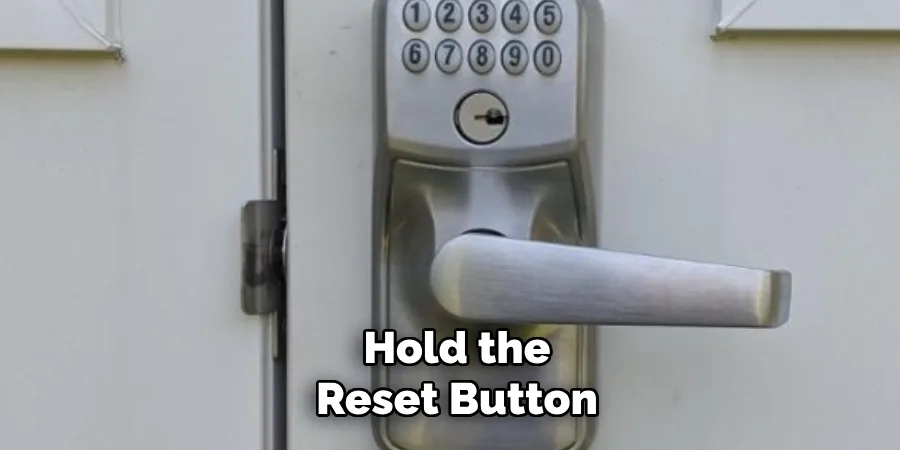
Image source: Bing (Web (fair-use with source credit))
This is the second most common support call after dead batteries. You've programmed several user codes over the years. You used the master code once during installation and never wrote it down.
Now you need to add a new user or delete an old one, and you're locked out of the programming menu.
The master code is the six-digit code you set during initial installation. Without it, you cannot add, delete, or change any other codes. There is no way to recover the master code through the keypad.
There is no backdoor sequence that reveals it. The only solution is a factory reset.
Factory Reset Procedure
A factory reset erases every code in the lock. The master code, every user code, every setting. The lock returns to its default factory state.
You start over from scratch. This is not a minor inconvenience. It means reprogramming everyone who has a code.
Here is the standard reset procedure for most Schlage keypad locks:
- Locate the programming button. On models with an interior keypad, the button is inside the battery compartment under a small round rubber plug. On models with a lever, the button is on the interior mounting plate near the bottom edge. On the Schlage Encode, the reset is done through the app or a pinhole button on the exterior keypad.
- Remove the battery cover and batteries.
- Press and hold the programming button.
- While holding the button, reinstall the batteries.
- Continue holding the button for about five seconds.
- The lock beeps and the LED flashes. Release the button.
The lock is now reset. The default master code for most Schlage models is printed on the back of the interior assembly. It's usually a six-digit number starting with the year of manufacture.
For example, a 2020 model might have a master code of 200000. Look for a sticker on the inside of the lock or on the interior mounting plate.
If you can't find the default code printed anywhere, check the original packaging or the installation manual. Some newer models default to the code printed on a card inside the box. If you have none of these, contact Schlage support with your lock's model number and serial number.
They can provide the default master code for your specific unit.
Preserving User Codes During Reset
There is no way to preserve user codes through a factory reset. The procedure wipes the memory completely. However, if your lock has been used for a long time and you have many users, consider whether a reset is truly necessary before pulling the trigger.
Some Schlage models allow you to delete individual user codes without the master code. On the BE365, you can delete the last user code entered by entering a specific sequence. But this capability varies by model and firmware version.
The safest assumption is that a forgotten master code requires a full factory reset.
After the reset, program a new master code immediately. Write it down and store it somewhere safe. Not taped to the back of the lock.
In a phone note, a password manager, or a file in your home safe. You will thank yourself in three years when you need to change codes again.
The Physical Key as a Backup
While your electronics are in reset limbo, you still have the physical key. Every Schlage keypad lock includes a mechanical key override. The key cylinder is usually located on the bottom of the exterior keypad housing.
Insert the key and turn to retract the deadbolt.
If the physical key doesn't work, you may have the wrong key or a seized cylinder. Try lubricating the key cylinder with graphite powder. Insert the key and gently wiggle it while applying turning pressure.
If the cylinder is completely frozen, it may need replacement. That's a locksmith job, not a DIY fix.
The Lock Shows a Red Flash After Entering the Code
If your lock beeps and flashes red after you enter a code, the lock is telling you something specific. A red flash with a beep pattern means the code you entered is wrong. Three red flashes and three beeps means the lock is in lockout mode.
Lockout Mode Explained
Schlage keypad locks enter lockout mode after multiple wrong code attempts. The lock shuts down temporarily to prevent someone from guessing codes. The lockout period varies by model.
Most locks lock out for 15 seconds after three wrong attempts. After additional wrong attempts, the lockout period extends to 30 seconds, then 60 seconds.
During lockout, the keypad may appear unresponsive. You might hear a long beep when you press any button. The lock will not accept even the correct code until the lockout period expires.
How to Avoid Lockout Mode
The lockout feature is designed to protect your home, but it's frustrating when you're the one locked out. Here's how to avoid it:
- Enter your code slowly and carefully, especially in low light.
- Check the keypad for stuck buttons before entering your code.
- If you make a mistake, wait a few seconds before trying again.
- Do not attempt more than three codes in a row.
If you're in lockout mode, wait the specified time. Do not unplug the batteries to reset the lockout timer, in some models, that extends the lockout period or triggers additional security measures.
The Lock Beeps Randomly for No Reason
A Schlage keypad lock that beeps on its own at odd hours is usually warning you about something. The most common cause is low battery. Schlage locks emit a periodic beep when the battery voltage drops below a threshold.
The beep is a warning, not a malfunction.
If the beeping persists after installing fresh batteries, you may have a deeper issue:
- Ghost signals: Some locks are sensitive to electromagnetic interference from nearby devices. If you have a Wi-Fi router, a wireless security camera, or a smart home hub mounted close to the lock, try moving it.
- Stuck keypad buttons: A button that's stuck in the pressed position can send repeated signals. Press each button firmly to confirm they all move freely.
- Programming errors: Some locks beep randomly if a user code was entered incorrectly during setup. Review your programming and re-enter any suspect codes.
If the random beeping continues after checking all of these, you may have a faulty circuit board. Contact Schlage support or replace the lock.
The Schlage Encode: Special Considerations
The Schlage Encode series is the smart home version of the keypad lock. It connects to Wi-Fi and works with Amazon Alexa, Google Assistant, and Apple HomeKit. The Encode has a few unique troubleshooting quirks.
Encode Battery and Connectivity Issues
The Encode uses four AA batteries, same as other models. But the Wi-Fi radio draws power even when the lock isn't in use. Battery life on the Encode is shorter than on non-connected models.
Most users report 6, 12 months between battery changes, depending on Wi-Fi signal strength and usage frequency.
If the Encode isn't responding to app commands, the lock may be offline. Check the app's diagnostic page. Confirm the lock is within range of your Wi-Fi router.
Reset the lock's Wi-Fi connection by removing the batteries, waiting 10 seconds, and reinstalling them. The lock reconnects to the network automatically.
Encode Factory Reset Via the App
The Schlage Home app provides a factory reset option that wipes all codes and settings. Open the app, select your lock, and navigate to the device settings menu. Look for "Factory Reset" and confirm.
The app walks you through the process.
You can also reset the Encode manually. Look for the pinhole button on the exterior keypad. Insert a paperclip and hold it for about 10 seconds.
The lock beeps and flashes. Release the button and wait for the reset to complete.
The Schlage Camelot and Century Series
The Camelot and Century series are popular mid-range models. They use the same programming codes as the BE365 but have slightly different hardware configurations.
Camelot Deadbolt vs. Camelot Lever
The Camelot deadbolt uses a knob assembly with a keypad. The Camelot lever uses a handle with a keypad. The lever models use heavier springs and can develop a different set of mechanical problems.
The main issue is the return spring inside the lever. If the lever doesn't snap back to horizontal after use, the spring is worn. This isn't fixable without replacing the entire assembly.
Century Series Programming
The Century series unlocked the same programming codes as the other models, but the keypad layout is slightly different. The programming button location is listed in the Century manual. If you lost the manual, the button is under the battery cover on the interior assembly.
Tools You'll Need
Here's a complete list of the tools you'll need for basic Schlage keypad lock troubleshooting:
- Phillips head screwdriver
- Flat-head screwdriver
- Multimeter or voltage tester
- Fresh 9V battery
- Fresh AA batteries (alkaline, name brand)
- Graphite powder lubricant
- Pencil eraser
- Fine grit sandpaper
- Metal file
- Pencil or pen for taking notes
Common Mistakes People Make
Here are the most common mistakes that turn easy fixes into expensive repairs:
Using oil-based lubricants. WD-40 and similar products gum up lock mechanisms. They attract dust, grit, and grime that accelerate wear.
Mixing old and new batteries. This causes voltage imbalance. The lock can behave erratically or fail to operate entirely.
Forcing the deadbolt. If the bolt won't move, don't force it. The extra torque damages the internal gear train. Find the bind point instead.
Skipping the factory reset. Some people try to guess the master code. The lock enters lockout mode and extends the wait time. Do a factory reset instead.
Ignoring low battery warnings. A lock that beeps randomly isn't haunted. It's asking for new batteries. Ignoring the warning leaves you locked out with no warning.
Not keeping the master code in a safe place. Write the master code down when you install the lock. Store it in a secure location. You'll thank yourself later.
Stripping the strike plate screws. The strike plate screws are small and easy to strip. Use the correct size screwdriver and apply moderate pressure.
When to Call a Locksmith
Most Schlage keypad lock issues are fixable in under 10 minutes. But there are times when professional help is the right call:
- The cylinder is completely seized and the physical key doesn't work.
- The deadbolt mechanism is visibly broken or the bolt is chipped.
- The circuit board shows physical damage or corrosion.
- The lock has been used for 10+ years and has signs of heavy wear.
- You need strike plate relocation and don't have the tools or skill to do it.
A locksmith can also rekey the lock cylinder if you need to match it to your existing house key. But rekeying a keypad lock is not a DIY job for most people.
Preventing Future Problems
The best way to fix a Schlage keypad lock is to never have a problem at all. Here are the habits that keep your lock running for years:
Change batteries once a year. Mark it on your calendar. Replace all four batteries at the same time with fresh alkaline batteries.
Clean the keypad regularly. Use a soft dry cloth. Dirt and grime can cause stuck buttons and phantom beeps.
Inspect the door alignment twice a year. Check that the deadbolt operates freely in winter and summer. Temperature and humidity changes affect door alignment.
Lubricate the bolt twice a year. Apply graphite powder to the bolt channel in spring and fall.
Keep the master code stored securely. Also keep the user codes written down. You never know when you'll need to look one up.
Test the physical key occasionally. Insert the key and operate the deadbolt with it. This keeps the cylinder from seizing and confirms it works in an emergency.
Final Thoughts
A Schlage keypad lock is a reliable piece of hardware when you understand how it communicates. Dead keypad means power. Red flash means wrong code or lockout.
Beep without bolt movement means alignment or lubrication. Random beeping means low battery or a stuck button.
Start with the battery. It's the cheapest, easiest fix and solves most problems. Move to the mechanical components.
Check alignment, lubricate, and test. If the master code is lost, do the factory reset and reprogram everything fresh.
And when all else fails, you still have the physical key. It's the backup that never runs out of battery.

Similar Posts