How to Recover Trail Camera Photos
You've got trail camera photos you can't access. Maybe you deleted them by accident. Maybe the card gave an error.
Maybe the camera froze mid-write. Whatever happened, the question is the same: how to recover trail camera photos without making things worse.
The good news is that in most cases, the photos are still on the card. They're just hidden from the file system. As of 2026, modern recovery software can pull back deleted or corrupted images from SD cards, as long as you follow the right steps.
One wrong move, like writing new data to the card, can make recovery impossible. Let's walk through what to do.
Quick Answer
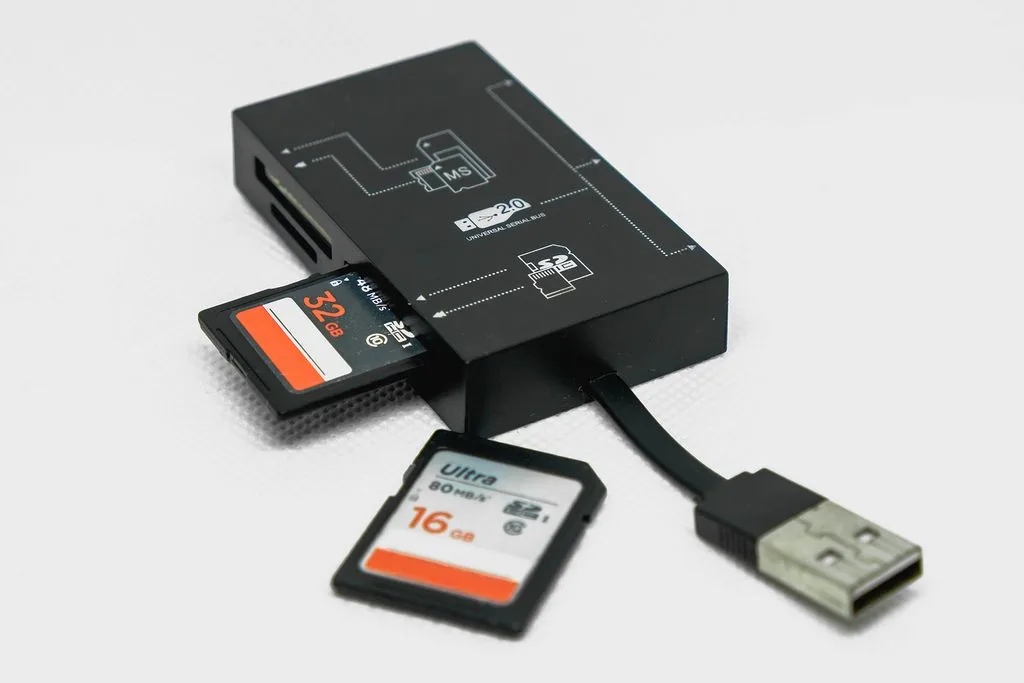
Stop using the SD card immediately. Remove it from the camera. Insert it into a computer card reader.
Run free recovery software like PhotoRec or Recuva. Scan the card. Save recovered photos to your computer.
Never save to the same card.
Why Your Trail Camera Photos Go Missing (And What Not to Do)
Most trail cameras use SD or microSD cards formatted to FAT32. That format is reliable but fragile. A sudden battery drain, a card removed while the camera is writing, or a stray "Delete All" press can scramble the file table.
The camera then shows "Card Error" or "No Photos," and you panic.
Here's what's actually happening: the photos are still physically on the card. The camera or computer just lost the address book. Recovery software can rebuild that address book by scanning the raw data.
But only if you haven't overwritten the card with new files.
Manufacturer specifications from Bushnell and Browning confirm that most trail cameras write photos sequentially. That means a deleted photo's space isn't reused until the card fills up. If you delete a batch and stop using the card, those photos remain recoverable for a long time.
What not to do: Do NOT take new photos. Do NOT format the card inside the camera. Do NOT run a disk repair tool that writes changes.
If your computer asks to format the card, say No. Every second the card stays untouched increases your chances of recovery.
If you've ever accidentally erased a memory card in an action camera, the same principle applies. Our guide on recovering action camera videos covers similar software steps. But for trail cameras, the card is often in the field longer, so corruption from weather or power loss is more common.
The One-Minute Decision Tree: What Happened to Your Photos?
Before you download any tool, figure out what you're dealing with. The recovery method changes based on the failure type. Here's a quick self-diagnosis:
Did you press "Delete All" in the camera menu? → The card is likely intact. Use a standard file recovery tool. Scan the card.
You'll probably get everything back.
Did you accidentally format the card? → Quick format (the default on most cameras) only wipes the file table. Deep scan recovery tools work well. Avoid any "quick format" on your computer before recovering.
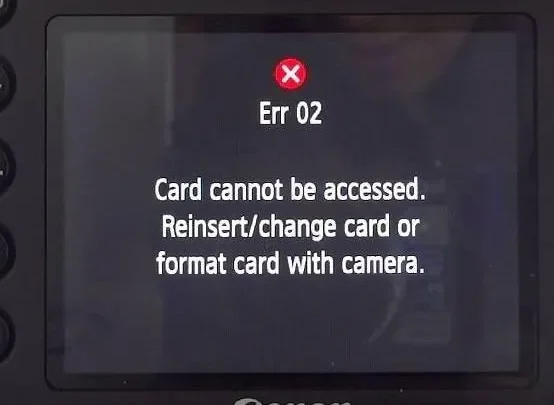
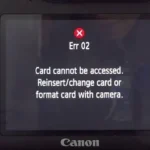
Does the camera show "Card Error" or "No Card"? → The card may be corrupted, not physically broken. Try it in a card reader on your computer first. If the computer sees it, run recovery software.
If not, try the camera's built-in format function (but only after attempting recovery elsewhere on a different card).
Did the camera freeze while saving a photo? → Power loss mid-write can create a partial file that corrupts the whole folder. Recovery software that reads raw data (like PhotoRec) can still extract surviving images. Avoid opening the camera's SD card in Windows Explorer until you've scanned it.
Did the card get physically damaged? → Cracked casing, bent pins, water damage. Recovery requires professional service. Do not attempt software recovery, you risk destroying the card completely.
If your camera itself is malfunctioning, you might find the photos by connecting the camera directly to a computer via USB. Some trail cameras appear as a mass storage device. This bypasses a faulty internal card reader.
For more general camera troubleshooting, the steps in our troubleshooting guide apply to many camera brands.
Three Recovery Paths Based on What Went Wrong
Your diagnosis from the decision tree points you to one of three paths.
Path A: You Deleted a Batch of Photos
This is the easiest case. The photos are likely recoverable with free software.
- Remove the SD card from the camera.
- Insert it into a card reader connected to your computer.
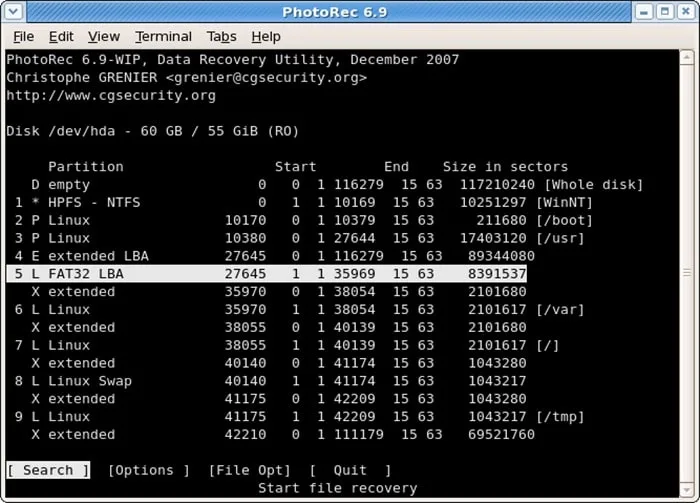
- Download PhotoRec (free, open-source) or Recuva (free for basic scans). Both work on Windows and macOS.
- Run a deep scan on the card. Quick scans may miss deeply deleted files.
- Select the recovered files and save them to a folder on your computer hard drive. Never save to the same card.
- After recovery, format the card inside the camera (not on the computer) to ensure correct FAT32 formatting.
PhotoRec is command-line only if you want advanced options, but it also has a simple interface. Recuva has a cleaner GUI. In our research, PhotoRec scored slightly higher recovery rates for trail camera images, perhaps because it ignores file system damage entirely.
Path B: You Formatted the Card
Formatting erases the file table, but not the actual photo data. A deep scan still works.
- Do NOT put any new files on the card.
- Use the same recovery tools as Path A, but select "Deep Scan" or "Full Scan." This may take 15, 30 minutes for a 32GB card.
- Recovered files may have generic names (e.g., "f123.jpg"). You can rename them later.
- After recovery, reformat the card in the camera to reset it for normal use.
If you did a full format (not quick) on a computer, the recovery chance drops but is still possible with professional tools. For most trail camera users, the camera's own format command is a quick format, which leaves data intact.
Path C: The Card Shows an Error or Won't Read
This is trickier. The error could be a corrupt file system or a physical hardware issue. Try these in order:
- Check the SD card's write-protect switch on the side. If it's slid down, the card is locked. Slide it up and try again.
- Try the card in a different card reader. Some readers are picky.
- Connect the camera to your computer via USB. The camera may act as a card reader even if it won't display photos on its own screen.
- Run CHKDSK with the
/fflag on Windows, but only if you've already recovered critical data or are willing to risk losing it. CHKDSK can fix file system errors, but it may also delete partially written files. - If none of that works, use recovery software that runs from a bootable Linux USB. PhotoRec can bypass many file system issues on a raw disk level.
If the card is physically cracked or waterlogged, stop. Do not push power through it. Professional data recovery services can sometimes salvage data from broken cards, but costs start around $150.
Compare that to the value of your photos, for most people, it's worth trying DIY first.
For future prevention, storing your trail camera properly when not in use reduces corrosion and card damage. Our guide on storing an action camera offers tips that apply equally to trail cameras, avoid humidity, keep contacts clean.
Five Mistakes That Kill Your Chances of Recovery
Recovery is often possible, but these five errors can make it impossible.
1. Writing new photos to the card. This is the biggest killer. Every new photo overwrites space that once held your old photo.
If you take ten new pictures after deletion, you may lose ten old photos forever. Rule: do not put the card back in the camera until after recovery.
2. Using the camera's "recover" or "repair" function. Some trail cameras have a built-in file repair tool. In our research, these tools often delete the entire folder and write a fresh empty one.
They are not designed for data recovery. They are designed to make the card work again, at the cost of your data.
3. Removing the card while the camera is still writing. The camera blinks a red LED or shows a busy icon. Wait until it stops.
Removing the card mid-write can corrupt the file system and make the entire card unreadable.
4. Ignoring the write-protect switch. The small tab on the side of the SD card can slide to lock the card. When locked, the computer cannot write new data but also cannot run recovery software that needs to read.
If you try to recover and the tool says "card is write-protected," slide the tab to unlock.
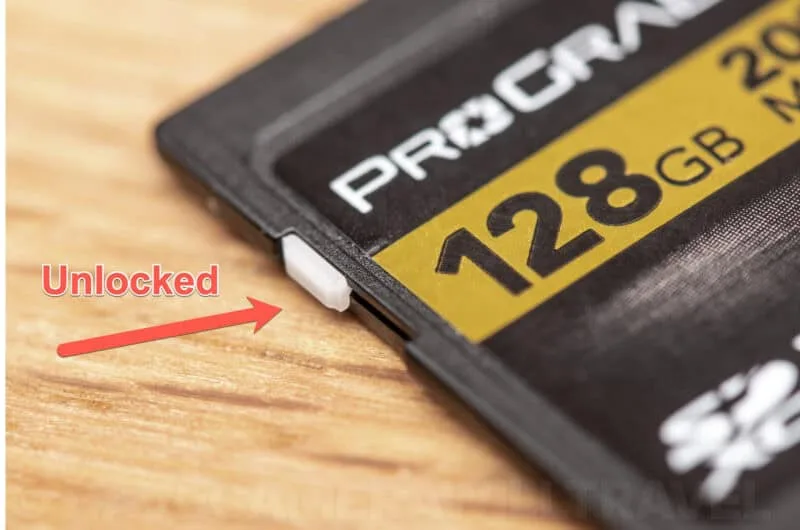
5. Saving recovered photos back to the same card. This overwrites the very data you're trying to save. Always save recovered files to your computer's hard drive, an external drive, or a second card.
Never to the original card.
If you've made any of these mistakes, your chances drop but are not zero. Proceed with the recovery path for your scenario, but keep expectations realistic.
What Recovery Tools Cost (And When DIY Beats Professional Help)
Most trail camera users can recover their photos with free software. Paid tools add convenience but rarely improve success rates on standard SD cards.
| Tool | Price | Best For | Scan Time (32GB) |
|---|---|---|---|
| PhotoRec | Free | Deep raw recovery, corrupted cards | 10–20 minutes |
| Recuva (free) | Free | Quick deleted file recovery | 5–10 minutes |
| Recuva (pro) | $29.99 | Virtual preview, larger capacity | Same |
| Disk Drill (free) | Free up to 2GB | Simple GUI | 15–30 minutes |
| Disk Drill (pro) | $89 | Unlimited recovery, extra features | Same |
| EaseUS Data Recovery | $69.95–$89.95 | UI polish, customer support | 15–30 minutes |
Professional data recovery services charge $100, $1,500 depending on damage type. They are worth it if:
- The card is physically broken (cracked, bent, waterlogged)
- The card is encrypted (rare on trail cameras)
- The photos are irreplaceable (court evidence, rare wildlife documentation)
- You've tried DIY and the tool found nothing
For 95% of cases, free software will work. The key is acting fast and not overwriting the card.
If you suspect the camera's internal card reader is faulty, you might need to connect it differently. Our article on connecting an action camera to a computer shows how to use the camera as a USB device. Many trail cameras support the same method.
Frequently Asked Questions
Can I recover photos from a card that was formatted multiple times?
Yes. Each format erases the file table, but the underlying data remains until overwritten. Deep scan tools can often recover photos after several quick formats.
The more times the card was formatted, the lower the chance. Full formats that write zeros to the entire card will destroy data.
How do I recover photos if my trail camera was stolen?
If you get the camera back and the SD card is still inside, follow the normal recovery steps. If the card is missing, there is no way to recover photos. Always remove and store cards separately from the camera when possible.
Will recovery software work on a corrupted card that the computer can't read?
Sometimes. Try a different card reader first. If the computer still doesn't see the card, try booting from a Linux live USB and running PhotoRec.
It can access raw block data even when the file system is unrecognisable.
Do I need a special card reader for trail camera cards?
No. Any USB card reader that accepts SD or microSD cards will work. For faster scans, use a USB 3.0 reader.
Avoid using the camera itself as a reader if possible, the connection can be slow and may cause errors.
What if the recovered photos are blank or corrupted?
This happens when the file table was partially overwritten. Try a different recovery tool with a deep scan. Some tools reconstruct files better than others.
If none work, the data may be gone for good. Always make backups of important trail camera photos.
Your Next Move: A Simple Checklist to Get Your Photos Back
Here's your action plan, start to finish.
- Remove the SD card from the camera. Do not take any more photos.
- Insert the card into a card reader connected to a computer.
- Run PhotoRec or Recuva with a deep scan.
- Save recovered files to your computer's hard drive, not to the card.
- After successful recovery, format the card inside the camera using its own menu.
- Set up a backup routine: use two cards and swap them every visit. Store a copy of important images on an external drive.
To keep your trail camera running smoothly, avoid cheap, unbranded SD cards. They fail more often. A good card costs a few dollars more but saves you this headache.
For a reliable field camera to pair with your recovery plan, check out our recommended options.
The SD Association (sdcard.org) publishes the official specifications for flash memory cards. Following their guidelines on card care and formatting can prevent many common failures.
One last tip: if you're setting up a new camera, test the card and recovery process before leaving it in the field for months. A quick dry run at home saves weeks of lost data later.

Similar Posts