How to Use Autofocus on Mirrorless Camera
You press the shutter halfway, and the focus box jumps around the frame like it's hunting for something. If you've ever wondered how to use autofocus on mirrorless camera without fighting the system, you're not alone. The frustration is real, but the fix is usually simpler than you think.
Manufacturer specifications indicate that modern mirrorless cameras offer phase detection coverage across 90 to 100 percent of the sensor. That's a massive improvement over DSLR autofocus systems. But more coverage doesn't automatically mean sharper photos.
You need to know which mode and area to pick for your specific subject.
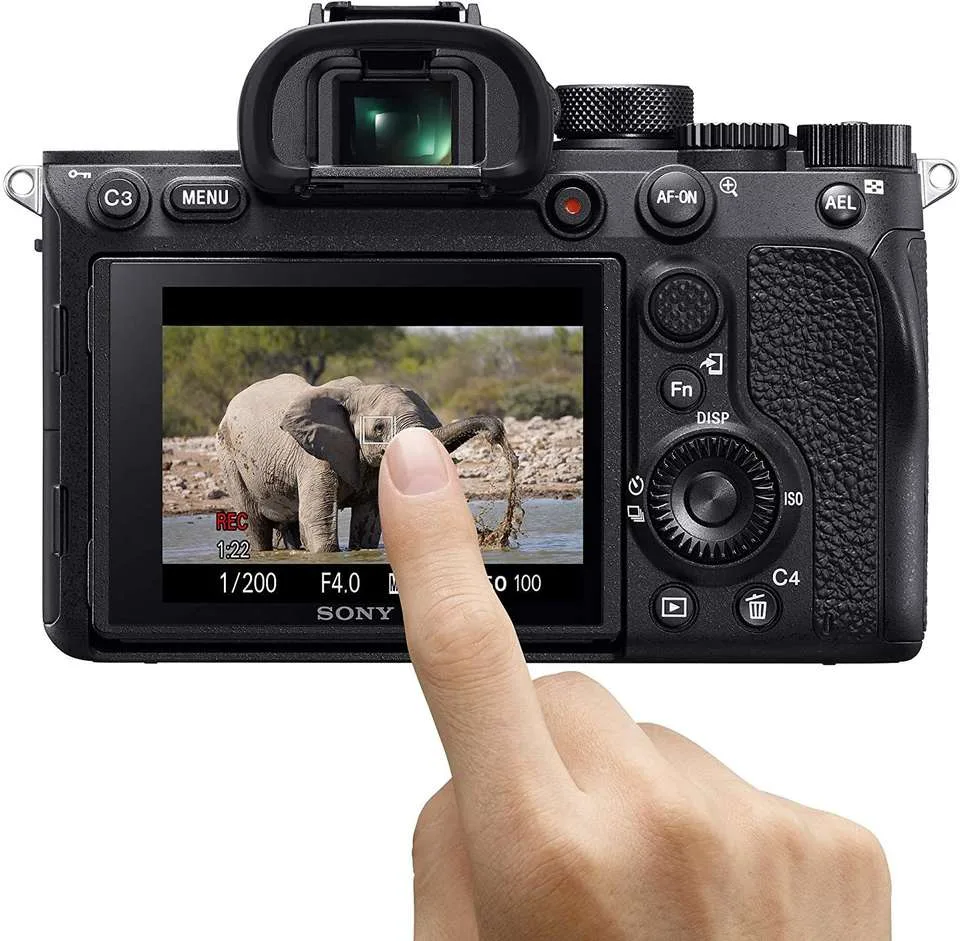
Image source: Bing (Web (fair-use with source credit))
Quick Answer
Use AF-S for still subjects. Use AF-C for moving ones. Pick Single Point for precision.
Choose Zone for groups. Use Wide for erratic motion. Enable eye detection for portraits.
Turn on subject tracking for animals. Press the shutter halfway to lock.
Why Your Autofocus Feels Unreliable (And It's Not the Camera)
Most mirrorless cameras are incredibly capable. The problem is usually not the hardware. It's almost always a mismatch between the autofocus mode and what you're trying to shoot.
Think about it this way. AF-S (single shot) assumes your subject is stationary. If you use it on a running dog, the camera locks focus once and never adjusts.
You get one sharp frame and a series of blurry ones. That's not a camera flaw. It's a mode mistake.
The same goes for your AF area selection. A single point is great for a bird on a branch. But try that same setup on a bird in flight, and you'll lose it instantly.
The area is too small to track movement.
Many users also leave subject detection off entirely. As of 2026, nearly every mirrorless camera includes some form of eye or subject tracking. Turning it on is often the single biggest improvement you can make.
Another common issue is shutter release priority. Many cameras are set to release priority by default. This means the shutter fires even if focus isn't locked.
You end up with blurry photos and blame the camera. Switch to focus priority instead. The camera won't fire until it confirms focus.
Your camera's autofocus is likely better than you think. You just need to tell it what to do. Once you match the right mode to your subject, the results are immediate.
If you're still fighting with inconsistent results, our guide to troubleshooting common camera problems covers the usual suspects.
| Common Frustration | Likely Cause | Quick Fix |
|---|---|---|
| Blurry action shots | Using AF-S instead of AF-C | Switch to AF-C |
| Focus box hunting | Wrong area mode for subject | Try Wide or Zone |
| Missed eye focus | Subject detection turned off | Enable eye AF |
| Shutter fires before focus | Release priority selected | Change to focus priority |
How Mirrorless AF Actually Works: The Three Modes and Four Area Types
Your mirrorless camera has three main autofocus modes. AF-S (Single Shot) locks focus and stays locked. Use it for stationary subjects.
AF-C (Continuous) tracks focus as the subject moves. Use it for action. AF-A (Auto) lets the camera decide between the two.
Skip it. It's unreliable in practice.
The four area types control where the camera looks for focus. Single Point uses one small square. It's the most precise.
Zone uses a cluster of points. It's good for tracking within a defined area. Wide uses the entire sensor.
It's best for erratic subjects. Spot is even smaller than Single Point. Use it for critical focus on tiny details like a flower stamen or a watch face.
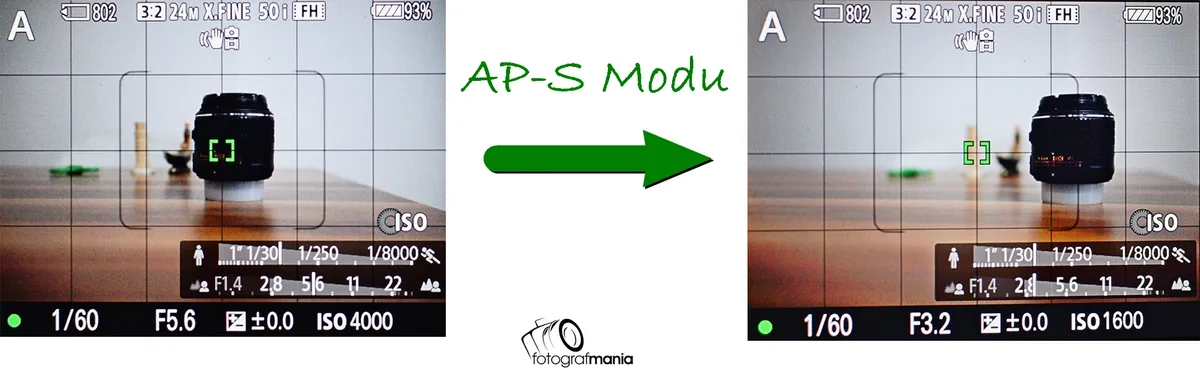
Image source: Bing (Web (fair-use with source credit))
Subject tracking adds another layer. When enabled, the camera locks onto a specific subject type. Human eye AF finds and tracks eyes.
Animal eye AF works for dogs, cats, and birds. Vehicle tracking works for cars and trains. The camera handles the focus point movement automatically.
| Mode | Best For | Behavior |
|---|---|---|
| AF-S | Still subjects | Locks once, stays locked |
| AF-C | Moving subjects | Continuously adjusts |
| AF-A | Mixed conditions | Camera decides (unreliable) |
| Area Type | Best For | Coverage |
|---|---|---|
| Spot | Critical detail | Very small |
| Single Point | Precision focus | One square |
| Zone | Tracking in a region | Cluster of points |
| Wide | Erratic subjects | Full sensor |
Your choice of mode and area type determines how the camera behaves. Understanding this is the foundation of reliable autofocus. If you're coming from a DSLR, the transition is straightforward.
The same principles apply, but mirrorless gives you more control. Our guide to setting focus points on a DSLR covers the basics that carry over.
The Decision Tree: Which AF Mode and Area to Use for Your Subject
Here's where the theory meets the road. The right choice depends entirely on what you're shooting. Follow this decision tree.
If your subject is completely still, use AF-S with Single Point. This includes landscapes, still life, architecture, and posed portraits. The camera locks focus and stays locked.
You get maximum precision.
If your subject is moving slowly or predictably, use AF-C with Zone. This works for walking people, pets at rest, or vehicles at moderate speed. The Zone gives you room to track without the camera hunting across the whole frame.
If your subject is moving erratically or quickly, use AF-C with Wide and enable subject tracking. This covers sports, birds in flight, children playing, and wildlife. The camera uses the full sensor to find and follow the subject.
Image source: Bing (Web (fair-use with source credit))
For portraits specifically, enable eye AF. Set your area mode to Wide or Zone. The camera finds the eye automatically.
This works for humans and animals. It's the single most reliable method for sharp portraits.
For video, use AF-C with smooth tracking enabled. Most mirrorless cameras have a video-specific AF setting. It slows down focus transitions to avoid that jarring hunting look.
Enable face detection as well.
Here's a quick reference based on common scenarios.
| Scenario | Mode | Area Type | Tracking |
|---|---|---|---|
| Landscape on tripod | AF-S | Single Point | Off |
| Portrait | AF-S | Wide | Human eye AF |
| Wedding ceremony | AF-C | Zone | Human eye AF |
| Sports | AF-C | Wide | Subject tracking |
| Wildlife | AF-C | Wide | Animal eye AF |
| Street photography | AF-S | Single Point | Off |
| Product photo | AF-S | Spot | Off |
If you're shooting action regularly, our guide to action photography techniques dives deeper into tracking settings and burst mode optimization.
Common Autofocus Mistakes That Ruin Sharp Photos
Even experienced shooters make these errors. The good news is they're easy to fix once you know what to look for.
Mistake 1: Using AF-S for moving subjects. This is the most common mistake. The camera locks focus once and never updates. Every frame after the first is out of focus.
The fix is simple. Switch to AF-C.
Mistake 2: Leaving subject detection off. Many cameras ship with eye AF disabled by default. If you're shooting people or animals, turn it on. It's usually in the main AF menu.
Set it to human or animal based on your subject.
Mistake 3: Sticking with the default area mode. Most cameras default to Wide or Auto area. This works for general shooting but fails for precision. Change it based on your subject.
Use Single Point for control. Use Zone for tracking. Use Wide for erratic motion.
Mistake 4: Ignoring focus priority settings. Your camera has two options. Focus priority waits for focus confirmation before firing. Release priority fires immediately.
Set it to focus priority for most situations. Change to release priority only when you absolutely need the shot, even if it's blurry.
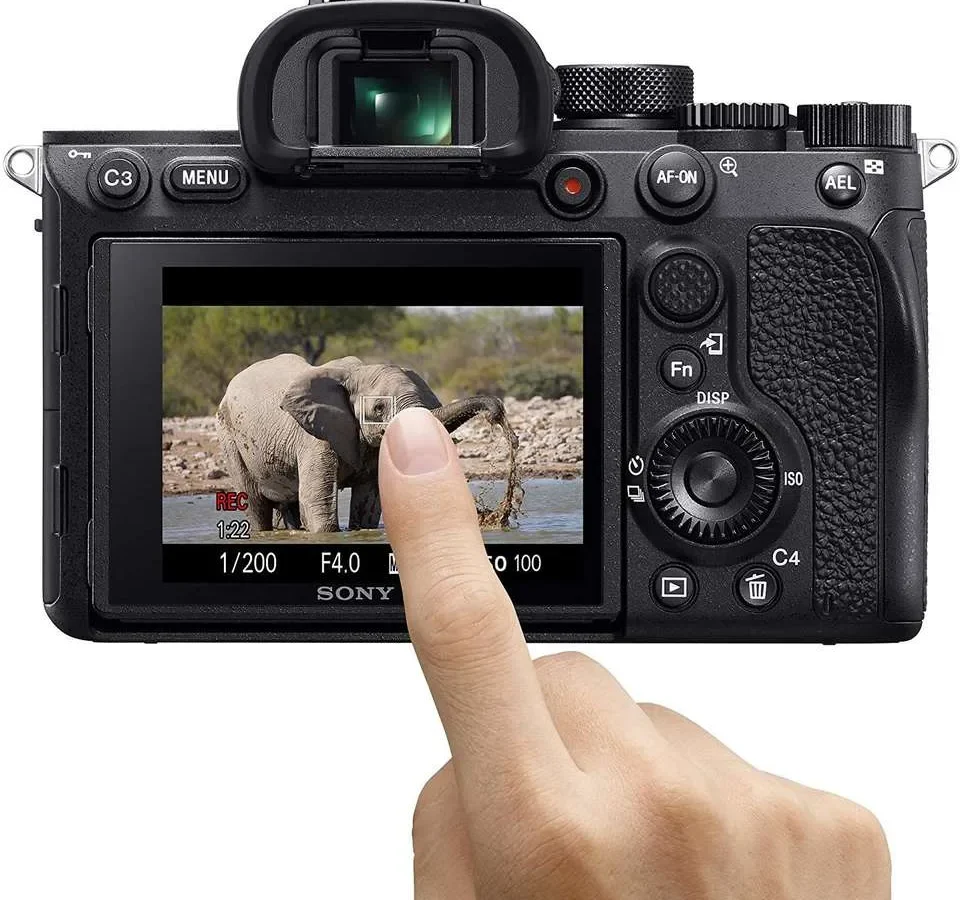
Mistake 5: Using the touchscreen accidentally. Many mirrorless cameras let you tap the screen to move the focus point. It's useful but easy to trigger by accident. You end up focusing on the background instead of your subject.
Disable touch AF when you're shooting fast. Or use the touchscreen lock feature.
Mistake 6: Not resetting custom settings. If you've been shooting action and switch to portraits, your settings carry over. AF-C with Wide and release priority is wrong for a still portrait. Reset your AF settings when you change subjects.
Or save custom presets for each scenario.
If you're getting consistent soft images, our guide to portrait photography with reliable focus walks through the exact settings for human subjects.
Pro Tricks for Tricky Situations: Low Light, Fast Action, and Erratic Subjects
Some conditions push autofocus to its limits. Here's how to handle them.
Low light. Your camera's AF sensitivity is rated in EV. Most modern mirrorless cameras work down to -4 EV or -5 EV. That's very dim light.
But performance drops. Use a lens with a wide aperture like f/1.4 or f/1.8. More light reaches the sensor.
Switch to a single point in the center of the frame. Center points are more sensitive than edge points. If you're still struggling, use AF assist light if your camera has one.
Or shine a flashlight on the subject to let the camera lock focus, then compose and shoot.
Fast action. For sports and wildlife, use AF-C with Wide area and subject tracking. Set your camera to high-speed burst mode. Pre-focus on the area where the action will happen.
Half-press the shutter before the subject enters the frame. This gives the camera a head start. Adjust tracking sensitivity.
Higher sensitivity works for erratic subjects. Lower sensitivity works for predictable motion.
Erratic subjects. Think of a dog running in zigzags or a child darting around. Use Wide area with subject tracking. Enable animal eye AF if available.
The camera handles the focus point movement. You just need to keep the subject in the frame. Set your camera to focus priority.
You want sharp frames, not a high count of blurry ones.
Backlit subjects. Strong light behind the subject confuses autofocus. The camera tries to focus on the bright background. Use spot metering or manual exposure.
Switch to a single point and place it on the subject's face. Enable eye AF if possible. The camera will prioritize the eye over the background.
Low contrast subjects. A blank wall, a clear sky, or a solid color surface gives the camera nothing to lock onto. Look for an edge or a texture. Point the focus point at the edge of the subject.
Half-press to lock focus. Then recompose the shot. This works for everything from wedding dresses to white birds in snow.
If you frequently shoot in challenging conditions, our guide to wildlife photography scenarios covers the specific settings for animals in low light and fast motion.
Per the CIPA standards for digital camera performance, modern mirrorless autofocus systems are tested under standardized conditions. Real-world results vary based on lens, light, and subject behavior.
Frequently Asked Questions
Which autofocus mode should I use for portraits?
Use AF-S with Single Point or Wide area. Enable human eye AF. The camera finds the eye automatically.
This gives you sharp focus on the subject's eye every time. Switch to AF-C only if the subject is moving.
Why does my autofocus hunt in low light?
Your camera's phase detection needs contrast to lock focus. In dim light, contrast drops. Use a lens with a wider aperture.
Switch to the center focus point. It's more sensitive than edge points. Use AF assist light if available.
Should I use back-button autofocus?
Back-button autofocus separates focus from the shutter button. You assign AF to a button on the back. This lets you lock focus and recompose without the camera refocusing.
It's useful for action and wildlife. Many professionals prefer it.
How do I set up eye AF on my mirrorless camera?
Go to the AF menu. Find subject detection or eye detection. Select human or animal based on your subject.
Enable it. Set your AF area to Wide or Zone. The camera automatically finds and tracks the eye.
What is the difference between AF-S and AF-C?
AF-S locks focus once and stays locked. Use it for stationary subjects. AF-C continuously adjusts focus.
Use it for moving subjects. AF-A lets the camera decide. It's unreliable in practice.
Stick with AF-S or AF-C.
Why are my photos blurry even with autofocus?
Check your shutter speed. It might be too slow for handheld shooting. Check your focus priority setting.
It might be set to release priority. The shutter fires before focus locks. Switch to focus priority.
Check your AF mode. You might be using AF-S for a moving subject.

Similar Posts