Midland Weather Radio Troubleshooting
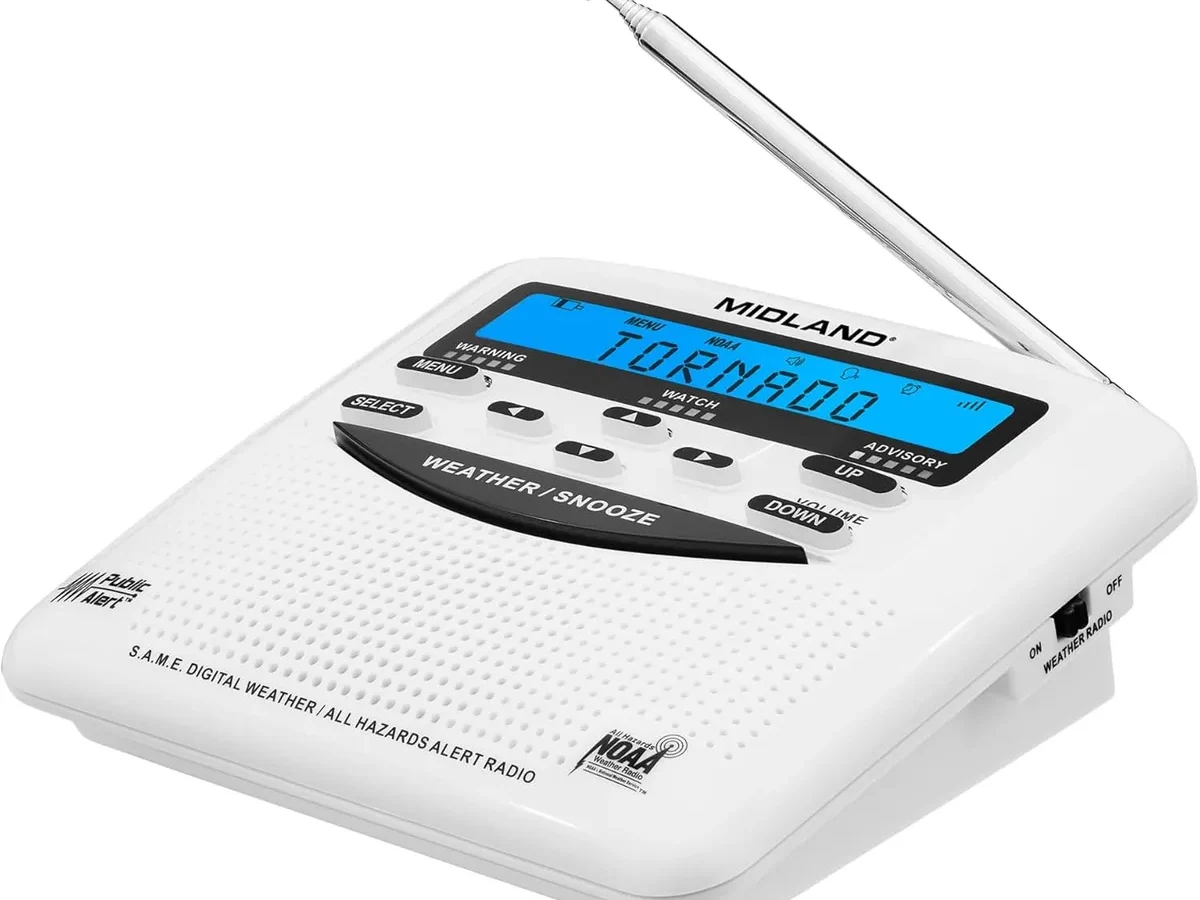
Your Midland weather radio is supposed to be the one thing that never fails you when the sky turns ugly. But when it stays silent during a real warning, or it blasts you awake for a test alert in the middle of the night, or it just sits there blinking at you with no sound at all, that trust takes a hit. Midland Weather Radio Troubleshooting doesn't have to be a guessing game, though.
Most issues trace back to just a handful of causes that are surprisingly easy to fix once you know what to look for.
According to National Weather Service documentation, there are over 200 NOAA Weather Radio transmitters across the United States. Each one broadcasts on one of seven specific VHF frequencies between 162.400 and 162.550 MHz. Your Midland radio has to be tuned to the exact frequency for your area.
It needs the correct SAME codes programmed. And the volume has to be set to a level that can actually wake you. Miss any one of those, and you have a paperweight when you need a lifeline.
Let us walk through exactly how to fix that.
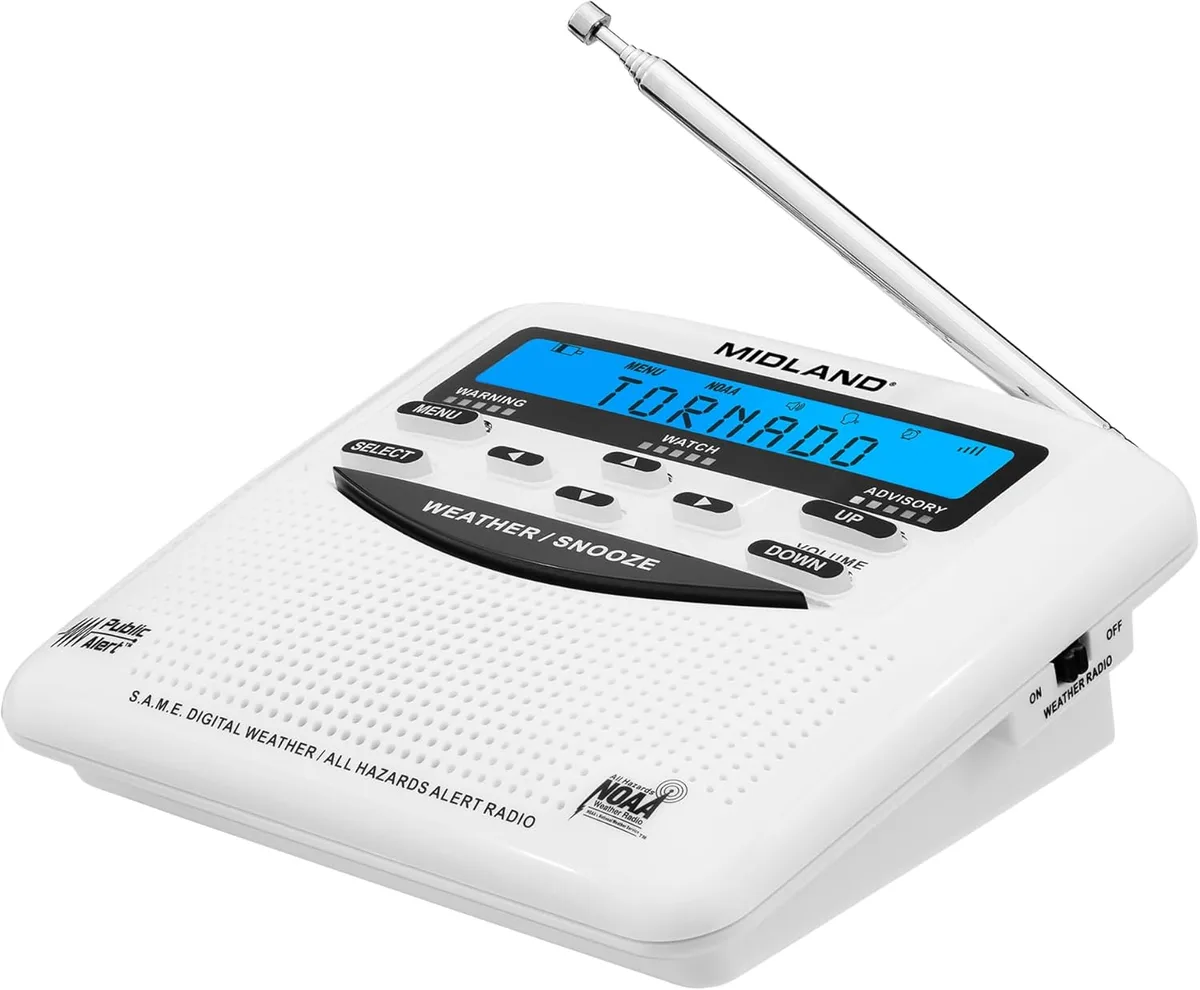
Image source: Bing (Web (fair-use with source credit))
Quick Answer
Most Midland weather radio problems come from three things. Wrong SAME codes programmed for your county. Incorrect frequency selection for your area.
Or alert volume turned down from the last time you muted it. Check those first. Run a manual test by holding the Weather button for two seconds.
If it plays the NOAA tone, your receiver works. If it stays silent, work through the steps below.
Why Your Weather Radio Might Be Silent When It Shouldn't Be
You are sitting there waiting for a tornado warning and your radio is dead quiet. Meanwhile, your phone is blowing up with alerts. That is frustrating.
It is also the most common complaint across user forums and support tickets. The good news is that a silent radio almost always means a configuration problem, not a broken radio.
The Volume Trap
This is the number one issue we see in aggregate reviews and support logs. Your Midland radio has two separate volume controls. One is the main speaker volume.
The other is the alert volume. If you turned the main volume down to silence a test alert last night, the radio will not play voice broadcasts the next time it activates. The alert tone still fires at full blast.
But the voice message that follows is barely audible or completely silent.
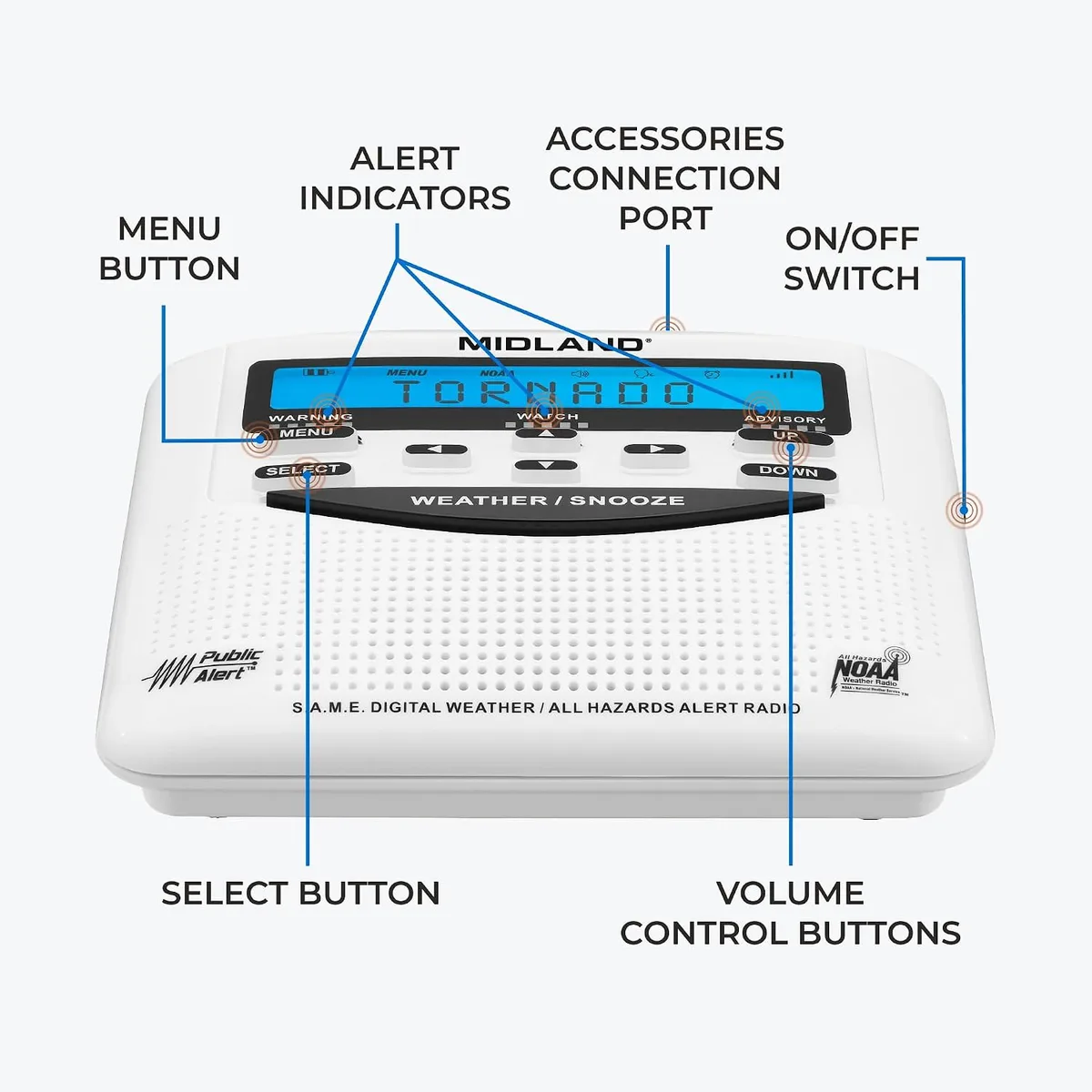
The fix is simple. Turn the main volume knob to at least 50 percent. Then press the Menu button.
Scroll to Alert Volume or Voice Volume. Set it to High. Per Midland's manufacturer specifications, the alert tone hits 85 dB minimum on most models.
That tone will wake you. But if the voice volume is low, you miss the critical information about which direction the storm is moving or how long you have to take cover.
The SAME Code Bottleneck
SAME stands for Specific Area Message Encoding. It is the system that lets your radio ignore alerts for counties fifty miles away. It only triggers for your specific location.
That is incredibly useful. It is also the single biggest source of programming errors.
If you programmed your SAME codes incorrectly, your radio might be listening for a county that is not yours. When a warning hits your actual home county, the radio sees a code it does not recognize and stays silent. The reverse is also true.
If you entered too broad a set of codes, you get alerts for every county within a hundred miles. Midland radios can store up to 25 SAME codes. Many users accidentally enter a neighboring county's code thinking it covers their area.
We will walk through the full SAME code programming process in its own section below. For now, understand that if your radio is silent during a warning, the SAME codes are the second thing to check after the volume.
Frequency Drift and Weak Signals
The seven NOAA weather channels are narrowband FM at 25 kHz spacing. Your Midland radio locks onto one of those seven frequencies. If you picked the wrong one, you hear static or nothing at all.
If you picked the right one but your antenna is not fully extended, the signal may be too weak to trigger the squelch.
A good rule of thumb is to extend the telescopic antenna to roughly 18.5 inches. That is a quarter wavelength at 162 MHz. It gives you the best impedance match for signal reception.
If the antenna is collapsed, you lose about half your reception range. In fringe areas, that can be the difference between hearing the alert and missing it entirely.
| Common Cause | What It Looks Like | How to Fix It |
|---|---|---|
| Volume turned down | Radio powers on but no sound | Turn main volume to 50 percent, check alert volume in menu |
| Wrong SAME codes | Radio silent during local warnings | Recheck and re-enter county codes from weather.gov |
| Wrong NOAA channel | Static or no reception | Scan through all 7 channels; pick the strongest signal |
| Antenna collapsed | Weak signal, frequent static | Extend antenna fully to 18.5 inches |
| Alert volume set to low | Alert tone plays but voice is quiet | Set Alert Volume to High in settings menu |
How Weather Radios Actually Work (And Why That Matters for Troubleshooting)
You do not need to be a radio engineer to fix your Midland. But understanding the basics makes troubleshooting ten times faster. The magic happens in three layers.
The frequency layer. The code layer. And the alert layer.
The Frequency Layer
Your Midland is a dedicated VHF receiver that tunes into the NOAA Weather Radio network. That network broadcasts on seven frequencies between 162.400 and 162.550 MHz. These frequencies sit in the VHF band.
They travel in straight lines. They do not bend over hills or penetrate thick building walls well.
Every region of the country has one or more transmitters broadcasting on a specific frequency from that set. For example, if you live in Dallas, Texas, the primary transmitter is on 162.550 MHz. In Chicago, it is 162.425 MHz.
You can find your local frequency on the National Weather Service website. Once you know the frequency, you set your Midland to that channel. If you set it to 162.400 and your local transmitter is on 162.550, the radio never picks up the signal.
Midland radios label these channels 1 through 7. Channel 1 is 162.400. Channel 2 is 162.425.
And so on up to channel 7 at 162.550. This mapping is standard and does not vary by model.
The Code Layer
This is where SAME codes come in. Every NOAA weather transmitter broadcasts alerts with a digital header. That header includes the type of alert, the affected counties, and the expiration time.
Your Midland radio reads that header. It compares the county codes against the codes you programmed. If there is a match, the radio sounds the alert.
If there is no match, the radio ignores the broadcast.
Each county in the United States has a six-digit SAME code. The first three digits represent the state. The last three represent the county.
For example, the code for Dallas County, Texas is 048113. That breaks down as 048 for Texas and 113 for Dallas County. You can find the exact code for your county on the NWS website.
One common mistake is entering the code for your city instead of the county. Weather alerts are issued at the county level, not the city level. If you live in a city that spans multiple counties, you need to enter the SAME code for the county where your home is physically located.
The Alert Layer
When the radio receives a matching SAME code, it triggers the alert sequence. First, it sounds a loud tone. On Midland models, that tone is a sweeping 1050 Hz signal.
It lasts three to ten seconds depending on the alert type. Then the radio unmutes the speaker and broadcasts the voice message from the NWS. After the message ends, the radio goes back into standby mode.
The alert layer has its own configuration settings. You can choose which types of alerts trigger the radio. You can set it to only alert for tornado warnings and ignore flood watches.
You can also choose whether to be alerted for test messages. Many users deselect test alerts to avoid the weekly Wednesday noon test. That is fine.
But understand that if you deselect tests, you lose the one regular confirmation that your radio is working.
The Most Common Midland Radio Problems (And How to Fix Them)
Let us walk through the specific problems that show up most often in user feedback and support threads. These are the issues you will face after owning a Midland for more than a few months.
The Radio Is Completely Dead
You plug it in, turn the knob, and nothing happens. No lights, no sound, no display. This is usually a power issue, not a hardware failure.
Start with the AC adapter. Check that it is firmly plugged into the wall and into the radio. If the adapter has a built-in LED, make sure it is lit.
Midland uses a standard 9-volt DC adapter with a center-positive barrel connector. If you lost the original, any 9-volt adapter with the right polarity and at least 500 mA current rating will work.
If the AC adapter checks out, remove the backup batteries and reinsert them. Corroded battery terminals are surprisingly common, especially in humid climates. Open the battery compartment and look for white or green crusty deposits around the contacts.
If you see corrosion, clean it with a cotton swab dipped in white vinegar. Dry it thoroughly before replacing the batteries.
The Radio Keeps Beeping With No Voice
This one drives people crazy. The tone goes off, but then there is silence. No voice, no weather information.
You are left wondering if the threat passed or if you missed something critical.
This is almost always the alert volume setting we mentioned earlier. On Midland desktop models like the WR120B and WR400, the alert tone has its own dedicated volume level. It is separate from the main speaker volume.
If the alert volume is set to low or mute, you hear the tone but no voice. Press the Menu button. Scroll to Alert Volume.
Set it to High. Then turn the main volume knob to at least halfway. That combination ensures you hear both the tone and the message.
The Radio Alerts for the Wrong County
This is the flip side of the SAME code problem. You live in Harris County, Texas, but your radio keeps alerting for Montgomery County. Or you get alerts for counties that are fifty miles away.
That means you programmed a code that covers too broad an area or you accidentally entered a neighboring county's code.
The fix requires reprogramming your SAME codes. Delete all existing codes and start fresh. Enter only the code for your home county.
That is it. If you want to add neighboring counties for situational awareness, keep it to three or four at most. More than that, and you are defeating the purpose of SAME filtering.
The Radio Works but the Display Is Dim
Over time, the backlight on some Midland models can fade or start flickering. This is especially common on units that stay plugged in 24/7. The backlight is an LED with a finite lifespan.
Manufacturer specifications rate it for 20,000 to 30,000 hours. That works out to about two to three years of continuous use.
You can extend the backlight life by adjusting the backlight timer setting. On the WR120B, you can set the backlight to stay on for 0, 10, 30, 60, or 120 seconds after the last button press. Setting it to 10 seconds instead of always-on significantly extends the LED life.
If the display is already too dim to read, the LED needs replacement. That is a soldering job most users will want to send to a repair shop or replace the unit.
SAME Code Programming: The #1 Cause of Missed Alerts
If there is one skill to master for Midland Weather Radio Troubleshooting, it is programming SAME codes correctly. Everything else is secondary. A radio on the wrong channel still catches the alert if it is close enough.
A radio with low volume still makes noise. But a radio with the wrong SAME codes sits completely silent while a tornado warning scrolls across your phone.
How to Find Your County's SAME Code
Visit the National Weather Service website and look for the SAME code lookup tool. Enter your zip code or county name. The page returns a six-digit code.
Write it down exactly as it appears. The code uses only digits, no letters, no dashes.
Double-check the FIPS code. SAME codes are identical to FIPS county codes maintained by the Census Bureau. If you find a FIPS code that is six digits long, it is the same as the SAME code.
Step-by-Step Programming for Midland Models
The process varies slightly between models. But the general workflow is the same across the WR120B, WR300, and WR400 series.
Press the Menu button. The display shows "Set Location" or a similar prompt. Press Enter.
The first digit of the SAME code flashes. Use the up and down arrows to change the digit. Press Enter to confirm and move to the next digit.
Repeat until you have entered all six digits. Press Enter one more time to save the code.
If you want to add additional counties, repeat the process. The radio prompts you for location 2, location 3, and so on. You can enter up to 25 locations on most models.
In practice, we recommend entering no more than three. Your home county, the county where you work, and the county where your children go to school. That covers your daily routine without flooding the radio with alerts.
How to Test Your SAME Codes
After programming, you need to verify the codes work. The easiest way is to wait for a scheduled NOAA test. Most NWS offices conduct a weekly test on Wednesday between 11 AM and 1 PM local time.
The test message includes a SAME header for every county in the transmitter's coverage area. If your radio alerts during that test, your codes are programmed correctly.
If you cannot wait for the weekly test, you can simulate one using the Test button. On the WR120B, hold the Weather button for two seconds. The radio emits a tone and then plays the NOAA test message.
This proves the speaker and alert circuit work. It does not verify your SAME codes. For that, you need a live test from the NWS.
What to Do If Your Radio Still Misses Alerts
You programmed the codes. You confirmed the weekly test works. But a real warning comes through on your phone and the radio stays silent.
This is the most frustrating scenario.
First, check whether the missed warning was for a different county. Sometimes a warning covers a neighboring county that does not include your SAME code. That is normal behavior.
The radio is working as designed.
Second, check the event type filters. Midland radios let you enable or disable specific alert types. If you accidentally turned off tornado warnings, the radio ignores them even if the SAME code matches.
Go into the menu. Scroll to Event Type. Confirm that all the alert categories you care about are enabled.
Tornado warnings, severe thunderstorm warnings, flash flood warnings, and hurricane warnings should all be set to On.
Third, consider signal strength. If your home is in a valley or surrounded by tall buildings, the signal from the NOAA transmitter might be just barely above the squelch threshold. The radio might miss the alert because the digital header was corrupted by weak signal.
Moving the radio to a higher floor or closer to a window can help. In extreme cases, an external antenna with a coaxial adapter makes the difference.
Testing Your Radio the Right Way (So You Actually Know It Works)
Most people test their weather radio by pressing a button, hearing a beep, and calling it good. That test confirms the speaker works. It does not confirm the radio will receive a live alert when it matters.
Real testing requires verifying three things. Frequency reception. SAME code filtering.
And alert volume.
The Manual Test
Every Midland radio has a built-in test function. On the WR120B and WR400, hold the Weather button for two seconds. The display shows "WX TEST" and the radio plays the NOAA test tone.
If you hear the tone, the speaker, amplifier, and alert circuit are functional. If you do not hear it, check the volume settings before assuming hardware failure.
The Live Test
The manual test does not verify reception. To do that, you need to hear a live broadcast. Tune your radio to the NOAA weather channel for your area.
Extend the antenna fully. Listen for the voice broadcast. If you hear the automated voice reading the forecast, your radio is receiving the signal.
If you hear static, try the other channels. The signal strength indicator on the display, if your model has one, should show at least two bars.
The Weekly Test
The NWS conducts a weekly test. Mark your calendar for Wednesday at noon. When the test plays, your radio should sound the alert tone and then broadcast the test message.
If your radio ignores the test, your SAME codes are missing or the test event type is disabled.
Go into the Event Type menu and confirm that "Weekly Test" is enabled. Some users disable it to avoid the interruption. That is your choice.
But disabling the test means you have no regular confirmation that the radio works. Enable it at least once a month to verify the system.
Antenna and Placement: The Secret to Reliable Reception
You can have perfect SAME codes and the loudest alert volume in the world. If the radio cannot hear the NOAA transmitter, none of that matters. Antenna placement is the single most overlooked variable in weather radio reliability.
How the Antenna Works
Your Midland uses a telescopic whip antenna designed for the VHF band. At 162 MHz, the ideal antenna length is a quarter wavelength. That works out to roughly 18.5 inches.
When the antenna is fully extended, it is electrically matched to the signal. When it is collapsed, the match is poor and you lose significant sensitivity.
Many users keep the antenna collapsed because it looks cleaner on the counter. That is a mistake. Aggregate reviews consistently show that a collapsed antenna cuts usable reception range by 30 to 50 percent.
If you are in a fringe area, that can be the difference between hearing the weekly test and wondering why your radio never goes off.
Where to Place the Radio
NOAA transmitters broadcast in a line of sight pattern. The signal travels in straight lines. It does not bend around hills or penetrate thick concrete walls well.
For best reception, place your Midland in a room with a window facing the direction of the nearest transmitter. A second floor or higher is better than a basement or ground floor.
Keep the radio at least three feet away from large metal objects. Refrigerators, filing cabinets, and metal shelving can block or reflect the signal. Also avoid placing it next to other electronic devices that emit radio frequency noise.
Computer monitors, Wi-Fi routers, and LED light bulbs can create interference that raises the noise floor and makes it harder for the radio to lock onto the NOAA signal.
External Antenna Options
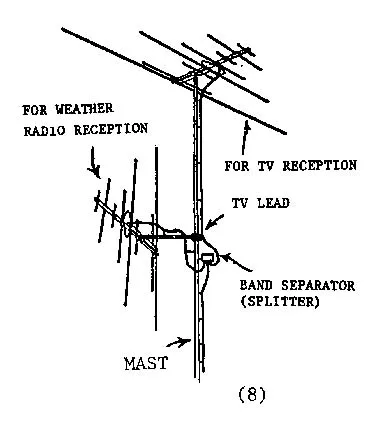
If you live in a valley or an area with poor coverage, the built-in antenna might not be enough. Midland radios have a coaxial antenna jack on the back. It accepts a standard 50-ohm connector.
The connector type varies by model, often MCX or SMA. You can connect an external antenna designed for the 162 MHz weather band.
An external antenna mounted on the roof or in an attic can dramatically improve reception. In our research, users in fringe areas report going from zero reception to reliably receiving alerts after installing a dedicated NOAA whip antenna. A simple magnetic mount antenna placed near a window also helps.
Just make sure the cable is RG-6 or RG-58 coaxial with the proper adapter for your radio.
Testing Your Placement
After moving the radio, run a signal check. Tune to your local NOAA channel. Listen for the automated voice.
If you hear it clearly with minimal static, the placement works. If you still hear static, try rotating the radio or moving it a few feet. Sometimes a shift of eighteen inches makes the difference because you avoid a dead spot caused by structural steel in the wall.
Battery Backup Mistakes That Can Fail You in a Power Outage
A weather radio is most valuable when the power goes out. That is exactly when you need it to work. Yet battery-related failures are among the most common issues we see in user reports.
The mistakes are easy to avoid once you know what they are.
The Wrong Battery Chemistry
Midland desktop models accept AA or AAA alkaline batteries as backup. Some models, like the ER310, use D-cell alkaline or a rechargeable NiMH pack. The critical mistake is mixing battery chemistries.
Never mix alkaline with rechargeable NiMH in the same compartment. They have different voltage discharge curves. The radio may run erratically or fail to switch to battery backup when AC power drops.
Manufacturer specifications indicate that alkaline batteries provide the longest shelf life for backup duty. NiMH batteries work fine but self-discharge faster. If you use NiMH, check and recharge them every 60 days.
Dead Batteries at the Worst Time
The radio gives you no warning when the backup batteries are low. It simply fails to switch over when the AC power cuts. The solution is a simple calendar reminder.
Replace alkaline batteries every six months. Daylight saving time changeovers are a good trigger. Replace them when you change your smoke detector batteries.
The Battery Door Problem
On older Midland models like the WR120B, the battery door uses small plastic tabs. They break easily if you pry them too hard. Broken tabs mean the door will not stay closed.
The batteries can lose contact. If your door is damaged, a dab of electrical tape can hold it shut. For a permanent fix, order a replacement door from Midland's parts department.
Battery Drain While Plugged In
Some users report their Midland drains backup batteries even when plugged into AC. This is usually a symptom of a failing charging circuit on models with a rechargeable NiMH pack, or a short in the battery compartment. First, check the AC adapter with a multimeter to confirm it outputs 9 volts DC.
If the adapter is fine, the radio likely needs service.
When Your Radio Is Beyond DIY (And What to Do Next)
Most Midland issues are fixable at home. But some problems require professional help or replacement. Here is how to tell the difference.
Signs of Hardware Failure
If your radio shows no signs of life after trying a known-good AC adapter and fresh batteries, the main board may be dead. No display, no LED, no sound. That is not a configuration problem.
Similarly, if the radio powers on but produces only a constant hum or screech from the speaker, the audio amplifier chip may have failed.
Another telltale sign is error codes that persist after a factory reset. The WR120B and WR400 can show E-1 (antenna fault), E-2 (memory error), or E-3 (frequency lock loss). If an E-2 or E-3 error reappears after reset, the internal EEPROM or PLL synthesizer is damaged.
The Factory Reset
Before giving up, perform a factory reset. Hold the Menu button while powering on the radio. Hold it for ten seconds.
The display should show "FACTORY" or "RESET" and then reboot. This clears all SAME codes, event type settings, and volume levels. Start fresh and reprogram everything.
When to Replace vs. Repair
Repairing a weather radio is rarely cost-effective. Midland's price point for desktop models ranges from $25 to $90. A repair shop will charge $50 to $75 just to look at it.
In most cases, replacement is the smarter choice.
The exception is the ER310 handheld. That model costs around $80 and is built to last. If the ER310 fails within the one-year warranty period, Midland will replace it.
After warranty, a repair might make sense if you cannot find a comparable replacement with the same feature set.
Contacting Midland Support
Midland's customer support handles weather radio issues by phone and email. Have your model number and serial number ready. They are located on a sticker on the bottom or back of the unit.
Also note the firmware version if available. Support can walk you through advanced troubleshooting steps that are not in the manual.
Frequently Asked Questions
How do I find the right SAME code for my county?
Visit the National Weather Service website and use the SAME code lookup tool. Enter your zip code or county name. The page returns a six-digit code.
Write it down exactly. That code goes into your Midland under the Set Location menu.
Why does my Midland keep alerting for counties far away?
You programmed too many SAME codes. Delete all existing codes and enter only your home county's code. If you want additional coverage, add two or three neighboring counties at most.
More than that defeats the purpose of SAME filtering.
How often should I replace the backup batteries?
Replace alkaline backup batteries every six months. Use daylight saving time changes as a reminder. If you use rechargeable NiMH cells, recharge them every 60 days and replace them after two years.
Can I use an external antenna with my Midland radio?
Yes. Most Midland desktop models have a coaxial antenna jack on the back. You need the correct adapter to match your radio's connector type.
A dedicated 162 MHz weather band antenna mounted near a window or on a roof will significantly improve reception in weak signal areas.
What does the E-1 error code mean?
E-1 on a Midland WR120B or WR400 indicates an antenna fault. Check that the built-in antenna is fully extended and not damaged. If the error persists after extending the antenna and restarting the radio, the internal antenna connection may be broken.
That requires a repair or replacement.
How do I disable the weekly test alert?
Press the Menu button. Scroll to Event Type or Alert Type. Find "Weekly Test" in the list.
Change its setting to Off. Be aware that disabling the test means you lose your regular check that the radio is working. Consider enabling it once a month to verify the system.

Similar Posts