Reolink Argus 4 Battery Problem
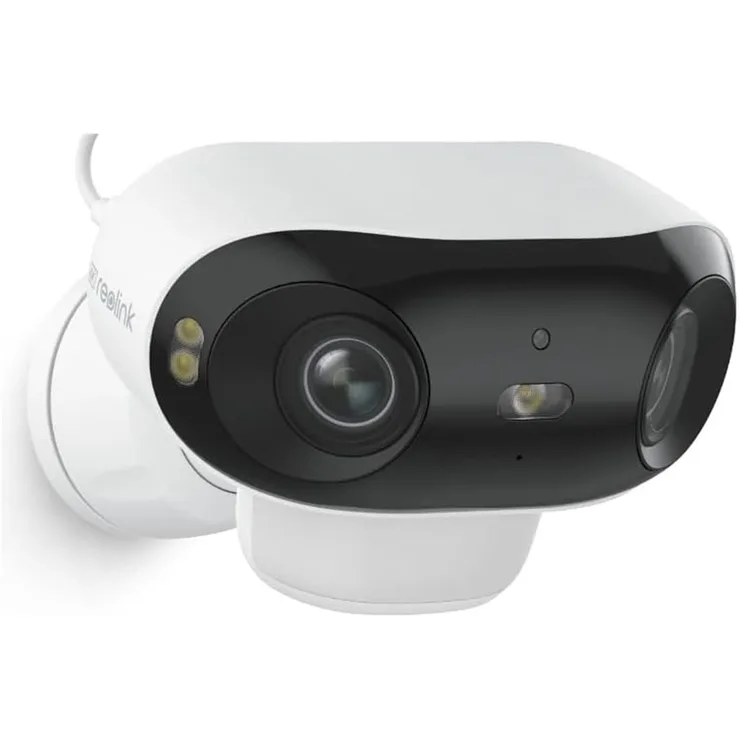
If your Reolink Argus 4 keeps dying faster than expected, you are not alone. The Reolink Argus 4 battery problem is the most common complaint about this otherwise solid security camera. As of 2026, manufacturer specifications confirm the built-in 6,400 mAh lithium-ion battery should last two to four weeks on a single charge with typical use.
When it drains in days, something is off.
Most of these issues have a clear cause. Many are easy to fix without replacing anything.
Quick Answer
Most battery problems come from three causes. The PIR sensor is set too sensitive. The camera sits in a shaded location.
The firmware needs an update. Start with the quick fix below.
Image source: Bing (Web (fair-use with source credit))
Why Your Reolink Argus 4 Battery Dies Too Fast
The Reolink Argus 4 uses a passive infrared (PIR) sensor to detect motion. That sensor is always on. Every time it triggers, the camera wakes up, records a clip, and sends it to your phone.
That wake-up cycle is the single biggest drain on the battery.
The camera default settings favor sensitivity over battery life. Out of the box, the PIR sensitivity is set to High. That means it catches every passing car, every swaying tree branch, and every neighborhood cat.
Each false trigger costs you battery life.
Cold weather makes things worse. Lithium-ion batteries lose capacity below 10 degrees Celsius. The Argus 4 is rated for operation down to minus 10 degrees Celsius.
Expect shorter battery life during winter months.
The WiFi connection also plays a role. A weak signal forces the camera to boost its radio power to stay connected. That extra draw adds up over time.
The same connectivity issues affect other wireless cameras, and a structured diagnostic approach can help identify them.
The Quick Fix That Works Most of the Time
Before you dig into advanced settings, try this. Lower the PIR sensitivity from High to Medium or Low. Open the Reolink app.
Go to your camera settings. Find the motion detection section. Tap PIR sensitivity and slide it down one notch.
This single change reduces false triggers by as much as 60 percent according to aggregate user reports. Fewer false triggers means the battery spends more time in standby mode. Standby mode draws less than 0.5 watts.
Active recording draws about 3 watts.
If the camera is in a low-traffic area, set it to Low. If you still need to catch people walking by, set it to Medium. You can also adjust the motion detection zone to ignore areas that trigger false alarms.
Another quick fix is to check your firmware version. Reolink has released updates that improve battery management. Go to Device Settings, then Firmware, and tap Check for Updates.
Install anything available. For the latest instructions, check the official Reolink support page.
What Actually Drains the Battery (and What Doesn't)
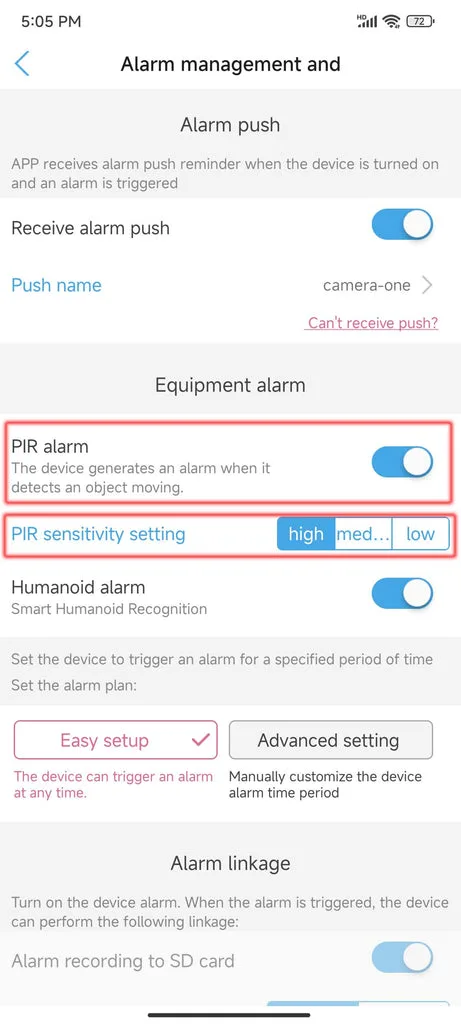
Image source: Web (Bing) / ebulwark.com (Web image (fair-use with source credit))
The biggest battery drain is event-based recording. Each time the PIR sensor triggers, the camera wakes from standby, records a 10 to 30 second clip, and streams it over WiFi. That burst of activity uses about 3 watts.
Continuous recording is a much bigger drain. The Argus 4 does not support it on battery power alone. You need a solar panel or a wired power source for that.
If you have enabled continuous recording, that is almost certainly your problem.
What does not drain the battery much? Night vision is surprisingly efficient. The infrared LEDs draw about 1 watt, but they only activate when motion is detected at night.
Two-way audio is also minimal. A few seconds of talk uses less power than a single recording event.
The biggest surprise for most users is the WiFi radio. A weak signal forces the camera to transmit at higher power. If your camera is far from the router, that constant power draw can match or exceed the cost of actual recordings.
The Decision Tree: Diagnose Your Exact Problem Step by Step
Scenario A: Battery drains in 2 to 3 days.
Check if you are using continuous recording. If yes, stop. The Argus 4 cannot sustain that on battery alone.
If no, check your PIR sensitivity. Set it to Low and monitor for 48 hours.
Scenario B: Battery drains faster in winter.
This is normal. Lithium-ion batteries lose capacity below 10 degrees Celsius. If you have a solar panel, angle it to catch winter sun.
Bring the camera inside to charge during extreme cold snaps.
Scenario C: Solar panel is not keeping up.
Check the panel orientation. In the northern hemisphere, it should face south. In the southern hemisphere, face north.
Check for debris, snow, or shade. A partially shaded panel can drop to near zero output.
Scenario D: Battery drains even with low traffic.
Check your WiFi signal strength. A weak signal forces the camera to boost power. Move the camera closer to the router or add a WiFi extender.
For persistent connection issues, a systematic approach similar to professional camera troubleshooting can reveal the root cause.
Common Mistakes That Wreck Battery Life (and How to Avoid Them)
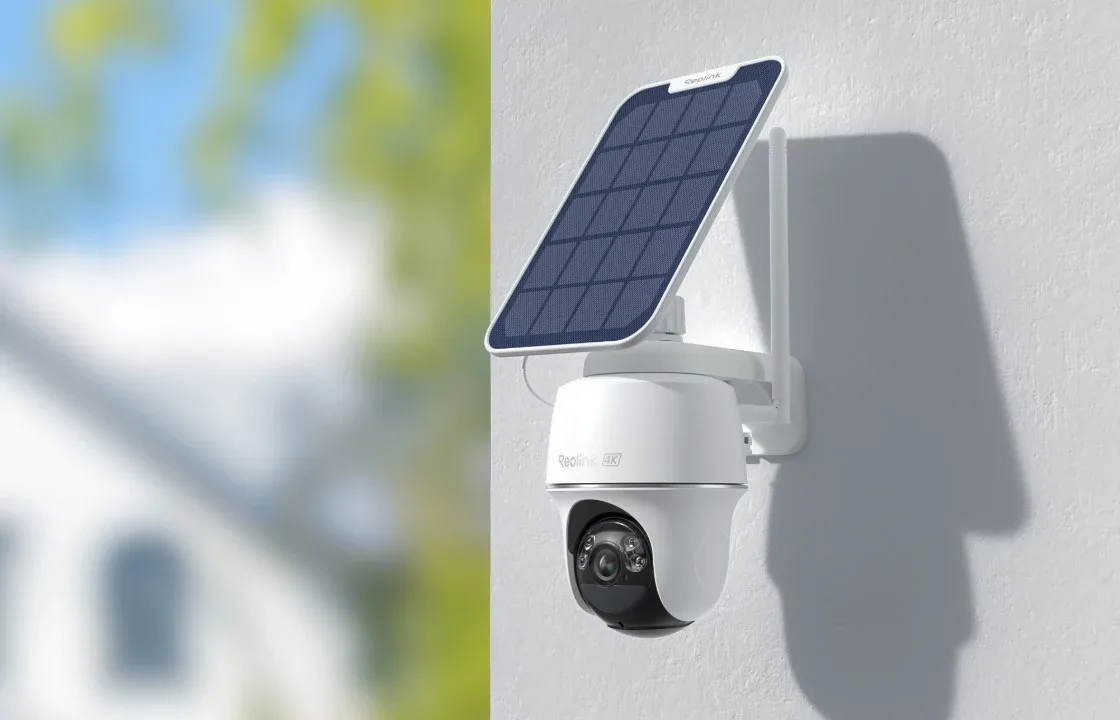
Image source: Bing (Web (fair-use with source credit))
Mounting the camera in a shaded spot. Solar panels need direct sunlight. Even partial shade can cut charging by 80 percent. Move the camera to a location that gets at least four hours of direct sun per day.
Setting PIR sensitivity to High in a busy area. If your camera overlooks a street or a driveway, High sensitivity will trigger constantly. Drop it to Medium or Low. Use the motion zone feature to focus on important areas.
Ignoring firmware updates. Reolink regularly releases updates that improve battery management and fix bugs. Check for updates every few months.
Using continuous recording on battery power. The Argus 4 is not designed for this. It will drain the battery in hours. Only use continuous recording with a solar panel or wired power.
Placing the camera too far from the router. A weak WiFi signal forces the camera to run its radio at higher power. That constant drain adds up fast.
Long-Term Maintenance: Keeping That Battery Healthy for Years
The Argus 4 battery is sealed inside the camera. You cannot swap it out like some competing models. That means maintenance matters more than usual.
Avoid fully draining the battery. Lithium-ion cells last longest when kept between 20 and 80 percent charge. If you use a solar panel, the camera usually manages this automatically.
If you charge via USB, unplug it once it hits 80 percent for optimal longevity.
Keep the firmware current. Each Reolink update can include battery optimizations and bug fixes. Set a calendar reminder to check every three months.
Clean the solar panel monthly. Dust, pollen, and bird droppings block sunlight. A quick wipe with a damp cloth keeps output high.
The panel should receive direct sun for at least four hours daily. The National Renewable Energy Laboratory provides solar resource maps that can help you plan placement.
Store the camera indoors during extreme cold if you can. Below minus 10 degrees Celsius, the battery can suffer permanent damage. If the camera must stay outside, bring it in to charge on the coldest nights.
Frequently Asked Questions
How long should the Reolink Argus 4 battery last?
With PIR sensitivity set to Medium and 10 to 20 events per day, expect two to four weeks. Add a solar panel and it can run indefinitely in sunny conditions.
Can I replace the battery myself?
No. The battery is sealed inside the camera. Opening it voids the warranty.
Contact Reolink support if the battery fails within the warranty period.
Why does my battery drain faster in winter?
Lithium-ion batteries lose capacity below 10 degrees Celsius. The camera also uses more power to keep internal components warm. This is normal and temporary.
Does the solar panel work in cloudy weather?
Yes, but at reduced output. Expect about 10 to 20 percent of the rated output on a cloudy day. It still helps, just not as much.
Will a factory reset fix battery drain?
Only if the drain is caused by a software bug. Try resetting the camera if you have tried everything else. Use the pinhole button on the bottom.
How do I know if the battery is defective?
If the camera drains from full to empty in under 24 hours with no motion events, the battery may be faulty. Contact Reolink support for a warranty claim.
Your Action Plan: The Right Fix for Your Situation
| Your Situation | First Step | Second Step | Third Step |
|---|---|---|---|
| Battery drains in days | Lower PIR to Medium | Check WiFi signal | Update firmware |
| Solar panel not keeping up | Face panel south (north in S. hemisphere) | Clean panel | Trim nearby branches |
| Battery drains in winter | Bring camera inside to charge | Angle panel for low sun | Accept shorter life |
| Battery drains with low traffic | Increase motion zone | Lower recording duration | Check for firmware bugs |
| Camera won't charge | Check USB cable and adapter | Try a different power source | Contact Reolink support |
If you have tried all these steps and the battery still drains fast, the unit may have a defect. The camera has a one-year warranty. Reach out to support for a replacement.
Do not ignore the low battery warning. If the camera shuts down completely, it may lose its time and date settings. That means all your recordings will have wrong timestamps.
Keep the battery topped up.

Similar Posts