WD My Passport External Hard Drive Not Showing Up: Fixes

WD My Passport usually stops showing up because of a bad cable, missing driver, drive letter conflict, or file system damage.
If your WD My Passport external hard drive is not showing up, you are not alone. I have seen this happen many times during everyday troubleshooting, and the cause is often simpler than it looks. The good news is that most cases can be fixed with a few careful checks, and this guide will walk you through the real reasons, the best fixes, and the mistakes to avoid so you can get your drive detected again without guesswork.
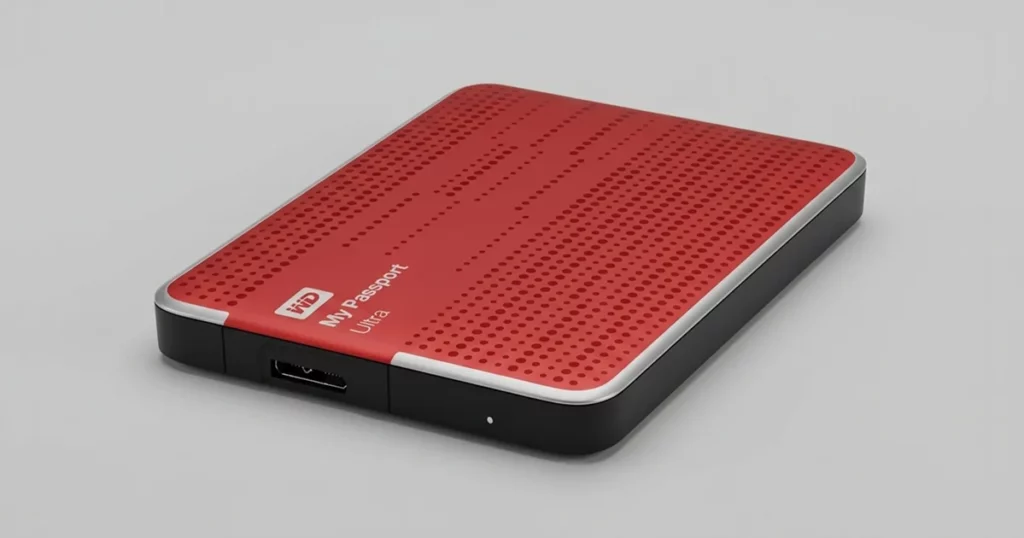
Why a WD My Passport Drive Stops Showing Up
A WD My Passport external hard drive is a portable storage device that depends on power, a data connection, healthy partitions, and proper system recognition. If any one of those parts fails, the drive may not appear in File Explorer, Disk Management, Finder, or BIOS.
In my experience, people often assume the drive is dead right away. That is usually not the case. More often, the WD My Passport external hard drive not showing up is caused by a loose USB connection, a bad port, a corrupted file system, or an outdated driver.
Common signs include:
• The drive makes a sound but does not appear on the screen
• The LED light turns on, but the disk is missing in File Explorer
• Windows detects “USB device not recognized”
• The drive appears in Disk Management, but no letter is assigned
• The drive shows up on one computer but not another
These symptoms help narrow the issue fast. That matters because the fix for a cable problem is very different from the fix for a damaged partition.
Common Reasons WD My Passport Is Not Showing Up
1. Faulty USB cable or port
A damaged cable is one of the top reasons a WD My Passport external hard drive not showing up. Portable drives need a clean data connection, and even a slightly loose cable can break detection.
I once wasted time checking software settings when the real issue was a worn USB cable. Swapping the cable fixed it in under a minute. That is why I always test the cable first.
Try this:
• Use a different USB cable if you have one
• Plug the drive into another USB port
• Avoid USB hubs during testing
• Prefer a direct port on the computer
2. Insufficient power
Some USB ports do not deliver stable power, especially older laptops or front-panel desktop ports. If the drive spins up weakly or disconnects randomly, power may be the reason the WD My Passport external hard drive is not showing up.
A drive can sometimes light up and still fail to mount. That is why stable power is just as important as the data cable.
Helpful checks:
• Connect the drive to a rear USB port on a desktop
• Try a different computer
• Disconnect other high-power USB devices
• Use the original cable and avoid adapters when possible
3. Drive letter conflict
Windows may detect the drive but fail to assign a letter. When that happens, the WD My Passport external hard drive not showing up in File Explorer can look like a bigger problem than it is.
If another drive already uses the same letter, Windows may hide the new one. This is a common and easy fix in Disk Management.
4. Corrupted file system or partition
If the drive was removed without safe ejection, the file system may become damaged. In that case, Windows may still detect the hardware, but it cannot read the contents properly.
This is one of the more stressful causes because the drive may seem invisible. Still, many times it appears in Disk Management with the label “RAW,” “Unallocated,” or “Unknown.”
5. Outdated or broken drivers
Drivers help the operating system communicate with the hardware. If the USB or disk driver is corrupted, the WD My Passport external hard drive not showing up can be a software issue rather than a hardware failure.
This is especially common after a Windows update or when moving the drive between different computers.
6. Drive encryption or password lock
Some WD My Passport models include hardware encryption and password protection. If the unlock software does not open properly, the drive may seem absent.
This can confuse users because the drive is technically connected, but its data stays hidden until the unlock process finishes.
7. Physical damage or internal failure
If the drive has been dropped, exposed to heat, or used heavily for years, physical failure is possible. Clicking sounds, repeated disconnects, or no spin at all point more seriously toward hardware problems.
This is the one area where I advise caution. If the drive contains valuable files and makes strange noises, avoid repeated plug and unplug cycles. That can make recovery harder.

How to Fix WD My Passport Not Showing Up on Windows
Windows users usually have the best chance of fixing the issue through basic hardware checks and system tools. Start simple and move step by step.
1. Check the cable and port first
This is the fastest and safest place to begin. Use another USB port and, if possible, another cable.
Do this:
• Disconnect the drive
• Restart the computer
• Plug the drive directly into a different port
• Test another cable or another PC
If the drive appears on another computer, the drive itself is likely fine. That means the issue is local to the first PC.
2. Open Disk Management
Disk Management can reveal drives that File Explorer does not show. This tool often helps when the WD My Passport external hard drive not showing up in Windows but is still being detected.
Look for:
• A disk with no letter
• A drive marked as unallocated
• A partition shown as RAW
• A disk labeled offline
If it appears there, the system sees the hardware. That is useful because it means the problem is detection, not necessarily failure.
3. Assign a drive letter
If the WD My Passport appears in Disk Management without a letter, assign one.
Steps:
• Right-click the partition
• Choose “Change Drive Letter and Paths”
• Click “Add” or “Change”
• Pick an unused letter
• Confirm the change
This simple fix often restores the drive immediately.
4. Update or reinstall the driver
If the drive still does not show up, check Device Manager.
Try this:
• Open Device Manager
• Expand Disk drives and Universal Serial Bus controllers
• Look for warning icons
• Right-click the drive or USB controller
• Choose Update driver or Uninstall device
• Restart the PC
Windows will often reinstall the driver automatically on reboot. That can clear a bad driver state.
5. Run the hardware troubleshooter
Windows has built-in tools that can detect common USB issues. They are not magic, but they can help reset a stuck device path.
Also check:
• Windows Update for pending patches
• USB selective suspend settings in Power Options
• Fast Startup, which sometimes interferes with drive detection
6. Use CHKDSK carefully
If the file system is corrupted but the drive still shows in Windows, CHKDSK may help repair logical errors.
Important caution: if the drive contains critical data and is clicking, freezing, or disconnecting often, do not rush into repair commands. Logical repair tools can sometimes make recovery harder if the problem is physical.
7. Try another computer
This sounds basic, but it is one of the best diagnostic steps. If the WD My Passport external hard drive not showing up on one machine but works on another, you have narrowed the cause.
That tells you the issue is likely:
• A bad port
• A driver problem
• A system setting
• A Windows configuration conflict
How to Fix WD My Passport Not Showing Up on Mac
Mac users can face the same issue, but the tools are a little different.
1. Check Finder and Disk Utility
Sometimes the drive is mounted but hidden from Finder. Open Disk Utility and see whether the drive appears there.
If it shows in Disk Utility but not Finder, the issue may be with mounting rather than detection.
2. Try a different cable, adapter, or port
USB-C adapters can introduce problems if they are low quality or worn out. I have seen drives fail to mount simply because an adapter was unreliable.
Test with:
• Another cable
• Another adapter
• Another USB port
• Another Mac if available
3. Mount the drive manually
If the disk appears in Disk Utility, select it and click Mount. This can bring the volume back without changing the data.
4. Run First Aid
If the file system is damaged, First Aid may repair minor issues. It is best used when the drive is visible but inaccessible.
If the drive is making unusual sounds, stop there and consider data recovery instead.
What to Do If the Drive Shows Up in Disk Management but Not File Explorer
This is one of the most common versions of the problem. The computer sees the disk, but the user cannot open it.
Usually, the cause is one of these:
• No drive letter assigned
• Partition not mounted
• File system corruption
• Volume set to hidden or offline
Best next steps:
- Open Disk Management
- Check whether the drive has a letter
- Assign a letter if needed
- If the volume is RAW, avoid formatting if you need the files
- Back up the data if the drive becomes accessible
This is where many users make the same mistake: they format too quickly. If your files matter, pause before doing anything destructive.
Signs Your WD My Passport May Need Data Recovery
Not every missing drive is a simple settings issue. Some symptoms point to a deeper hardware or file system failure.
Warning signs include:
• Repeated clicking or grinding noises
• The drive disconnects and reconnects in a loop
• The drive is detected as 0 bytes
• The drive appears as unallocated with no usable partition
• The disk gets very hot quickly
• The computer freezes when the drive is plugged in
If you see these signs, stop troubleshooting aggressively. The more you use a failing drive, the more risk you take with the data.
Mistakes to Avoid When the WD My Passport Is Not Showing Up
I have seen people turn a fixable issue into a bigger one by acting too fast. A calm process helps a lot.
Avoid these mistakes:
• Formatting the drive before checking whether the files are recoverable
• Repeatedly unplugging and reconnecting a failing drive
• Using random repair tools without knowing what they do
• Ignoring strange sounds from the drive
• Relying on one cable or one port for diagnosis
• Skipping Disk Management and going straight to recovery software
Think of the drive like a locked door. You want to check the key, the lock, and the frame before forcing it open.
How to Prevent WD My Passport Problems in the Future
A few habits can reduce the chance of this issue happening again.
Best practices:
• Eject the drive safely before unplugging it
• Keep a backup copy of important files
• Use a good quality USB cable
• Avoid dropping or bending the drive
• Store it in a cool, dry place
• Do not disconnect it during file transfers
I also recommend checking the drive from time to time, even if you do not use it daily. Drives are like cars: sitting too long without a checkup can hide problems until you need them most.
Frequently Asked Questions
Why is my WD My Passport external hard drive not showing up on Windows 11?
It is often caused by a bad cable, missing drive letter, or corrupted file system. Start with another USB port and check Disk Management to see if Windows detects the drive at all.
Why does my WD My Passport light turn on but the drive does not appear?
That usually means the drive has power, but the data connection or mounting process is failing. The most common causes are cable problems, driver issues, or a partition that Windows cannot read.
Can I fix a WD My Passport that shows as RAW?
Sometimes, yes, but be careful. A RAW drive usually means the file system is damaged, and repairing it may risk data loss if you need the files first.
Why is my WD My Passport not showing up on Mac?
It may not be mounted, or the cable, adapter, or port may be the issue. Open Disk Utility first to see whether macOS detects the hardware but has not mounted the volume.
Should I format my WD My Passport if it is not showing up?
Only if you do not need the data or you have already recovered it. Formatting can make recovery harder, so it should be treated as a last step, not the first one.
Conclusion
A WD My Passport external hard drive not showing up is frustrating, but it is usually fixable. In many cases, the problem comes down to a simple cable issue, a missing drive letter, or a file system error rather than total drive failure.
The best approach is to start with the easiest checks, confirm whether the drive appears in Disk Management or Disk Utility, and avoid risky steps until you understand the cause. If the drive shows signs of physical damage, take data recovery seriously and do not keep forcing it to connect.
Use the steps in this guide, move slowly, and you will give yourself the best chance of getting the drive working again. If this helped, save it for later, share it with someone stuck on the same problem, or leave a comment with the symptom you are seeing.

Similar Posts