Why Is Sony WF-1000Xm5 Left Earbud Not Charging: Fix Guide
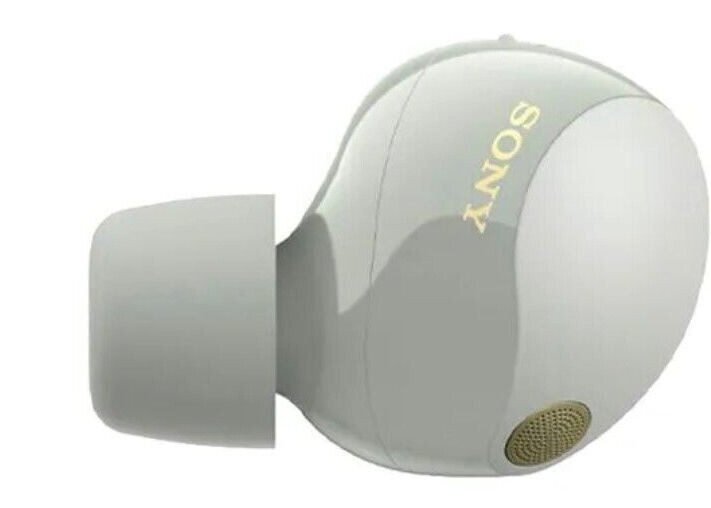
The left earbud usually is not charging because of dirty contacts, a weak case connection, battery issues, or a bad charging case.
If your Sony WF-1000XM5 left earbud is acting up, you are not alone. This is one of those annoying problems that can feel random at first, but in most cases it comes down to a small charging issue that can be found and fixed with a careful check. I have seen this kind of problem with true wireless earbuds many times, and the pattern is usually the same: the earbud is fine, but something in the charging path is not making proper contact.
Why the Sony WF-1000XM5 Left Earbud Not Charging Problem Happens
The Sony WF-1000XM5 left earbud not charging issue usually points to a break in the charging chain. That chain includes the earbud battery, the metal charging contacts, the charging case, the USB power source, and the internal charging firmware. If any one part fails, the earbud may appear dead even when the rest of the earbuds still work.
In real use, the left earbud often gets blamed first because it sits in the case a little differently or has a contact that is slightly dirtier than the right side. A tiny bit of earwax, lint, oxidation, or moisture can block the connection. I have also seen cases where the earbud was not seated fully, which made it look like a battery failure when it was really just a fit issue.

Common Reasons the Left Earbud Is Not Charging
There are several likely causes behind the Sony WF-1000XM5 left earbud not charging problem. The good news is that most of them are simple and do not require a repair shop.
Dirty or blocked charging contacts
The charging contacts on the earbud and inside the case need clean metal-to-metal contact. If dust, oil, sweat, or earwax builds up, the current cannot pass well enough to charge the battery.
This is one of the most common causes I have seen. Even a thin film of grime can be enough to interrupt charging, especially on the smaller contacts used by compact earbuds like the WF-1000XM5.
Earbud not seated properly in the case
Sometimes the left earbud is not aligned correctly in the charging case. If the magnetic fit is off by even a little, the pins may not touch the contacts.
This can happen after a drop, after a rushed placement, or if the silicone eartip is creating a slight obstruction. It sounds small, but with earbuds, tiny physical misalignments matter a lot.
Case battery is low or unstable
If the charging case itself has very little power, it may fail to charge both earbuds or may only charge one side reliably. A weak case battery can also create inconsistent behavior that looks like a single-earbud problem.
Sony’s case depends on stable power delivery. If the case charge is low, start there before assuming the left earbud is broken.
Battery protection or firmware glitch
Modern earbuds use battery protection logic to prevent overcharge and overheating. Sometimes this logic gets stuck after a reset issue or a failed pairing state.
In that situation, the Sony WF-1000XM5 left earbud not charging problem may be caused by software, not hardware. A reset or firmware update may clear it.
Physical damage or worn battery
If the left earbud has been dropped, exposed to moisture, or used heavily for a long time, the battery may have degraded. Lithium-ion batteries slowly lose capacity over time, which is normal.
If the earbud works for a short time after removing it from the case and then dies fast, the battery may be aging. That is less common than contact issues, but it does happen.

How to Fix the Sony WF-1000XM5 Left Earbud Not Charging Issue
The best way to fix this problem is to start simple and move step by step. Do not jump straight to a replacement until you check the basic causes first.
1. Clean the charging contacts
Use a dry, soft cotton swab or a clean microfiber cloth. Gently wipe the metal contacts on both the left earbud and the charging case.
If the dirt is stubborn, lightly dampen the swab with a tiny amount of isopropyl alcohol and let everything dry fully before charging again. Never soak the contacts or push liquid into the earbud.
2. Reinsert the earbud carefully
Place the left earbud back into the case and check that it snaps in firmly. You should feel it settle into place.
Then close the lid for a few seconds and reopen it. If the LED or app status changes, that is a good sign the contact was the issue.
3. Check the charging case battery
Plug the case into a known good USB-C charger and cable. Use a wall adapter that provides stable power, not a loose laptop port if possible.
Let the case charge for at least 30 minutes, then test the left earbud again. A low case battery can cause confusing charging behavior, so this step matters.
4. Reset the earbuds
A reset can clear a firmware hiccup that stops one earbud from charging normally. Follow Sony’s reset instructions for the WF-1000XM5 model, then pair the earbuds again.
From experience, resets are especially helpful when the left earbud shows no charge in the app but the hardware looks fine. It is a fast step that often saves a lot of guesswork.
5. Update the firmware
Use the Sony headphones app to check for updates. Firmware updates often improve stability, battery behavior, and charging management.
If the earbuds connect normally, update them before doing anything more drastic. I have seen small firmware fixes solve problems that looked like hardware trouble.
6. Test with a different power source
Try another USB-C cable and another wall adapter. A bad cable may still charge the case partially, but not well enough to support the earbuds correctly.
This is a simple test, but it helps remove one more variable. The Sony WF-1000XM5 left earbud not charging issue sometimes starts with the charging setup, not the earbud itself.
7. Let the earbuds dry if moisture is possible
If you used them in rain, during workouts, or after cleaning, moisture may be interfering with charging. Place the earbuds and case in a dry room for several hours.
Do not use heat, rice, or a hair dryer. Gentle drying is safer and less likely to damage the battery or seals.

What Not to Do When the Left Earbud Will Not Charge
When people get frustrated, they often make the problem worse without meaning to. A careful approach is better than a forceful one.
Avoid these mistakes:
• Do not scrape the contacts with sharp metal tools. This can damage the plating and make charging worse.
• Do not blow hard into the charging port or case. Moisture from your breath can add more trouble.
• Do not keep pressing the earbud into the case. If the fit is wrong, force will not fix it.
• Do not assume the battery is dead after one failed charge. Many Sony WF-1000XM5 left earbud not charging cases are repairable.
• Do not use unsafe cleaners or too much alcohol. Too much liquid can seep into the shell and harm the electronics.
I have learned that patience matters here. Earbuds are a bit like small house keys: if the shape is slightly off, the whole system feels broken even though the fix is simple.

When the Problem May Be Hardware Related
If the Sony WF-1000XM5 left earbud not charging issue continues after cleaning, resetting, and testing the case, the problem may be hardware related. At that point, the battery, charging contacts, or internal board could be faulty.
Signs of a deeper hardware issue include:
• The left earbud never shows any charging response
• The case only charges the right side
• The left earbud gets warm but never charges fully
• The battery drains extremely fast even after a full charge
• The earbud does not respond after a reset
Battery wear is normal over time, but sudden failure is not. If the earbuds are still under warranty, it is smart to contact Sony support or the retailer before trying anything risky.
How to Prevent the Left Earbud From Not Charging Again
A little care goes a long way with true wireless earbuds. These simple habits can reduce the chance of the Sony WF-1000XM5 left earbud not charging again.
• Wipe the earbuds and case contacts once a week with a dry cloth
• Store the earbuds in the case when not in use
• Keep the case away from sweat, dust, and pockets full of lint
• Charge the case before it gets too low
• Avoid leaving the earbuds in hot cars or damp bathrooms
One practical tip I always recommend is to make contact cleaning part of your regular routine. It takes less than a minute and can prevent the same charging issue from coming back.
Frequently Asked Questions of Why Is Sony WF-1000XM5 Left Earbud Not Charging?
Why is only the left Sony WF-1000XM5 earbud not charging?
This usually happens because of dirty contacts, poor seating in the case, or a battery or firmware issue. Since the right earbud works, the charging path for the left side is the first thing to inspect.
Can a reset fix the Sony WF-1000XM5 left earbud not charging issue?
Yes, a reset can help if the problem is caused by a software glitch or a pairing issue. If the earbud still will not charge after cleaning and resetting, the issue may be hardware related.
How do I know if the charging case is the problem?
If both earbuds charge poorly or the case battery drains very fast, the case may be the cause. Testing with a fully charged case and a different USB-C cable can help confirm that.
Is it safe to clean the contacts with alcohol?
Yes, a small amount of isopropyl alcohol on a cloth or cotton swab is usually safe if used carefully. Make sure the contacts are fully dry before putting the earbuds back in the case.
Should I replace the battery if the left earbud still will not charge?
Not right away. Battery replacement is usually a last step after cleaning, resetting, firmware updates, and case testing, because the issue is often simpler than a failed battery.
Conclusion
The Sony WF-1000XM5 left earbud not charging problem is frustrating, but it is often fixable. In many cases, the cause is something small like dirty contacts, poor seating in the case, low case power, or a temporary firmware issue.
If you work through the checks in order, you give yourself the best chance of solving it without stress or wasted money. Start with the easy fixes, stay gentle with the hardware, and only move to support or repair if the problem truly points to a deeper fault.
If this guide helped, try the steps on your earbuds today, then share your results or questions in the comments so others can learn from your experience.

Similar Posts