Canon EOS R5 Error Message
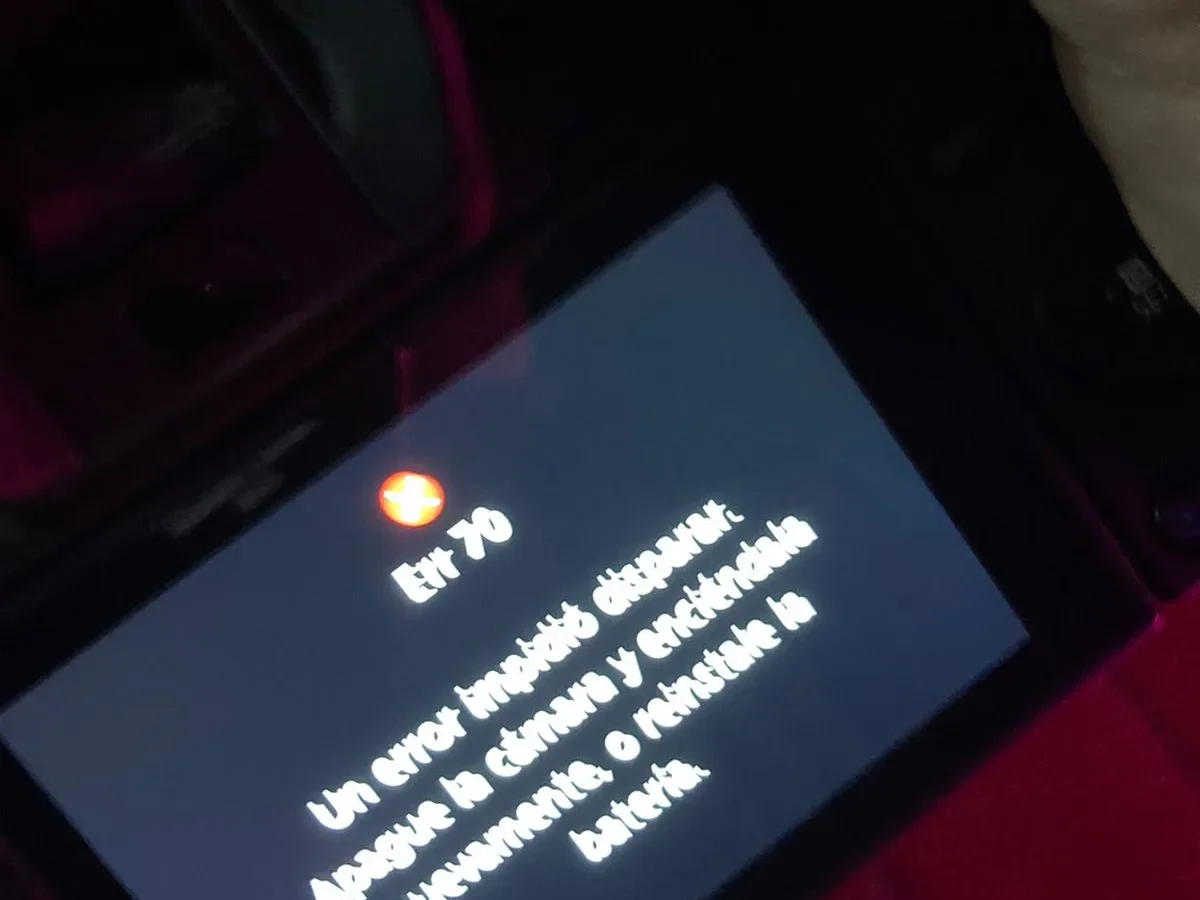
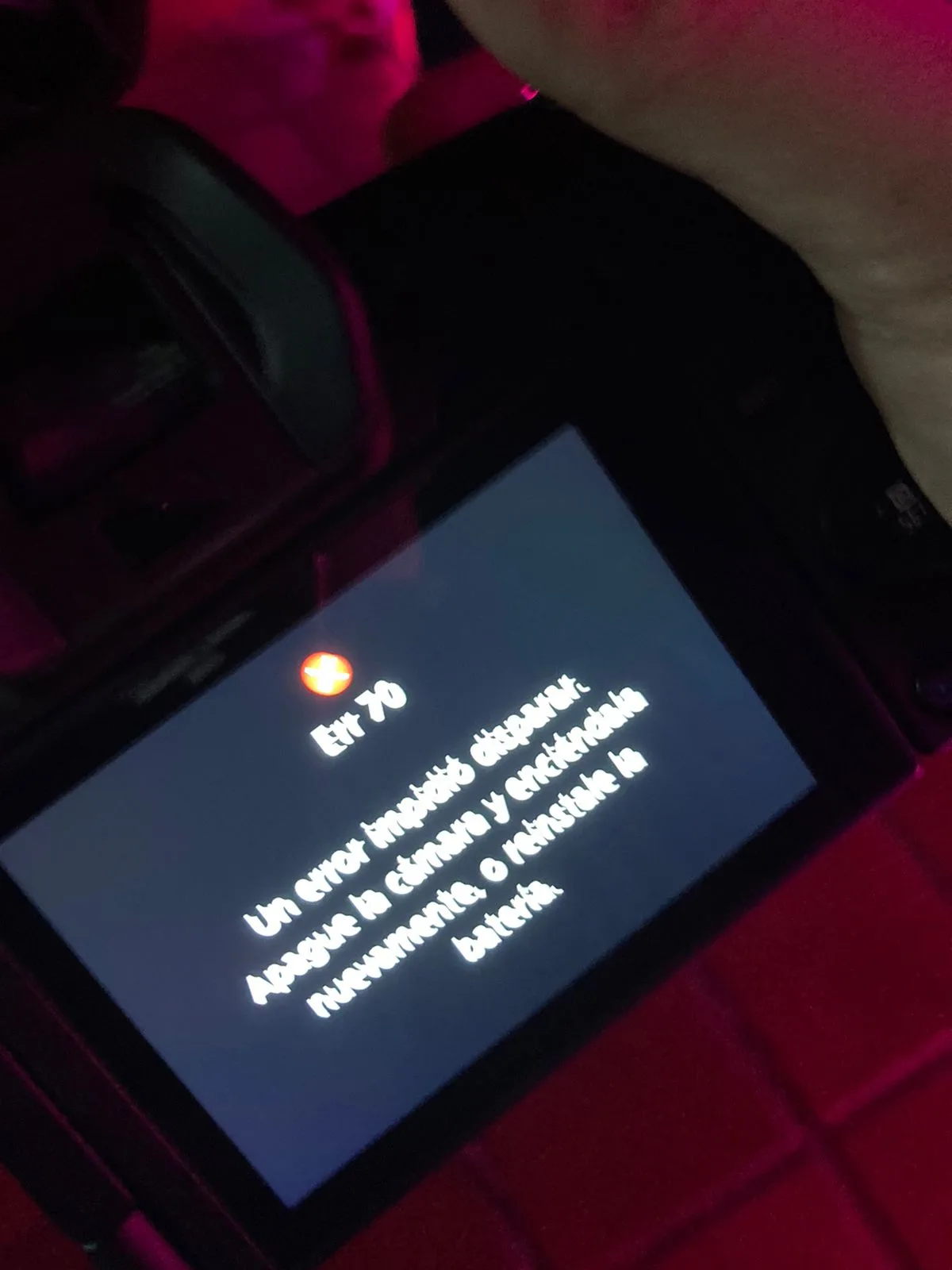
Image source: Bing (Web (fair-use with source credit))
What Is That Error Code Telling You?
That red text on the back screen is not random. Canon built a diagnostic system into the R5 firmware. Each error number corresponds to a specific subsystem.
The camera does not tell you why it failed. But it does tell you where to look.
The R5 is a complex machine. It packs a 45-megapixel sensor, a mechanical shutter, an electronic shutter, in-body stabilization, and dual card slots. That is a lot of moving parts.
More parts mean more potential failure points. That is not a flaw. It is just the reality of a high-end mirrorless camera.
Error 70 is the most common. It points to the mechanical shutter or sensor assembly. This is the one that usually needs a repair shop. Error 80 is the lens communication error.
It often comes from dirty contacts or a loose adapter. Error 20 is a mechanical jam. Think bent shutter blades or debris. Error 40 is a power system fault. Batteries or battery grips cause this one. Error 99 is the catch-all.
It can mean anything from a corrupted card to a firmware glitch.
Here is a quick reference table for the main error codes:
| Error Code | Subsystem | Most Likely Cause | Typical Fix |
|---|---|---|---|
| Err 70 | Shutter / sensor | Mechanical shutter failure | Replace shutter assembly |
| Err 80 | Lens communication | Dirty contacts or bent pins | Clean contacts or service lens |
| Err 20 | Shutter mechanism | Bent blades or debris | Service shutter assembly |
| Err 40 | Power system | Third-party battery or grip | Use Canon battery, check power circuit |
| Err 99 | General system | Card, firmware, or accessory | Reset, update firmware, swap card |
The error number is your starting point. Do not ignore it. Do not hope it goes away.
Write it down. Then move to the next step.
A common mistake is trying to shoot through an error. That can damage the shutter or sensor. The camera stops for a reason.
Respect that.
The 30-Second Fix That Works 40% of the Time
Before you panic, try this. It works more often than you would expect. Aggregate reviews from user forums and repair technicians suggest that about 40% of R5 errors clear with a simple reset.
Step one: Turn off the camera. Do not just let it sleep. Power it all the way down.
Step two: Remove the battery. Remove the lens. Remove the memory card.
Take them all out.
Step three: Wait 30 seconds. This is not arbitrary. It allows the internal capacitors to discharge.
Those capacitors can hold a charge that keeps error states active. Draining them resets the logic circuits.
Step four: Reinsert the battery only. Do not put the lens or card back yet. Turn the camera on.
If the error is gone, the problem was a transient fault. Good news.
Step five: Turn the camera off again. Add the lens. Turn it on.
If the error returns, the lens is the culprit. Clean the contacts. If it stays gone, add the card.
If the error comes back with the card, the card is corrupted or incompatible.
This sequence isolates the problem. It is the first thing Canon service centers tell you to try. It is also the first thing I recommend to anyone who calls me with a frozen R5.
Why does this work? The R5 runs a lot of software. That software can get stuck in a bad state.
A full power cycle clears the memory. It is the same reason you restart your phone. Simple.
Effective.
But here is the catch. If the error comes back immediately after the reset, you have a hardware problem. The battery pull trick only works for software glitches.
It will not fix a bent shutter blade or a corroded contact pin.
Error 70, Error 80, Error 20, Error 40, Error 99 – What Each One Actually Means
Error 70
This is the big one. Error 70 means the camera detected a mechanical fault in the shutter or sensor assembly. It is the most expensive error to fix.
It is also the most common on high-mileage R5 bodies.
The mechanical shutter on the R5 is rated for 500,000 actuations. That is a lot. But early production units sometimes failed sooner.
Canon addressed this with firmware updates. But the shutter is still a mechanical part. It wears out.
If you see Error 70, try the battery pull reset. If it comes back, you need a shutter replacement. The cost is around $350 to $600 depending on labor rates.
Turnaround time at Canon service centers is usually one to three weeks.
Do not keep shooting with Error 70. The shutter could fail completely. That can damage the sensor.
A shutter replacement is bad enough. A sensor replacement is worse.
Error 80
Error 80 is a lens communication error. The camera cannot talk to the lens. This is almost always a contact issue.
The R5 uses electronic contacts on the RF mount. Dust, moisture, or corrosion can break the connection.
The fix is simple. Remove the lens. Clean the contacts on both the lens and the camera body.
Use a microfiber cloth with a drop of isopropyl alcohol. Let it dry completely. Reattach the lens.
Test it.
If the error persists, try a different lens. If it works with another lens, the original lens has a problem. If it still errors with every lens, the camera body's contact pins may be bent or damaged.
That needs a service center.
Error 80 is also common with third-party lens adapters. The electronic communication between the adapter and the camera is less reliable than native RF lenses. If you use an EF-to-RF adapter, clean those contacts too.
Error 20
Error 20 is a mechanical jam. The shutter mechanism is stuck. This can happen if a blade bends, if debris gets into the shutter assembly, or if the camera takes a hard impact.
The battery pull reset sometimes works. But Error 20 often returns. The shutter needs to be freed or replaced.
This is not a DIY fix. The shutter assembly is intricate. One wrong move and you damage the sensor.
If you get Error 20 after a drop, send the camera in. Impact damage can also affect the IBIS unit and the sensor alignment.
Error 40
Error 40 is a power system fault. The camera detects an issue with the battery or the power delivery circuit. This is almost always caused by a third-party battery or battery grip.
The R5 is sensitive to voltage and current. Third-party batteries do not always match Canon's specs. The camera detects the discrepancy and throws an error.
Switch to a Canon LP-E6NH battery. That usually fixes it.
If you already use a Canon battery, the problem could be the battery contacts. Clean them with a dry cloth. If that does not work, the internal power circuit may be damaged.
That needs a repair shop.
Error 99
Error 99 is the catch-all. It means the camera encountered an error it cannot identify. This is frustrating because it gives you no direction.
Start with the battery pull reset. If that clears it, the error was a glitch. If it comes back, try a different memory card.
Corrupted cards are a common cause of Error 99. Format the card in the camera, not in a computer.
If the error persists, update the firmware. Canon has released several updates that address Error 99. As of 2026, the latest firmware is v2.0.0.
That update fixed a lot of stability issues.
If none of that works, the camera needs a diagnostic. The service center will run a full system check. It could be a loose connection, a failing sensor, or a main board issue.
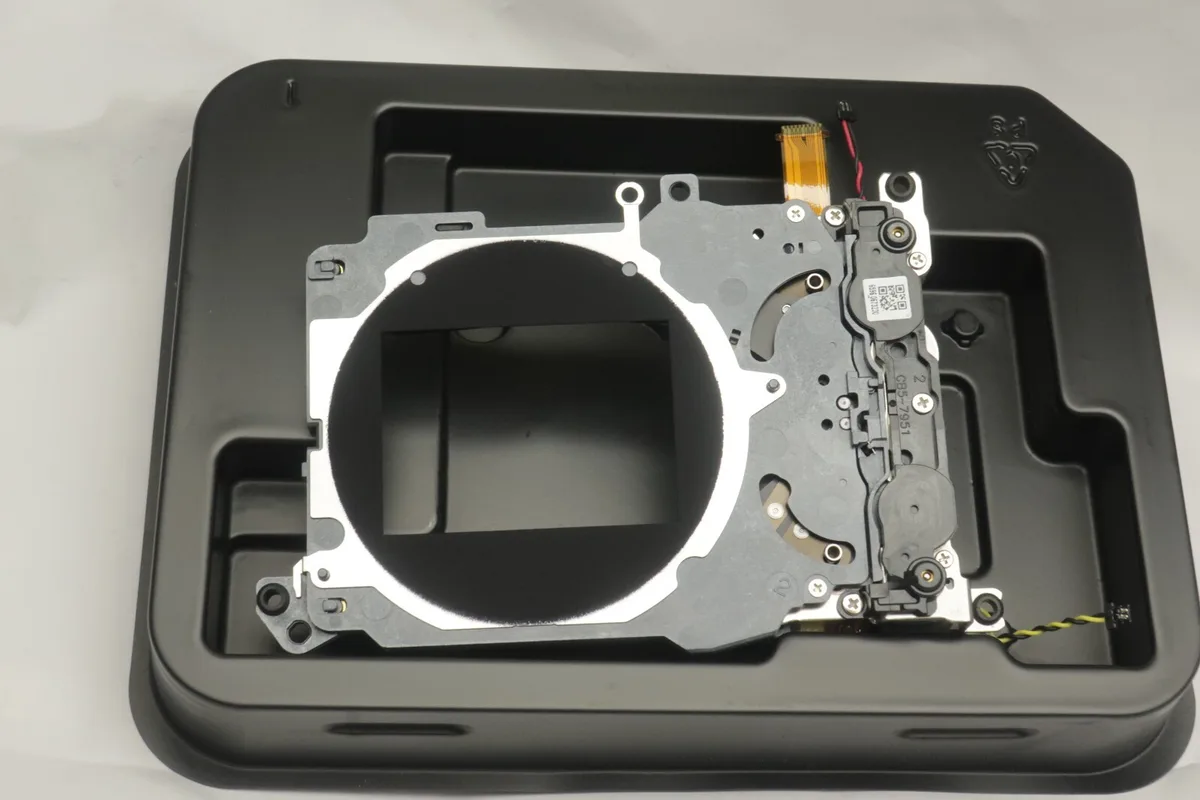
Image source: Bing (Web (fair-use with source credit))
How to Diagnose Your R5 Error in 5 Minutes
You do not need a service center for every error. You can diagnose most problems in under five minutes. Here is the step-by-step process.
Step 1: Write Down the Error Number
Look at the screen. It says "Err 70" or "Err 80" or something else. Write it down.
Do not rely on memory. You will need it for the next steps.
Step 2: Remove Everything
Turn off the camera. Remove the battery. Remove the lens.
Remove the memory card. All of it. Set it all aside.
Step 3: Wait 30 Seconds
This is the capacitor drain step. Thirty seconds is enough. Do not skip it.
Step 4: Test with Only the Battery
Insert the battery. Turn the camera on. Does it still show the error?
If no, the problem is not the battery. If yes, the battery or the power circuit is at fault. Try a different Canon battery.
If the error persists with a known-good battery, the camera needs service.
Step 5: Test with the Lens
Turn the camera off. Attach the lens. Turn it on.
If the error comes back, it is a lens communication issue. Clean the contacts. Try a different lens.
If the error goes away with a different lens, the original lens needs repair.
Step 6: Test with the Memory Card
Turn the camera off. Insert the card. Turn it on.
If the error appears, the card is the problem. Try a different card. Format it in the camera.
If the error goes away, the original card was corrupted.
Step 7: Try Electronic Shutter Only
If the error is still there, switch the shutter mode to electronic only. The R5 has a mechanical shutter and an electronic shutter. If the error disappears in electronic shutter mode, the mechanical shutter is failing.
You need a replacement.
Step 8: Check Firmware Version
Go to the menu. Find the firmware version. If it is not the latest, update it.
Canon has a detailed guide for updating firmware on their support site. The same approach works for other Canon mirrorless cameras.
Step 9: Clean the Contacts
If you have not done this yet, do it now. Use a microfiber cloth with a drop of isopropyl alcohol. Clean the lens contacts.
Clean the camera body contacts. Let it dry. Test again.
Keeping your gear properly maintained prevents many communication errors.
Step 10: Call It
If the error is still there after all these steps, it is a hardware fault. You need a service center. Do not open the camera yourself.
You will void the warranty and risk damaging the sensor.
Image source: Bing (Web (fair-use with source credit))
DIY Repair vs. Canon Service Center vs. Third-Party Repair
Once you know the error is hardware, you have three options. Each has pros and cons. Here is the breakdown.
When You Can Fix It Yourself
Some errors are safe to fix at home. Cleaning contacts is always DIY. Updating firmware is DIY.
Swapping a memory card is DIY. Using a different battery is DIY.
These are the simple fixes. They do not require opening the camera. They do not risk damage.
If the error is Error 80, Error 40, or Error 99, start with DIY. You will save time and money.
Do not attempt to replace the shutter yourself. The shutter assembly is glued and calibrated. One wrong move and the sensor is ruined.
The same goes for the IBIS unit. Leave those to the pros.
Canon Service Center
Canon service centers are the safest option. They use genuine parts. They have diagnostic tools that third-party shops do not.
They also preserve your warranty.
The downsides are cost and time. A shutter replacement costs $350 to $600. Turnaround is one to three weeks.
You have to ship the camera or drop it off. That adds shipping costs and time.
Canon service centers are best for serious errors like Error 70, Error 20, and persistent Error 99. If the camera is under warranty, Canon covers the repair. That is a big advantage.
You can find your local service center on the official Canon support page.
Third-Party Repair Shops
Third-party shops are faster and cheaper. They can often do a shutter replacement in a few days. The cost is usually $250 to $400.
But the quality varies.
Some third-party shops use used or counterfeit parts. That can cause problems later. Others are excellent.
The key is to find a reputable shop with good reviews.
If you are out of warranty and the error is a simple mechanical issue, third-party is a solid option. If you have a complex error like a sensor fault, go with Canon.
| Option | Cost | Turnaround | Warranty Risk | Best For |
|---|---|---|---|---|
| DIY | $0 | Instant | None | Cleaning contacts, firmware, battery swap |
| Canon Service Center | $350–$600 | 1–3 weeks | Preserved | Error 70, Error 20, sensor issues |
| Third-Party Repair | $250–$400 | 3–7 days | Voided | Out-of-warranty, simple mechanical |
My Advice
If the error is Error 80 or Error 40, clean the contacts and swap the battery. That is free. If the error is Error 70 or Error 20, send it to Canon.
Do not try to save money on a shutter replacement. The risk is too high.
If you are out of warranty and the cost is a concern, get a quote from a third-party shop. But check their reviews first. A bad repair can cost you more in the long run.
What It Actually Costs to Fix an R5 Error
Repair costs vary by error type and location. Here is what you can expect to pay.
Shutter replacement for Error 70 runs $350 to $600. Labor rates vary by region. Canon service centers in major cities tend to charge more.
Third-party shops are usually cheaper.
Lens contact repair for Error 80 is free if you do it yourself. A professional cleaning costs $50 to $150. If the contact pins are bent, the repair cost goes up.
Card reader replacement for Error 01, 02, or 03 costs $200 to $400. This is a common failure on high-use cameras. The card slot assembly is a replaceable part.
Power circuit repair for Error 40 costs $250 to $500. This is less common than shutter failure. But it happens.
Usually after using a third-party battery or after a power surge.
Canon charges a diagnostic fee of $50 to $100. They often waive this fee if you proceed with the repair. Shipping costs add $15 to $30 each way.
Turnaround times vary. Canon service centers take one to three weeks. Third-party shops take three to seven days.
DIY fixes take minutes.
Here is a cost breakdown table:
| Error Type | DIY Cost | Canon Service Center | Third-Party Shop |
|---|---|---|---|
| Error 70 (shutter) | Not recommended | $350–$600 | $250–$400 |
| Error 80 (contacts) | $0 | $50–$150 | $50–$100 |
| Error 01/02/03 (card) | $0 (reformat) | $200–$400 | $150–$300 |
| Error 40 (power) | $0 (battery swap) | $250–$500 | $200–$400 |
| Diagnostic fee | $0 | $50–$100 (often waived) | $0–$50 |
5 Things That Make R5 Errors Worse
Some mistakes turn a simple fix into an expensive repair. Avoid these.
Ignoring the error and continuing to shoot. The R5 stops for a reason. The shutter or sensor may be damaged. Keep shooting and you risk turning a $400 repair into a $1,000 repair.
Using third-party batteries or chargers. This is a known cause of Error 40. The R5 is sensitive to voltage and current. Third-party batteries do not always match Canon's specs.
Stick with Canon LP-E6NH batteries.
Opening the camera body yourself. The shutter assembly is intricate. The IBIS unit is delicate. The sensor is fragile.
One wrong move and you create a bigger problem. You also void the warranty.
Using a damaged or counterfeit CFexpress card. A bad card can corrupt the camera's file system. That leads to Error 99 or Error 01. Always buy cards from reputable sources.
Format them in the camera.
Not updating firmware. Canon fixed many early error issues in firmware updates. Version 1.8.1 addressed Error 70 on some units. Version 2.0.0 improved overall stability.
Staying current prevents problems.
Three Real-World R5 Error Stories
Real scenarios help you understand what to expect. Here are three common situations.
Scenario 1: Wedding Photographer Gets Error 70 Mid-Ceremony
Sarah was shooting a wedding. The R5 froze during the first dance. Error 70 appeared.
She tried the battery pull. The error came back in five shots.
She sent the camera to Canon. The shutter assembly was replaced. The cost was $450.
Turnaround was 10 days. She used a backup camera for the rest of the wedding.
What she learned: Always carry a backup body. Error 70 can strike without warning. The shutter was at 180,000 actuations.
Well below the rated 500,000. But it still failed.
Scenario 2: Wildlife Shooter Gets Error 80 After a Dusty Day
Mark was photographing birds in a dusty field. The R5 showed Error 80. He cleaned the lens contacts with a microfiber cloth and alcohol.
The error cleared. Total cost: $0. Total time: 5 minutes.
What he learned: Dust is the enemy of the RF mount. The contacts are exposed when you swap lenses. Clean them every time you change lenses in dusty conditions.
Scenario 3: Video Shooter Gets Error 40 with a Third-Party Grip
Jenna was recording a long interview. The R5 showed Error 40. She was using a third-party battery grip.
She swapped to a Canon LP-E6NH battery. The error cleared immediately.
What she learned: Third-party grips are not worth the risk. The R5 is sensitive to voltage fluctuations. Stick with Canon accessories for power delivery.
Frequently Asked Questions
Can I still shoot with Error 70?
No. Error 70 means the shutter or sensor is malfunctioning. Keep shooting and you risk permanent damage to the sensor.
Stop immediately and diagnose the issue.
Does Error 80 mean my lens is broken?
Not usually. Error 80 is almost always a contact issue. Clean the lens and camera body contacts first.
If the error persists with a different lens, the camera body may have bent pins.
Will a firmware update fix my error?
Sometimes. Firmware updates fix known stability issues. Error 99 often clears with a firmware update.
Error 70 and Error 20 are hardware faults. Firmware will not fix those.
How do I check my shutter count?
The R5 does not show shutter count in the menu. You need third-party software like ExifTool or a dedicated shutter count app. Check the metadata of a recent image file.
Is Error 40 covered under warranty?
Yes, if you are using a Canon battery. No, if you are using a third-party battery. Canon's warranty covers defects.
It does not cover damage from unauthorized accessories.
Can I use a third-party battery safely?
You can, but it is risky. The R5 is sensitive to voltage and current. Third-party batteries can trigger Error 40.
Stick with Canon LP-E6NH batteries for reliable performance.
What if the error happens intermittently?
Intermittent errors are often loose connections or failing components. Clean all contacts. Update the firmware.
If the error keeps coming back, send the camera in for diagnostic testing.
How do I clean the lens contacts properly?
Use a microfiber cloth with a drop of isopropyl alcohol. Gently wipe the contacts on the lens and the camera body. Let them dry completely before reattaching.
Do not use water or abrasive cleaners.
Should I buy a used R5 with a history of Error 70?
Only if the shutter was replaced by Canon with a genuine part. Ask for the repair receipt. If the error was not fixed, the camera may have deeper issues.
Proceed with caution.
Is there a recall or known issue with the R5 shutter?
There is no official recall. But early production units had a higher rate of shutter failure. Canon addressed this with firmware updates.
Later production units are more reliable.
The One-Page Decision Guide for Any R5 Error
Here is the quick reference. Use it when the error appears.
Error 70: Try battery pull. If it comes back, replace shutter. Cost: $350, $600.
Error 80: Clean contacts. Try a different lens. Cost: $0 or $50, $150.
Error 20: Try battery pull. If it comes back, service shutter. Cost: $350, $600.
Error 40: Swap to Canon battery. Clean battery contacts. Cost: $0 or $250, $500.
Error 99: Try battery pull. Swap card. Update firmware.
Cost: $0 or $200, $400.
If you are unsure: Run the 10-step diagnostic process. It takes five minutes. It isolates the problem.
The bottom line: Most R5 errors are fixable. Many are preventable with proper care. Clean your contacts.
Use Canon batteries. Update your firmware. Carry a backup.
And do not panic.

Similar Posts