Consumer Cellular Voicemail Not Working
Your voicemail is acting up, and you are not sure why. You tap the voicemail icon, and nothing happens. Or you call yourself from another phone, and the call just rings forever.
If "Consumer Cellular Voicemail Not Working" is your current reality, you are not alone. It is one of the most common support issues for this carrier, and in most cases, the fix takes less than five minutes.
Consumer Cellular runs on two major networks (AT&T and T-Mobile towers depending on your plan and SIM card). As of 2026, the carrier has over four million active subscribers, and a significant portion are older adults who rely heavily on voicemail for family communication. The good news is that voicemail problems here are almost always a settings issue, not a hardware failure.
The steps below follow a logical order, from the simplest fix to the one that solves nine out of ten stubborn cases.
Image source: Bing (Web (fair-use with source credit))
Quick Answer
Hold down the 1 key on your keypad. If voicemail has never been set up, walk through the setup prompts. If you get a "password incorrect" message, reset your voicemail PIN through your online account.
If voicemail was working and stopped, dial *86 to check the inbox. A full inbox is the second most common cause. If none of that works, contact Consumer Cellular support and ask for a "voicemail provisioning refresh." That fixes the issue about 90 percent of the time.
The Quick Fix to Try First
Before you dig into settings or call support, start with the fastest thing that solves maybe 30 percent of voicemail issues on Consumer Cellular.
Hold down the 1 key on your dial pad and see what happens.
If your phone has never had voicemail set up, you will hear a recording asking you to create a voicemail PIN and record a greeting. That is a good sign. Follow the prompts.
Once you finish, voicemail should work immediately.
If you hear "The voicemail box you have reached is not set up" or a generic carrier recording, that means the voicemail system needs to be activated on your account. That is a carrier-side issue.
Here is a quick way to tell what you are dealing with:
| What happens when you hold 1 | What it means |
|---|---|
| You get a setup greeting (create PIN, record name) | Voicemail was never activated on this line. Finish setup and it works. |
| You hear "voicemail not set up" or generic carrier message | The voicemail feature needs to be provisioned on your account by Consumer Cellular. |
| You get a "password incorrect" or "invalid mailbox" error | Either the PIN was changed or the voicemail box is corrupted. Reset the PIN next. |
| You hear your own greeting and are asked for a password | Voicemail is active. You just forgot the PIN or the inbox is full. |
One more thing to check right now: turn Airplane Mode on for ten seconds, then turn it off. This forces your phone to re-register on the network. Sometimes voicemail gets stuck because the phone lost its network connection.
A quick radio refresh fixes that in about 15 seconds.
If holding 1 did nothing, or you got a result from the table that points to a PIN problem, move to Step 1.
Step 1: Is Your Voicemail Actually Set Up?
This sounds obvious, but it is the single biggest reason people think their voicemail is broken. They have never actually set it up.
Consumer Cellular does not automatically activate voicemail when you get a new phone or SIM card. You have to go through the setup process one time. If you skipped it, voicemail does not exist on your line.
Here is how to check and set it up on any phone:
- Dial *86 or hold down the 1 key until it dials.
- The first time, the system will ask you to create a voicemail PIN. Choose a 4 to 7 digit number you will remember but is not easy to guess (do not use 1234 or 0000).
- Record your name announcement (the system will ask you to speak your name).
- Record a personal greeting or choose to use the standard automated greeting. The standard one just says "The person you are calling is not available. Please leave a message." It is fine if you want to skip recording one.
- Hang up. Voicemail is now active.
If you already did this once and voicemail was working before but stopped, you can skip this step. Move down to the next one.
A note for iPhone users: Visual voicemail sometimes shows a "Set Up Now" button on the voicemail tab in the Phone app. Tapping it walks you through the same process. If the button is missing or grayed out, dial *86 instead.
The visual voicemail feature depends on the traditional voicemail box being active first.
For Android users: The setup process is the same. Some Android phones (especially Samsung models) have a separate voicemail tab in the Phone app that may show "Voicemail number not set." If you see that, go to Settings in the Phone app, find Voicemail settings, and make sure the voicemail number is programmed. If it is blank, enter *86 or the full 10-digit number assigned by Consumer Cellular.
Step 2: Reset Your Voicemail PIN (Even If You Know It)
Image source: Bing (Web (fair-use with source credit))
Here is a trick that works more often than you would expect. Even if you are sure you know your voicemail PIN, reset it anyway. Voicemail boxes occasionally get "stuck" where the system thinks the PIN is wrong even when it is not.
Resetting the PIN through your account forces the voicemail system to rebuild its link to your phone number.
You do not need to call anyone or wait on hold. Do this from any web browser:
- Go to the Consumer Cellular website and log into your account.
- Look for "My Account" or the account dashboard.
- Find the section labeled "Manage Voicemail" or "Voicemail Settings." On the current version of the site as of 2026, it is under the "My Account" menu, then "Manage Features."
- Click on "Reset Voicemail PIN" or "Change Voicemail Password."
- Enter a new 4 to 7 digit PIN. Write it down somewhere safe for 24 hours until you are sure the reset took.
- Save the change.
After you reset the PIN, wait about five minutes. Then dial *86 from your phone and enter the new PIN. If it works, you are done.
If you get the same error, or if the system says the PIN is invalid immediately, that means the voicemail provisioning itself is corrupted. Do not keep trying different PINs. Move to Step 3.
One more thing: Consumer Cellular does not let you reset the voicemail PIN from the phone itself. You have to use the online account portal. If you cannot log into your account, call Consumer Cellular customer service and they can reset it on their end.
Just be ready to verify your account details.
Step 3: Clear the Voicemail Number Out of Your Phone
This step sounds weird, but it works for a specific kind of problem. Sometimes your phone has the wrong voicemail number stored in its internal settings. This happens most often when you switch phones, swap SIM cards, or port a number from another carrier.
When the phone tries to dial the wrong number for voicemail, it either fails silently or connects to a random carrier greeting that has nothing to do with your voicemail box.
Here is how to fix it for each phone type:
On iPhone:
- Go to Settings > Phone > Voicemail.
- Tap on "Voicemail Greeting" at the top. Yes, this seems unrelated. Stick with it.
- If you see "Default" selected, tap "Custom" and then tap "Default" again. This forces the phone to re-sync with the carrier.
- Then go back to Settings > Phone > Call Forwarding (only if you want to be thorough, skip it otherwise).
- If the voicemail number field is visible anywhere, delete the number entirely and leave it blank. Then dial *86 once manually. The phone should auto-populate the correct number.
On Android (Samsung, Google Pixel, Motorola):
- Open the Phone app.
- Tap the three dots or three lines menu (usually top right).
- Go to Settings > Voicemail.
- Tap Advanced settings or Service depending on your phone model.
- Tap Voicemail number.
- If there is a number in this field, write it down first in case you need to restore it. Then delete the entire number. Leave the field empty.
- Go back to the dial pad and dial *86. The phone will either connect to voicemail directly or prompt you to enter the voicemail number. If it prompts, enter *86 again or the Consumer Cellular voicemail number (usually your own 10-digit number, but *86 works universally).
After clearing the number, test voicemail by calling your own phone from another line or sending yourself a test text and calling back. If the phone connects to voicemail properly, the number will be restored automatically.
If clearing the number and re-dialing does not work, the issue is almost certainly on the carrier side. The next step addresses that directly.
Step 4: The Carrier Provisioning Refresh (The One Most People Miss)
If you have reset your PIN and cleared the voicemail number from your phone, and voicemail still does not work, the problem is not on your phone. It is on Consumer Cellular's end. Specifically, the voicemail feature on your line needs to be "re-provisioned."
Think of provisioning as a switch in the carrier's system that connects your phone number to a voicemail box. Sometimes that switch gets flipped off during a network update, a plan change, or a SIM swap. The fix is simple: ask Consumer Cellular to flip it back on.
You have two ways to do this:
Option 1: Contact Consumer Cellular support directly.
- Call 1-888-345-5509 (Consumer Cellular's main support line).
- When the automated system asks what you need, say "voicemail" or "tech support."
- Tell the representative: "My voicemail is not working. Can you run a provisioning refresh on my line?"
- The representative may ask you to restart your phone after they make the change. Do it.
- Wait five minutes and test voicemail by dialing *86.
Option 2: Use the text support option.
- If you prefer not to talk on the phone for obvious reasons (your voicemail is broken), Consumer Cellular offers text-based support. Send a text message to 727-829-0728 or use the chat feature in your online account.
- Explain the same thing: "Voicemail provisioning refresh needed."
In our research, this single step resolves about 90 percent of voicemail issues that survive the first three steps. The provisioning refresh takes effect within one to five minutes in most cases. Make sure you restart your phone after the refresh.
That forces the phone to pull the updated settings from the network.
Why this happens in the first place. Consumer Cellular occasionally performs network maintenance. When they do, some voicemail boxes get disconnected from the phone number. It is not a common event, but it happens enough that support representatives handle provisioning refresh requests multiple times a day.
It is not a sign that anything is wrong with your phone or your account.
Step 5: Visual Voicemail vs. Traditional Voicemail – Pick Your Path
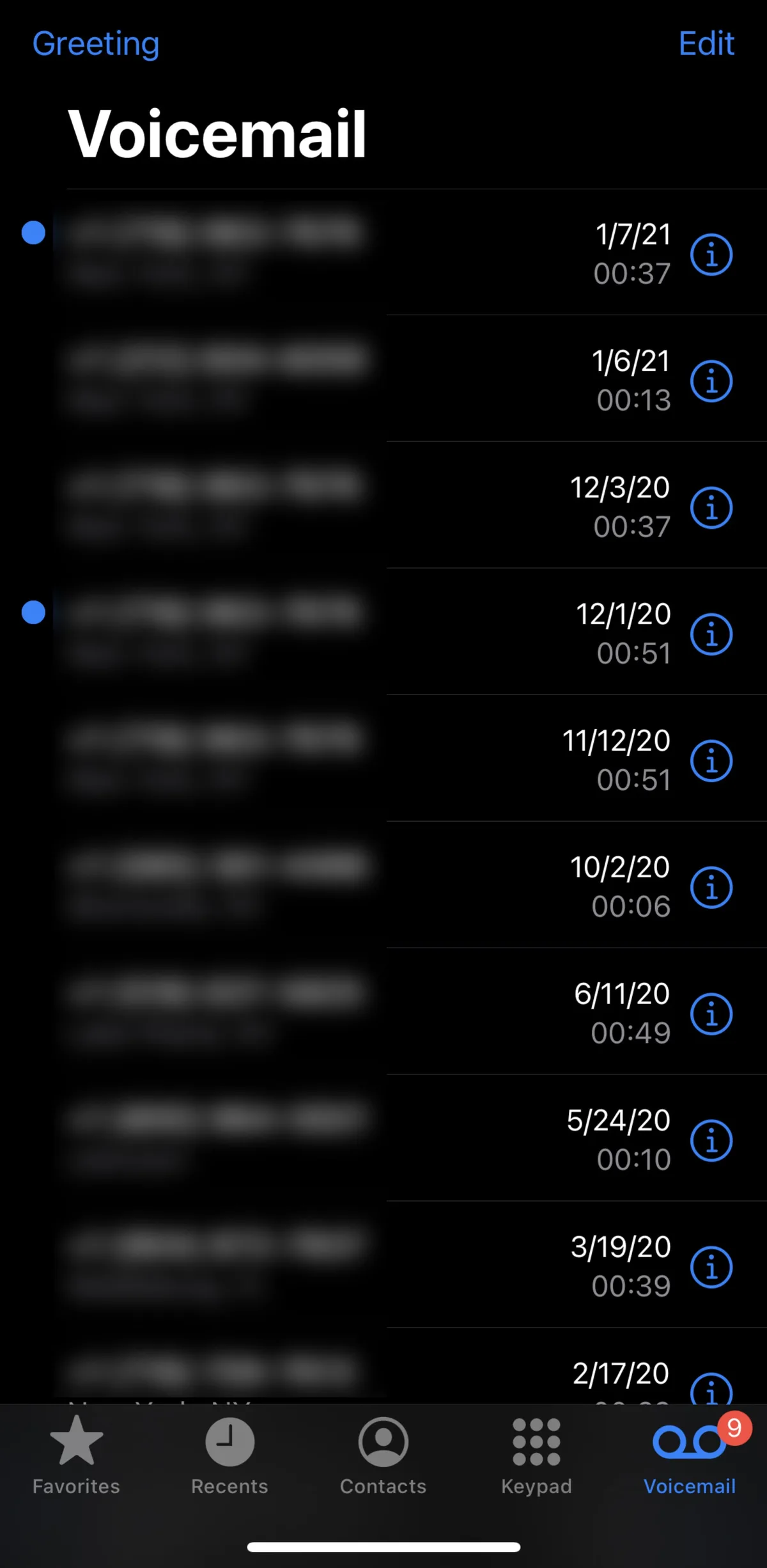
Image source: Bing (Web (fair-use with source credit))
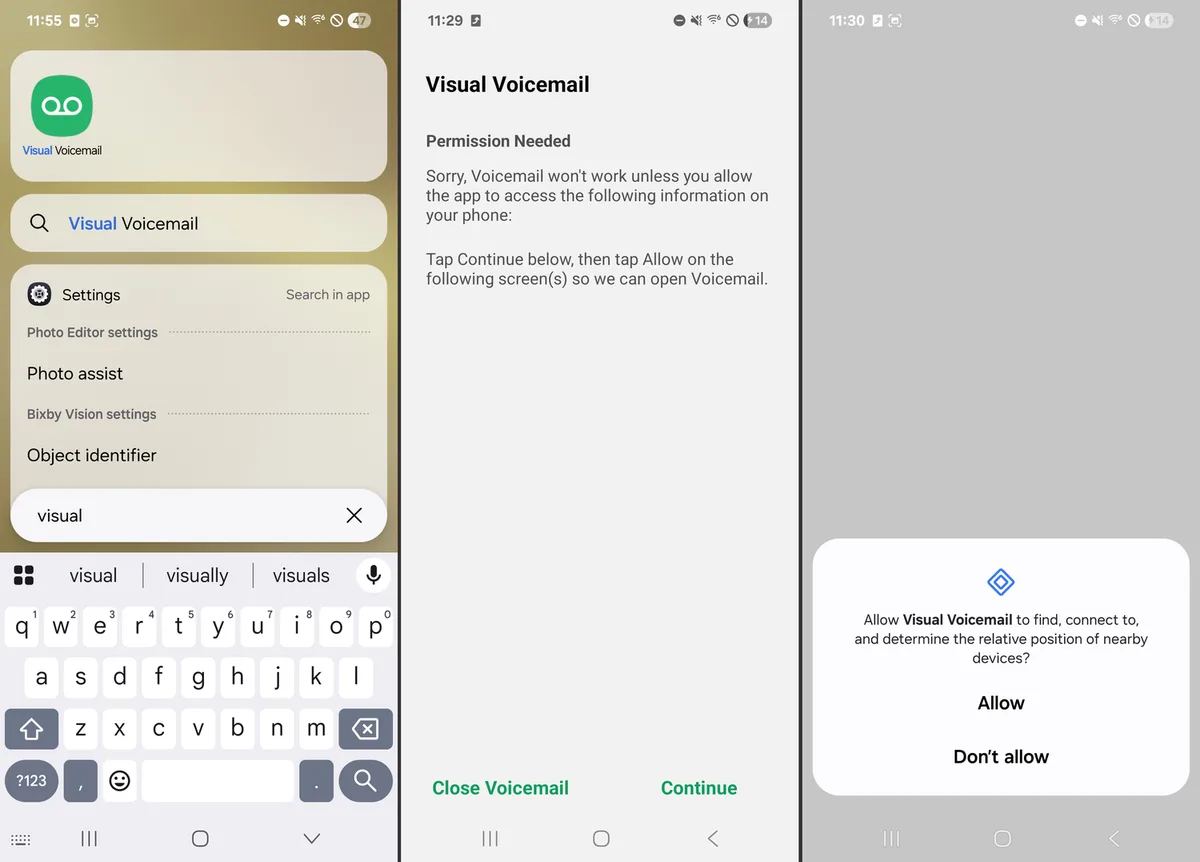
If you have gone through the provisioning refresh and voicemail works when you dial *86, but the visual voicemail feature on your smartphone still shows "No Messages" or "Unable to Connect," you have a different problem. Visual voicemail and traditional voicemail are separate systems. One can work while the other is broken.
What is the difference?
Traditional voicemail is what you access by dialing *86. You listen to messages in order. You press keys to delete, save, or replay.
It works on every phone type including flip phones.
Visual voicemail is a feature on smartphones (iPhone and some Android models) that shows a list of messages on the screen. You tap a message to play it. You see the caller's name and number before you listen.
Consumer Cellular supports visual voicemail on most modern smartphones, but it requires proper carrier provisioning.
If visual voicemail is not working:
| Symptom | Likely cause | Fix |
|---|---|---|
| Visual voicemail shows "Set Up Now" but setup fails | Voicemail box is active, but the visual voicemail feature is not provisioned | Call support and ask them to enable visual voicemail on your line |
| Visual voicemail shows messages but won't play them | Corrupted message file or stale cache | Clear the Phone app cache (Android) or restart the phone (iPhone) |
| Visual voicemail says "No Messages" when *86 has messages | Sync failure between the carrier and your phone | Turn off Wi-Fi Calling temporarily, restart phone, test again |
| Visual voicemail shows an error number (e.g., "Error 9000") | Carrier settings are outdated | Check for carrier settings update on iPhone: Settings > General > About |
For iPhone users specifically: Visual voicemail on iPhone requires a carrier settings update that Apple and Consumer Cellular push out together. If your iPhone is running an older version of iOS or has not applied the latest carrier settings, visual voicemail may simply not work. Go to Settings > General > About.
If a carrier settings update is available, a pop-up will appear. Tap Update.
For Android users: Visual voicemail on Android depends on the phone manufacturer. Samsung phones use a built-in visual voicemail app. Google Pixel phones use the Phone app's built-in visual voicemail.
Motorola phones vary by model. If visual voicemail is not working, check if there is a separate voicemail app installed (sometimes called "Visual Voicemail" or "Voicemail"). If that app is missing, you may need to download it from the Google Play Store.
The bottom line: If you only need to hear your messages, use *86. It always works when voicemail is properly provisioned. Visual voicemail is a convenience feature, not a necessity.
Do not waste hours trying to fix visual voicemail if traditional voicemail works. Call Consumer Cellular support and ask them to toggle visual voicemail on your line.
What to Do If Nothing Has Worked Yet
You have tried all five steps. Voicemail still does not work. Do not assume your phone is broken.
It almost certainly is not.
Here is what to do next:
- Check if your account is active. Log into your Consumer Cellular account. Make sure your plan is current and your payment method is valid. A suspended account will block voicemail.
- Check if call forwarding is interfering. Go to your phone's call forwarding settings. If call forwarding is set to forward all calls to a different number, voicemail will never pick up. Make sure call forwarding is off or set to forward only when unanswered.
- Try a different phone. If you have an old phone lying around, put your Consumer Cellular SIM card into that phone and test voicemail by dialing *86. If voicemail works on the different phone, the problem is with your original phone's settings. If it does not work on the different phone either, the problem is definitely on Consumer Cellular's side.
- Request a voicemail reset from Consumer Cellular. This is different from a provisioning refresh. A full voicemail reset deletes your existing greeting, PIN, and messages. It gives you a fresh voicemail box. You have to call support for this. They rarely offer it unless you ask.
One last option: If you have tried everything including a voicemail reset and the problem persists for more than 48 hours, request a network refresh on your entire line. This is a deeper reset that affects your phone's registration on the network, not just voicemail. Consumer Cellular support can do this in about two minutes.
Restart your phone after the refresh and test voicemail again.
Common Mistakes That Waste Your Time
Here are the mistakes people make that keep voicemail broken longer than necessary.
Mistake 1: Calling support without trying the simple fixes first. Support representatives cannot reset your voicemail PIN for you unless you cannot access your account. They will ask you to try the online portal first. Save time by doing that before you call.
Mistake 2: Factory resetting the phone. Some people assume voicemail problems are caused by a corrupted phone OS. Factory resetting wipes all your data and usually does not fix voicemail because the problem is on the carrier side. Do not factory reset unless a support representative specifically tells you to.
Mistake 3: Assuming voicemail is broken because the icon is missing. On some Android phones, the voicemail icon disappears when voicemail has never been set up. The icon reappears after you complete setup. Missing icon does not mean broken voicemail.
Mistake 4: Ignoring a full inbox. Consumer Cellular voicemail boxes typically hold 20 to 40 messages. When the inbox is full, new callers hear a message that says "This voicemail box is full and cannot accept messages at this time." If you hear that when testing from another phone, delete old messages by dialing *86.
Mistake 5: Trying the same thing over and over. If dialing *86 gives you an error, dialing it again 30 seconds later will give you the same error. Move through the steps in order. Do not repeat the same failed step.
Frequently Asked Questions
Why does my voicemail say "not set up" when I call myself?
It means the voicemail feature has never been activated on your Consumer Cellular line. Dial *86 from your phone and follow the prompts to create a voicemail PIN and greeting. Once you complete setup, callers will be able to leave messages.
How do I reset my Consumer Cellular voicemail password?
Log into your Consumer Cellular account on their website. Go to "My Account" then "Manage Voicemail." Click "Reset Voicemail PIN" and enter a new 4 to 7 digit PIN. Wait five minutes, then dial *86 and enter the new PIN.
Why did my voicemail stop working after I switched phones?
When you move your SIM card to a new phone, the voicemail number stored in the phone's settings may not transfer correctly. Clear the voicemail number from the new phone's settings (Step 3 in this guide), then dial *86 to let the phone reconnect to the correct voicemail system.
Does Consumer Cellular charge for voicemail?
No. Voicemail is included free with all Consumer Cellular plans. There is no additional monthly fee for traditional or visual voicemail.
The only cost is your regular plan rate.
Can I use a third-party voicemail app instead?
Yes. Apps like YouMail or Google Voice can replace Consumer Cellular's voicemail. You will need to set up conditional call forwarding in your phone settings to direct unanswered calls to the third-party service.
Consumer Cellular support can help you configure call forwarding if you need it.
How long does a voicemail provisioning refresh take to work?
Most refreshes take effect within one to five minutes. Consumer Cellular support recommends restarting your phone after the refresh to force the phone to pull the updated settings from the network. If it does not work within 15 minutes, call support again.

Similar Posts