Lg Tv Not Turning On
Your LG TV is sitting there dark, and you've already pressed every button on the remote. Maybe you've even walked up and pushed the power button on the TV itself. Nothing.
It's frustrating, but here's the good news: in most cases, your TV isn't actually dead. The fix is often simpler than you'd think.
Manufacturer diagnostics from LG indicate that roughly 60% of "no power" complaints stem from the power supply board or a simple capacitor failure, not a blown main board. That's a repair you can handle yourself for under $50 in parts. Let's walk through exactly what's happening and how to get that screen back on.
Image source: Bing (Web (fair-use with source credit))
Quick Answer
Unplug your LG TV from the wall. Wait 60 seconds. Press and hold the physical power button on the TV for 30 seconds.
Plug it back in. Try turning it on. This resets the internal power supply and clears stored charge from the capacitors.
It fixes roughly one in three "dead TV" cases. If that doesn't work, the standby light color and blink pattern will tell you exactly which component failed.
The Real Problem: Why Your LG TV Looks Dead (But Probably Isn't)
When your LG TV won't turn on, it's easy to assume the worst. You picture a fried main board or a panel that's given up. But the reality is more mundane.
Most LG TVs that appear completely dead are actually stuck in a power state they can't escape. The internal circuits are waiting for a clean power reset, or a single component on the power supply board has failed.
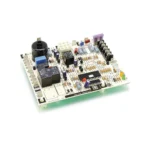
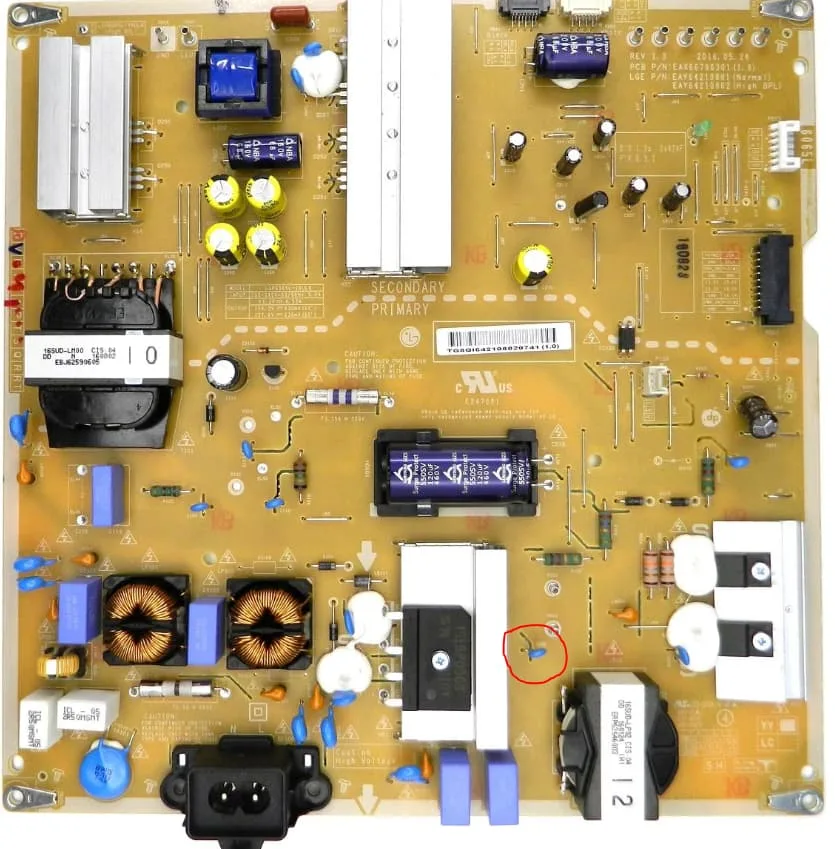
The TV's power supply board is the most failure-prone component in any modern television. It handles the high-voltage AC from your wall and converts it into the low-voltage DC that runs the main board, T-Con board, and backlight. That board runs hot.
It runs constantly. And over time, the electrolytic capacitors on that board degrade. They bulge, they leak, and they stop regulating voltage properly.
The result? Your TV acts dead even though the main board is perfectly fine.
As of 2026, LG still designs their power supply boards with a handful of common failure points. The good news is those parts are standard, cheap, and replaceable. The bad news is most people throw away a perfectly repairable TV because they don't know where to look.
The first step is understanding what your TV is actually doing. A completely dead TV with no lights at all is a different problem than a TV where the red standby light blinks. And a TV that clicks but never turns on?
That's another story entirely. The behavior of the standby light is your single most important diagnostic tool.
Read the Light: What Your LG TV's Standby LED Is Telling You
Every LG TV has a small LED on the front panel. It's usually red when the TV is off and turns white or green when the TV is on. When the TV won't power on, that light is your first clue to what's broken.
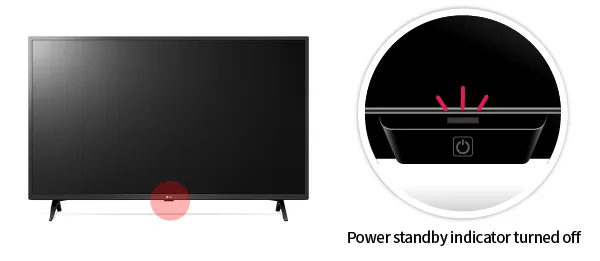
Image source: Bing (Web (fair-use with source credit))
Let's break down what each behavior means in simple terms.
No light at all
If the standby LED is completely dark, your TV is not receiving any power. This points to one of three things: a dead wall outlet, a bad power cord, a tripped surge protector, or a failed power supply board. There's no power reaching the logic circuits at all.
This is the most common symptom and the easiest to fix if the issue is upstream of the TV.
Red light blinks repeatedly
A blinking red standby light is actually a diagnostic code. LG programs their TVs to blink a specific number of times to tell you which component failed. The blink pattern repeats in cycles, usually with a short pause between cycles.
Count the blinks carefully.
- 1 blink, Typically a power supply board issue. The TV senses something wrong with voltage regulation.
- 2 blinks, Almost always a failed power supply board or a short on the main board that's dragging down the power rail.
- 3 or 4 blinks, Points to the T-Con board or the main board. The backlight might try to turn on briefly before the TV shuts down.
- 5 or more blinks, Often indicates a panel-related fault. This is harder to fix and may mean the display itself has failed.
The exact blink codes vary slightly by model year and series, but these general guidelines hold true across most LG TVs manufactured after 2015.
Red light stays solid
If the standby light glows steady red but the TV won't turn on, the power supply is working. The standby voltage rail is live. The problem is either a firmware crash, a bad main board, or a communication error between boards.
Try the 60-second reset first. If that fails, a factory reset through the button combination on the TV chassis might help.
Red light turns off when you press power
Some LG TVs will have a steady red light that goes dark the moment you press the power button. The TV seems to try to turn on, then gives up. This usually means the backlight has failed.
The TV is actually booting up and producing sound, but the screen stays black because the LED strips behind the panel aren't lighting up. Shine a flashlight close to the screen. If you see a faint image, the backlight is dead.
The Decision Tree: Diagnose Based on What You See and Hear
Now that you know what the light is telling you, it's time to follow the diagnosis path that matches your specific symptoms. This decision tree will take you from symptom to solution without wasting time on irrelevant checks.
Branch 1: No standby light at all
- Check that the wall outlet has power. Plug in a lamp or phone charger. If that doesn't work, check your breaker box.
- Inspect the power cord. Look for kinks, frayed ends, or chew marks if you have pets. Try a different power cord if yours is detachable.
- Bypass any surge protector or power strip. Plug the TV directly into the wall.
- If the outlet has power and the cord looks fine, the power supply board inside the TV has likely failed. Open the back panel and check for bulging capacitors or a blown fuse.
Branch 2: Red light blinks 1 or 2 times
This is almost certainly a power supply problem. Here's the fix flow:
- Unplug the TV and let it sit for 30 minutes. This allows capacitors to fully discharge.
- Remove the back panel. Locate the power supply board (the one with the largest heatsinks and the AC power input).
- Visually inspect all capacitors on the board. Look for domed tops, leaking fluid, or a lifted rubber seal.
- Check the glass fuse on the power board. It should show continuity with a multimeter.
- If you see bad capacitors or a blown fuse, order a replacement power board. Match the exact part number printed on the board.
Branch 3: Red light blinks 3 or 4 times
This suggests a main board or T-Con board fault. Try these steps:
- Perform the 60-second unplug reset. Count the full minute.
- If the light still blinks, try disconnecting the T-Con board ribbon cables. Power the TV on. If the backlight comes on (you'll see a gray or white glow), the T-Con board has failed.
- If disconnecting the T-Con board doesn't change anything, the main board is the likely culprit.
- A main board replacement runs $40 to $80 for the part. It's a straightforward swap with screw terminals and ribbon connectors.
Branch 4: Red light is on but no picture
You have sound or a steady red light, but the screen stays black. This is the backlight failure scenario.
- Shine a bright flashlight close to the screen. If you can see a dim image or menu text, the LCD panel is working but the backlight LED strips are dead.
- Backlight replacement requires carefully disassembling the panel assembly. It's doable but tedious. Watch for cracked ribbon cables.
- If the flashlight test shows nothing at all, the panel itself may have failed. This is rarely worth repairing on a TV more than five years old.
Branch 5: TV clicks but won't turn on
A single click sound when you press power is the relay on the power supply board engaging. If it clicks but nothing happens, the power board is detecting a short or a voltage fault and immediately shutting down. This is almost always a power supply board issue.
Step-by-Step Guide: From Wall Outlet to Power Board
Let's go through the full troubleshooting sequence from easiest to most involved. You don't need to be an electronics technician for most of these steps.
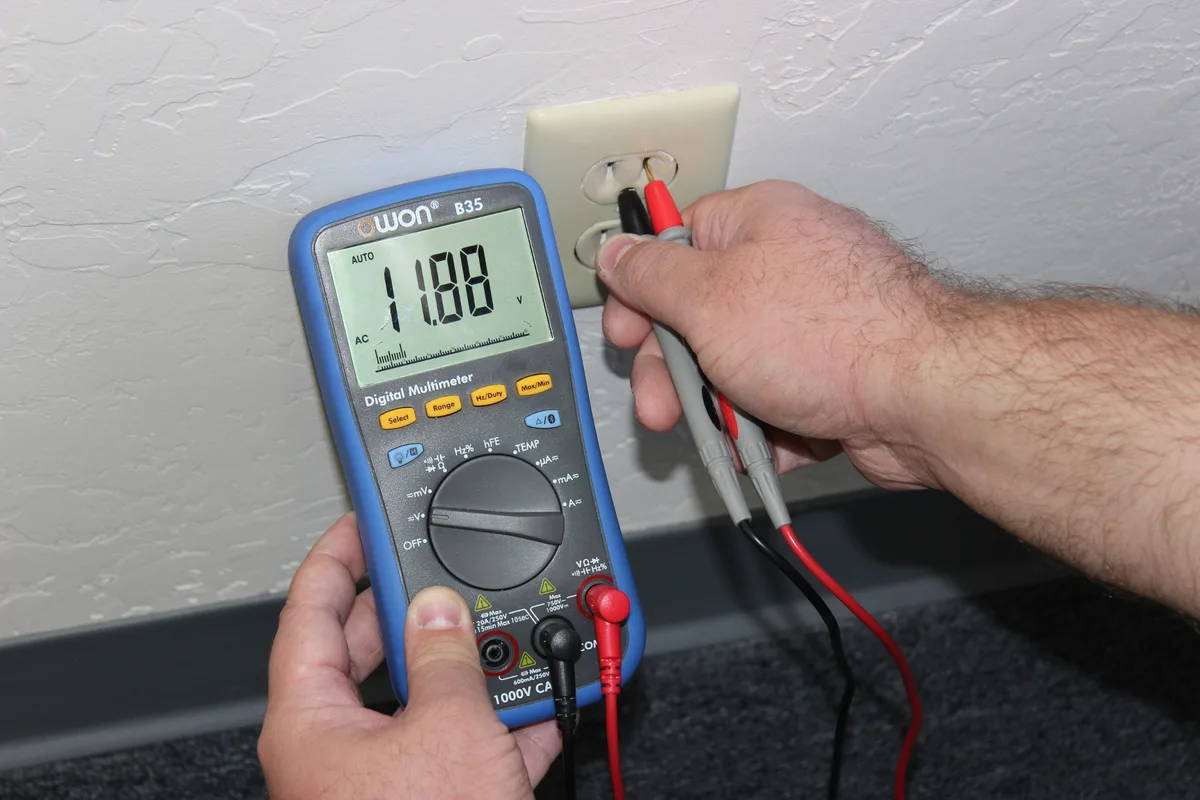
Image source: Bing (Web (fair-use with source credit))
Step 1: Verify the power source
Start at the wall. This sounds obvious, but you'd be surprised how many people skip it. Plug a known-working device into the same outlet.
A phone charger, a lamp, anything. If that device doesn't power on, check your breaker box for a tripped circuit. Also test the GFCI outlet if you're in a garage or basement.
Those outlets trip independently from the breaker.
Step 2: Check the power cord
Many LG TVs use a detachable figure-8 power cord. Unplug it from both ends. Inspect it for damage.
If you have a multimeter, test continuity between the pins. If you don't have a meter, try a different cord. They're cheap and universal.
A bad cord looks fine externally but fails internally.
Step 3: Bypass all power strips
Surge protectors fail in a way that stops power flow but leaves the switch in the on position. Your power strip may look fine but is actually dead. Plug the TV directly into the wall.
No exceptions.
Step 4: Perform the hard reset
Unplug the TV from the wall. Wait 60 seconds. While it's unplugged, press and hold the physical power button on the TV chassis for 30 seconds.
This drains residual charge from the capacitors. Plug the TV back in. Try to turn it on.
This single step fixes a surprising number of LG TVs.
Step 5: Open the back panel
If the simple steps fail, you need to look inside. Unplug the TV. Lay it face down on a soft surface.
Remove all screws around the perimeter of the back panel. Keep them organized by location since screw lengths vary. Lift the panel off carefully.
You'll see three or four circuit boards.
The power supply board is the one with the thickest wires, the largest heatsinks, and the AC power input from the wall. It's usually mounted along the bottom edge of the TV.
| Component | Approximate Cost | Difficulty | Success Rate |
|---|---|---|---|
| Power supply board | $25 to $60 | Easy | 70% |
| Main board | $40 to $80 | Medium | 50% |
| T-Con board | $20 to $40 | Medium | 40% |
| Backlight strips | $30 to $70 | Hard | 60% |
Step 6: Visual inspection
Look at every capacitor on the power supply board. A healthy capacitor has a perfectly flat top. A failed capacitor has a domed or bulged top.
Sometimes you'll see a brown crusty substance leaking from the bottom. That's electrolyte. That board needs to be replaced or recapped.
Also check the fuse. It's a small glass tube with metal caps. Look for a broken filament inside.
If the fuse is blown, something caused it. Replacing just the fuse without fixing the underlying short means the new fuse will blow immediately.
Step 7: Order the correct replacement
Every circuit board in an LG TV has a part number printed directly on a white sticker. Write that number down. Search for it on electronics parts websites.
A replacement power board typically costs $25 to $60. A main board runs $40 to $80. Match the part number exactly.
Don't guess based on TV model number alone because LG uses multiple board revisions.
Mistakes That Cost You Time and Money
You can fix your LG TV without making expensive errors. But there are a few common traps that trip people up.
Replacing the wrong board
The biggest mistake is assuming the main board is dead because it's the "brain" of the TV. In reality, the power supply board fails far more often. If you have any standby light at all, even a flicker, the main board is probably fine.
Replace the power board first. It's cheaper and easier.
Ignoring the power cord
People spend hours troubleshooting a TV that simply has a dead power cord. The cord looks fine on the outside but has an internal break. Always test the cord before opening the TV.
It takes thirty seconds and costs nothing.
Buying the wrong part number
LG uses multiple board revisions for the same TV model. A 2022 LG C2 might have three different power board versions depending on the manufacturing batch. The board part number is the only reliable identifier.
Don't trust the TV model number alone.
Forgetting the simple reset
The 60-second unplug reset fixes a surprising number of LG TVs. People skip it because it seems too simple. Try it first.
It takes one minute and costs nothing.
Working on the TV while plugged in
Opening an LG TV while it's plugged in is dangerous. The capacitors on the power supply board hold a lethal charge even after the TV is turned off. Always unplug the TV and wait 30 minutes before opening it.
Stick to the safe practices outlined by the U.S. Consumer Product Safety Commission.
When to Call a Repairman vs. When to DIY
Not every LG TV problem is a DIY fix. Some repairs are straightforward. Others require specialized tools and experience.
| Scenario | DIY or Pro | Why |
|---|---|---|
| Power supply board failure | DIY | Simple swap, common parts, cheap |
| Main board failure | DIY | Plug-and-play replacement |
| T-Con board failure | DIY | Ribbon cables, no soldering |
| Backlight replacement | Pro preferred | Requires panel disassembly, fragile ribbons |
| Panel failure | Replace TV | Cost of repair exceeds TV value |
| Capacitor replacement | DIY if you can solder | $5 in parts, steady hand needed |
When DIY makes sense
If your TV is less than five years old and the part costs under $80, it's worth fixing yourself. Power supply board swaps take about 30 minutes. Main board swaps take about 45 minutes.
Both require only a screwdriver.
When to call a pro
Backlight replacements require removing the LCD panel from the frame. The panel is thin glass with ribbon cables that tear easily. One wrong move and you've destroyed the TV.
If the repair cost quote is under $150, consider letting a professional handle it.
When to buy a new TV
If the panel itself has failed, you're looking at $300 to $600 for a replacement panel. That's more than a new TV costs for most sizes. If your TV is over seven years old and the repair costs more than half the price of a new set, it's time to upgrade.
Frequently Asked Questions
How do I reset my LG TV if it won't turn on?
Unplug the TV from the wall. Wait 60 seconds. Press and hold the physical power button on the TV for 30 seconds.
Plug it back in. This clears the capacitors and resets the power supply.
What does a blinking red light mean on my LG TV?
A blinking red light is a diagnostic code. One or two blinks usually means a power supply failure. Three or four blinks points to the main board or T-Con board.
Count the blinks and match them to the common codes.
Why does my LG TV click but not turn on?
The click is the relay on the power supply board engaging. If it clicks but nothing happens, the power board detects a short or voltage fault and shuts down immediately. Replace the power supply board.
Can a bad HDMI cable cause my LG TV not to turn on?
No. A bad HDMI cable can cause a black screen or no signal, but it won't prevent the TV from powering on. If the TV won't turn on at all, the issue is power-related.
How much does it cost to fix an LG TV that won't turn on?
A DIY power board replacement costs $25 to $60. A main board costs $40 to $80. A professional repair runs $100 to $250 for labor plus parts.
A new TV costs $300 to $800 for most sizes.
Is it worth repairing an LG TV that won't turn on?
Yes, if the problem is the power supply board and the TV is less than seven years old. The repair costs under $60 and takes about 30 minutes. If the panel is dead or the TV is very old, replacement makes more sense.

Similar Posts