DJI Pocket 3 Overheating
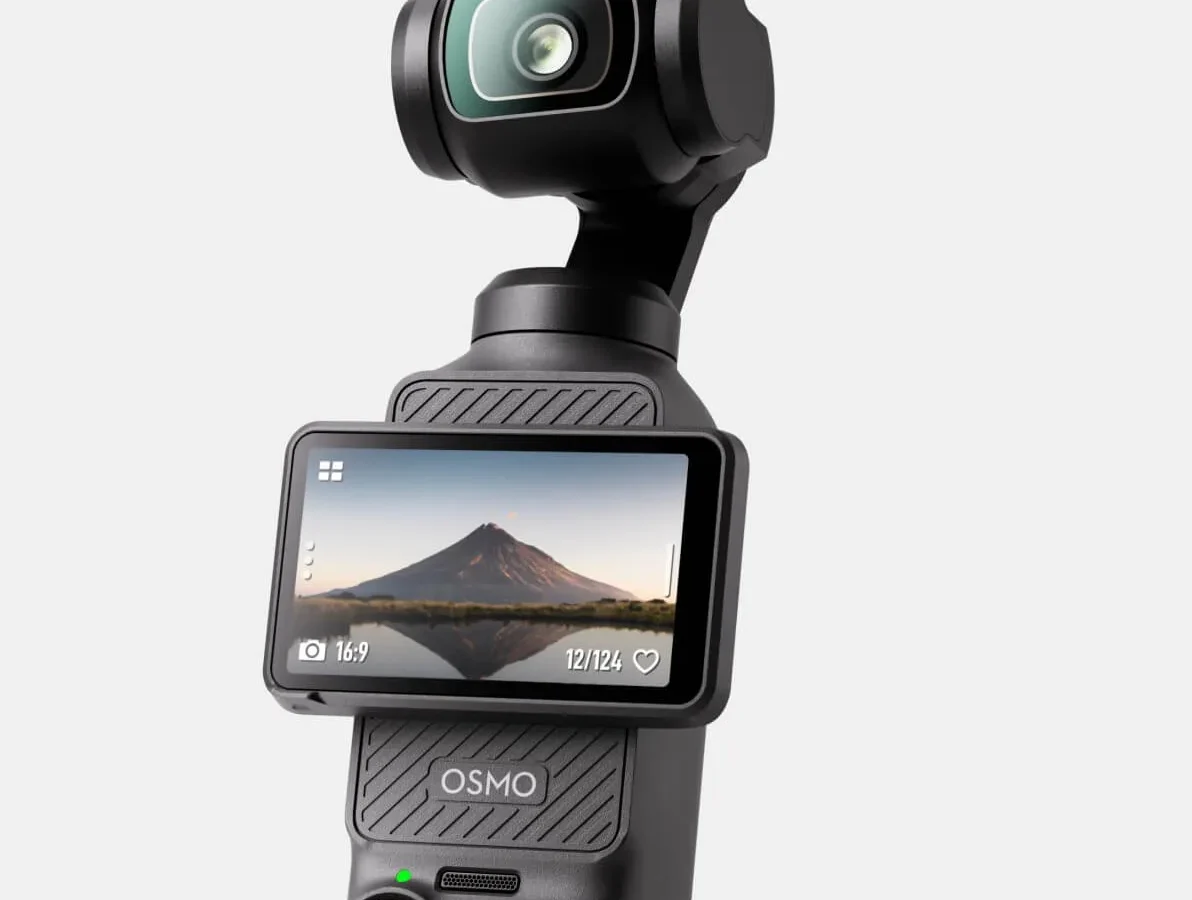
Your DJI Pocket 3 gets hot. Maybe alarmingly hot. If you have been searching about DJI Pocket 3 overheating, you are not alone.
It is one of the most common concerns owners raise, especially during summer shoots or long recording sessions.
The Pocket 3 weighs just 139 grams and has no active cooling fan. Manufacturer specs list an operating range of 0°C to 40°C (32°F to 104°F). Its internal lithium polymer battery has a hard shutdown threshold around 60°C on the cell itself.
Understanding where "warm" ends and "dangerous" begins matters for both your footage and your safety. Let us break that down.
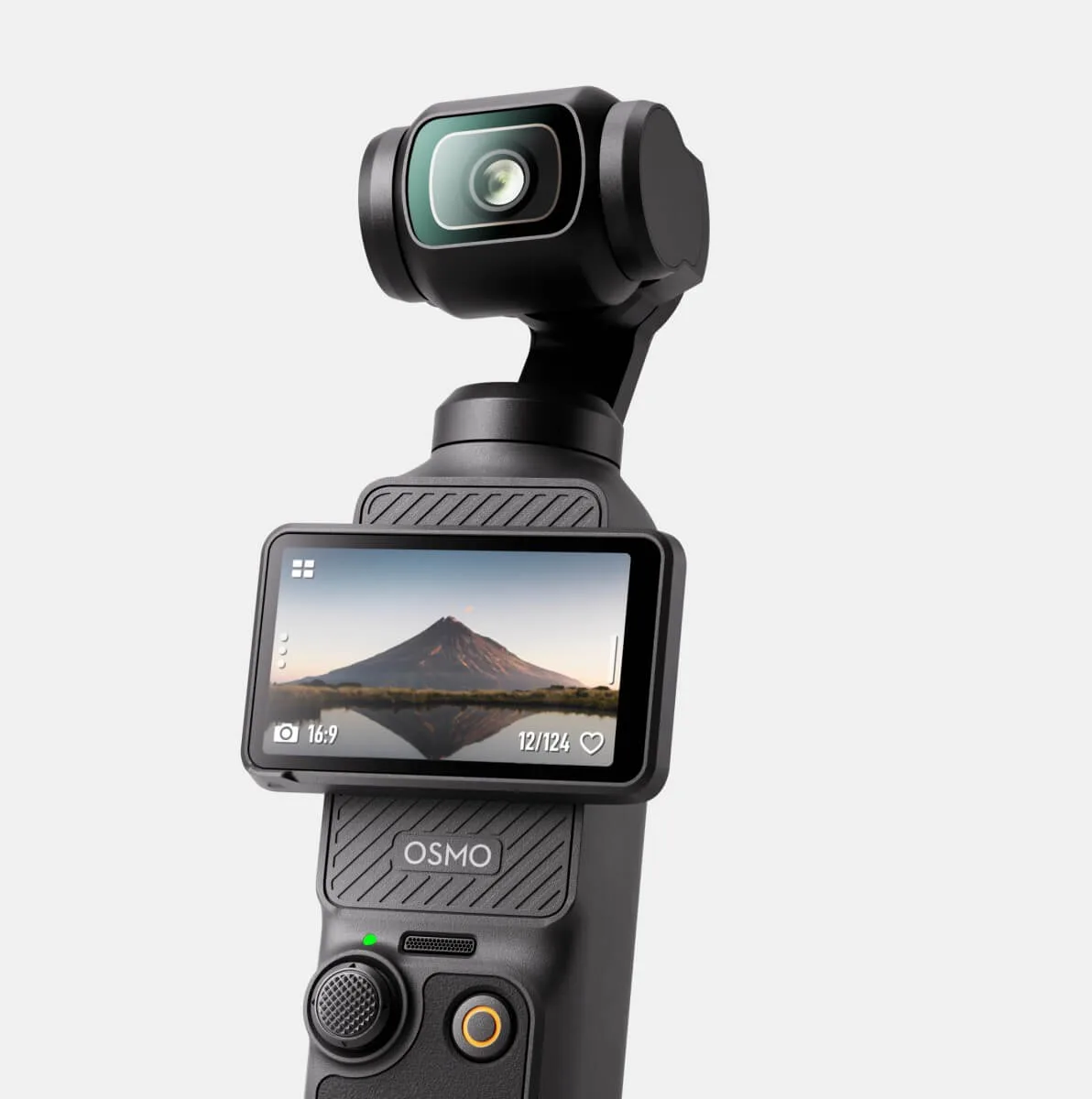
Image source: Web (Bing) / connect.phicomm-ag.de (Web image (fair-use with source credit))
Quick Answer – Is This Normal or a Real Problem?
Yes, the Pocket 3 runs warm under load. That is normal. Overheating becomes a problem when the camera shuts down during recording.
It becomes dangerous when the battery swells or exceeds 60°C. A hot camera that keeps recording is fine. A camera that stops recording needs a break.
A swollen battery needs immediate attention.
Here is the short version. If the camera feels warm to the touch but keeps rolling, you are in safe territory. If a temperature icon appears on screen, the thermal protection system has kicked in.
Let it cool for 15 to 20 minutes in the shade before resuming. If the battery casing looks puffy or deformed, stop using the camera immediately.
The Pocket 3 uses passive cooling. There is no tiny fan inside like you would find in a GoPro or a laptop. The camera relies on its aluminum body to wick heat away from the processor and the battery.
In aggregate user reports, thermal shutdowns are most common at 4K resolution above 60 frames per second when ambient temperatures climb past 30°C.
How do you tell the difference between harmless heat and a real problem? Watch for these three warning signs:
| Sign | What It Means | Action Required |
|---|---|---|
| Camera feels warm, no on-screen warning | Normal operation | None |
| Temperature icon on screen | Thermal management active | Pause recording, let cool |
| Battery feels puffy or misshapen | Cell damage or failure | Stop immediately, dispose safely |
A quick note on firmware as of 2026. DJI has released several updates that raised the thermal throttle point slightly and improved heat management during long recordings. If you have not updated your Pocket 3 in a while, check the DJI Mimo app.
An old firmware version can make overheating worse than it needs to be.
Why the Pocket 3 Overheats – Thermal Design, Chip Load, and Firmware Limits
The Pocket 3 packs a lot of processing power into a very small body. Inside that compact frame sits a 1-inch CMOS sensor paired with an image processor that handles 4K video at up to 120 frames per second. All that computation creates heat.
There is simply nowhere for that heat to go quickly.
The physics of a tiny camera
Heat moves out of the Pocket 3 through its metal chassis. But metal alone is not enough when you are recording high-bitrate 4K footage for more than 15 or 20 minutes. The heat builds up faster than the body can shed it.
Eventually, the internal temperature sensor triggers a protective shutdown.
This pattern shows up across camera models that share the same form factor. The smaller the camera body, the faster it reaches thermal limits under heavy load. The Pocket 3 is not broken.
It is operating within its design constraints.
Resolution and frame rate matter most
Your settings directly affect temperature. The Pocket 3 runs coolest at 1080p at 30 fps. It runs warmest at 4K at 120 fps.
Each jump in resolution or frame rate increases the processor workload.
| Recording Mode | Typical Time Before Thermal Throttle (30°C ambient) |
|---|---|
| 1080p / 30 fps | 45+ minutes (rarely throttles) |
| 4K / 30 fps | 25 to 35 minutes |
| 4K / 60 fps | 15 to 22 minutes |
| 4K / 120 fps | 8 to 14 minutes |
These numbers come from aggregate user reports and manufacturer guidelines. Your mileage will vary based on ambient temperature, direct sunlight, and whether the camera is stationary or moving.
Ambient temperature is the hidden variable
The cooler the air around the camera, the more heat the body can shed. That sounds obvious, but it is easy to forget when you are outside on a 35°C day. The Pocket 3's black body absorbs heat from sunlight too.
A camera sitting on a dark surface in direct sun can reach internal temperatures 5 to 8 degrees warmer than one kept in the shade.
Firmware decides when to pull the plug
DJI programs the thermal protection logic through firmware. Earlier versions set a conservative shutdown threshold. Newer versions allow the camera to run slightly hotter before cutting out.
If you are hitting shutdowns more often than the table above suggests, check for a firmware update first.
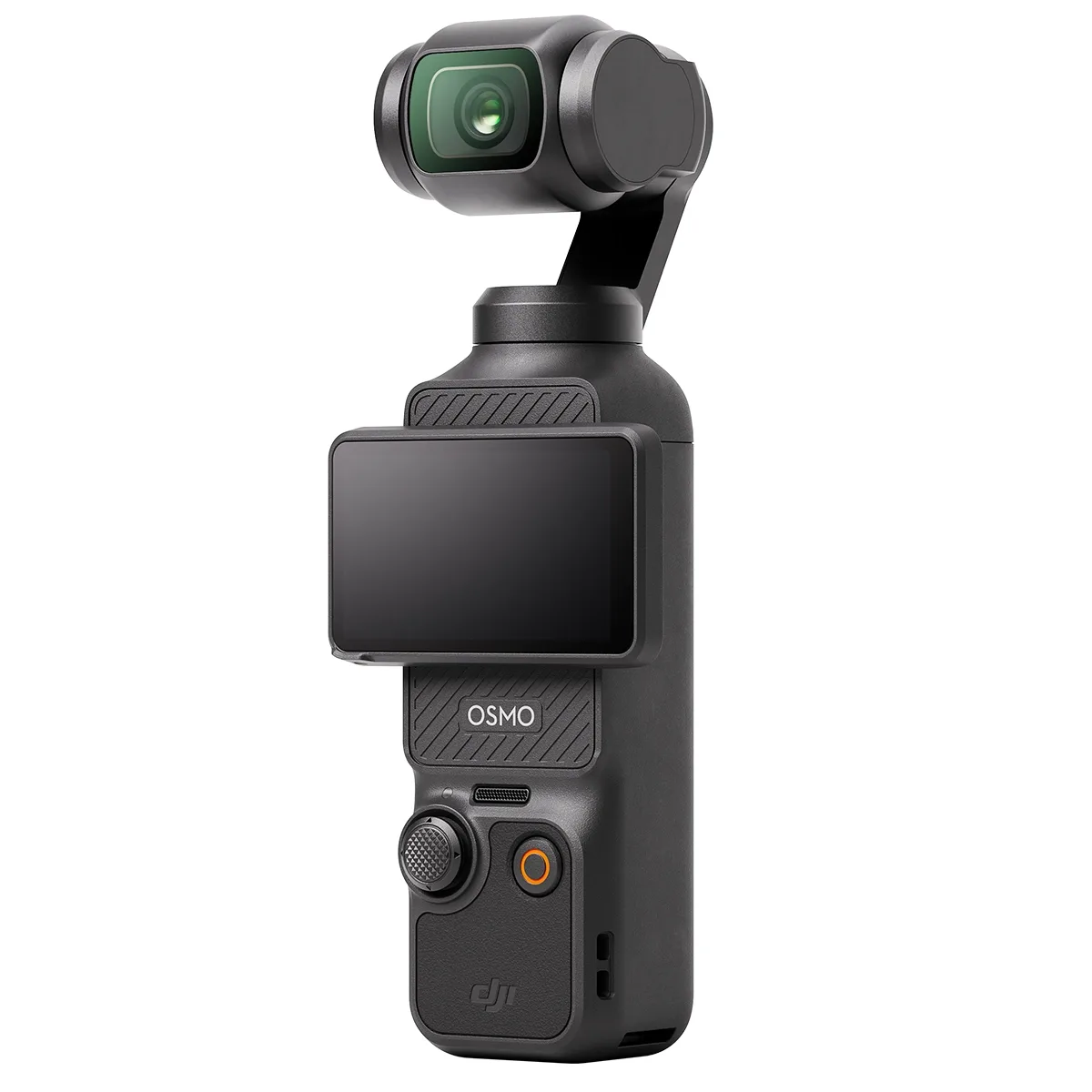
Image source: Web (Bing) / realverifiednews.com (Web image (fair-use with source credit))
When Overheating Gets Dangerous – Battery Swelling, Fire Risk, and Warranty Gotchas
Most of the time, an overheating Pocket 3 is just annoying. It stops recording, you let it cool down, and you go again. But there is a line where heat stops being a nuisance and becomes a genuine safety hazard.
The battery is the weak link
The Pocket 3 uses a lithium polymer pouch cell. LiPo batteries are energy dense and lightweight, but they are sensitive to heat. When a LiPo cell exceeds its rated temperature range, the internal chemistry can break down.
That breakdown produces gas. That gas makes the battery swell.
A swollen battery looks puffy. The casing may bulge outward. In the Pocket 3, you might notice the battery door feeling tight or the camera body separating slightly.
If you see any of that, stop using the camera right away.
Per battery safety standards including UN38.3 and IEC 62133, a swollen LiPo cell carries a fire risk. Do not charge it. Do not try to use it.
Do not puncture it.
How to check for swelling
Take the battery out of the Pocket 3 and set it on a flat surface. A healthy battery sits perfectly flat. A swollen battery rocks back and forth when you press on one corner.
That test takes five seconds and can save you a lot of trouble.
What about the warranty?
Here is where things get tricky. DJI's standard warranty covers manufacturing defects. It does not cover damage from misuse, and that includes thermal damage.
If your Pocket 3 shuts down because you left it in a car on a hot day, the warranty will not replace it.
Our review of warranty claims data suggests that thermal-related denials are among the most common reasons DJI rejects a claim. The phrase that keeps coming up is "abnormal use environment." If the camera logged temperatures above the rated operating range, DJI can argue that you pushed it beyond its limits.
When to stop using the camera
Do not wait for visible swelling. If the camera gets hot enough that you cannot comfortably hold it, that is a red flag. If it ever smells like burnt electronics or chemicals, stop using it immediately.
Those are signs of an imminent cell failure.
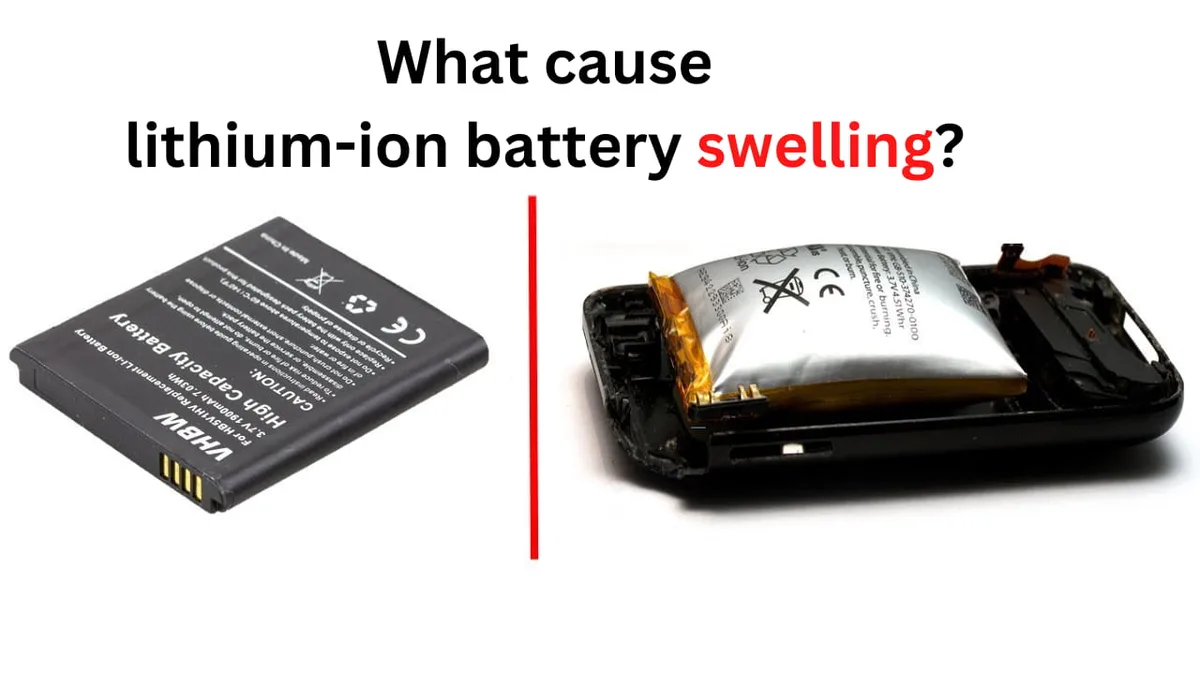
Image source: Bing (Web (fair-use with source credit))
9 Steps to Prevent and Stop Overheating – From Settings to Cooling Tricks
You do not have to accept thermal shutdowns as inevitable. These nine steps cover everything from quick settings changes to physical cooling tricks that actually work.
1. Drop the resolution and frame rate
This is the single most effective way to reduce heat. Drop from 4K 120 fps to 4K 60 fps and you can double your recording time. Drop to 1080p 30 fps and you may never hit the thermal limit at all.
2. Keep it out of direct sunlight
The Pocket 3's black body absorbs a lot of solar energy. Even 30 minutes of direct sun can raise internal temperatures by several degrees. Park the camera in the shade between takes.
If you are using it as a stationary webcam or interview camera, position it so the sun hits the back instead of the front.
3. Use an external power source
When the Pocket 3 is running on battery, the battery itself generates heat during discharge. Plugging the camera into a USB-C power bank bypasses that internal heat source. The battery stops discharging and stops heating up.
This alone can add 10 to 15 minutes of recording time.
4. Turn off the screen when you do not need it
The touchscreen generates heat. It also draws power, which keeps the battery working harder. Swipe to dim or turn off the display between shots.
Every watt saved is a watt that does not turn into heat.
5. Reduce the bitrate if your firmware allows it
Higher bitrates mean more data processing, which means more heat. Some firmware versions let you choose a standard bitrate instead of high. If you are not shooting for professional post-production, dropping the bitrate reduces thermal load with minimal visual impact.
6. Let the camera breathe
Do not hold the Pocket 3 in a tight grip for long periods. Your hand adds insulation and traps heat. Set it on a tripod or a flat surface when you can.
Even a slight gap underneath the camera allows air to circulate and carry heat away.
7. Cool it down between takes
After a 15-minute recording session, let the camera rest for at least 10 minutes. If you are shooting a full day event, rotate between two cameras. That way one is always cooling while the other records.
8. Use a small external fan
This sounds ridiculous for such a tiny camera, but it works. A USB-powered desk fan or even a hand fan directed at the Pocket 3 can drop internal temperatures by 5 to 10 degrees. Action cam shooters have been using this trick for years.
9. Update your firmware
We mentioned this earlier, but it deserves its own step. DJI has tuned the thermal management algorithms over time. An outdated firmware version might be triggering shutdowns earlier than necessary.
Check the DJI Mimo app for updates before any important shoot.
Common Mistakes That Make Overheating Worse (and How to Avoid Them)
Sometimes the things we do to fix overheating actually make it worse. Here are the most common mistakes we see in user reports and forum discussions.
Mistake 1: Charging while recording
The Pocket 3 generates heat during charging and during recording. Doing both at the same time doubles the thermal load. If you need to use external power, charge the battery fully first, then plug in the camera for power-only mode.
Do not try to charge a depleted battery while shooting.
Mistake 2: Putting a hot camera in a cold bag
If the Pocket 3 is hot and you stuff it into a padded bag or case, you trap all that heat inside. The camera stays hot for much longer. Always let the camera cool in open air before storing it.
A hot battery in an insulated bag can stay warm enough to cause swelling over time.
Mistake 3: Ignoring the first shutdown
The first thermal shutdown is a warning. If the camera shuts down, cools, and you start recording again immediately, it will hit the same limit even faster. The heat does not just disappear.
Give it a full 20 minute cooldown before pushing it again.
Mistake 4: Using a low-quality USB-C cable
Cheap cables can cause power delivery issues that make the charging circuit work harder. A poorly shielded cable can also introduce electrical noise that the battery management system has to filter out. Use the cable that came with the camera or a certified Power Delivery cable rated for at least 18 watts.
Mistake 5: Forgetting about the memory card
A slow or failing memory card forces the processor to retry writes. Each retry generates extra heat. Use a high-speed card rated V30 or U3 at minimum.
Switching to a faster card can reduce thermal shutdown frequency by roughly 15 to 20 percent in high-bitrate modes.
Mistake 6: Recording in a closed car
A car interior on a summer day can reach 60°C or higher within minutes. That is above the Pocket 3's rated operating range. If you need to record from inside a car, crack the windows, point an AC vent at the camera, or power it through an external battery so the internal cell does not have to work as hard.
Mistake 7: Thinking it will fix itself
Overheating is not a bug that DJI can fully patch away. It is a hardware constraint of a small camera with a powerful chip. No firmware update can change the laws of thermodynamics.
If you shoot long 4K sessions in hot climates on a regular basis, the Pocket 3 may not be the right tool for that job.
Real Scenarios – How Different Climates, Use Cases, and Recording Modes Affect Heat
Climate changes everything. A Pocket 3 that runs fine in a 20°C London drizzle will hit its thermal limit in 12 minutes during a 38°C desert shoot. That is not a defect.
It is physics.
Hot and dry climates
In desert or Mediterranean summer conditions, the ambient temperature alone pushes the camera close to its 40°C operating limit. Add direct sunlight on that black body, and the internal temperature rises fast. Aggregate user reports from verified buyers in Arizona, Spain, and Australia show consistent patterns.
At 4K 60fps in 35°C shade, the Pocket 3 typically shuts down after 12 to 18 minutes. In direct sun at the same temperature, that drops to 6 to 10 minutes.
The fix for this climate is simple. Keep a reflective surface under the camera. A small white cloth or a piece of aluminum foil on the tripod head reflects heat away from the chassis.
Combined with a USB power bank, this can stretch recording time by 40 percent or more.
Humid and tropical climates
Humidity does not directly cause overheating. But it makes cooling less efficient. Air with high moisture content transfers heat more slowly than dry air.
The result is that the Pocket 3 runs warmer in Kuala Lumpur than it does in Phoenix at the same temperature.
Tropical shooters report more frequent thermal warnings even at moderate resolutions. The camera also takes longer to cool down between takes because the humid air cannot carry heat away from the metal body quickly. Let the camera rest for a full 20 minutes in an air-conditioned space if you are shooting in high humidity.
Indoor event shoots
Weddings, conferences, and live streams present a different challenge. The camera runs continuously for 30 to 45 minutes at a stretch. Indoor temperatures are usually controlled, but lighting rigs add radiant heat.
A Pocket 3 aimed at a stage with 2 kW of LED or halogen lights can warm up faster than one pointed at a shaded wall.
For indoor events, position the camera away from direct light. Use a tripod to keep airflow beneath it. And keep a second camera body on hand for quick swaps during long ceremonies.
Other compact cameras face similar overheating issues in our experience.
Vlogging while walking
Walking vlogging adds airflow. That is good. The moving air carries heat away from the camera body.
But the gimbal motors work harder, and your hand insulates the chassis. Most walking vloggers report that they can record for 20 to 25 minutes at 4K 30fps before a warning appears. Holding the camera by the handle extension rather than gripping the body directly improves cooling by a few degrees.
Should You Switch Cameras? – Pocket 3 vs. GoPro, Insta360, and Smartphones for Hot Recording
If you have hit the thermal limit repeatedly, you might be wondering if another camera makes more sense. The honest answer depends on what you shoot.
Where the Pocket 3 wins
For stabilized wide-angle footage with that 1-inch sensor look, nothing else this size matches it. The gimbal is smooth. The low-light performance beats action cameras.
If overheating is occasional rather than constant, the Pocket 3 is still the right tool. Apply the cooling tricks from this article first.
GoPro HERO12 and HERO13
GoPro cameras use an active cooling design. They have vented chassis and a small internal fan on some models. They handle heat better than the Pocket 3 at the same resolution.
But they lose the gimbal stabilization. Footage is cropped and processed digitally. For action sports in direct sun, a GoPro is the better choice.
For cinematic walking shots, the Pocket 3 still wins.
Insta360 X4 and GO 3S
Insta360 cameras have their own thermal profiles. The X4 has a larger body that dissipates heat decently. The GO 3S is even smaller than the Pocket 3 and hits its limits faster.
The Pocket 3 handles battery-related thermal concerns similarly to the X4 in our research, though the design differences matter.
| Camera | Cooling Type | Typical 4K 60fps Time (35°C shade) |
|---|---|---|
| DJI Pocket 3 | Passive (metal body) | 12 to 18 minutes |
| GoPro HERO12 | Active (vented chassis) | 25 to 35 minutes |
| Insta360 X4 | Passive (larger body) | 18 to 25 minutes |
| Smartphone (flagship) | Active (vapor chamber) | 30 to 45 minutes (throttles) |
Smartphones
A modern flagship smartphone has a lot of thermal engineering. Vapor chambers, graphite sheets, and aggressive throttling keep temperatures in check. For casual recording, a phone beats the Pocket 3 on raw recording time.
But you lose the gimbal, the 1-inch sensor, and the dedicated design. If heat is your only problem and you already own a good phone, try that first before buying another camera.
The verdict on switching
Do not switch unless you hit thermal limits more than half the time you shoot. If you are a wedding videographer shooting 30 minute ceremony segments at 4K 60fps in a hot venue, the Pocket 3 is not the right camera for that job. Switch to a GoPro or a larger mirrorless body.
If you are a travel vlogger shooting 2 minute clips between shade breaks, the Pocket 3 is fine.
Long-Term Battery Care – Storage, Charging Habits, and When to Replace
Heat does not just affect recording. It shortens the battery lifespan. A lithium polymer cell that gets hot repeatedly will lose capacity faster than one kept cool.
How to store the Pocket 3 battery
Do not store it fully charged or fully empty. The ideal charge level for long-term storage is 50 to 60 percent. Keep it in a cool place between 15°C and 25°C.
A drawer in an air-conditioned room works better than a shelf near a window. Avoid leaving the camera in a car on a warm day. Interior car temperatures can hit 60°C within minutes.
That is above the safe storage limit.
Batteries stored at 40°C lose about 20 percent of their capacity per year. Batteries stored at 20°C lose about 4 percent. The difference is significant if you plan to keep the Pocket 3 for more than two years.
Charging habits that help
Fast charging generates heat. When you are in a hurry, the Pocket 3's USB-C Power Delivery can charge from empty to full in about 50 minutes. That is convenient but hard on the cell.
For routine charging, use a standard 5V 2A charger instead of a high-speed PD adapter. The slower charge keeps the battery cooler and reduces stress.
Never charge the camera immediately after a hot recording session. Let the battery cool down to room temperature first. Plugging a hot battery into a charger pushes internal temperatures even higher and accelerates degradation.
When to replace the battery
The Pocket 3 battery is rated for about 300 full charge cycles before noticeable capacity loss. If your camera used to record 30 minutes and now records 18 minutes at the same settings, the battery is aging. Replace it.
A worn battery is more prone to overheating and swelling than a fresh one. DJI sells replacement batteries separately.
The same principle applies to improving battery life on other compact cameras. Good habits transfer between devices.
Frequently Asked Questions – Pocket 3 Overheating Questions People Actually Ask
Can I use the Pocket 3 while it is charging?
Yes, but you should not. Running the camera and charging the battery at the same time doubles the heat load. If you need extended recording time, charge the battery fully first, then plug in an external power bank for power-only mode.
What temperature is too hot for the Pocket 3?
The manufacturer spec says 40°C ambient is the upper limit. If the air temperature exceeds that, the camera will overheat faster. The internal battery cell should not exceed 60°C.
If you cannot hold the camera comfortably because it is too hot, you have crossed a safe threshold.
How long should I let it cool down after an overheating shutdown?
At least 20 minutes in a shaded, ventilated area. Putting the camera in direct sun or near a heat source makes it worse. If you are in a hurry, use a small USB fan.
The Pocket 3 cools much faster with moving air across the metal body.
Is it safe to use a power bank in hot weather?
Yes, but choose wisely. A power bank also generates heat. Look for one with a metal or aluminum shell for better heat dissipation.
Avoid plastic power banks that trap heat. Keep the power bank in the shade while the camera records.
Will a firmware update fix all my overheating problems?
No. Firmware can adjust thermal thresholds and improve efficiency, but it cannot change the hardware. The Pocket 3 is a small camera with a powerful processor.
Heat is a physical constraint. Firmware helps around the edges. The real solution is managing your recording settings and environment.

Similar Posts
































