Mirrorless Camera Shutter Not Working Troubleshooting
If your mirrorless camera shutter is not working, troubleshooting the issue doesn't have to mean an immediate trip to the repair shop. Most shutter problems are caused by simple settings, a low battery, or a confused camera brain, not a broken mechanical part. The key is knowing which branch of the diagnostic tree to follow first.
Manufacturer specifications indicate that modern mirrorless shutters are rated for 200,000 to 500,000 actuations per CIPA testing standards. That is decades of shooting for most hobbyists. So before you assume a mechanical failure, let us walk through the six most common root causes and how to test each one.
We will start with the fastest fix.
Quick Answer
A non-firing shutter is usually a setting problem. Check your silent shooting mode first. A dead battery also locks the shutter.
Test with a freshly charged battery and a different lens. Reset the camera to factory defaults using the menu. If none of that works, update the firmware.
These steps solve most reported issues before a repair is necessary.
Your Shutter Won't Fire – Let's Diagnose Step by Step
When the shutter button does nothing at all, your first job is to figure out whether the camera is hearing the command but refusing it, or whether the button itself is dead. Start by looking at the rear screen. If you see a live view image with exposure data, the camera is powered and processing.
That narrows the problem to the shutter mechanism, the shooting mode, or a software lock.
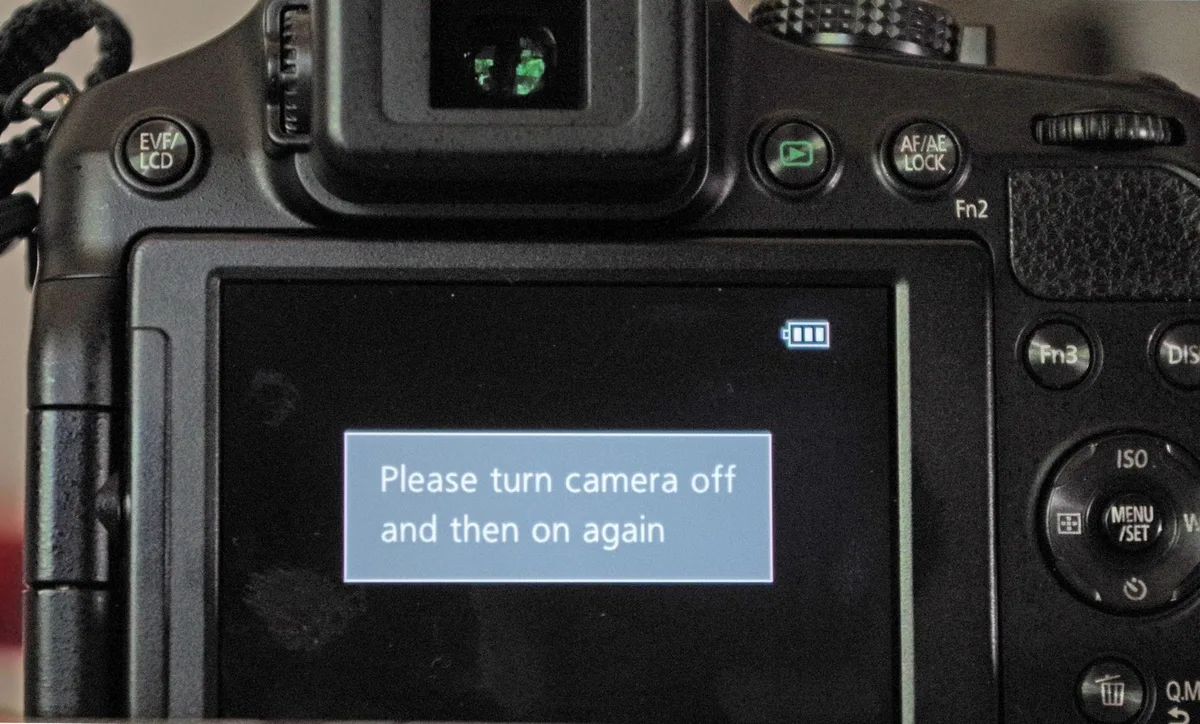
If the screen is black or shows an error message, the problem is different. A black screen with no information points to a power issue or a locked-up operating system. An error message like "Shutter Error" or "Err" gives you something specific to search for in your manual.
We will decode those messages in a later section.
Try pressing the shutter button halfway first. Do you see autofocus activate? Do you hear any sound from the lens?
If yes, the button hardware is probably fine. If nothing happens, the button itself may be faulty. In that case, try using the self-timer mode or connecting a remote trigger via the camera's port.
If those work, the physical button needs service.
This is the first fork in our decision tree. The rest of this guide follows that logic. Think of it as walking through a flowchart rather than trying random fixes.
That approach wastes time and can confuse you further.
First Things First: Power, Card, and Lens Check
Before digging into any fancy settings, confirm the basics. A mirrorless camera draws a lot of power to keep the sensor live. If the battery is below a certain voltage, the camera will refuse to fire the shutter.
This is a safety feature to prevent damage during a weak power cycle.
Charge your battery fully. Then put it back in and attempt to fire. If the camera works, you had a low battery.
If not, try a different battery that you know works. Many mirrorless cameras use proprietary batteries, so borrow one from a friend if you have to. This step alone solves a surprising number of dead shutter cases.
Next, check your memory card. A full card, a write-protected card, or a corrupted card can prevent the shutter from firing. Remove the card and take a test shot.
Some cameras will shoot without a card if you have "release shutter without card" enabled in the menu. If the shutter fires when the card is out, the card is the problem. In that case, you may need to resolve card formatting errors.
Finally, inspect the lens contacts. Remove the lens and look at the gold pins on the camera body and the lens mount. Dirty or bent contacts can disrupt communication and cause the camera to lock the shutter.
Wipe the contacts gently with a dry microfiber cloth. Reattach the lens firmly until you hear a click. Test again.
Image source: Web (Bing) / repairit.wondershare.com (Web image (fair-use with source credit))
The Silent Mode Trap – Why Electronic Shutter Might Be the Culprit
This is the single most common reason people think their shutter is broken. Many mirrorless cameras have a "Silent Shooting" or "Electronic Shutter" mode. In this mode, the mechanical shutter does not move.
There is no click. No vibration. Nothing audible at all.
If you or someone else accidentally enabled this mode, the camera appears dead even though it is working perfectly.
Look at your shooting menu or function buttons. On Sony bodies, look for "Silent Shooting" under the camera icon menu. On Canon R series, check the "Silent Mode" in the shooting settings.
On Nikon Z cameras, it is often labeled "Silent Photography" in the photo shooting menu. On Fujifilm X series, the "Silent Mode" switch on the top plate does this.
Toggle it off. Then press the shutter again. You should hear and feel the mechanical curtain move.
If not, the problem lies elsewhere. Many confusing camera settings cause similar worry.
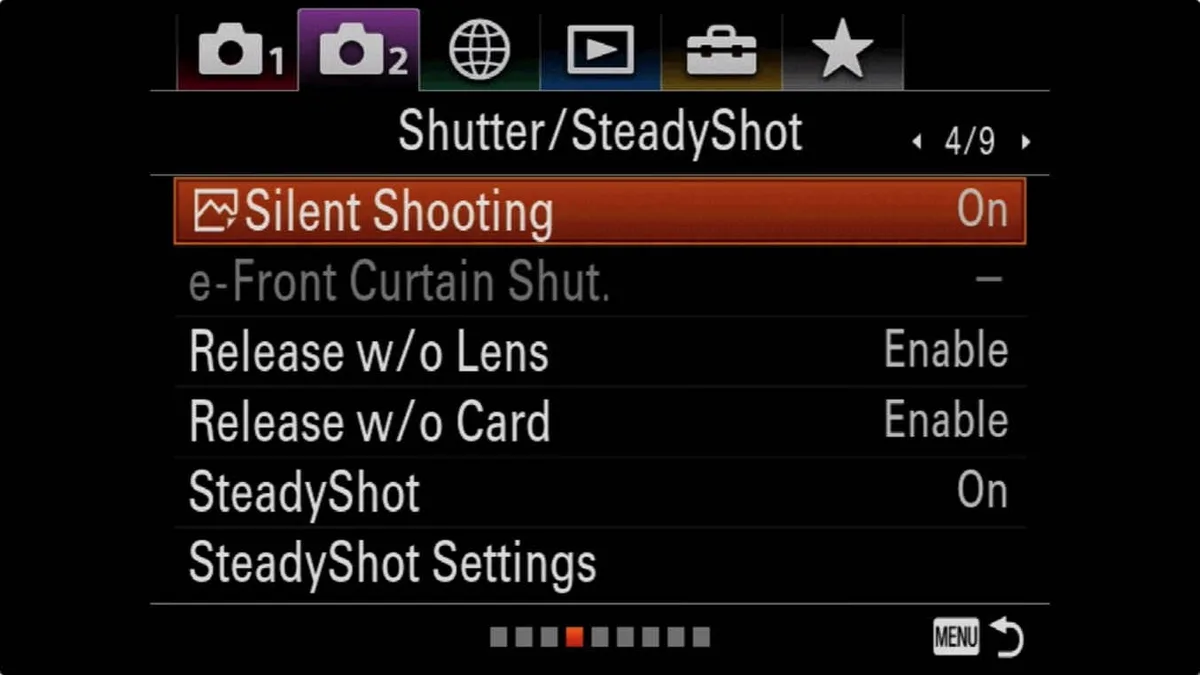
Image source: Web (Bing) / havecamerawilltravel.com (Web image (fair-use with source credit))
While you are in the menu, also check the Electronic First Curtain Shutter (EFCS) setting. On some cameras, EFCS can get stuck in a half-initialized state after a firmware glitch. Turning EFCS off to force a fully mechanical shutter is a good test.
If the shutter works with EFCS off, the software controlling the first curtain is the problem, not the mechanical parts.
Decoding Shutter Error Messages – What They Mean for Your Camera
Error messages are actually a gift. They tell you exactly which subsystem the camera thinks is failing. You just need to know what each message means for your specific model.
Here is a quick reference table for the most common shutter-related codes across major brands.
| Brand | Error Message | Most Likely Cause |
|---|---|---|
| Sony | "Camera Error. Turn camera off and on." | Software lock, lens communication, or battery voltage drop |
| Canon | "Err 01" | Communication error between camera and lens |
| Canon | "Err 80" | Mechanical shutter or mirror assembly issue |
| Nikon | "Shutter error. Turn camera off and on." | Shutter mechanism jammed or timing issue |
| Fujifilm | "Shutter Error" or "Turn camera off and on" | Mechanical shutter blade stuck or electronic control fault |
| Panasonic | "System Error (Zoom)" | Lens or shutter communication failure |
| OM System | "Shutter Error" | Similar to Fuji – blade jam or control board issue |
If you see any of these, the first step is the same. Turn the camera off, remove the battery, wait 30 seconds, and reinsert it. This clears volatile memory and can reset a stuck control state.
If the error persists, try a camera reset through the menu to restore default settings. Many common camera error codes respond to this approach.
If the error message appears specifically after you take a shot and the screen goes black, the shutter may be physically stuck in the closed position. Shine a flashlight into the lens mount with the lens removed. Look at the sensor.
Do you see the shutter blades covering the sensor even when the camera is on? That confirms a mechanical jam. At that point, a repair is likely necessary.
Some cameras store a log of error codes in a hidden diagnostic menu. Accessing this menu is model-specific and often requires a sequence of button presses during startup. This is not for casual users, but it exists.
If you are comfortable searching for the service manual for your exact body, that log can tell a repair technician exactly which part failed.
Mechanical vs Electronic Shutter – The Key Decision Branch
This is where the diagnostic tree splits into two clear paths. If the shutter works in one mode but not the other, you have narrowed the problem dramatically. The component that fails is usually specific to the mode you are using.
Test this yourself. In your camera menu, set the "Shutter Type" or "Shutter Mode" to "Mechanical" only. Take a shot.
If it works, switch to "Electronic" only. Take another shot. Then try "Electronic First Curtain" if your camera has it.
Note which modes fire and which do not.
| Shutter Mode | What Happens | If It Fails, Likely Cause |
|---|---|---|
| Mechanical only | Physical curtain opens and closes | Mechanical wear, blade jam, solenoid failure |
| Electronic only | Sensor rolls up readout, no moving parts | Sensor circuit issue, very rare |
| EFCS | First curtain electronic, second curtain mechanical | Mixed – could be either system |
If mechanical shutter fails but electronic works, the physical curtain or its actuator is the problem. This is a repair job. The shutter assembly needs replacement, which costs $200 to $500 depending on your camera model.
If electronic shutter fails but mechanical works, the sensor readout circuitry may have an issue. That is even more expensive and often means the camera is beyond economic repair.
Many photographers as of 2026 rely heavily on electronic shutter for high burst rates and silent shooting. But if you shoot flash or fast-moving subjects, you need the mechanical shutter. This test tells you exactly which system to investigate further.
It is the most useful diagnostic step in this entire guide.
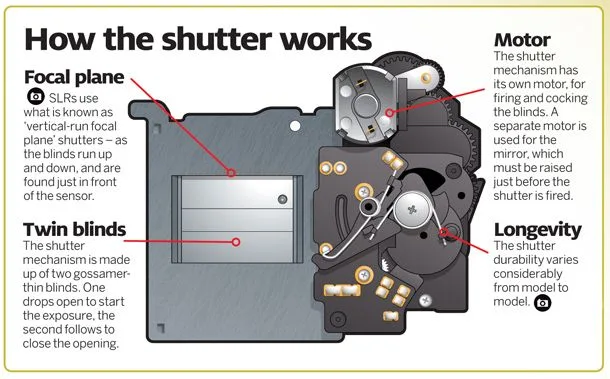
Image source: Web (Bing) / ar.inspiredpencil.com (Web image (fair-use with source credit))
When to Reset, Update, or Seek Repairs
You have checked the battery, card, lens, silent mode, and error messages. The shutter works in some modes but not others. Now you have three remaining tools before you accept that a repair is needed.
First, reset the camera. A full factory reset clears all custom settings and returns the camera to its default state. This can fix software glitches that affect shutter timing, button mapping, or drive mode selection.
The process varies by brand but is always in the setup or wrench menu. On Sony bodies, it is under "Setup" and then "Reset Default". On Canon R series, look for "Clear Settings" in the wrench tab.
On Nikon Z cameras, it is under "Setup Menu" and then "Reset All Settings". On Fujifilm X series, it is under "Setup" and then "Reset". A reset does not erase images on your memory card.
If problems persist, a full camera system reset may help.
Second, update the firmware. Camera manufacturers regularly release firmware updates that address known issues with shutter behavior, autofocus, and overall stability. Check your manufacturer's support website with your exact model number.
Follow the instructions carefully. Use a fully charged battery. Interrupting a firmware update can brick the camera.
This applies to lens firmware as well, since the lens communicates with the shutter system. For specific steps, refer to guidance on updating camera firmware.
Third, check the shutter count. If your camera has over 200,000 actuations for a consumer model or over 400,000 for a pro model, the shutter may simply be worn out. You can read the shutter count using the camera internal diagnostic menu or free software tools.
A high count does not guarantee failure, but it increases the probability significantly.
If all these steps fail, you need to decide whether to repair or replace. Get a quote from an authorized service center. For cameras worth more than $1,000, a $300 shutter replacement is often worth it.
For older or entry-level bodies, the same repair might exceed the camera resale value. That is the point where buying a new body makes more financial sense.
Frequently Asked Questions About Mirrorless Shutter Failure
Why does my mirrorless camera shutter not fire in silent mode?
It is likely working, but you cannot hear it. Silent mode uses the electronic shutter, which makes no sound. Check the viewfinder or screen for a captured image.
If no image appears, silent mode is not the problem.
Can a low battery cause the shutter to stop working?
Yes. A battery below a safe voltage level will lock the shutter to prevent damage. Fully charge your battery or swap in a known working one.
This is one of the easiest fixes to test.
How do I force the shutter to fire if it is stuck?
Do not force it physically. Remove the lens and look at the sensor area. If the shutter blades are visibly jammed, any attempt to force movement can damage the sensor.
Turn the camera off, remove the battery, and seek professional repair.
What does "Turn camera off and on" mean on a Sony mirrorless?
It is a generic error code. The camera detected something wrong and locked down to prevent damage. Remove the battery for 30 seconds, reinsert, and try again.
If the error returns, the issue is likely hardware related.
How much does a shutter replacement cost in 2026?
Expect $200 to $500 for most mirrorless cameras from authorized service centers. Third-party repair shops may charge less but void your warranty. High-end professional bodies like the Sony A1 or Nikon Z9 cost more due to complex shutter assemblies.
Is a high shutter count always a problem?
No. Shutter life ratings are estimates, not expiration dates. Many cameras exceed their rated actuations and continue working.
But the risk of failure increases with use, especially past 300,000 actuations on consumer models. If your camera has a high count and develops shutter issues, replacement is often the right call.

Similar Posts