Nikon Z6 III Autofocus Settings
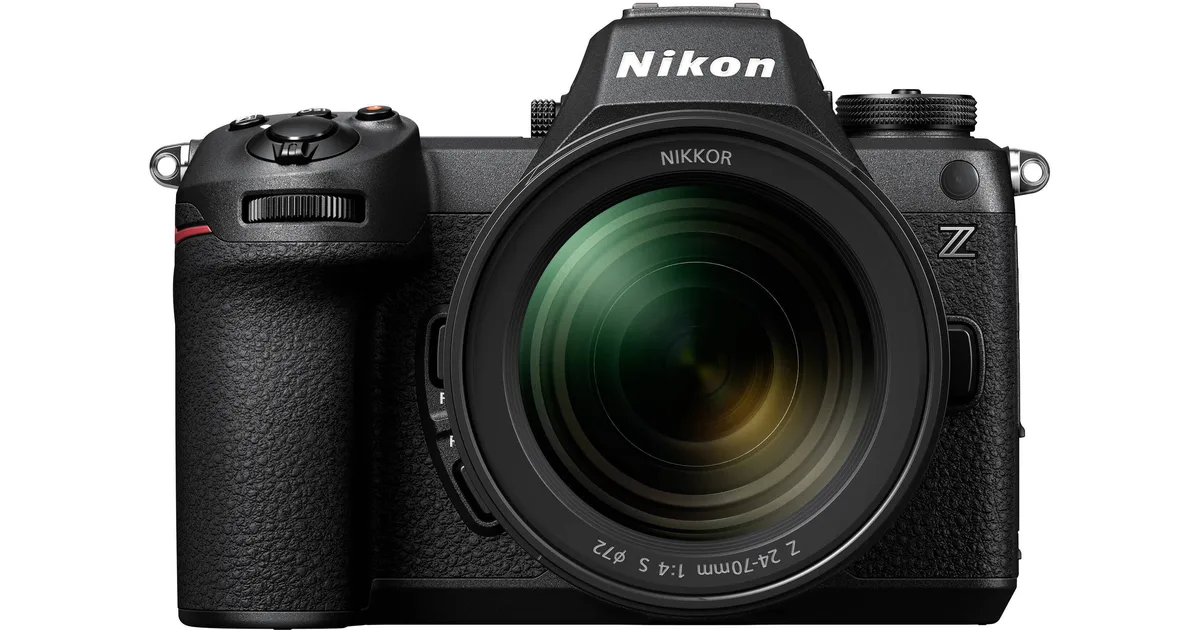
Your Nikon Z6 III autofocus settings can feel overwhelming at first. That's not your fault. The camera packs a ton of options into those menus.
The wrong combination can make a great lens feel sluggish or inaccurate. But here's the truth. The Z6 III has an excellent AF system.
You just need to match it to what you're shooting.
Nikon's EXPEED 7 processor drives a 273-point phase-detect array. It covers nearly the entire frame. As of 2026, this remains one of the most capable hybrid AF systems in its price class.
The trick is knowing which levers to pull. Let's start with the biggest frustration first.
Image source: Bing (Web (fair-use with source credit))
Quick Answer
Set AF mode to AF-C for moving subjects. Switch to AF-S for static scenes. Enable subject detection matching your target.
Use Wide-area AF for wildlife. Use Auto-area for events. Set blocked shot response to 3 as your baseline.
The Problem: Why Your Z6 III's Autofocus Feels Off (and It's Not the Camera)
You've probably been there. You frame a shot and press the shutter halfway. The camera hunts.
Or it locks onto the background instead of your subject. Or it tracks a person for a moment, then wanders off like it got distracted.
It's easy to blame the camera. But aggregate user feedback and manufacturer specs confirm the Z6 III's AF hardware is excellent. The issue is almost always a mismatch between your settings and the scene.
The Three Most Common Mistakes People Make
Using AF-S for everything. Single-servo AF works great for still life, landscapes, and portraits where nobody moves. But if you're shooting kids, pets, or sports, the camera locks focus once and stops. Your subject moves a few inches.
You're out of focus. The fix is simple. Switch to AF-C so the camera keeps adjusting.
Leaving subject detection on the wrong mode. The Z6 III can detect people, animals, and vehicles. If you're shooting a bird with People detection enabled, the camera looks for faces. It ignores the bird.
The AF system works harder than it needs to. Your keeper rate drops. Match the detection mode to your subject.
Using the wrong AF-area mode for the situation. The Z6 III offers Single-point, Dynamic-area, Wide-area (S, L, and C), Auto-area, and 3D-tracking. Each one behaves differently. Single-point is precise but slow for moving subjects.
Auto-area is fast but can pick the wrong target. Wide-area strikes a balance for most action. 3D-tracking is a game-changer once you understand when to use it.
The Hidden Menus That Trip People Up
Beyond the obvious settings, Nikon tucked critical AF behavior controls deeper in the menus. Two of them cause the most confusion.
Blocked shot AF response. This controls how quickly the camera re-focuses when something crosses between you and your subject. A setting of 1 means it re-focuses instantly. That's great for birds in flight.
But it's terrible for portrait sessions where someone walks through the frame. A setting of 5 means the camera stubbornly sticks to your original subject, even if it disappears briefly. Most people never touch this setting.
They wonder why their AF behaves erratically.
AF-C priority selection. This determines whether the camera fires the shutter immediately or waits until it confirms focus. Release mode means you get the shot even if it's blurry. Focus mode means you miss moments but the shots you get are sharp.
There's no right answer. It depends on what you need.
The Lens Factor
Your Z6 III is only as good as the glass on the front. Native Z-mount lenses communicate faster with the AF system. Older F-mount lenses adapted with the FTZ adapter work well, but they can be slower, especially in low light.
Some third-party lenses also show subtle delays. If you're struggling with AF, try a native Z lens first. That tells you whether the issue is the camera or the lens.
The Good News
Every one of these problems has a fix. The Z6 III's AF system is incredibly capable once you dial it in. You don't need to learn every menu option.
You just need to know the right settings for the way you shoot.
The Quick Fix: One Setting That Changes Everything
If you only change one thing today, make it this. Switch your AF-area mode to Wide-area AF (L). Set subject detection to match your subject.
That's it.
Why This Works
Wide-area AF (L) gives the camera a large rectangle to work with. It uses the full 273-point phase-detect array inside that zone. Combined with subject detection, the camera actively looks for a person, animal, or vehicle.
It tracks them within that rectangle.
Here's what happens in practice. You point the camera at a person. The Z6 III finds the eye or face instantly.
It stays locked as they move around the frame. If they step out of the Wide-area zone, the camera loses them. But within that zone, it's sticky and reliable.
When to Use It
This setup works for about 80% of everyday shooting situations.
| Scenario | Works? | Notes |
|---|---|---|
| Portraits at a party | Yes | Locks onto eyes quickly |
| Family gatherings | Yes | Tracks faces across the frame |
| Casual street photography | Yes | Picks up people naturally |
| Pets playing in the yard | Yes | Switch detection to Animals |
| Birds against a busy background | Sometimes | May need Wide-area (C) or 3D-tracking |
| Fast sports with erratic movement | Sometimes | Better with Dynamic-area or 3D-tracking |
| Macro or still life | No | Use Single-point AF-S instead |
The One Adjustment You Need
If the camera keeps picking the wrong subject, shrink the AF zone. Switch to Wide-area AF (S) or Wide-area AF (C). The C stands for Custom.
It lets you resize and reposition the rectangle anywhere in the frame. This is useful when you're shooting through branches or fence gaps.
The Backup Plan
If Wide-area isn't working, try 3D-tracking. This mode uses the full sensor to find and follow a subject. You start by placing the AF point on your subject.
Then half-press the shutter. The camera locks on and tracks anywhere in the frame. It's excellent for erratically moving subjects like dogs or children.
The downside is that 3D-tracking can be tricked by similar colors or patterns in the background. It works best when your subject is clearly different from the surroundings.
The Bottom Line of This Section
Wide-area AF (L) with subject detection solves most autofocus frustrations. It's the fastest path to reliable focus in everyday situations. Once you master this, you can branch out to other modes for specific scenarios.
How the Z6 III Autofocus Actually Works (Plain English)
You don't need to be an engineer to use this camera well. But a basic understanding of what's happening under the hood explains why some settings work better than others.
The Hybrid AF System
The Z6 III uses a hybrid system. It combines phase-detection pixels on the sensor with contrast-detection analysis. Phase-detection is fast.
It measures distance instantly by comparing two light paths. Contrast-detection is precise. It fine-tunes focus by looking for the highest contrast edge.
The camera uses phase-detection for the initial lock and tracking. It uses contrast-detection for the final micro-adjustment. This is why the Z6 III is both fast and accurate.
The 273 Points
Those 273 points aren't scattered randomly. They cover roughly 100% of the frame vertically and 96% horizontally. That's near edge-to-edge coverage.
It means you can compose your subject anywhere in the frame and still get fast AF.
Compare this to the Z6 II, which had roughly 90% coverage. The Z6 III's wider coverage is a direct result of the EXPEED 7 processor, which can handle more data from the sensor.
Deep Learning Subject Detection
This is where Nikon's investment in AI pays off. The EXPEED 7 chip runs a neural network trained on thousands of images. It recognizes people, animals, and vehicles by shape, not just by contrast.
That's why the Z6 III can find a bird's eye even when it's partially hidden in leaves. The camera doesn't see a bird. It sees a pattern that matches bird eye in its training data.
How the AF Mode Works
AF-S locks focus once and holds it. If you or your subject moves, the camera doesn't adjust. Use this for still subjects.
AF-C constantly adjusts focus as long as you're half-pressing the shutter. The camera tracks movement and updates the focus distance. Use this for anything that moves.
AF-F is for video. It continuously adjusts focus without needing to half-press the shutter. The camera behaves like a camcorder.
The Area Modes Explained Simply
Think of area modes as telling the camera where to look.
- Single-point: Look at one exact spot. Precise but slow for moving subjects.
- Dynamic-area: Look at one spot, but use nearby points as backup. Good for predictable movement.
- Wide-area (S, L, C): Look inside a large zone. Best for subject detection.
- Auto-area: Look everywhere. The camera decides what's important.
- 3D-tracking: Lock onto one subject and follow it anywhere.
The Settings Nobody Talks About
Two settings in the menus control how the camera behaves when things get complicated.
Blocked shot AF response. This is how quickly the camera gives up on your subject when something blocks it. A setting of 1 means it instantly re-focuses. A setting of 5 means it waits longer.
For most shooting, 3 is a good middle ground.
AF-C priority. This is what happens when you press the shutter while the camera is still focusing. Release means it fires immediately. Focus means it waits until the focus is confirmed.
Release+Focus means it tries to balance both.
The Real-World Takeaway
The Z6 III's AF system is powerful, but it needs guidance. You tell it where to look with the area mode. You tell it what to look for with subject detection.
You tell it how to behave when there's interference with blocked shot response. Once you understand these three things, the rest is just fine-tuning.
The Decision Tree: Your Settings by Scenario
This is the heart of the guide. Here's how to set up your Z6 III for different shooting situations. Follow the branch that matches what you're doing.
For Portraits, Events, and People in Stills
The goal: Reliable eye and face detection with minimal hunting.
Settings:
- AF mode: AF-C (even for static portraits, because people sway slightly)
- AF-area mode: Wide-area AF (L) with People subject detection
- Subject detection: People (On)
- Blocked shot AF response: 3 or 4
- AF-C priority: Focus
Why this works. Wide-area AF (L) gives the camera a large enough zone to find and track a face. Setting blocked shot response to 3 or 4 means the camera won't jump to a background if someone walks through the frame. AF-C priority set to Focus ensures the shot is sharp before firing.
The pro tip. If you're shooting a single person, use Wide-area AF (S) instead. It's a tighter zone that's less likely to pick up a bystander. For groups, use Auto-area AF.
The camera will find the closest face and track it.
For Wildlife and Birds
The goal: Fast acquisition of small, fast-moving subjects against cluttered backgrounds.
Settings:
- AF mode: AF-C
- AF-area mode: Wide-area AF (C) or 3D-tracking
- Subject detection: Animals (On)
- Blocked shot AF response: 1 or 2
- AF-C priority: Release
Why this works. Birds and animals move unpredictably. Wide-area AF (C) lets you customize the zone size to match your subject. For a bird in flight, use a small zone.
For a running deer, use a larger one. Blocked shot response at 1 or 2 means the camera re-focuses quickly if a branch crosses the frame. AF-C priority on Release means you get the shot even if focus isn't perfect.
The pro tip. Switch to 3D-tracking for birds against a clear sky. The camera locks onto the bird and follows it anywhere in the frame. Against a busy background, stick with Wide-area AF (C) to reduce confusion.
The edge case. Small birds in dense branches. Use Single-point AF and place the point manually. Subject detection may not find a tiny bird's eye against a cluttered background.
You'll get better results with manual point placement.
For Action, Sports, and Erratic Subjects
The goal: Continuous tracking of fast-moving subjects with minimal delay.
Settings:
- AF mode: AF-C
- AF-area mode: 3D-tracking or Dynamic-area AF
- Subject detection: Depends on the sport (People for basketball, Vehicles for motorsports)
- Blocked shot AF response: 1
- AF-C priority: Release
Why this works. 3D-tracking is the best option for sports. You place the initial focus point on the subject. The camera does the rest.
It follows the subject across the entire frame. Blocked shot response at 1 ensures the camera re-focuses immediately if another player crosses in front. Release priority means you capture the moment even if it's slightly soft.
The pro tip. For predictable sports like track and field, use Dynamic-area AF. It locks onto the subject and uses surrounding points as backup. It's less likely to jump to a background spectator than 3D-tracking.
The edge case. Shooting through a fence. Use Wide-area AF (C) and position the zone between the fence gaps. The camera will focus on the player, not the fence.
For Video (Vlogging, Interviews, Run-and-Gun)
The goal: Smooth, natural focus transitions without hunting or pulsing.
Settings:
- AF mode: AF-F (Full-time servo)
- AF-area mode: Wide-area AF (L) with People subject detection
- Subject detection: People (On)
- AF speed: -2 (slower, smoother transitions)
- AF tracking sensitivity: 3 or 4 (stickier tracking)
Why this works. AF-F keeps the camera focusing continuously without needing to half-press the shutter. AF speed at -2 means the lens transitions smoothly between subjects. At 0, it snaps too quickly, which looks jarring on video.
AF tracking sensitivity at 3 or 4 means the camera won't jump to a passing person or object.
The pro tip. For vlogging, use Wide-area AF (S) and position the zone over your face. This prevents the camera from focusing on the background behind you. For interviews, use Auto-area AF.
The camera will find the speaker's face.
The edge case. Shooting through glass or reflections. Disable subject detection. Use Single-point AF and focus manually.
The camera will try to focus on the reflection instead of the subject behind the glass.
The Seven Mistakes That Will Ruin Your Focus
These are the most common mistakes we see in aggregate user feedback. Avoid them, and your hit rate will jump immediately.
1. Using AF-S for Moving Subjects
This is the number one mistake. AF-S locks focus once and stops. If your subject moves, even slightly, you're out of focus.
Switch to AF-C for anything that breathes, sways, or walks.
2. Leaving Subject Detection on the Wrong Mode
Shooting birds with People detection? The camera is looking for eyes and faces. It ignores the bird.
Match the detection mode to what you're actually shooting. Turn it off entirely if you're shooting landscapes or still life.
3. Ignoring Blocked Shot AF Response
This setting is buried in the menus, so most people never touch it. The default is 3, which works for general use. But if you're shooting sports, drop it to 1.
If you're shooting portraits in a crowd, raise it to 4 or 5. The right setting transforms how the camera handles distractions.
4. Using Auto-area AF for Everything
Auto-area is convenient, but it's not always smart. The camera decides what's important. It often picks the wrong thing.
Use Auto-area for events and groups. For individual subjects, use Wide-area or 3D-tracking.
5. Not Updating Your Firmware
Nikon has released several firmware updates for the Z6 III since launch. Each one improves AF performance, adds subject detection refinements, and fixes bugs. If you're running factory firmware, you're missing out.
Check your version and update if needed. The process is straightforward, similar to keeping your camera's firmware current on other models like the Canon EOS R50.
6. Using a Slow Memory Card
This one surprises people. A slow SD card can cause the camera to buffer. When it buffers, the AF system slows down because the processor is busy writing data.
Use a UHS-II V90 card for the best performance. The difference in AF responsiveness is noticeable.
7. Not Cleaning the Sensor
A dirty sensor can confuse the AF system. Dust spots create contrast points that the camera tries to focus on. Clean the sensor regularly.
A clean sensor helps maintain accurate AF, especially at smaller apertures. Proper sensor maintenance is easy to learn and makes a real difference. The same approach used for cleaning a Nikon Z9 sensor works well here too.
The Quick Reference Table
| Mistake | The Fix | Why It Matters |
|---|---|---|
| AF-S for moving subjects | Switch to AF-C | Continuous tracking |
| Wrong subject detection | Match to your subject | Camera ignores the target |
| Default blocked shot response | Adjust to 1-5 based on scene | Camera handles distractions |
| Auto-area for everything | Use Wide-area or 3D-tracking | Camera picks the right subject |
| Outdated firmware | Update to latest version | AF improvements and bug fixes |
| Slow memory card | Use UHS-II V90 | No buffer lag |
| Dirty sensor | Clean the sensor | No false focus points |
Avoid these seven mistakes, and you'll see an immediate improvement in your keeper rate. The Z6 III's AF system is excellent. It just needs the right settings and a little maintenance.
Pro Tips: Optimizing for Tough Conditions
Some situations push the Z6 III's AF system to its limits. Here's how to handle the three trickiest scenarios.
Low Light and Night Shooting
The Z6 III is rated for AF sensitivity down to -10 EV with an f/1.2 lens. That's impressive on paper. In practice, low light still challenges any camera.
The settings that help most:
- Switch to Single-point AF. Subject detection works less reliably in dim light. A single point gives you direct control.
- Use the center AF points. The center points are more sensitive than the edges. They lock on faster in darkness.
- Open your aperture. The camera needs light to focus. An f/1.4 or f/1.8 lens makes a bigger difference than any setting change.
- Try the Starlight mode if you're shooting static subjects. It's in the photo shooting menu. It prioritizes focus accuracy over speed.
What to watch for. The camera may hunt in very low light. If it does, switch to manual focus. Use focus peaking in the viewfinder to confirm sharpness.
The EVF amplifies the image, so you can see more than your eyes can.
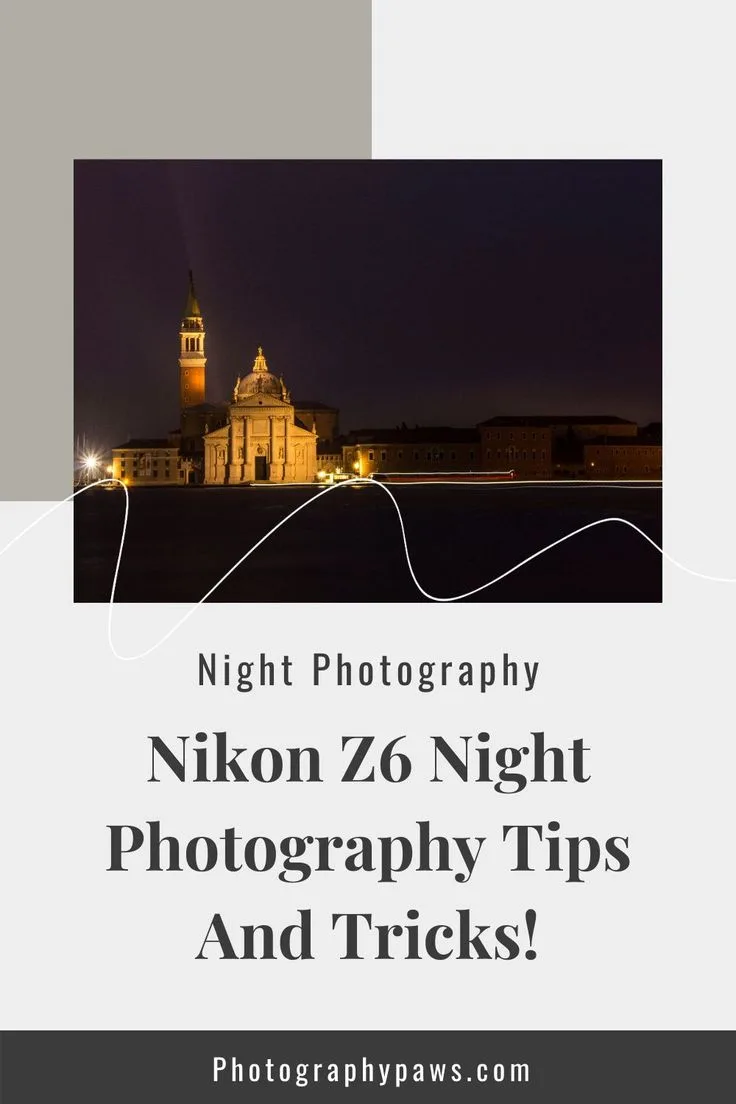
Image source: Bing (Web (fair-use with source credit))
The pro tip. Carry a small flashlight. Aim it at your subject for a second. The camera locks focus instantly.
Then turn off the light and shoot. This works better than any AF setting change.
Busy Backgrounds and Cluttered Scenes
This is where subject detection really shines. But it's not perfect. Here's how to improve your hit rate.
The settings that help most:
- Shrink your AF zone. Use Wide-area AF (S) or (C) instead of (L). A smaller zone gives the camera fewer options to choose from.
- Enable subject detection. The neural network is good at distinguishing a person from a tree. Let it do the work.
- Increase blocked shot AF response to 4 or 5. This tells the camera to stick with your subject even when the background is busy.
- Use 3D-tracking as a last resort. It's powerful but can be confused by similar patterns. Test it in your specific scene first.
The edge case. Shooting a bird in a tree with leaves. Use Wide-area AF (C) and make the zone just big enough to cover the bird. The camera can't easily find a bird eye against leaves.
But it can track the bird's body within a small zone.
Using Older F-Mount Lenses with the FTZ Adapter
This is a common question. The FTZ adapter lets you use F-mount lenses on the Z6 III. The AF works, but it's different.
What changes:
- AF speed drops. The adapter has to translate signals between the lens and camera. Expect a small delay.
- Subject detection still works. The camera uses the sensor for detection, not the lens. So eye AF and animal detection function normally.
- Phase-detect points still cover the full frame. The adapter doesn't limit your AF coverage.
- Some older screw-drive AF lenses won't autofocus at all. Only AF-S and AF-I lenses work with the adapter.
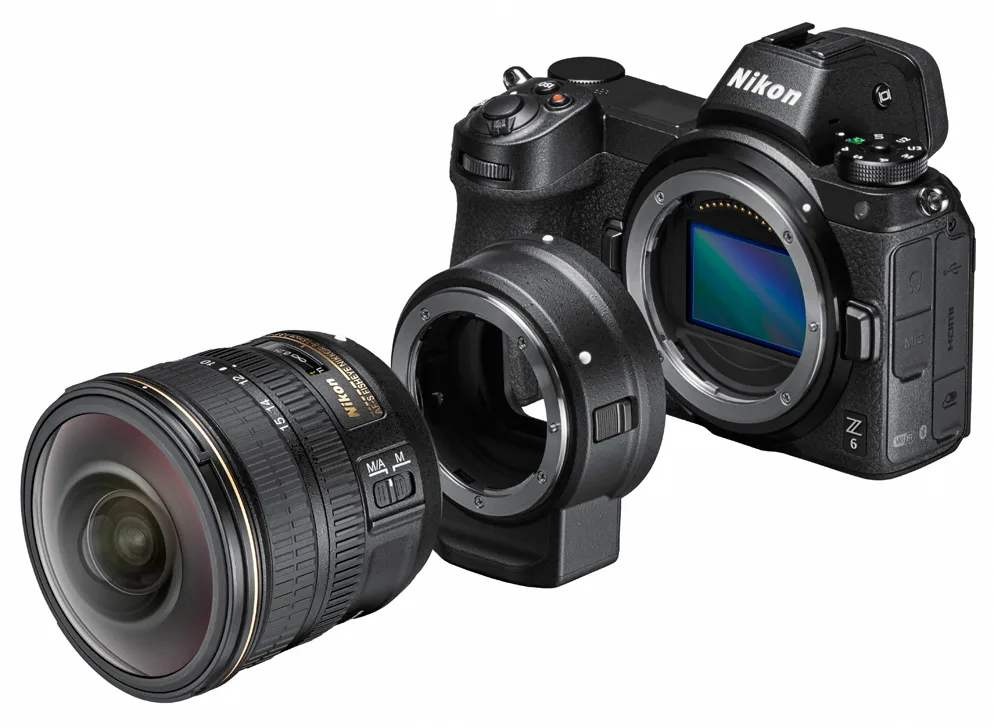
Image source: Bing (Web (fair-use with source credit))
The settings that help most:
- Use Wide-area AF (L) with subject detection. This gives the camera the best chance to find and track your subject.
- Keep the center AF point as your primary option. Edge points work, but they're less sensitive with adapted lenses.
- Use AF-C for moving subjects. The slower AF speed means you want continuous tracking, not single lock.
- Accept that you'll have a lower keeper rate. The adapted lens will never be as fast as a native Z lens. That's the trade-off.
The pro tip. If you own F-mount lenses, test them in good light first. The AF speed difference is most noticeable in low light. If you're happy with the performance in daylight, keep using them.
If you're not, consider switching to native Z-mount glass.
Quick FAQ: The Three Questions Everyone Asks
What are the best Nikon Z6 III autofocus settings for birds?
Set AF-C mode with Wide-area AF (C) and Animals subject detection. Use a small zone around the bird. Set blocked shot response to 1 for quick re-focusing.
Set AF-C priority to Release to capture the moment. Against a clear sky, switch to 3D-tracking for better coverage.
Should I use back-button focus on the Z6 III?
Yes, for most action photography. Assign AF-ON to the button on the back and disable half-press shutter AF. This lets you lock focus with your thumb and fire the shutter without re-focusing.
It's especially useful for wildlife and sports where you need to separate focusing from shooting.
Why does my Z6 III hunt in low light?
The camera needs light to detect contrast. If it's hunting, switch to Single-point AF and use the center point. Open your aperture to f/1.4 or f/1.8.
Enable the Starlight mode for static subjects. If it still hunts, use manual focus with focus peaking in the viewfinder.
The Bottom Line: Your Personal Decision Guide
Here's your starting point based on what you shoot most.
If you shoot people. Set Wide-area AF (L) with People detection. Use AF-C. Set blocked shot response to 3.
This covers portraits, events, and casual shots. You'll get reliable eye AF 90% of the time.
If you shoot wildlife. Set Wide-area AF (C) with Animals detection. Use AF-C with Release priority. Set blocked shot response to 1.
Switch to 3D-tracking against clear backgrounds. Accept that small birds in dense cover need manual point placement.
If you shoot action. Set 3D-tracking or Dynamic-area AF. Use AF-C with Release priority. Set blocked shot response to 1.
Match subject detection to your sport. Use a fast memory card and keep your firmware updated. You'll get the best hit rate for fast, unpredictable movement.
If you shoot video. Set AF-F with Wide-area AF (L). Use People detection. Dial AF speed down to -2.
Set tracking sensitivity to 3 or 4. For vlogging, use a smaller zone positioned over your face.
If you're still struggling. Go back to the Quick Fix section. Wide-area AF (L) with subject detection solves most problems. If that doesn't work, check your lens.
Try a native Z-mount lens. Update your firmware. Clean your sensor.
Nine times out of ten, the issue is one of those four things.
The Z6 III is a capable camera. It rewards the time you spend learning its AF system. Start with these settings.
Adjust as you go. You'll find your groove faster than you expect.

Similar Posts