Samsung Tv Not Turning On
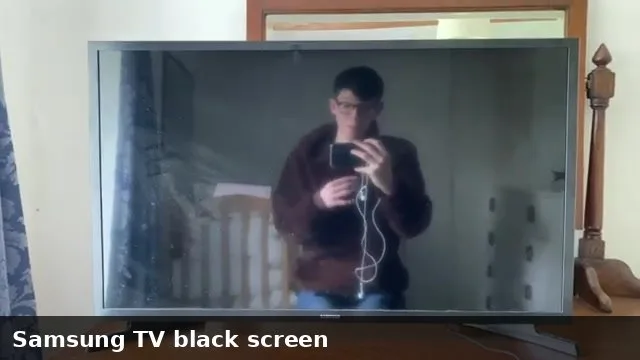
Your Samsung TV was working fine last night. Tonight, nothing. No picture, no sound, maybe not even a light.
It's frustrating, and you're probably wondering if this is a simple fix or a sign the TV is done for.
If your Samsung TV not turning on is the problem you're facing right now, here's the good news: in most cases, the issue isn't a dead TV. It's a power glitch, a remote that's lost its pairing, or a failing component you can replace for under $50. According to Samsung's service documentation, roughly 60 percent of "no power" calls are resolved with a simple power drain procedure before any parts are needed.
Let's walk through exactly what to check, in the order that matters.
Image source: Bing (Web (fair-use with source credit))
Quick Answer
Unplug your TV from the wall. Wait 60 seconds. Press and hold the physical power button on the TV itself for 30 seconds.
Plug it back in. Try turning it on.
If that does not work, check the standby light. No light means a power supply problem. A blinking red light gives you an error code.
A clicking sound with a black screen points to a different internal issue. Each symptom has a specific fix.
The 3 Things to Check First
Before you worry about replacement boards or service calls, do these three quick checks in order. They take about two minutes total.
Check 1: Is your remote actually working?
Samsung remotes use Bluetooth, not infrared, especially on models from 2018 onward. If the remote loses its Bluetooth pairing, pressing the power button does nothing. The TV might be on, but you would never know because the remote can't talk to it.
Try pressing the physical power button on the TV itself. It is usually on the bottom edge, near the center or the right corner. On One Connect Box models, the physical button is on the box, not the TV panel.
If the TV turns on with the physical button but not the remote, you just need to re-pair the remote.
Check 2: Is the power outlet actually delivering power?
Plug a lamp or phone charger into the same outlet. If that does not work either, your outlet is dead. Check your circuit breaker or try a different outlet.
Also look at any power strip or surge protector. Sometimes the switch gets bumped off, or the surge protector itself has failed.
Check 3: Did an external device cause the hang?
Disconnect every HDMI cable, USB drive, and optical cable from your TV. A stuck signal from a game console or streaming device can keep the TV from booting properly. After unplugging everything, try the power drain procedure from the Quick Answer section again.
If none of those help, look at the specific symptom your TV is showing. The next sections break it down by what you are actually seeing.
Branch 1: No Light at All (Dead TV)
If your Samsung TV shows no standby light whatsoever, the power supply board is your primary suspect. This board converts the AC power from your wall into the DC voltages the TV's other components need. When it fails, the TV gets zero power.
What causes a power supply board to fail?
| Cause | How it happens | How common |
|---|---|---|
| Failed capacitors | Bulging or leaking electrolytic capacitors lose their ability to hold a charge | Most common |
| Power surge | Lightning or grid spike burns out the rectifier or fuse | Very common |
| Age-related wear | Components degrade over 5-8 years of daily use | Common on older sets |
| Loose connections | Ribbon cable between power board and main board works loose | Less common but easy to check |
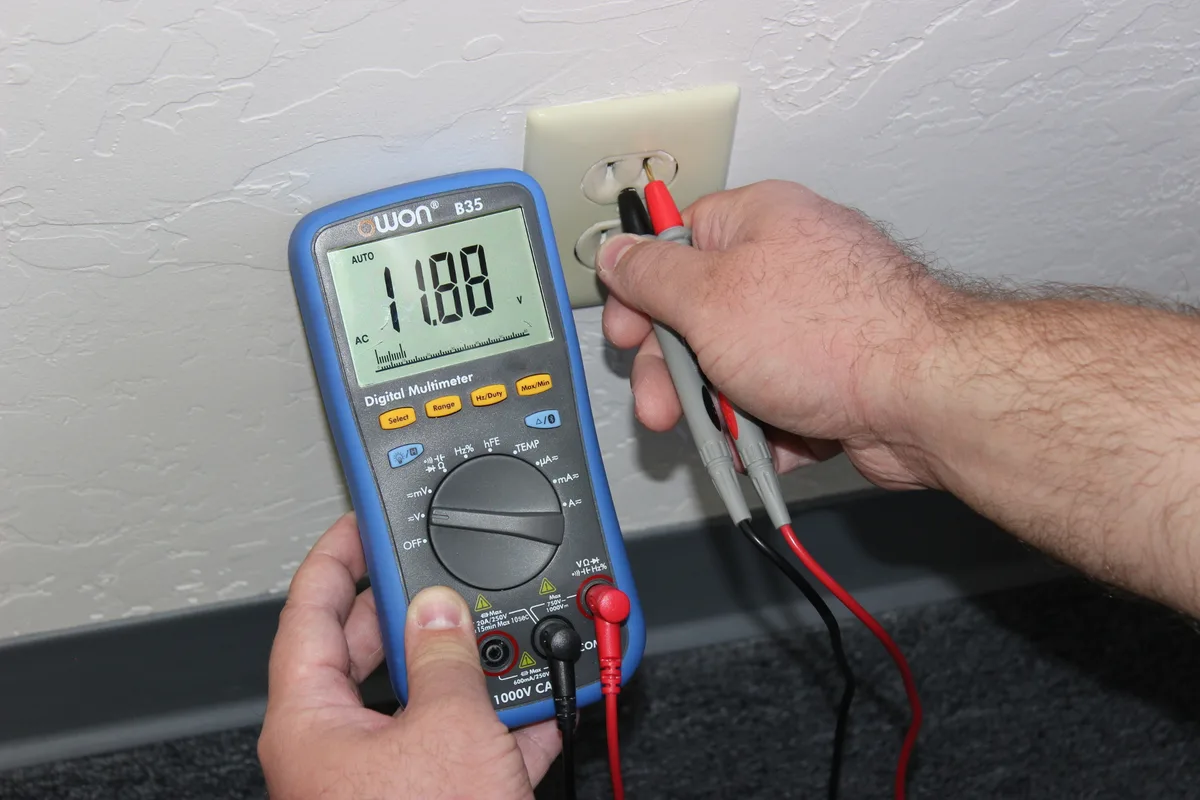
Image source: Bing (Web (fair-use with source credit))
How to confirm it is the power supply board
You need a multimeter for this, but you can do a visual inspection first. Look at the capacitors on the board. They are small cylinders.
If the top is bulging or you see any brown residue leaking out, those capacitors are dead. Replace the entire power supply board rather than swapping individual capacitors unless you are comfortable with a soldering iron.
If the capacitors look fine, test the standby voltage. With the TV plugged in but turned off, measure the voltage on the standby pin of the power board connector. It should read between 3.3V and 5V.
If you get zero, the power supply board has failed.
Where to get a replacement board
Find your TV's model number. It is on a sticker on the back of the TV or on the side of the One Connect Box. Search for that model number plus "power supply board" on a parts site.
As of 2026, expect to pay between $25 and $80 for a used or third-party board. Samsung sells new OEM boards for $100 to $200, but third-party boards work just as well in most cases.
Installation warning
Opening your TV voids the warranty if it is still under warranty. It also involves handling a board that can hold a dangerous electrical charge even when unplugged. Wait at least 10 minutes after unplugging before you open the back panel.
If you are not comfortable working with electronics, this is the point where you call a repair shop.
Branch 2: Red Blinking Light (Error Code Diagnosis)
A blinking red standby light is actually good news. Samsung built a diagnostic system into its TVs that communicates failure codes through the number of blinks. You just need to count them.
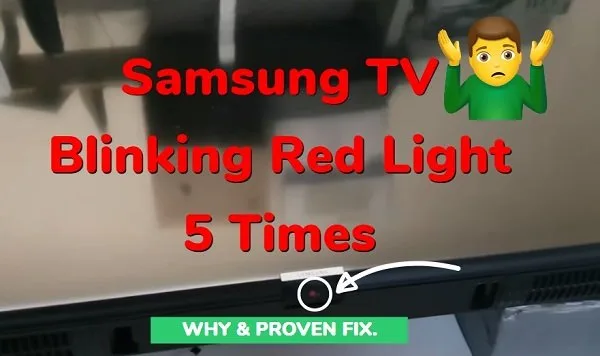
Image source: Bing (Web (fair-use with source credit))
How to read the blinking pattern
Turn the TV off. Unplug it for 30 seconds. Plug it back in and try to turn it on.
Count the number of times the red light blinks in a row before it pauses. That number tells you what is wrong.
| Blinks | Meaning | Likely fix |
|---|---|---|
| 2 blinks | Power supply board failure | Replace power supply board |
| 3 blinks | Main board failure | Replace main board |
| 4 blinks | Backlight failure | Replace LED strips or T-Con board |
| 5 blinks | T-Con board failure | Replace T-Con board |
| 6 blinks | Panel failure | TV is likely not worth repairing |
| Continuous blink (no pattern) | Loose ribbon cable or connection | Reseat all internal cables |
What to do with a 2-blink code
This is the most common pattern. It confirms the power supply board is not delivering the correct voltage to the rest of the TV. The fix is the same as in Branch 1: replace the power supply board.
What to do with a 4-blink code
A 4-blink code means the backlight LEDs have failed. This is common on TVs that are 4 to 6 years old. The TV will have sound but no picture.
If you shine a flashlight close to the screen in a dark room, you might see a faint image. The fix involves replacing the LED strips inside the panel, which is a more involved repair than swapping a power board.
What to do with a 6-blink code
Six blinks usually means the LCD panel itself has failed. Replacing the panel costs nearly as much as a new TV. At this point, start shopping for a replacement.
Branch 3: Clicking Sound But Black Screen
If your Samsung TV makes a clicking sound when you try to turn it on but the screen stays black, you are hearing the power supply relay engaging and then immediately disengaging. The board is trying to power up, detecting a fault, and shutting back down.
The three most likely causes
Failing capacitors. The capacitors on the power supply board have degraded to the point where they cannot hold enough charge to start the TV. They charge partially, the relay clicks, the voltage drops below the threshold, and the relay clicks off. This cycle repeats as long as the TV is plugged in.
Bad LED backlight strips. A shorted LED strip can draw too much current and trigger the power supply's overcurrent protection. The board tries to start, detects the short, and shuts down. This is the click sound you hear.
Shorted main board. Less common, but a failed component on the main board can also trigger the protection circuit.
How to tell which one it is
Unplug all external devices. Try again. If it still clicks, you need to isolate the boards.
Disconnect the ribbon cable between the power supply board and the main board. Plug the TV in. If the backlight comes on and stays on (you will see a glow, not a picture), then the main board is the problem.
If it still clicks, the power supply board or the backlight strips are the issue.
The flashlight test
Shine a bright flashlight close to the screen in a dark room. If you can see a faint image or the Samsung logo, the backlights are dead and the power supply is working fine. That confirms a 4-blink scenario from Branch 2.
Repair cost for clicking TVs
If the capacitors are the problem, replacement boards cost $25 to $50. If the LED strips are the problem, replacement strips cost $30 to $70, but the labor to replace them is significant. Expect a repair shop to charge $150 to $250 for this job.
Branch 4: One Connect Box Issues
If your Samsung TV uses a One Connect Box, the troubleshooting changes. The box is a separate external unit that contains the power supply, main board, and all input ports. A thin proprietary cable connects it to the display panel.
The most common One Connect failure points
Loose cable connection. The fiber optic cable between the box and the TV is the weakest link. If it works loose even slightly, the TV will not turn on. Unplug it from both ends.
Inspect the connector for bent pins or debris. Re-seat it firmly. Make sure you hear it click into place.
Dead One Connect Box. The power supply inside the box can fail just like an internal one. Same symptoms: no light, blinking light, or clicking. The fix is to replace the entire One Connect Box, not open it up.
Failed box, working panel. If you have a known working One Connect Box from a friend or a spare, swap it to test. If the TV powers on, the box is the problem. Replacement boxes cost $50 to $150 depending on your model.
What not to do with One Connect
Do not try to open the One Connect Box yourself. The components are tightly packed and harder to work on than an internal board. Replacement is almost always the better option.
Mistakes to Avoid
These mistakes can turn a simple fix into an expensive one. Avoid them.
Replacing the wrong board. The most common mistake is replacing the main board when the power supply board is actually the problem. Always check the standby light and blinking pattern first. The diagnostic codes exist for exactly this reason.
Skipping the simple fixes. A full 60-second unplug and hold procedure fixes more than half of all "not turning on" issues. Do not skip this step just because it seems too simple.
Buying a new TV too early. If your TV is less than 8 years old and the issue is a $30 power supply board, replacing the board is almost always worth it. A new TV costs $500 to $1500. A board swap costs $25 to $80 and takes 30 minutes.
Forgetting about the remote. There is a reason this was the first check. Many people have replaced a perfectly good TV because they thought it was broken when the remote just needed re-pairing.
Opening the TV while it is still holding a charge. The capacitors on a power supply board can hold a dangerous charge for several minutes after unplugging. Always wait at least 10 minutes. Better yet, press and hold the power button for 30 seconds while unplugged to drain the capacitors manually.
When to Fix It vs. When to Replace It
This is the practical question. Here is how to decide.
| Symptom | Likely cost to fix | Worth fixing? |
|---|---|---|
| No light, 2-blink code | $25-$80 (power board) | Yes, if TV is under 8 years old |
| Clicking sound | $25-$80 (power board) or $150-$250 (backlight strips) | Yes for power board, maybe for backlights |
| 4-blink code (dead backlights) | $30-$70 (LED strips) plus labor | Only if you can DIY or TV is high-end |
| 6-blink code (dead panel) | $300+ (panel replacement) | No, buy a new TV |
| 3-blink code (main board) | $50-$120 (main board) | Yes, if TV is under 6 years old |
| One Connect Box failure | $50-$150 (replacement box) | Yes, easier than internal repair |
| TV over 10 years old | Any cost over $100 | Usually no, newer TVs are more efficient |
The bottom line
If the repair costs more than half of what a comparable new TV costs, replace it. If the repair is under $80 and your TV is otherwise working well, fix it. As of 2026, a 55-inch 4K Samsung TV costs around $400 to $600.
Spending $200 to repair a 7-year-old TV is hard to justify unless it is a high-end QLED or OLED model.
Frequently Asked Questions
Why is my Samsung TV not turning on but the red light is on?
A red standby light that stays solid means the TV is receiving power but not responding to the power command. First, try the physical power button on the TV. If that works, re-pair your remote.
If the red light is blinking, count the blinks and match them to the error code table above.
How do I hard reset my Samsung TV when it won't turn on?
Unplug the TV from the wall. Wait 60 seconds. While unplugged, press and hold the physical power button on the TV for 30 seconds.
Plug the TV back in. This drains residual power from the capacitors and clears temporary software glitches. It fixes roughly 60 percent of no-power issues.
Can a power surge damage my Samsung TV?
Yes. A power surge can burn out the fuse, rectifier, or capacitors on the power supply board. If your TV stopped working after a storm or a power outage, the power supply board is the most likely culprit.
A replacement board costs $25 to $80. Using a surge protector can prevent this in the future.
What does it mean if my Samsung TV clicks but won't turn on?
A clicking sound means the power supply relay is engaging and then immediately disengaging. This usually points to failing capacitors on the power supply board or shorted LED backlight strips. Use the flashlight test to narrow it down.
If you see a faint image, the backlights are dead. If not, start with the power supply board.
Is it worth repairing a Samsung TV that won't turn on?
It depends on the age of the TV and the cost of the repair. If the TV is under 8 years old and the issue is a $30 power supply board, yes. If the TV is over 10 years old or requires a panel replacement, buying a new TV is more cost effective.
How do I pair my Samsung remote if the TV won't turn on?
If the TV turns on with the physical button but not the remote, hold the Return and Play/Pause buttons simultaneously for 3 seconds. The remote will enter pairing mode. If the TV is already on, it should connect automatically.
If not, point the remote at the TV's IR sensor and try again.

Similar Posts
































