Speed Queen Washer Code L1
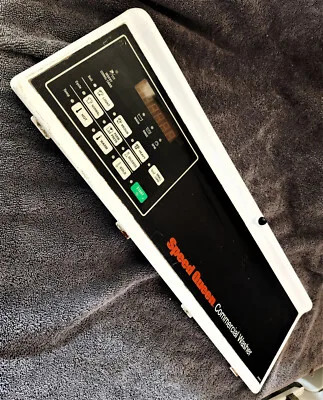
You glance at the display and see that dreaded code L1. Your wash cycle just stopped mid-cycle, and the drum is sitting there full of water. Before you start pulling the machine apart or calling a repair company, let's sort out what that code actually means because the fix changes depending on which Speed Queen model you own.
We've researched dozens of service bulletins and technician reports across both top-load and front-load Speed Queen models. The reality is that L1 can mean "Long Drain Time" on older machines or a control lock failure on newer electronic models. One fix takes ten minutes with a screwdriver.
The other requires a multimeter and a replacement part. Here's how to tell which situation you're in.
Quick Answer
Code L1 means the washer detected a drain problem. The machine timed out waiting for the water to leave the drum.
On older Speed Queen models, L1 almost always means a clogged drain pump or blocked hose. On newer electronic models, L1 can also mean the control board lost communication with the lid lock or drain system.
Unplug the washer for 60 seconds first. Then check the drain pump filter. If that doesn't clear the code, you need to run the diagnostic mode before buying any parts.
Image source: Bing (Web (fair-use with source credit))
What L1 Actually Means (It Changes By Model)
Speed Queen changed what L1 means when they switched from mechanical timers to electronic control boards around 2012. If you search for help online and find someone saying "L1 is always the drain pump," they might be right for their machine and wrong for yours.
On older top-load models with mechanical timers (pre-2012): L1 stands for "Long Drain." The machine starts a drain cycle and expects the water level to drop within about 90 seconds. If the pressure switch doesn't register that the tub is empty in that window, the control board triggers L1 and stops everything. This usually means something is physically blocking the drain path.
On newer top-load models with electronic controls (TR3, TR5, TR7 series): L1 still points to a drain issue, but the machine's self-diagnostics are more sensitive. It can detect a slow drain before the tub is even empty. It can also flag a partial clog that older machines would have ignored.
On front-load models (FF7 series): L1 can mean the drain pump failed to start or ran for too long without lowering the water level. But it can also mean the door lock isn't engaging properly, which prevents the machine from entering the drain cycle at all.
You cannot guess at the repair. You have to check which model you own and run the diagnostic mode to see the specific failure recorded in the control board's memory.
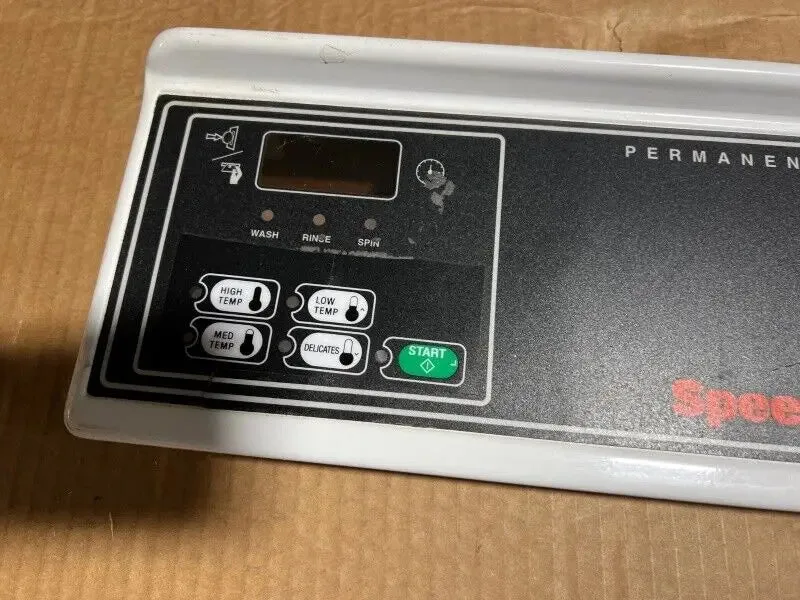
Image source: Bing (Web (fair-use with source credit))
Step 1: Identify Which Speed Queen You Own
Before you do anything else, find your model number. That number determines every step that follows.
Look inside the door frame on top-load models. On front-load models, check the sticker behind the door or on the side panel near the bottom. The model number will be something like AWN432SP111TW01 or TR5003WN.
Write it down.
Here is how to narrow it down by era:
| Model Era | Typical Models | Control Type | L1 Behavior |
|---|---|---|---|
| Pre-2010 | AWN412, AWN432, AWN542 | Mechanical timer | Simple drain timeout |
| 2010-2018 | AWNA92, AWNE92, TR3000 | Basic electronic | Drain timeout with diagnostics |
| 2019-present | TR3, TR5, TR7, FF7 | Full electronic | Can code for drain or lock fault |
If you are not sure about the year: Speed Queen serial numbers encode the manufacture date. The first four digits usually tell you the year and month. For example, a serial starting with 1806 means June 2018.
Once you have your model number and approximate age, you know which diagnostic procedure to follow. Older mechanical timer models do not have a service mode at all. Newer electronic models do, and that is where you get the real diagnostic data.
Step 2: Run the Diagnostic Mode
If your Speed Queen has an electronic control board, you can enter a service diagnostic mode that reads the error memory and tests each component individually. This is the fastest way to confirm whether L1 is a drain issue, a lock fault, or a control board problem.
For top-load models with electronic controls (TR3, TR5, TR7):
- Make sure the washer is plugged in and the lid is closed.
- Press the Start/Pause button three times within five seconds.
- The display should show "88" or "tESt" to confirm you entered service mode.
- Press Start once to cycle through the error codes stored in memory.
- The display will show the last code recorded. Press Start again to see the second-to-last code, and so on.
For front-load models (FF7 series):
- Turn the dial to the 12 o'clock position.
- Press and hold the "Extra Rinse" and "Signal" buttons simultaneously for three seconds.
- The display will show "dL" for diagnostics mode.
- Turn the dial to cycle through the available test functions.
What you are looking for: If the display shows L1, that is the stored fault. Some models also show a number after L1 (like L1-2 or L1-5) that gives more detail. L1-2 usually means the drain pump ran for the full test cycle without emptying the tub.
L1-5 means the pressure switch never signaled empty.
If the machine clears L1 during the diagnostic test and does not show it again after you run a small cycle, the problem was likely a one-time glitch. If L1 comes back immediately during the test, you have a hardware problem.
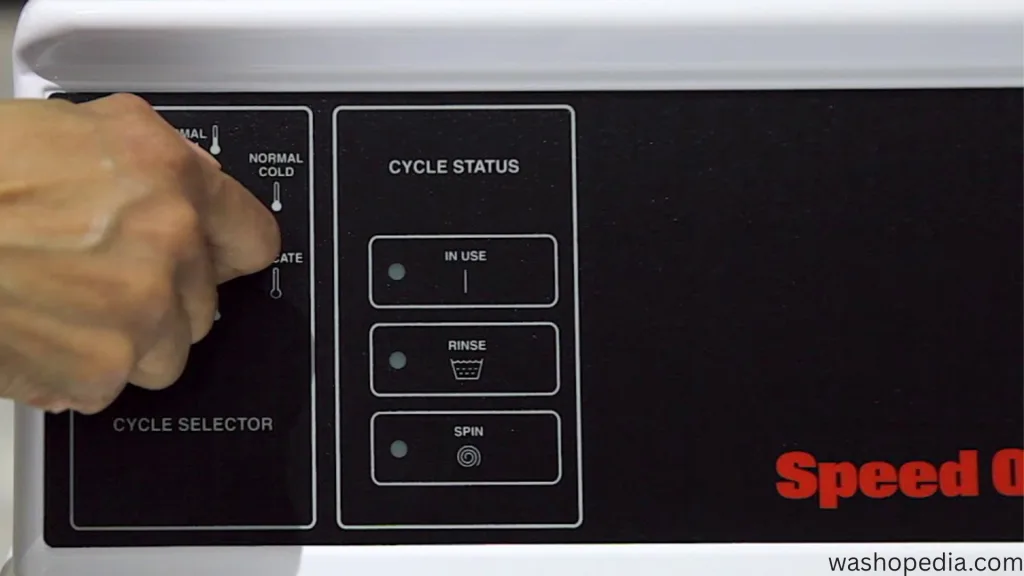
Image source: Bing (Web (fair-use with source credit))
The Decision Tree – What to Do Next
Now you have the diagnostic data. Here is the decision tree that tells you exactly what to do based on what the test revealed.
Branch A: Drain Pump Won't Run
If you watched the diagnostic test and the drain pump never made a sound, the pump itself is likely dead or the wiring to it is broken.
First check: Unplug the washer. Remove the front lower panel or rear access panel depending on your model. Locate the drain pump.
It is the small motor housing attached to the drain hose assembly.
Test the pump directly: Disconnect the wire harness from the pump. Set your multimeter to ohms. Touch the probes to the two terminals on the pump.
A working pump should read between 80 and 120 ohms. If you get infinite resistance (OL), the pump motor winding is open and the pump needs replacement.
Check the wiring: If the pump reads good ohms, plug the harness back in. Set your multimeter to AC voltage. Run the diagnostic test again while probing the harness connector.
You should see 120 volts when the machine calls for drain. If you get voltage but the pump does not run, the pump is mechanically seized. If you get no voltage, the problem is upstream in the control board or main harness.
Branch B: Drain Pump Runs But Code Returns
This is the most common scenario. You can hear the pump humming, the water starts moving, but the code comes back before the tub empties.
First suspect: A partial clog in the drain system. You need to pull the pump filter, which is usually behind a small access door at the bottom front of the machine. On top-load models, you might need to tilt the washer back to access the pump housing.
What to look for: Coins, hairpins, sock remnants, or a buildup of lint. Even a small piece of debris can slow the drain enough to trigger L1, especially on newer models with tight timing windows.
If the filter is clean: Remove the drain hose from the pump and feel inside for a hard blockage. Sometimes a small object gets lodged right at the pump impeller. You can often reach in with a long screwdriver or needle-nose pliers to pull it out.
If the drain path is clear: The problem is likely the pressure switch. This is the small plastic component with a hose running to it from the bottom of the tub. If the hose is cracked or kinked, the switch never senses that the water is gone.
Replace the hose first, then test the switch with a multimeter for continuity.
Branch C: Code L1 Appears Before Any Draining
If L1 shows up instantly when you start a cycle, before the machine even tries to drain, you have a different problem. The machine never got the signal that it was safe to proceed.
On top-load models: Check the lid switch. If the machine does not detect the lid is closed, it will not activate the drain pump. Test the lid switch with a multimeter.
Most Speed Queen lid switches are normally open, meaning they show continuity only when the lid is fully closed.
On front-load models: Check the door lock assembly. The machine needs to confirm the door is locked before it can start the drain cycle. If the lock mechanism is broken or the wiring is damaged, the machine will hit a control lock error and display L1.
On some newer models: The control lock can also trigger if the washer is trying to run during a power flicker or if the machine's internal clock got confused. Unplug it for ten minutes to fully reset the board, then try again.
Branch D: Intermittent L1 (Comes and Goes)
If the code appears sporadically, say once every five or six loads, you are looking at an electrical connection problem rather than a pump failure.
Most common cause: A loose connection at the main harness where it plugs into the control board. Vibrations during the spin cycle can wiggle the connector just enough to break contact.
Second most common cause: A failing pressure switch that sticks occasionally. These switches are mechanical and can get sticky with age. Replacement is cheap.
Least common but most expensive: A failing control board. If the board has a cracked solder joint or a failing relay, it will throw L1 intermittently even when everything else tests fine. This is the last thing you replace, not the first.
Mistakes That Cost You Time and Money
Some mistakes turn a simple fix into an expensive one. Here are the most common ones we see.
Replacing the drain pump before testing it. The pump is not the most common cause of L1. Clogs and wiring issues are. Test it before you buy one.
Ignoring the lid switch. On top-load models, a broken lid switch can trigger L1. It costs about $15 and takes five minutes to replace. Do not overlook it.
Replacing the control board first. The control board is the most expensive part and the least likely to fail. Always check the pump, wiring, and switches before ordering a board.
Forgetting to check the drain hose height. Speed Queen requires the drain hose to be between 30 and 96 inches off the floor. If the hose is too high, the pump has to work harder and can time out. Measure yours.
Skipping the diagnostic mode. Without running diagnostics, you are guessing. Guessing leads to buying parts you do not need.
When to Call a Technician vs. Fix It Yourself
Some L1 fixes are straightforward DIY jobs. Others require tools and experience you might not have. Here is how to decide.
Fix it yourself if:
- You found a clog in the pump filter or drain hose.
- You identified a broken lid switch and have a replacement part.
- You found a loose wire at the harness connector.
- You tested the pressure switch hose and found a kink or crack.
Call a technician if:
- You tested the drain pump and it reads good ohms but still does not run when voltage is present.
- You checked all wiring and components and found nothing wrong but L1 keeps returning.
- You suspect a control board failure and want a professional diagnosis.
- You are uncomfortable working with live electrical components.
Parts and Repair Costs (Real Numbers)
Here is what you can expect to pay for common L1 fixes as of 2026. Prices vary by region and model.
| Part | Typical Cost | Difficulty |
|---|---|---|
| Drain pump filter clean | Free | Easy |
| Drain pump replacement | $25-$60 | Moderate |
| Lid switch replacement | $10-$20 | Easy |
| Pressure switch replacement | $15-$30 | Moderate |
| Pressure switch hose | $5-$10 | Easy |
| Control board replacement | $80-$180 | Hard |
| Service call fee (technician) | $80-$150 | N/A |
Frequently Asked Questions
What does code L1 mean on a Speed Queen washer?
L1 means the washer detected a drain problem. The machine timed out because the water did not leave the drum within the expected time. It can also indicate a control lock fault on newer front-load models.
How do I reset code L1 on my Speed Queen washer?
Unplug the washer for 60 seconds. Plug it back in and run a rinse and spin cycle. If the code returns, the problem is hardware related and needs further diagnosis.
Why does my Speed Queen washer say L1 but the drain pump works?
A working pump does not guarantee it is pumping effectively. Check for a partial clog in the pump filter or drain hose. Also check the pressure switch hose for cracks or kinks.
Is it safe to use my Speed Queen washer with code L1?
No. Running the washer with an L1 code can cause pump damage or flooding. Fix the issue before running another cycle.
How much does it cost to fix code L1 on a Speed Queen washer?
The cost ranges from $0 for a simple clog cleanup to about $180 for a control board replacement. Most repairs cost between $15 and $60.
Final Decision Guide – Your Next Move
Here is your quick action plan based on what you found.
If L1 appeared once and the machine drained after a reset: You likely had a one-time glitch. Run a small load and watch for the code to return.
If you found a clog in the pump filter or drain hose: Clean it. Run a test cycle. The code should clear.
If the drain pump tested bad (infinite resistance or seized): Replace the pump. Expect to spend 30 to 60 minutes on the swap.
If the lid switch tested bad: Replace the switch. It takes about five minutes.
If you tested everything and found nothing wrong: Call a technician. You likely have a control board issue or an intermittent electrical fault that requires professional diagnosis.

Similar Posts