Topens Gate Opener Troubleshooting
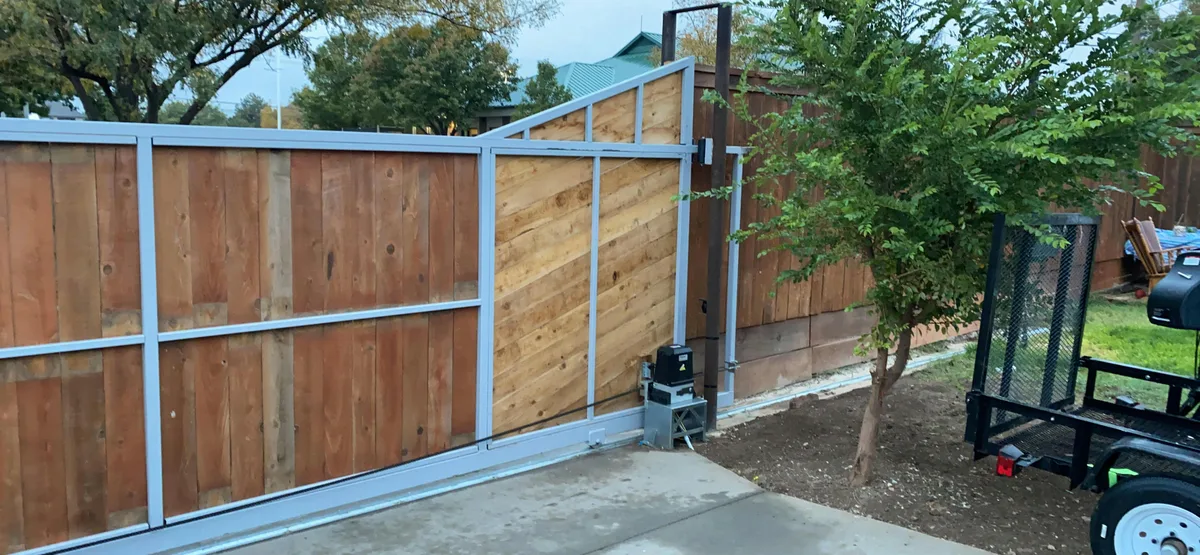
Your Topens gate opener just stopped doing its job, and now you're standing in the driveway pressing the remote like it owes you money. That's exactly where Topens Gate Opener Troubleshooting begins: with the symptom in front of you, not with a 50-page manual. Most problems are electrical, not mechanical, and most are quick to diagnose if you work through them in the right order.
As of 2026, Topens openers share the same basic electrical architecture across most models, so a good multimeter and a logical sequence can solve nearly every common issue. Per UL 325, the safety standard for residential gate operators, every unit must have a manual release mechanism and photoelectric sensors. Those two systems cause a huge share of the failures homeowners see.
Let's work through each branch from symptom to fix.
Image source: Bing (Web (fair-use with source credit))
Quick Answer
Your Topens opener has one of five problems. No power means check the transformer and battery. Motor runs but gate stays put means the release or gears are stuck.
Gate moves but stops or reverses means limits or sensors. Remote and keypad failures mean battery or code loss. Error beeping means the control board is telling you exactly what's wrong.
Match your symptom to the right branch below and you should be back in business in under 20 minutes.
The Two Big Safety Rules Before You Touch Anything
Gate openers are heavy machinery. They run on household voltage, store electrical charge, and operate gates that can crush or pinch. You need two habits before you even open the control box.
Rule one: disconnect power at the breaker. Do not just flip a wall switch or unplug the transformer. Go to your breaker panel and kill the circuit that feeds the opener. Then wait 60 seconds before touching any terminals.
Capacitors hold a charge after power is removed, and that charge can bite you.
Rule two: stay out of the gate's travel path. If you test the gate manually, stand to the side. Swing gates can slam closed on a failing limit switch. Sliding gates can shear fingers against the track.
Push the gate slowly with one hand while keeping your feet clear, and watch for binding.
Check the manual release too. If the gate has been disengaged, the motor will run but nothing will move. That's not a mechanical failure.
It's a mistaken pull of the release lever. Re-engage it and continue.
One more safety note: UL 325 requires photoelectric safety beams on residential gate openers. If your Topens unit is old enough to lack them, stop troubleshooting and replace the opener. The savings isn't worth the risk.
Branch 1: The Gate Won't Move At All (No Power, No Sound)
No click, no hum, no LED on the control board means you are in the power-loss branch. Work through these checks in order.
Check the transformer and AC power source
Start at the wall. Plug a lamp or phone charger into the same outlet that feeds the transformer. If that outlet is dead, check the breaker panel and any GFCI outlets on the circuit.
Gate openers are often wired into outdoor or garage circuits, and a tripped GFCI will take out the opener without giving you any warning.
If the outlet is live, move to the transformer. Topens units typically use a plug-in transformer that steps 110-120V AC down to 12-24V AC. Unplug it and measure the low-voltage output with your multimeter set to AC volts.
A transformer that matches its label rating within 10 percent is fine. A zero reading means the transformer has failed internally. That's a common part, usually between $15 and $25, and it takes two minutes to swap.
| Symptom | Check First | Likely Fix |
|---|---|---|
| No LED on control board | Transformer output voltage | Replace transformer or repair AC wiring |
| LED dim or flickering | Backup battery voltage | Test with battery disconnected |
| LED solid but gate won't respond | Remote code or keypad connection | Relearn remotes, check keypad wiring |
Test the backup battery voltage
Many Topens models include a 12V backup battery, usually 7Ah to 18Ah. A dead or shorted battery can drag down the whole system. Disconnect the battery completely and run the gate on AC power alone.
If the gate works, the battery is the problem.
A healthy 12V lead-acid battery reads 12.6 to 12.8 volts at rest. Below 12.0 volts means it's deeply discharged. Below 10.5 volts under load means the cell is damaged and the battery needs replacement.
Inspect the control board for blown fuses or burnt parts
With power off, open the control box and look at the board. Topens boards use a blade or glass fuse near the power input. Pull the fuse and check continuity with your multimeter.
Near zero ohms is good. Infinite resistance means the fuse is blown.
Replace a blown fuse with the exact same amperage rating. Never bypass it. If the new fuse blows right away, you have a short in the motor leads, the safety beam wiring, or the control board itself.
That's the point where component-level knowledge matters.
Branch 2: The Motor Runs But the Gate Doesn't Move
You hear the motor, so you assume it's working. But a spinning motor means nothing if the mechanical connection to the gate has failed. This branch is all about the drivetrain.
Is the manual release engaged or stuck?
The manual release is your first suspect. It's a key cylinder, pull cord, or lever near the motor. Its job is to disengage the motor so you can move the gate by hand during a power outage.
People bump it while trimming bushes and forget to put it back.
Check the release mechanism. If it's in the disengaged position, push or twist it back until you feel a mechanical click. Then test the remote again.
If it's already engaged, move to the next check.
Stripped gears, broken belts, and clutch problems
Inside the motor housing, a gear train turns the gate arm or chain. The gears are often nylon or plastic, and they're designed to be the weak link so the motor doesn't burn out. Aggregate user feedback points to stripped gears as one of the most common mechanical failures in Topens swing gate openers after three to five years of regular use.
Remove the motor cover and inspect the gears. Look for missing teeth, plastic dust, or a gear spinning freely on its shaft. If you find stripped gears, you can replace the gear kit or swap the whole motor assembly.
On belt-drive models, the belt can stretch, slip, or snap. Listen for a squeal or slapping sound inside the housing. If the belt is loose or broken, replace it and tension it according to the manual.
Binding track or frozen rollers
If the gate itself is stiff, no motor repair will help. Slide gates have rollers that rust and track sections that collect debris. Swing gates have hinges that corrode.
Disengage the release and push the gate through its full travel by hand.
If the gate sticks or needs serious force at any point, that resistance is what's stalling the motor or tripping the obstruction sensor. Clean the track, lubricate rollers and hinges with a silicone-based lubricant, not WD-40, and look for bent track sections. A binding gate will burn out a motor faster than any electrical issue.
Branch 3: The Gate Moves But Stops or Reverses Unexpectedly
This is the most frustrating branch because the gate almost works. It opens halfway and quits. Or it opens fine and reverses the moment it tries to close.
The diagnostic path depends on which direction fails and where.
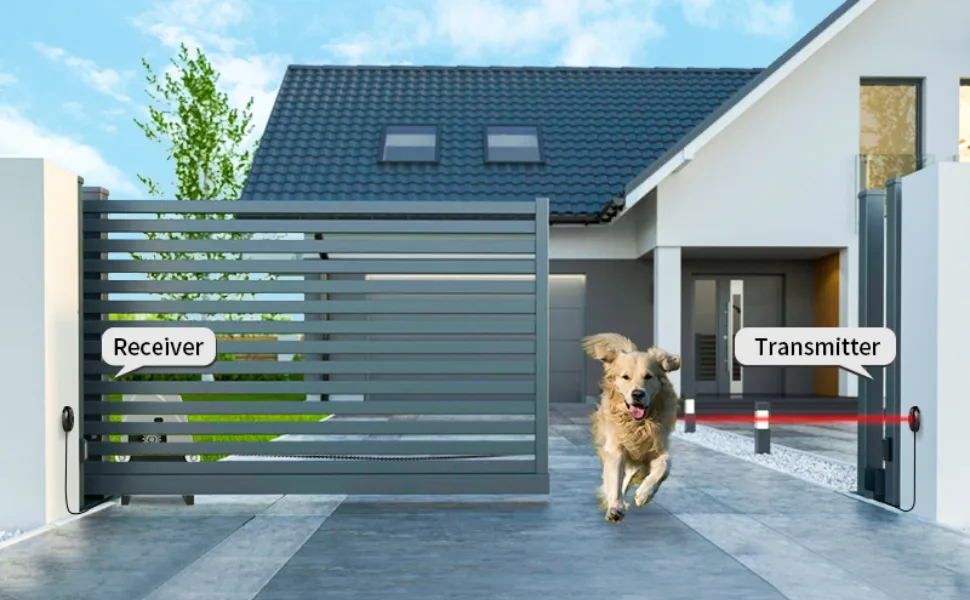
Image source: Bing (Web (fair-use with source credit))
Travel limit switches: how to find and adjust them
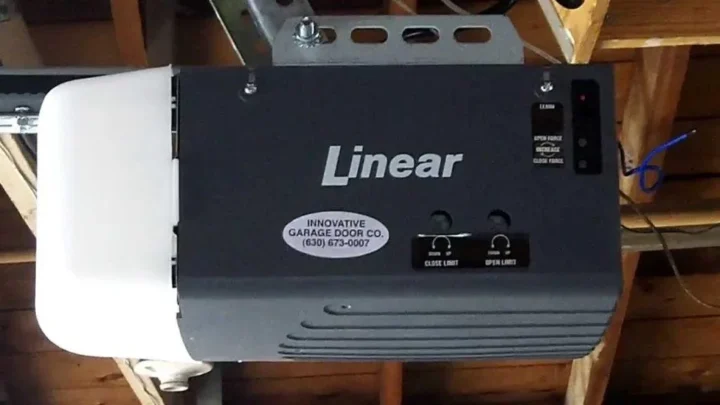
Every gate opener needs to know when the gate is fully open or fully closed. That's the job of the limit switches. On Topens boards, they're usually two small screws labeled "OPEN" and "CLOSE." Turning them adjusts the stop point.
If the gate stops short of full travel, the limit switch is tripping too early. Turn the matching screw a quarter turn in the direction marked on the board and test. Keep making small adjustments until the gate opens and closes fully.
If the gate slams into the mechanical stop, the limit is failing or set too far. Back the screw off a quarter turn at a time until the gate stops just before impact.
Obstruction sensitivity: too sensitive or not enough?
Topens openers have a force sensor that detects when the gate hits something. Set it too high and the gate will reverse on normal friction. Set it too low and the gate won't stop when it hits a car or a child.
The sensitivity adjustment is usually labeled "FORCE" or "OBSTRUCTION" on the control board. Turn it up slightly if the gate reverses for no reason. Then test with a soft object like a cardboard box to confirm it still stops on contact.
That trade-off matters.
Safety beam alignment and the red light diagnostic
Here's the key logic: safety beams stop the gate on the way down, not on the way up. So if a Topens opener opens perfectly but won't close, the photoelectric sensors are the culprit about 90 percent of the time.
Each sensor set has a transmitter and a receiver. The receiver usually has a small LED. Green means the beam is aligned and clear.
Red or no light means the beam is broken or misaligned.
Walk the gate path and look for anything between the sensors. Leaves, spider webs, a garden hose, or snow piles are common blockers. If the path is clear, check the alignment.
The two sensors have to face each other nearly dead center, within about a quarter inch. Even a bump from a lawn mower can knock them off.
If the LED stays red after cleaning and realigning, one sensor may be dead. You can test by temporarily bypassing the sensors using the jumper method described in your manual. If the gate closes with the sensors bypassed, one sensor needs replacement.
Do not leave the bypass in place. That's a violation of UL 325 and a real safety hazard.
Branch 4: The Remote or Keypad Isn't Working
A dead remote usually means a $2 battery or a 30-second reprogramming job. It's rarely a control board failure. This branch splits into the remote itself and the opener's receiver.
Remote battery and range testing
Start with the obvious. Most Topens remotes use a CR2032 or CR2450 coin cell. Pop the back and measure the voltage with your multimeter.
A fresh battery reads 3.0 to 3.2 volts. At 2.7 volts, expect range loss. Below 2.5 volts, the remote will stop working entirely.
Even if the battery looks good, test the remote from right next to the control box. If it works at three feet but not at thirty, you have a range issue. Metal objects near the receiver antenna can cause that, as can certain LED security lights or other radio transmitters.
Move anything metal away from the antenna and test again.
Relearn the remote code (step-by-step)
If the battery is fine but the remote still does nothing, the code was lost. That happens after power outages, battery changes, or accidental resets. Here's the general programming sequence for most Topens models.
Check your manual for exact instructions.
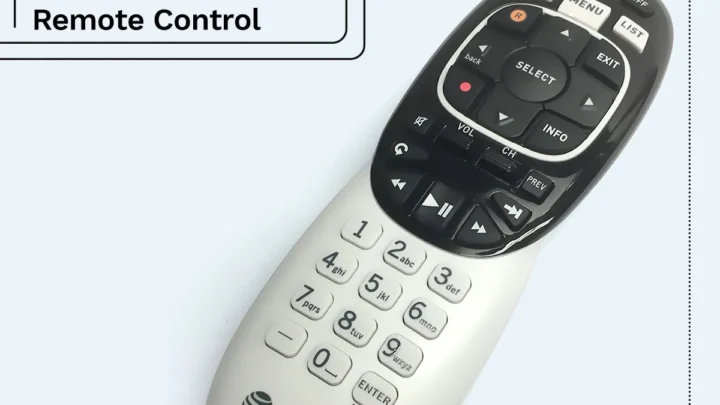
- Press and hold the "LEARN" or "PROG" button on the control board until the LED flashes.
- Within 30 seconds, press the button on the remote you want to use.
- The LED should stop flashing and go solid briefly to confirm the code is stored.
- Test the remote immediately.
If the board doesn't respond at all during programming, the receiver module inside the control board may have failed, often from a power surge. Replacement Topens control boards typically cost between $50 and $90.
Keypad cleaning and wiring corrosion checks
Wireless keypads live outside and take weather abuse. If the keypad lights up but won't open the gate, try entering the code slowly. Moisture can bridge contacts and cause double presses.
Remove the keypad and open the battery compartment. Look for green or white corrosion on the terminals and circuit board. Clean it with a soft brush and rubbing alcohol, then let it dry before reinstalling the battery.
Hardwired keypads can have corroded connections at the control board. Low-voltage wire oxidizes at the terminals, especially in humid areas. Trim the wire back to fresh copper, strip it, and reattach.
Loose connections show up as intermittent failures that come and go without warning.
Branch 5: Error Codes, Beeping, and Flashing Lights
Your Topens control board is trying to tell you something. The LED flash patterns and beep sequences follow a diagnostic language worth learning.
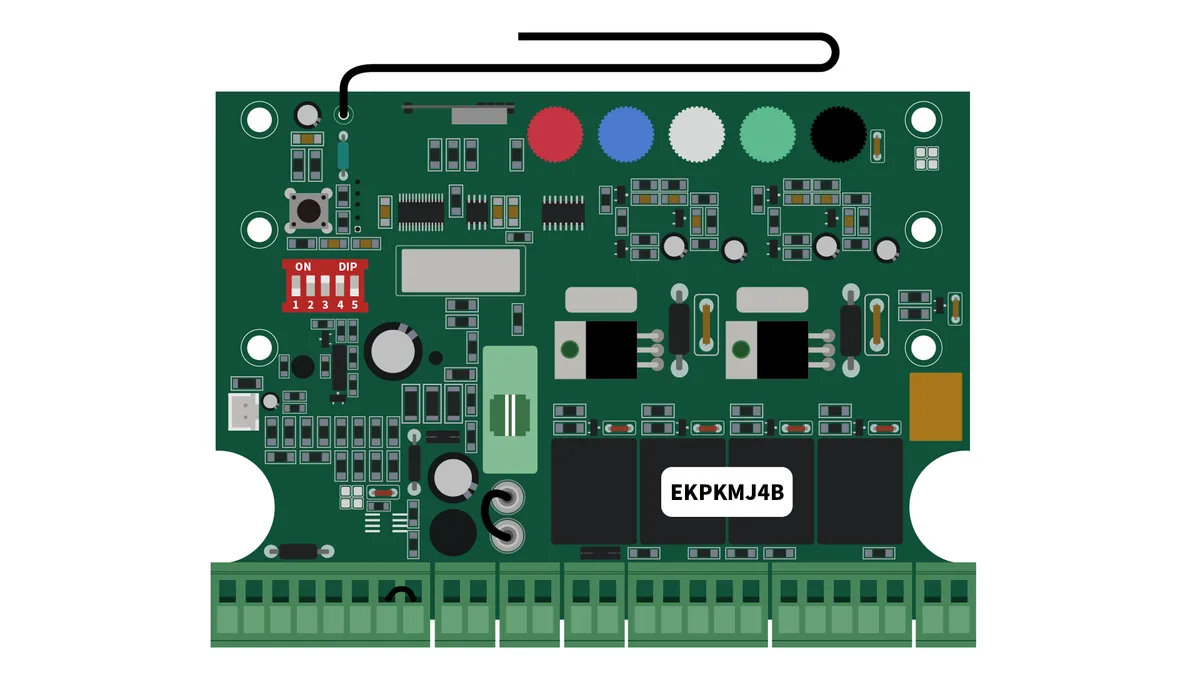
Image source: Bing (Web (fair-use with source credit))
Decode the LED blink patterns
The main LED on the control board flashes a number of times, pauses, then repeats. Count the flashes carefully. The pattern corresponds to a specific fault.
Check your model's sticker for exact codes, but this is the common scheme.
| Flashes | Meaning | What to Do |
|---|---|---|
| 1 flash | Normal operation, gate is open | No action needed |
| 2 flashes | Safety beam obstruction or misalignment | Clean and realign sensors |
| 3 flashes | Obstruction detected during travel | Check for binding, adjust force |
| 4 flashes | Limit switch failure or no signal | Check limit switch wiring and screws |
| 5 flashes | Motor overload or thermal shutdown | Let motor cool, check for binding |
| Continuous fast flash | Control board or power supply issue | Check transformer voltage and battery |
What beep patterns mean
Some Topens models use audible beeps. A single beep every 30 seconds usually means the gate is in manual release mode. A rapid series of beeps that repeats is an error code, and the number of beeps matches the same table as the flashes.
When to do a hard reset
If the system behaves erratically after you've checked the other branches, a hard reset can clear corrupted memory. Disconnect both the AC power and the backup battery. Wait 60 seconds.
Reconnect AC first, then battery. Then reprogram all remotes and re-adjust the travel limits. This wipes everything back to factory defaults, so treat it as a last step, not a first move.
Model-specific differences and false alarms
The Topens RL1000, RL2000, and SL1000 models share similar boards but use slightly different LED layouts. The RL series has a bi-color LED near the center of the board. The SL series uses two separate LEDs, one for power and one for status.
Check the label inside the control box lid when in doubt.
Also know that a low backup battery can trigger a continuous beep even when the gate works fine on AC power. Very cold weather below about 20°F can trigger a motor overload code when the gate moves stiffly on frozen lubricant. Let the opener cycle a few times after the temperature warms up, and clear the code with a reset.
Common Mistakes and When To Call a Professional
Homeowners waste hours on the same five errors. Avoid them and you'll shorten every repair.
Mistake one: skipping voltage checks. Replacing parts without confirming power flow is guesswork. Measure voltages first.
Mistake two: misreading the manual release. Many "dead motor" calls are just a disengaged release lever. Check it before ordering parts.
Mistake three: over-lubricating. Too much grease attracts debris and makes things worse. Use a thin, silicone-based lubricant on hinges and rollers, and nothing on gears unless the manual says so.
Mistake four: ignoring the sensors. A gate that won't close is almost always a safety beam issue. Clean and realign before touching anything else.
Mistake five: bypassing safety features. Jumper-wiring the sensors or disabling the force sensor puts people and vehicles at risk. Don't do it even for a temporary test. Always restore the system afterward.
Call a professional when you've checked the transformer, battery, fuse, limit switches, sensors, and remote coding, and the gate still won't move reliably. Also call if you see burnt components, melted wiring, or a motor that smells hot. You also need a pro if the gate itself is bent, the track is warped, or the concrete footings are cracked.
The opener isn't the real problem at that point. The gate is.
Maintenance That Prevents 80% of Future Problems
Most Topens failures come from neglect, not age. A 15-minute quarterly check can prevent the majority of common issues.
- Disconnect power at the breaker.
- Clean the safety beams with a soft cloth and check alignment.
- Inspect and clean the track, rollers, and hinges.
- Lubricate moving parts with a silicone-based product.
- Test the backup battery voltage at rest.
- Check all wiring connections for corrosion or loose terminals.
- Verify the manual release engages and disengages smoothly.
- Run the gate through two full open-close cycles and watch for binding.
A clean gate moves smoothly, and a smoothly moving gate doesn't stress the motor, gears, or sensors. If you live in a coastal area, pay extra attention to corrosion on wiring and terminals. Salt air attacks connections faster than anything else.
In cold climates, use a lubricant rated for low temperatures so the gate doesn't freeze up.
With this schedule, most Topens residential openers run reliably for years. Skip it, and you'll be back at the breaker panel much sooner than you'd like.
Frequently Asked Questions
How do I reset my Topens gate opener to factory settings?
Disconnect the AC power and the backup battery from the control board. Wait at least 60 seconds. Reconnect AC first, then the battery.
This clears all learned remote codes and returns the travel limits to factory defaults. You will need to program your remotes again and adjust the open and close positions afterward.
Why does my Topens gate opener click but not move?
A clicking sound usually means the motor is trying to start but the drivetrain is stuck. It can also mean the manual release is disengaged. Check the release lever first.
Then inspect the gears for stripped teeth or plastic debris. Finally, push the gate by hand to rule out binding in the track or hinges.
Can I use a LiftMaster remote with my Topens opener?
Generally, no. Gate openers use proprietary radio frequencies and rolling codes, and they are not interchangeable. A Topens remote won't program a LiftMaster receiver, and a LiftMaster remote won't talk to a Topens control board.
If you need a spare, buy the remote model listed for your specific Topens unit.
How long do Topens gate openers typically last?
Most Topens residential openers last between seven and ten years with regular maintenance. The motor, gears, and control board wear at different rates depending on how often the gate cycles and how smoothly it travels. A gate that binds daily can cut that lifespan in half, so keeping the track and hinges lubricated matters.
My Topens gate opens but won't close. Is it always the sensors?
It's the safety beams in about nine out of ten cases. Photoelectric sensors stop the gate on the closing cycle but not the opening cycle, so a blocked or misaligned beam matches that exact symptom. Clean the lenses, check for obstructions, and realign the sensors before replacing anything else.

Similar Posts