Canon EOS 5D Mark III Troubleshooting
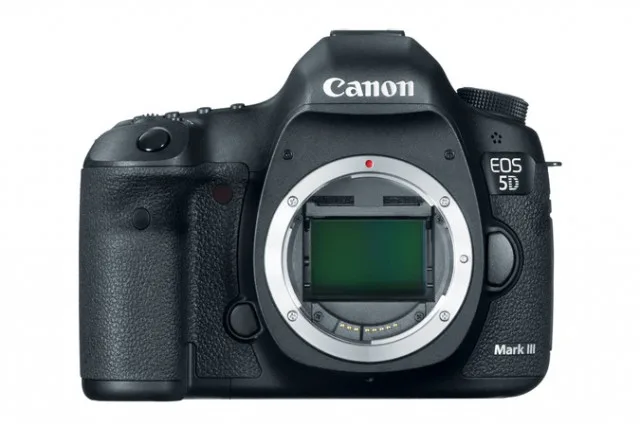
Canon EOS 5D Mark III troubleshooting
Most 5D Mark III issues come down to a handful of known weak points. The shutter assembly, the battery contacts, and the card slots are the usual suspects. Canon service documentation even has a dedicated flowchart for error codes like Err 20 and Err 30.
Image source: Bing (Web (fair-use with source credit))
Quick Answer
Four error groups cover most 5D Mark III failures. Power, shutter, lens contacts, and card slots. Check your battery voltage first.
Then inspect the camera's mirror and shutter. Then clean the lens mount. Test your cards in another device.
Each branch in this guide tells you whether a fix is safe to attempt at home or better left to a repair shop.
Decision Guide: Fixing It Yourself vs Sending It Out
Ask yourself one question first. Can you afford to be without this camera for two to six weeks? That is how long a professional repair usually takes.
If you can wait, a pro fix is the safe route for anything beyond battery cleaning or firmware updates.
If you are comfortable with basic tools, some issues are genuinely DIY. Cleaning battery contacts with isopropyl alcohol is beginner-level. Replacing a shutter takes patience and a proper guide.
Many owners with moderate electronics experience have done it successfully.
Here is the financial branch. A shutter replacement at a third-party shop costs $300 to $500 as of 2026. A used 5D Mark III body sells for $700 to $900.
If the repair is a main board or a mirror box, you are looking at $400 to $600. At that price, a replacement body becomes the smarter buy.
Consider the parts source too. Genuine Canon parts are expensive and sometimes backordered. Third-party parts are cheaper but may not match the original quality.
If you go DIY, use only known vendors.
If you cannot afford the downtime and the repair cost is high, replace the body. If the repair is cheap and quick, do it. If you are handy and the repair is mechanical, try it yourself.
Your Camera Won't Turn On
A dead camera is usually a dead battery. Remove the battery and check its voltage with a multimeter. A fully charged LP-E6 should read about 8.1 volts.
If it is below 7.2 volts, the battery is exhausted.
Clean the contacts on the battery and inside the camera body. Use a dry cloth first. If that does not work, use isopropyl alcohol on a cotton swab.
Let it dry fully before inserting the battery. Also test the camera without the BG-E11 battery grip. The grip can cause intermittent power problems if its pins are dirty.
Try a hard reset. Remove the battery and all memory cards. Press and hold the shutter button for 30 seconds.
This drains any residual charge from the capacitors. Reinsert the battery and try to power on. This step fixes many transient glitches.
If a known good battery and a hard reset do not work, the main board likely has a fault. This can happen from a leaky battery, moisture damage, or age. A main board replacement costs $400 to $600.
At that point, compare the repair cost to a used body. If the body is worth $700, the repair might still make sense. If it is worth $500, walk away.
"Err 20" or "Err 30" on the LCD
Error 20 and Error 30 are the most common mechanical failure codes on the 5D Mark III. They mean the camera cannot complete a mechanical action. Usually the shutter or mirror is stuck.
Start with the simplest fix. Remove the battery, wait 60 seconds, and reinsert it. This clears temporary glitches.
If the error goes away, you might be fine. If it comes back, the issue is mechanical.
Here is the if-then logic. If the error only happens with one lens, clean that lens's contacts. If it happens with every lens, the mirror or shutter is the problem.
Try switching to Live View mode. If Live View works but the viewfinder does not, your mirror mechanism has failed.
Error 20 points to a mechanical obstruction. Sometimes a small piece of debris blocks the mirror. You can try manually raising the mirror and blowing compressed air into the mirror box.
Do not touch the shutter blades directly. They are extremely fragile.
Error 30 often means the shutter has reached its mechanical limit. After 150,000 actuations, the shutter curtain can jam. The fix is a replacement.
A shutter swap costs $300 to $500 at a third-party repair center.
Check your shutter count before you decide. Free tools like EOSInfo or GPhoto can read it from your computer. If your count is above 200,000, a shutter replacement is a good investment.
If it is under 100,000 and you are seeing Error 30, the issue might be a faulty sensor board instead.
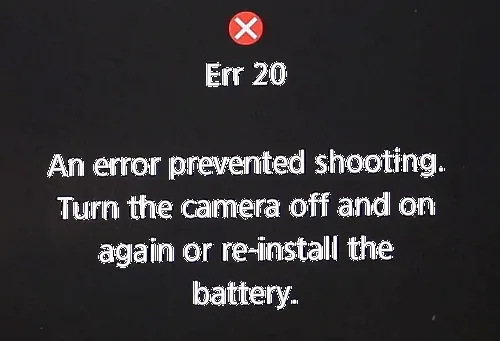
Image source: Web (Bing) / fotoserwis.krakow.pl (Web image (fair-use with source credit))
Lens Errors (Err 01) and Autofocus Problems
Error 01 means the lens and camera cannot communicate. The electrical contacts between the mount and the lens are blocked or damaged. This is almost always a cleaning issue.
Clean the lens contacts with a microfiber cloth. Use isopropyl alcohol if the grime is stubborn. Do the same for the camera body mount contacts.
Check for bent pins on the lens mount. If you see a bent pin, gently straighten it with a plastic spudger. Bent pins are fragile and snap easily.
If the error only happens with one lens, that lens is the problem. If it happens with all lenses, the camera body's mount or main board needs attention. Test a different lens to confirm which side is faulty.
Autofocus problems are a different category. The camera might fire, but the images are consistently back-focused or front-focused. The 5D Mark III has a built-in AF Microadjustment tool.
It lives in the menu under the wrench icon. This lets you dial in focus accuracy per lens.
Many used 5D Mark III bodies arrive with incorrect microadjustment values from the previous owner. Reset them to zero before you do anything else. Then test with a focus target or a ruler at a 45 degree angle.
Adjust in steps of 5 to 10 and test again.
If you cannot get focus right after microadjustment, the lens or camera may need professional calibration. This is rare but can happen after a drop.
Card Slot Failure – CF or SD Not Recognized
The 5D Mark III has two card slots. A CompactFlash slot and an SD slot. When one stops working, you get messages like "Cannot access card" or "Card needs to be formatted." Try the easy fixes first.
Turn off the camera. Remove the card. Blow out the slot with compressed air.
Short bursts only. Keep the can upright to avoid moisture. Dust and lint are the top causes of slot failure.
Reinsert the card firmly.
Try a different card. If the slot works with one card but not another, the card is the problem. Use the in-camera format option to reformat the card.
Do not format on a computer unless you match the file system. FAT32 works for SD cards up to 32 GB. exFAT works for larger cards.
If neither slot works, inspect the card slot pins. Use a bright light and a magnifying glass. Look for bent or broken pins.
If you see damaged pins, do not insert a card. A short can damage the camera further.
If the slot is physically damaged, a replacement slot costs $100 to $200 plus labor. This is a job for a professional unless you are comfortable with surface-mount soldering. Some users report success with CF-to-SD adapters if the SD slot is dead, but the firmware may not support them reliably.
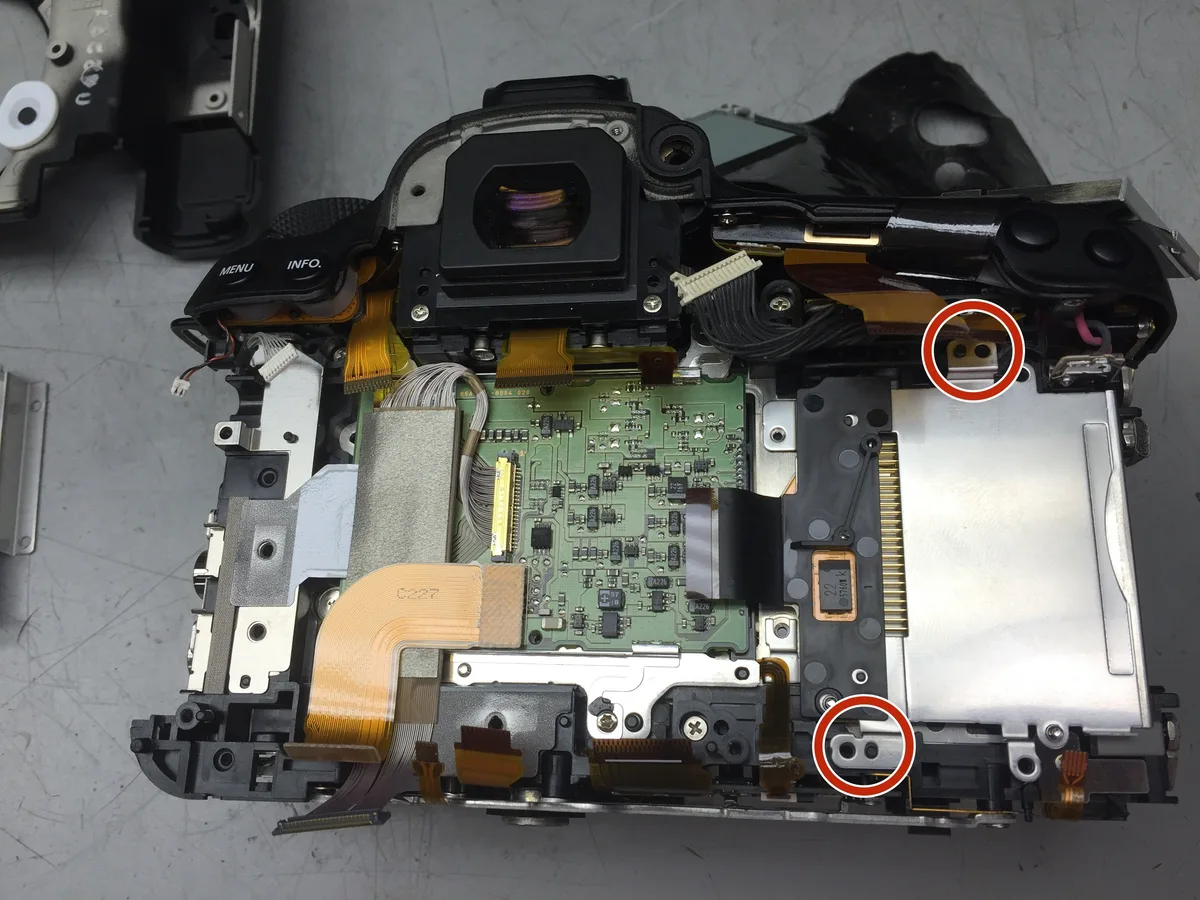
Image source: Web (Bing) / ifixit.com (Web image (fair-use with source credit))
Firmware Glitches, Freezes, and "Busy" Lockups
A frozen camera is frustrating. The shutter button does nothing. The LCD stays on.
No buttons respond. This usually points to a firmware crash. The fix is a hard reset.
Remove the battery and all memory cards. Hold the shutter button down for 30 seconds. This drains any residual charge from the internal capacitors.
Reinsert the battery and power on. Most firmware freezes clear with this step.
The "Busy" message is different. It means the camera is still writing data to the card. If it stays on the screen longer than 30 seconds, you have a slow card or a corrupt file system.
Try a different card. Format it in the camera, not on a computer.
If the freeze happens repeatedly, check your firmware version. Canon released several updates for the 5D Mark III. The latest stable version is 1.4.x as of 2026.
Canon's official support page hosts the download. Download the file to a formatted SD card. Insert it and update through the menu.
Be careful during a firmware update. Do not remove the battery or the card while the update runs. A failed update can brick the camera.
A full recovery requires professional service.
If the camera freezes only in Live View, the sensor or its connection might be failing. This is less common but does happen with high-mileage bodies. Try shooting through the viewfinder instead.
If that works, the problem is in the Live View circuit.
Some users report freezes when using third-party accessories. Battery grips, remote triggers, and flash triggers can cause voltage spikes. Remove all accessories and test again.
If the freeze stops, one of your accessories is the culprit.
FAQs: Common Quick Fixes
How do I check my shutter count?
Connect the camera to a computer via USB. Use free software like EOSInfo or GPhoto. They read the internal counter.
A shutter above 150,000 actuations is near its rated lifespan. Above 250,000 is borrowed time.
Can I fix a stuck shutter myself?
Yes, if you are comfortable with precision tools. Buy a replacement shutter assembly online. You will need a JIS screwdriver set and a steady hand.
Follow a video guide step by step. If you break a ribbon cable, the repair cost doubles.
Why does my camera say "Cannot access card"?
The card slot pins are dirty or bent. Try compressed air first. If that does not work, inspect the pins under a bright light.
Bent pins require a slot replacement. Damaged pins can short the camera, so do not force a card in.
How do I clean the 5D Mark III sensor?
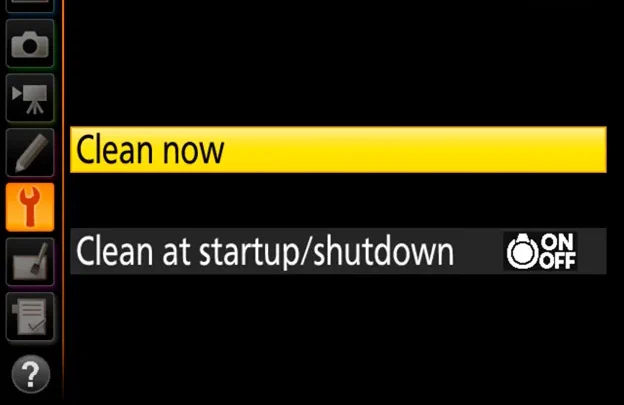
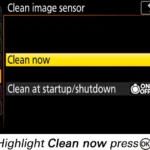
Use the camera's built-in cleaning mode. It is under the wrench menu. Blow out loose dust with a rocket blower.
For stubborn spots, use a wet cleaning swab. Never use compressed air directly on the sensor. It can damage the delicate filter.
When should I just buy a new camera?
When the repair cost exceeds 70 percent of a used body's value. For a main board replacement at $500 plus labor, walk away. A used 5D Mark III in good condition sells for $700 to $900.
Do the math and be honest about the camera's age.
The Final Check
You have gone through every branch of the decision tree. Now you need to make the final call. Start by checking your shutter count.
It is the most important data point for a 5D Mark III.
Under 100,000 actuations means the camera has plenty of life left. A repair makes financial sense. Between 100,000 and 150,000 is the middle zone.
The shutter could fail tomorrow or last another five years. At 200,000 and above, you are on borrowed time. Replace the shutter or replace the body.
Now look at resale value. A fully functional 5D Mark III with a moderate shutter count sells for about $800. A camera with a dead shutter or a bad main board sells for about $200 as a parts donor.
The difference is $600. If your repair costs less than $600, repair it. If it costs more, buy a used body and sell the broken one for parts.
Factor in the extras. Do you have expensive lenses that only work with EF mount? If yes, sticking with the 5D Mark III makes sense while you save for a mirrorless upgrade.
Do you already have a backup body? Then the urgency drops.
One last practical check. Most repair shops can turn around a shutter replacement in two to four weeks. Canon's own service centers take four to six weeks.
If you need the camera for a paying job next week, buy a used body and repair the broken one later.
That is the complete decision tree for the Canon EOS 5D Mark III. Work through the branches methodically. Clean the contacts.
Test the battery. Check the shutter count. Then decide.
Most problems are fixable. Some are not worth fixing. The difference is knowing which is which.

Similar Posts