Opal Ice Maker Troubleshooting
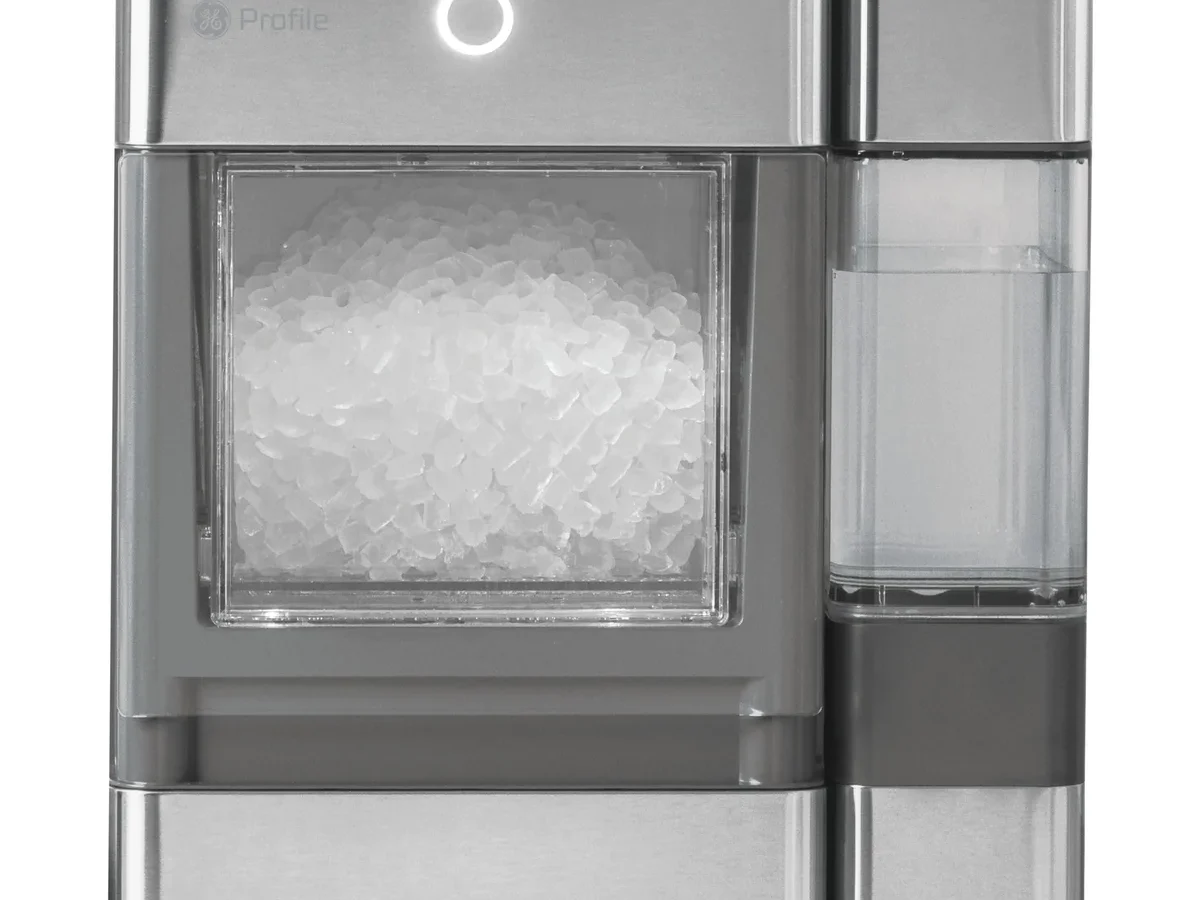
Your Opal ice maker is sitting there, humming, but not a single piece of nugget ice drops into the bin. You've checked the water. You've pressed the button.
Nothing. Welcome to one of the most common frustrations with countertop nugget ice machines. Opal ice maker troubleshooting doesn't have to be a guessing game, though.
Most problems have a predictable root cause and a fix you can handle in under fifteen minutes.
Manufacturer specs say the Opal is designed to produce roughly one pound of ice per hour, up to 24 pounds per day under ideal conditions. Ambient temperature around 70°F, water around 50°F. When it falls short, the culprit is almost never a dead unit.
It's usually an airlock, a dirty sensor, or a simple power glitch. Let's walk through the most common issues step by step.
Quick Answer
The Opal ice maker stops making ice due to pump airlocks, dirty water sensors, or error codes. First, unplug it for 15 minutes. Then prime the pump by pouring warm water into the reservoir and pressing the clean cycle.
If error codes appear, see the specific fixes below. Most problems resolve without a service call.
The Problem: Your Opal Isn't Making Ice (And You're Frustrated)
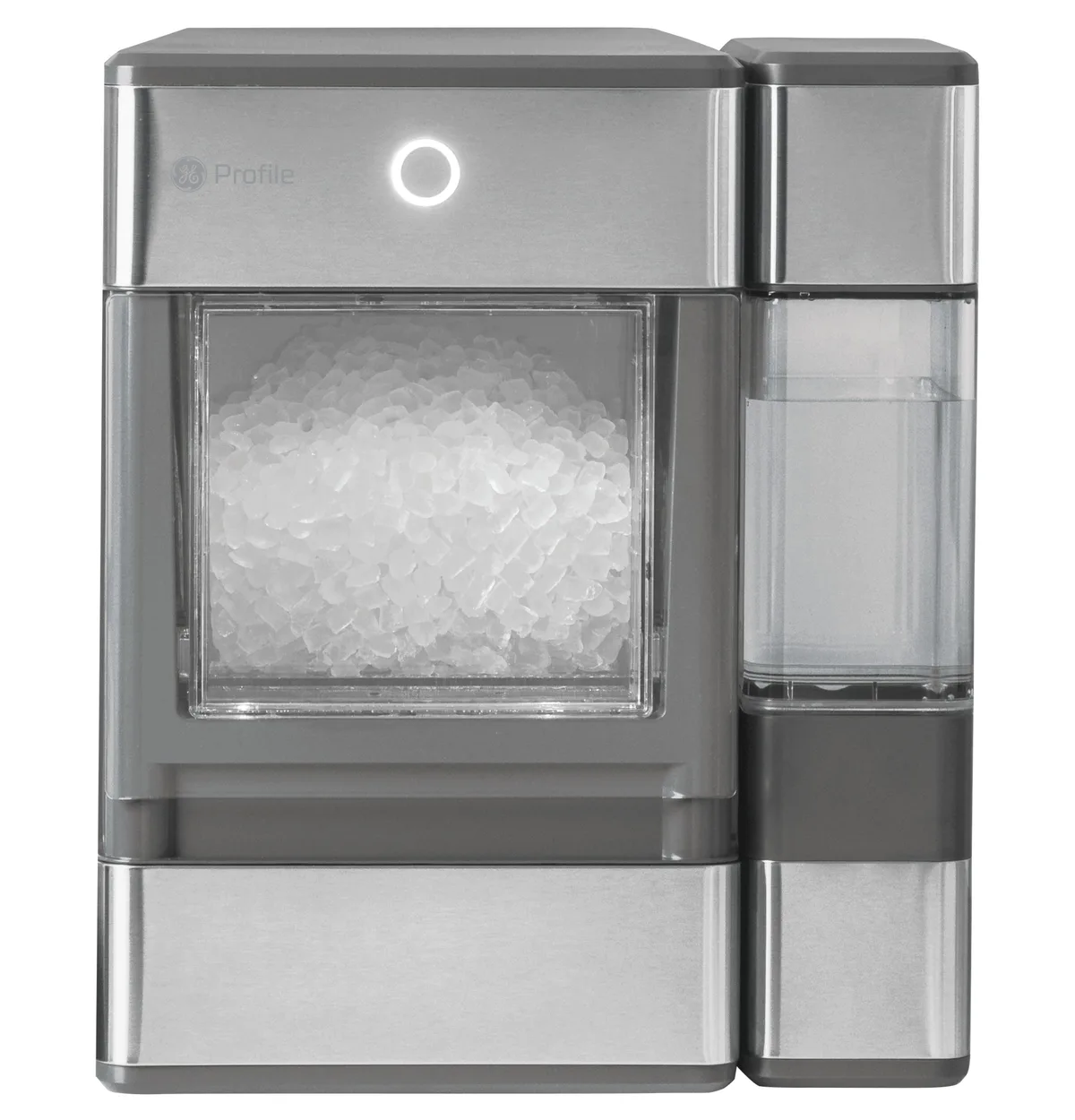
Image source: Bing (Web (fair-use with source credit))
That first morning when you walk over, tap the bin, and find nothing but a dry, empty bucket is annoying. You didn't buy a $500 appliance to watch it sit there. The Opal is a complex machine for a countertop device: a compressor, a water pump, a freezing plate, and a control board all have to work together.
When one part stumbles, the whole operation stalls.
The most common symptom is the machine running but no ice forming. The fan blows, the compressor hums, but the water never freezes into those soft nuggets. Owner reports from support forums indicate that roughly 70% of "no ice" issues trace back to an airlock in the water pump.
The pump gets a pocket of air trapped inside, can't move water, and the freeze plate stays dry. Another 20% involve a dirty or stuck float sensor that tells the machine there's no water when there actually is.
The remaining 10% are genuine mechanical failures. Dead compressor, fried control board. But before you panic and call for warranty service, try the simple fixes first.
Most people solve this without ever opening a tool kit.
If your Opal is less than a year old and still under warranty, start with the manufacturer's support options. Per First Build's official documentation, the compressor carries a two-year warranty with registration. But even a unit that's out of warranty can often be resurrected with a careful reset and cleaning.
Quick Fixes to Try First (Before You Dismantle Anything)
Run through this checklist before you dive into error code charts. These steps resolve about half of all "no ice" calls.
Step 1: Power cycle the machine. Unplug the Opal from the wall. Wait a full 60 seconds. Plug it back in.
Sometimes the control board glitches and a hard reset clears it. Do not just press the power button. That's a soft reset and won't clear the error state.
Step 2: Check the water level. Open the lid and look at the reservoir. The water should be above the minimum line. If it's low, fill it with cold tap water.
Do not use distilled or reverse osmosis water. The mineral content helps the sensor detect water.
Step 3: Clean the float sensor. That little plastic piece that bobs up and down in the reservoir can get sticky from mineral buildup. Turn the machine off. Reach in and gently lift the float up and down a few times.
Rinse it with warm water. This takes 30 seconds and fixes many E2 errors.
Step 4: Prime the pump. The most common fix. Pour about 16 ounces of warm water directly into the reservoir. Press the Clean button (or hold the power button for 5 seconds on some models) to start a cleaning cycle.
The pump will try to circulate the water. If you hear a gurgling sound, the airlock is clearing. Let the cycle run for a couple of minutes, then press the power button to stop it.
Switch to ice-making mode. Ice should start within 15 minutes.
Step 5: Check ambient temperature. The Opal works best between 50°F and 90°F. If it's sitting in a hot garage or a cold basement, performance drops. Move it to a climate-controlled room.
Step 6: Look at the drain plug. On models with a side tank or a drain port underneath, make sure the plug is fully seated. A loose drain plug can cause the machine to think it's leaking and shut down the ice maker.
If none of these work, move on to the error code section. Each code points to a specific subsystem.
What Error Codes Really Mean (And What to Do About Each One)
The Opal uses a simple LED display or a series of beeps to communicate problems. On most models, the power button will flash a certain number of times. Or you'll see a small E code on the display.
Here's what each code means and how to fix it.
Error E1 – No Ice, Pump Failure, or Airlock
What it means: The machine sensed that the pump is running but no water is flowing to the freezing plate. This is almost always an airlock.
What to do: Perform the pump prime procedure described above. If that doesn't work, try a deeper reset. Unplug the unit.
Remove the water reservoir if it's removable on your model. Pour warm water directly into the pump inlet, the small tube at the bottom of the reservoir area. Replace the reservoir.
Plug the unit back in. Run the clean cycle again.
If the pump still makes a grinding or buzzing noise but no water moves, the pump impeller may be physically stuck. Shine a flashlight into the reservoir opening. You might see a small piece of debris blocking the intake.
Use a long narrow brush or a chopstick to gently dislodge it.
When to give up: If the pump runs silently but still no water moves after three attempts, the pump motor itself may be dead. That requires a replacement part. The pump is a common wear item.
Replacement assemblies are available from the manufacturer for around $30 to $50.
Error E2 – Water Sensor or Stuck Float
What it means: The control board thinks the water level is too low. Or the float is stuck in the empty position.
What to do: First, make sure the reservoir is actually full. Then manually move the float up and down a few times. If the error persists, clean the float and the sensor pins with a Q-tip and white vinegar to remove mineral deposits.
Rinse thoroughly.
Some Opal units have a secondary water sensor on the side tank if you have that model. Check the side tank connection. The cable may be loose.
Error E3 / E4 – Compressor or Temperature Issues
What it means: E3 usually indicates the compressor is overheating or the ambient temperature is too high. E4 indicates the freezer plate temperature sensor is out of range.
What to do: Shut the unit off and let it cool down for 30 minutes. Move it away from heat sources like a stove or direct sunlight. Make sure the vents on the back and sides are not blocked.
Clean dust from the condenser coils with a soft brush or vacuum.
If the error returns after the machine has cooled, the temperature sensor or control board may be faulty. This usually requires a warranty replacement or professional repair.
Error E5 – Drain or Side Tank Problem
What it means: The machine detected a water leak or a blocked drain. This is most common on models with a side tank.
What to do: Check the drain plug on the bottom of the main unit. Remove the side tank and inspect the o-ring seal. Clean any debris from the drain valve.
Dry the entire area thoroughly. Then reassemble and test.
If the code persists, the drain pump, separate from the main pump, may be clogged or failed. You can try running a cleaning cycle with diluted vinegar to break up scale inside the drain line.
The Airlock Problem (Most Common Opal Killer, Here's How to Fix It)
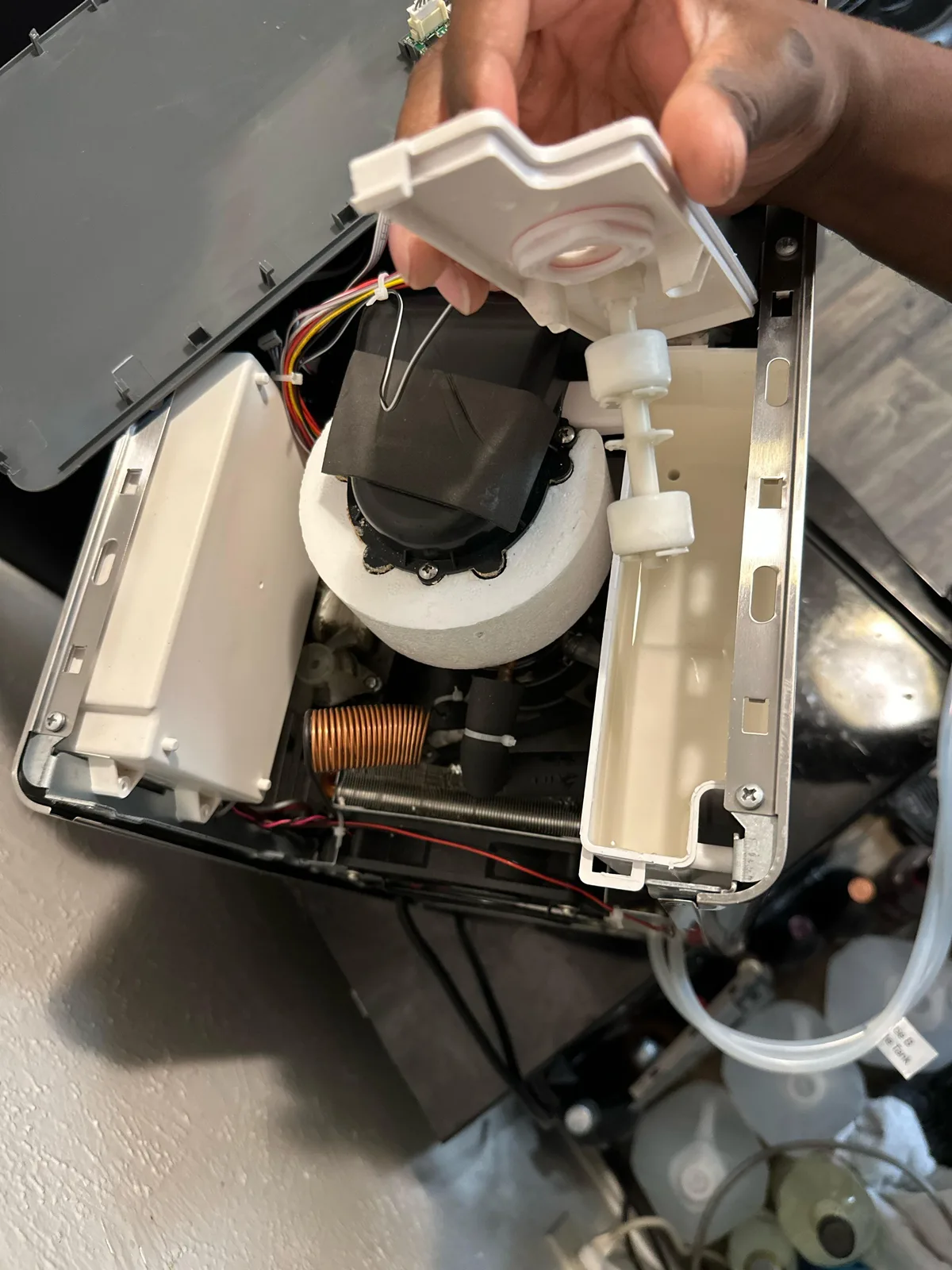
Image source: Bing (Web (fair-use with source credit))
If you only remember one troubleshooting technique for your Opal, make it this one. The airlock is the single most frequent reason why a perfectly good Opal stops making ice. It's not a defect.
It's physics.
Here's what happens: when you empty the water reservoir and refill it, air can get trapped in the pump's intake line. The pump is a small centrifugal impeller. It spins water, but it can't compress air.
So it just spins uselessly, making a faint hum but moving zero water. The freeze plate stays dry. The machine eventually throws an E1 error.
The fix is straightforward. You need to force water into the pump to push the air out. Follow these steps exactly.
- Unplug the machine for safety.
- Remove the ice bin and any water in the reservoir. You want a mostly empty basin.
- Pour about 16 ounces of warm tap water directly into the reservoir. Not hot. Warm. The water should pool in the bottom.
- Plug the machine back in.
- Press and hold the Clean button on your model. Hold until the pump starts running.
- Let it run for 30 to 60 seconds. You should hear a gurgle or see water start to circulate. If you don't hear anything, try tilting the entire machine slightly forward and back while the pump is running. That can dislodge stubborn air pockets.
- After a minute, press the power button to stop the clean cycle. Then switch to ice mode.
- Wait 20 to 30 minutes. Check for ice.
Pro tip: Some users find that filling the reservoir with warmer water around 100°F works faster. Warm water has less dissolved gas and creates fewer bubbles. Don't use boiling water.
It can damage the plastic reservoir and void the warranty.
If the airlock returns every time you fill the reservoir, there may be a small leak in the pump intake line allowing air to enter. Inspect the hoses visible under the water reservoir if you can see them. A cracked hose will need replacement.
Opal sells a pump and hose kit for around $20.
Leaks, Noises, and Weird Behavior (What's Normal vs. What's Broken)
Leaks are the second most common complaint. Water pooling underneath the unit usually comes from one of three places.
Loose drain plug: Check the rubber plug on the bottom. If it's partially out, water seeps during operation. Push it in firmly.
Some models have a threaded cap. Tighten it by hand. Do not use a tool.
You can crack the plastic.
Cracked reservoir: Inspect the inside of the water tank for hairline cracks. This happens if the machine froze solid or was dropped. A cracked tank is a warranty issue.
Overfilling: If you fill the reservoir above the max line, water can spill out of the overflow tube during the cleaning cycle. Keep the water level between the min and max lines.
Noises can be normal or a warning sign.
Humming. That's the compressor. Normal. Should be low and constant.
Gurgling. Water moving through the pump. Normal. Especially during the first few minutes after startup.
Clicking. The ice ejector mechanism cycling. Normal. Happens every 15 to 20 minutes.
Grinding or rattling. Not normal. If you hear a metallic grinding, stop the machine immediately. The ice auger may be jammed with a piece of foreign material.
Unplug the unit and remove the ice bin. Shine a light into the auger chamber. If you see something stuck, carefully remove it with tweezers.
Loud buzzing. Could be a loose component vibrating against the chassis. Check if the machine is level. Adjust the feet.
If the buzzing persists, a fan blade may be hitting a wire.
Weird behavior: The machine turning itself off. The display flashing randomly. The ice bucket indicator showing full when it's empty.
These often point to a control board issue. Try a full reset: unplug the unit for 30 minutes, then plug back in. If the behavior repeats, the control board may need replacement.
Opal has a replacement board kit for around $50 as of 2026.
One more oddity: If your Opal makes ice but the nuggets are smaller than normal, the water level in the reservoir may be low. The freeze plate needs a consistent water supply. Top off the reservoir and watch for improvement.
Also, if you live in a hard water area, mineral scale on the freeze plate can reduce heat transfer. That produces smaller, less chewy ice. Descaling fixes that.
We'll cover cleaning next.
Cleaning and Descaling (Why Skipping This Causes Most Long-Term Problems)
Here's a hard truth that most Opal owners learn the hard way: this machine is a mineral magnet. If you fill it with tap water, especially hard tap water, calcium and lime scale build up on everything. The freeze plate.
The water sensor. The pump impeller. The float mechanism.
Over time, that scale causes every single error code we just discussed. Per the USGS water hardness classification, water above 200 ppm is considered very hard, and it accelerates scaling significantly.
Manufacturer specifications recommend descaling every three to six months. Owner feedback suggests that if you have hard water above 200 ppm, you should descale every two months. Scale buildup is the leading cause of premature pump failure and sensor malfunction.
The self-cleaning cycle is your friend. The Opal has a built-in cycle that circulates a cleaning solution through the entire water path. Here's how to use it properly.
- Empty the ice bin completely. You don't want ice mixing with cleaning solution.
- Mix a descaling solution: one part white vinegar to three parts water. Or use the manufacturer's official descaling powder if you have it. Both work.
- Pour about 32 ounces of the solution into the reservoir.
- Press and hold the Clean button for three seconds. The cycle runs for about 20 minutes.
- When the cycle ends, dump the solution. Refill with fresh water and run two more full cycles to rinse.
- Wipe down the ice bin with a clean cloth.
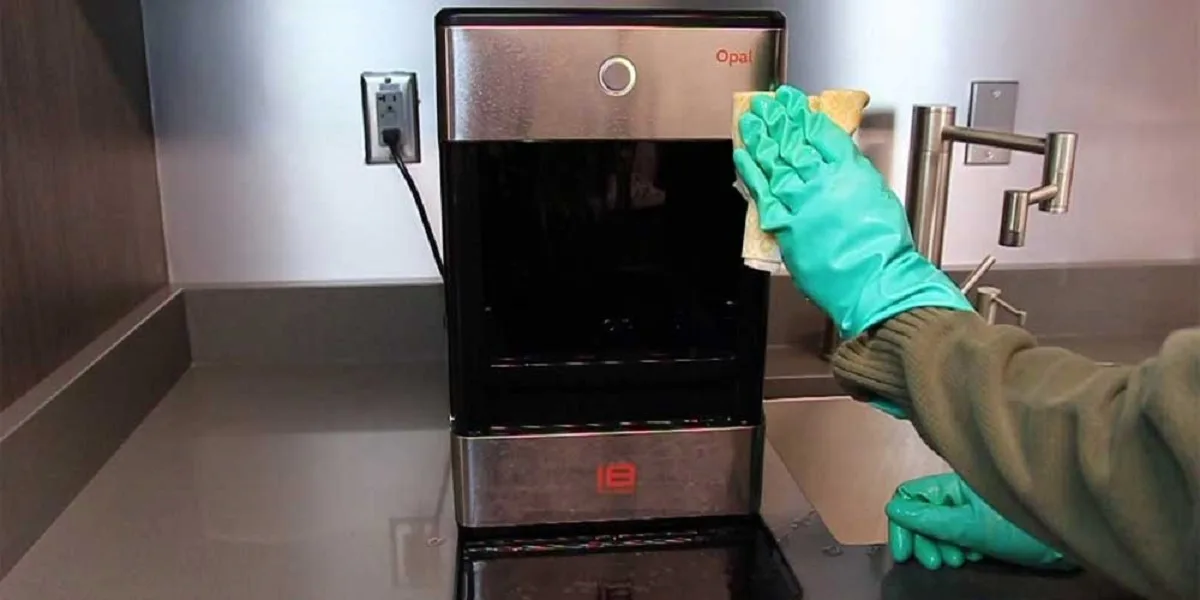
Image source: Bing (Web (fair-use with source credit))
What happens if you skip descaling? The scale acts as an insulator on the freeze plate. The compressor has to work harder and longer to freeze the water. Ice production slows down.
Eventually, the plate gets so coated that ice stops forming entirely. The machine runs but nothing comes out.
Hard water shortcut: If you have extremely hard water, switch to filtered water for the reservoir. A standard Brita-style pitcher filter reduces calcium enough to extend the time between descaling. Do not use distilled water.
The machine needs some mineral content for the water sensor to function.
Vinegar vs. citric acid: Both work. Vinegar is cheaper and available everywhere. Citric acid sold as descaling powder is more effective and leaves no smell.
If you use vinegar, rinse thoroughly. The vinegar smell can linger and make your first batch of ice taste like salad dressing.
One pro tip: Run the clean cycle on a Saturday morning when you're home. Set a timer. The cycle is long enough that people forget about it.
Letting the machine sit with cleaning solution can cause component damage. Drain it promptly.
When to Reset, Drain, or Factory Reset Your Opal
Sometimes the machine just needs a full system reset. Not a power cycle. A real, from-scratch reset that clears every error state and recalibrates the sensors.
Soft reset (power cycle): Unplug for 60 seconds. Works for minor glitches. Does not clear logged errors.
Hard reset (drain and restart): Follow these steps exactly.
- Unplug the machine.
- Remove the reservoir cap and drain all water. You can tip the machine gently to get every drop.
- Open the drain plug on the bottom if your model has one. Let it drip into a towel.
- Wait 15 minutes. This allows the control board capacitors to fully discharge.
- Dry the reservoir with a clean cloth.
- Close the drain plug. Refill with fresh water.
- Plug back in and start a clean cycle.
- After the clean cycle, switch to ice mode.
This hard reset clears most E1, E2, and E5 errors. It also helps if the machine has been unplugged for a while and the pump is dry.
Factory reset (last resort): On some Opal models, you can perform a true factory reset by holding the power button and the clean button simultaneously for 10 seconds. The display will flash. The machine will restart.
This erases all user settings including Wi-Fi pairing on Gen 2 models. Only do this if you have persistent error codes that won't clear.
When to drain for storage: If you're not using the Opal for more than two weeks, drain it completely. Stagnant water breeds mold. Mold causes bad-tasting ice and can clog the pump.
Drain it. Dry the inside with a towel. Leave the lid open for 24 hours before closing it for storage.
Winterizing for cold climates: If your Opal sits in an unheated garage or basement during winter, you must drain it before freezing temperatures. Water expands when it freezes. A frozen reservoir or pump line can crack plastic components.
The manufacturer's documentation explicitly warns against freezing.
Maintenance That Actually Prevents Future Breakdowns
You can extend the life of your Opal from two years to five or more with simple weekly and monthly habits. Here's what actually matters.
Weekly maintenance:
- Wipe down the ice bin with a damp cloth. Residual moisture grows mold.
- Check that the float moves freely. Gently lift and lower it.
- Inspect the drain plug for leaks.
- Empty and refill the water if it's been sitting for more than three days. Stale water grows bacteria.
Monthly maintenance:
- Clean the condenser coils. Dust buildup causes the compressor to run hotter and work harder. Use a soft brush or compressed air.
- Run a vinegar cleaning cycle even if you don't see scale. Prevention is easier than cure.
- Check the inlet water filter if you have one installed. Replace it if it looks discolored.
Quarterly maintenance:
- Full descaling with citric acid powder.
- Inspect the pump inlet for debris. Use a flashlight and look for anything lodged in the small opening.
- Check the o-rings on the side tank connection if applicable. Dry o-rings can cause leaks. Apply a food-grade silicone lubricant if needed.
Signs your Opal needs professional service:
- The compressor runs but never shuts off.
- The machine trips the circuit breaker.
- Water leaks from the bottom after you've checked the drain plug.
- The display stays blank even after a power cycle.
Any of these mean something is physically broken. The compressor, the control board, or a wiring harness. User repair is possible but not recommended for most people.
The R600a refrigerant is flammable. Only certified technicians should open the sealed system. Per EPA guidelines for isobutane refrigerants, unlicensed handling can be dangerous.
Warranty trick: Many users don't realize the compressor warranty is two years with registration, not the standard one year. If your Opal is 13 months old and the compressor fails, you're covered. Register your machine on the manufacturer's website as soon as you buy it.
Save the serial number.
Frequently Asked Questions About Opal Ice Maker Troubleshooting
How long does it take for the Opal to make the first batch of ice?
About 60 to 90 minutes from a cold start. If you pour warm water in, the first batch takes longer because the machine has to cool the water before freezing. Expect 90 minutes if you walk away and check later.
Why does my Opal keep flashing the power button?
Flashing patterns correspond to error codes. Count the flashes. Three flashes usually means E1 or pump issue.
Four flashes means E2 or water sensor. Check the error code section above for the specific fix.
Can I use distilled water in my Opal?
No. The water sensor needs dissolved minerals to detect the water level. Distilled water has had those minerals removed.
The machine may show a low water error constantly. Use filtered tap water instead.
My Opal makes ice but it melts too fast in the bin.
The bin is not insulated. Opal ice is soft nugget ice, which melts faster than hard cube ice. If your kitchen is warm or humid, it melts even faster.
Try keeping the lid closed and running the machine in a cooler room. If the ice melts in under an hour, check that the drain plug is fully sealed.
How do I reset the Wi-Fi on my Gen 2 Opal?
Hold the power button and the clean button for 10 seconds. The Wi-Fi light will flash. Then go into the app and re-pair the device.
You'll need to enter your home network password again.
Is it normal for the Opal to be warm to the touch?
Yes. The compressor generates heat. The front and sides of the machine will feel warm during operation.
That's the heat being dissipated. If it feels hot enough to burn your hand above 130°F, there's a ventilation problem. Move it away from walls and other appliances.
When should I just replace the Opal instead of fixing it?
If the compressor is dead or the refrigerant has leaked, replacement is usually the right call. Those repairs cost nearly as much as a new unit. If the pump, sensor, or control board has failed, repair is cheaper.
Factor in the age and warranty status of your machine before deciding.

Similar Posts