Canon EOS R10 Video Settings
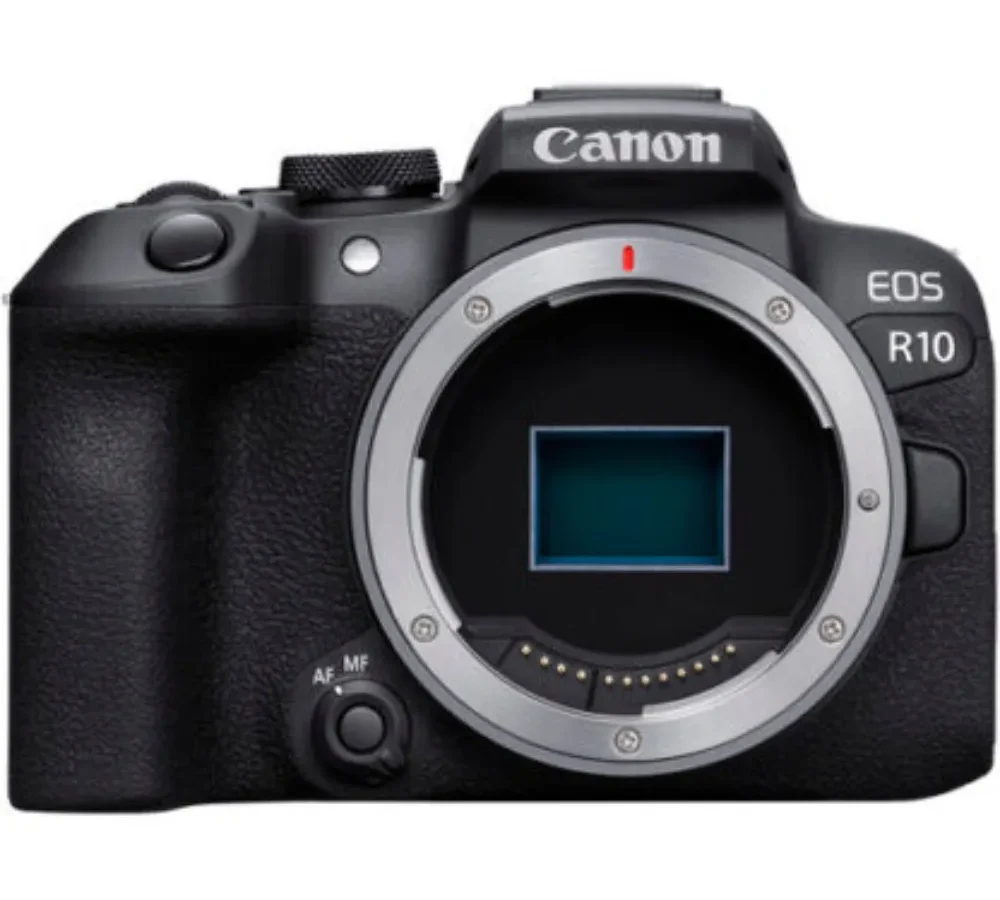
You've got the Canon EOS R10 video settings staring you in the face. The menu offers a dozen resolution and frame rate combos. Pick the wrong one and your footage looks soft, shaky, or cropped in ways you didn't expect.
Manufacturer specifications indicate the R10 records 4K UHD at up to 30 frames per second using the full sensor width with no crop. That matters for wide shots. The catch is 4K at 60 fps introduces a 1.56x crop factor that turns your wide lens into a tight one.
As of 2026, this is the single most important setting to understand before you hit record.
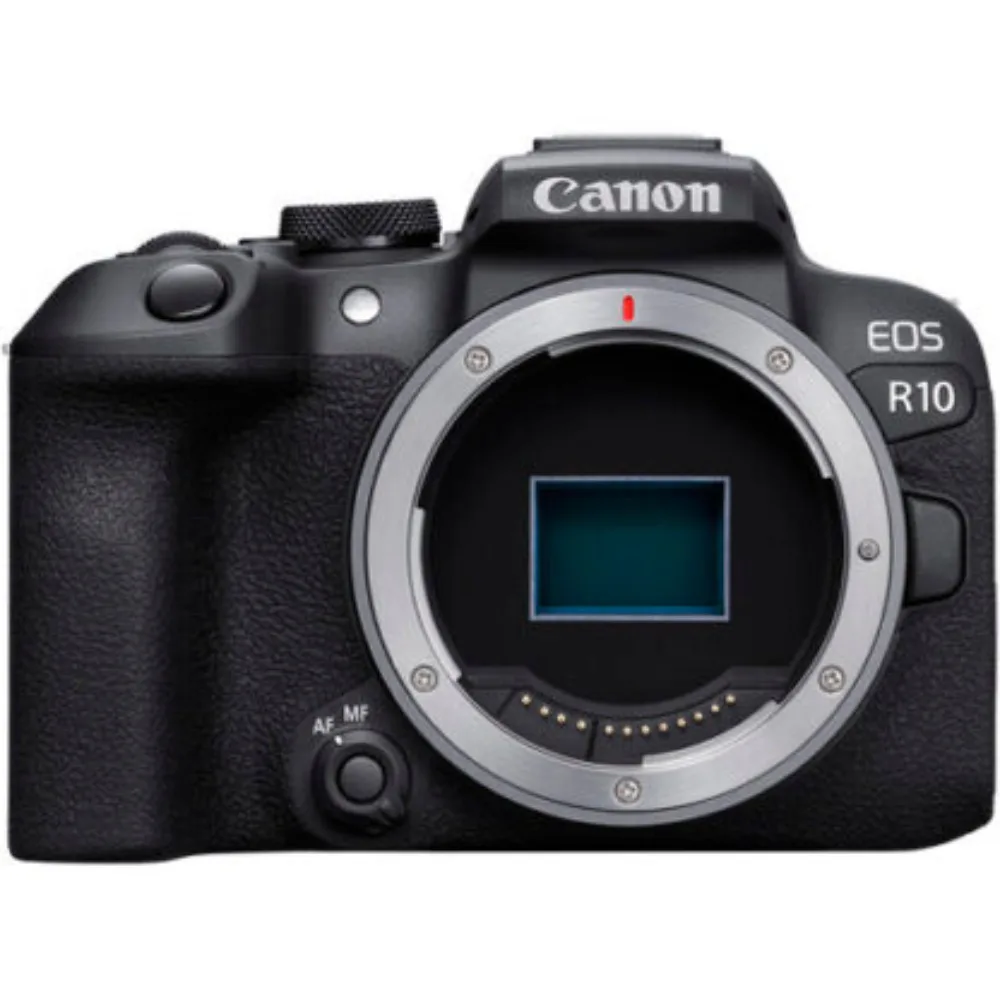
Image source: Bing (Web (fair-use with source credit))
Quick Answer
The best Canon EOS R10 video settings depend on what you're shooting. For vlogging, use 4K 30p with no crop. For slow motion, switch to 1080p 120fps.
Set your shutter speed to double the frame rate. Use the lowest native ISO. Enable zebra patterns at 95 percent to protect highlights.
Pick Picture Style Neutral if you plan to color grade.
The 4K 60p Crop Trap: Why Your Wide Shot Just Got Tight
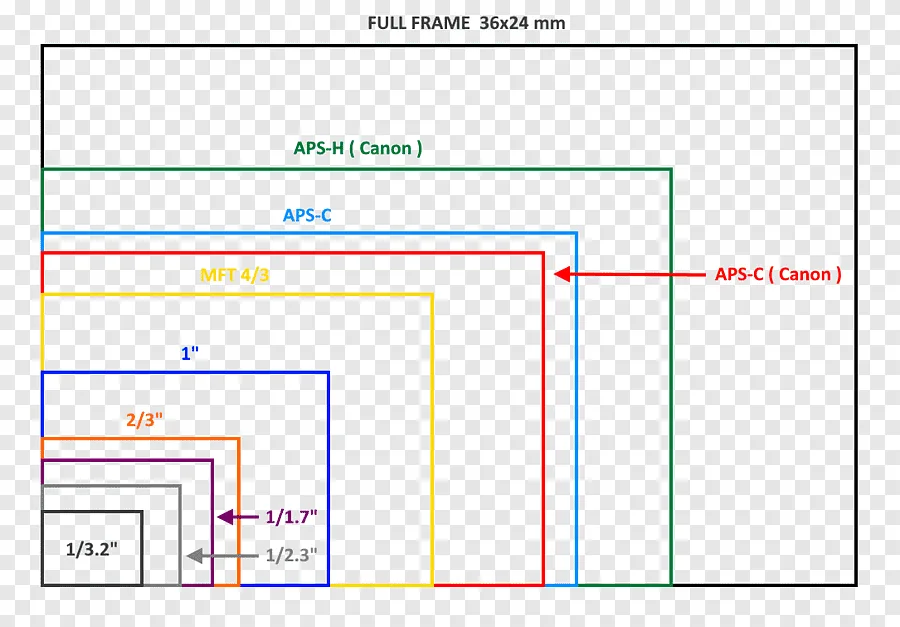
Image source: Bing (Web (fair-use with source credit))
Here's the thing most people discover the hard way. You frame up a beautiful wide shot with your RF-S 18-45mm kit lens zoomed all the way out to 18mm. It looks great on the screen.
Then you switch to 4K 60p and suddenly you're looking at a 1.56x crop. Your 18mm wide angle becomes a 28mm equivalent. That sweeping landscape just turned into a tight mid shot.
Aggregate reviews report this is the most common frustration with the R10's video mode. The crop factor effectively multiplies your lens's focal length by about 1.56 on top of the sensor's native 1.6x APS-C crop. That means your 18mm lens behaves like a 28mm on a full-frame camera.
Your 50mm prime becomes a 78mm. That's a lot of reach.
What this means for your shoots:
- Vlogging at arm's length, You'll need a wider lens, something like the RF-S 10-18mm, to keep your face and background in frame at 4K 60p.
- Indoor interiors, That 18mm kit lens won't cut it for room shots at 60p. You'll be backing into walls.
- Sports and wildlife, The crop is actually a benefit here. You get extra reach on your telephoto lens without buying a longer one.
The fix is simple. Shoot 4K 30p when you need wide coverage. Reserve 4K 60p for action or slow-motion shots where you can live with the tighter framing.
If you absolutely need 60p with a wide view, invest in a wider lens or consider a camera body that shoots 4K 60p without a crop.
R10 Video Settings: The One Decision That Changes Everything
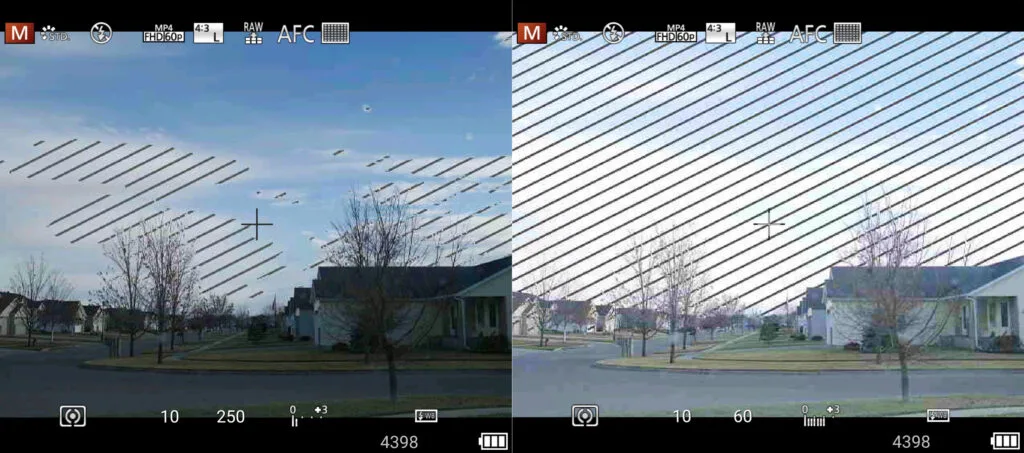
Image source: Bing (Web (fair-use with source credit))
Before you touch any other menu, decide: 4K 30p or 4K 60p? That single choice determines your crop, your bitrate, your file sizes, and your lens selection. Everything else is secondary.
4K 30p, the safe choice
- Full sensor readout, no crop
- Gives you the widest possible field of view
- 120 Mbps bitrate (IPB compression)
- Excellent for interviews, vlogging, cinematic B-roll, and any controlled lighting scenario
- Easier on your memory card and battery
4K 60p, the action choice
- 1.56x crop factor
- Higher bitrate at 230 Mbps
- Ideal for slow-motion footage (you can slow it to 40 percent speed in a 24p timeline)
- Heavier on storage and processing
- Better for sports, wildlife, or any fast-moving subject
Most hybrid shooters use 4K 30p as their default. They switch to 60p only when they know they'll need slow motion. That's a smart workflow.
It saves you from the crop penalty when you don't need it and keeps your file sizes manageable.
A note on frame rates and flicker
If you're shooting under artificial lights, match your frame rate to your local power grid. In North America, set 30p or 60p to avoid flicker from 60 Hz lights. In Europe and other PAL regions, use 25p or 50p.
This is a small detail that ruins footage if you ignore it.
How the R10 Actually Handles Video: Sensor, Processor, and Codec
The R10 packs a 24.2-megapixel APS-C CMOS sensor paired with the DIGIC X processor. That's the same processor found in the higher-end Canon R6 Mark II. It's fast and capable.
It handles the 4K data stream without overheating in normal conditions.
What the sensor can do:
- 4K UHD at 30p from the full sensor width (no line skipping)
- 4K UHD at 60p from a cropped area
- 1080p at 120p for slow motion, no crop
- 4:2:0 8-bit color depth internally
- No Canon Log, no 10-bit recording
The lack of 10-bit and Canon Log is the biggest limitation. If you're coming from a Lumix GH series or a Fujifilm X-T5, you'll notice the R10's footage is harder to grade. You have less room to push shadows and recover highlights.
The solution is to get your exposure right in camera. Use zebra patterns at 95 percent to protect your highlights. Shoot with a flat Picture Style like Neutral with sharpness turned down and contrast reduced.
Codec clarity
The R10 records H.264 and H.265 (HEVC) in an MP4 wrapper. H.264 is widely compatible with editing software but produces larger files at the same quality. H.265 gives you better compression but requires a newer computer to edit smoothly.
For most users, H.264 is the safe bet. If you're using a 2021 or later Mac or a PC with a dedicated GPU, H.265 can save you storage space without sacrificing quality.
Rolling shutter reality
Manufacturer specs don't publish rolling shutter readout speeds. Independent testing indicates the R10 has a moderate rolling shutter in 4K 30p. Fast pans create a noticeable jello effect.
In 4K 60p, the rolling shutter is significantly reduced because the camera reads the cropped sensor area faster. If you shoot a lot of handheld pans, 60p gives you cleaner footage even if you don't need the slow motion.
The Decision Tree: Settings for Your Exact Scenario
This is where we put it all together. Here's how to set up the R10 for six common shooting situations.
Branch 1: Vlogging and Talking Head
- Resolution: 4K 30p (no crop, wide field of view)
- Shutter: 1/60 (180-degree rule)
- Aperture: f/2.8 or wider for background blur
- ISO: 100 to 800 (keep it low)
- AF: Servo AF, eye tracking ON, subject set to Human
- Picture Style: Standard or Neutral
- Digital IS: ON (accept the crop, it smooths out walking shots)
- Audio: External mic, levels set to -12 dB average
Branch 2: Cinematic B-Roll and Controlled Lighting
- Resolution: 4K 30p (full width, sharpest)
- Shutter: 1/50 (for 24p timeline) or 1/60 (for 30p timeline)
- Aperture: f/2.8 or wider, shallow depth of field
- ISO: 100 base
- AF: Servo AF, subject tracking OFF (manual focus for intentional pulls)
- Picture Style: Neutral with sharpness -2, contrast -2
- Digital IS: OFF (cleaner image, no extra crop)
- Use a tripod or gimbal
Branch 3: Fast Action and Sports
- Resolution: 4K 60p (accept the crop, get the slow motion)
- Shutter: 1/125 (180-degree rule for 60p)
- Aperture: f/4 or wider to maintain depth of field
- ISO: 100 to 1600 (action often needs faster shutter)
- AF: Servo AF, subject tracking ON, set to Animal or Vehicle depending on subject
- Picture Style: Standard (higher contrast helps autofocus in some scenarios)
- Digital IS: OFF (electronic stabilization can introduce jitter in fast pans)
Branch 4: Low Light and Indoor Events
- Resolution: 1080p 30p (lower noise than 4K in dim conditions)
- Shutter: 1/60 (keep it as slow as practical)
- Aperture: wide open, f/1.4 or f/2.0 if you have the lens
- ISO: 1600 to 6400 (test your tolerance; 3200 is usually clean)
- AF: Servo AF, eye tracking ON
- Picture Style: Standard (Neutral can look too flat in low light)
- Digital IS: OFF (every bit of light matters; the crop from IS dims the image)
Branch 5: Slow Motion and 1080p 120fps
- Resolution: 1080p 120p (no crop, full sensor)
- Shutter: 1/250 (180-degree rule for 120p)
- Aperture: your choice, but keep ISO low
- ISO: 100 to 800
- AF: Servo AF, but subject tracking is less reliable at 120p
- Picture Style: Standard (slow motion looks better with punchy color)
- Digital IS: ON if handheld, OFF if tripod-mounted
- Note: 120p disables audio recording. Plan for a separate audio track.
Branch 6: Interviews and Static Shots
- Resolution: 4K 30p (no crop, cleanest image)
- Shutter: 1/60
- Aperture: f/4 to f/5.6 (keep both subjects sharp)
- ISO: 100 to 400
- AF: Servo AF, eye tracking ON, but lock focus with AF lock to avoid hunting
- Picture Style: Neutral (flat enough for grading, natural skin tones)
- Digital IS: OFF (camera is on a tripod, no need for stabilization)
- Audio: Lavalier mic or boom, levels set to -12 dB, monitor with headphones if possible
Six Common R10 Video Mistakes (And How to Fix Them)
Even experienced shooters make these errors. Here's what to watch for.
1. Shooting 4K 60p when you don't need it
The crop penalty is real. If your subject isn't moving fast and you don't plan to slow the footage down, stick with 4K 30p. You get a wider view, lower file sizes, and less rolling shutter.
Reserve 60p for actual slow-motion work.
2. Ignoring the 180-degree shutter rule
Set your shutter speed to double your frame rate. 24 fps = 1/50. 30 fps = 1/60. 60 fps = 1/120. 120 fps = 1/250. A wrong shutter speed gives you either stroboscopic motion or unnatural blur. It's the most common giveaway of amateur footage.
3. Using Auto ISO in changing light
Auto ISO works great for photos. In video, it causes visible exposure shifts mid-clip. Set your ISO manually and adjust your aperture or ND filter to control exposure.
If the light changes, stop recording and adjust.
4. Forgetting to update the firmware
Aggregate reviews indicate the R10 received several firmware updates that improved autofocus reliability and corrected minor bugs. Check the Canon website for the latest version. The process is straightforward, similar to the firmware update procedure for the R50.
5. Relying on the built-in microphone
The R10's internal mic picks up handling noise, lens motor whine, and room echo. It's usable for scratch audio or casual clips. For any serious video, plug in a shotgun mic.
You'll hear the difference immediately.
6. Not formatting your card before a shoot
A full or fragmented card can cause dropped frames or buffer errors. Format your SD card in the camera before every important shoot. Use a UHS-I card rated V30 or faster.
The R10 doesn't support UHS-II, so don't waste money on the faster cards.
R10 Video Specs, File Sizes, and Real-World Limits
Let's get concrete about what the R10 can actually handle. These numbers matter when you're planning a shoot or buying memory cards.
Resolution and frame rate table
| Setting | Max Bitrate | Crop | Recording Limit | Estimated File Size (per minute) |
|---|---|---|---|---|
| 4K 30p | 120 Mbps | None | 29 min 59 sec | ~900 MB |
| 4K 60p | 230 Mbps | 1.56x | 29 min 59 sec | ~1.7 GB |
| 1080p 30p | 30 Mbps | None | 29 min 59 sec | ~225 MB |
| 1080p 120p | 60 Mbps | None | 29 min 59 sec | ~450 MB |
A 64 GB card holds roughly 71 minutes of 4K 30p footage. That same card fills up in about 37 minutes at 4K 60p. Plan your storage accordingly.
Card requirements
The R10 uses a single UHS-I SD card slot. It does not support UHS-II. That means you don't need to spend extra on faster cards.
A V30 or U3 rated card is all you need for the highest bitrate. Cards rated V60 or V90 offer no benefit in this camera.
Battery life in the real world
Manufacturer specs claim 450 shots per charge for stills. For video, expect about 45 to 60 minutes of continuous 4K recording. That's typical for a small battery mirrorless camera.
If you're shooting interviews or events, keep a spare battery charged. The R10 charges via USB-C while you shoot, so a power bank can extend your runtime significantly.
Overheating behavior
The R10 handles heat better than some earlier Canon models. Most users report no overheating issues at 4K 30p in normal room temperature. At 4K 60p in warm conditions, some users see a temperature warning after 20 to 30 minutes.
The camera will shut down if it gets too hot. If you're shooting in direct sun or a hot venue, drop to 1080p or take breaks between clips.
The 30-minute limit is real
The R10 stops recording at 29 minutes and 59 seconds. This is a legacy restriction from EU tax classification. It applies to all frame rates.
For long events, you'll need to restart the recording manually. Some shooters use an external recorder to bypass this limit, but that adds cost and complexity.
Pro Tips: Getting More Out of the R10 Without Buying New Gear
You don't need a new camera to improve your footage. These tweaks cost nothing and make a noticeable difference.
Use the Picture Style menu to create a flat profile
The R10 lacks Canon Log. But you can get close by tweaking the Neutral Picture Style. Set Sharpness to -2, Contrast to -2, Saturation to -1, and Color Tone to 0.
This gives you a flatter image that retains more detail in highlights and shadows. It won't match a true log profile, but it gives you more room to grade in post.
Master the zebra pattern
Set your zebra pattern to 95 percent. Anything that shows stripes is blown out. Pull down your exposure until the stripes disappear.
This protects your highlights better than relying on the histogram alone. It's a small habit that saves footage.
Use the manual audio level control
The R10 defaults to auto audio. That's fine for casual clips. For anything serious, switch to manual.
Aim for audio levels that peak around -12 dB. If the meter hits 0 dB, your audio is clipping and distorted. A simple lavalier or shotgun mic into the 3.5mm jack makes a huge difference.
Lock your white balance
Auto white balance is a trap. It shifts mid-shot when you pan from a window to a wall. Set your white balance manually to match your lighting.
For indoor tungsten, use 3200K. For daylight, use 5600K. For mixed lighting, use a gray card to set a custom white balance.
Shoot a little wide for stabilization
If you plan to use Digital IS, frame your shot slightly wider than you need. The electronic stabilization crops into the image. If you compose tight, the crop will cut off your subject.
Give yourself a margin of about 10 percent.
Keep your lens clean
This sounds basic. But a smudge on the front element shows up as softness and flare in video. Clean your lens before every important shoot.
The same applies to the sensor. You can dust it off with a blower. For deeper cleaning, be careful about the process.
The R10's sensor requires the same care as cleaning a Nikon Z9 sensor.
Frequently Asked Questions
Can I get Canon Log on the R10?
No. The R10 does not support Canon Log or 10-bit internal recording. You can approximate a flat profile by adjusting the Neutral Picture Style, but it's not the same as true log.
For heavy color grading, consider an external recorder or a different camera.
Does the R10 overheat in 4K?
Most users report no overheating at 4K 30p in normal conditions. At 4K 60p, especially in warm environments or direct sunlight, you may see a temperature warning after 20 to 30 minutes. The camera will shut down if it reaches critical temperature.
What SD card should I use for video?
Use a UHS-I card rated V30 or U3. Cards like the SanDisk Extreme Pro or Samsung EVO Plus work well. The R10 does not support UHS-II, so V60 or V90 cards offer no speed benefit.
Stick with V30 to save money.
Can I record 4K 60p without the crop?
No. The 1.56x crop is a fixed hardware limitation when shooting 4K 60p. The only way to avoid it is to shoot 4K 30p or use a wider lens.
If you need 4K 60p uncropped, you would need a camera like the Canon EOS R7.
Does the R10 have a headphone jack?
No. The R10 has a 3.5mm microphone input but no headphone output. You cannot monitor audio while recording.
To check audio levels, review the waveform on the display after recording, or use an external recorder with headphone monitoring.
How long can I record continuously?
The R10 stops recording at 29 minutes and 59 seconds per clip. This applies to all resolutions and frame rates. For longer events, you must restart the recording manually.
The camera will resume recording with a new file.
Settings Cheat Sheet: Your Quick Reference Guide
Here's a one-page reference for the most common scenarios. Save this for your next shoot.
Exposure basics (always)
- Shutter speed = 2x frame rate (180-degree rule)
- Aperture = your creative choice
- ISO = as low as possible, no higher than 3200 for clean footage
Scene-by-scene settings
| Scenario | Resolution | Frame Rate | Shutter | Digital IS | Picture Style |
|---|---|---|---|---|---|
| Vlogging | 4K | 30p | 1/60 | ON | Standard |
| Cinematic | 4K | 30p | 1/50 | OFF | Neutral (flat) |
| Action | 4K | 60p | 1/125 | OFF | Standard |
| Slow motion | 1080p | 120p | 1/250 | ON | Standard |
| Low light | 1080p | 30p | 1/60 | OFF | Standard |
| Interview | 4K | 30p | 1/60 | OFF | Neutral |
Checklist before every shoot
- Format your SD card in the camera
- Set manual white balance to match your lighting
- Turn off auto ISO
- Enable zebra pattern at 95 percent
- Set audio to manual, peak at -12 dB
- Choose your Picture Style
- Lock your focus or enable Servo AF with eye tracking
One more thing
The R10 is a capable video camera for its price. It has limits. You can't get 10-bit color or log footage.
You can't record 4K 60p without a crop. But within those limits, it produces excellent footage. The key is knowing what to use and when.
That's what this guide is for. Take the decision tree, pick your scenario, and go shoot.

Similar Posts