Comfort Zone Heater Making Noise
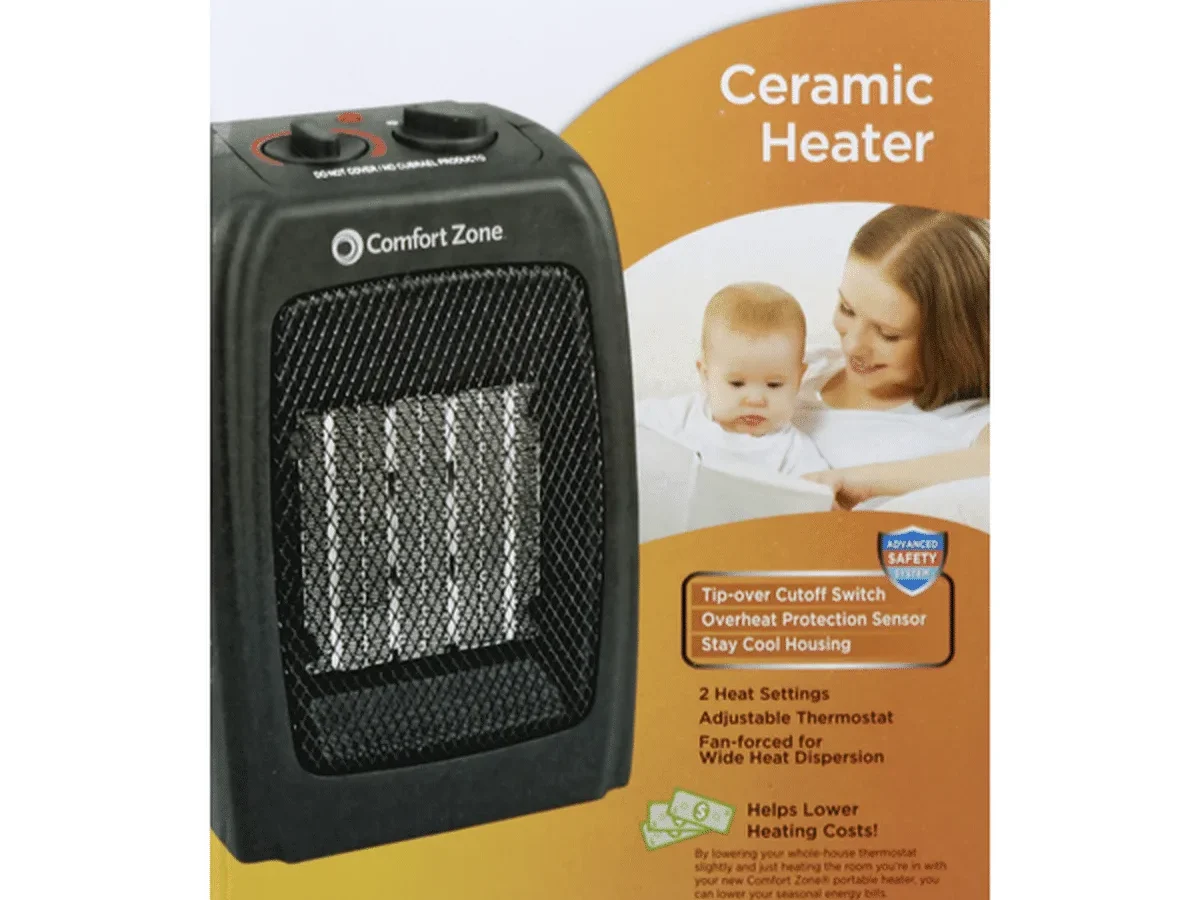
Your Comfort Zone heater has started making noise. You're wondering if it's normal, fixable, or a sign you need to replace it. That's exactly what we're covering here.
Certain sounds are completely harmless while others point to electrical issues that need immediate attention. As of 2026, UL-certified space heaters must pass specific safety tests, but no certification prevents normal wear and tear from causing noise. Let's walk through what each sound means and what you should do about it.
Quick Answer
A Comfort Zone heater making noise is usually fixable. Clicking from thermal expansion is normal. Rattling often means a loose screw or debris.
Buzzing needs attention fast. Humming can be a dirty fan blade. Grinding means the motor bearings are worn out.
Unplug the heater first. Then identify the noise type. Most fixes are simple.
Electrical buzzing or burning smells mean stop using it immediately.
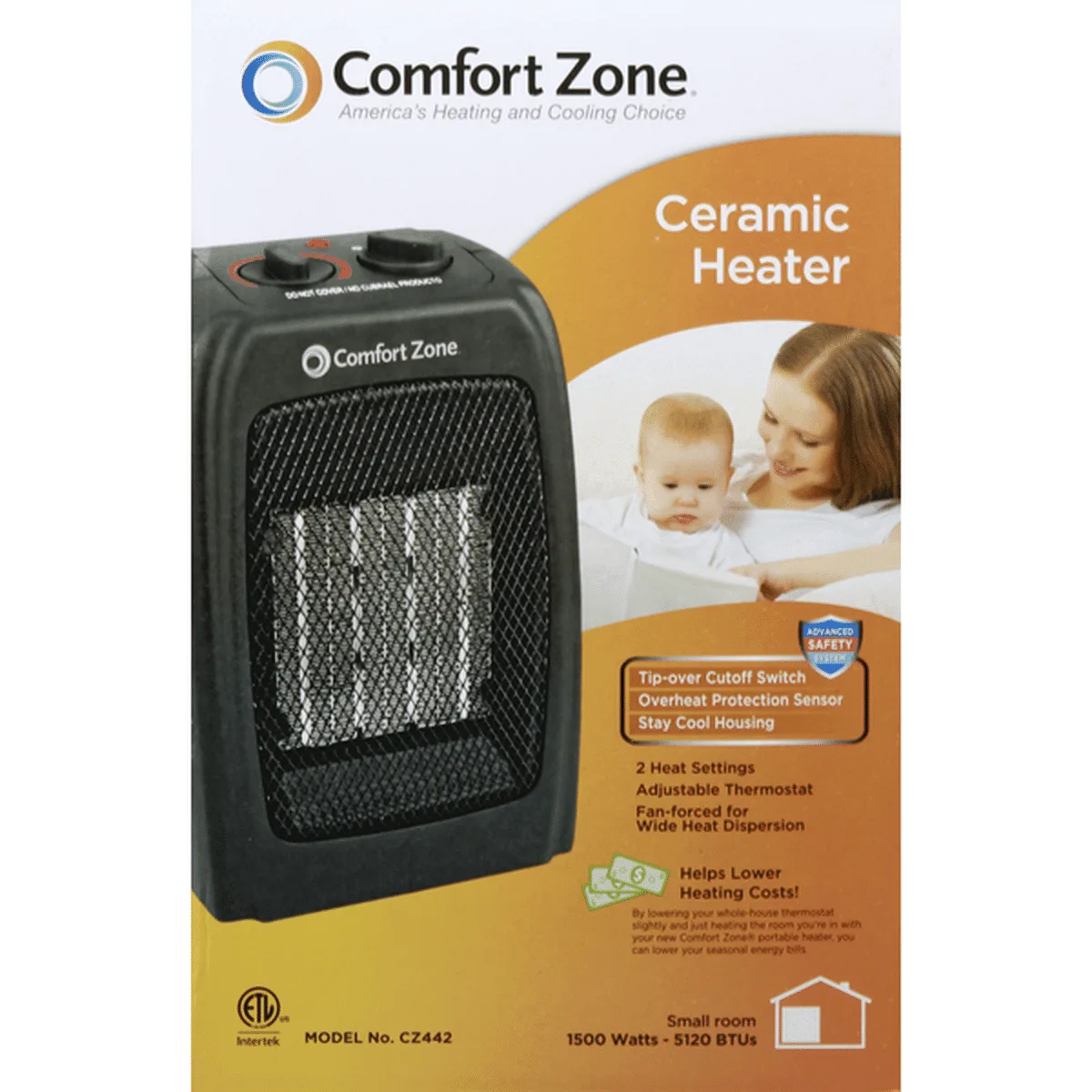
Image source: Bing (Web (fair-use with source credit))
Why That Noise Matters More Than You Think
Every noise your Comfort Zone heater makes is a clue. The question is whether that clue points to a loose screw you can tighten or an electrical fault that could start a fire.
Most heater noises fall into two categories: mechanical and electrical. Mechanical noises come from moving parts. Electrical noises come from current flowing through wires and components.
Both can sound similar, but the risk level is completely different.
The quiet clicking you hear when your heater first turns on is almost always thermal expansion. Metal heats up and expands. Metal cools down and contracts.
That's normal physics. But a loud POP followed by a buzzing sound? That could mean an internal wire is arcing against the metal housing.
That's a fire risk.
Per UL safety standards, space heaters must include overheat protection and tip-over shutoff. Those features save lives. But they don't prevent every internal failure.
A failing motor bearing won't trigger the overheat sensor. A loose wire connection can arc for weeks before it finally fails completely.
Aggregate reviews show that users who catch problems early often fix them in minutes with basic tools. Users who wait until the heater stops working entirely end up replacing the unit. More importantly, users who ignore electrical buzzing risk property damage.
That's why this guide exists. Not to scare you, but to give you clear signals about which noises are normal, which ones you can fix yourself, and which ones mean it's time to unplug the heater for good.
The 5 Types of Heater Noises and What Each Really Means
Before you open your tool kit, you need to identify what you're hearing. Different noises mean different problems.
Image source: Bing (Web (fair-use with source credit))
Clicking Sounds
Clicking is the most common and often the least concerning. Two things cause it.
First, thermal expansion. The metal housing and internal components heat up and cool down during operation. That expansion and contraction makes a ticking or clicking sound.
It usually happens when the heater first turns on or right after it shuts off. If the sound is soft, irregular, and stops after a few minutes, it's normal.
Second, the thermostat cycling. Your Comfort Zone heater has a thermostat that turns the heating element on and off to maintain temperature. Each time it clicks on or off, you'll hear a single click.
That's the relay switch engaging. It should sound clean and consistent. If it sounds crunchy or multiple clicks happen in quick succession, the thermostat may be failing.
Buzzing Sounds
Buzzing deserves more attention. A low, consistent hum is often normal for fan-forced models. The motor runs, the fan spins, and you hear a quiet electrical hum.
That's fine.
A loud or intermittent buzz is not fine. That usually means a loose electrical connection inside the unit. Electricity jumping across a gap creates an audible buzzing sound.
It's called arcing, and it generates heat. Over time, that heat can damage the wiring or ignite nearby materials.
Here's a practical test. Turn off the heater and let it cool completely. Turn it back on and listen carefully.
If the buzzing changes when you adjust the thermostat or move the heater slightly, you have a loose connection. Unplug the unit and stop using it.
Rattling Sounds
Rattling is almost always mechanical. Something is loose inside the heater. It could be a screw that worked itself free.
It could be a piece of debris that got sucked into the fan intake. It could be a foreign object that fell through the vent grille.
The fix is straightforward. Unplug the heater. Tilt it gently in different directions.
If you hear something sliding around inside, that's an object you can probably remove. Shake it near your ear to locate the general area. Then open the housing if possible and remove the debris.
If nothing slides, check the external screws. Over time, vibration loosens them. Tighten every visible screw on the housing, base, and control panel.
That solves many rattling issues.
Whistling or High-Pitched Sounds
Whistling means air is moving through a tight space. In a heater, that usually means the fan blade is partially blocked or the air intake is restricted.
Check the front and back vents. Dust, pet hair, and lint accumulate quickly. A partial blockage changes the airflow pattern and creates a whistling noise.
Clean the vents with a soft brush or compressed air.
If the vents are clean and the whistling continues, the fan blade itself may be bent or misaligned. That requires opening the housing and inspecting the blade. A bent blade needs replacement, not repair.
Grinding or Scraping Sounds
This is the worst noise category. Grinding means metal is rubbing against metal inside the motor or fan assembly. The motor bearings are worn out, or the fan blade is contacting the housing.
Comfort Zone heaters use sleeve bearings or sealed ball bearings in their fan motors. Sleeve bearings have a typical lifespan of 2,000 to 3,000 hours of continuous use. That's roughly two to three winters of daily operation.
Once they start grinding, lubrication usually doesn't help. The bearing surface is damaged.
A scraping sound means the fan blade is hitting something. That could be a warped blade, a misaligned motor mount, or debris stuck between the blade and housing. You can check for debris, but a warped blade needs replacement.
Step-by-Step: How to Diagnose and Fix a Noisy Comfort Zone Heater
Now let's get hands-on. You'll need about 15 minutes and a few basic tools.
Step 1: Unplug the Heater
This isn't a suggestion. It's mandatory. Never work on any electric heater while it's plugged in.
Remove the cord from the wall outlet completely. Do not just flip the switch to off.
Image source: Bing (Web (fair-use with source credit))
Step 2: Identify the Noise Type
Turn the heater back on briefly. Listen carefully. Is it clicking, buzzing, rattling, whistling, or grinding?
Write it down if it helps. Then unplug it again.
Step 3: Visual Inspection
Look at the entire unit. Check the power cord for damage. Inspect the vent grilles for visible debris.
Look for anything unusual like bent grille fins or missing screws.
Step 4: The Shake Test
Pick up the heater. Tilt it side to side and front to back. Listen for objects moving inside.
Feel for anything shifting weight unexpectedly. A loose object will move and make noise.
Step 5: Clean the Unit
Use a soft brush or compressed air to clean the intake and exhaust vents. Focus on the fan blade area if you can see it through the grille. Use a vacuum with a brush attachment to remove dust from the housing.
Do not use liquid cleaners. Do not spray anything into the vents. Dry cleaning only.
Step 6: Tighten External Screws
Check every visible screw on the housing, base plate, and control panel. Use a Phillips head screwdriver. Tighten gently.
Overtightening can strip the plastic threads.
Step 7: Test the Surface
Place the heater on a hard, level surface. Turn it on. Does the noise change?
If the noise is louder on carpet or a soft surface, vibration is amplifying a rattle. Try a different surface before assuming the heater is broken.
Step 8: Listen for Electrical Arcing
Turn off the lights in the room. Listen for buzzing. Look at the room's lights while the heater runs.
If the lights dim or flicker when the buzzing happens, that's a strong sign of electrical arcing inside the heater or a wiring issue in your home. Stop using the heater immediately.
Step 9: Document the Serial Number
If you need to contact customer support, you'll need the model number and serial number. They're usually on a sticker on the bottom or back of the unit. Write them down before the heater fails completely.
When It's Safe to Fix Yourself vs. When to Call It Quits
This is the most important decision you'll make. Fixing a noisy heater yourself is fine for mechanical issues. Electrical issues require professional help or replacement.
Safe to Fix Yourself
- Cleaning debris from vents
- Tightening loose external screws
- Removing foreign objects from inside the housing
- Placing the heater on a different surface
- Replacing the power cord if it's detachable
Not Safe to Fix Yourself
- Opening the main housing to access internal wiring
- Replacing the fan motor
- Repairing the thermostat
- Fixing electrical arcing or loose internal connections
- Any repair that requires soldering or wire splicing
Here's the rule of thumb. If the fix requires unscrewing more than the outer housing panels, stop. The internal components of a Comfort Zone heater are not designed for user service.
The manufacturer expects replacement, not repair, for internal failures.
When to Replace the Heater
Replace the unit if any of these are true:
| Condition | Action |
|---|---|
| Grinding noise from the motor | Replace |
| Burning smell during operation | Replace |
| Visible damage to the power cord | Replace |
| Heater trips your circuit breaker | Replace |
| Buzzing that stops when you move the cord | Replace |
| The heater is more than 5 years old | Replace |
A new Comfort Zone heater costs between $25 and $60. That's less than one hour of an electrician's time. When in doubt, replace it.
The safety risk isn't worth saving fifty dollars.
The Cost of Waiting
Here's a real scenario from aggregate user reports. A heater starts buzzing quietly. The user ignores it for two weeks.
The buzzing gets louder. One night, the heater stops working entirely. The user wakes up to a cold room.
The internal wiring finally failed. The breaker tripped, but not before the wiring insulation melted.
That's the best case. The worst case is the melted wiring ignites nearby dust or a curtain. Space heaters cause an estimated 25,000 residential fires per year according to data from the National Fire Protection Association.
Don't become a statistic because you wanted to squeeze one more winter out of a fifty-dollar heater.
The One Mistake That Turns a Small Noise Into a Big Problem
There's one mistake that comes up more than any other in user reports. People ignore the noise because the heater still works. They think, it's still blowing hot air, so it must be fine.
That logic fails because of how electric heaters work. A space heater has a heating element, a fan, and a control board. The fan can fail independently of the heating element.
You can still feel hot air because the element works. But without the fan moving air across it, the internal temperature rises. The overheat protection should kick in.
Sometimes it does. Sometimes it doesn't.
Here's the second most common mistake. People plug the heater into a power strip or extension cord. That's dangerous on its own.
A noisy heater drawing irregular current on an extension cord increases the risk of overheating the cord. Never use an extension cord with a space heater. Plug it directly into a wall outlet.
The third mistake is cleaning the heater while it's plugged in. Even with the switch off, internal components can retain a charge. Always unplug first.
Always.
The fourth mistake is ignoring the surface. A rattling heater on a metal desk or thin wooden shelf will sound worse than it actually is. The surface amplifies the vibration.
Put the heater on a solid, level floor. If the noise disappears, the heater is fine and you just needed better placement.
The fifth mistake is buying the cheapest replacement. Comfort Zone offers multiple models at different price points. A $20 heater has cheaper components than a $50 heater.
Cheaper motors wear out faster. Cheaper housings rattle more. Pay the extra twenty dollars.
It's worth it for the peace and quiet.
How to Prevent Noise Before It Starts (Maintenance That Works)
Prevention takes five minutes once a month. Here's what to do.
Monthly Cleaning
Clean the intake and exhaust vents every month during heating season. Use a vacuum with a brush attachment. Remove dust, pet hair, and lint.
A clean heater runs quieter and lasts longer.
Seasonal Inspection
Before winter starts, inspect the heater thoroughly. Check the power cord for cracks or damage. Test the tip-over switch by tipping the heater while it's running.
It should shut off immediately. Test the overheat protection by blocking the intake vent. The heater should shut off within 30 seconds.
Proper Storage
Store the heater in a dry, clean location during the summer. Keep it in its original box if possible. Dust and humidity damage internal components.
A heater stored in a damp basement is more likely to develop electrical noise when you use it the following winter.
Avoid Overuse
Comfort Zone heaters are designed for supplemental heat, not primary heating. Running a space heater 24 hours a day for months will wear out the motor and stress the internal components. Use the heater for a few hours at a time.
Let it cool down between uses.
Choose the Right Model
If you're buying a new Comfort Zone heater and noise is your main concern, pick an oil-filled radiator model. They have no fan. The only noise is the internal oil heating up, which is nearly silent.
They're heavier and take longer to heat a room, but they're the quietest option by far.
Frequently Asked Questions About Comfort Zone Heater Noise
Why does my Comfort Zone heater click when it turns on?
That's thermal expansion. The metal housing heats up and expands, which makes a clicking sound. It's normal.
The same thing happens when the heater cools down after you turn it off. If the clicking continues for more than a few minutes, check for loose screws.
Is it safe to use my heater if it's making a buzzing sound?
Not if the buzzing is loud or intermittent. A quiet hum is normal for fan-forced models. A loud buzz or a buzz that changes when you move the heater means a loose electrical connection.
Unplug the heater and stop using it.
Can I oil the fan motor on my Comfort Zone heater?
No. The motor bearings are sealed. They don't have oil ports.
If the motor is grinding or humming loudly, the bearings are worn out. Oil won't help. The motor needs replacement, which means replacing the entire heater is usually more practical.
Why does my heater make noise on carpet but not on the floor?
Carpet amplifies vibration. The soft surface lets the heater settle unevenly, which causes internal parts to shift or rattle. Place the heater on a hard, level surface.
Use a thin board or tile as a base if you need the heater on carpet.
How long should a Comfort Zone heater last before it gets noisy?
A well-maintained heater typically lasts three to five years before developing noticeable noise. The fan motor bearings wear out after about 2,000 to 3,000 hours of use. Regular cleaning and proper storage can add a year or two to that lifespan.
Does the clicking sound mean my heater is going to catch fire?
Almost never. Clicking from thermal expansion or thermostat cycling is normal and safe. If the clicking is accompanied by a burning smell, arcing sound, or visible sparks, that's different.
That combination of symptoms is dangerous and requires immediate replacement.
Final Verdict: What to Do Right Now Based on Your Situation
Let's make this simple. Find your situation in the list below and follow the action.
- Soft clicking at startup and shutdown: Normal. Ignore it.
- Constant clicking that won't stop: Tighten all external screws.
- Low hum from a fan-forced model: Normal. Clean the vents.
- Loud intermittent buzz: Unplug. Replace the heater.
- Rattling that changes when you tilt the heater: Remove the debris inside.
- Rattling that doesn't change: Tighten screws. If that doesn't help, replace.
- Whistling: Clean the vents. Check for a bent fan blade.
- Grinding or scraping sound: Stop using immediately. Replace the heater.
- Any noise plus a burning smell: Unplug immediately. Replace the heater.
- Any noise plus flickering lights: Unplug immediately. Call an electrician.
The bottom line is this. Your Comfort Zone heater is a machine. Machines make noise.
Most of those noises are harmless. A few of them are warning signs. Learn the difference, act on the warnings, and you'll keep your home warm and safe.
When in doubt, replace it. A new heater costs less than the deductible on your homeowners insurance. Don't gamble with electrical safety over a fifty-dollar appliance.

Similar Posts