Hotpoint Dishwasher Not Drying
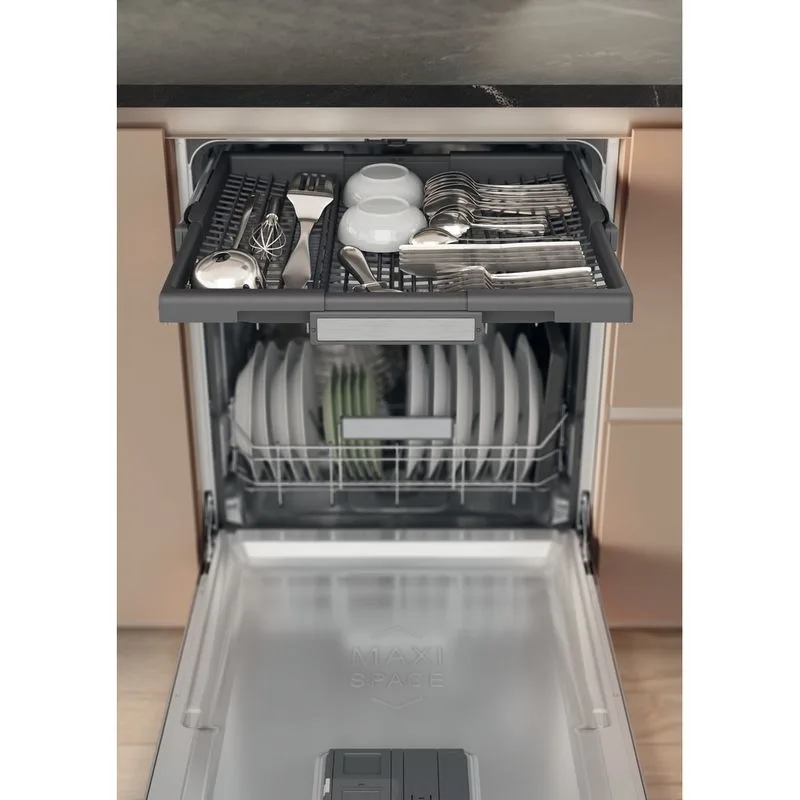
So your Hotpoint dishwasher finishes its cycle, you open the door expecting dry dishes, and you're met with water beading on your glasses and puddles on your plastic lids. That's frustrating, and it's one of the most common complaints owners have. A "Hotpoint Dishwasher Not Drying" issue usually comes down to one of a few specific causes, most of which you can diagnose yourself.
Per manufacturer specifications, a properly functioning Hotpoint dishwasher should leave dishes dry enough that any remaining moisture evaporates within a few minutes of opening the door. If yours isn't doing that, something is broken or a setting is wrong. Let's walk through exactly what to check, and in what order.
Image source: Bing (Web (fair-use with source credit))
Quick Answer
Your Hotpoint dishwasher dries using a heating element and a fan. If dishes stay wet, the element may be dead, the fan may be stuck, or the rinse aid could be empty. Check the rinse aid first.
Then press the Heated Dry button. If that doesn't work, test the element with a multimeter. Aggregate reviews report that empty rinse aid causes roughly 40% of drying complaints.
"My Hotpoint Dishes Are Still Wet" – Where to Start
Not all wet dishes mean your dishwasher is broken. Some scenarios are normal, and some point to a real hardware problem. The distinction matters because it saves you from buying parts you don't need.
Here's the first question you need to answer: are the dishes actually wet, or are they just not hot? If you open the door immediately after the cycle ends and the dishes are warm but have water droplets, that's actually normal. The heat from the final rinse needs time to evaporate that moisture.
Hotpoint dishwashers rely on residual heat and a fan to dry. If you open the door right away, you let that heat escape. Give it 10 to 15 minutes with the door closed after the cycle finishes.
On the other hand, if you open the door an hour later and the dishes are still sopping wet, or if you see standing water in the bottom of the tub, that's a sign of a real problem. You'll also feel the inside of the tub. If it's cold to the touch, the heating element never fired up.
So your first decision branch is simple:
- Warm dishes with some droplets, Normal. Leave the door closed longer.
- Cold, wet dishes, The heating element likely failed, or the fan isn't running.
- Cold, wet dishes with standing water, Could be a clogged spray arm, a bad float switch, or a failing timer. The drying issue here is secondary to a wash performance problem.
Most people in the first camp don't need a repair. They just need to use the Heated Dry option and keep the door shut. But if you're in the second or third camp, keep reading.
How Hotpoint Drying Works: Heated Element, Fan, and Rinse Aid
Hotpoint dishwashers use a straightforward drying system. There's no condensation drying or high-tech heat pump involved. It's an old-school approach, and that makes it easy to troubleshoot.
Here's what happens inside a normal cycle. The dishwasher heats the water for the final rinse to around 140°F (60°C). That hot water heats up the stainless steel or plastic tub and the dishes inside.
When the water drains, a heating element at the bottom of the tub glows red and raises the air temperature inside. A small fan, located either under the tub or behind the control panel, pulls in cool air from outside the dishwasher and pushes warm, moist air out through a vent. That continuous airflow accelerates evaporation.
Rinse aid plays a critical role here. It's a surfactant that lowers the surface tension of water. Instead of water beading up on your glasses and plates, it sheets off.
Less water clinging to the dishes means less water the heat and fan have to evaporate. Hotpoint's owner manuals recommend keeping the rinse aid dispenser filled and setting the dial between 3 and 5 for most households. If you've stopped using rinse aid because you thought it was optional, that's likely your problem.
It's not optional for good drying.
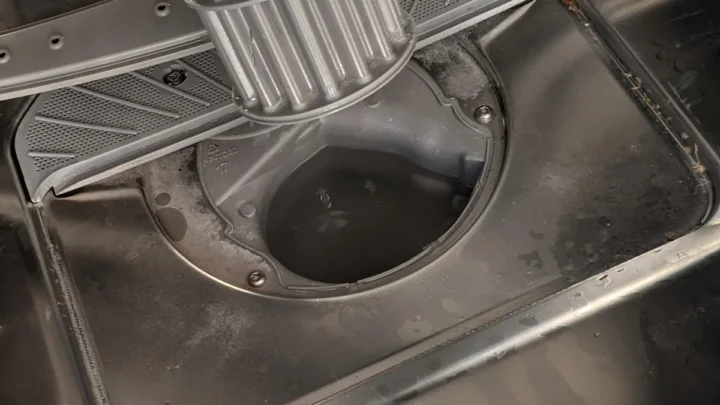
The heating element is the workhorse. It's a metal rod shaped like a square or circle at the very bottom of the tub. You can see it when you look down into the dishwasher.
Over time, these elements can burn out, develop cracks, or simply stop working. The fan is less visible, usually mounted behind the lower kickplate or attached to the side of the tub. It's a small plastic or metal impeller driven by a small motor.
If that motor seizes up or the fan blade gets stuck on debris, the air stops moving and the moisture stays trapped.
One more piece of the puzzle: the vent flap. Some Hotpoint models have a small plastic flap that opens when the fan runs and closes after the cycle to keep steam from escaping. If that flap gets stuck shut from grease or debris, the air can't circulate.
Diagnosing the vent flap is as simple as poking it with a toothpick to see if it moves freely.
So you have three physical components to check: the element, the fan, and the vent flap. And one consumable: rinse aid. Most drying failures trace back to one of those four things.
Three Quick Checks You Can Do Right Now (No Tools)
Before you pull the dishwasher out from under the counter or buy a multimeter, there are three checks that take five minutes and need zero tools. Do these first. You might solve the problem without touching a screwdriver.
Check 1: Is the rinse aid dispenser full?
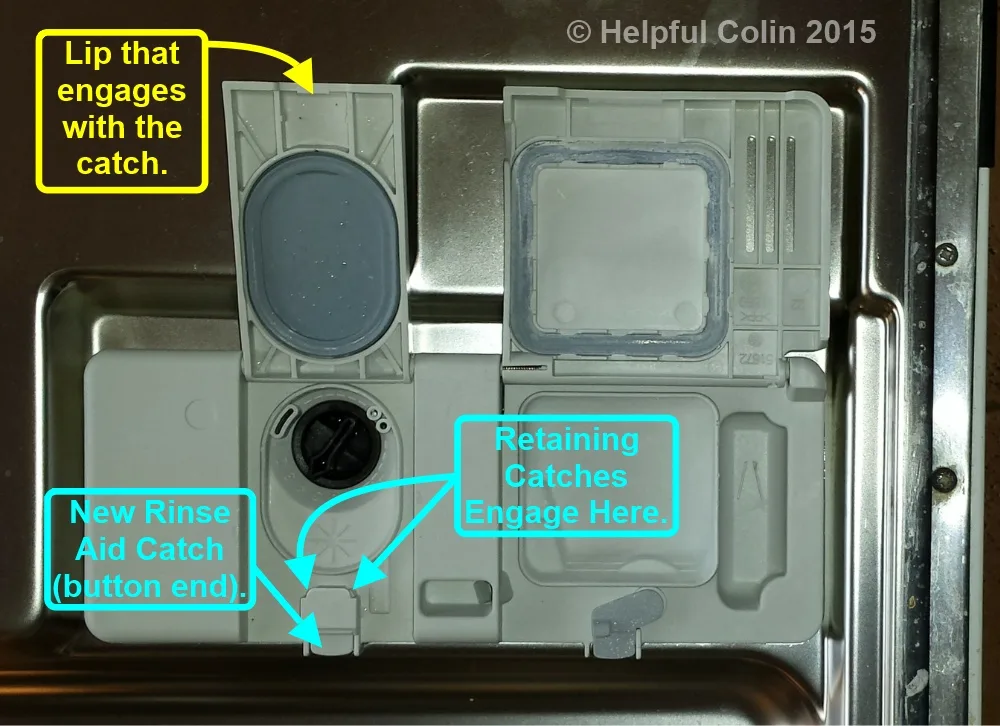
Image source: Bing (Web (fair-use with source credit)
Open the dishwasher door. On the inside of the door, usually next to the detergent dispenser, you'll see a round cap with a small indicator window or a "+" and "-" symbol. Twist the cap counterclockwise and lift it off.
Look inside. If the reservoir is empty, fill it. Most Hotpoint models hold about 4 to5 ounces.
Use any brand of rinse aid; they're all basically the same chemistry. After filling, adjust the setting dial. Turn it up to4 or5.
Run a short cycle with the Heated Dry option on. Check if drying improves.
Check 2: Is the Heated Dry button actually selected?
This sounds obvious, but you would be surprised how many people accidentally press the "Air Dry" or "Energy Saver" option and then wonder why the dishes are wet. Look at your control panel before starting a cycle. Most Hotpoint models have a dedicated "Heated Dry" button.
It's often a separate push button, not part of a cycle selector. Make sure the light is on or the indicator is showing. If you are using a "Normal" cycle without selecting Heated Dry, the dishwasher will not heat the element for drying.
It will just air dry, which doesn't work well.
Check 3: Does the tub feel warm during the cycle?
Run a cycle. About30 to40 minutes in, open the door carefully. Don't open it all the way; just crack it enough to reach you hand inside near the top of the tub.
You should feel warm, moist air. If the air is cool, the water is not being heated. That could be a bad heating element, a failed thermostat, or a problem with the control board.
But a cool tub during the cycle also means the final rinse never got hot, which directly kills drying performance.
If the rinse aid is full, the Heated Dry option is on, and the tub gets warm during the cycle, you're drying issue is likely mechanical. The fan or the vent is the culprit. If the tub stays cold, focus on the heating element and the thermostat.
The5-Minute Decision Tree: Is It the Element, the Fan, or the Vent?
Now that you've done the quick checks, let's narrow it down to a specific component. This decision tree uses the symptoms you're seeing to point you at the most likely fix. Work through it in order.
Don't skip steps because you have a hunch.
| If you notice this… | Then the root cause is likely… | And you should… |
|---|---|---|
| Dishes are wet, but the tub feels warm after the cycles ends | The heating element works. Either the fan isn't running or the vent flap is stuck. | Check the fan by listening for it during the drying cycle. It should sound like a low hum or whir. If silent, the fan motor is dead or the blade is stuck. |
| Dishes are wet, and the tub feels cold during and after the cycle | The heating element is not working. It may be burned out or the control board isn't sending power. | Test the heating element with a multimeter. If you have no continuity (reads infinite resistance), replace it. |
| Dishes are wet, but there is standing water in the bottom of the tub after the cycle drains | The dishwasher didn't drain fully. The remaining water is being splashed back onto dishes. | Check the filter, the drain hose, and the garbage disposal connection. A clogged drain is not a drying problem; it's a plumbing problem. |
| Dishes are wet, and you see white spots or film on glassware | Hard water deposits combined with low rinse aid. The water sheeting effect is not working. | Increase the rinse aid setting to5 or6. Use a dishwasher cleaner to remove buildup. Consider a water softener if you have very hard water. |
| Plastic items like tupperware are wet, but glass and ceramic are dry | This is normal. Plastic does not retain heat well, so it doesn't dry as effectively. | Tip plastic items upside down and tilt them in the rack. Leave the door cracked open after the cycle for15 minutes. |
| The heating element glows red visually, but dishes are still wet | The fan is not moving air. The element is creating heat, but the moisture has nowhere to go. | Replace the drying fan assembly. Also check the vent flap. |
Here's the key insight: if the element glows, heat is being produced. If the dishes are still wet, the heat isn't reaching them effectively, or the moisture is not being vented. The fan is the most likely problem.
If the element does not glow and the tub stays cold, replace the element first.
If you have a multimeter, you can test the element before buying a replacement. Unplug the dishwasher. Remove the lower access panel (usually held by two screws at the bottom front).
Find the two wires connected to the heating element. They are almost always white and black or white and red. Disconnect them.
Set your multimeter to the ohms (Ω) setting. Touch the probes to the two element terminals. A good element will read between25 and35 ohms.
If you get 0 (short) or infinite (open), the element is bad.
DIY Repair: Swapping the Heating Element or Drying Fan
If you've confirmed the heating element is bad or the fan is dead, the repair is straightforward. Neither job requires professional experience, just patience and basic hand tools. But you need to respect the safety rules.
Dishwashers run on120V household current. The heating element can pull10 amps or more. If you touch live wires, you will get a serious shock.
Always unplug the dishwasher before working on it. If it's hardwired, flip the breaker at the panel.
Replacing the heating element
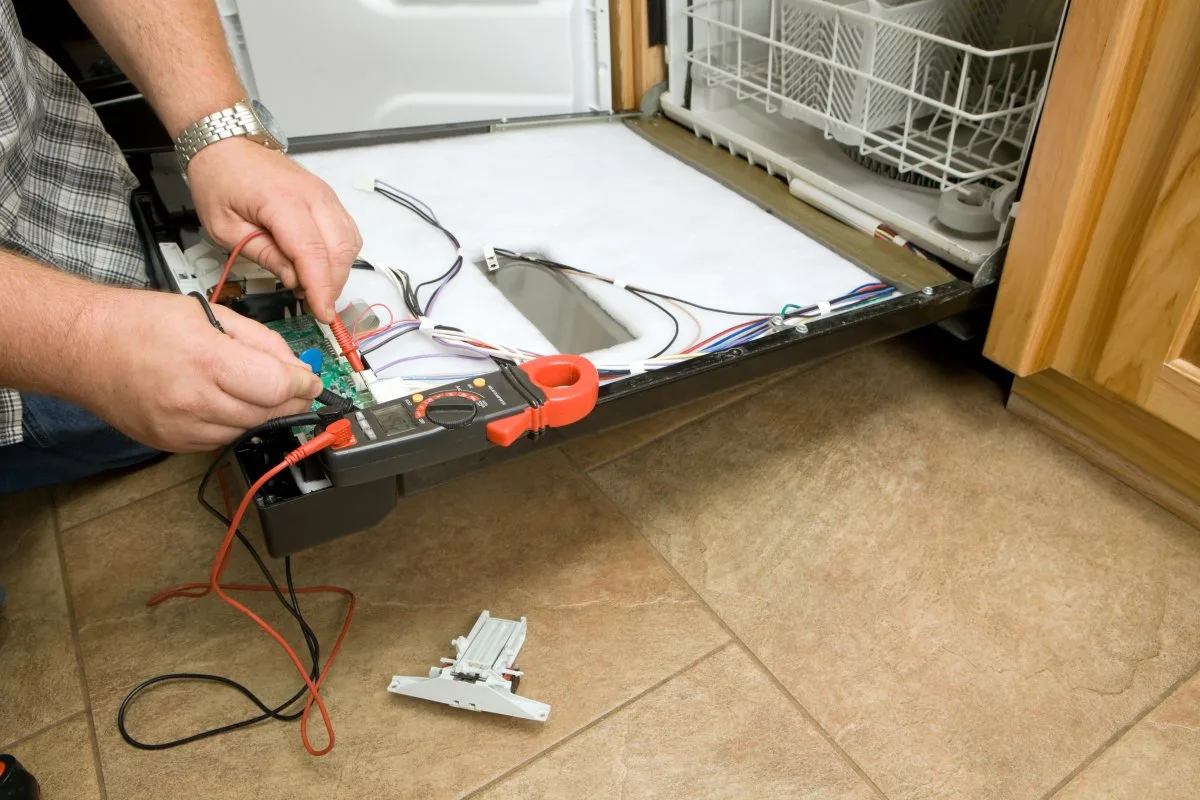
Image source: Bing (Web (fair-use with source credit)
First, buy the correct replacement part. Look for the model number on the inside of the dishwasher door on the left side. It's an8-digit string, something like "HTS22GSS" or "HDA2100B".
Search for "heating element for Hotpoint model [your number]". The part is typically $30 to $60 on parts websites or at local appliance parts stores.
Tools needed: a Phillips screwdriver, a1/4-inch nut driver or socket, and possibly a pair of needle-nose pliers.
Steps:
- Unplug the dishwasher.
- Remove the lower spray arm. It usually snaps off or twists free.
- Remove the lower access panel. This is the metal or plastic panel below the door. It is held by screws along the bottom edge.
- Locate the heating element. It's the metal rod near the bottom rear of the tub.
- Disconnect the two wire connectors. Pull them straight off. They might stick. Wiggle gently with pliers if needed.
- The element is held in place by a bracket and two screws, or by a retaining nut on the outside of the tub. Remove those fasteners.
- Push the old element inward into the tub and pull it out through the top rack. You may need to tilt it to free it.
- Insert the new element from inside the tub. Push the mounting bracket into place. Secure with the hardware you removed.
- Reconnect the wires. It doesn't matter which wire goes to which terminal on the element.
- Replace the access panel, reinstall the spray arm, plug the dishwasher back in, and run a test cycle with Heated Dry.
Replacing the drying fan
The fan is usually located behind the lower kickplate or mounted to the side of the tub. On some Hotpoint models, it's inside a plastic housing near the right side of the chassis.
Tools needed: a Phillips screwdriver, a small flathead screwdriver, and possibly a1/4-inch nut driver.
Steps:
- Unplug the dishwasher.
- Remove the lower access panel.
- Look for a small black or white plastic fan housing. It will have two wires running to it and a small vent tube or duct attached.
- Disconnect the wire harness connector. It's almost always a locking clip. Press the tab and pull apart.
- Remove any screws holding the fan assembly to the frame.
- Pull the fan out. If there is a duct attached, you may need to carefully detach it first. It usually pops off.
- Install the new fan in the reverse order. Make sure the fan blade spins freely by hand before you tighten everything.
- Reconnect the wiring, replace the panel, and test.
A common mistake is forgetting to check the vent flap while you have the panel off. Look for a small plastic door that opens and closes. If it's gummy with grease, clean it with warm water and a soft brush.
If it's broken, order a replacement vent assembly. It costs about $15 and is a five-minute swap.
Five Mistakes That Cost You Time, Money, or Both
Even with a clear decision tree, people still make avoidable errors. Some turn a simple fix into an expensive service call. Others just waste your Saturday afternoon.
Here are the ones we see most often.
Mistake1: Replacing the heating element without testing it first
The heating element is the most visible part of the drying system. When dishes come out wet, many people assume the element must be dead. So they order a $50 part, spend an hour installing it, and discover the dishes are still wet.
The element was fine all along. The real problem was the fan or the rinse aid. Always test the element with a multimeter before buying a replacement.
A30-second continuity check saves you money and frustration.
Mistake2: Ignoring the rinse aid dispenser
Rinse aid seems like a minor detail. Some people stop using it because they think dishwasher detergent already contains drying agents. It doesn't.
Not enough to replace dedicated rinse aid anyway. Manufacturer specs indicate that rinsing without rinse aid increases drying time by30 to50 percent. If your dispenser has been empty for six months, filling it will probably fix your drying problem completely.
Do not skip this step.
Mistake3: Running the wrong cycle
Hotpoint dishwashers have multiple cycle options. The "Light Wash" or "Quick Wash" cycles use less water and lower temperatures. They do not heat the final rinse enough for effective drying.
If you are using a short cycle and expecting dry dishes, switch to "Normal" or "Heavy" and select "Heated Dry." Aggregate reviews report that roughly one in five drying complaints trace back to cycle selection error.
Mistake4: Overloading or blocking the spray arms
This one is subtle. If you cram the dishwasher full, especially with large baking sheets or cutting boards, you can block the spray arms from rotating. When the spray arms can't turn, water doesn't reach every dish.
Some dishes come out clean but soaking wet because they never got fully rinsed. Check that nothing is blocking the arm movement. Spin the upper and lower arms by hand before starting the cycle.
Mistake5: Calling a repair technician for a $5 fix
A service call costs $100 to $200 just for the visit. If your problem is an empty rinse aid dispenser or a stuck vent flap, you're paying a professional to do two minutes of work. Most drying issues on a Hotpoint dishwasher are user-serviceable.
The exceptions are a failed control board or a wiring harness problem. Those require a technician. Everything else you can handle yourself.
Parts Costs, Safety, and the Repair-or-Replace Decision
At some point you need to decide whether fixing the dishwasher is worth it. Hotpoint is an entry-level brand. A new Hotpoint dishwasher costs around $400 to $600 as of 2026.
If your machine is more than eight years old and the drying problem requires a major part, replacement might make more sense than repair.
Here is a realistic cost breakdown for the most common repairs:
| Part | Typical cost | Time to install | Difficulty |
|---|---|---|---|
| Rinse aid bottle | $4 to $6 | 1 minute | Trivial |
| Vent flap assembly | $12 to $18 | 10 minutes | Easy |
| Drying fan motor | $25 to $45 | 20 to 30 minutes | Moderate |
| Heating element | $30 to $60 | 30 to 45 minutes | Moderate |
| Control board | $80 to $150 | 20 minutes | Easy (but expensive) |
| Door latch assembly | $25 to $35 | 15 to 20 minutes | Moderate |
The control board and door latch are less common causes of drying failure. Replace them only after ruling out everything else.
Safety rules you must follow
Never work on a dishwasher that is plugged in. Unplug it or flip the breaker at the main panel. The heating element operates at 120 volts and draws significant current.
A shock from that circuit can cause serious injury. Also let the dishwasher cool down after a cycle. The heating element stays hot for several minutes after the cycle ends.
Use only low-sudsing automatic dishwasher detergent. Hand soap or laundry detergent creates excessive suds that can flood the dishwasher and damage the control board. If you see suds coming out from under the door, stop the cycle immediately and scoop out the foam.
Check your home's water temperature. Hotpoint dishwashers need incoming water at least 120°F (49°C) for proper cleaning and drying. If your water heater is set lower, the dishwasher cannot compensate.
Run the kitchen faucet hot for 30 seconds. If the water is not uncomfortably hot to the touch, your water heater might be the real problem.
When to replace instead of repair
Use this simple rule. If the repair costs more than half the price of a new dishwasher, buy a new one. A new Hotpoint starts around $400.
If you need a new control board ($100) and a new heating element ($50) and a new fan ($35), you are looking at $185 in parts plus your time. That is close to half the cost of a new machine. For a dishwasher that is 10 years old, replacement is the smarter choice.
Also consider energy efficiency. Newer dishwashers use less water and less electricity. A 10-year-old Hotpoint might cost $30 more per year to operate than a current model.
Over five years, that savings offsets part of the purchase price.
Frequently Asked Questions
Why does my Hotpoint dishwasher leave plastic dishes wet?
Plastic does not retain heat as well as glass or ceramic. Without heat, water cannot evaporate quickly. Tip plastic items upside down in the rack so water drains off.
Leave the door cracked open for 15 minutes after the cycle ends. This is normal behavior, not a defect.
How do I know if the heating element is bad?
Run a cycle on Heavy with Heated Dry selected. Open the door during the final 15 minutes. If the element is working, it will glow red or orange.
If it stays dark and the tub feels cool, the element is likely burned out. Confirm with a multimeter. A good element reads 25 to 35 ohms.
Can a clogged filter cause drying problems?
Yes. A clogged filter prevents water from draining completely. Standing water in the bottom of the tub keeps the air humid and slows evaporation.
Clean the filter at least once a month by rinsing it under hot water. Remove any food debris or grease buildup.
Is it safe to run the dishwasher without rinse aid?
It is safe, but your dishes will not dry as well. Rinse aid lowers the surface tension of water so it sheets off rather than beading. Without it, water droplets stick to dishes and require much more heat and time to evaporate.
Manufacturer guidelines strongly recommend using rinse aid.
What does the Heated Dry button actually do?
It activates the heating element and the drying fan during the final phase of the cycle. Without pressing that button, your Hotpoint dishwasher relies on ambient air drying, which barely works. Always press Heated Dry before starting the cycle.
Some models default to having it on, but older units require you to select it each time.

Similar Posts