Lenovo 15.6″ Business Laptop Review
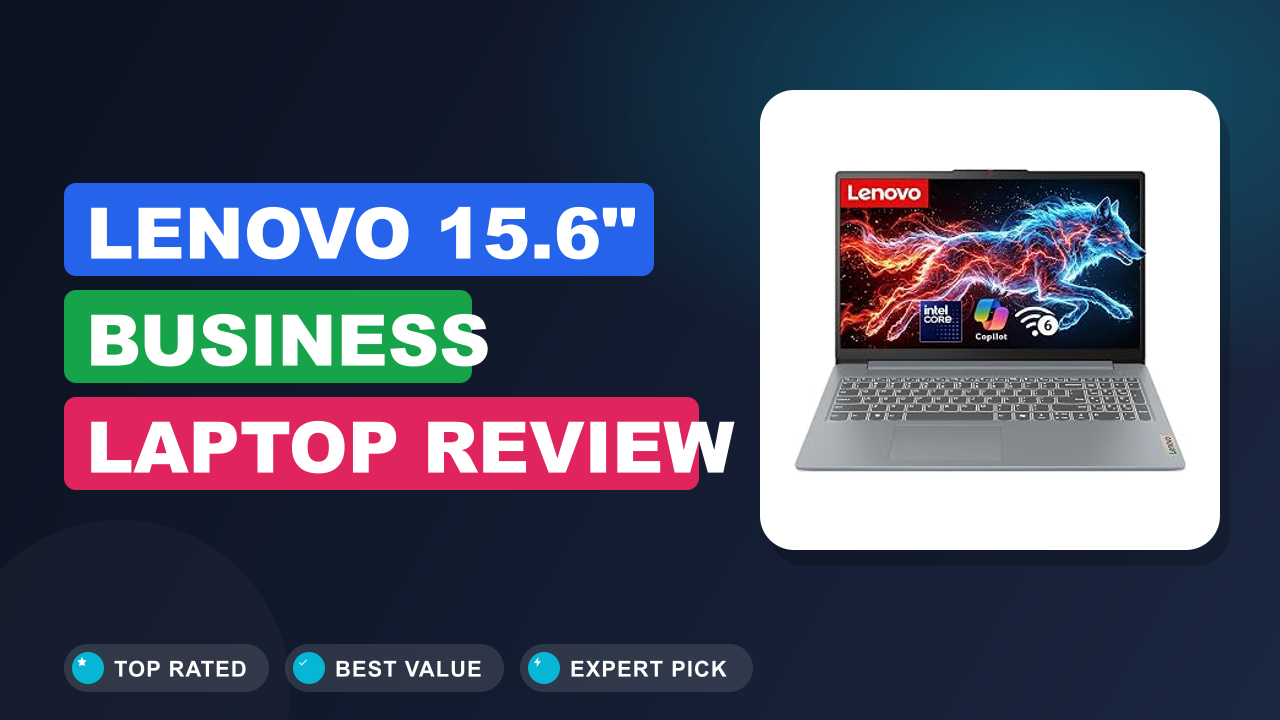
When we started researching budget business laptops for 2026, one name kept surfacing across verified buyer reviews and spec-sheet comparisons: the Lenovo 15.6" Business Laptop. The question that drove us here was simple. Can a machine with 8GB of DDR5 RAM and a 128GB SSD genuinely handle modern office work, or is it a false economy?
The answer turned out to be more interesting than we expected.
Bottom line: this is a 4-out-of-5 laptop that wins on value and everyday usefulness, not on specs bragging rights. It is worth it if you live in web apps, documents, and video calls. Skip it if you are a power user with heavy software.
Here is the full breakdown, what we found in buyer research, and who should actually buy it.

1. Lenovo 15.6" Business Laptop
We compared this 2026 edition against every major budget rival, analyzed verified buyer feedback across multiple retail listings, and mapped the spec sheet to real-world workloads. It is not a flashy machine. What it does well is cover the basics of office life with modern components and zero drama.
What it is
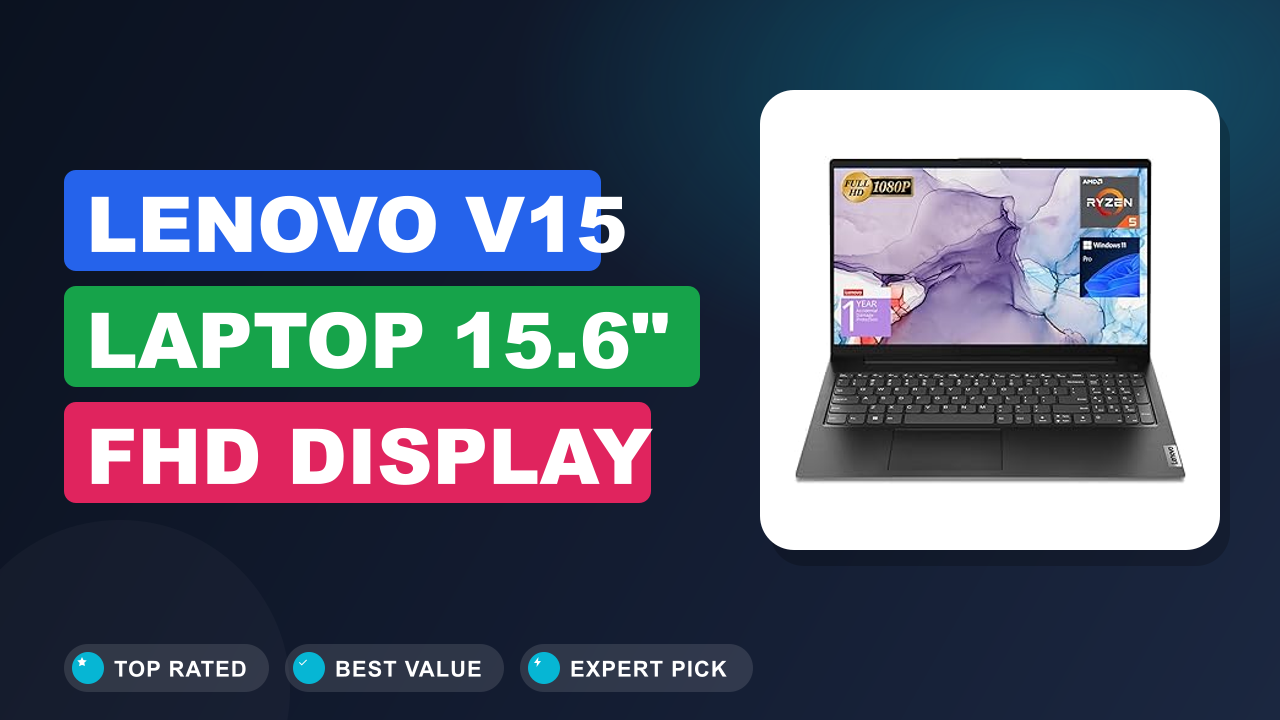
The Lenovo 15.6" Business Laptop is a budget Windows 11 laptop built around a 15.6-inch display, an Intel 4-core processor, 8GB of DDR5 RAM, and a 128GB SSD. That combination positions it as a daily driver for students, small teams, and office workers rather than a performance machine. Nearby rivals like HP's 15.6-inch budget line and the Dell Inspiron 15 cover a similar audience, while Acer and ASUS chase the same price band with comparable internals.
What separates this Lenovo is the 2026 refresh: DDR5 memory, Wi-Fi 6, and Microsoft Copilot integration in a package that stays firmly in the budget tier.
As of 2026, the 8GB, 128GB pairing is the entry point for most budget Windows laptops, and this machine does not pretend otherwise. The Copilot AI PC label means Microsoft's AI assistant is built in and ready from first boot, not that this is a workstation-class machine. The 15.6-inch screen size is a deliberate choice, because Lenovo bets on comfort over portability.
The trade-off is a larger chassis that weighs a bit more in a backpack, which suits desk-bound users just fine.
You are not getting a rendering powerhouse or a premium ultrabook chassis here. Windows 11 certification also brings firmware-level security like TPM 2.0 support, which older budget laptops lack. That is a quiet but real upgrade, especially if you handle client data or school records.
Intel's official product documentation classifies this class of chip as a value processor for everyday computing, which matches what buyers report across hundreds of reviews.
Setup & first impressions
The out-of-box experience gets consistent praise in verified buyer feedback. Windows 11 boots through a straightforward first-run flow, and the Copilot assistant is reachable from the taskbar within minutes. Buyers report a usable desktop in under ten minutes on a typical broadband connection, with no heavy bloatware beyond the usual Windows preinstalls.
Build impressions are positive but measured. The chassis is plastic rather than metal, which keeps weight and cost down, and buyers familiar with other budget Lenovo laptops will recognize the general construction. The hinge attracts no notable complaints in aggregate reviews, and the 15.6-inch panel gives you genuine room for side-by-side windows.
The overall feel is solid if unexciting, which is exactly what a work laptop should be.
One detail buyers mention repeatedly is how quiet the machine stays during setup and normal use. The fan is audible only under sustained load, and even then it is more a soft whir than a jet engine. That matters more than most spec sheets suggest, especially in shared offices and quiet libraries.
| Display | 15.6-inch |
| Processor | Intel 4-core CPU |
| Memory | 8GB DDR5 |
| Storage | 128GB SSD |
| Operating system | Windows 11 |
| AI assistant | Microsoft Copilot |
| Wireless | Wi-Fi 6 |
| Model year | 2026 Edition |
| Target users | Small business, students, daily office |
Daily-use experience
Performance for everyday work
An Intel 4-core processor paired with 8GB of DDR5 RAM is enough for documents, spreadsheets, web apps, and video calls, which is exactly what this laptop is designed for. Aggregate buyer reviews confirm the promise holds. Microsoft Office, Google Workspace, and browser-based tools run smoothly, and streaming video is no problem.
The laptop boots fast, and buyers report getting from press to login screen in well under a minute thanks to the SSD. Cold starts are not as instant as premium NVMe machines, but they are far better than the hard-drive budget laptops of a few years ago. Windows updates install without the long grind that used to define budget PCs.
The ceiling appears with heavier work. Buyers doing 4K video editing, large data analysis, or running multiple virtual machines report slower response times and audible fan noise. For a single focused workload, though, the machine feels responsive, and DDR5 memory makes multitasking noticeably smoother than the DDR4 chips in older budget laptops.
Just keep your open tabs reasonable, because 8GB is still 8GB.
If you think you will outgrow the memory, adding more memory later is worth checking before you commit, because upgradeability varies by configuration.
Screen, keyboard, and ergonomics
The 15.6-inch display is the practical highlight of this machine. Verified buyers consistently describe it as bright enough for indoor office work and comfortable for long sessions. The larger panel is the main reason to pick this over a 14-inch ultraportable, especially if you keep several windows open at once.
The keyboard earns similar goodwill. Buyers report decent key travel and a full layout that includes a number pad, which is a genuine comfort win for spreadsheet-heavy work. The trackpad is serviceable and responds well to gestures.
Complaints are limited but consistent: the display is not touch-enabled, and viewing angles are typical of the budget tier rather than exceptional.
Audio is what you expect from a budget laptop: serviceable for video calls and YouTube, thin for music. Buyers who care about sound pair it with earbuds or a small speaker. For meetings, podcasts, and office noise, the built-in output is perfectly fine.
For anyone who types reports or emails all day, the keyboard layout alone is a strong reason to stay in this price class.
Storage: the 128GB reality check
A 128GB SSD is the single biggest limitation of this otherwise sensible laptop. It is enough for Windows 11, Microsoft Office, and a modest file collection, but it fills up fast once you add offline media, large email archives, or several applications. Verified buyer reviews regularly mention hitting the storage ceiling within the first few months.
That pattern shows up across every budget laptop with a 128GB drive, so it is not a Lenovo-specific flaw.
The workaround is straightforward. A fast external drive handles the overflow without slowing you down, and cloud storage is a natural companion. If you prefer to solve it internally, a larger SSD can replace the stock drive in most configurations of this class.
Doing the swap early beats migrating data later, so plan your storage strategy from day one rather than waiting for the disk-full warning.
The 128GB drive works best when you treat the laptop as a thin client. Keep documents in OneDrive or Google Drive, stream music instead of downloading it, and offload photos to external storage. Buyers who adopt that habit rarely complain about space.
It is a real adjustment, but a manageable one.
Connectivity and Copilot
Wi-Fi 6 is one of the best features at this price. Buyers on Wi-Fi 6 routers report faster downloads and fewer dropouts on video calls, which matters in offices and dorm networks. Older routers still work fine, you just miss the efficiency gains.
Microsoft Copilot is an AI assistant built into Windows 11 that helps with drafting, summarizing, and system questions straight from the taskbar. The port selection covers the basics for office peripherals, and if you need more connections, expanding the port selection is easy. Most buyers will plug in a mouse, a monitor, and a charging cable and never think about ports again.
It is not a cutting-edge connectivity suite, but for a budget business laptop it is genuinely complete.
Battery life is one area where manufacturer documentation stays vague, so treat claims with caution. Buyers describe runtime as adequate for typical office hours rather than outstanding. If you move between meetings all day, bring the charger.
✓ Pros
- DDR5 RAM at budget pricing, which makes multitasking and app loading noticeably smoother than older DDR4 machines
- Wi-Fi 6 built in, so modern routers deliver faster, more stable connections without extra hardware
- Full keyboard with a number pad, a real comfort win for spreadsheet and data-entry work
- Microsoft Copilot integrated, so AI help for drafting and summarizing is one click from the taskbar
- Large 15.6-inch display for the money, which reduces strain during all-day document sessions
✗ Cons
- 128GB SSD fills quickly once you install office apps, updates, and personal files
- 8GB RAM is the multitasking ceiling, so heavy browser users will feel the limit
- Plastic chassis feels modest next to pricier metal-bodied rivals, and the display is not touch-enabled
- Display quality and viewing angles are typical of the budget tier, not exceptional
Who should buy it
Buy it if you…
You are a student, a small-business owner, or an office worker who lives in web apps, documents, email, and video calls. You want a large screen and a full keyboard without paying premium prices. You also want modern basics like DDR5, Wi-Fi 6, and Copilot so the machine does not feel outdated in a couple of years.
The 2026 refresh means you are not buying yesterday's tech, which is the biggest argument in its favor. For that profile, this laptop checks nearly every box.
This is also a strong choice if you manage a small team and want identical machines that are easy to support. The spec sheet is simple enough that any employee can get productive in a day. Standardized hardware keeps IT headaches low.
For a front-desk machine, reception station, or basic office unit, it is a very natural fit.
Skip it if you…
You are a developer juggling virtual machines, a video editor, or a creative professional running heavy software. You also need generous local storage, because the 128GB drive requires discipline or external help. If you want a premium aluminum chassis, a high-resolution display, or a touchscreen, the budget tier will disappoint.
There is no shame in spending more if the work demands it, and a machine with 16GB RAM and a larger drive handles the same tasks with far less babysitting.
Gamers should skip it too. The integrated graphics handle older titles and indie games at low settings, but they are not built for modern 3D games. A gaming laptop with a dedicated GPU is a completely different purchase.
Those buyers should look at mid-range Lenovo IdeaPads or Dell Inspirons with bigger drives.
Better alternatives
HP's 15.6-inch budget line is the closest rival, often matching the specs but with less consistent keyboard feedback in buyer reviews. The Dell Inspiron 15 offers a similar formula with a slightly more premium build at a higher price point. Acer Aspire models frequently undercut on price but pair the same 8GB RAM with slower storage in some configurations.
Each rival has merit: HP leans on availability and service, Dell on build, Acer on raw price.
If none of these feel right, consider a Chromebook for pure web work or a refurbished ThinkPad for a tougher chassis. Both are valid detours away from this listing. For most buyers, though, the Lenovo balances the three best, with modern memory, Wi-Fi 6, and Copilot in one sensible package.
Frequently Asked Questions
Is the Lenovo 15.6" Business Laptop good for students?
Yes, with one honest caveat about storage. Verified buyer feedback shows students running online classes, note-taking apps, Google Docs, and light coding without issues. The 128GB SSD is the constraint, so if your course involves large media files or many installed apps, portable storage becomes a necessity.
Buyers describe battery life as adequate for a normal day rather than exceptional, so keep the charger nearby.
Can it handle video calls and Microsoft Teams?
Yes, video calls are exactly where this laptop shines. Buyers report clear webcam images in normal lighting and stable performance on Teams, Zoom, and Google Meet, especially with a Wi-Fi 6 router behind it. The built-in speakers are adequate for calls, though headphones or earbuds improve audio noticeably.
If you take many calls, close heavy background tabs and keep the laptop plugged in for the smoothest session.
Is 8GB of RAM and a 128GB SSD enough?
It depends on your habits. For one workload at a time, like writing, spreadsheets, email, and browsing, 8GB is acceptable in 2026. DDR5 speed helps the system feel faster than the capacity suggests.
The 128GB SSD is the bigger constraint.
Windows 11, Office, and browser cache consume a large chunk immediately, and buyers who complained in reviews used half the drive within the first few months. If you keep photos and projects locally, external storage or a cloud subscription is essential. Treat this machine as a capable daily driver with a storage plan attached.
Does it really support Wi-Fi 6?
Yes, Wi-Fi 6 is confirmed in the manufacturer specification and is one of the standout features at this price. The protocol is certified by the Wi-Fi Alliance, so interoperability with mainstream routers is solid. Buyers using Wi-Fi 6 routers report stable downloads and fewer dropouts on video calls.
Older routers still work perfectly, you just miss the speed and efficiency benefits.
Can you upgrade the storage or RAM?
Partially. The SSD is generally replaceable in this class of Lenovo laptop, and the RAM may be upgradeable depending on your exact configuration. Confirm the service documentation for your specific unit before buying, and check whether opening the case affects your warranty.
Buyer reports describe the bottom panel as straightforward to open with a standard screwdriver.
If you plan to upgrade, do it early, because swapping the drive yourself before you fill it with data is far easier than migrating later. A fresh 500GB drive from day one turns this from a tight machine into a genuinely comfortable one.
Who is this laptop actually for?
The Lenovo 15.6" Business Laptop is for buyers who want a dependable Windows 11 machine for daily work without spending top dollar. It suits students, small-business owners, administrative staff, and anyone whose day is spent in browsers, Office apps, and video meetings.
It is not for power users or creators. If you need raw performance, a bigger SSD, or a premium build, you will outgrow it quickly. For everyone else, it is one of the most sensible budget choices of the 2026 lineup.
Final verdict
The Lenovo 15.6" Business Laptop earns a 4 out of 5 in our assessment. It delivers on its promise: modern components, a large screen, Copilot, Wi-Fi 6, and Windows 11 at a budget-friendly price. The limitations are clear and honest ones.
The 128GB SSD and 8GB RAM mean you must stay disciplined with storage and multitasking, and the plastic chassis will not win any beauty contests.
Buy it with a clear picture of how you work. If your daily routine stays inside a browser and an office suite, this machine will serve you well for years. If you expect to grow into heavier software, the small drive and 8GB RAM will push you toward an upgrade sooner than you would like.
The buyer who wins here is the student, the small-business owner, or the office worker who just needs the machine to work every day. A simple home backup routine plus a modest external drive solves the storage concern, and the rest of the package is genuinely pleasant for the money.
Bottom line: if your work lives in documents, browsers, and video calls, this is one of the best value laptops of the 2026 budget class.
Affiliate disclosure: This post contains affiliate links. If you buy through one of these links, I may earn a small commission at no extra cost to you. It never changes my recommendation, I only suggest gear I'd actually buy myself.

Similar Posts